
A metadata crawler for Fantia videos

Project description
Fantia Crawler / Fantia 媒体元数据抓取工具
English
Project Description
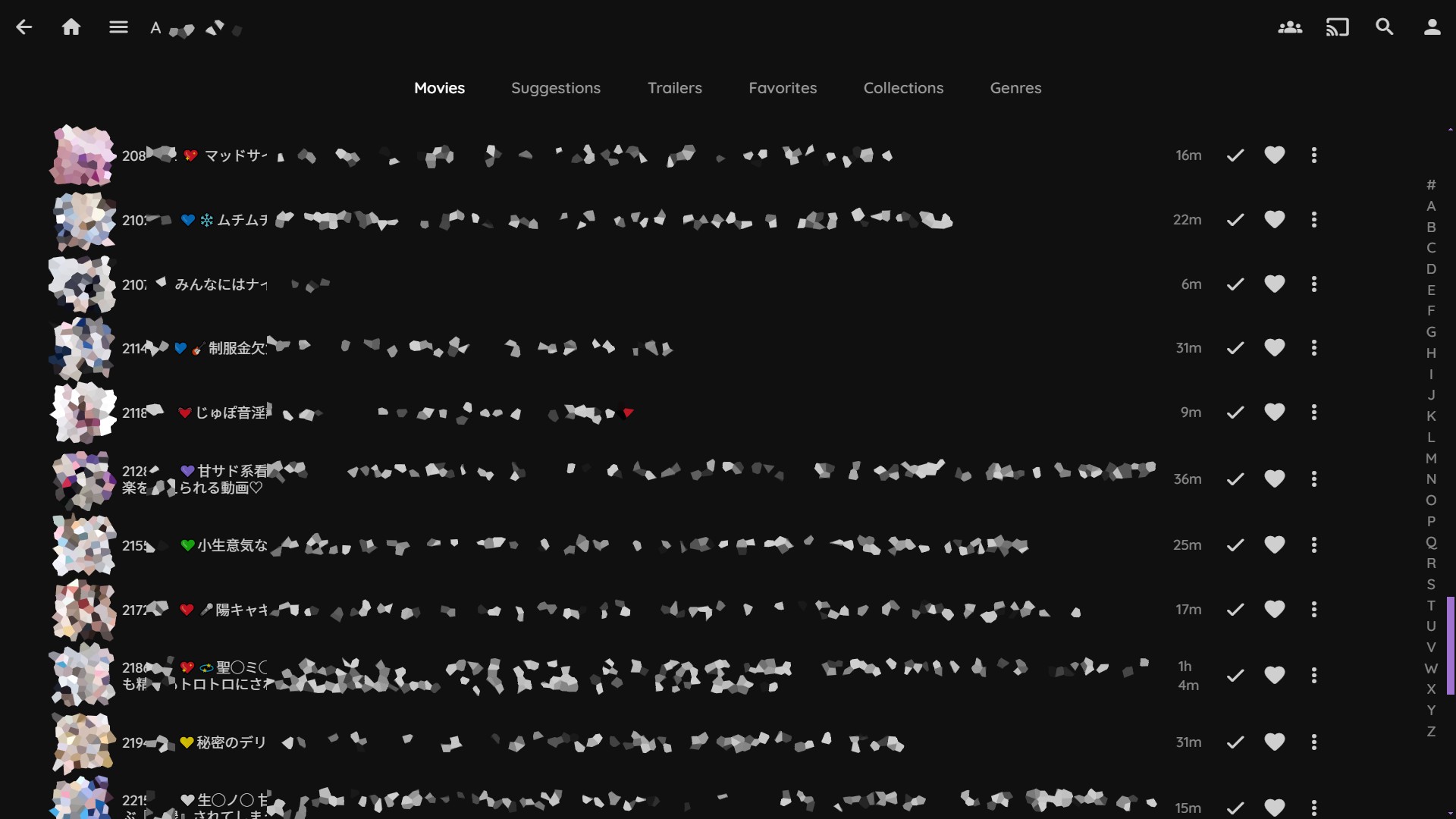
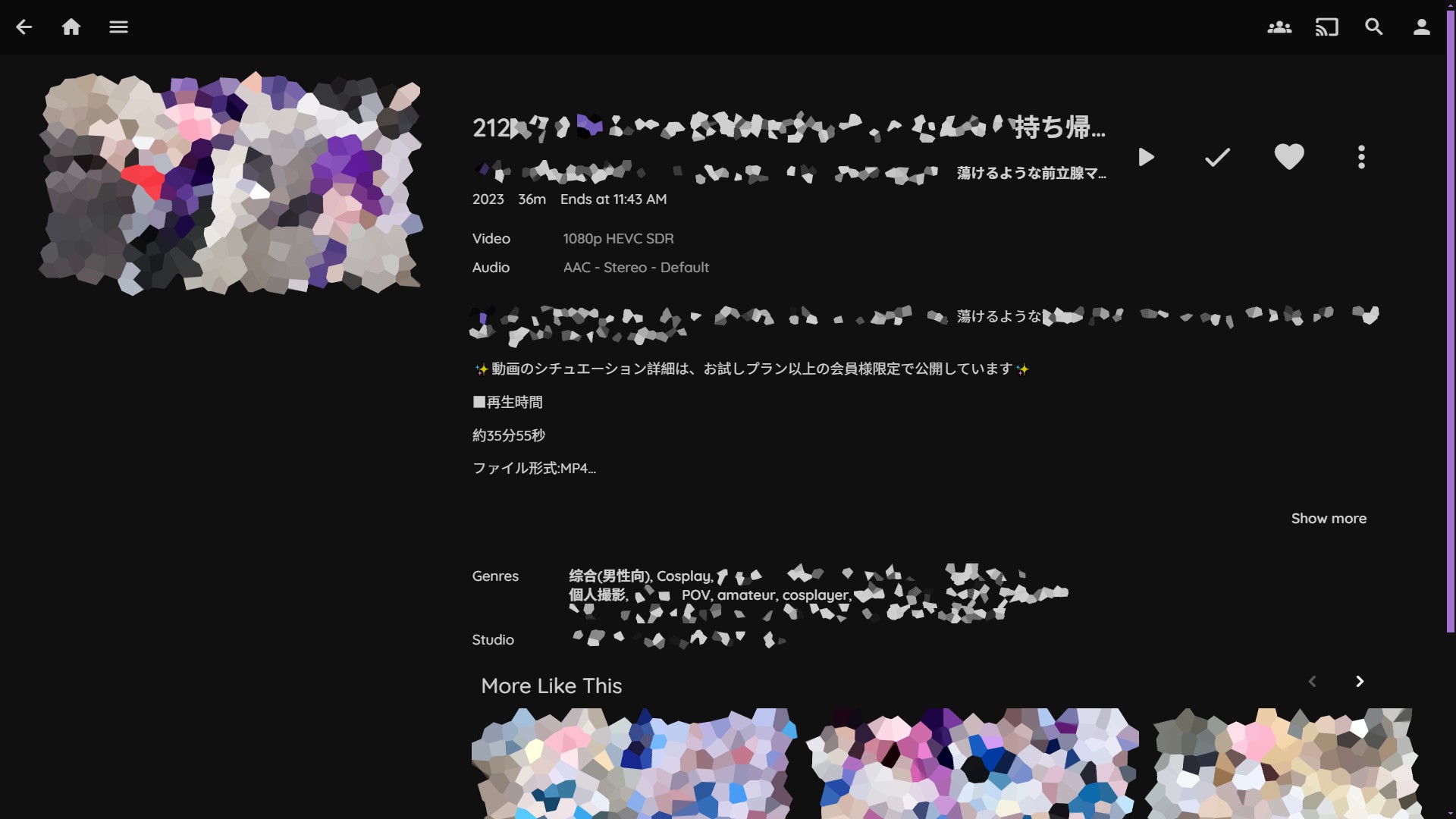
A metadata crawler for organizing Fantia videos for media servers like Jellyfin and Emby. This tool helps you manage and organize video metadata from Fantia posts.
Important Notices
- This project does NOT provide unauthorized video downloading
- Some Fantia posts may require membership to access metadata
Example
The following are the default organization behavior, it can be changed with the "--prefix" and "--replace-space" flags
Before Organization
/path/to/videos/****1.mp4
/path/to/videos/****2_part1.mp4
/path/to/videos/****2_part2.mp4
/path/to/videos/****3-Kita-Ikuyo.mov
/path/to/videos/Fantia-****4 Yamada Ryo-CD1.mp4
/path/to/videos/Fantia-****4 Yamada Ryo-CD2.mp4
After Organization
/path/to/videos/****1
├── ****1.jpg
├── ****1.mp4
└── ****1.nfo

/path/to/videos/****2
├── ****2 part1.jpg
├── ****2 part1.mp4
├── ****2 part1.nfo
├── ****2 part2.jpg
├── ****2 part2.mp4
└── ****2 part2.nfo

/path/to/videos/****3
├── ****3.jpg
├── ****3.mov
└── ****3.nfo

/path/to/videos/****4
├── ****4 CD1.jpg
├── ****4 CD1.mp4
├── ****4 CD1.nfo
├── ****4 CD2.jpg
├── ****4 CD2.mp4
└── ****4 CD2.nfo
Media Library in Jellyfin
Installation
- Download .whl package from Release
pip install /path/to/release/package.whl
Usage
fantia-crawler [OPTIONS]
Options
-e, --email: Autofill your Fantia account email, if empty you may need to enter it manually-p, --password: Autofill your account password, if empty you may need to enter it manually-b, --browser: Can be Chrome, Edge, Firefox or Safari-d, --directory: Directory to process videos (defaults to current directory). If you are using Windows, it is recommended to surround the path with double quotes-x, --prefix: Prefix to add to organized file name. e.g., set "-x FANTIA", file and folder's name will become "FANTIA{dash}[ID]" (default: empty)-D, --dash: Define the default hypen between prefix, id and parts, default-
Usage Requirements
- Video filenames must include the Fantia post ID (from URL: https://fantia.jp/posts/xxxxxxx)
- Supported video formats: .mp4 and .mov
- Accompanying image files with the same name as the video will be directly used
Login Process
- Manual login is required to avoid anti-crawler detection
- After logging in and returning to the Fantia homepage, press Enter in the command line to continue
中文
项目描述
用于整理Fantia视频元数据的爬虫工具,帮助您将视频轻松上架到Jellyfin、Emby等媒体服务器。
重要声明
- 本项目不提供未经授权的视频下载
- 部分Fantia帖子可能需要成为会员才能获取元数据
- 你的网络环境需要能够顺利访问Fantia
- 从Fantia下载预览图时,运行本项目所在的shell窗口也需要能够顺利访问Fantia
# Before using fantia-crawler

# For *nix
export HTTPS_PROXY=http://127.0.0.1:yourport
export HTTP_PROXY=http://127.0.0.1:yourport
# For Powershell
$Env:http_proxy="http://127.0.0.1:yourport";$Env:https_proxy="http://127.0.0.1:yourport"
安装
- 从Release页面下载.whl文件
pip install /path/to/whl/file
使用方法
fantia-crawler [可选选项]
选项说明
-e, --email: 自动填充您的 Fantia 账户邮箱,如果为空,则可能需要手动输入-p, --password: 自动填充您的账户密码,如果为空,则可能需要手动输入-b, --browser: 可以是Chrome, Edge, Firefox或者Safari-d, --directory: 处理视频的目录(默认为当前目录)。如果您使用的是 Windows 系统,建议用双引号将路径括起来-x, --prefix: 为整理后的文件名添加前缀。例如,设置为"-x FANTIA" 文件和文件夹的名称将变为 "FANTIA{dash}[ID]"(默认值为 空)-D, --dash: 定义文件各部分(前缀、Fantia Post ID号、分P)之间的连接符号,默认是-
使用要求
- 视频文件名必须包含Fantia帖子ID(来自URL: https://fantia.jp/posts/xxxxxxx)
- 支持的视频格式:.mp4 和 .mov
- 与视频文件同名的图像文件将会被直接使用,跳过爬取图片
登录流程
- 为避免反爬虫检测,需要手动登录。
- 在Selenium打开的页面成功登录并返回Fantia主页后,在命令行中按Enter继续
Release history Release notifications | RSS feed

Download files
Download the file for your platform. If you're not sure which to choose, learn more about installing packages.
Source Distribution
Built Distribution
Filter files by name, interpreter, ABI, and platform.
If you're not sure about the file name format, learn more about wheel file names.
Copy a direct link to the current filters
File details
Details for the file fantia_crawler-0.7.0.tar.gz.
File metadata
- Download URL: fantia_crawler-0.7.0.tar.gz
- Upload date:
- Size: 10.6 kB
- Tags: Source
- Uploaded using Trusted Publishing? Yes
- Uploaded via: twine/6.1.0 CPython/3.12.8
File hashes
| Algorithm | Hash digest | |
|---|---|---|
| SHA256 |
a7027a500f2cf304ffc5715d8a94241f78abc52d4546812586f81ee2e6e8759f
|
|
| MD5 |
60b961393864b81da508ed7d4b63f3f4
|
|
| BLAKE2b-256 |
284b54e76aa4c0346340297691e70af6ec838a2b0eb292c55b502d56e660ef67
|
Provenance
The following attestation bundles were made for fantia_crawler-0.7.0.tar.gz:
Publisher:
python-publish.yml on ChowDPa02k/fantia-crawler
-
Statement:
-
Statement type:
https://in-toto.io/Statement/v1 -
Predicate type:
https://docs.pypi.org/attestations/publish/v1 -
Subject name:
fantia_crawler-0.7.0.tar.gz -
Subject digest:
a7027a500f2cf304ffc5715d8a94241f78abc52d4546812586f81ee2e6e8759f - Sigstore transparency entry: 171462131
- Sigstore integration time:
-
Permalink:
ChowDPa02k/fantia-crawler@ebc89e1d2088345632a3c9976f0e9dbc3bfb0c39 -
Branch / Tag:
refs/tags/v0.7.0 - Owner: https://github.com/ChowDPa02k
-
Access:
public
-
Token Issuer:
https://token.actions.githubusercontent.com -
Runner Environment:
github-hosted -
Publication workflow:
python-publish.yml@ebc89e1d2088345632a3c9976f0e9dbc3bfb0c39 -
Trigger Event:
release
-
Statement type:
File details
Details for the file fantia_crawler-0.7.0-py3-none-any.whl.
File metadata
- Download URL: fantia_crawler-0.7.0-py3-none-any.whl
- Upload date:
- Size: 9.1 kB
- Tags: Python 3
- Uploaded using Trusted Publishing? Yes
- Uploaded via: twine/6.1.0 CPython/3.12.8
File hashes
| Algorithm | Hash digest | |
|---|---|---|
| SHA256 |
9377f04b194d7cfd897cd38e0a6a9afe617f3e670c9f07b76ceb004b127d4fe0
|
|
| MD5 |
795a9cc918d6f3ac4c4243f1ce92391c
|
|
| BLAKE2b-256 |
edfb4430ff2bd0320e0176b2e4e11f07955ccefba4aeb0226a67e55a9c67a4f8
|
Provenance
The following attestation bundles were made for fantia_crawler-0.7.0-py3-none-any.whl:
Publisher:
python-publish.yml on ChowDPa02k/fantia-crawler
-
Statement:
-
Statement type:
https://in-toto.io/Statement/v1 -
Predicate type:
https://docs.pypi.org/attestations/publish/v1 -
Subject name:
fantia_crawler-0.7.0-py3-none-any.whl -
Subject digest:
9377f04b194d7cfd897cd38e0a6a9afe617f3e670c9f07b76ceb004b127d4fe0 - Sigstore transparency entry: 171462132
- Sigstore integration time:
-
Permalink:
ChowDPa02k/fantia-crawler@ebc89e1d2088345632a3c9976f0e9dbc3bfb0c39 -
Branch / Tag:
refs/tags/v0.7.0 - Owner: https://github.com/ChowDPa02k
-
Access:
public
-
Token Issuer:
https://token.actions.githubusercontent.com -
Runner Environment:
github-hosted -
Publication workflow:
python-publish.yml@ebc89e1d2088345632a3c9976f0e9dbc3bfb0c39 -
Trigger Event:
release
-
Statement type:






