
Add an AI Agent to your FastAPI application. The agent knows how to interact with your endpoints within a chat interface.

Project description

💬 Talk to your FastAPI app like it's a teammate.
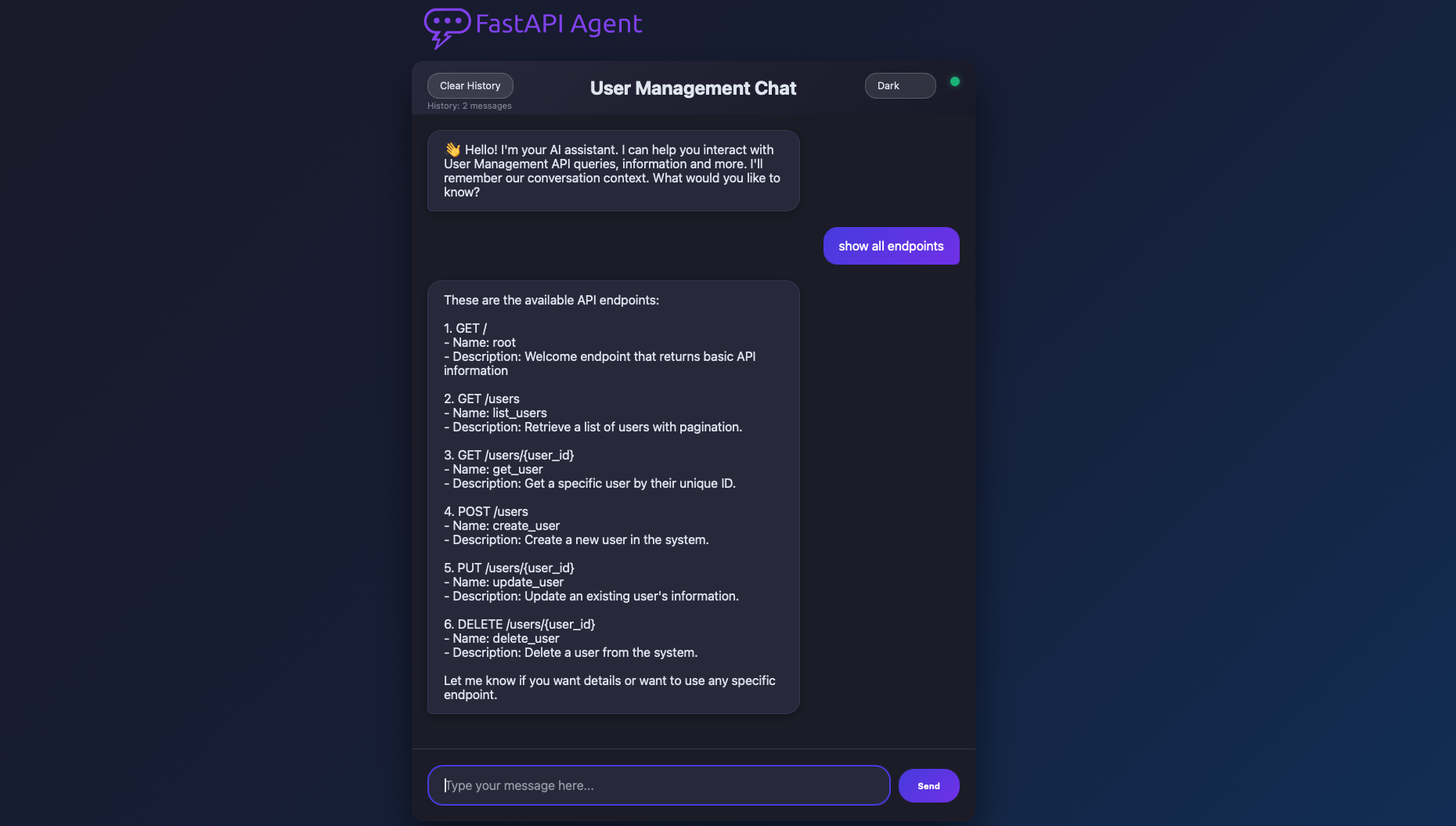
FastAPI Agent integrates an AI Agent into your FastAPI application. It allows you to interact with your API endpoints through a chat interface or directly via an API route using an LLM (Large Language Model).
⚙️ Installation:
To install the package, run:
# install with pip
pip install fastapi_agent

# install with uv
uv add fastapi_agent
🧪 Usage:
To use the FastAPI Agent, initialize it with your FastAPI app and AI model.
You can use the default agent routes or add custom ones to your FastAPI application to interact with the agent via a chat interface or API endpoint.
Here is a simple example of how to use the FastAPI Agent with your FastAPI application:
.env
OPENAI_API_KEY=sk-xxxxxxxxxxxxxxxxxxxxxxxxxxxxxxxx
app.py
import uvicorn
from dotenv import load_dotenv

from fastapi import FastAPI
from fastapi_agent import FastAPIAgent

# load OPENAI_API_KEY from .env
load_dotenv()

# set your FastAPI app
app = FastAPI(
    title="YOUR APP TITLE",
    version="0.1.0",
    description="SOME DESCRIPTION",
)

# add routes
@app.get("/")
async def root():
    """Welcome endpoint that returns basic API information"""
    return {"message": "Welcome to Test API"}

# add the FastAPI Agent + default routes
FastAPIAgent(
    app,
    model="openai:gpt-4.1-mini",
    base_url="http://localhost:8000",
    include_router=True,
)

# run FastAPI
uvicorn.run(app, host="0.0.0.0", port=8000)
🧭 Default Routes
FastAPI Agent provides two default routes:
/agent/query– Ask anything about your API using natural language. 🧠
curl -k -X POST "http://127.0.0.1:8000/agent/query" \
-H "Content-Type: application/json" \
-d '{"query": "show all endpoints"}'
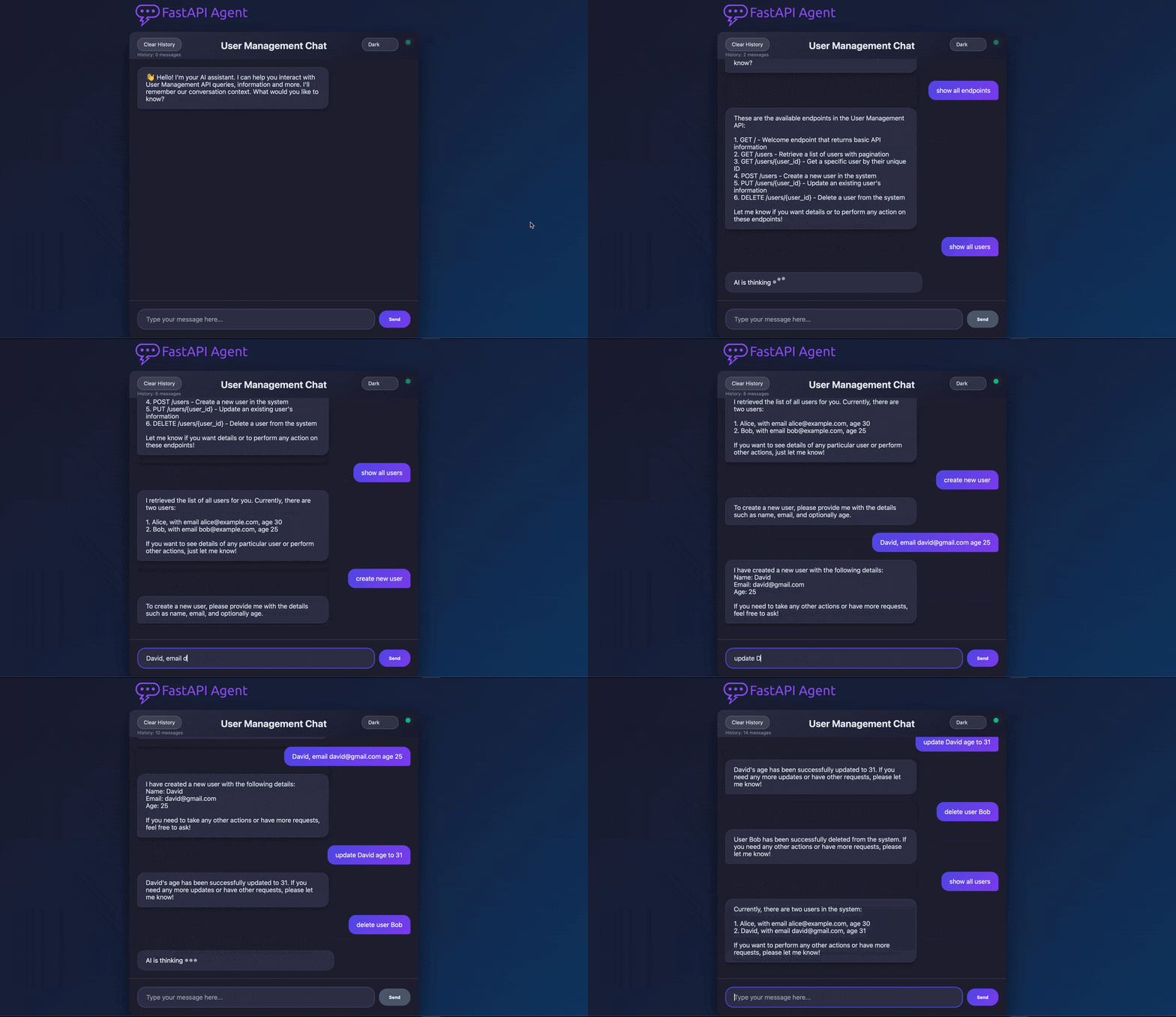
/agent/chat– A simple web-based chat interface to interact with your API. 💬
💡 You can also add custom routes using agent.chat() method - Example
💬 AI Chat - Web UI
When you integrate FastAPI Agent into your FastAPI application, it automatically adds a new endpoint at /agent/chat, which provides a minimal chat interface to interact with your API.
🧩 Additional Arguments:
If your application routes use Authorizations Depends (e.g. Headers or Query String API key or HTTP_Bearer), you need to pass a dictionary of the authorizations.
The agent will use them to call your routes and apply the same dependencies to the /agent/query route.
api_key = "xxxxxxxx-xxxx-xxxx-xxxx-xxxxxxxxxxxx"

FastAPIAgent(
    app,
    model="openai:gpt-4.1-mini",
    base_url="https://localhost:8000",
    auth={"api-key": API_KEY} || {'Authorization': "Bearer API_KEY"},
    include_router=True,
)
You can control which routes the agent can access using the ignore_routes or allow_routes arguments:
- Use
ignore_routesto exclude specific routes from being accessible to the agent. - Use
allow_routesto restrict the agent to only the specified routes.
Both
ignore_routesandallow_routesmust be a list of strings in the format: ["METHOD:/path"]
FastAPIAgent(
    app,
    model="openai:gpt-4.1-mini",
    base_url="https://localhost:8000",
    ignore_routes=["DELETE:/users/{user_id}"],
    include_router=True,
)
📁 Additional Examples:
Check out our examples for ai_agent,
fastapi_discovery,
and fastapi_agent.
All examples are available here.
If you're using Authorizations Depends in your routes, make sure to pass the required headers when calling the /agent/query endpoint like in the examples below:
python
import requests

res = requests.post(
    "http://127.0.0.1:8000/agent/query",
    json={"query": "show all endpoints"},
    headers={"auth": '{"api-key": "xxxxxxxx-xxxx-xxxx-xxxx-xxxxxxxxxxxx"}'}
    - OR -
    headers={"auth": '{"Authorization": "Bearer 12345678"}'}
)
print(res.json())
curl
curl -k -X POST "http://127.0.0.1:8000/agent/query" \
  -H 'auth: {"api-key": "xxxxxxxx-xxxx-xxxx-xxxx-xxxxxxxxxxxx"}' \
  - OR -
  -H 'auth: {"Authorization": "Bearer 12345678"}' \
  -H "Content-Type: application/json" \
  -d '{"query": "show all endpoints"}'
📜 License
This project is licensed under the MIT License.
Release history Release notifications | RSS feed


Download files
Download the file for your platform. If you're not sure which to choose, learn more about installing packages.
Source Distribution
Built Distribution
Filter files by name, interpreter, ABI, and platform.
If you're not sure about the file name format, learn more about wheel file names.
Copy a direct link to the current filters
File details
Details for the file fastapi_agent-0.2.0.tar.gz.
File metadata
- Download URL: fastapi_agent-0.2.0.tar.gz
- Upload date:
- Size: 3.3 MB
- Tags: Source
- Uploaded using Trusted Publishing? No
- Uploaded via: twine/6.0.1 CPython/3.13.1
File hashes
| Algorithm | Hash digest | |
|---|---|---|
| SHA256 |
18ccb862fd28012c108fd01db53099a33330b840a5529c4ad69dddd1d5439897
|
|
| MD5 |
ff9357f9340cf2da4ce2fbb80faefdfb
|
|
| BLAKE2b-256 |
10fc2227e9948407c70ee53ffdde468351d4073b907446d58814086e1e1f8290
|
File details
Details for the file fastapi_agent-0.2.0-py3-none-any.whl.
File metadata
- Download URL: fastapi_agent-0.2.0-py3-none-any.whl
- Upload date:
- Size: 24.0 kB
- Tags: Python 3
- Uploaded using Trusted Publishing? No
- Uploaded via: twine/6.0.1 CPython/3.13.1
File hashes
| Algorithm | Hash digest | |
|---|---|---|
| SHA256 |
653ab87e9fa6e0101489bebb384e2b82f42fb9fb5bf9a4fd2a8cef0065defff8
|
|
| MD5 |
bd81e8d58322648388fd74e04522ecc8
|
|
| BLAKE2b-256 |
ca1e206d1b77caaa2196dcd9b82eb46b4acc3ff1a6d7bc94f593f733d7213e28
|






