
FastAPI/MSAL - The MSAL (Microsoft Authentication Library) plugin for FastAPI!

Project description
FastAPI/MSAL - MSAL (Microsoft Authentication Library) plugin for FastAPI




FastAPI - https://github.com/tiangolo/fastapi FastAPI is a modern, fast (high-performance), web framework for building APIs based on standard Python type hints.
MSAL for Python - https://github.com/AzureAD/microsoft-authentication-library-for-python The Microsoft Authentication Library for Python enables applications to integrate with the Microsoft identity platform. It allows you to sign in users or apps with Microsoft identities and obtain tokens to call Microsoft APIs such as Microsoft Graph or your own APIs registered with the Microsoft identity platform. It is built using industry standard OAuth2 and OpenID Connect protocols
The fastapi_msal package was built to allow quick "out of the box" integration with MSAL. As a result the pacage was built around simplicity and ease of use on the expense of flexability and versatility.
Features
- Includes Async implementation of MSAL confidential client class utilizaing Starlette threadpool model.
- Use pydantic models to translate the MSAL objects to data objects which are code and easy to work with.
- Have a built-in router which includes the required paths for the authentication flow.
- Include a dependency class to authenticate and secure your application APIs
- Includes a pydantic setting class for easy and secure configuration from your ENV (or .env or secrets directory)
- Full support with FastAPI swagger documentations and authentication simulation
Installation
pip install fastapi_msal
Prerequisets
As part of your fastapi application the following packages should be included
TL;DR: If you just wish to install it all use
pipenv install "fastapi_msal[full]"
-
python-multipart, From FastAPI documentation: This is required since OAuth2 (Which MSAL is based upon) uses "form data" to send the credentials.
-
itsdangerous Used by Starlette session middleware
Usage
-
Follow the application registration process with the microsoft identity platform. Finishing the processes will allow you to retrieve your app_code and app_credentials (app_secret) As well as register your app callback path with the platform.
-
Create a new main.py file and add the following lines. Make sure to update the lines with the information retrieved in the previous step
import uvicorn
from fastapi import FastAPI, Depends
from starlette.middleware.sessions import SessionMiddleware
from fastapi_msal import MSALAuthorization, UserInfo, MSALClientConfig

client_config: MSALClientConfig = MSALClientConfig()
client_config.client_id = "The Client ID rerived at step #1"
client_config.client_credential = "The Client secret retrived at step #1"
client_config.tenant = "Your tenant id"

app = FastAPI()
app.add_middleware(SessionMiddleware, secret_key="SOME_SSH_KEY_ONLY_YOU_KNOW")  # replace with your own!!!
msal_auth = MSALAuthorization(client_config=client_config)
app.include_router(msal_auth.router)


@app.get("/users/me", response_model=UserInfo, response_model_exclude_none=True, response_model_by_alias=False)
async def read_users_me(current_user: UserInfo = Depends(msal_auth.scheme)) -> UserInfo:
    return current_user


if __name__ == "__main__":
    uvicorn.run("main:app", host="localhost", port=5000, reload=True)
- Run your app
(pipenv shell)$ python main.py
INFO:     Uvicorn running on http://localhost:5000 (Press CTRL+C to quit)
INFO:     Started reloader process [12785] using statreload
INFO:     Started server process [12787]
INFO:     Waiting for application startup.
INFO:     Application startup complete.
-
Browse to http://localhost:5000/docs - this is the API docs generated by FastAPI (totaly cool!)
-
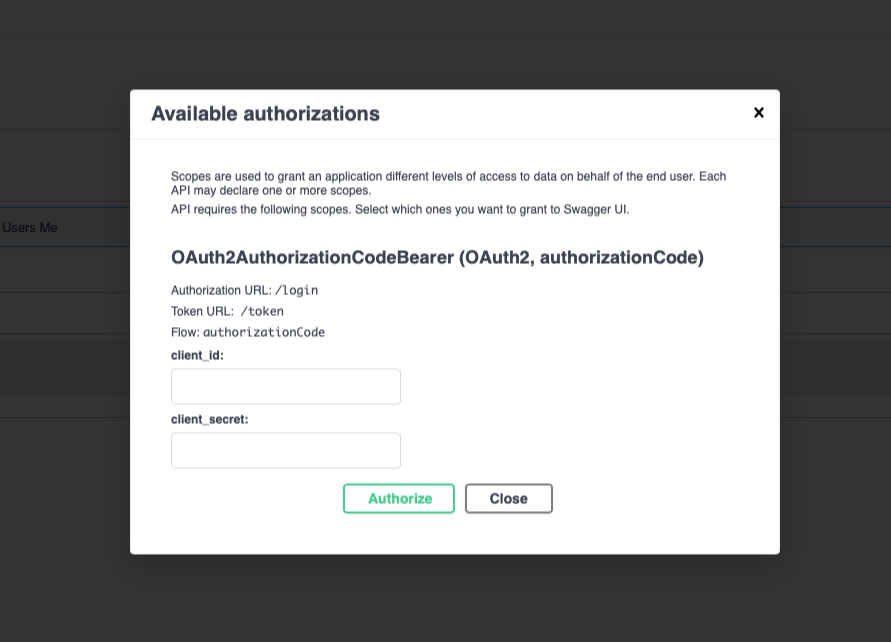
Using the "built-in" authenticaiton button (the little lock) you will be able to set the full authentication process
(Igonre the cline_id and client_secret - they are not relevant for the process as you already set them)
-
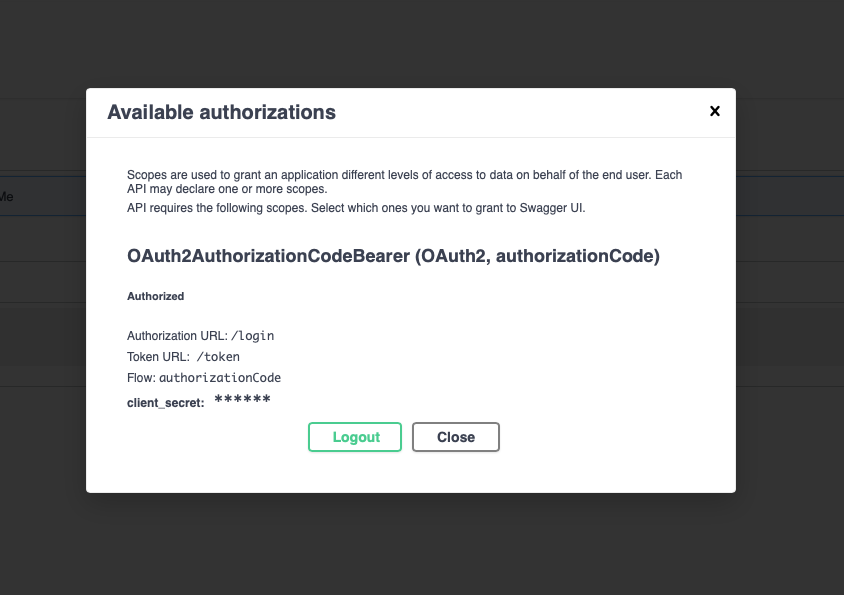
After you complete the process you will get a confirmation popup
-
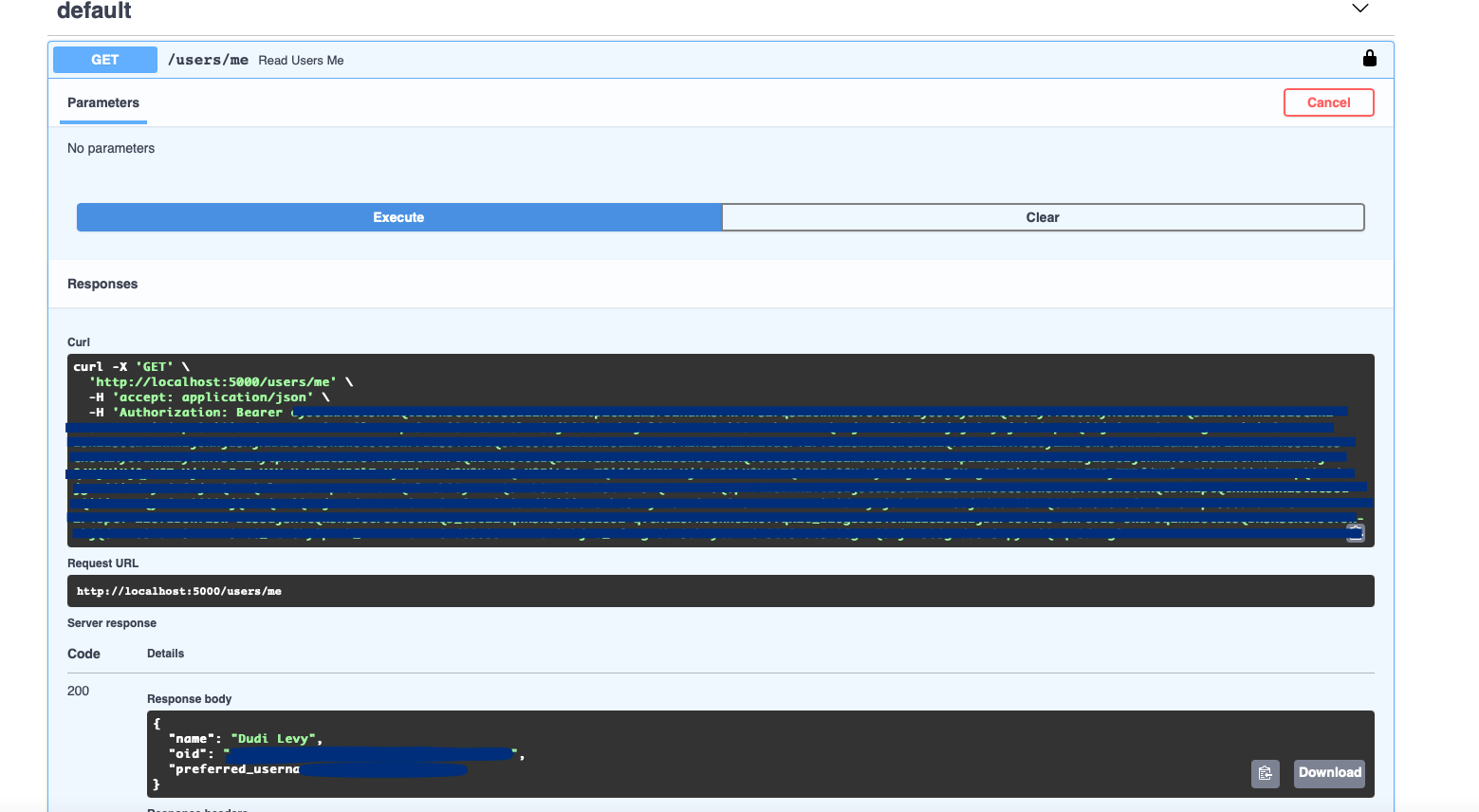
Trying out the ME api endpoint
TODO List
- Add support for local/redis session cache
- Add Tests
- Poper Documentation
Release history Release notifications | RSS feed


Download files
Download the file for your platform. If you're not sure which to choose, learn more about installing packages.
Source Distribution
Built Distribution
Filter files by name, interpreter, ABI, and platform.
If you're not sure about the file name format, learn more about wheel file names.
Copy a direct link to the current filters
File details
Details for the file fastapi_msal-0.1.6.tar.gz.
File metadata
- Download URL: fastapi_msal-0.1.6.tar.gz
- Upload date:
- Size: 16.0 kB
- Tags: Source
- Uploaded using Trusted Publishing? No
- Uploaded via: python-requests/2.25.1
File hashes
| Algorithm | Hash digest | |
|---|---|---|
| SHA256 |
fb9f06da538694a4e05849e8c77c0c4cddb955577cf499ff2fdf038766e96687
|
|
| MD5 |
ad127ab1e1eb75ab94beded8028c58fa
|
|
| BLAKE2b-256 |
3daee6e11edeea0711f78f065e1621df193a159fb802347d51e89a1e52fb12a1
|
File details
Details for the file fastapi_msal-0.1.6-py3-none-any.whl.
File metadata
- Download URL: fastapi_msal-0.1.6-py3-none-any.whl
- Upload date:
- Size: 18.9 kB
- Tags: Python 3
- Uploaded using Trusted Publishing? No
- Uploaded via: python-requests/2.25.1
File hashes
| Algorithm | Hash digest | |
|---|---|---|
| SHA256 |
9ad2678ab2d9b953c9c3830637a45efba89c75090a8873efac54f7616491b256
|
|
| MD5 |
8bb0ddec6995e5c4e65c8666cf359969
|
|
| BLAKE2b-256 |
7308fd915899a605f90ff9271c65d1dc12a543b912d1c3f5b4f49ba778d55e8a
|






