


Installation
pip install fastapi-router-viz
# or
uv add fastapi-router-viz

router-viz --demo  # open localhost:8000 to visit demo page
Dependencies
- FastAPI
- pydantic-resolve
Feature
For scenarios of using FastAPI as internal API integration endpoints, fastapi-router-viz helps to see the internal dependencies.
This repo is still in early stage.
router-viz -m tests.demo
           --server --port=8001
           --module_color=tests.service:blue
           --module_color=tests.demo:tomato
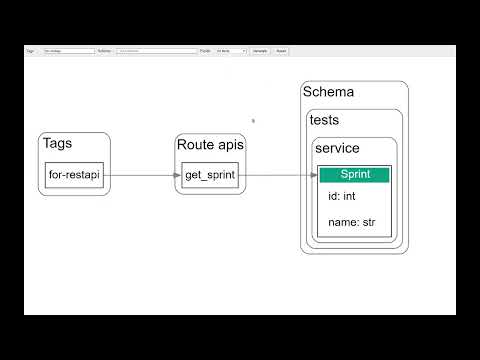
pick tag, rotue (optional) and click generate.
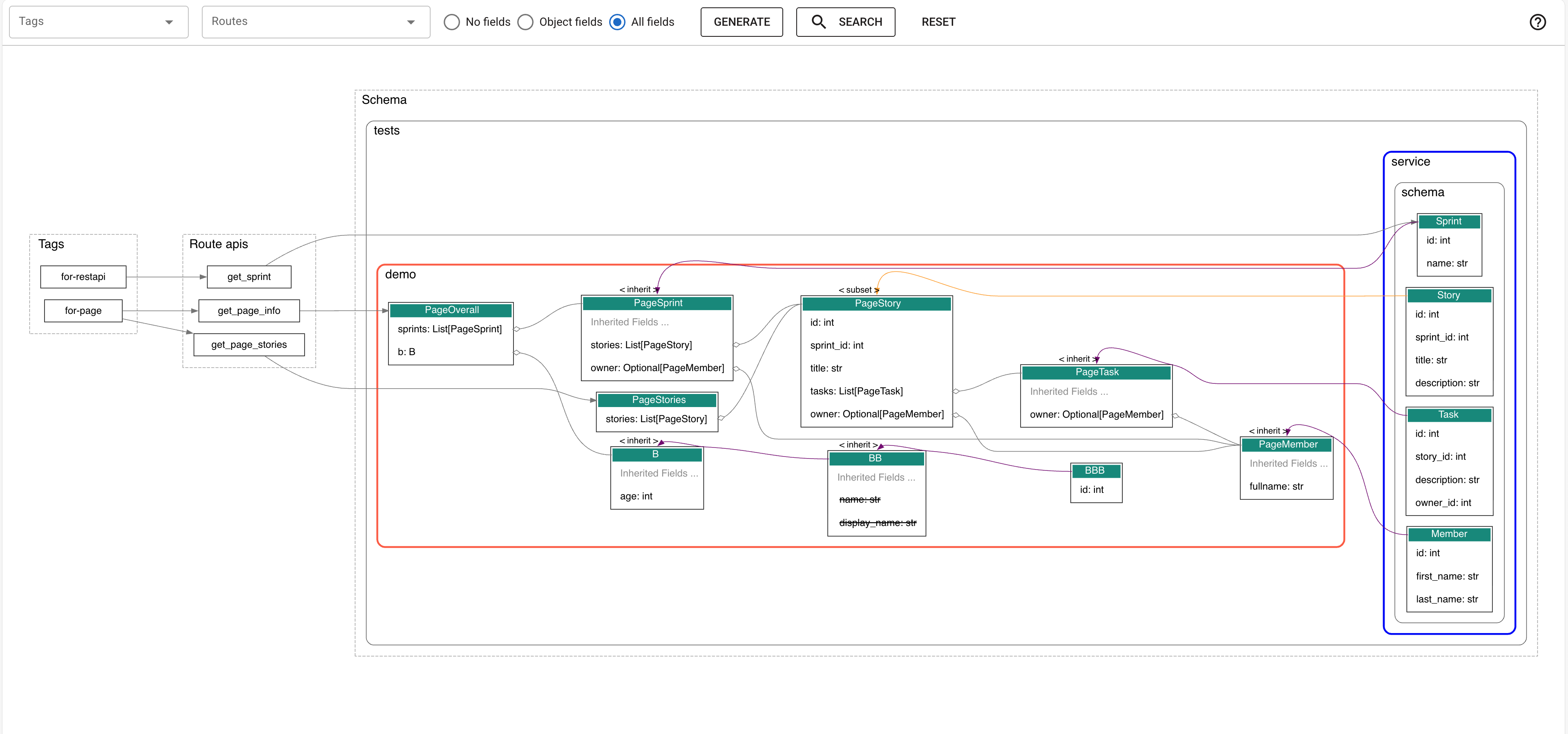
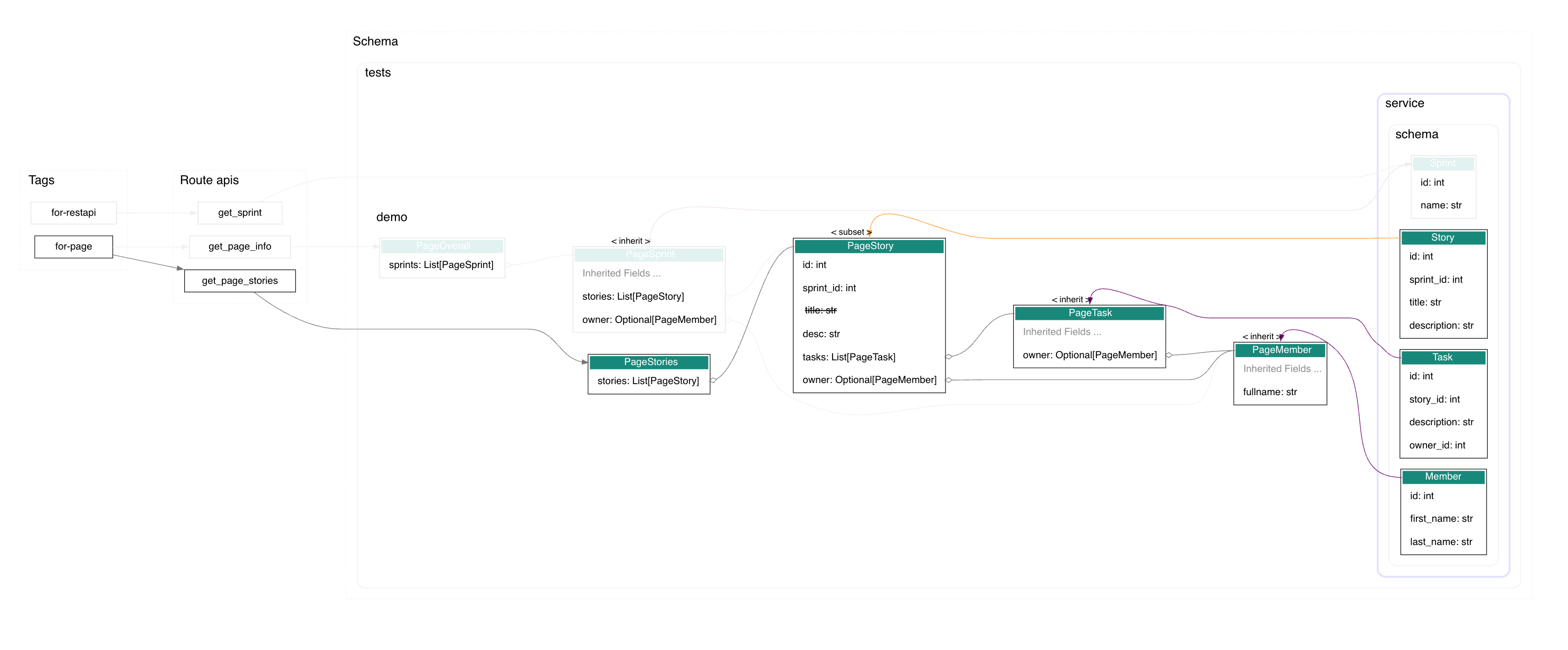
click a node to highlight it's upperstream and downstream nodes. figure out the related models of one page, or homw many pages are related with one model.
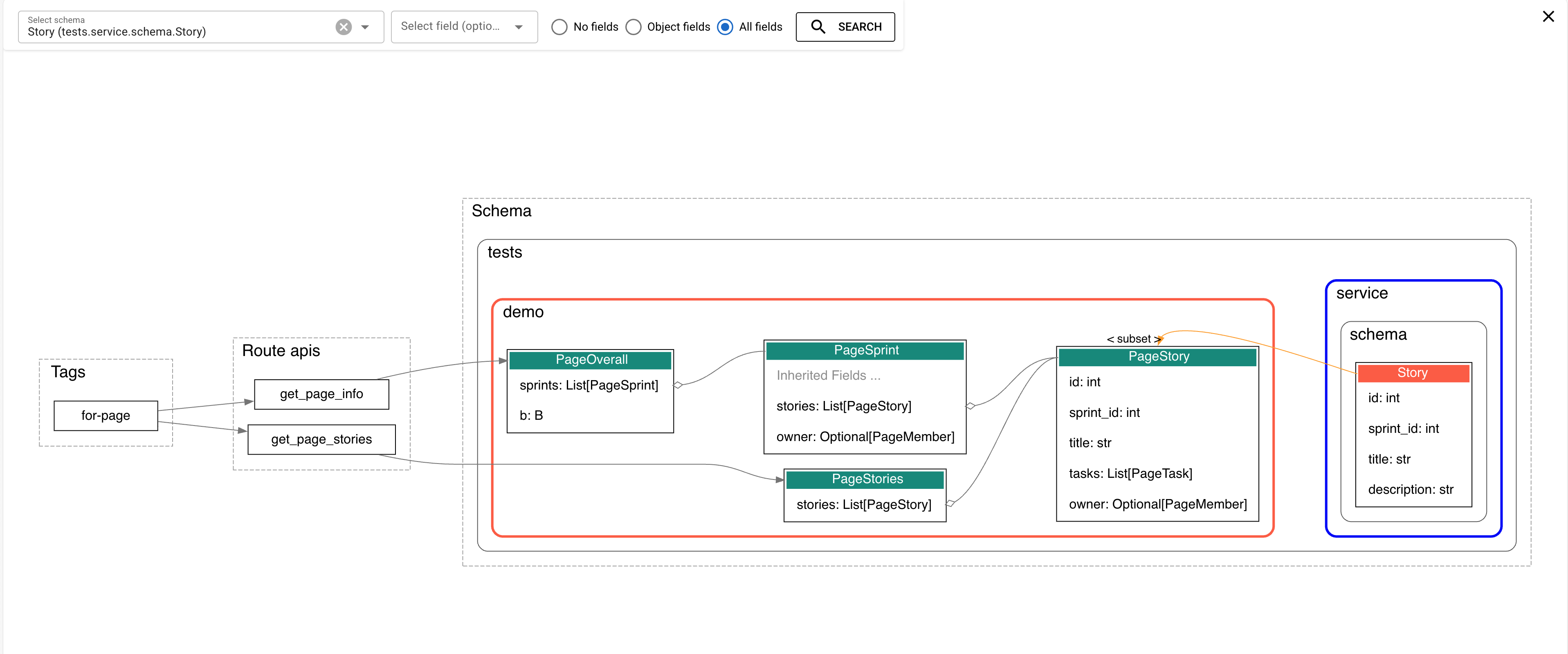
shift click a node to check related nodes.
pick a field to narrow the result.
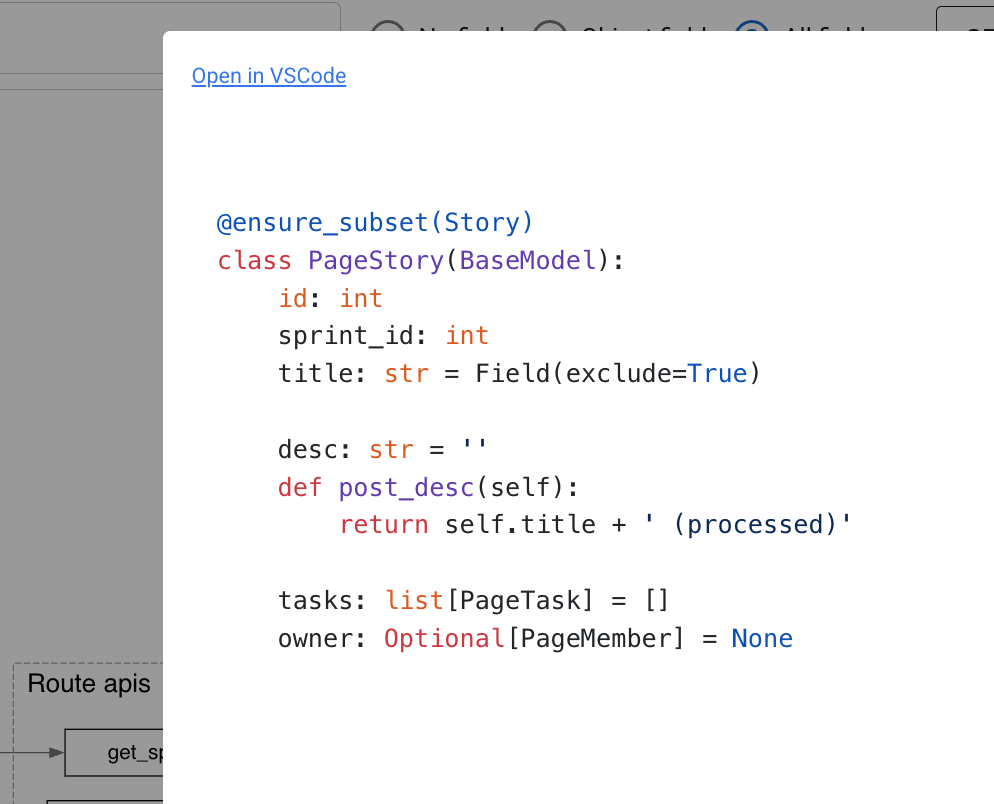
alt click a node to show source code or open file in vscode.
more in video:
Command Line Usage
# Basic usage - assumes your FastAPI app is named 'app' in app.py
router-viz tests/demo.py

# Specify custom app variable name
router-viz tests/demo.py --app app

# filter tag name
router-viz tests/demo.py --app app --tags page

# filter schema name, display related nodes
router-viz tests/demo.py --app app --schema Task

# show fields
router-viz tests/demo.py --app app --show_fields all

# highlight module
router-viz tests/demo.py --app app --module_color=tests.demo:red

# Custom output file
router-viz tests/demo.py -o my_visualization.dot

# server mode
router-viz tests/demo.py --app app --server --show_fields --module_color=tests.demo:red

# Show help
router-viz --help

# Show version
router-viz --version
The tool will generate a DOT file that you can render using Graphviz:
# Install graphviz
brew install graphviz  # macOS
apt-get install graphviz  # Ubuntu/Debian

# Render the graph
dot -Tpng router_viz.dot -o router_viz.png

# Or view online at: https://dreampuf.github.io/GraphvizOnline/
or you can open router_viz.dot with vscode extension graphviz interactive preview
Next
features:
- group schemas by module hierarchy
- module-based coloring via Analytics(module_color={...})
- view in web browser
- config params
- make a explorer dashboard, provide list of routes, schemas, to make it easy to switch and search
- support programmatic usage
- better schema /router node appearance
- hide fields duplicated with parent's (show
parent fieldsinstead) - refactor the frontend to vue, and tweak the build process
- find dependency based on picked schema and it's field.
- optimize static resource (cdn -> local)
- add configuration for highlight (optional)
- alt+click to show field details
- display source code of routes (including response_model)
- user can generate nodes/edges manually and connect to generated ones
- support dataclass
- handle excluded field
- integration with pydantic-resolve
- show difference between resolve, post fields
- strikethrough for excluded fields
- display loader as edges
bugs:
- fix duplicated link from class and parent class, it also break clicking highlight
Credits
- https://github.com/tintinweb/vscode-interactive-graphviz, for web visualization.
1 maintainer

Metadata
1 maintainer
Release files for fastapi-router-viz 0.4.1
For a detailed explanation of source distributions (sdists) and built distributions (wheels), please see the package formats documentation.
Source distribution (sdist)
| File | Size | Uploaded | |
|---|---|---|---|
| fastapi_router_viz-0.4.1.tar.gz | 240.8 kB | Details |
Built distribution (wheel)
| File | Interpreter | ABI | Platform | Reset |
|---|---|---|---|---|
| fastapi_router_viz-0.4.1-py3-none-any.whl | Python 3 | none | any | Details |
Total release size: 467.6 kB
Release files / fastapi_router_viz-0.4.1.tar.gz
| Download URL | fastapi_router_viz-0.4.1.tar.gz |
|---|---|
| Size | 240.8 kB |
| Tags | Source |
|
SHA-256 checksum How to use checksums |
799034c96244423e2b1e9ce5cfbd4bfc67f970d154842ba518c852bba66708ea
|
|
BLAKE2b-256 checksum How to use checksums |
6dcb1c190a3dbce5845c05771f6f0f77238480aed8eb93711ba3570b2ac3f80a
|
| Upload date | |
|
Uploaded using Trusted Publishing? What is trusted publishing? |
No |
| Uploaded via |
uv/0.8.13
|
Release files / fastapi_router_viz-0.4.1-py3-none-any.whl
| Download URL | fastapi_router_viz-0.4.1-py3-none-any.whl |
|---|---|
| Size | 226.8 kB |
| Tags | Python 3 |
|
SHA-256 checksum How to use checksums |
7e16e0d923cb54ee19c1219cc55fc33e8b005bc753ba9b4c40b23db1fbe96f68
|
|
BLAKE2b-256 checksum How to use checksums |
e2d78e492fb1e0b9725cb87a8bbad0a8c746cbd6d4817debaa2abc992836452a
|
| Upload date | |
|
Uploaded using Trusted Publishing? What is trusted publishing? |
No |
| Uploaded via |
uv/0.8.13
|














