
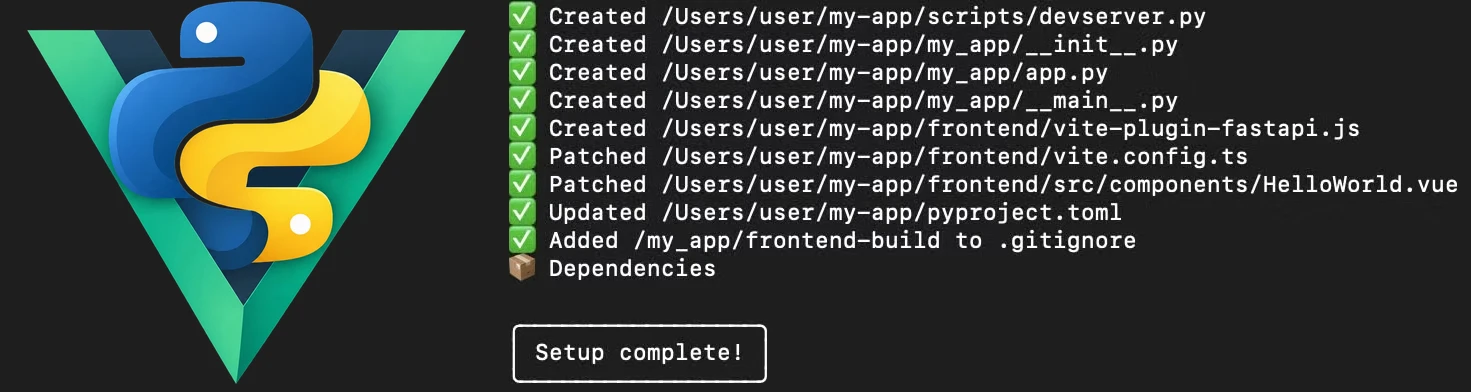
FastAPI-Vue Full Stack Setup
Build and develop FastAPI + Vue as a single project, while keeping production purely Python — JavaScript tooling is only needed during development!
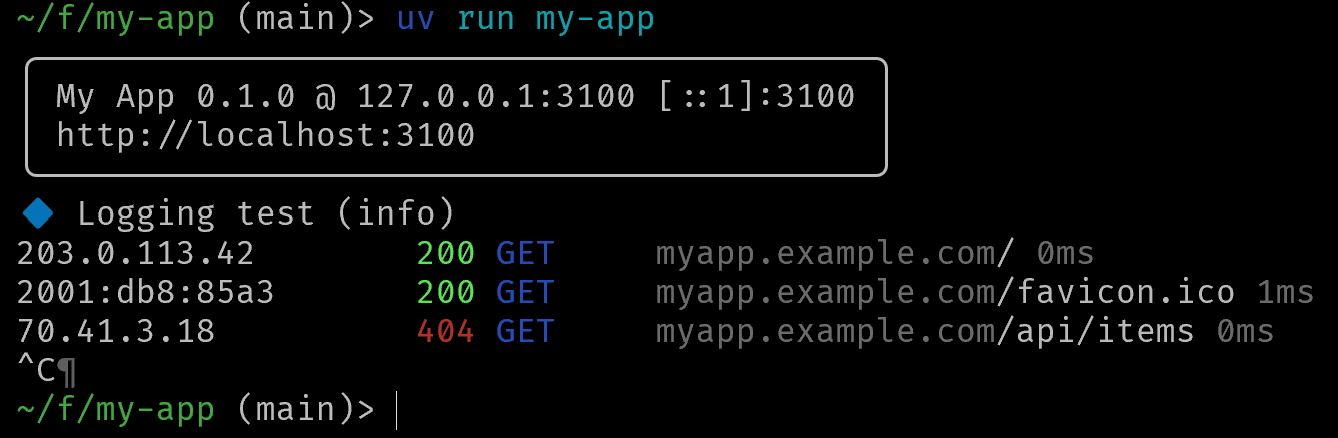
Unlike a template repository or a tutorial, the setup adapts to the application you already have and can keep that integration up to date as the stack evolves. It also fills in the practical gaps around FastAPI itself, providing a production-ready application runtime with a CLI command to start the server with integrated pretty logging and tracebacks — giving your project a running start.
Start a new project with your preferred setup, integrate an existing FastAPI or Vue codebase, or upgrade an already integrated project to the latest simply by running the script.
Quick start
Install UV and Node (nvm), and create your project:
uvx fastapi-vue-setup my-app
Inside the new project, start the development server with live reloads and debug aids:
uv run scripts/devserver.py
Or build a release package, and run anywhere:
uv build  # a dist Python package
uvx --with dist/my_app-0.1.0.tar.gz my-app --help
Or install as a proper executable:
uv tool install dist/my_app-0.1.0.tar.gz
my-app --help

Working in your project
Setup and upgrades
The setup command handles new projects, existing FastAPI or Vue projects, and projects previously configured by an older version. Use a project directory to create or migrate it, or . when already inside the source tree:
uvx fastapi-vue-setup [project-dir] [options]
| Option | Purpose |
|---|---|
--module-name NAME |
Override the Python module name, normally detected automatically |
--ports BACKEND,VITE,DEV |
Set the production backend, development frontend and development backend ports; defaults to 3100,3100,3200 |
--health PATH |
Endpoint used to wait for the development backend to become ready; use --health="" to disable the check |
--dry, --dry-run |
Preview the changes without modifying the project |
--version |
Print the setup version |
-- ARGS |
Pass the remaining arguments to create-vue when a frontend needs to be created non-interactively |
Existing projects are inspected rather than replaced: the Python module, FastAPI application, CLI entry point and Vue project are reused where found, with missing pieces created as needed. Running a newer setup version on the project upgrades the generated integration while retaining configured ports and health checks unless explicitly overridden.
ℹ️ Generated files marked auto-upgrade@fastapi-vue-setup may be refreshed automatically on later runs. Remove that marker when taking ownership of a generated file; where an updated version is still useful, the setup writes a .new.py file for manual merging instead of overwriting your changes. Internal files under scripts/fastapi-vue/ belong to the setup itself and are updated automatically.
Main CLI (my-app)
The setup gives your application its own CLI command. This becomes the normal way to start it, rather than invoking via FastAPI CLI or by other means, except perhaps via uv run or uvx to run the latest version directly and avoid installation completely.
The generated __main__.py is yours to customize. Keep its --listen option if you want it to remain compatible with the development server that also passes arguments to your CLI entry point.
Development server (Vite + FastAPI)
scripts/devserver.py [args]
ℹ️ Windows users have to use uv run scripts/devserver.py, while Linux and Mac users can just run the script directly.
This runs the Vite development server and FastAPI together, with reloads on both sides and the environment configured so they can communicate directly. Vite serves the Vue app and proxies specific paths to the FastAPI backend. The paths default to /api/ only, and can be configured in your vite.config.js (or vite.config.ts if you chose TypeScript). In dev mode the browser only connects via Vite, and trying to load frontend assets from the backend is blocked.
--listenset Vite listening port--backendset FastAPI port (forwarded as--listen)--helpsee help; any other arguments are passed directly to your CLI
JavaScript tooling is used only from the source tree, by the devserver and build commands. An available runtime is selected automatically; set JS_RUNTIME to node, deno, bun, or an executable path to choose one explicitly.
Production
Building the Python package also builds the Vue frontend, ensuring the source repository has a fresh build. If you wish to run production mode in your source repo, with a fresh build:
uv build && uv run my-app [args]
Publishing alike follows uv build and involves either copying the dist/*.tar.gz archive to where you need it, or uv publish to make it a public release that can be run directly by uvx my-app.
ℹ️ Other Python build and installation methods like pip install work equally well, we just prefer using UV.
Project Layout
A newly created project typically looks like this:
my-app/
├── frontend/                       # Vue source (Node, Vite)
│   ├── src/
│   ├── vite-plugin-fastapi.js      # Helper plugin
│   ├── vite.config.js              # Loads the plugin with app setup
│   └── package.json
├── my_app/                         # Python package
│   ├── __init__.py
│   ├── __main__.py                 # Application CLI
│   ├── app.py                      # FastAPI app
│   └── frontend-build/             # Generated production frontend
├── scripts/
│   ├── devserver.py                # Vite + FastAPI development server
│   └── fastapi-vue/                # Generated build/dev support
│       ├── buildhook.py
│       ├── buildutil.py
│       └── devutil.py
└── pyproject.toml
Existing projects retain their own layout wherever possible; this is only the default structure.
Runtime and build tooling
There are deliberately two separate pieces to the integration.
The files under scripts written by the setup script belong to the source tree. They handle development and package building, and are not part of the Python package.
The installed application instead depends on the lightweight fastapi_vue runtime module. It serves the built frontend and provides the server runner, logging and traceback integration used by the generated application.
This keeps the development tooling where it belongs while leaving the distributed application as a normal, self-contained Python package.
ℹ️ The version numbering between the runtime and setup packages is synchronized, and the setup script always bumps the version in pyproject.toml to ensure compatible updates.
1 maintainer

Metadata
1 maintainer
Release files for fastapi-vue-setup 1.7.4
For a detailed explanation of source distributions (sdists) and built distributions (wheels), please see the package formats documentation.
Source distribution (sdist)
| File | Size | Uploaded | Provenance | Actions |
|---|---|---|---|---|
| fastapi_vue_setup-1.7.4.tar.gz | 165.4 kB | Without provenance | Details for fastapi_vue_setup-1.7.4.tar.gz |
Built distribution (wheel)
| File | Interpreter | ABI | Platform | Actions Reset |
|---|---|---|---|---|
| fastapi_vue_setup-1.7.4-py3-none-any.whl | Python 3 | none | any | Details for fastapi_vue_setup-1.7.4-py3-none-any.whl |
Total release size: 199.0 kB
Release files / fastapi_vue_setup-1.7.4.tar.gz
| Download URL | fastapi_vue_setup-1.7.4.tar.gz |
|---|---|
| Size | 165.4 kB |
| Tags | Source |
|
SHA-256 checksum How to use checksums |
a871f0f4f34bb1f1c7b6a9ca0972d56af09965a99d362da826d21d81f25c4a07
|
|
BLAKE2b-256 checksum How to use checksums |
7cb78b0439b1e0a81a587d7f7e1da51a40e8f946145feb9b9b4eaac3fd88ab2d
|
| Upload date | |
|
Uploaded using Trusted Publishing? What is trusted publishing? |
No |
| Uploaded via |
uv/0.13.1 {"installer":{"name":"uv","version":"0.13.1","subcommand":["publish"]},"python":null,"implementation":{"name":null,"version":null},"distro":{"name":"macOS","version":null,"id":null,"libc":null},"system":{"name":null,"release":null},"cpu":null,"openssl_version":null,"setuptools_version":null,"rustc_version":null,"ci":null}
|
Release files / fastapi_vue_setup-1.7.4-py3-none-any.whl
| Download URL | fastapi_vue_setup-1.7.4-py3-none-any.whl |
|---|---|
| Size | 33.6 kB |
| Tags | Python 3 |
|
SHA-256 checksum How to use checksums |
2c2c9e87de4fe3ccb9ca759293326a20d08473a791f27e6ff7e1fe0bc2ea1362
|
|
BLAKE2b-256 checksum How to use checksums |
9513656f2a9da691db1fe16ba9906b8c5086c07d52721872e8277278d56dff04
|
| Upload date | |
|
Uploaded using Trusted Publishing? What is trusted publishing? |
No |
| Uploaded via |
uv/0.13.1 {"installer":{"name":"uv","version":"0.13.1","subcommand":["publish"]},"python":null,"implementation":{"name":null,"version":null},"distro":{"name":"macOS","version":null,"id":null,"libc":null},"system":{"name":null,"release":null},"cpu":null,"openssl_version":null,"setuptools_version":null,"rustc_version":null,"ci":null}
|
Security for fastapi-vue-setup 1.7.4
Provenance
Provenance describes where a file came from. On PyPI, provenance is shared via attestations, which provide a verifiable record of the build or publishing details. View details, limitations and caveats.
No provenance found
None of the files in this release were uploaded with provenance metadata.
A note on package security
PyPI is a repository for distributing packages, not a service for auditing them. While third-party security researchers and our staff do their best to detect and remove malicious packages, PyPI cannot guarantee the quality, security or suitability of any given package.
To learn more about protecting yourself from malicious actors, visit our package security documentation.














