
FastAPI/MSAL - MSAL (Microsoft Authentication Library) plugin for FastAPI




FastAPI - https://github.com/tiangolo/fastapi FastAPI is a modern, fast (high-performance), web framework for building APIs based on standard Python type hints.
MSAL for Python - https://github.com/AzureAD/microsoft-authentication-library-for-python The Microsoft Authentication Library for Python enables applications to integrate with the Microsoft identity platform. It allows you to sign in users or apps with Microsoft identities and obtain tokens to call Microsoft APIs such as Microsoft Graph or your own APIs registered with the Microsoft identity platform. It is built using industry standard OAuth2 and OpenID Connect protocols
The fastapi_msal package was built to allow quick "out of the box" integration with MSAL. As a result the pacage was built around simplicity and ease of use on the expense of flexability and versatility.
Features
- Includes Async implementation of MSAL confidential client class utilizaing Starlette threadpool model.
- Use pydantic models to translate the MSAL objects to data objects which are code and easy to work with.
- Have a built-in router which includes the required paths for the authentication flow.
- Include a dependency class to authenticate and secure your application APIs
- Includes a pydantic setting class for easy and secure configuration from your ENV (or .env or secrets directory)
- Full support with FastAPI swagger documentations and authentication simulation
Installation
pip install "fastapi_msal"
Or if you wish to have all the required packages straight forward
pip install "fastapi_msal[full]"
Prerequisets
- Python 3.9 and above
- As part of your fastapi application the following packages should be included:
(if you use the [full] method it is not required.)-
python-multipart, From FastAPI documentation: This is required since OAuth2 (Which MSAL is based upon) uses "form data" to send the credentials.
-
itsdangerous Used by Starlette session middleware
-
Usage
- Follow the application registration process
with the Microsoft Identity Platform. Finishing the processes will allow you to register your app callback path with the platform, as well as to retrieve your application
client_id,tenant_idandclient_credential(client secrets) - see images below:


- Create a new main.py file and add the following lines. Make sure to update the lines with the information retrieved in the previous step
import uvicorn
from fastapi import FastAPI, Depends
from starlette.middleware.sessions import SessionMiddleware
from fastapi_msal import MSALAuthorization, UserInfo, MSALClientConfig

client_config: MSALClientConfig = MSALClientConfig()
client_config.client_id = "The client_id retrieved at step #1"
client_config.client_credential = "The client_credential retrieved at step #1"
client_config.tenant = "Your tenant_id retrieved at step #1"

app = FastAPI()
app.add_middleware(SessionMiddleware, secret_key="SOME_SSH_KEY_ONLY_YOU_KNOW")  # replace with your own!!!
msal_auth = MSALAuthorization(client_config=client_config)
app.include_router(msal_auth.router)


@app.get("/users/me", response_model=UserInfo, response_model_exclude_none=True, response_model_by_alias=False)
async def read_users_me(current_user: UserInfo = Depends(msal_auth.scheme)) -> UserInfo:
    return current_user


if __name__ == "__main__":
    uvicorn.run("main:app", host="localhost", port=5000, reload=True)
- Run your app
(pipenv shell)$ python main.py
INFO:     Uvicorn running on http://localhost:5000 (Press CTRL+C to quit)
INFO:     Started reloader process [12785] using statreload
INFO:     Started server process [12787]
INFO:     Waiting for application startup.
INFO:     Application startup complete.
-
Browse to http://localhost:5000/docs - this is the API docs generated by FastAPI (totaly cool!)
-
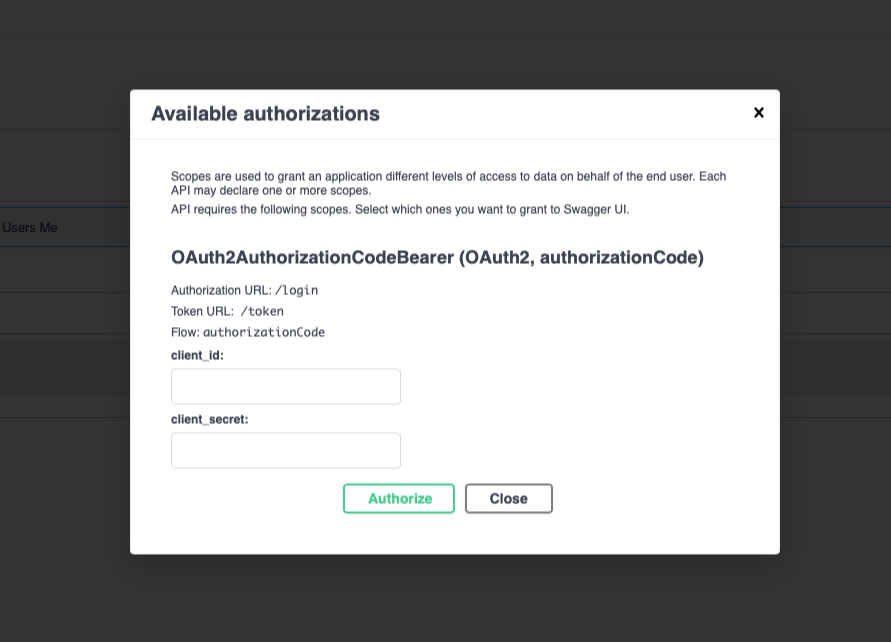
Using the "built-in" authenticaiton button (the little lock) you will be able to set the full authentication process
(Igonre the cline_id and client_secret - they are not relevant for the process as you already set them)
-
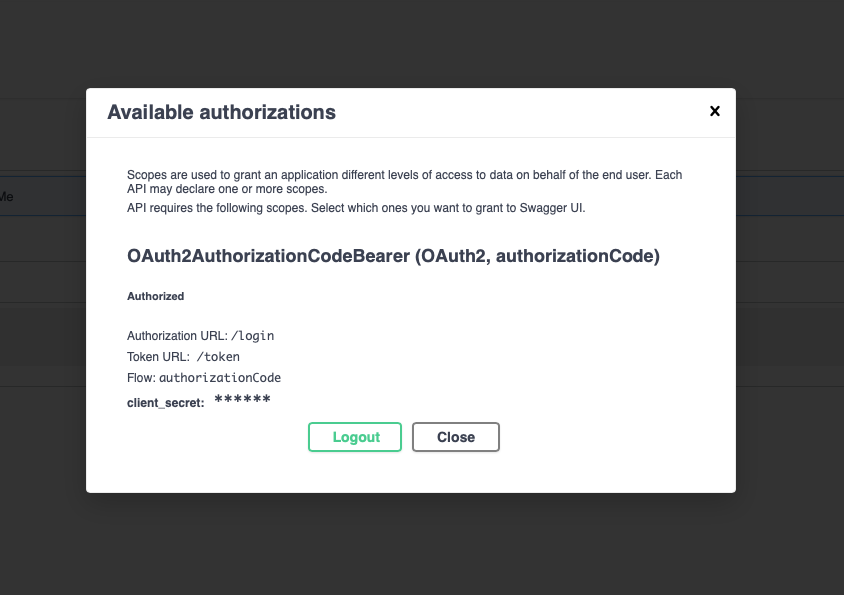
After you complete the process you will get a confirmation popup
-
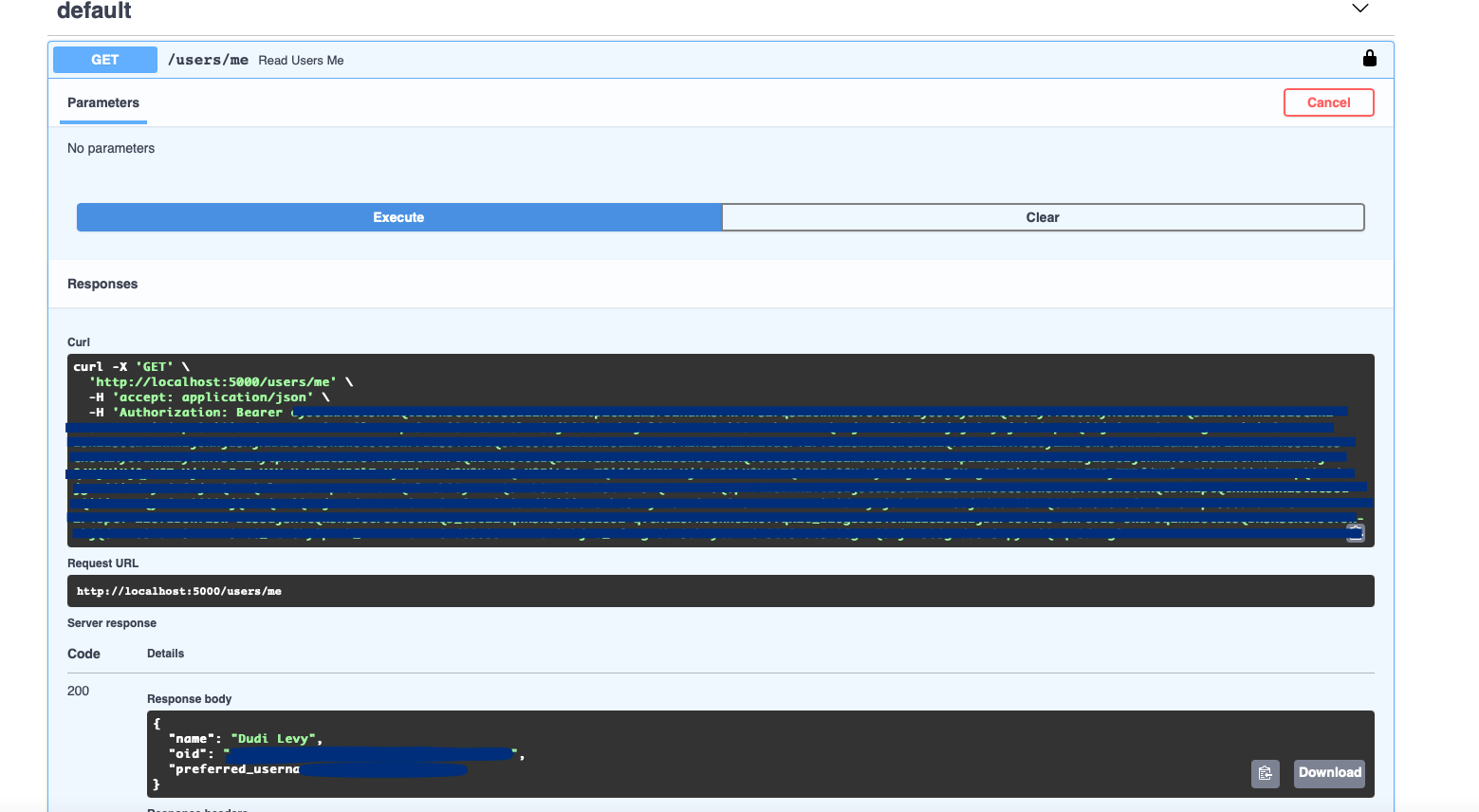
Trying out the ME api endpoint
Working Example/Template
If you wish to try out a working example, clone the following project and adjust it to your needs: https://github.com/dudil/ms-identity-python-webapp
NB! Make sure you are using the fastapi_msal branch!!!
1 maintainer

Metadata
1 maintainer
Release files for fastapi-msal 2.1.7
For a detailed explanation of source distributions (sdists) and built distributions (wheels), please see the package formats documentation.
Source distribution (sdist)
| File | Size | Uploaded | |
|---|---|---|---|
| fastapi_msal-2.1.7.tar.gz | 18.4 kB | Details |
Built distribution (wheel)
| File | Interpreter | ABI | Platform | Reset |
|---|---|---|---|---|
| fastapi_msal-2.1.7-py3-none-any.whl | Python 3 | none | any | Details |
Total release size: 41.6 kB
Release files / fastapi_msal-2.1.7.tar.gz
| Download URL | fastapi_msal-2.1.7.tar.gz |
|---|---|
| Size | 18.4 kB |
| Tags | Source |
|
SHA-256 checksum How to use checksums |
0262bb1d1d174f850ef1e41dab622d90eedcc49782b1c364329b24c84f55b484
|
|
BLAKE2b-256 checksum How to use checksums |
0a2e0c9860401a1064baef037eaa91220f012ab16d489bd6c62808b7a8f2e19b
|
| Upload date | |
|
Uploaded using Trusted Publishing? What is trusted publishing? |
Yes |
| Uploaded via |
twine/6.1.0 CPython/3.12.9
|
Provenance
Provenance describes where a file came from. On PyPI, provenance is shared via attestations, which provide a verifiable record of the build or publishing details. View details, limitations and caveats.


PyPI Publish Attestation
PyPI verified that this artifact, at this checksum, originated from the publisher listed below.
Signed by GitHub Actions, verified by PyPI on Apr 29, 2025.
Transparency logRelease files / fastapi_msal-2.1.7-py3-none-any.whl
| Download URL | fastapi_msal-2.1.7-py3-none-any.whl |
|---|---|
| Size | 23.2 kB |
| Tags | Python 3 |
|
SHA-256 checksum How to use checksums |
0d8638068ca70217d134c45d177d19569ee6d8dc4676d949d895b18488acb711
|
|
BLAKE2b-256 checksum How to use checksums |
c51834534068e0291e837cdcd0584998814051d723051d683ad73f3d995ac790
|
| Upload date | |
|
Uploaded using Trusted Publishing? What is trusted publishing? |
Yes |
| Uploaded via |
twine/6.1.0 CPython/3.12.9
|
Provenance
Provenance describes where a file came from. On PyPI, provenance is shared via attestations, which provide a verifiable record of the build or publishing details. View details, limitations and caveats.
PyPI Publish Attestation
PyPI verified that this artifact, at this checksum, originated from the publisher listed below.
Signed by GitHub Actions, verified by PyPI on Apr 29, 2025.
Transparency log













