
A fast plotting library built using the pygfx render engine


Project description





Installation | GPU Drivers | Examples | Contributing
A fast plotting library built using the pygfx rendering engine that can utilize Vulkan, DX12, or Metal via WGPU, so it is very fast! We also aim to be an expressive plotting library that enables rapid prototyping for large scale explorative scientific visualization.

SciPy 2023 Talk
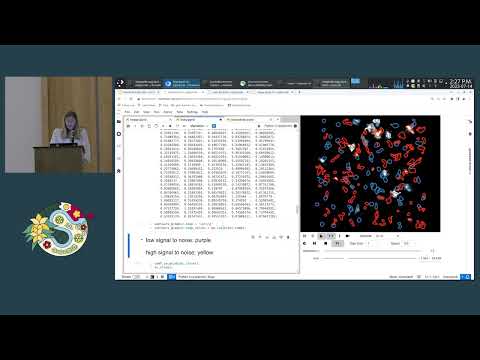
Notebooks from talk: https://github.com/fastplotlib/fastplotlib-scipy2023
Supported frameworks
fastplotlib can run on anything that pygfx can also run, this includes:
:heavy_check_mark: Jupyter lab, using jupyter_rfb
:heavy_check_mark: PyQt and PySide
:heavy_check_mark: glfw
:heavy_check_mark: wxPython
Notes:
:heavy_check_mark: You can use a non-blocking glfw canvas from a notebook, as long as you're working locally or have a way to forward the remote graphical desktop (such as X11 forwarding).
:grey_exclamation: We do not officially support jupyter notebook through jupyter_rfb, this may change with notebook v7
:disappointed: jupyter_rfb does not work in collab yet, see https://github.com/vispy/jupyter_rfb/pull/77
Note
fastplotlibis currently in the alpha stage with breaking changes every ~month, but you're welcome to try it out or contribute! See our Roadmap. See this for a discussion on API stability: https://github.com/fastplotlib/fastplotlib/issues/121
Documentation
http://fastplotlib.readthedocs.io/
The Quickstart guide is not interactive. We recommend cloning/downloading the repo and trying out the desktop or notebook examples: https://github.com/kushalkolar/fastplotlib/tree/main/examples
If someone wants to integrate pyodide with pygfx we would be able to have live interactive examples! :smiley:
Questions, issues, ideas? Post an issue or post on the discussion forum!
Installation
Install using pip.
Minimal, use with your own Qt or glfw applications
pip install fastplotlib
This does not give you Qt or glfw, you will have to install one of them yourself depending on your preference.
Notebook
pip install "fastplotlib[notebook]"
Optional: install simplejpeg for much faster notebook visualization, you will need C compilers and libjpeg-turbo to install it:
pip install simplejpeg
Note
fastplotlibandpygfxare fast evolving projects, the version available through pip might be outdated, you will need to follow the "For developers" instructions below if you want the latest features. You can find the release history on pypi here: https://pypi.org/project/fastplotlib/#history
For developers
git clone https://github.com/kushalkolar/fastplotlib.git
cd fastplotlib

# install all extras in place
pip install -e ".[notebook,docs,tests]"
Examples
Note
fastplotlibandpygfxare fast evolving, you may require the latestpygfxandfastplotlibfrom github to use the examples in the main branch.
Note that fastplotlib code is basically identical between desktop and notebook usage. The differences are:
- Running in
Qtorglfwrequire afastplotlib.run()call (which is really just awgpurun()call) - Notebooks plots have ipywidget-based toolbars and widgets 😄
Desktop examples using glfw or Qt
GLFW examples are here. GLFW is a "minimal" desktop framework.
https://github.com/fastplotlib/fastplotlib/tree/main/examples/desktop
Qt examples are here:
https://github.com/fastplotlib/fastplotlib/tree/main/examples/qt
Some of the examples require imageio:
pip install imageio
Notebook examples
Notebook examples are here:
https://github.com/fastplotlib/fastplotlib/tree/main/examples/notebooks
Start with simple.ipynb.
Some of the examples require imageio:
pip install imageio
Video
You can watch our SciPy 2023 talk if you prefer watching demos: https://github.com/fastplotlib/fastplotlib#scipy-talk
Graphics drivers
You will need a relatively modern GPU (newer integrated GPUs in CPUs are usually fine). Generally if your GPU is from 2017 or later it should be fine.
For more information see: https://wgpu-py.readthedocs.io/en/stable/start.html#platform-requirements
Windows:
Vulkan drivers should be installed by default on Windows 11, but you will need to install your GPU manufacturer's driver package (Nvidia or AMD). If you have an integrated GPU within your CPU, you might still need to install a driver package too, check your CPU manufacturer's info.
We also recommend installing C compilers so that you can install simplejpeg which improves remote frame buffer performance in notebooks.
Linux:
Debian based distros:
sudo apt install mesa-vulkan-drivers
# for better performance with the remote frame buffer install libjpeg-turbo
sudo apt install libjpeg-turbo
For other distros install the appropriate vulkan driver package, and optionally the corresponding libjpeg-turbo package for better remote-frame-buffer performance in jupyter notebooks.
CPU/software rendering (Lavapipe)
If you do not have a GPU you can perform limited software rendering using lavapipe. This should get you everything you need for that on Debian or Ubuntu based distros:
sudo apt install llvm-dev libturbojpeg* libgl1-mesa-dev libgl1-mesa-glx libglapi-mesa libglx-mesa0 mesa-common-dev mesa-vulkan-drivers
Mac OSX:
WGPU uses Metal instead of Vulkan on Mac. You will need at least Mac OSX 10.13. The OS should come with Metal pre-installed so you should be good to go!
:heart: Contributing
We welcome contributions! See the contributing guide: https://github.com/kushalkolar/fastplotlib/blob/main/CONTRIBUTING.md
You can also take a look at our Roadmap for 2023 and Issues for ideas on how to contribute!
Release history Release notifications | RSS feed


Download files
Download the file for your platform. If you're not sure which to choose, learn more about installing packages.
Source Distribution
Built Distribution
Filter files by name, interpreter, ABI, and platform.
If you're not sure about the file name format, learn more about wheel file names.
Copy a direct link to the current filters
File details
Details for the file fastplotlib-0.1.0a14.tar.gz.
File metadata
- Download URL: fastplotlib-0.1.0a14.tar.gz
- Upload date:
- Size: 513.6 kB
- Tags: Source
- Uploaded using Trusted Publishing? No
- Uploaded via: twine/4.0.2 CPython/3.9.18
File hashes
| Algorithm | Hash digest | |
|---|---|---|
| SHA256 |
3298cd8d1944603a70e85d126dab46f99f286279318fa4c12b5eed27b1cbcd13
|
|
| MD5 |
11d1e906e93415e130a24f99249fcb3a
|
|
| BLAKE2b-256 |
d6a6aa4123f9824b3a29440e696091646f391b76406675c4b30e226f349169d4
|
File details
Details for the file fastplotlib-0.1.0a14-py3-none-any.whl.
File metadata
- Download URL: fastplotlib-0.1.0a14-py3-none-any.whl
- Upload date:
- Size: 594.9 kB
- Tags: Python 3
- Uploaded using Trusted Publishing? No
- Uploaded via: twine/4.0.2 CPython/3.9.18
File hashes
| Algorithm | Hash digest | |
|---|---|---|
| SHA256 |
a3975917bc9bc3172b3926e6181aa58ac5a7dabd453e900214baf96aecb10f37
|
|
| MD5 |
673a2a8f8783833386a85b1b74a50f20
|
|
| BLAKE2b-256 |
0f8741a8df2291eda89da5438133c6312a23d438f424ed5b96f22282dc194410
|






