
A nested progress with plotting options for fastai


Project description
fastprogress
A fast and simple progress bar for Jupyter Notebook and console.
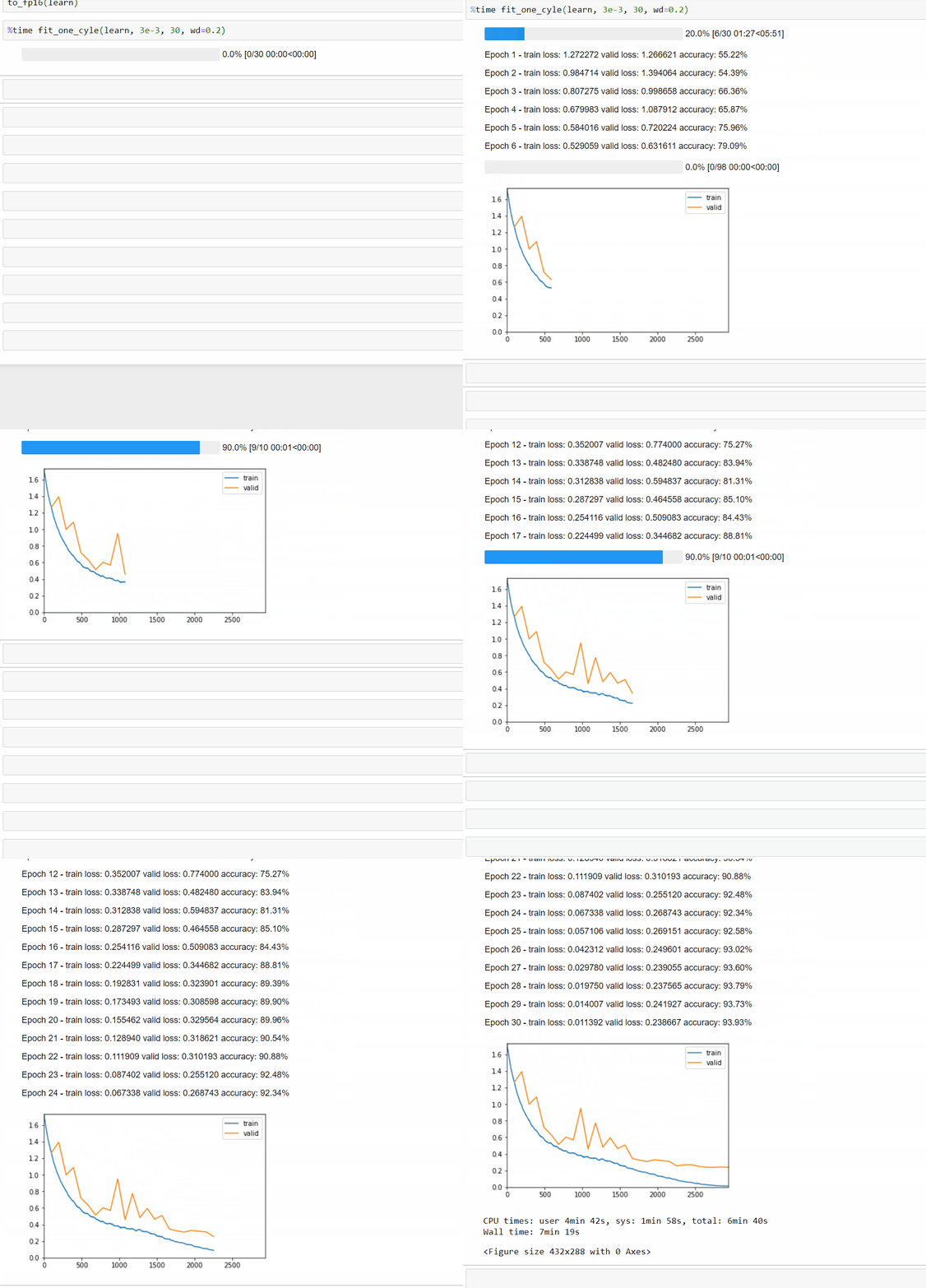
Install
To install simply use
pip install fastprogress
Usage
Example 1
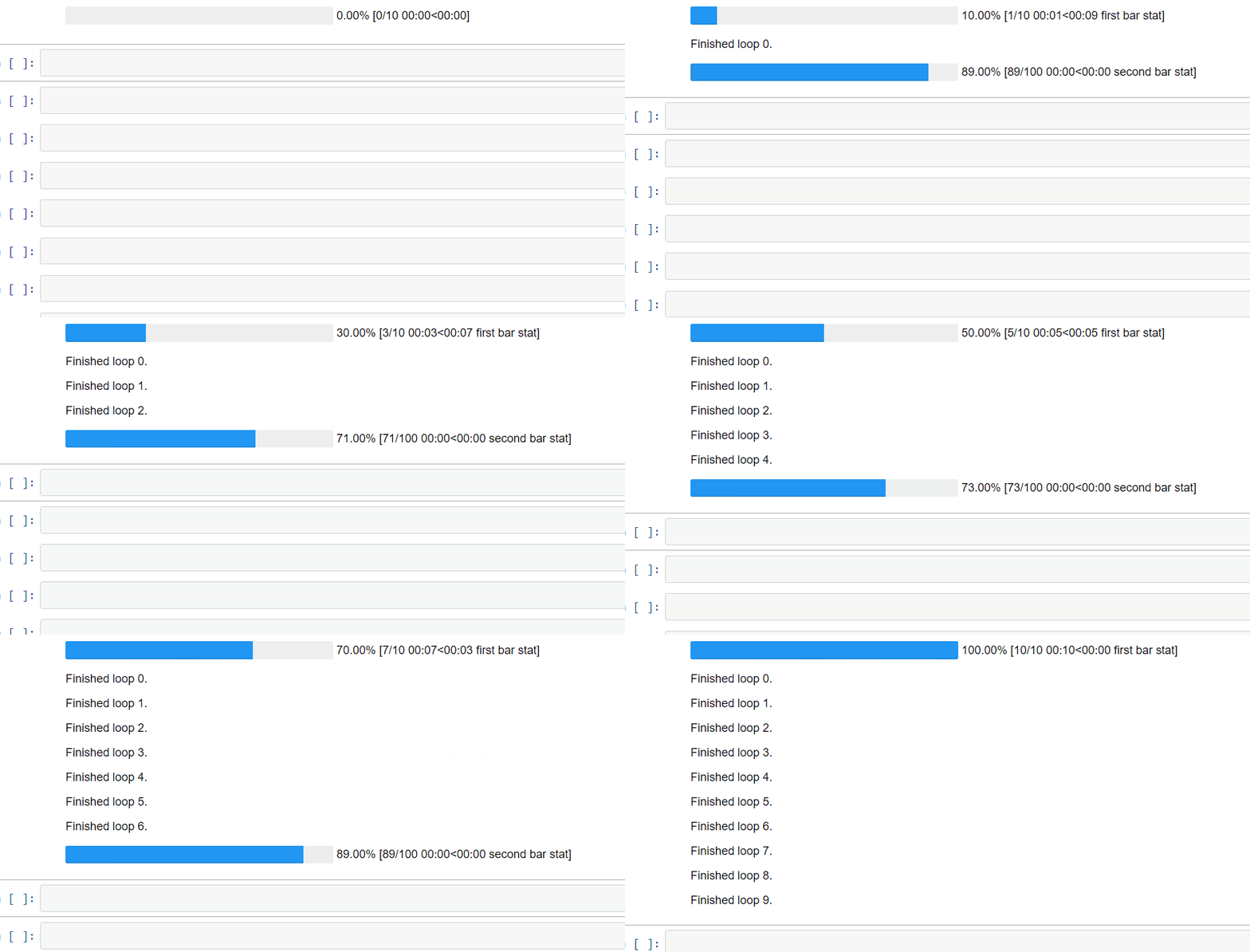
Here is a simple example. Each bar takes an iterator as a main argument, and we can specify the second bar is nested with the first by adding the argument parent=mb. We can then:
- add a comment in the first bar by changing the value of
mb.main_bar.comment - add a comment in the second bar by changing the value of
mb.child.comment - write a line between the two bars with
mb.write('message')
from fastprogress.fastprogress import *
from time import sleep

for i in (mb:=master_bar(range(10))):
    for j in mb.progress(range(100)):
        sleep(0.01)
        mb.child.comment = f'second bar stat'
    mb.main_bar.comment = f'first bar stat'
    mb.write(f'Finished loop {i}.')
Example 2
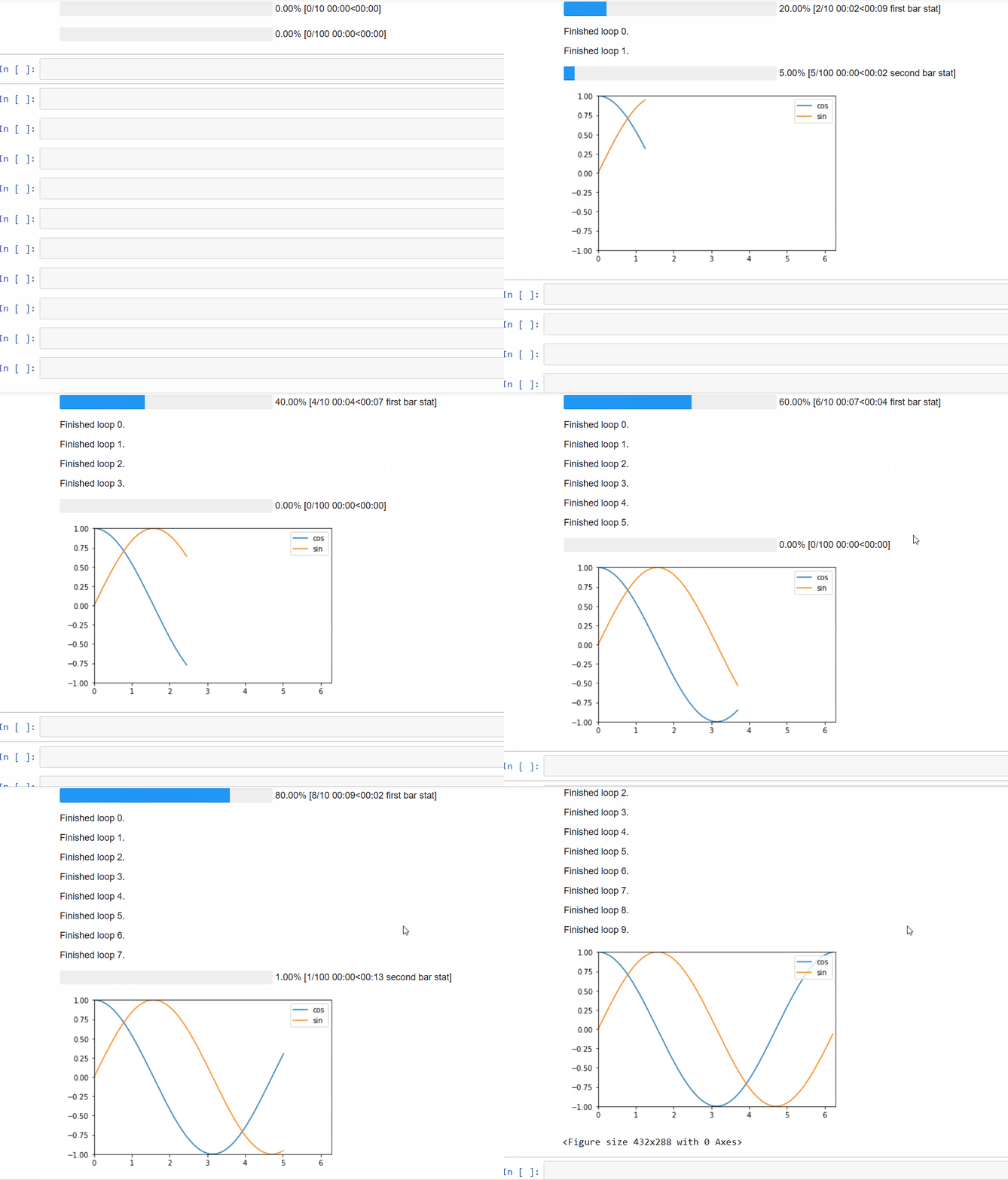
To add a graph that get plots as the training goes, just use the command mb.update_graphs. It will create the figure on its first use. Arguments are:
graphs: a list of graphs to be plotted (each of the form[x,y])x_bounds: the min and max values of the x axis (ifNone, it will those given by the graphs)y_bounds: the min and max values of the y axis (ifNone, it will those given by the graphs)
Note that it's best to specify x_bounds and y_bounds, otherwise the box will change as the loop progresses.
Additionally, we can give the label of each graph via the command mb.names (should have as many elements as the graphs argument).
import numpy as np
for i in mb:=master_bar(range(10), names=['cos', 'sin']):
    for j in mb.progress(range(100)):
        if j%10 == 0:
            k = 100 * i + j
            x = np.arange(0, 2*k*np.pi/1000, 0.01)
            y1, y2 = np.cos(x), np.sin(x)
            graphs = [[x,y1], [x,y2]]
            x_bounds = [0, 2*np.pi]
            y_bounds = [-1,1]
            mb.update_graph(graphs, x_bounds, y_bounds)
            mb.child.comment = f'second bar stat'
    mb.main_bar.comment = f'first bar stat'
    mb.write(f'Finished loop {i}.')
Here is the rendering in console:

If the script using this is executed with a redirect to a file, only the results of the .write method will be printed in that file.
Example 3
Here is an example that a typical machine learning training loop can use. It also demonstrates how to set y_bounds dynamically.
def plot_loss_update(epoch, epochs, mb, train_loss, valid_loss):
    """ dynamically print the loss plot during the training/validation loop.
        expects epoch to start from 1.
    """
    x = range(1, epoch+1)
    y = np.concatenate((train_loss, valid_loss))
    graphs = [[x,train_loss], [x,valid_loss]]
    x_margin = 0.2
    y_margin = 0.05
    x_bounds = [1-x_margin, epochs+x_margin]
    y_bounds = [np.min(y)-y_margin, np.max(y)+y_margin]

    mb.update_graph(graphs, x_bounds, y_bounds)
And here is an emulation of a training loop that uses this function:
import random

epochs = 5
train_loss, valid_loss = [], []
for epoch in (mb:=master_bar(range(1, epochs+1))):
    # emulate train sub-loop
    for batch in progress_bar(range(2), parent=mb): sleep(0.2)
    train_loss.append(0.5 - 0.06 * epoch + random.uniform(0, 0.04))

    # emulate validation sub-loop
    for batch in progress_bar(range(2), parent=mb): sleep(0.2)
    valid_loss.append(0.5 - 0.03 * epoch + random.uniform(0, 0.04))

    plot_loss_update(epoch, epochs, mb, train_loss, valid_loss)
And the output:

Copyright 2017 onwards, fast.ai.
Release history Release notifications | RSS feed


Download files
Download the file for your platform. If you're not sure which to choose, learn more about installing packages.
Source Distribution
Built Distribution
Filter files by name, interpreter, ABI, and platform.
If you're not sure about the file name format, learn more about wheel file names.
Copy a direct link to the current filters
File details
Details for the file fastprogress-1.1.6.tar.gz.
File metadata
- Download URL: fastprogress-1.1.6.tar.gz
- Upload date:
- Size: 15.8 kB
- Tags: Source
- Uploaded using Trusted Publishing? No
- Uploaded via: twine/6.2.0 CPython/3.12.0
File hashes
| Algorithm | Hash digest | |
|---|---|---|
| SHA256 |
7de3a5b136fdf0a9763c19180d0bdfc1bb8c6172b09123c0e4ba272d0c092d0c
|
|
| MD5 |
a9227e1390859d9fbd9330eaaa96eb4c
|
|
| BLAKE2b-256 |
401834a4c40ccc470bc97fe5d3339371384af924a8650b3924158f1222f87c5f
|
File details
Details for the file fastprogress-1.1.6-py3-none-any.whl.
File metadata
- Download URL: fastprogress-1.1.6-py3-none-any.whl
- Upload date:
- Size: 14.9 kB
- Tags: Python 3
- Uploaded using Trusted Publishing? No
- Uploaded via: twine/6.2.0 CPython/3.12.0
File hashes
| Algorithm | Hash digest | |
|---|---|---|
| SHA256 |
b8b5bf57ca4b28f6207c02960da21b8d939477ab47773d3fb7122f778b2a66d0
|
|
| MD5 |
1e349627ac2eca0a2495b7679e3d8e9b
|
|
| BLAKE2b-256 |
a8767ad4eb6168bb2b494b402e87249ec2adda9adbf70f293a06dd84f94a688c
|






