
FastStrap Preview Studio



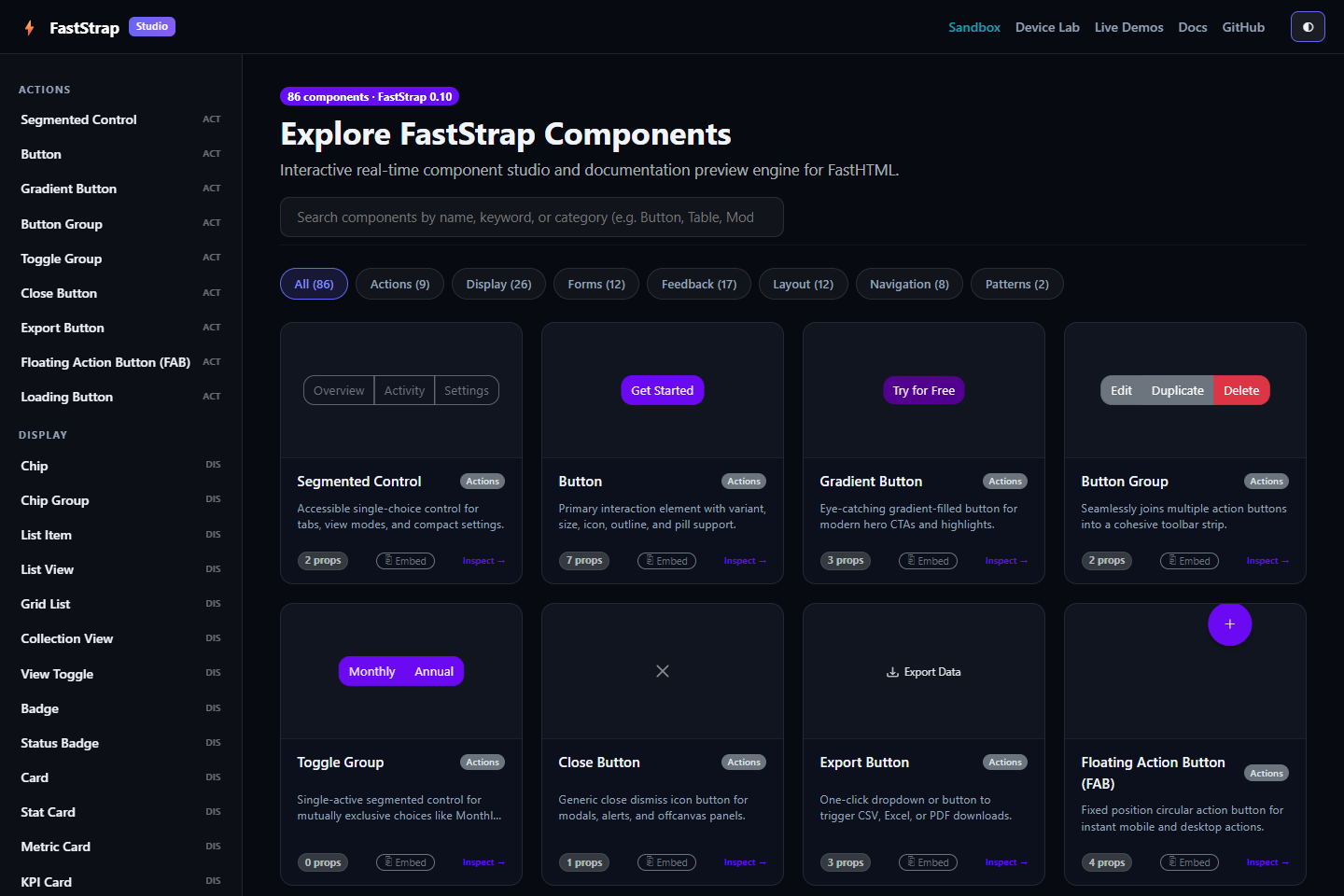
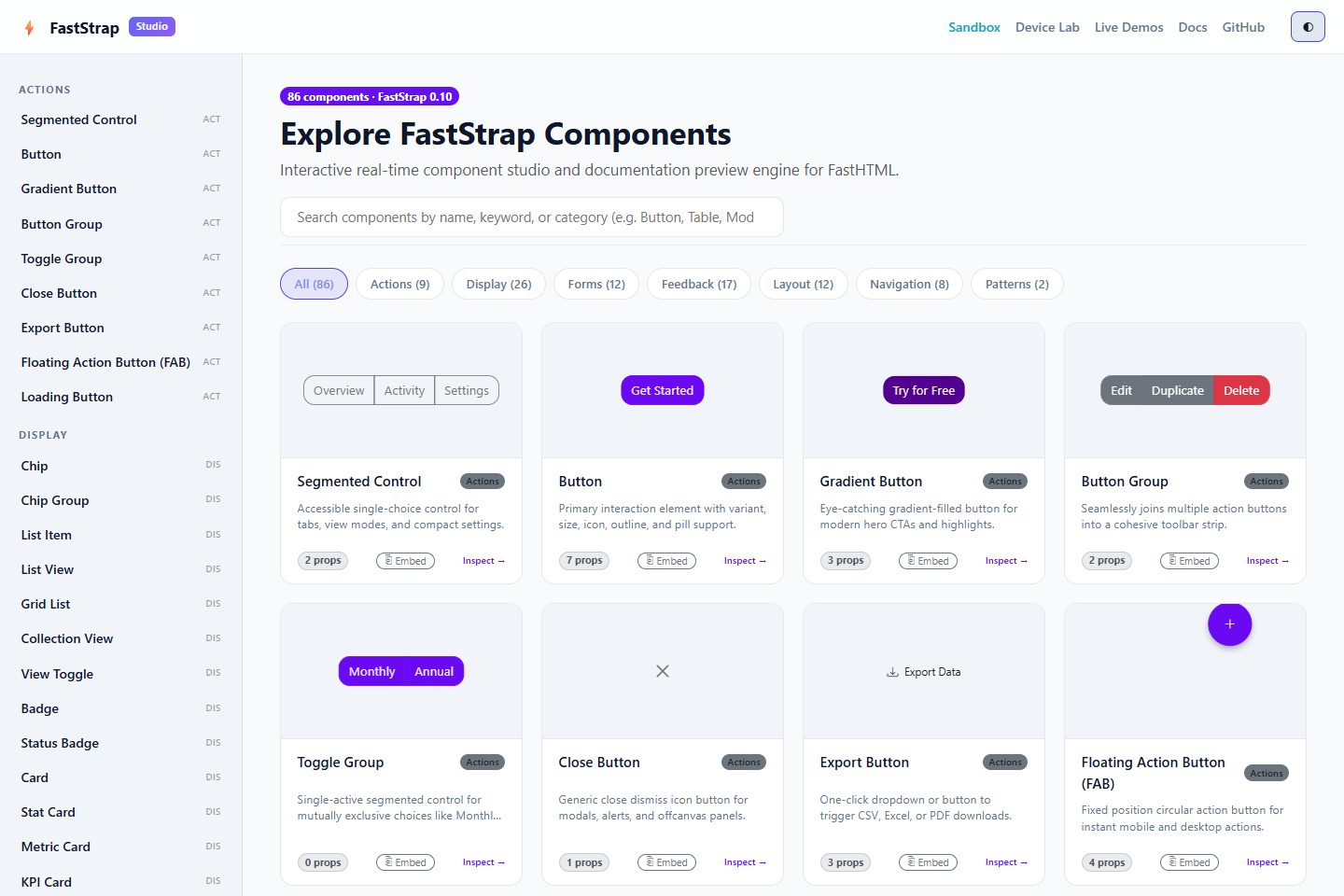
An interactive, local-first component explorer and code playground for FastStrap and FastHTML. Browse component examples, inspect their parameters, adjust previews, and copy Python snippets into your own projects.
The Studio runs on your computer; it is not a hosted app builder or a public code-execution service. Its core assets and browser runtimes are included locally. A few optional integrations (such as KaTeX, Mermaid, Chart.js, Plotly, and GSAP) load their renderer assets from CDNs and therefore need an internet connection when used.
Preview
Images use version-pinned GitHub URLs so they render in PyPI's project description as well as on GitHub.
Install And Run
Requires Python 3.10 or newer.
python -m pip install faststrap-preview-studio
faststrap-preview
Then open http://127.0.0.1:8080. The server binds to loopback by default, so it is available on your computer only.
To use another port or host, set PORT or HOST before starting the command. For example, in PowerShell:
$env:PORT = "8090"
faststrap-preview
What You Can Do
- Browse 86 curated component previews, organized by category, with import guidance and example code.
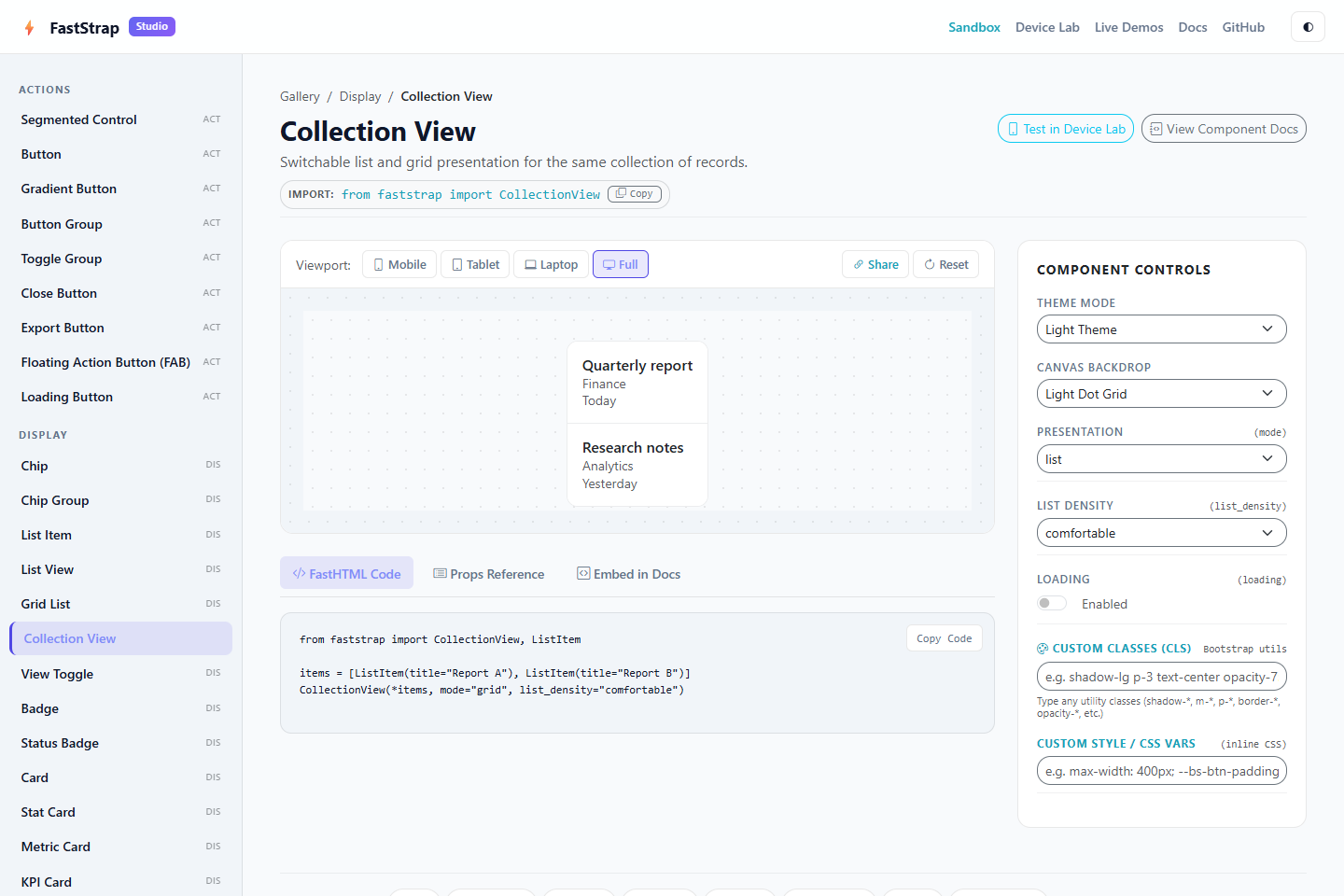
- Adjust supported component parameters and inspect the result in an isolated preview canvas.
- Compare mobile (375px), tablet (768px), laptop (1024px), and full-width desktop layouts.
- Switch canvas backgrounds and use the light/dark theme controls.
- Explore interactive HTMX demos for patterns such as search, loading actions, validation, and tables.
- Copy FastHTML/FastStrap snippets into an application.
- Embed curated component previews in documentation using the Studio's
/embed/{component}route. - Use the local sandbox to run complete examples on your own machine.
Local Playground And Safety
The sandbox is designed for a developer running the Studio locally and executing code they trust. In its default local mode, submitted Python can run with normal Python capabilities. Do not expose the sandbox to untrusted users or the public internet. This is a local learning tool, not an isolation boundary.
The default host is 127.0.0.1. Setting HOST=0.0.0.0 makes the server reachable from other machines on the network and should be done only when you understand that exposure.
For a hosted documentation integration that needs curated previews but not arbitrary code execution, set:
STUDIO_ENABLE_SANDBOX=false
This removes the /sandbox/* code-runner routes. Setting STUDIO_ENABLE_ARBITRARY_EXEC=false applies AST restrictions to sandbox execution, but it is not process or container isolation and should not be treated as safe public multi-user execution. Keep hosted deployments appropriately isolated and expose only the routes they need.
Optional integration examples may fetch renderer scripts or styles from third-party CDNs. The core Studio shell, Bootstrap/FastStrap styles, and FastHTML browser runtimes are served from the installed package.
Embedding A Preview
When the Studio is reachable from your documentation site, an iframe can display a component preview. Replace the example host with the Studio's actual base URL:
<iframe
  src="https://studio.example.com/embed/Button?variant=primary&text=Try+FastStrap"
  width="100%"
  height="280"
  title="FastStrap Button preview"
  data-faststrap-preview
></iframe>
The Studio's /studio/{component} page can generate embed markup using STUDIO_BASE_URL. The optional bridge script at /studio-static/js/embed.js synchronizes theme changes and adjusts iframe height. For a public documentation deployment, disable the arbitrary-code sandbox and review which routes and network access are exposed before hosting it.
Install From Source
git clone https://github.com/Faststrap-org/FastStrap_Studio.git
cd FastStrap_Studio
python -m venv .venv
Activate the environment, then install the project and development tools:
# Windows PowerShell
.venv\Scripts\Activate.ps1
python -m pip install -e ".[dev]"
python main.py
# macOS/Linux
source .venv/bin/activate
python -m pip install -e ".[dev]"
python main.py
Configuration
| Variable | Default | Purpose |
|---|---|---|
HOST |
127.0.0.1 |
Server bind address. Use the loopback default for local use. |
PORT |
8080 |
Server port. |
RELOAD |
false |
Enable Uvicorn reload mode for development. |
STUDIO_BASE_URL |
http://localhost:8080 |
Base URL used to generate absolute preview/embed URLs. |
STUDIO_ENABLE_SANDBOX |
true |
Set to false to omit /sandbox/* routes. |
STUDIO_ENABLE_ARBITRARY_EXEC |
true |
Allows trusted local examples to use normal Python execution; not a security boundary. |
Development
Run the automated tests and linter from the repository root:
python -m pytest -q
ruff check faststrap_studio tests
The package is organized into the faststrap_studio Python package, component catalogue, route modules, local static assets, and a repository-level tests/ suite. Frontend runtimes vendored in faststrap_studio/static/vendor/ include their version and license notices in that directory.
Links
1 maintainer

Metadata
1 maintainer
Release files for faststrap-preview-studio 0.9.1
For a detailed explanation of source distributions (sdists) and built distributions (wheels), please see the package formats documentation.
Source distribution (sdist)
| File | Size | Uploaded | Provenance | Actions |
|---|---|---|---|---|
| faststrap_preview_studio-0.9.1.tar.gz | 94.8 kB | With provenance | Details for faststrap_preview_studio-0.9.1.tar.gz |
Built distribution (wheel)
| File | Interpreter | ABI | Platform | Actions Reset |
|---|---|---|---|---|
| faststrap_preview_studio-0.9.1-py3-none-any.whl | Python 3 | none | any | Details for faststrap_preview_studio-0.9.1-py3-none-any.whl |
Total release size: 201.9 kB
Release files / faststrap_preview_studio-0.9.1.tar.gz
| Download URL | faststrap_preview_studio-0.9.1.tar.gz |
|---|---|
| Size | 94.8 kB |
| Tags | Source |
|
SHA-256 checksum How to use checksums |
15b74b6900216004c2a8b288299d169f413f9ac2acd1f39fec983a01c6cd5253
|
|
BLAKE2b-256 checksum How to use checksums |
ed82557be1544e46b036a6963e753685904b67457356bf04e5d5dba4a1df178d
|
| Upload date | |
|
Uploaded using Trusted Publishing? What is trusted publishing? |
Yes |
| Uploaded via |
twine/7.0.0 CPython/3.13.14
|
Provenance
Provenance describes where a file came from. On PyPI, provenance is shared via attestations, which provide a verifiable record of the build or publishing details. View details, limitations and caveats.


PyPI Publish Attestation
PyPI verified that this artifact, at this checksum, originated from the publisher listed below.
Signed by GitHub Actions, verified by PyPI on Oct 19, 2026.
Transparency logRelease files / faststrap_preview_studio-0.9.1-py3-none-any.whl
| Download URL | faststrap_preview_studio-0.9.1-py3-none-any.whl |
|---|---|
| Size | 107.1 kB |
| Tags | Python 3 |
|
SHA-256 checksum How to use checksums |
c90a0f61bd7e1eaf2bcee9b4093e5b667505bd7248dd55f2e5940e859d9d407a
|
|
BLAKE2b-256 checksum How to use checksums |
6c6a9f3f09f7ea264c45b96116c54c8a226c51a8ceca1fbfe764ab336d2a2a75
|
| Upload date | |
|
Uploaded using Trusted Publishing? What is trusted publishing? |
Yes |
| Uploaded via |
twine/7.0.0 CPython/3.13.14
|
Provenance
Provenance describes where a file came from. On PyPI, provenance is shared via attestations, which provide a verifiable record of the build or publishing details. View details, limitations and caveats.
PyPI Publish Attestation
PyPI verified that this artifact, at this checksum, originated from the publisher listed below.
Signed by GitHub Actions, verified by PyPI on Oct 19, 2026.
Transparency logSecurity for faststrap-preview-studio 0.9.1
Provenance
Provenance describes where a file came from. On PyPI, provenance is shared via attestations, which provide a verifiable record of the build or publishing details. View details, limitations and caveats.
Full provenance
All 2 files in this release have been uploaded with provenance metadata.
Attestation for faststrap_preview_studio-0.9.1.tar.gz
PyPI Publish Attestation
PyPI verified that this artifact, at this checksum, originated from the publisher listed below.
Signed by GitHub Actions, verified by PyPI on Oct 19, 2026.
Transparency logA note on package security
PyPI is a repository for distributing packages, not a service for auditing them. While third-party security researchers and our staff do their best to detect and remove malicious packages, PyPI cannot guarantee the quality, security or suitability of any given package.
To learn more about protecting yourself from malicious actors, visit our package security documentation.














