
Claude Code Statusline
English | 简体中文


A Claude Code status line for Linux, WSL, Windows, and macOS. See model and reasoning effort, directory, Git, context, usage limits, tokens, and task timing at a glance. Configure the main line and individual subagent rows through an in-session editor, a terminal UI, a wizard, or the CLI.
Features · Screenshots · Quick installation · Common configuration · User guide · Troubleshooting
Features
- Choose a language: English and 简体中文 in both editors and CLI; switch immediately without losing display drafts.
- Choose what to show: 60 main-line items and 14 subagent items; enable, hide, search, and reorder them.
- Track the right scope: session token totals, per-task subagent rows, and total task time covering queueing, agents and main-agent wrap-up; optional execution time excludes verified user waits.
- Adjust presentation: model and number formats, labels, built-in icons, colors, directory styles, and automatic or explicit rows with priorities and width limits.
- Start from a preset: minimal, developer, monitoring, and multi-agent presets expand into editable settings; import and export portable JSON.
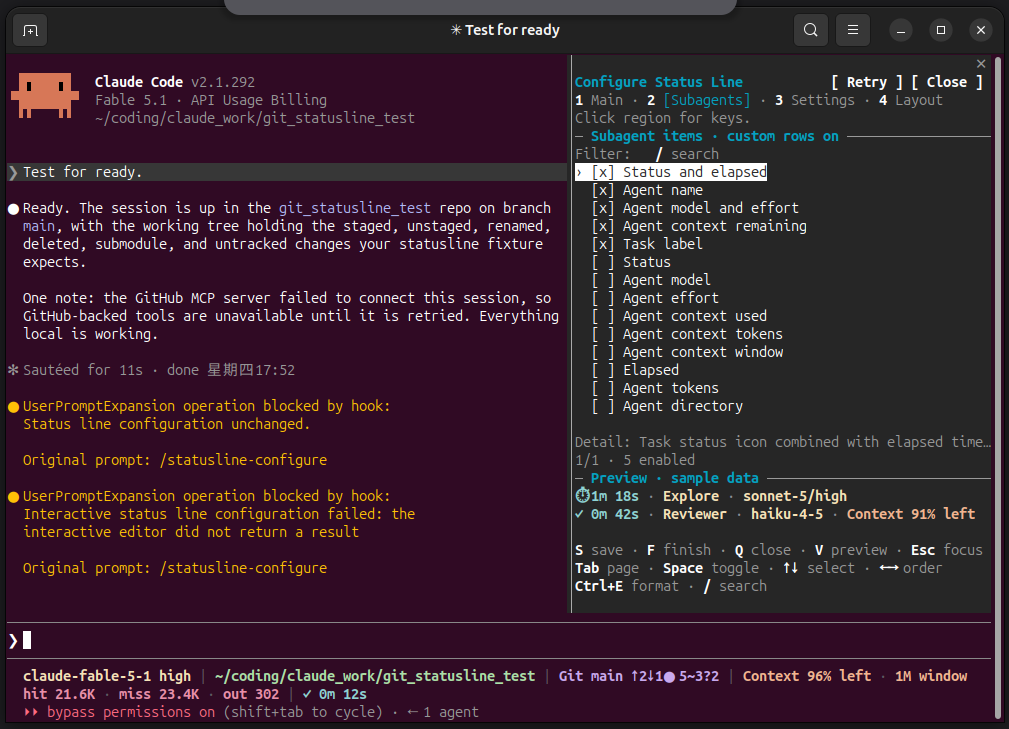
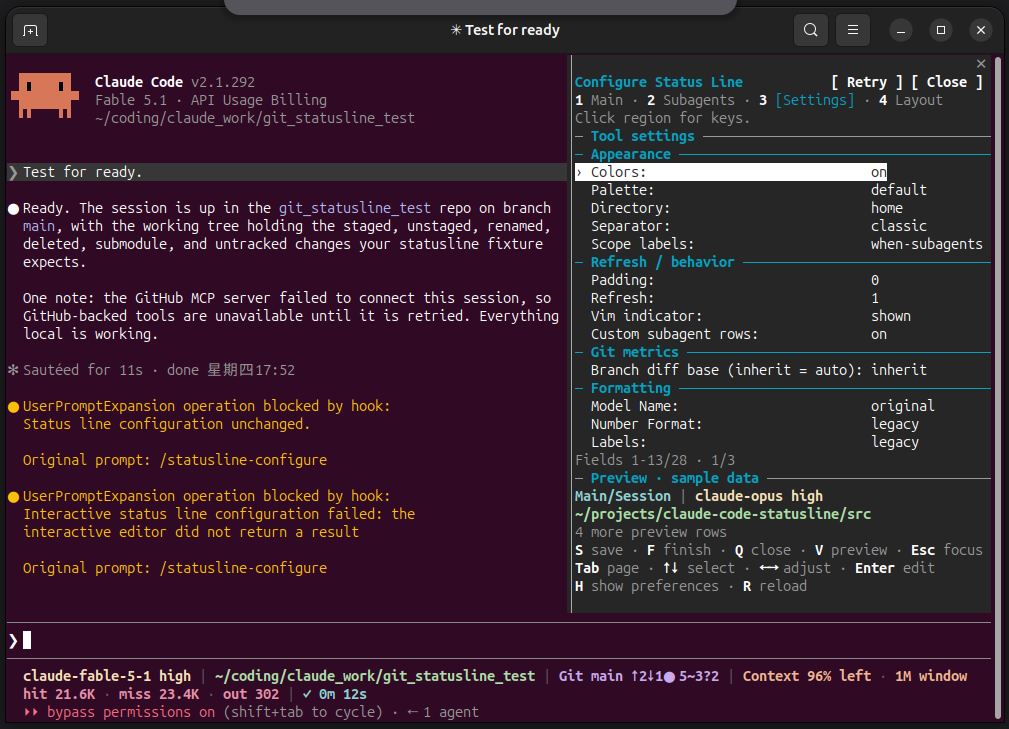
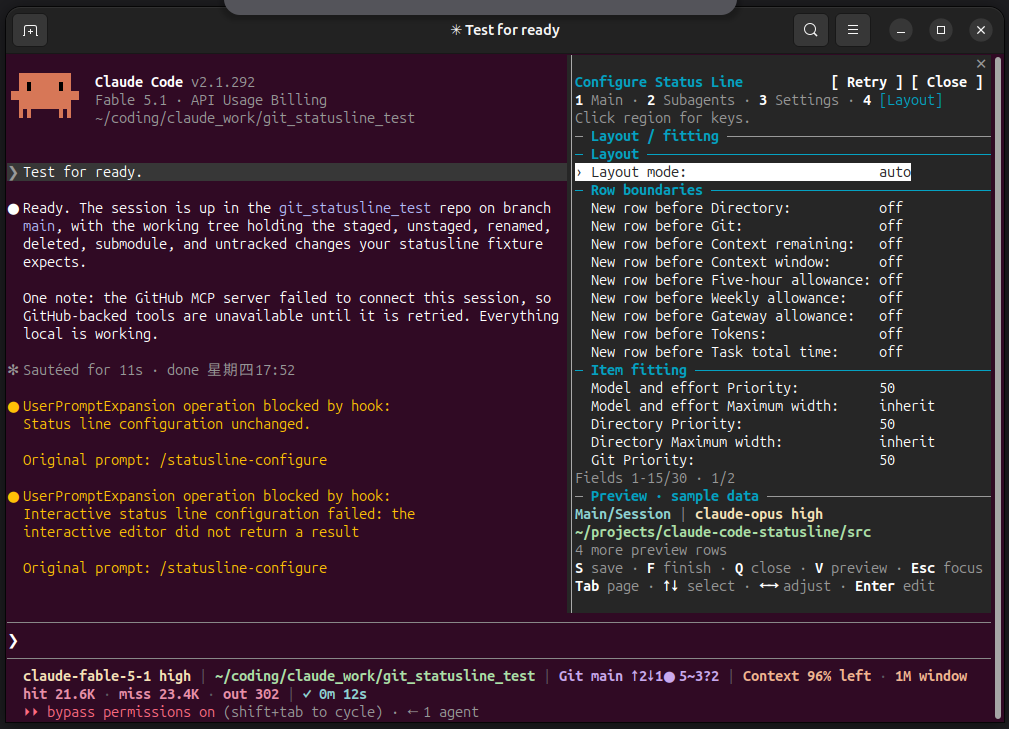
- Choose an editor: Main, Subagents, Settings, and Layout pages share the same configuration. Claude appearance and behavior preferences use a separate Apply action.
- Follow Claude themes: the in-session editor adapts text, keys and selection to the applied theme; sample previews retain production colors on a separately chosen light/dark background.
- Follow terminal colors: external TUI text and bold keys use terminal defaults; previews show the selected palette on the current terminal background.
- Enable optional live metrics: runtime state, agent count, tool progress, request timing, and per-task usage are opt-in. Missing or partial observations stay distinguishable.
Rendering uses Claude Code input and local state without making network requests or using model tokens. The question-and-answer wizard uses Claude model turns. See field definitions for data sources and availability.
Screenshots
The main status line at the bottom of session screenshots shows actual data; configuration Preview regions use fixed samples. Fonts, colors and widths depend on terminal settings. Image sources and archive.
English / 简体中文 configuration
Linux terminal captures show the shared language selector and Chinese interface. These are reconstructions of actual PTY cells with sample previews; sources and all pages.
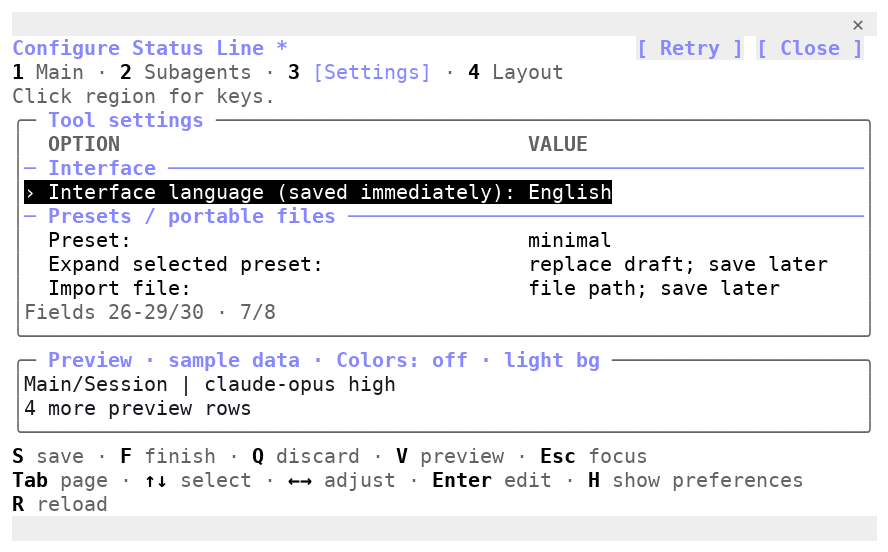
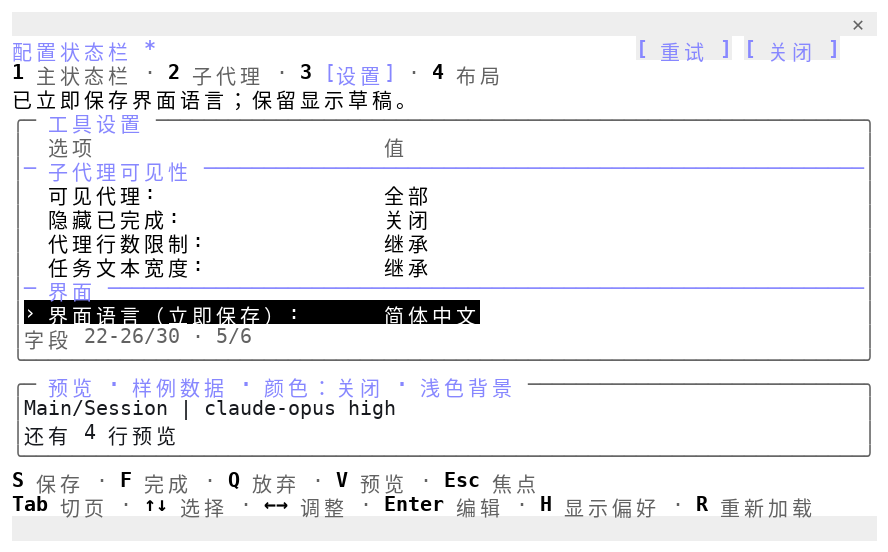
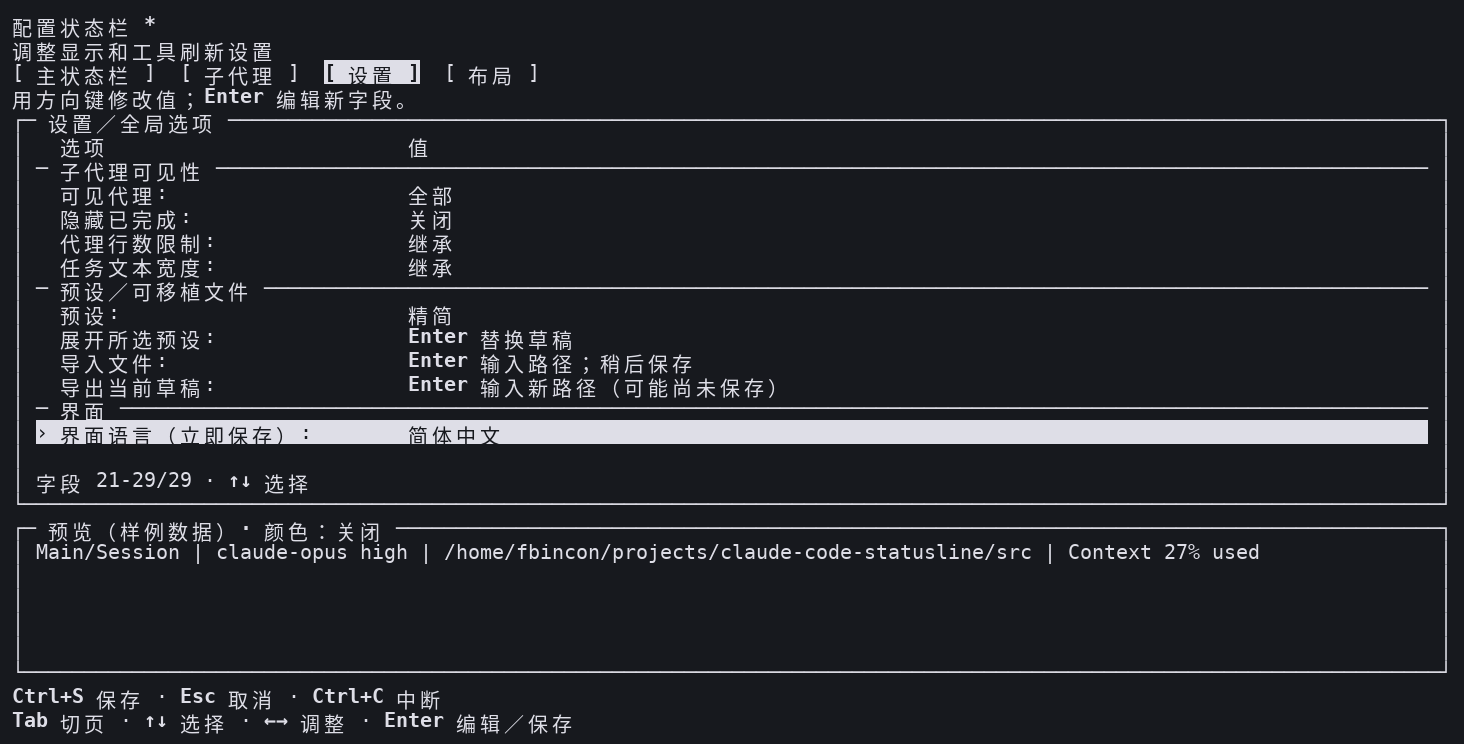
In-session TUI
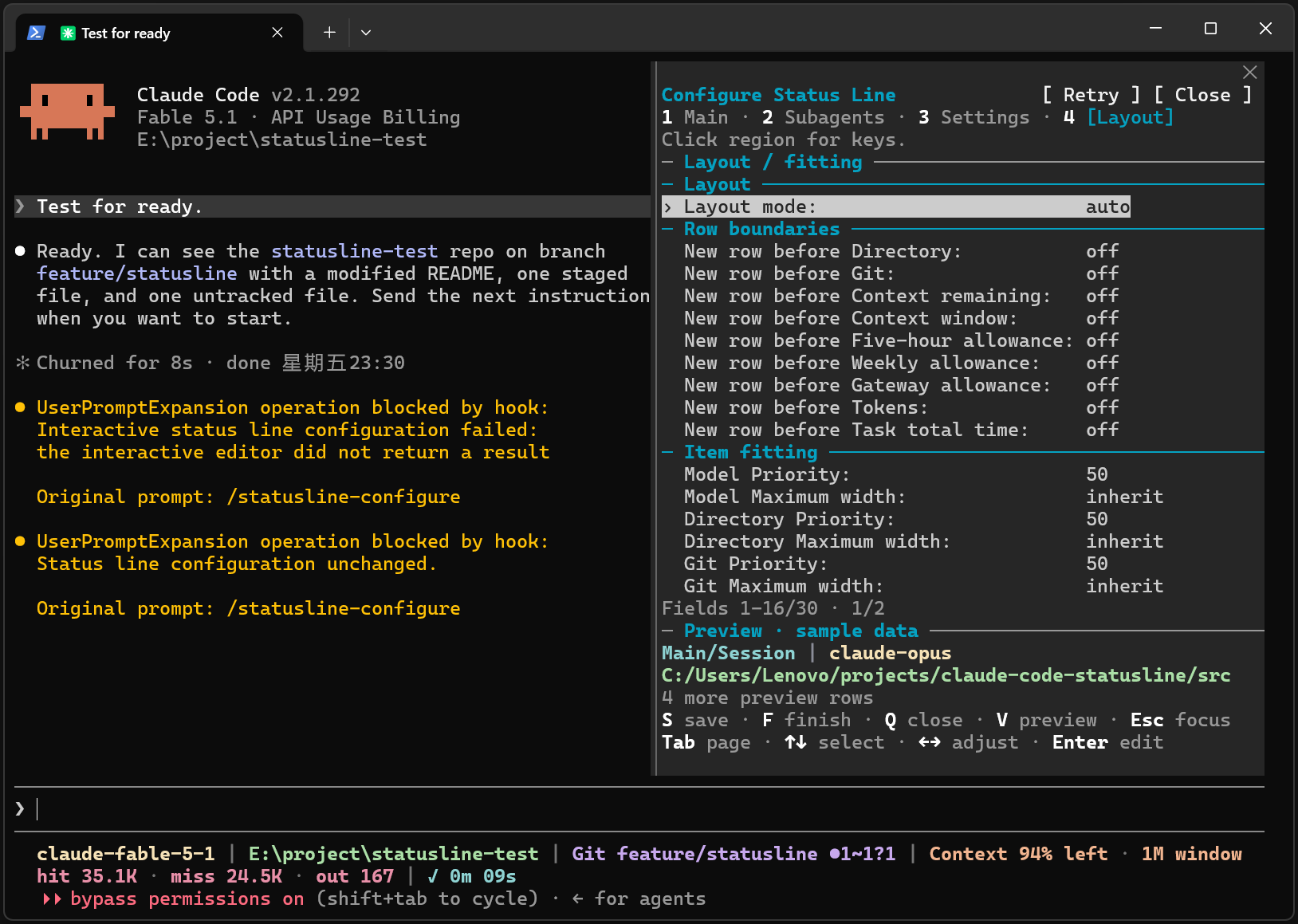
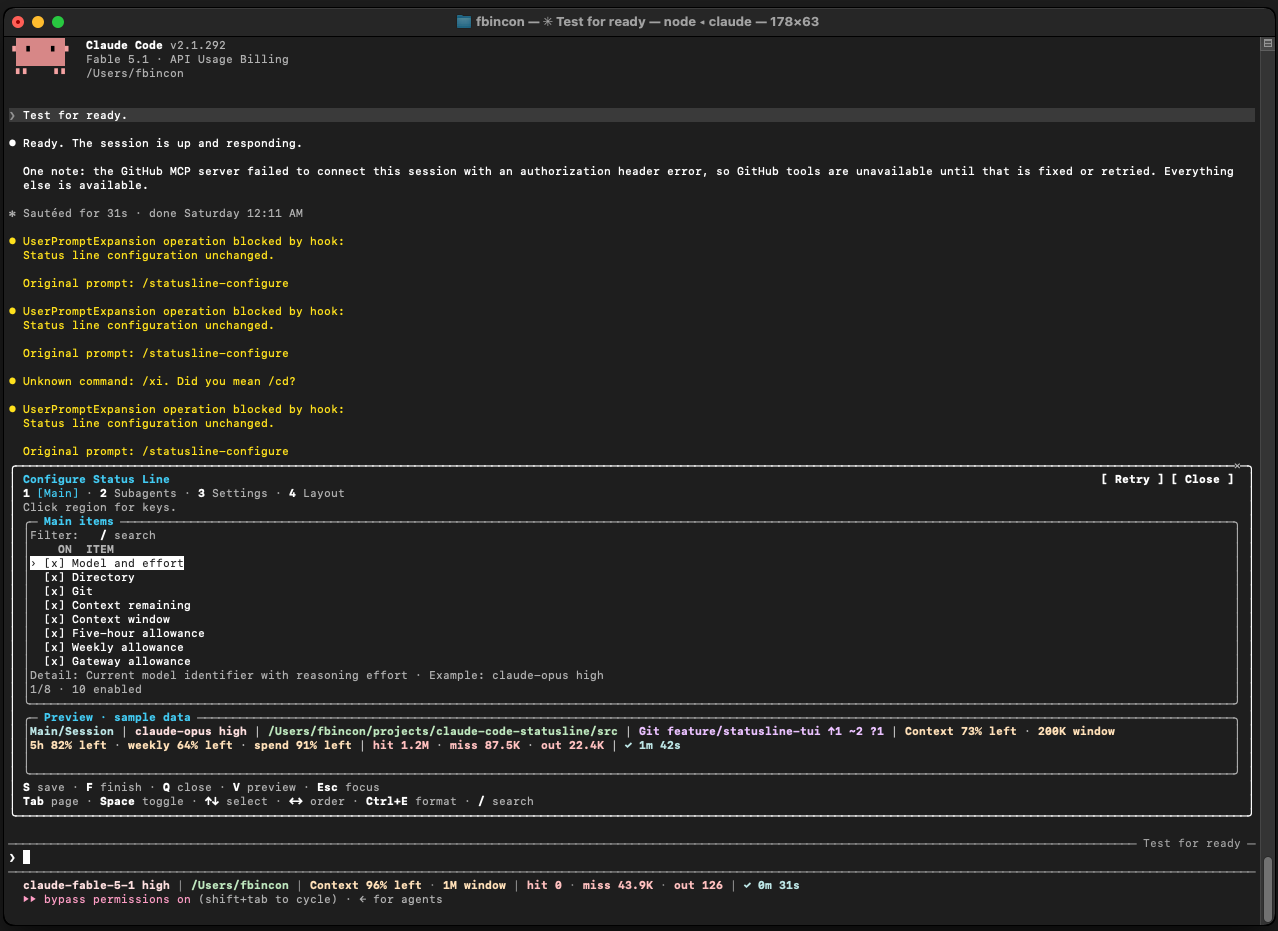
Run /statusline-configure-native inside the current Claude Code session, then click the Client region once before using the keyboard. The editor follows the Claude theme; choose the preview background to match the terminal and compare the selected palette. Compare terminal/theme combinations.
Linux: Main and the status line
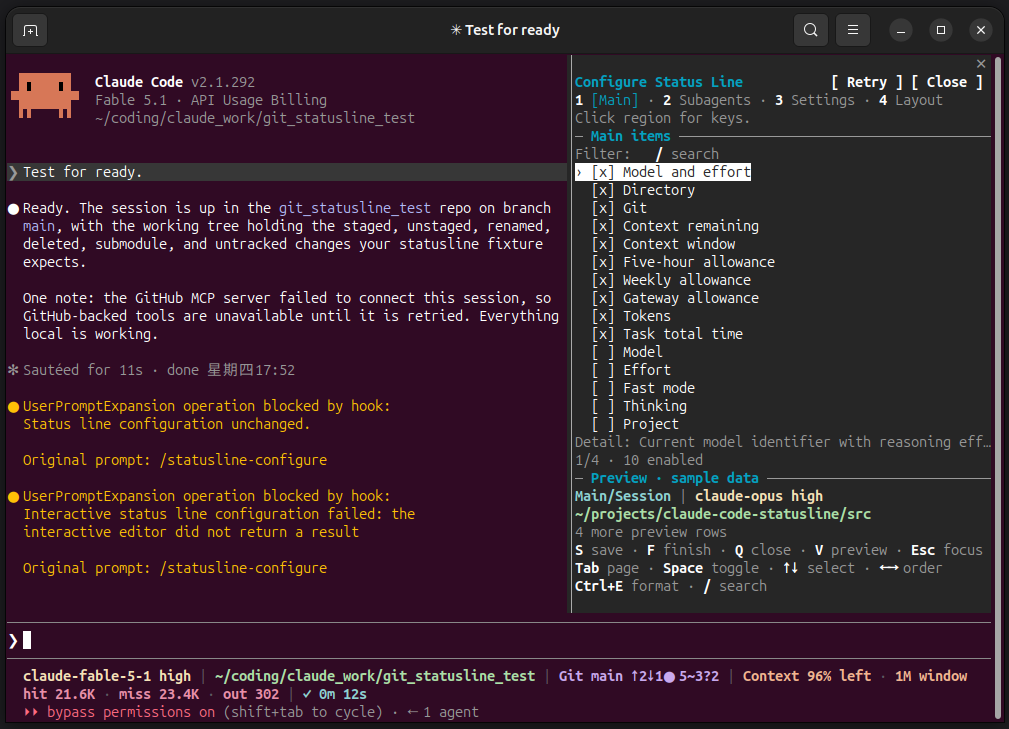
Linux: Subagents, Settings, Layout
Subagents: choose items and ordering for individual agent rows.
Settings: adjust appearance, refresh behavior and formatting.
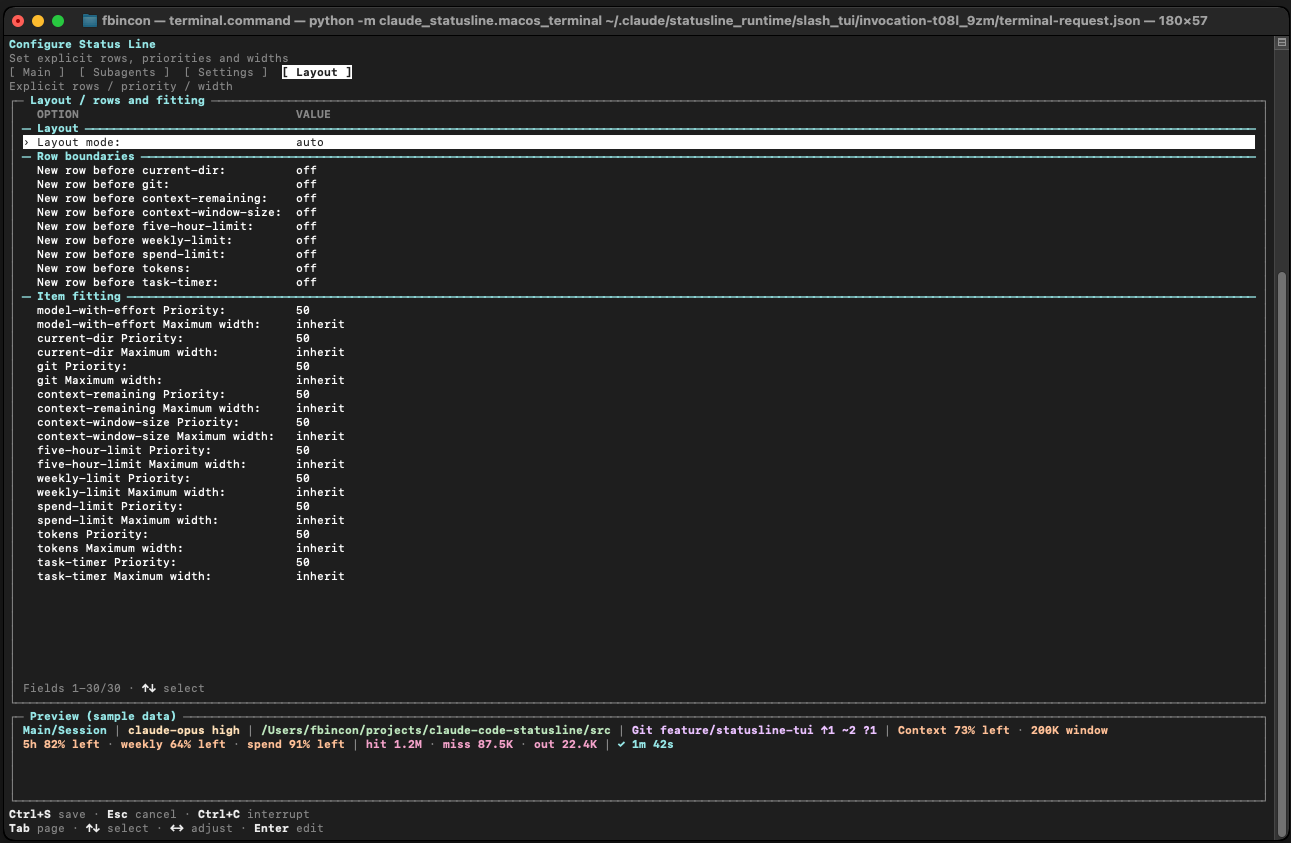
Layout: set rows, item priorities and maximum widths.
Linux: light and dark themes
Earlier theme captures used a dark preview surface; the current editor offers a separate light/dark preview choice. These images reconstruct real terminal cells. Capture provenance.
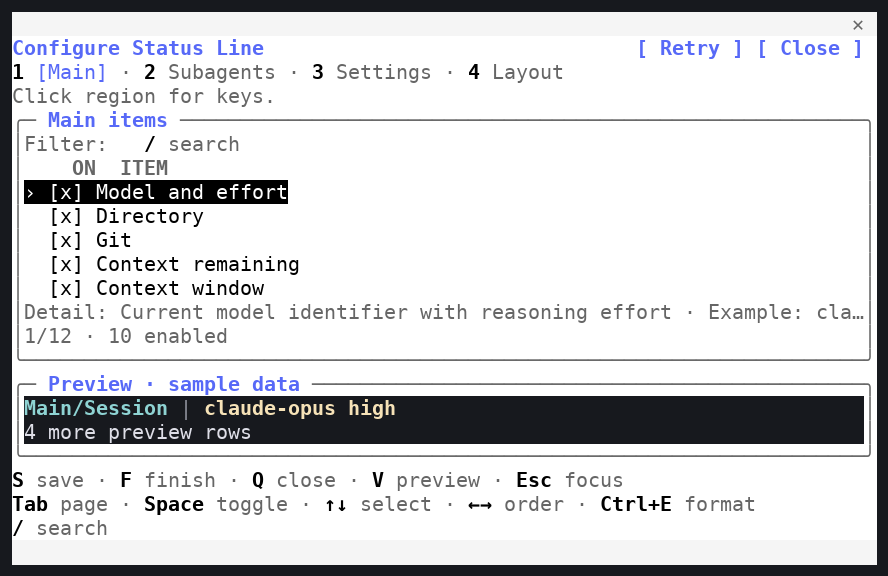
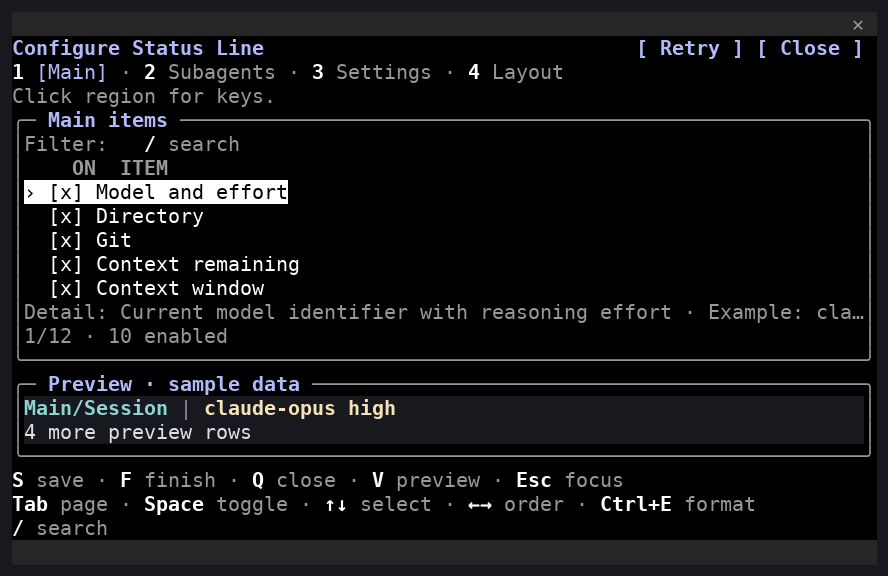
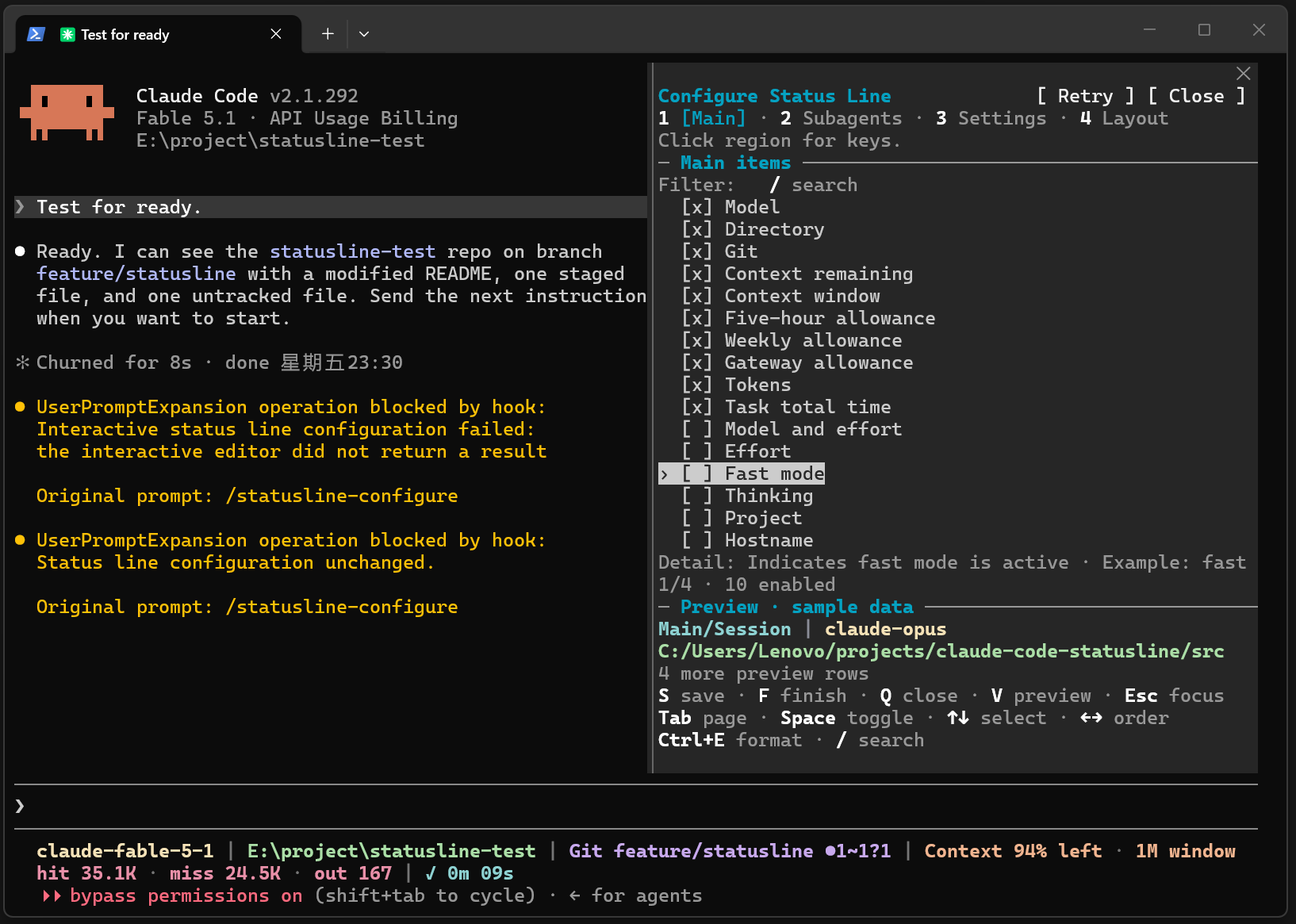
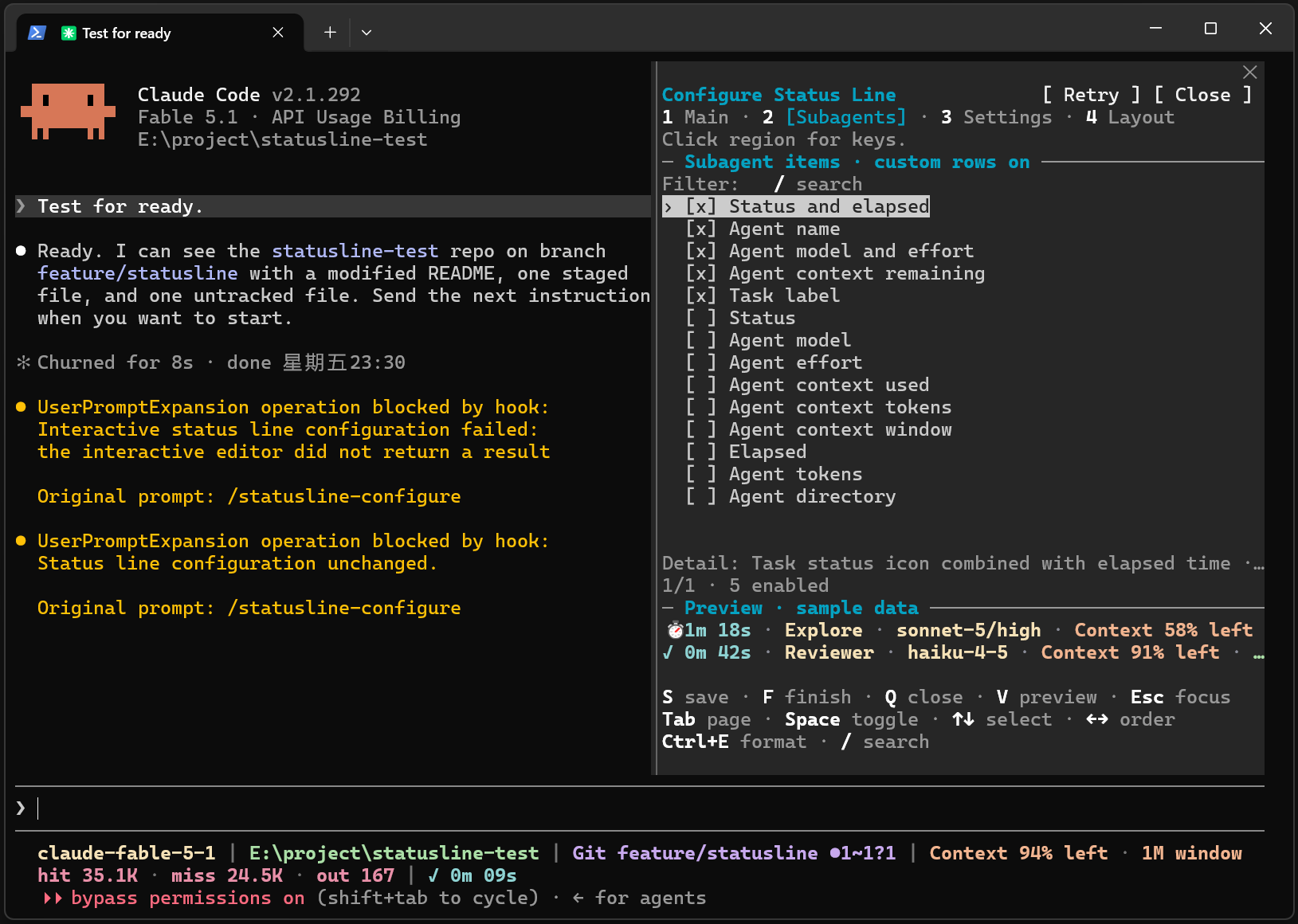
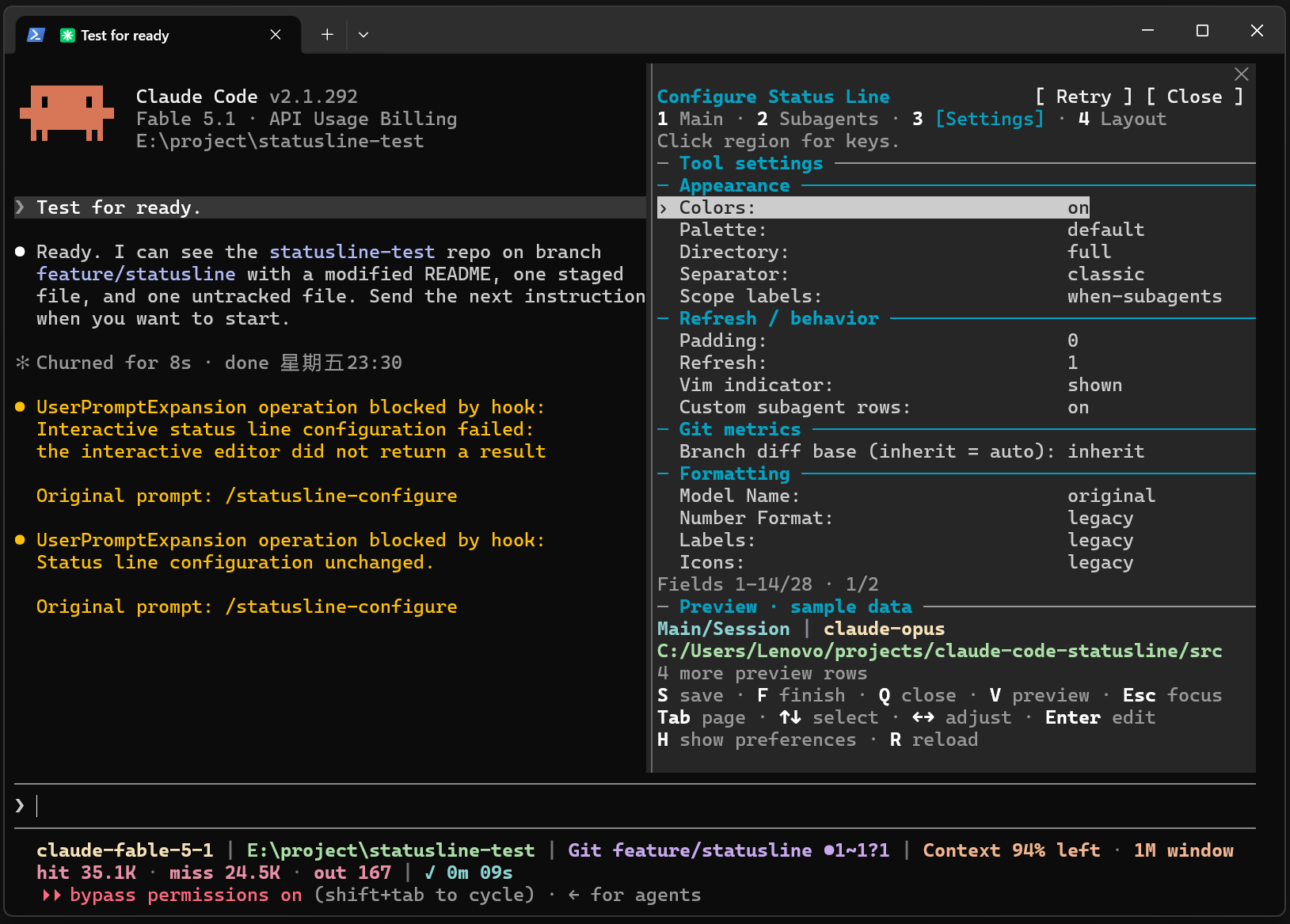
Windows: Main, Subagents, Settings, Layout
Main: select and reorder main status line items.
Subagents: choose items and ordering for individual agent rows.
Settings: adjust appearance, refresh behavior and formatting.
Layout: set rows, item priorities and maximum widths.
macOS: Main
Only Main was supplied for this batch. The existing interaction limitation and checks are documented in macOS mouse reporting and Client focus.
Main: select and reorder main status line items.
External TUI
Run /statusline-configure in Claude Code, or claude-statusline configure in a standalone terminal.
Linux: light/dark backgrounds and palette comparison
Previews use the current terminal background and selected palette. Compare ansi in Settings when default looks faint. These are terminal-output reconstructions from dedicated GNOME profiles; capture sources.
Light background, Palette: default
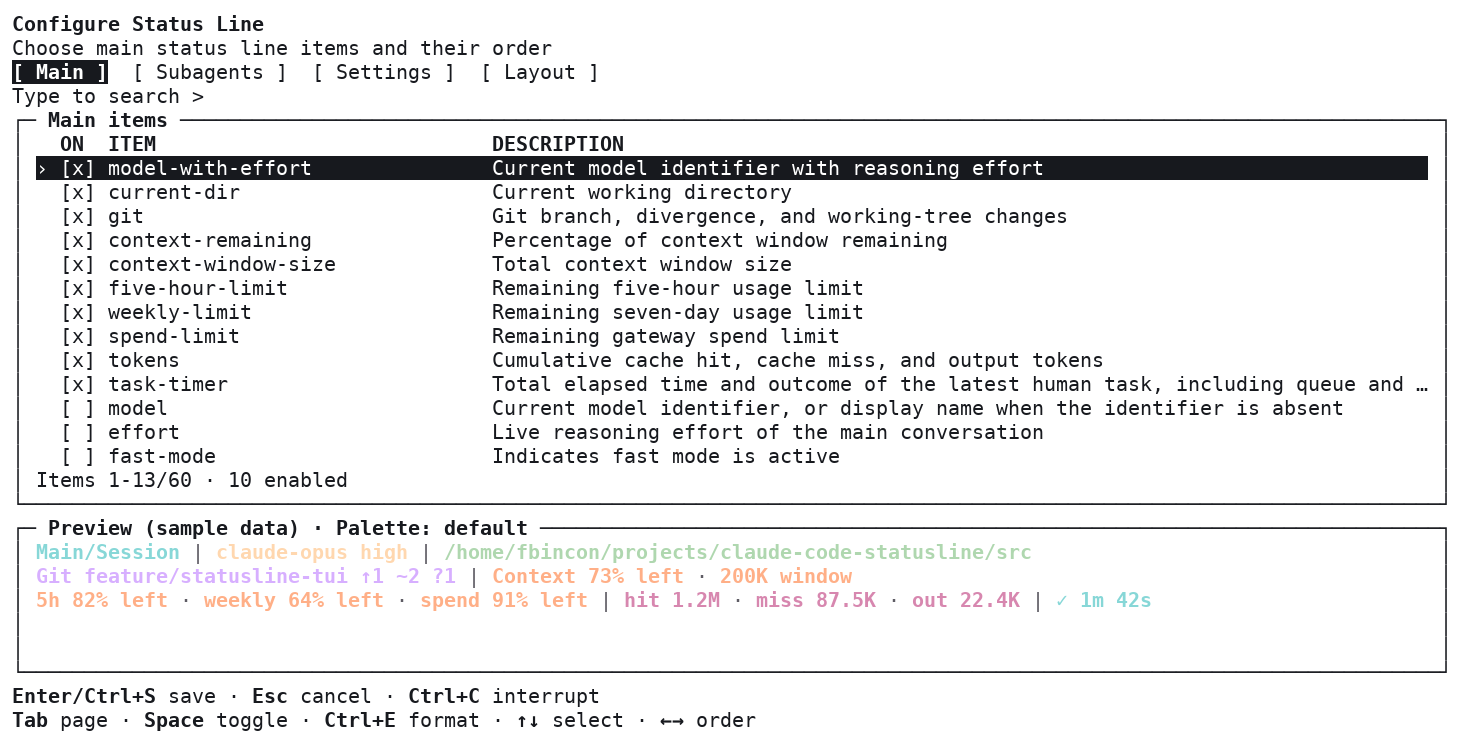
Light background, Palette: ansi
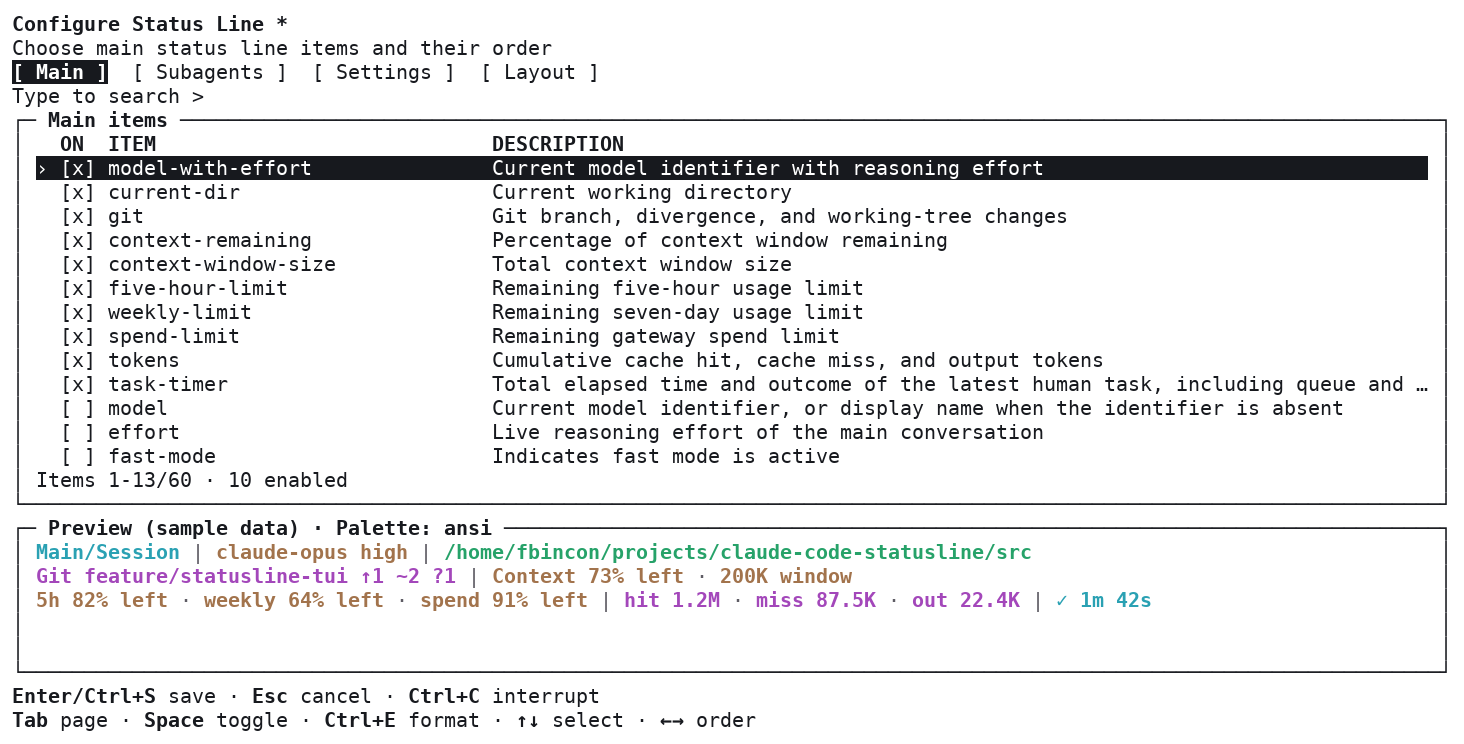
Dark background, Palette: default
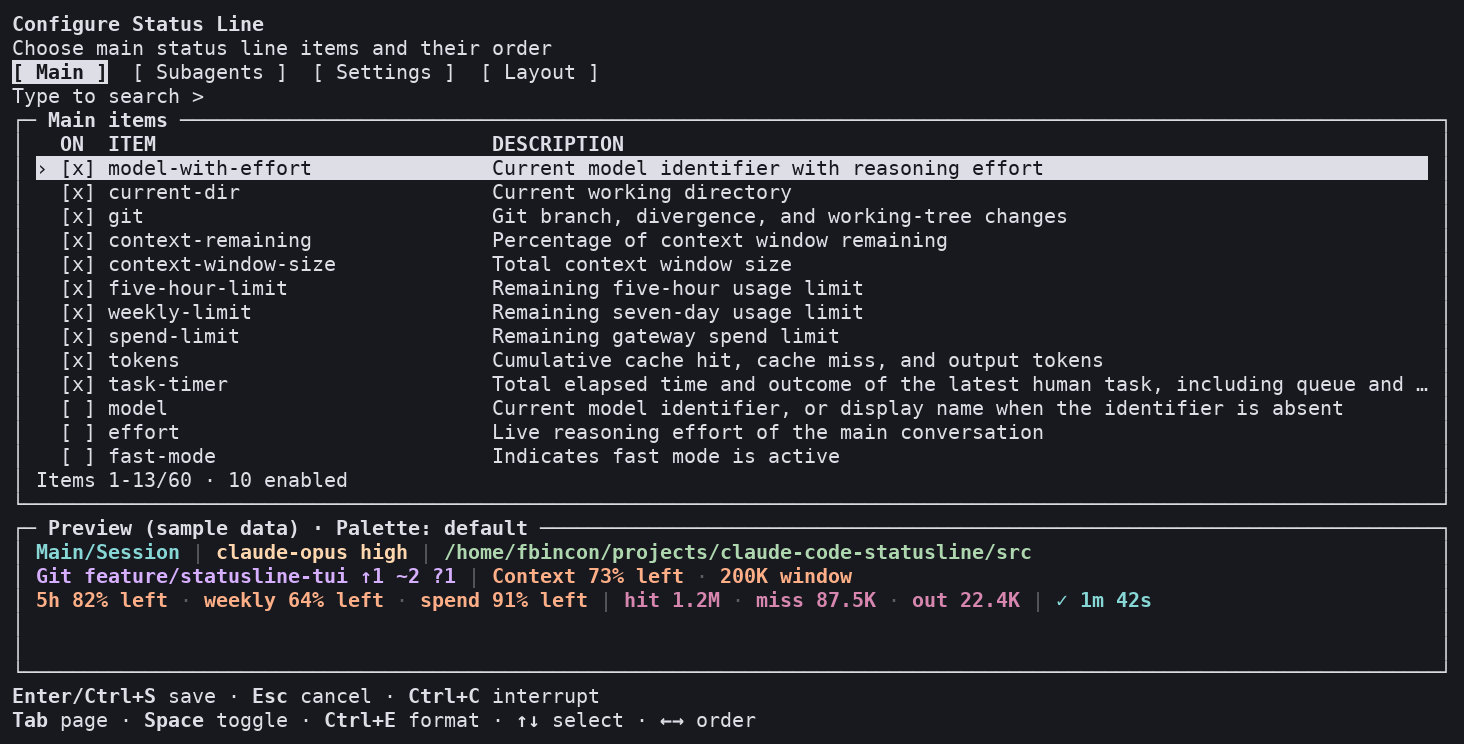
Linux: Main, Subagents, Settings, Layout
Main: select and reorder main status line items.
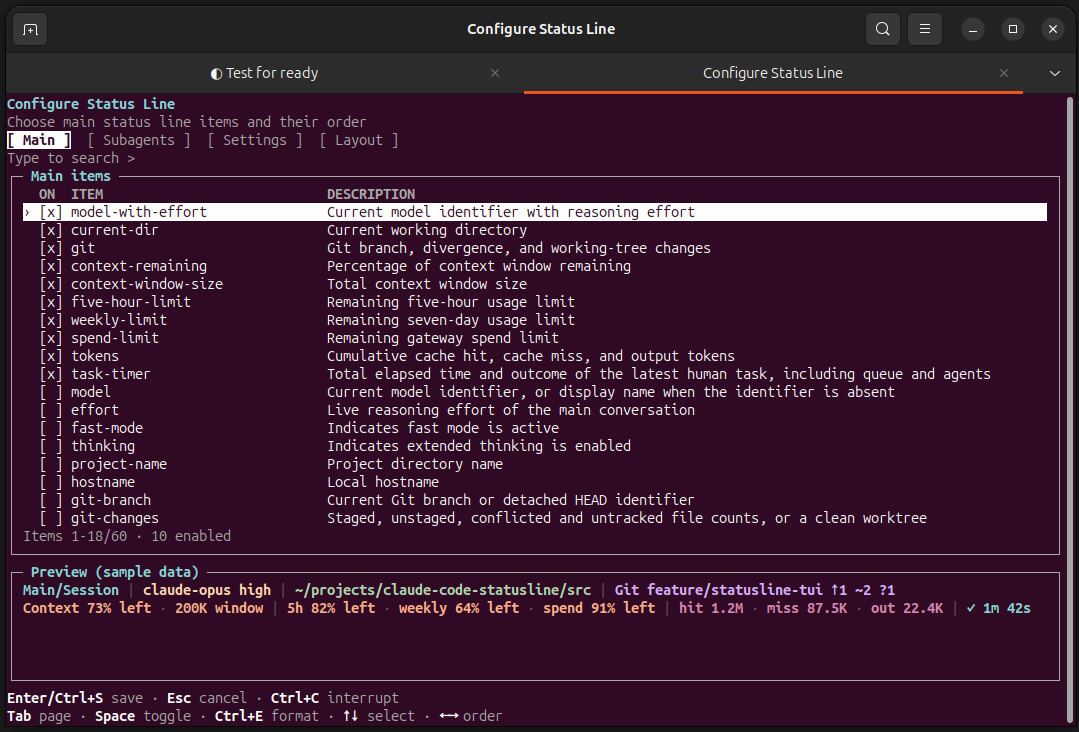
Subagents: choose items and ordering for individual agent rows.
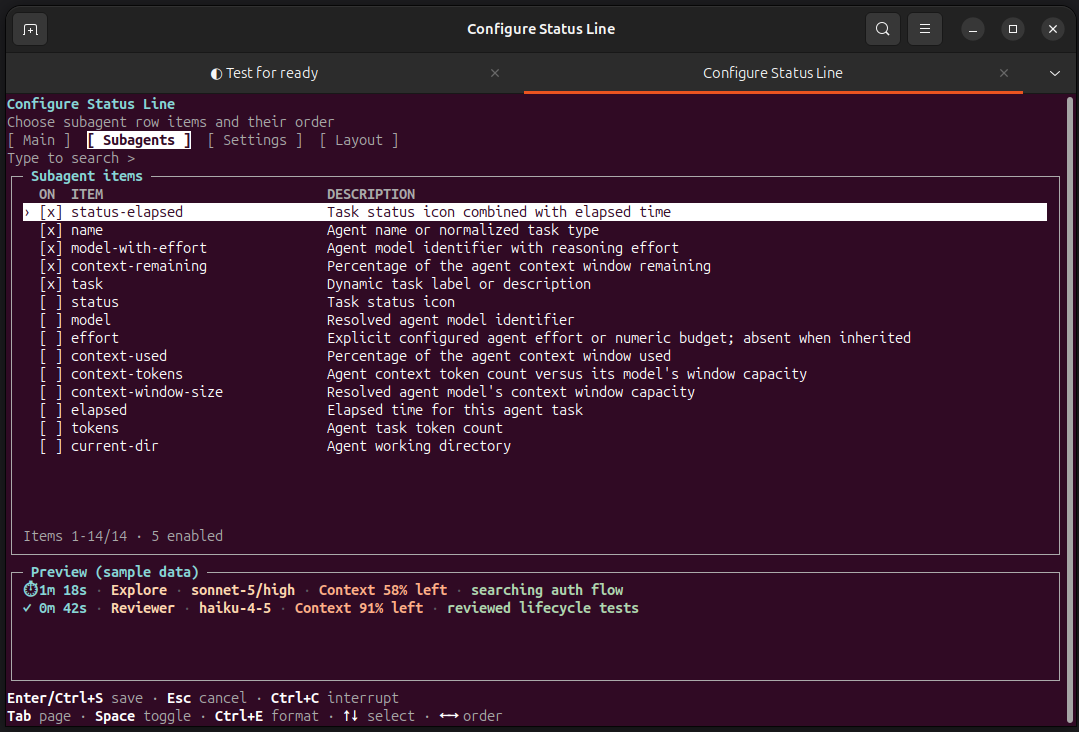
Settings: adjust appearance, refresh behavior and formatting.
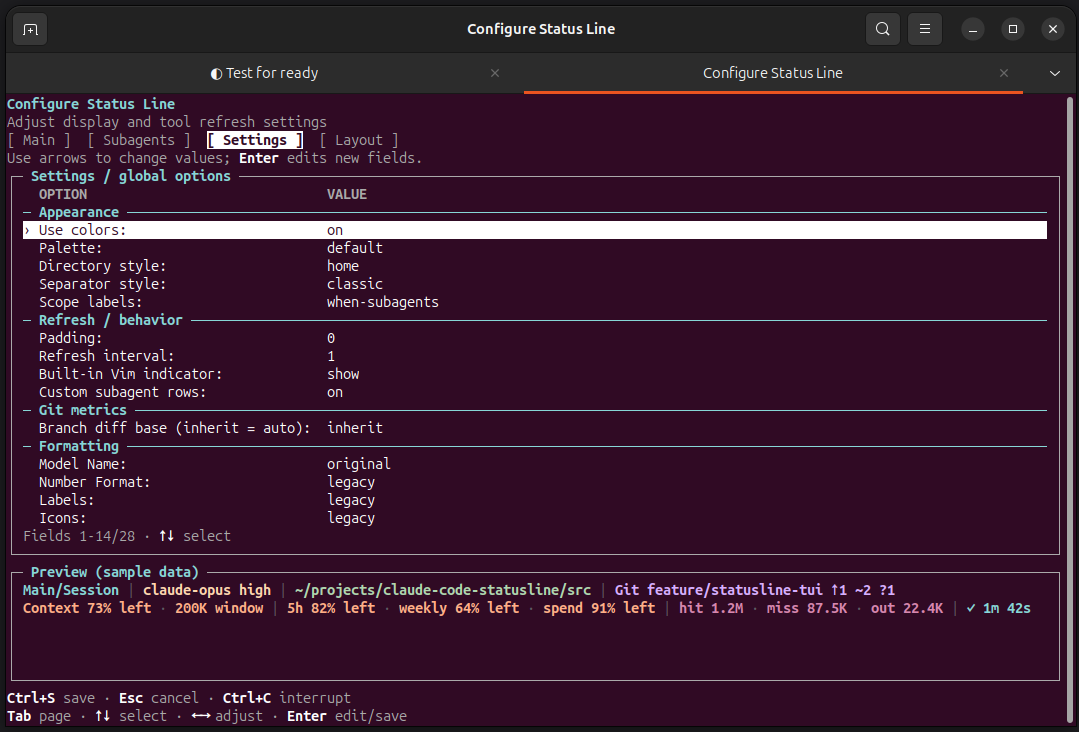
Layout: set rows, item priorities and maximum widths.
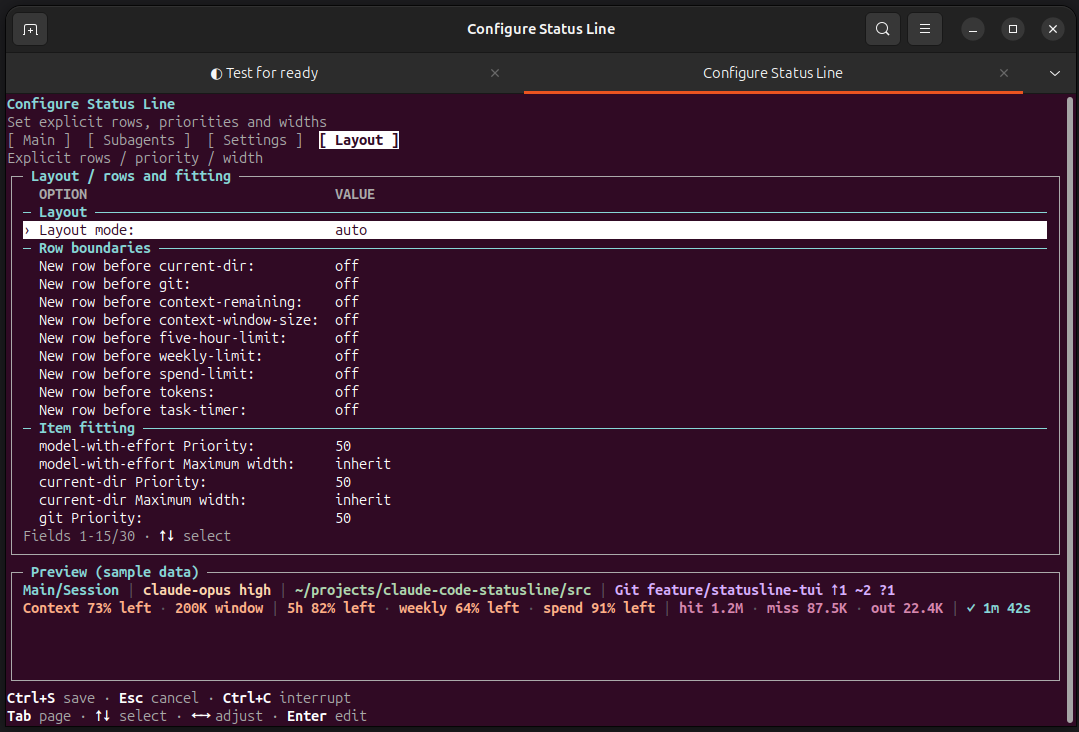
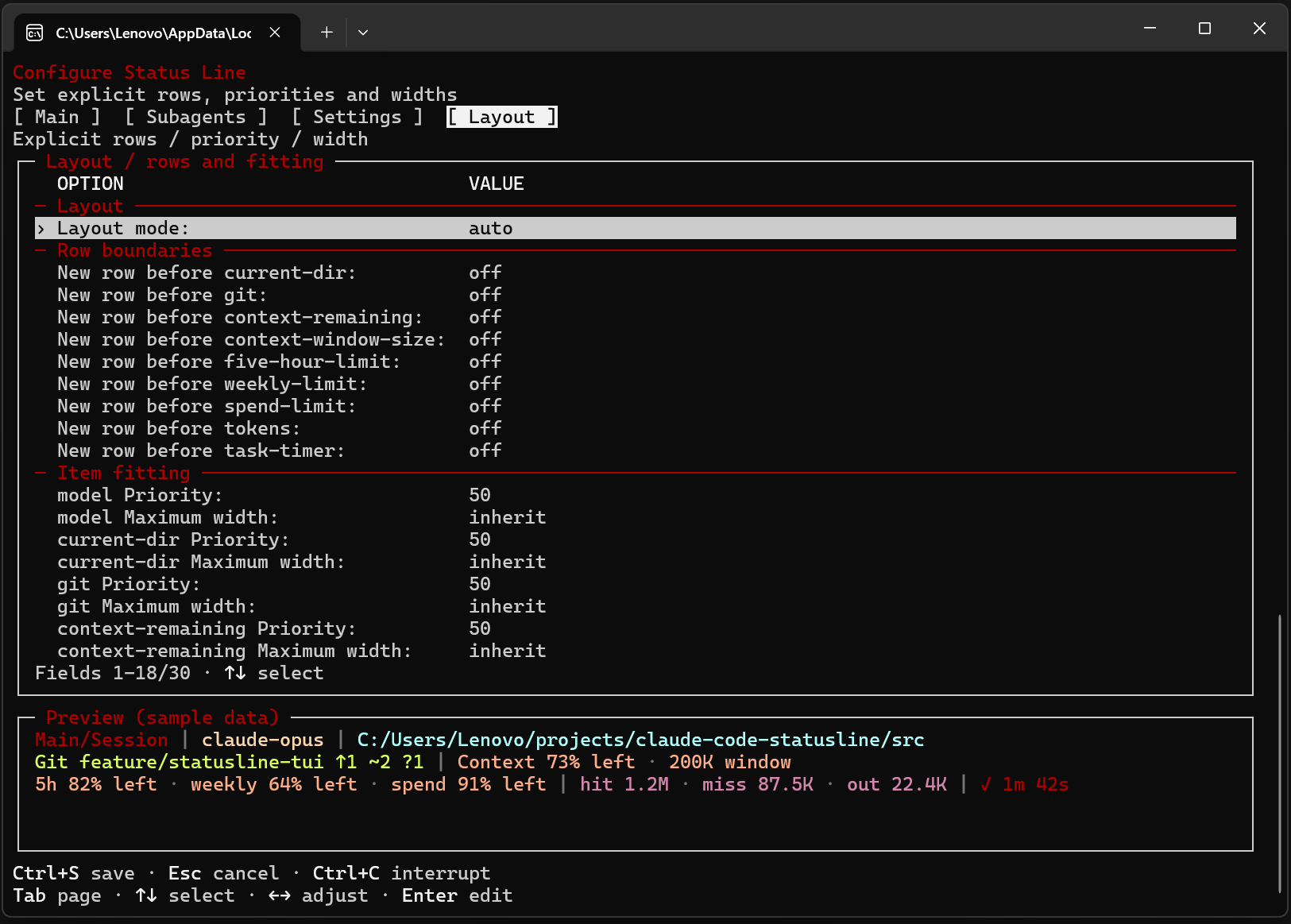
Windows: Main, Subagents, Settings, Layout
Main: select and reorder main status line items.
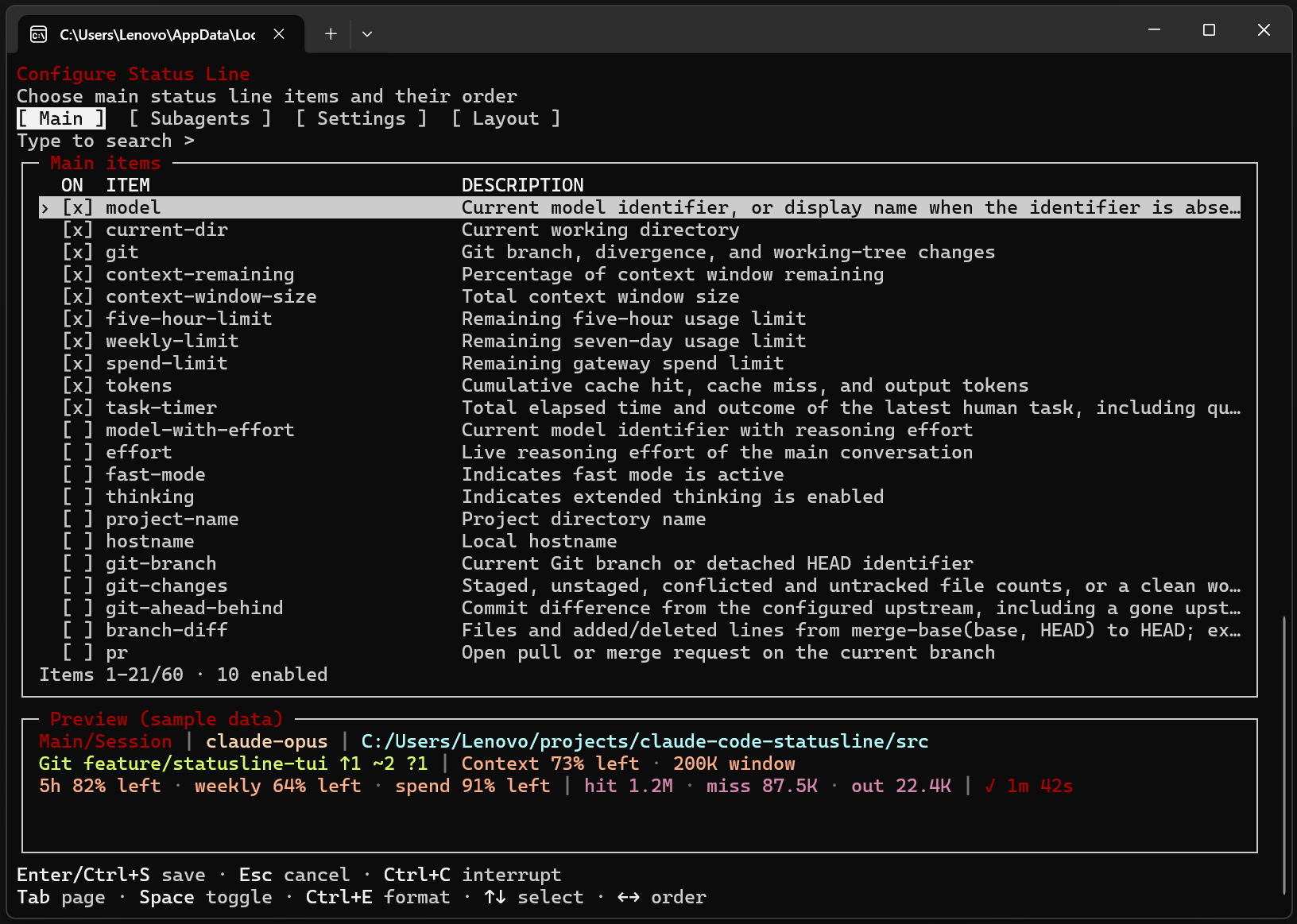
Subagents: choose items and ordering for individual agent rows.
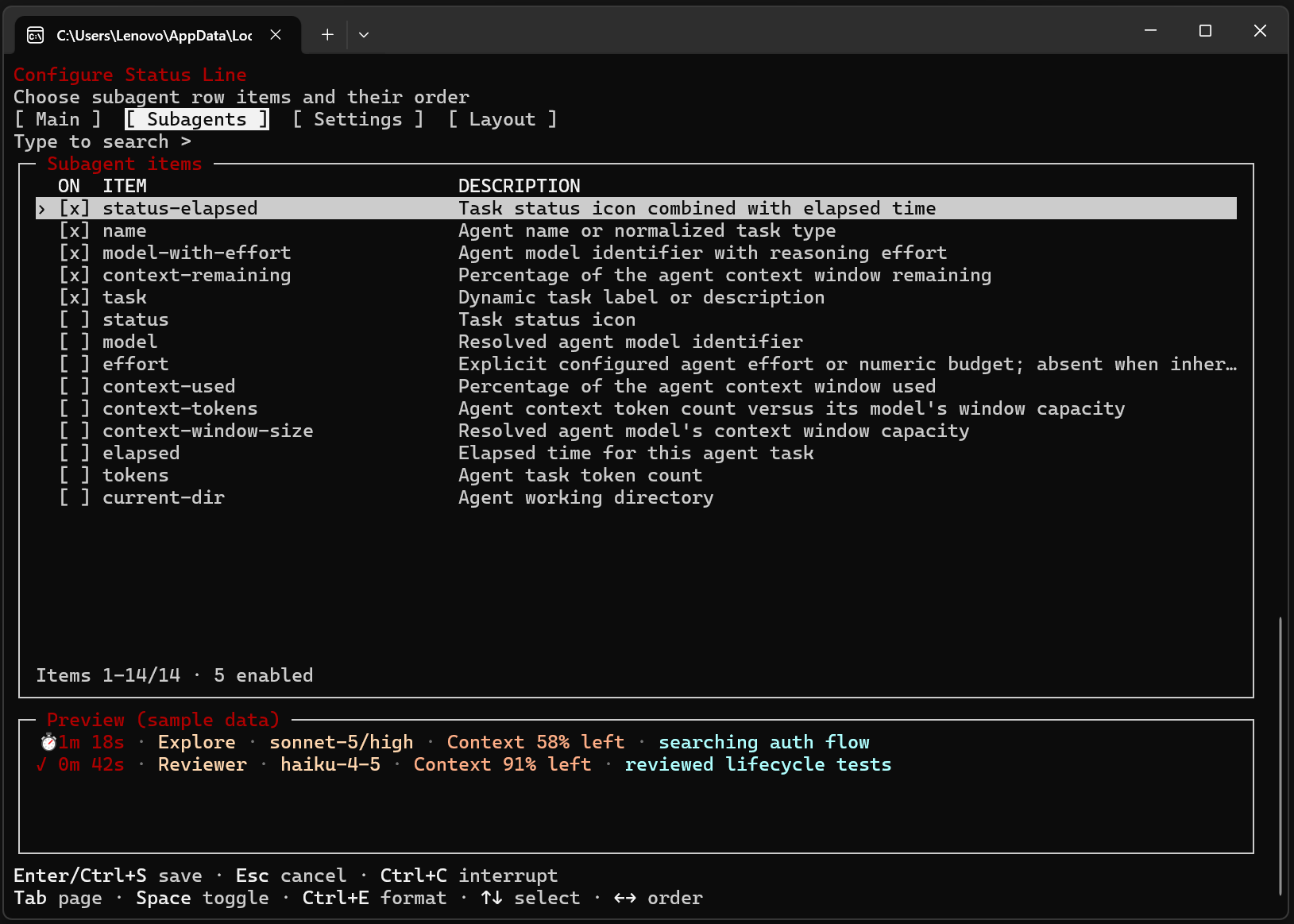
Settings: adjust appearance, refresh behavior and formatting.
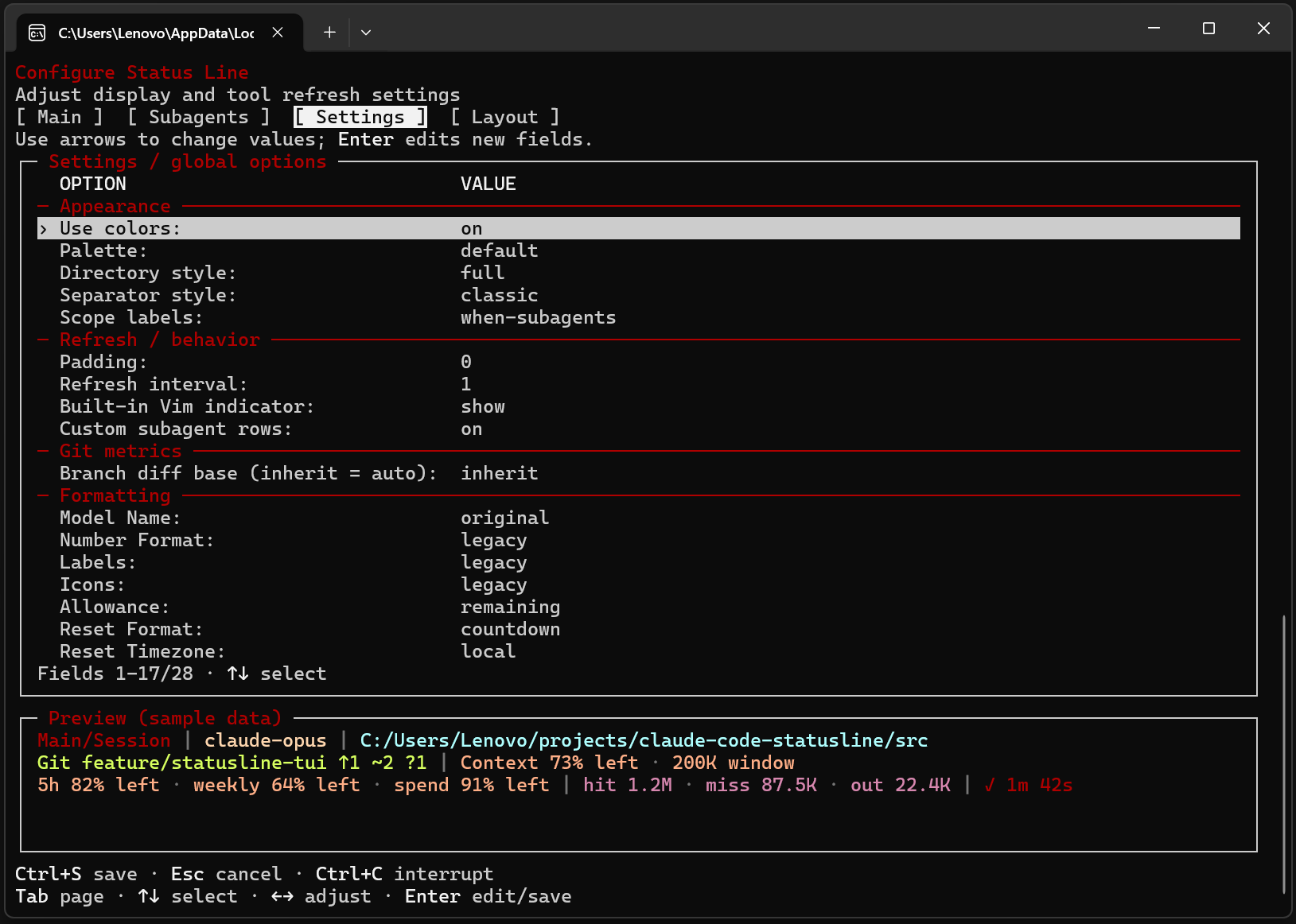
Layout: set rows, item priorities and maximum widths.
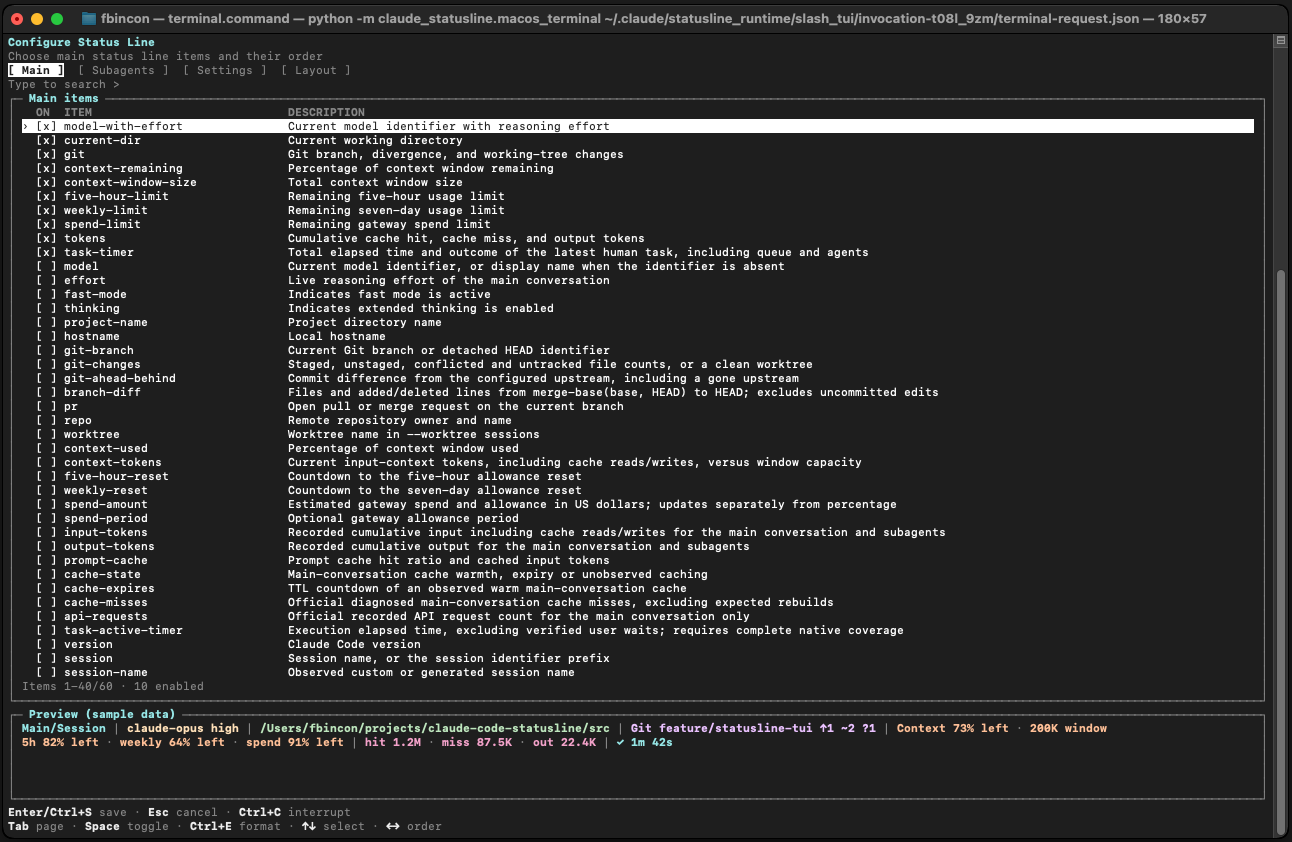
macOS: Main, Subagents, Settings, Layout
Main: select and reorder main status line items.
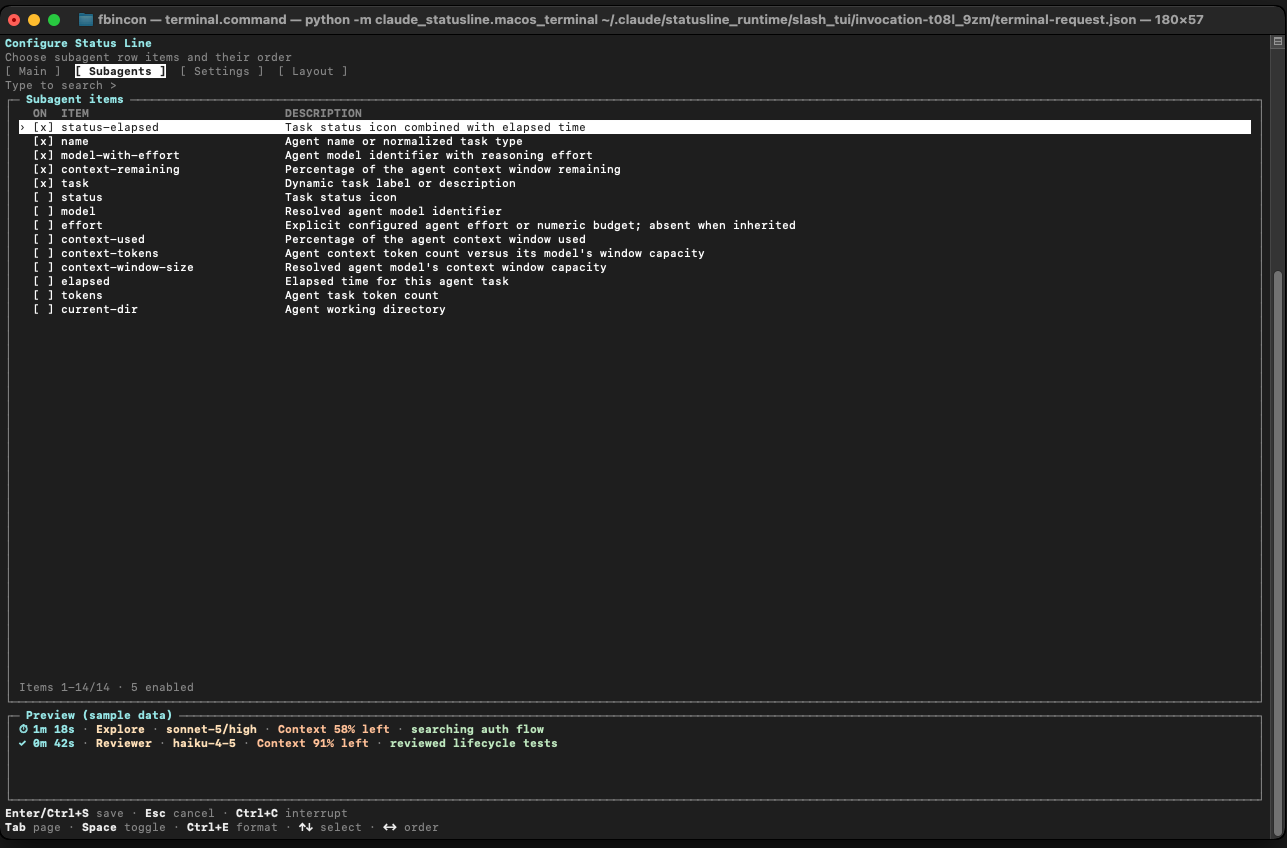
Subagents: choose items and ordering for individual agent rows.
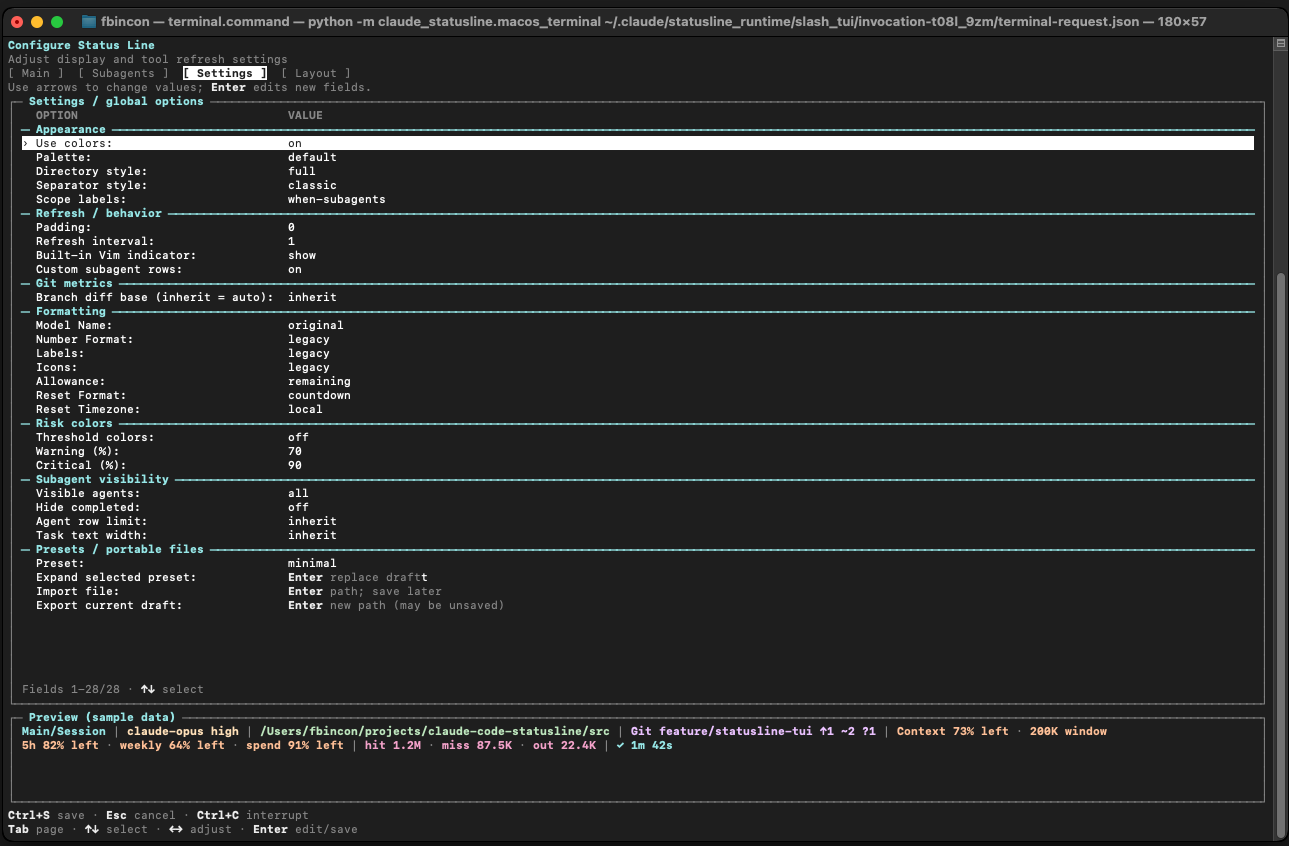
Settings: adjust appearance, refresh behavior and formatting.
Layout: set rows, item priorities and maximum widths.
Earlier screenshots and terminal reconstructions remain in the archive.
Supported platforms
| Platform | Supported environment |
|---|---|
| Linux / WSL | Python 3.10+ |
| Windows 10/11 | CPython 3.10–3.14, x86/x64; windows-curses>=2.4.2 installs automatically |
| macOS 14+ | CPython 3.10–3.14, Intel / Apple Silicon |
Windows ARM devices can use x64 Python emulation; native ARM64 Python is outside the current support contract. Git information requires git.
Claude Code feature requirements: subagent rows 2.1.205+; local argument-based configuration and external TUI entry 2.1.258+; in-session Client 2.1.287+; native timing and advanced live-metrics collection 2.1.289+. Unsupported or unknown host versions suspend the corresponding integration. See requirements.
Quick installation
Install Python, Claude Code CLI, and pipx. All supported platforms use the same wheel.
Install the package
Bash, Zsh, and PowerShell:
pipx install fbincon-claude-code-statusline
pipx ensurepath
Integrate with Claude Code
Reopen the terminal so PATH changes take effect, then run:
claude-statusline --version
claude-statusline install --dry-run
claude-statusline install
claude-statusline doctor
On Windows, use claude-statusline.exe. Restart Claude Code in a trusted terminal after integration.
Both editors default on for compatible hosts, respecting saved disablement preferences. Native timing metadata defaults on for Claude Code 2.1.289+; advanced live metrics remain opt-in. Package installation and Claude integration are separate steps; install does not open an editor. Existing conflicting resources require explicit handling.
Other installation methods
Install the development source (requires Git):
pipx install "git+https://github.com/fbincon/claude-code-statusline.git@main"
Run pipx install . from a local checkout. Fixed-tag installation and verified Release wheels are covered in the installation guide. Then run pipx ensurepath and complete integration above.
Download checksums and platform-specific instructions are in the installation guide; source builds are in the development guide.
Common configuration
| Entry point | Use |
|---|---|
/statusline-configure-native |
Client TUI in the current session; see native editor |
/statusline-configure |
TUI in a supported external terminal; see external entry |
claude-statusline configure |
Full TUI in the current standalone terminal |
/statusline-config |
Claude question-and-answer wizard; supported argument-based commands execute locally on compatible hosts |
claude-statusline config ... |
Inspect settings, set exact ordering, or configure from scripts |
Interface language
Both editors have Interface language (saved immediately) in Settings, with choices English / 简体中文. The default is English. Switching keeps your page, selection, search and unsaved display edits; cancelling display changes keeps the language choice. Other open windows read it when reopened or reloaded.
claude-statusline config language set zh-CN
claude-statusline config language show
claude-statusline config language reset
claude-statusline --language en --help
--language en|zh-CN precedes the command and affects only that invocation; for configure it sets the initial language. Commands, IDs, configuration values, custom text and actual statusline output retain their values. See language settings.
Native configuration editor
Click the Client region once. Use Tab to change pages, Space to toggle, arrows to select or reorder, Ctrl+E for item formatting, and / to search. S saves and stays, F saves and closes, and Q discards unsaved changes; lowercase letters work too. Footer controls follow the current page or input mode. Ctrl+G cancels input. Claude preferences apply separately.
External and standalone terminal TUI
Use Tab to change pages, Space to toggle, and arrows to select or reorder. Ctrl+S saves after field input is finished; Enter saves on item and original settings rows, or edits/confirms advanced fields. Esc cancels input first, then cancels the editor; Ctrl+C interrupts without saving. The minimum terminal size is 64×18.
The external entry uses tmux or GNOME Terminal on Linux, tmux or Terminal.app on macOS, and the system's new-console launcher on Windows. For SSH or unavailable launchers, run claude-statusline configure in the current terminal.
Define a compact main line:
claude-statusline config set-items model-with-effort current-dir git context-remaining task-timer
claude-statusline config set directory-style home
claude-statusline config show
Configuration is per user. set-items replaces the enabled set; enable and disable make incremental changes. See recipes, formatting and layouts, and the CLI reference.
Upgrading and uninstalling
Upgrade the package, synchronize integration, then restart Claude Code:
pipx upgrade fbincon-claude-code-statusline
claude-statusline install
claude-statusline doctor
Existing wheel installations from this repository should first follow the package-name migration. Saved display settings, runtime state, and integration preferences remain. For older display schemas or package downgrade, follow version compatibility.
Remove Claude integration before uninstalling the package:
claude-statusline uninstall --dry-run
claude-statusline uninstall
pipx uninstall fbincon-claude-code-statusline
Display settings and backups remain available; see uninstalling.
Project structure
claude-code-statusline/
├── .github/workflows/                       # GitHub Actions workflows
│   ├── ci.yml                               # Cross-platform tests and distribution builds
│   ├── native.yml                           # Mod validation, type checks and installation tests
│   └── publish.yml                          # PyPI/TestPyPI publication and install verification
├── README.md / README.zh-CN.md              # Project overview and quick start
├── CHANGELOG.md / CHANGELOG.zh-CN.md        # Versioned change history
├── LICENSE                                  # MIT license
├── MANIFEST.in                              # Source distribution file selection
├── pyproject.toml                           # Package metadata, dependencies and build configuration
├── docs/                                    # User, reference and development documentation
│   ├── USER_GUIDE.md / USER_GUIDE.zh-CN.md  # Installation, configuration and troubleshooting
│   ├── reference/                           # CLI and configuration reference
│   ├── images/                              # Current TUI screenshots and historical archives
│   │   ├── tui/                             # Current configuration editor screenshots
│   │   │   ├── native/                      # In-session configuration editor screenshots
│   │   │   └── external/                    # External terminal configuration editor screenshots
│   │   └── archive/                         # Historical screenshots and UI reconstructions
│   ├── development/                         # Development setup, architecture and validation
│   └── releases/                            # Historical release notes
├── src/                                     # Python source and build extensions
│   ├── build_native.py                      # Mod resource bundling and package README link rewriting
│   └── claude_statusline/                   # Python CLI and implementation modules
│       ├── config/                          # Configuration models, storage, migrations and commands
│       │   ├── ui_preferences.py            # Shared language preference transactions
│       │   └── storage.py                   # Locks, backups and atomic writes
│       ├── i18n/                            # Shared English/Chinese presentation resources
│       │   ├── locales/                     # en.json / zh-CN.json
│       │   ├── translator.py                # Message keys, parameters and English fallback
│       │   └── presentation.py              # Localized fields, choices and bilingual search
│       ├── integration/                     # Claude Code setup, install transactions, hooks and diagnostics
│       ├── platforms/                       # Cross-platform files, processes, clocks and terminals
│       ├── rendering/                       # Statusline formatting, colors, layout and previews
│       ├── runtime/                         # Session data collection, caches and task state
│       │   ├── live/                        # Independent observation protocol, aggregation and storage
│       │   ├── tasks/                       # User task ownership, lifecycle and timing state
│       │   ├── timing/                      # Pure pause/resume clock logic
│       │   └── turns/                       # Compatibility aliases forwarding to tasks/
│       ├── resources/                       # Bundled configuration skill templates
│       └── ui/                              # External terminal editor and shared JSON backend
├── mods/                                    # Claude Code TypeScript Mods
│   ├── statusline-native/                   # In-session configuration editor Mod
│   │   ├── hooks/                           # Host APIs, commands, saves and recovery
│   │   ├── lib/                             # Backend, drafts, input and independent snapshots
│   │   │   └── i18n/                       # Generated locales, semantic messages and presentation
│   │   ├── ui/                              # Client drawing, components, theme and geometry
│   │   │   └── theme.ts                     # Host color roles and independent preview surface
│   │   └── tests/                           # Tests grouped by backend, client, editor, integration and UI
│   └── statusline-runtime/                  # Native task timing and optional advanced metrics Mod
├── tests/                                   # Python unit and integration tests
│   ├── config/                              # Configuration, formatting, migration and transfer tests
│   ├── i18n/                                # Translation resources and fallback tests
│   ├── integration/                         # CLI, installation, packaging and compatibility tests
│   ├── platforms/                           # Platform adapters and terminal integration tests
│   ├── rendering/                           # Statusline formatting, layout and metric display tests
│   ├── runtime/                             # Session state, task lifecycle and timing tests
│   └── ui/                                  # Configuration editor, layout and protocol tests
└── tools/                                   # Development, validation and release utilities
    ├── generate_i18n.py                     # Validate resources and generate TypeScript locales
    ├── inspect_dist.py                      # Wheel/sdist metadata, contents and exclusion checks
    ├── publish_package.py                   # Release asset validation and package index install checks
    └── check_docs.py                        # Documentation links, anchors and bilingual pair checks
Documentation and help
- User guide: installation, editors, recipes, upgrades, and troubleshooting.
- CLI reference: commands, options, fields, files, and exit codes.
- Display items and metric definitions: scope, sources, and availability.
- Development guide · Release process.
- Changelog · GitHub Releases.
- GitHub Issues: include versions, reproduction steps, and diagnostic results; remove private paths and session content.
License
MIT License. Copyright (c) 2026 fbincon.
1 maintainer

Metadata
1 maintainer
Release files for fbincon-claude-code-statusline 1.8.0
For a detailed explanation of source distributions (sdists) and built distributions (wheels), please see the package formats documentation.
Source distribution (sdist)
| File | Size | Uploaded | |
|---|---|---|---|
| fbincon_claude_code_statusline-1.8.0.tar.gz | 10.6 MB | Details |
Built distribution (wheel)
| File | Interpreter | ABI | Platform | Reset |
|---|---|---|---|---|
| fbincon_claude_code_statusline-1.8.0-py3-none-any.whl | Python 3 | none | any | Details |
Total release size: 11.0 MB
Release files / fbincon_claude_code_statusline-1.8.0.tar.gz
| Download URL | fbincon_claude_code_statusline-1.8.0.tar.gz |
|---|---|
| Size | 10.6 MB |
| Tags | Source |
|
SHA-256 checksum How to use checksums |
e915bfbfa8008cbe7593b788bdffc56b57fd759eba6d47d8d0605feccda7350c
|
|
BLAKE2b-256 checksum How to use checksums |
5e43a779b480afab4d252c8fca8792bf6b2bb368d63f30e0be6ea4549b2c418e
|
| Upload date | |
|
Uploaded using Trusted Publishing? What is trusted publishing? |
Yes |
| Uploaded via |
twine/7.0.0 CPython/3.13.14
|
Provenance
Provenance describes where a file came from. On PyPI, provenance is shared via attestations, which provide a verifiable record of the build or publishing details. View details, limitations and caveats.


PyPI Publish Attestation
PyPI verified that this artifact, at this checksum, originated from the publisher listed below.
Signed by GitHub Actions, verified by PyPI on Oct 9, 2026.
Transparency logRelease files / fbincon_claude_code_statusline-1.8.0-py3-none-any.whl
| Download URL | fbincon_claude_code_statusline-1.8.0-py3-none-any.whl |
|---|---|
| Size | 371.3 kB |
| Tags | Python 3 |
|
SHA-256 checksum How to use checksums |
6a4efe16b77e1d81364f53af70f4cbefb0bbc819c6a7712ba8a91c4a611b690b
|
|
BLAKE2b-256 checksum How to use checksums |
105dbb2c398cb992fa7b61aea472c8aeca980f410440c36b475699b395e4796b
|
| Upload date | |
|
Uploaded using Trusted Publishing? What is trusted publishing? |
Yes |
| Uploaded via |
twine/7.0.0 CPython/3.13.14
|
Provenance
Provenance describes where a file came from. On PyPI, provenance is shared via attestations, which provide a verifiable record of the build or publishing details. View details, limitations and caveats.
PyPI Publish Attestation
PyPI verified that this artifact, at this checksum, originated from the publisher listed below.
Signed by GitHub Actions, verified by PyPI on Oct 9, 2026.
Transparency log













