
Future Collider Experiment Studio — HEP analysis tool for FCC-ee simulated data

Project description
Future Collider Experiment Studio
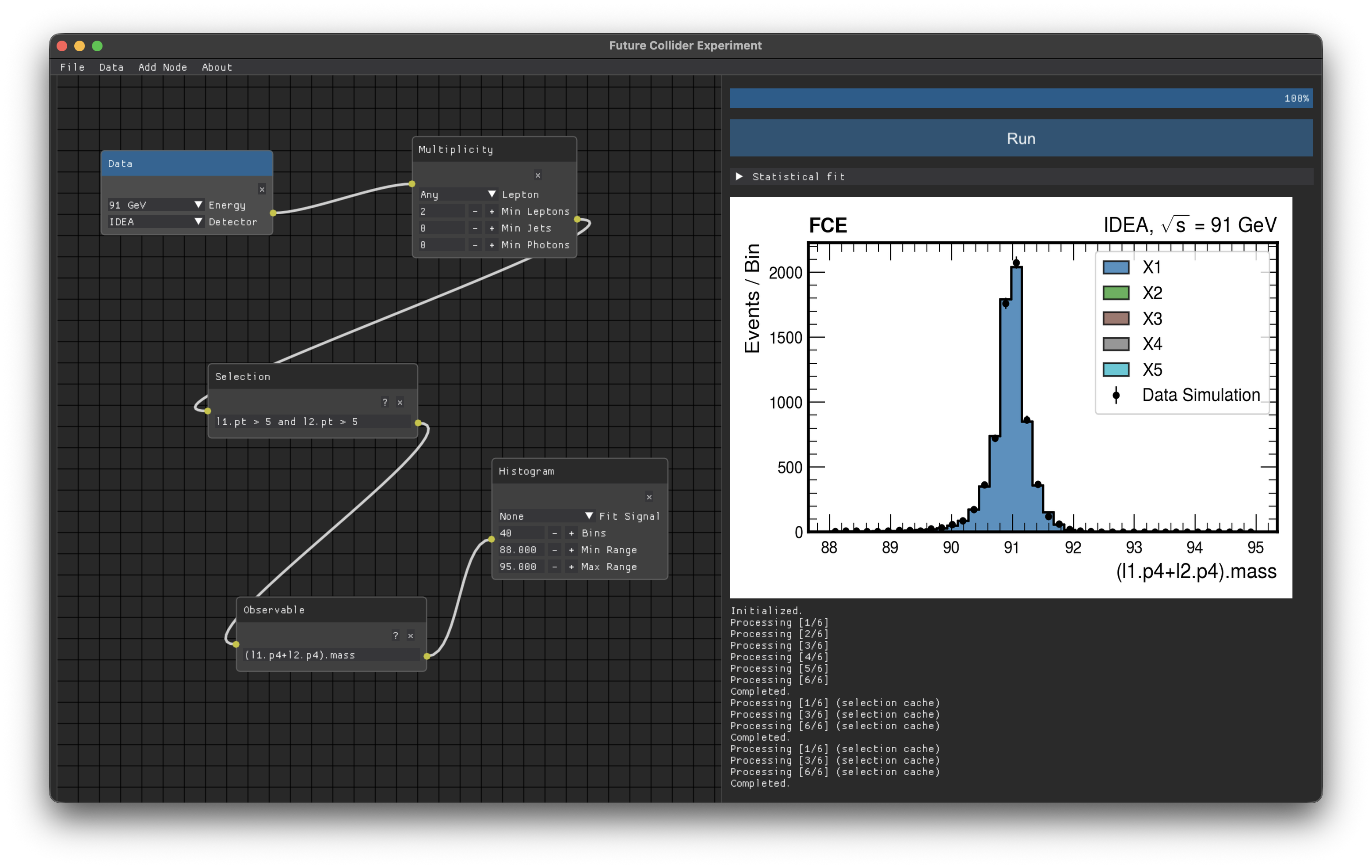
The Future Collider Experiment (FCE) project provides a sneak peek into the particle physics processes that will become available at the Future Circular Collider (FCC) in a user-friendly environment.
Built with Dear PyGui, it runs natively on macOS, Windows, and Linux. All dependencies are installed automatically via pip.
Main screen interface
Installation
pip install fce
Then launch from a terminal:
fce
Requirements
- Python ≥ 3.10
- A display (X11/Wayland on Linux, Quartz on macOS, Win32 on Windows)
Releasing a new version
The version is defined in exactly one place — fce_studio/__init__.py. A single script bumps it, commits, tags, and pushes; a GitHub Actions workflow then builds the package, uploads it to PyPI, and creates a GitHub Release automatically.
One command
./release.sh 0.0.8
release.sh will:
- Update the version in
fce_studio/__init__.py - Commit, tag (
v0.0.8), and push to GitHub - GitHub Actions builds
dist/*.tar.gzanddist/*.whl, uploads them to PyPI, and creates a GitHub Release
Make the script executable once:
chmod +x release.sh
One-time git setup (first release only)
git init
git remote add origin https://github.com/kskovpen/fce.git
git add .
git commit -m "Initial commit"
git push -u origin main
One-time setup: add your PyPI token to GitHub
The workflow reads a secret called PYPI_API_TOKEN. You only need to set this once:
- Go to PyPI → Account Settings → API tokens and create a token scoped to the
fceproject. - Go to https://github.com/kskovpen/fce/settings/secrets/actions and add a secret named
PYPI_API_TOKENwith that token as the value.
Manual release (without GitHub Actions)
If you need to publish without pushing a tag, you can do it locally:
pip install build twine
python -m build
twine upload dist/*
twine reads credentials from ~/.pypirc:
[distutils]
index-servers = pypi

[pypi]
username = __token__
password = pypi-<your-token-here>
To do a dry run on TestPyPI first:
twine upload --repository testpypi dist/*
pip install --index-url https://test.pypi.org/simple/ fce
Development install
Clone the repository and install in editable mode so changes to source files take effect immediately:
git clone https://github.com/kskovpen/fce.git
cd fce
pip install -e .
fce
License
Release history Release notifications | RSS feed


Download files
Download the file for your platform. If you're not sure which to choose, learn more about installing packages.
Source Distribution
Built Distribution
Filter files by name, interpreter, ABI, and platform.
If you're not sure about the file name format, learn more about wheel file names.
Copy a direct link to the current filters
File details
Details for the file fce-0.0.7.tar.gz.
File metadata
- Download URL: fce-0.0.7.tar.gz
- Upload date:
- Size: 865.3 kB
- Tags: Source
- Uploaded using Trusted Publishing? No
- Uploaded via: twine/6.2.0 CPython/3.11.15
File hashes
| Algorithm | Hash digest | |
|---|---|---|
| SHA256 |
9e68ccccb80fcb63526bb2e188be14217f11f00e5eee6794cbdfb9101e1d3496
|
|
| MD5 |
4602339360276119cde40a37487c8b5d
|
|
| BLAKE2b-256 |
fc83452c241cf273334e83e17813880abc4d83a341b8e8637e05b56d509cedf8
|
File details
Details for the file fce-0.0.7-py3-none-any.whl.
File metadata
- Download URL: fce-0.0.7-py3-none-any.whl
- Upload date:
- Size: 862.5 kB
- Tags: Python 3
- Uploaded using Trusted Publishing? No
- Uploaded via: twine/6.2.0 CPython/3.11.15
File hashes
| Algorithm | Hash digest | |
|---|---|---|
| SHA256 |
0f2d566082cb7e434691305f1ba710719bad37cc227f8eae5af4f6832bd22ac7
|
|
| MD5 |
3c64ce194c47e2a5d3284b1693593d01
|
|
| BLAKE2b-256 |
434fa58ea2061ae3f178c2ae74083c8c833b472aad11427937fc0a5237e5459b
|






