



 feather-tk
A lightweight C++ toolkit for building professional tools for film, VFX, and animation.
feather-tk is purpose-built for media production software, with features like high-bit-depth color and multi-monitor HiDPI support. It powers DJV, a production-proven image sequence viewer used in professional VFX and animation workflows.
Try it in your browser -- the examples run in WebAssembly.
Why feather-tk?
Lightweight and self-contained. feather-tk has a small, well-defined set of dependencies, and includes a CMake superbuild for building the dependencies.
Modern C++ throughout. Clean ownership model using std::shared_ptr, a reactive
observable system for UI state, and a consistent event-driven architecture that makes
writing custom widgets straightforward.
BSD-3-Clause licensed. Use it freely in commercial production tools.
Used in production
| Project | Description |
|---|---|
| DJV | Open source image sequence player for high-resolution film, VFX and animation workflows |
| tlRender | Library for building playback and review applications for VFX, film, and animation |
| toucan | Software renderer for OpenTimelineIO timelines |
Features
- Widget toolkit — full set of UI widgets including layouts, buttons, sliders, numeric editors, menus, toolbars, file browsers, dialogs, tab bars, scroll areas, and a MDI canvas.
- Observable state — reactive value, list, and map observables with automatic lifetime management; widgets subscribe and unsubscribe cleanly without manual bookkeeping.
- Action system — commands with text, icon, keyboard shortcut, checked state, and
enabled state; a single
Actiondrives menus, toolbars, and keyboard handling together. - Style and theming — dark, light, and custom color styles; all sizes and colors are role-based so themes apply globally without touching widget code.
- Settings persistence — JSON-backed settings with typed get/set and automatic save on exit.
- Widgets from JSON — layouts loaded from data, with behavior attached in code by id; a live preview example reloads a layout as the file is edited.
- OpenGL rendering — OpenGL 4.1 and OpenGL ES 2 backends.
- HiDPI — display scale awareness throughout; all size roles scale correctly on high-density displays and multi-monitor setups.
- Python bindings — nanobind-based Python API (work in progress).
- Testable by design — applications run headless, write screenshots, and drive their own UI from scripts; the same machinery tests feather-tk itself.
- Cross-platform — works on Linux, macOS, and Windows, and runs in the browser with Emscripten.
Scope
feather-tk is a toolkit for media applications -- players, viewers, review tools -- not a general application framework. Some things are deliberately out of scope, and knowing them up front saves an evaluation:
- The menu bar is drawn in the window on every platform; there is no native macOS menu bar.
- The file browser is feather-tk's own, for consistency across platforms; native file dialogs are available through the optional NFD dependency.
- There is no accessibility tree for screen readers.
- Text is aimed at production UI -- file names, timecode, labels. Complex scripts and input methods are untested.
What that buys: a stack small enough to read in a sitting, the same pixels on every platform, and rendering the application controls end to end.
Quick start
Simple C++ example that shows a window with a text label:
#include <ftk/UI/App.h>
#include <ftk/UI/Label.h>
#include <ftk/UI/MainWindow.h>
#include <ftk/UI/RowLayout.h>
#include <ftk/UI/Spacer.h>

using namespace ftk;

int main(int argc, char** argv)
{
    try
    {
        // Create the context and application.
        auto context = Context::create();
        auto app = App::create(context, argc, argv, "simple", "Simple example.");
        if (app->hasCmdLineHelp())
            return 0;

        // Create a window.
        auto window = MainWindow::create(context, app, Size2I(1280, 960));

        // Create a label, centered in the window: the layout centers it
        // across, and the spacers center it along.
        auto layout = VerticalLayout::create(context);
        auto spacer = Spacer::create(context, Orientation::Vertical, layout);
        spacer->setStretch(Stretch::Expanding);
        auto label = Label::create(context, "Hello world", layout);
        label->setFontSize(32);
        label->setHAlign(HAlign::Center);
        spacer = Spacer::create(context, Orientation::Vertical, layout);
        spacer->setStretch(Stretch::Expanding);
        window->setWidget(layout);

        // Run the application.
        app->run();
    }
    catch (const std::exception& e)
    {
        std::cout << "ERROR: " << e.what() << std::endl;
        return 1;
    }
    return 0;
}
Simple Python example that shows a window with a text label (Python bindings are a work in progress):
import feather_tk as ftk
import sys

# Create the context and application.
context = ftk.Context()
app = ftk.App(context, sys.argv, "simple", "Simple example")
if app.hasCmdLineHelp:
    sys.exit(0)

# Create a window.
window = ftk.MainWindow(context, app, ftk.Size2I(1280, 960))

# Create a label.
label = ftk.Label(context, "Hello world")
label.hAlign = ftk.HAlign.Center
window.widget = label

# Run the application.
app.run()

# Clean up.
window = None
app = None
Widgets from JSON
A widget tree can be created from data: the structure and the properties live in the JSON, and behavior stays in code.
{
    "type": "VerticalLayout",
    "marginRole": "Margin",
    "children": [
        { "type": "Label", "text": "Hello from JSON" },
        { "type": "FormLayout", "rows": [
            { "label": "Size:", "widget": {
                "type": "IntEditSlider", "id": "size",
                "range": [ 1, 100 ], "value": 25 } }
        ] },
        { "type": "PushButton", "id": "apply", "text": "Apply" }
    ]
}
Widgets are given an "id" and found in code to attach callbacks, the way markup
and script divide a web page:
auto result = ftk::widgetLoad(context, json);
auto button = ftk::findWidget(result.widget, "apply");
widget, errors = ftk.widgetLoad(context, jsonString)
ftk.findWidget(widget, "apply").setClickedCallback(callback)
The preview example renders a layout file and reloads it as
the file is edited in any editor, with problems shown in the window; the
ftk_embed_text() CMake function embeds the same file in the binary for
shipping. Applications register their own widget types with
ftk::widgetLoadRegister().
Examples
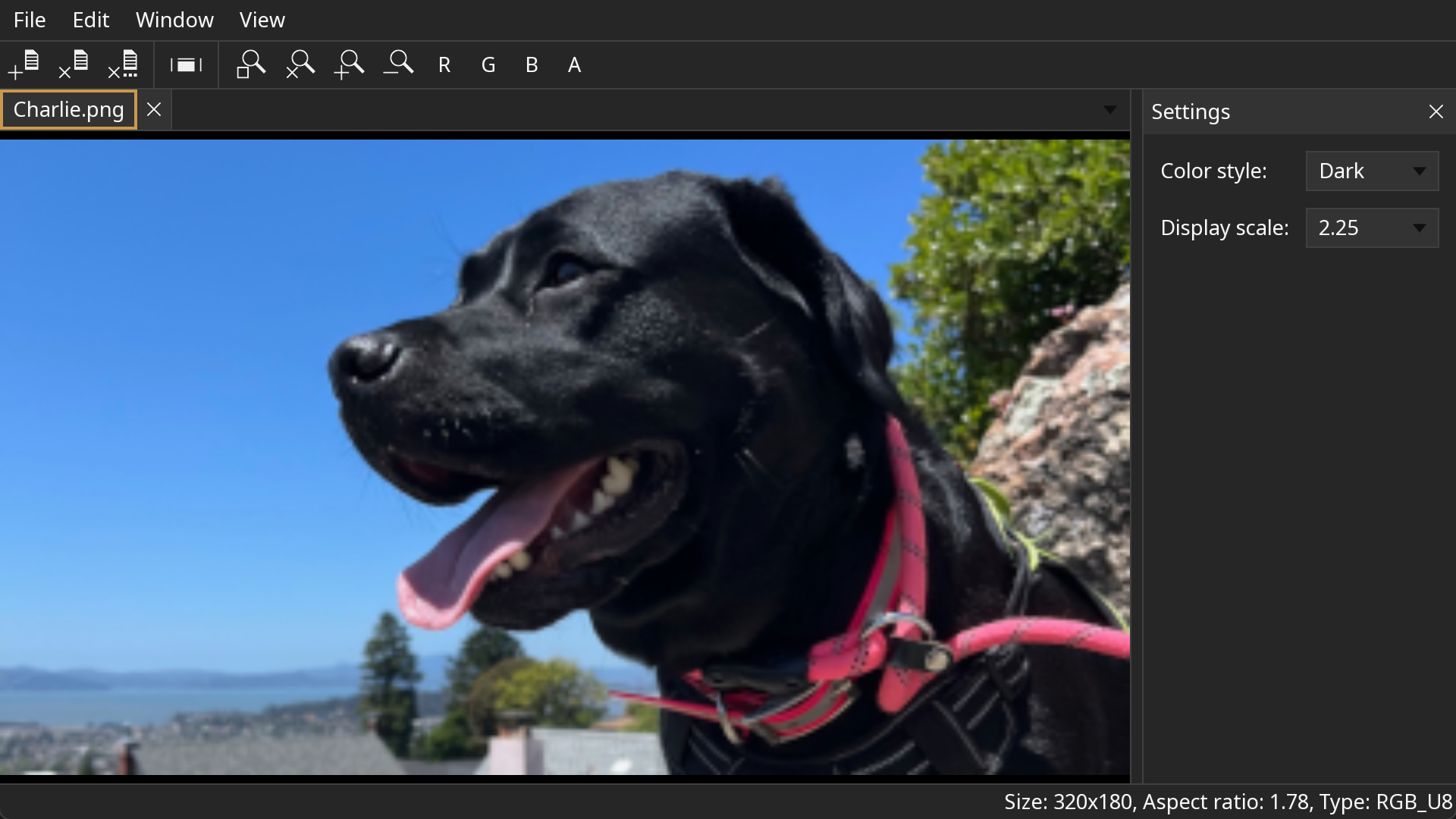
Image viewer with menus, toolbars, and persistent settings:
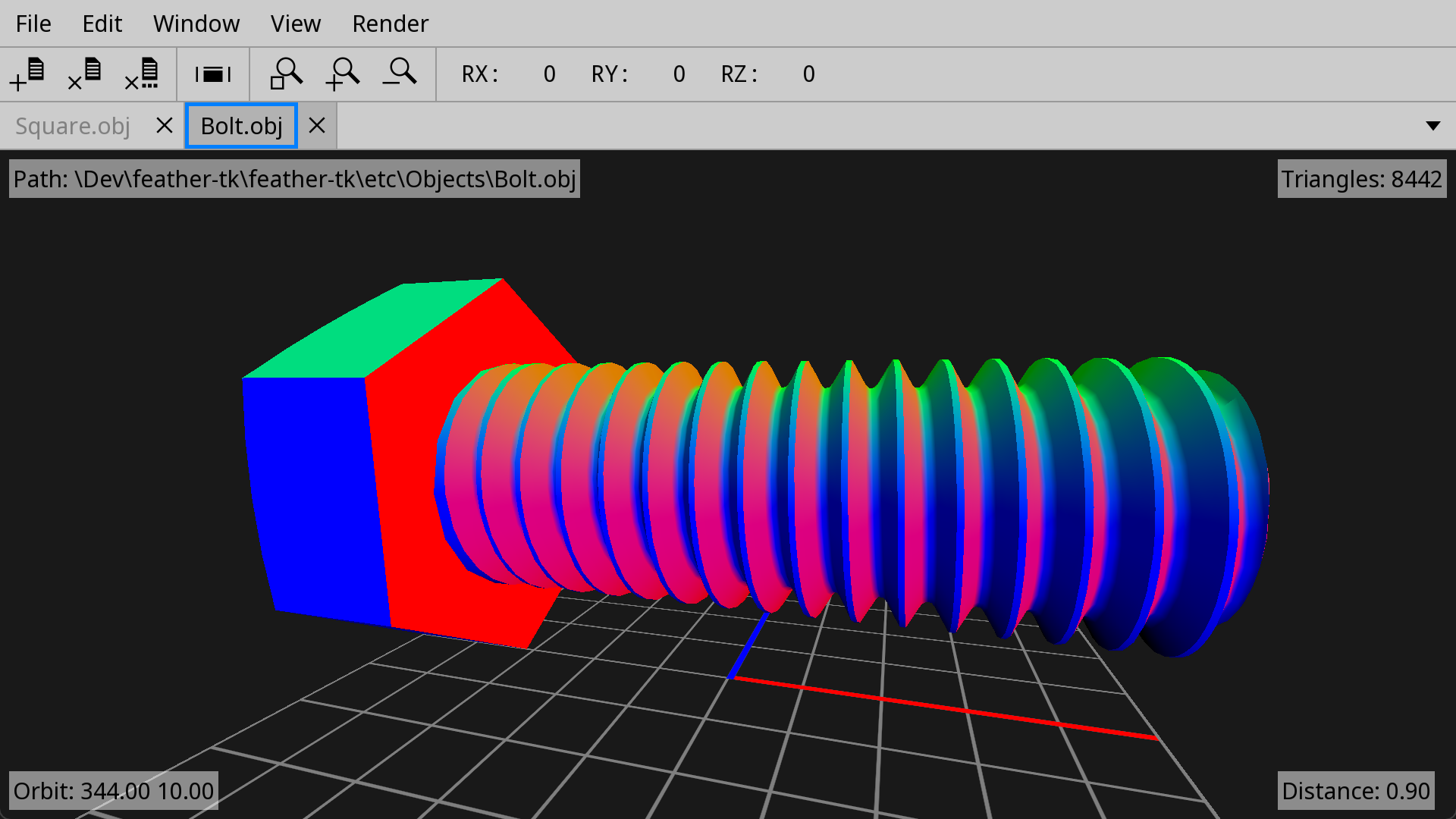
3D object viewer with offscreen rendering and heads-up display:
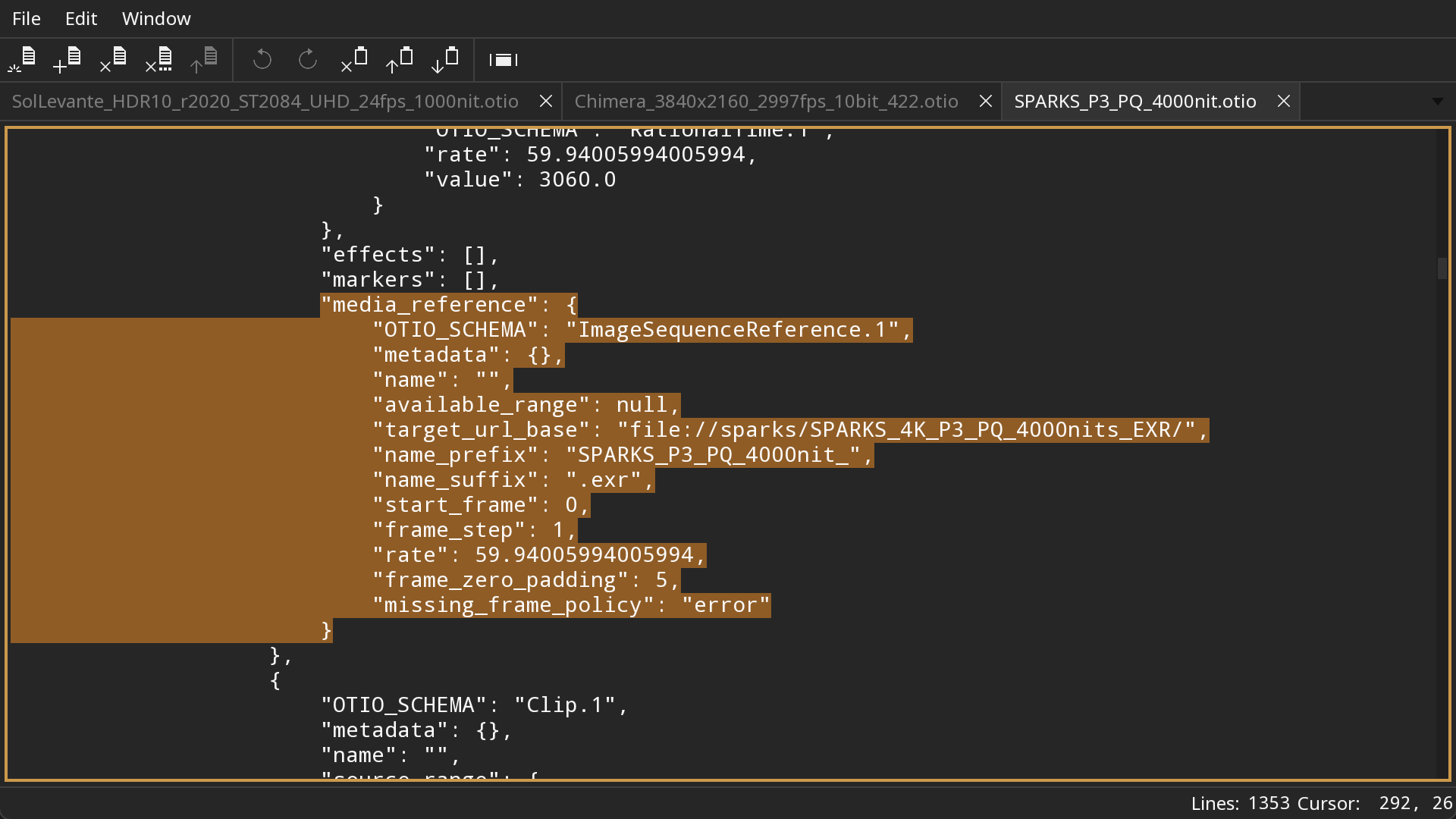
Text editor with multiple documents:
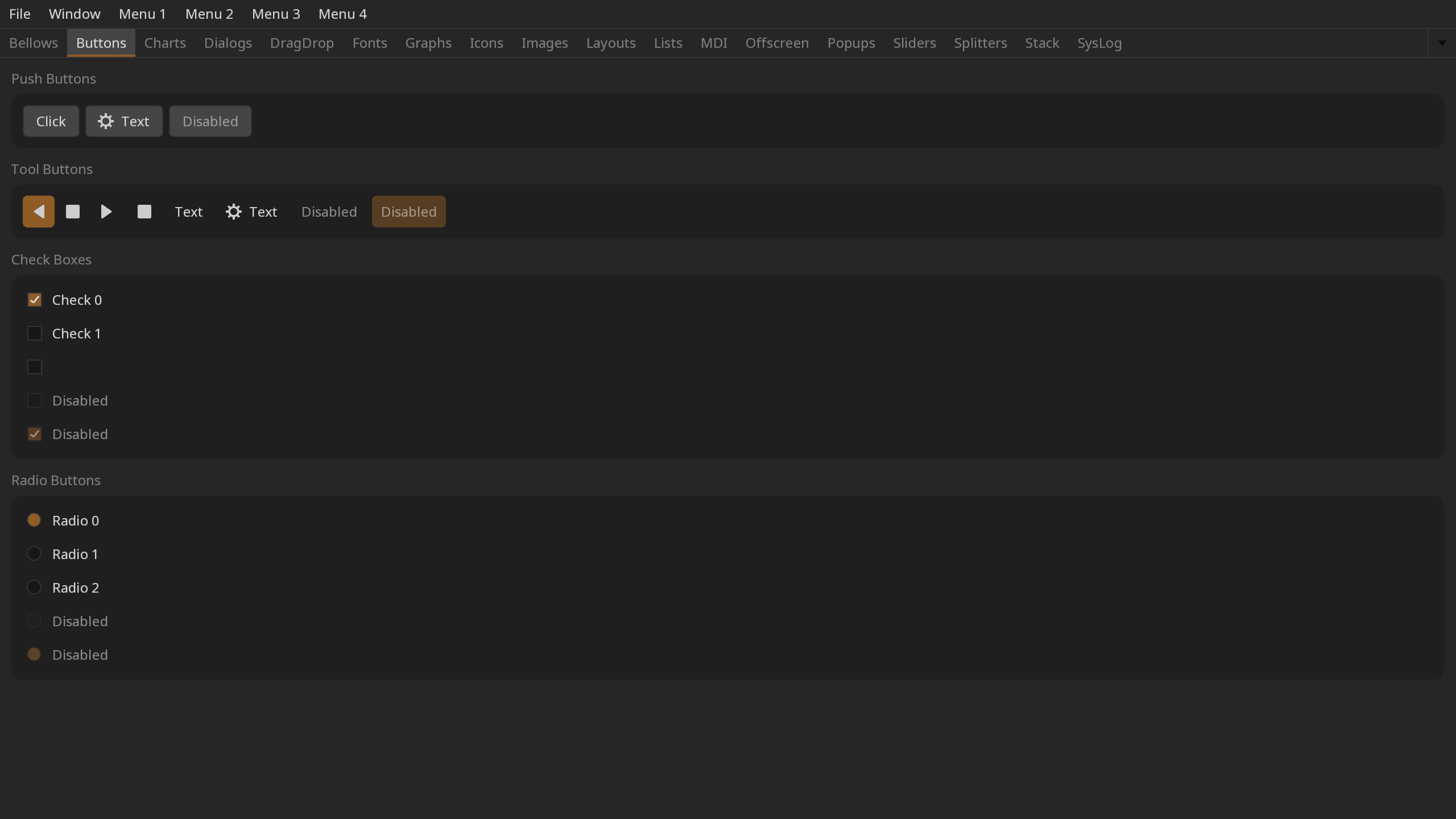
Gallery of the widgets, layouts, and dialogs -- run it in your browser:
The examples in the examples/ directory:
| Example | Demonstrates |
|---|---|
| simple | The minimal application: a window and a label |
| widgets | Gallery of the widgets, layouts, dialogs, and drag and drop; -tab <name> -screenshot <file> captures any page |
| textedit | Application architecture: documents, actions shared between the menus and tool bars, and persistent settings |
| imageview | A custom image display widget |
| objview | Custom OpenGL rendering inside a widget |
| panel | A tool panel loaded from JSON with the behavior wired up by id |
| preview | Live preview of a widget layout from JSON, reloading as the file is edited |
| gfx | Procedural drawing |
| windows | Multiple windows |
| python | Python counterparts: per-topic scripts, textedit.py mirroring the C++ textedit for a side by side reading, and testing.py, an application that drives and checks itself |
The Python examples mirror the C++ topics. The objview example has no Python counterpart because the OpenGL layer is deliberately not wrapped; the largest Python application built on feather-tk is the DJV Python example.
Architecture overview
feather-tk is organised into three layers:
Core — context and system management, observable values, math and geometry types, image I/O, font rendering, string utilities, file I/O, LRU cache, command/undo stack.
GL — OpenGL abstraction layer: shaders, textures, meshes, offscreen buffers, and a render interface used by the UI layer.
UI — the widget toolkit: the IWidget base class and event system, all built-in
widgets, the style system, action system, settings, and the application event loop.
The observable pattern runs throughout. UI state — numeric model values, action checked
state, style changes, window focus — is all expressed as Observable<T> values that
widgets subscribe to. Observers unregister automatically on destruction, so there are
no manual disconnect calls and no dangling callbacks.
Widget callbacks are single-slot: setting a callback replaces the previous one. When more than one party cares about a change, the state belongs in an observable — any number of observers can subscribe — and the callback's job is only to write the change into it.
Python
The Python bindings are on PyPI, as one wheel per platform for CPython 3.12 and later:
pip install feather-tk
import feather_tk as ftk
The wheel also carries the C++ libraries, headers, and CMake package the module is built on, so a project with its own bindings can build against the same installation:
cmake -DCMAKE_PREFIX_PATH=$(python -c "import feather_tk; print(feather_tk.get_cmake_dir())") ...
To build a wheel from source, with the dependencies built along the way:
pip wheel ./feather-tk
Building
Dependencies
Required:
Optional:
- Native File Dialog Extended — for native file dialogs
- nanobind — for Python bindings
A CMake superbuild script builds all dependencies from source automatically.
Linux
Requirements:
- Git
- CMake 3.31
Install system packages (Debian/Ubuntu):
sudo apt-get install build-essential git cmake xorg-dev libglu1-mesa-dev mesa-common-dev mesa-utils libwayland-dev wayland-protocols libxkbcommon-dev libegl1-mesa-dev libdecor-0-dev
Install system packages (Rocky 8 and 9):
sudo dnf install git libX11-devel libXrandr-devel libXinerama-devel libXcursor-devel libXi-devel mesa-libGL-devel wayland-devel wayland-protocols-devel libxkbcommon-devel mesa-libEGL-devel
Rocky 9 also has libdecor-devel, for window decorations on GNOME's Wayland. The Wayland packages are optional; without them SDL is built with X11 only and runs through XWayland on a Wayland desktop.
Rocky 8 additionally requires a newer compiler:
sudo dnf install gcc-toolset-13
scl enable gcc-toolset-13 bash
Clone and build:
git clone https://github.com/grizzlypeak3d/feather-tk.git
sh feather-tk/sbuild-linux.sh
macOS
Requirements:
- Git
- Xcode
- CMake 3.31
git clone https://github.com/grizzlypeak3d/feather-tk.git
sh feather-tk/sbuild-macos.sh
Notes for switching between architectures:
alias arm="env /usr/bin/arch -arm64 /bin/zsh --login"
alias intel="env /usr/bin/arch -x86_64 /bin/zsh --login"
Windows
Requirements:
- Git (https://git-scm.com)
- Visual Studio 2022
- CMake 3.31
Open "x64 Native Tools Command Prompt for VS 2022" from the Start menu, then:
git clone https://github.com/grizzlypeak3d/feather-tk.git
feather-tk\sbuild-win.bat
Verify the build
Run the object viewer example:
# Linux / macOS
build-Release/examples/objview/objview feather-tk/etc/Objects/Bolt.obj

# Windows
build-Release\examples\objview\Release\objview feather-tk\etc\Objects\Bolt.obj
1 maintainer

Metadata
1 maintainer
Release files for feather-tk 0.12.0
For a detailed explanation of source distributions (sdists) and built distributions (wheels), please see the package formats documentation.
Source distribution (sdist)
| File | Size | Uploaded | |
|---|---|---|---|
| feather_tk-0.12.0.tar.gz | 17.2 MB | Details |
Built distributions (wheels)
| File | Reset | |||
|---|---|---|---|---|
| feather_tk-0.12.0-cp312-abi3-win_amd64.whl | CPython 3.12 | abi3 | Windows x86-64 | Details |
| feather_tk-0.12.0-cp312-abi3-manylinux_2_27_x86_64.manylinux_2_28_x86_64.whl | CPython 3.12 | abi3 | Linux glibc 2.27+ x86-64, Linux glibc 2.28+ x86-64 | Details |
| feather_tk-0.12.0-cp312-abi3-manylinux_2_27_aarch64.manylinux_2_28_aarch64.whl | CPython 3.12 | abi3 | Linux glibc 2.28+ ARM64, Linux glibc 2.27+ ARM64 | Details |
| feather_tk-0.12.0-cp312-abi3-macosx_11_0_arm64.whl | CPython 3.12 | abi3 | macOS 11.0+ ARM64 | Details |
| feather_tk-0.12.0-cp312-abi3-macosx_10_15_x86_64.whl | CPython 3.12 | abi3 | macOS 10.15+ x86-64 | Details |
Total release size: 207.6 MB
Release files / feather_tk-0.12.0.tar.gz
| Download URL | feather_tk-0.12.0.tar.gz |
|---|---|
| Size | 17.2 MB |
| Tags | Source |
|
SHA-256 checksum How to use checksums |
7be74bb2d886d46cd294798b5276a74bb814bf46ba8b39e90e29c3b596059020
|
|
BLAKE2b-256 checksum How to use checksums |
c33958a69ee8e31a596b37318fcb0806ccdaf3c3a42ed0b25fdd09cd2b8e4e2b
|
| Upload date | |
|
Uploaded using Trusted Publishing? What is trusted publishing? |
Yes |
| Uploaded via |
twine/7.0.0 CPython/3.13.14
|
Provenance
Provenance describes where a file came from. On PyPI, provenance is shared via attestations, which provide a verifiable record of the build or publishing details. View details, limitations and caveats.


PyPI Publish Attestation
PyPI verified that this artifact, at this checksum, originated from the publisher listed below.
Signed by GitHub Actions, verified by PyPI on Sep 17, 2026.
Transparency logRelease files / feather_tk-0.12.0-cp312-abi3-win_amd64.whl
| Download URL | feather_tk-0.12.0-cp312-abi3-win_amd64.whl |
|---|---|
| Size | 36.1 MB |
| Tags | CPython 3.12 Windows x86-64 abi3 |
|
SHA-256 checksum How to use checksums |
98e6a89a10cdcfcb8f8fe521a813c63cdae524e31498f2d476b9d747194615fb
|
|
BLAKE2b-256 checksum How to use checksums |
f658685abe69d61742f869f508d506352841d64bbcf8ceda2c79a25bf5bb2802
|
| Upload date | |
|
Uploaded using Trusted Publishing? What is trusted publishing? |
Yes |
| Uploaded via |
twine/7.0.0 CPython/3.13.14
|
Provenance
Provenance describes where a file came from. On PyPI, provenance is shared via attestations, which provide a verifiable record of the build or publishing details. View details, limitations and caveats.
PyPI Publish Attestation
PyPI verified that this artifact, at this checksum, originated from the publisher listed below.
Signed by GitHub Actions, verified by PyPI on Sep 17, 2026.
Transparency logRelease files / feather_tk-0.12.0-cp312-abi3-manylinux_2_27_x86_64.manylinux_2_28_x86_64.whl
| Download URL | feather_tk-0.12.0-cp312-abi3-manylinux_2_27_x86_64.manylinux_2_28_x86_64.whl |
|---|---|
| Size | 40.8 MB |
| Tags | CPython 3.12 Linux glibc 2.27+ x86-64 Linux glibc 2.28+ x86-64 abi3 |
|
SHA-256 checksum How to use checksums |
bb796e37a993a67db101595f762db44d40c8680a0e4d1a7cf9787159d0c0c17d
|
|
BLAKE2b-256 checksum How to use checksums |
794ee0e1b5458b6d9b4ed29170a82ec76f5c61b63def914e8d2641dd422a9771
|
| Upload date | |
|
Uploaded using Trusted Publishing? What is trusted publishing? |
Yes |
| Uploaded via |
twine/7.0.0 CPython/3.13.14
|
Provenance
Provenance describes where a file came from. On PyPI, provenance is shared via attestations, which provide a verifiable record of the build or publishing details. View details, limitations and caveats.
PyPI Publish Attestation
PyPI verified that this artifact, at this checksum, originated from the publisher listed below.
Signed by GitHub Actions, verified by PyPI on Sep 17, 2026.
Transparency logRelease files / feather_tk-0.12.0-cp312-abi3-manylinux_2_27_aarch64.manylinux_2_28_aarch64.whl
| Download URL | feather_tk-0.12.0-cp312-abi3-manylinux_2_27_aarch64.manylinux_2_28_aarch64.whl |
|---|---|
| Size | 40.1 MB |
| Tags | CPython 3.12 Linux glibc 2.27+ ARM64 Linux glibc 2.28+ ARM64 abi3 |
|
SHA-256 checksum How to use checksums |
5a2ab5fd21822a743746229520179ce0dd0a4450f580e0a46db9bd3197bbe61e
|
|
BLAKE2b-256 checksum How to use checksums |
61bf94e4669c0fe70b9dad33a0a11bb941f2b191c17f2e0c742168d64c6ba56d
|
| Upload date | |
|
Uploaded using Trusted Publishing? What is trusted publishing? |
Yes |
| Uploaded via |
twine/7.0.0 CPython/3.13.14
|
Provenance
Provenance describes where a file came from. On PyPI, provenance is shared via attestations, which provide a verifiable record of the build or publishing details. View details, limitations and caveats.
PyPI Publish Attestation
PyPI verified that this artifact, at this checksum, originated from the publisher listed below.
Signed by GitHub Actions, verified by PyPI on Sep 17, 2026.
Transparency logRelease files / feather_tk-0.12.0-cp312-abi3-macosx_11_0_arm64.whl
| Download URL | feather_tk-0.12.0-cp312-abi3-macosx_11_0_arm64.whl |
|---|---|
| Size | 36.3 MB |
| Tags | CPython 3.12 abi3 macOS 11.0+ ARM64 |
|
SHA-256 checksum How to use checksums |
2f634668293297901c0c12abe3d27bafa55b1f8c1ebd05ba14aad8e896550dfd
|
|
BLAKE2b-256 checksum How to use checksums |
419b92b4c6f18818a9a4fdf1963ffe02cce65f737bd9fa20c094182f9133cd15
|
| Upload date | |
|
Uploaded using Trusted Publishing? What is trusted publishing? |
Yes |
| Uploaded via |
twine/7.0.0 CPython/3.13.14
|
Provenance
Provenance describes where a file came from. On PyPI, provenance is shared via attestations, which provide a verifiable record of the build or publishing details. View details, limitations and caveats.
PyPI Publish Attestation
PyPI verified that this artifact, at this checksum, originated from the publisher listed below.
Signed by GitHub Actions, verified by PyPI on Sep 17, 2026.
Transparency logRelease files / feather_tk-0.12.0-cp312-abi3-macosx_10_15_x86_64.whl
| Download URL | feather_tk-0.12.0-cp312-abi3-macosx_10_15_x86_64.whl |
|---|---|
| Size | 37.0 MB |
| Tags | CPython 3.12 abi3 macOS 10.15+ x86-64 |
|
SHA-256 checksum How to use checksums |
7fcf4f0be280ea365ea0c70a735d6a859922869069f9a1b7db76c0497182fb14
|
|
BLAKE2b-256 checksum How to use checksums |
359ab7869619d42e3a6910a0986fd0963969164d96939390df4bb8a390a843f8
|
| Upload date | |
|
Uploaded using Trusted Publishing? What is trusted publishing? |
Yes |
| Uploaded via |
twine/7.0.0 CPython/3.13.14
|
Provenance
Provenance describes where a file came from. On PyPI, provenance is shared via attestations, which provide a verifiable record of the build or publishing details. View details, limitations and caveats.
PyPI Publish Attestation
PyPI verified that this artifact, at this checksum, originated from the publisher listed below.
Signed by GitHub Actions, verified by PyPI on Sep 17, 2026.
Transparency log













