
felupe-studio
A clickable GUI for FElupe that runs entirely in the browser.
Every node in the GUI is a FElupe object. Every action is a command; the command list is saved as a text-diffable project file and turned into a readable FElupe script, which runs in the browser with Pyodide and can be exported.
Open the app: https://adtzlr.github.io/felupe-studio/
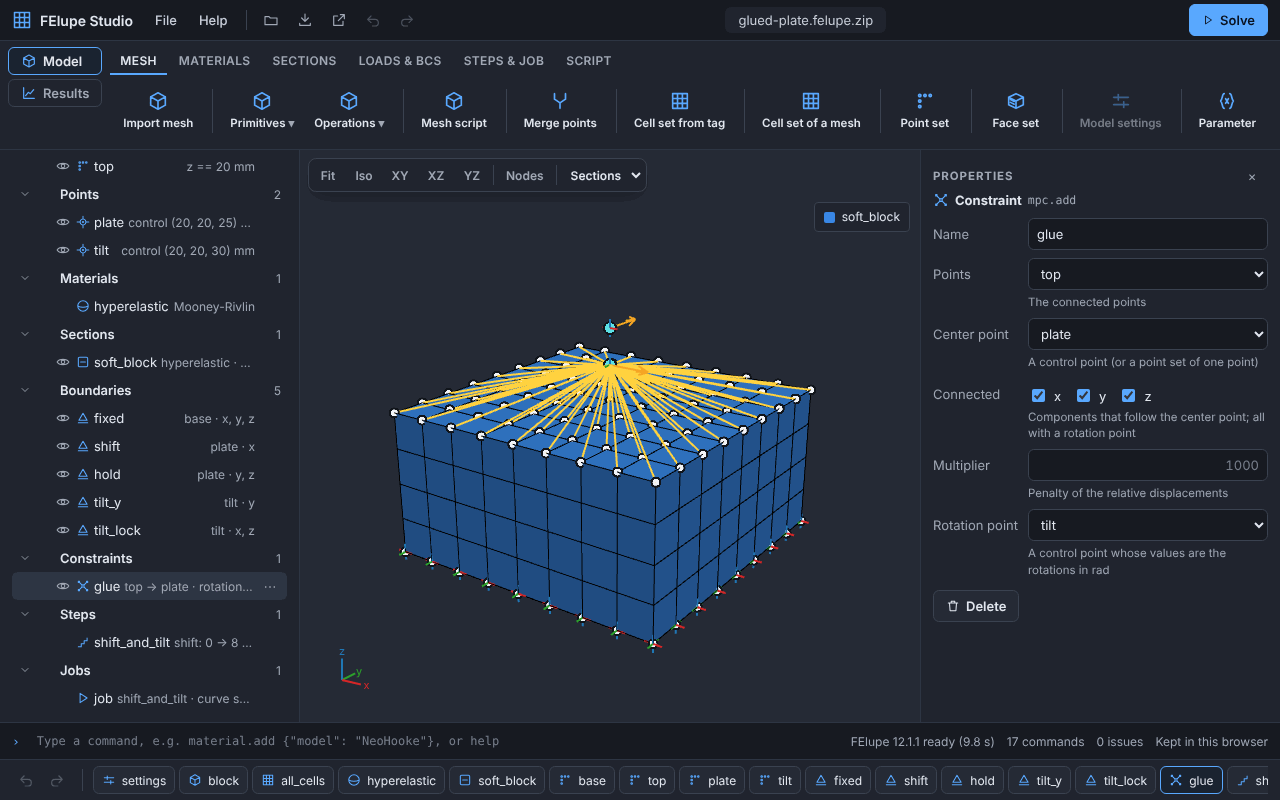
FElupe Studio builds models of solids, hyperelastic (e.g. rubber) or elastic-plastic (e.g. steel), in 3D, in plane strain or axisymmetric, from mesh files, Python scripts or the mesh tools of FElupe, with parameters: cell sets from cell tags, materials (linear elastic for small or large strains; hyperelastic like Neo-Hooke, Mooney-Rivlin, Yeoh, Ogden, Arruda-Boyce, …; strain-based, also elastic-plastic), sections with the u, u-p-J or u-isochoric formulation (e.g. air as a third medium), point sets (by a plane, at a bound, on a cylinder, on the outer surface, of a section, by picked surfaces or nodes), face sets, boundaries, symmetry planes and load cases, control points, multi-point constraints with rotation points (e.g. a rigid plate glued to a face), rigid planes and cylinders with contacts and friction, point loads and pressures, and steps that ramp several items with their own values. Solve runs in the browser with live results; the results show the deformed shape with contours of the displacement, the strains and the stresses per substep (at the cells or smooth at the points) and the equivalent plastic strain, their minimum and maximum, the force-displacement (or moment-rotation) curve with free axes and the displacements and forces of the control points, and play the substeps. The FElupe script, the results (XDMF/VTU/CSV), the meshes and pictures of the view can be exported; a project is saved as a text file or as an archive with its mesh files.
Version 0.7 adds:
- The mesh tools of FElupe in the app: points, lines, rectangles and cubes, and the operations expand, revolve, embed, translate, rotate, mirror, fill between and add runouts make meshes without a file or a script, with expressions of the parameters. The meshes a mesh is made of are construction meshes, below it in the browser. The sample Bushing made with mesh tools makes the bushing of FElupe's ex05 this way.
- PARDISO (Intel oneMKL) as the linear solver of a job with Python on your computer:
pip install "felupe-studio[serve,pardiso]", e.g. 7 times faster than SuperLU for a 3D model with 28,000 degrees of freedom on 2 cores. - A fixed link of
felupe-studio servewith the environment variableFELUPE_STUDIO_TOKEN, e.g. for the.mcp.jsonof an agent.
Version 0.6 added expressions of parameters, Python on your computer (felupe-studio serve), agents on the open app and single precision. Version 0.5 added plasticity, the strains and stresses at the points, the samples of the engine mount and the metacone, and the MCP server. Version 0.4 added parameters and mesh scripts, 2D models, symmetry planes and contacts with rigid surfaces. See the changelog.
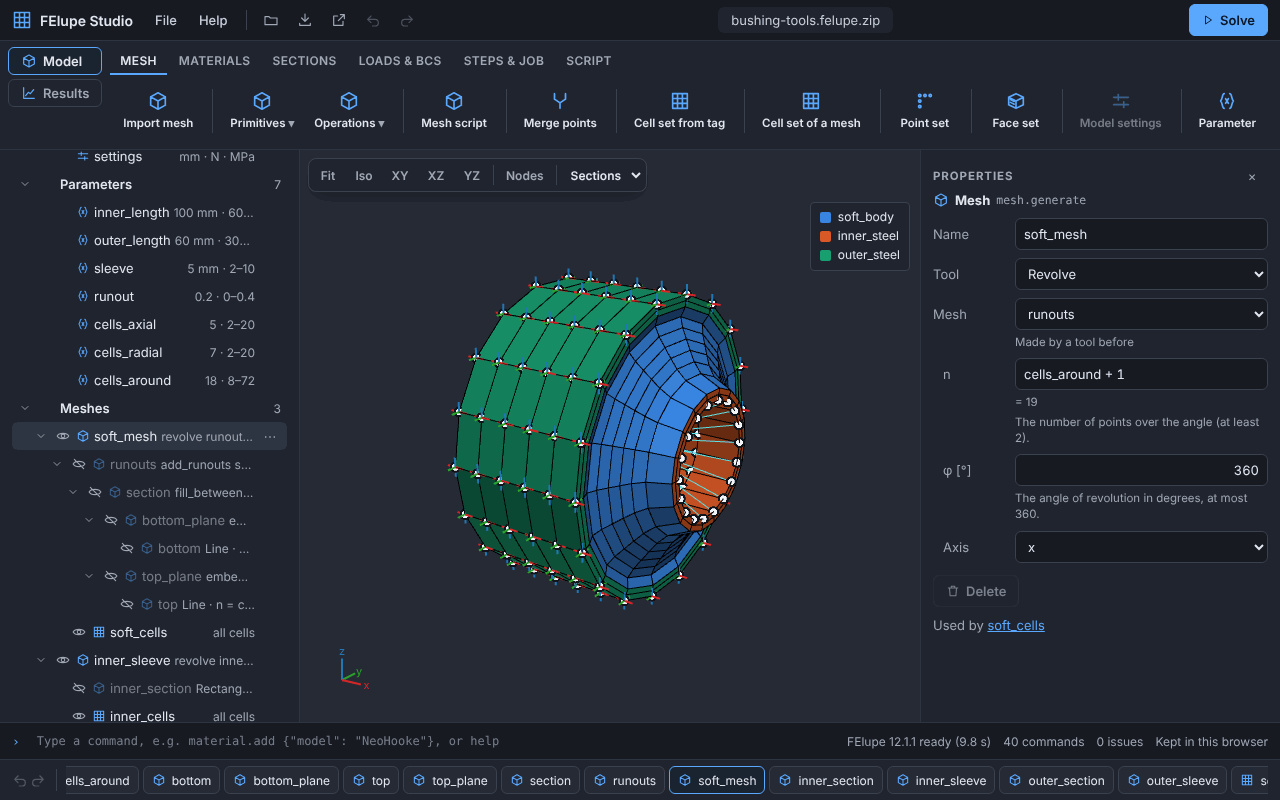
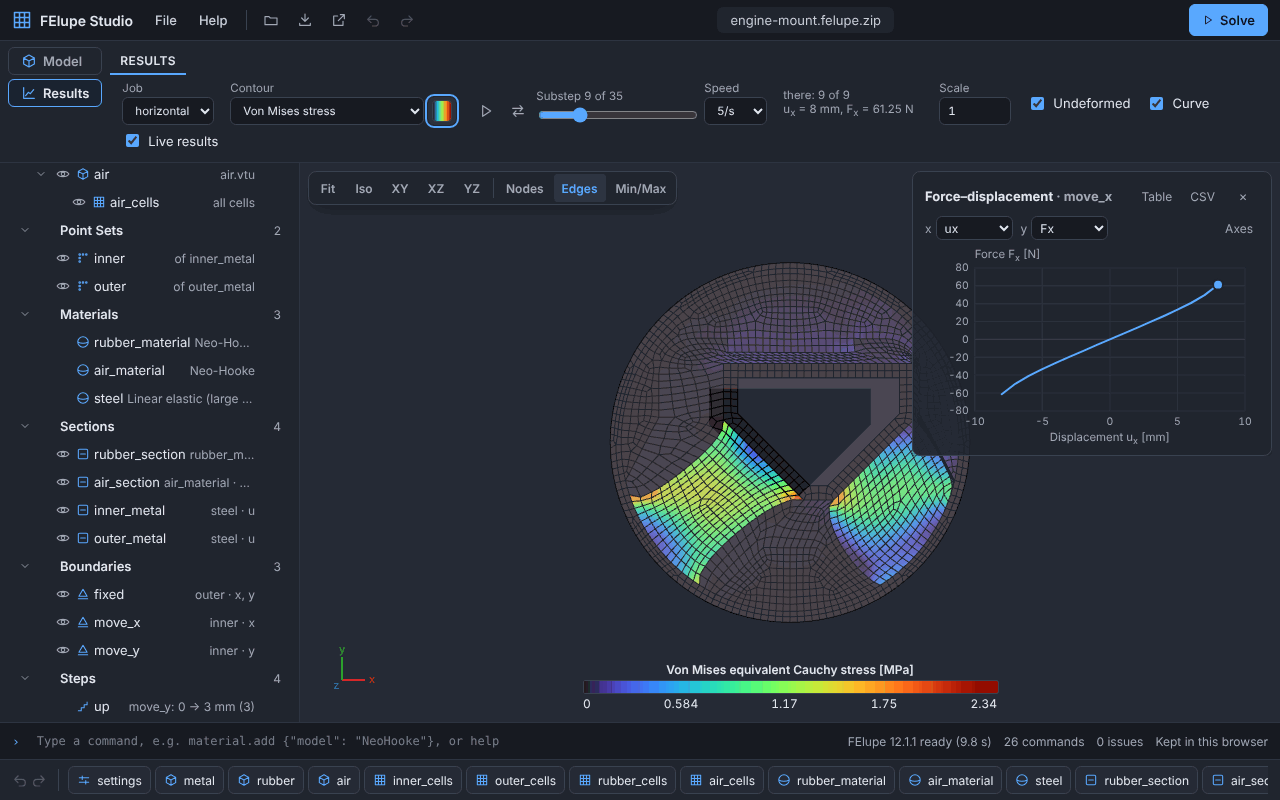
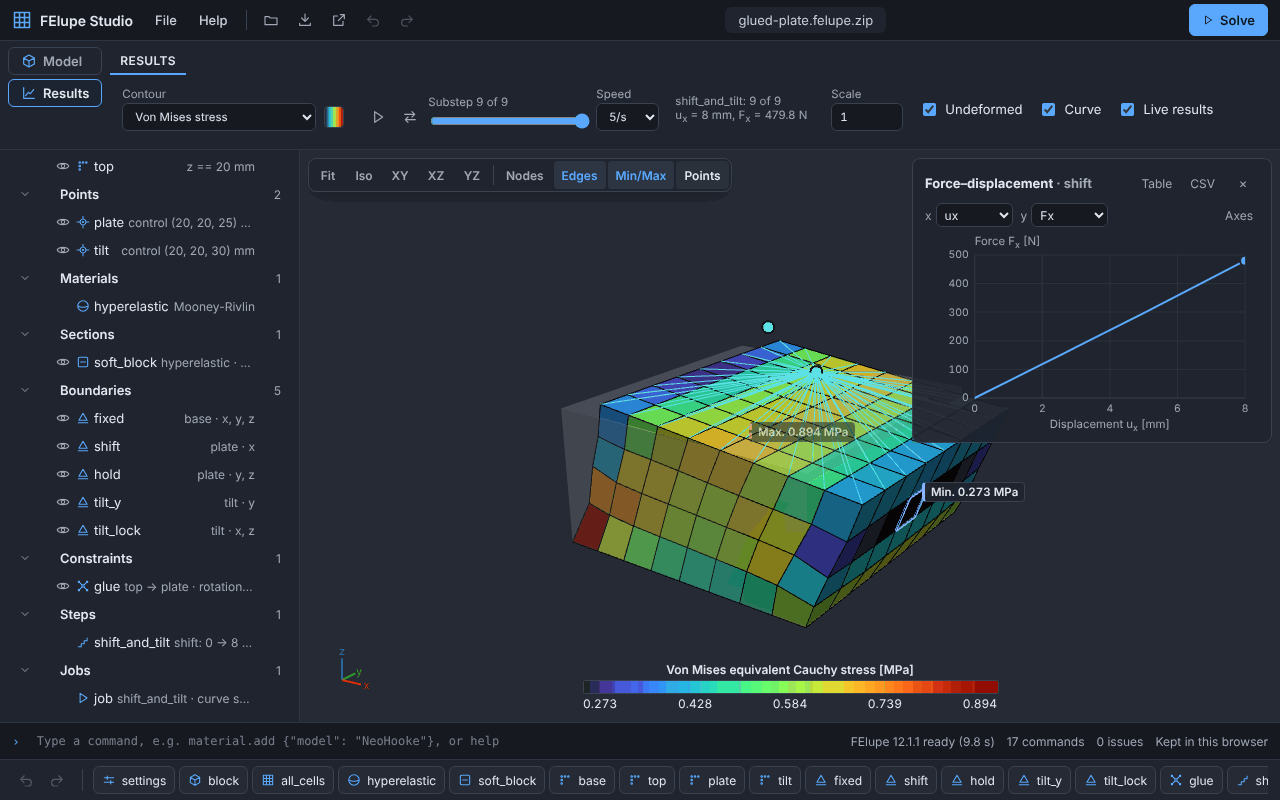
Python on your computer: pip install "felupe-studio[serve]", then felupe-studio serve opens the same app with the Python of your computer instead of Pyodide: native NumPy and SciPy for large models, and mesh scripts with your own packages (user guide).
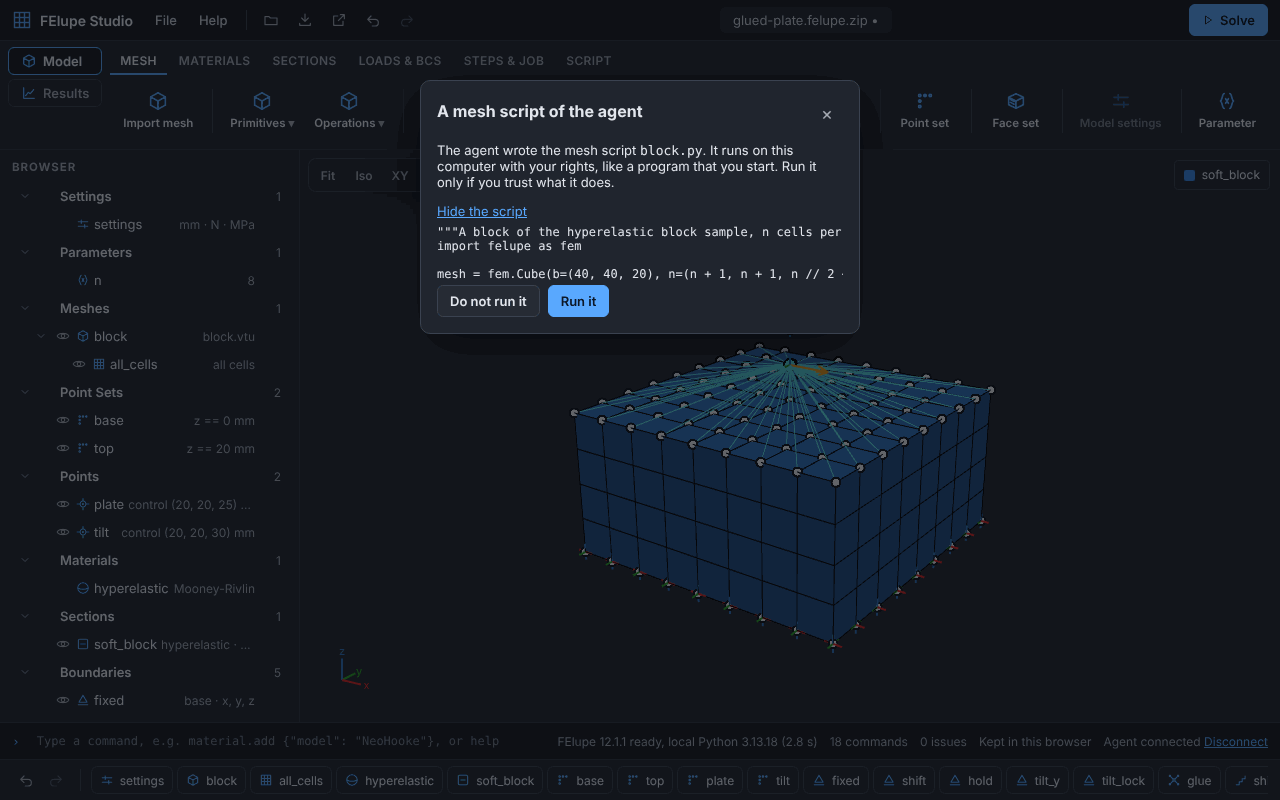
AI agents: with pip install "felupe-studio[serve,mcp]", felupe-studio serve --agent lets an agent like Claude Code or GitHub Copilot work on the model that is open in your browser. Help ▸ Connect an agent connects the tab; you see every change in the history and undo it, and you read a mesh script of the agent before it runs (agents). Headless, felupe-studio-mcp builds, checks and solves models with CPython, and you open the saved project in the app.
Documentation: the user guide with a tutorial, the command reference, how the commands become a FElupe script, the MCP server for AI agents, the architecture decision records, the changelog and the roadmap.
Non-goals: meshing from CAD, contact between deformable bodies (contacts are with rigid planes and cylinders), a server backend (the MCP server and felupe-studio serve run on your computer).
Repository layout
| Path | Content |
|---|---|
app/ |
The web app (TypeScript, Vite) |
python/felupe_studio/ |
Python package: command list → FElupe script (runs in Pyodide and CPython), the MCP server for AI agents (mcp.py, CPython) and the local runtime of the app (felupe-studio serve: serve.py, runtime.py, CPython) |
tests/ |
Python tests |
docs/adr/ |
Architecture decision records |
docs/ |
User guide, command reference (generated by docs/make_reference.py), screenshots (docs/images, made by docs/make_screenshots.py), commands, benchmarks and the release checklist |
Development
Web app:
cd app
npm install
npm run dev      # development server
npm test         # unit tests (Vitest)
npm run lint     # ESLint and Prettier
npm run build    # typecheck and production build
Python package:
pip install -e ".[test,mcp,serve]"
pytest            # the app in a browser: pytest -m e2e (Playwright, a built app)
ruff check . && ruff format --check .
License
felupe-studio is licensed under GPL-3.0-or-later, the same license as FElupe.
1 maintainer

Metadata
1 maintainer
Release files for felupe-studio 0.7.0
For a detailed explanation of source distributions (sdists) and built distributions (wheels), please see the package formats documentation.
Source distribution (sdist)
| File | Size | Uploaded | Provenance | Actions |
|---|---|---|---|---|
| felupe_studio-0.7.0.tar.gz | 671.4 kB | With provenance | Details for felupe_studio-0.7.0.tar.gz |
Built distribution (wheel)
| File | Interpreter | ABI | Platform | Actions Reset |
|---|---|---|---|---|
| felupe_studio-0.7.0-py3-none-any.whl | Python 3 | none | any | Details for felupe_studio-0.7.0-py3-none-any.whl |
Total release size: 1.4 MB
Release files / felupe_studio-0.7.0.tar.gz
| Download URL | felupe_studio-0.7.0.tar.gz |
|---|---|
| Size | 671.4 kB |
| Tags | Source |
|
SHA-256 checksum How to use checksums |
4f5eb52b678eca4b5c51c2924ed9a564cb0e755681af20e966fdc486a3760b55
|
|
BLAKE2b-256 checksum How to use checksums |
1f7bbdd24f5ab8f1d341d7dedb8168a064d80a39ab05cb297efe31baf179cdf9
|
| Upload date | |
|
Uploaded using Trusted Publishing? What is trusted publishing? |
Yes |
| Uploaded via |
twine/7.0.0 CPython/3.13.16
|
Provenance
Provenance describes where a file came from. On PyPI, provenance is shared via attestations, which provide a verifiable record of the build or publishing details. View details, limitations and caveats.


PyPI Publish Attestation
PyPI verified that this artifact, at this checksum, originated from the publisher listed below.
Signed by GitHub Actions, verified by PyPI on Nov 19, 2026.
Transparency logRelease files / felupe_studio-0.7.0-py3-none-any.whl
| Download URL | felupe_studio-0.7.0-py3-none-any.whl |
|---|---|
| Size | 685.2 kB |
| Tags | Python 3 |
|
SHA-256 checksum How to use checksums |
e19e2b5b6a62a628f44dc9236cd7bbf6a8f1d3a7a96d59b4b5a4ee5316f1ec0c
|
|
BLAKE2b-256 checksum How to use checksums |
46fcb755e6ed07663657cf61ec17c6d3cba0ce14bd0e0b38b09c3b4287266bb5
|
| Upload date | |
|
Uploaded using Trusted Publishing? What is trusted publishing? |
Yes |
| Uploaded via |
twine/7.0.0 CPython/3.13.16
|
Provenance
Provenance describes where a file came from. On PyPI, provenance is shared via attestations, which provide a verifiable record of the build or publishing details. View details, limitations and caveats.
PyPI Publish Attestation
PyPI verified that this artifact, at this checksum, originated from the publisher listed below.
Signed by GitHub Actions, verified by PyPI on Nov 19, 2026.
Transparency logSecurity for felupe-studio 0.7.0
Provenance
Provenance describes where a file came from. On PyPI, provenance is shared via attestations, which provide a verifiable record of the build or publishing details. View details, limitations and caveats.
Full provenance
Both files in this release have been uploaded with provenance metadata.
Attestation for felupe_studio-0.7.0.tar.gz
PyPI Publish Attestation
PyPI verified that this artifact, at this checksum, originated from the publisher listed below.
Signed by GitHub Actions, verified by PyPI on Nov 19, 2026.
Transparency logA note on package security
PyPI is a repository for distributing packages, not a service for auditing them. While third-party security researchers and our staff do their best to detect and remove malicious packages, PyPI cannot guarantee the quality, security or suitability of any given package.
To learn more about protecting yourself from malicious actors, visit our package security documentation.














