
High-performance offline speech recognition library for Python

Project description
ffvoice-engine


















🎙️ 高性能 C++ 语音引擎 - 实时音频处理 + AI 语音识别 + 边录边转写
📋 项目介绍
ffvoice-engine 是一个轻量级、高性能的音频处理引擎,专注于实时音频采集、智能处理和语音识别。
🎯 使用场景
- 📝 会议记录 - 实时转写会议内容,自动生成字幕文件
- 🎓 在线教育 - 录制课程并生成字幕,支持多语言识别
- 🎙️ 播客制作 - 高质量音频录制 + RNNoise 降噪 + 自动字幕生成
- 🎵 音乐制作 - 低延迟音频采集,支持 FLAC 无损压缩
- 🤖 语音助手 - 实时语音识别和处理,构建本地 AI 语音应用
- 📡 直播字幕 - 边录边转写,生成实时字幕流
✨ 核心优势
vs 商业服务(Azure/Google Cloud Speech):
- ✅ 完全离线 - 无需网络,保护隐私,零 API 费用
- ✅ 低延迟 - 本地处理,<100ms 音频采集延迟
- ✅ 开源免费 - MIT 协议,可商用
vs FFmpeg 命令行:
- ✅ 实时转写 - 边录边识别,支持 VAD 智能分段
- ✅ AI 降噪 - 集成 RNNoise 深度学习降噪
- ✅ C++ SDK - 可嵌入任何 C++ 应用,非黑盒工具
vs Python 方案(whisper-cli):
- ✅ 高性能 - C++20 实现,比 Python 快 3-10x
- ✅ 低内存 - 单进程 <500MB(含 Whisper tiny 模型)
- ✅ 易部署 - 单一可执行文件,无 Python 环境依赖
💡 技术亮点
- 🚀 零拷贝处理链 - 音频数据在内存中就地处理
- 🧠 智能 VAD 分段 - 基于 RNNoise VAD 的语音活动检测
- 🎯 高压缩比 - FLAC 无损压缩 2-3x,质量无损
- ⚡ whisper.cpp 加速 - 推理速度 5-75x realtime(M2/M3)
核心特性
- ✅ 实时音频采集 - 低延迟麦克风/系统声音捕获 (PortAudio)
- ✅ 多格式输出 - WAV、FLAC 无损压缩
- ✅ 音频增强处理 - 音量归一化、高通滤波、RNNoise降噪
- ✅ 离线语音识别 - Whisper ASR (tiny model, 3种字幕格式)
- ✅ 实时字幕生成 - 基于 VAD 的边录边转写
🏗️ 当前状态
Milestone 4: 实时语音识别 (✨ 100% 完成)
- 项目骨架搭建
- CMake 构建系统
- CLI 参数框架
- WAV 文件写入 (手写 RIFF 格式)
- FLAC 无损压缩 (libFLAC, 压缩比 2-3x)
- 音频采集 (PortAudio, 实时流式捕获)
- 音频信号生成器 (正弦波、静音、白噪声)
- 设备枚举与选择
- 音频处理模块 (音量归一化 + 高通滤波)
- RNNoise 降噪 (深度学习,可选)
- RNNoise VAD (语音活动检测,可选)
- VAD 音频分段器 (智能语音分段)
- WebRTC APM 框架 (可选,需外部库)
- Whisper ASR 集成 (离线语音识别)
- 实时语音识别 (边录边转写)
- 音频格式转换 (WAV/FLAC → 16kHz)
- 字幕生成 (纯文本/SRT/VTT)
- 单元测试 (39+ 个测试用例)
- VSCode 开发环境配置
- Google Test 测试框架集成
🚀 快速开始
依赖
- CMake 3.20+
- C++20 编译器(GCC 10+, Clang 12+, MSVC 2019+)
- FFmpeg 4.4+ (libavcodec, libavformat, libavutil, libswresample)
- PortAudio 19.7+ (音频采集)
- FLAC 1.5+ (无损压缩)
- whisper.cpp (可选,自动下载,用于语音识别)
- RNNoise (可选,自动下载,用于深度学习降噪)
- WebRTC APM (可选,需手动安装,参见下方说明)
macOS 安装:
brew install cmake ffmpeg portaudio flac
Linux (Ubuntu/Debian) 安装:
sudo apt-get install cmake build-essential \
  libavcodec-dev libavformat-dev libavutil-dev libswresample-dev \
  portaudio19-dev libflac-dev
Windows 安装:
# 使用 vcpkg 管理 C++ 依赖
# 1. 克隆 vcpkg(如果还没有)
git clone https://github.com/Microsoft/vcpkg.git C:\vcpkg
C:\vcpkg\bootstrap-vcpkg.bat

# 2. 安装依赖包
C:\vcpkg\vcpkg install ffmpeg:x64-windows portaudio:x64-windows libflac:x64-windows

# 3. 设置环境变量(用于 CMake)
set CMAKE_TOOLCHAIN_FILE=C:\vcpkg\scripts\buildsystems\vcpkg.cmake

# 注意:Windows 用户也可以直接使用 PyPI 的预编译 wheels(推荐)
# pip install ffvoice
WebRTC APM 安装(可选)
WebRTC APM 提供高级音频处理功能(降噪、自动增益、VAD),但需要手动安装:
Linux (Ubuntu/Debian):
sudo apt-get install webrtc-audio-processing-dev
从源代码编译 (Linux/macOS):
# 安装 meson 构建系统
brew install meson  # macOS
# 或
sudo apt-get install meson  # Linux

# 编译安装 WebRTC APM
git clone https://gitlab.freedesktop.org/pulseaudio/webrtc-audio-processing.git
cd webrtc-audio-processing
git checkout v1.3
meson setup build --prefix=/usr/local
meson compile -C build
sudo meson install -C build
注意: macOS Apple Silicon (ARM64) 用户可能遇到编译问题,建议使用预编译包或跳过此可选功能。
编译
标准编译 (不含 WebRTC APM):
Linux/macOS:
mkdir build && cd build
cmake .. -DCMAKE_BUILD_TYPE=Release
make -j$(nproc)
Windows:
mkdir build
cd build
cmake .. -DCMAKE_BUILD_TYPE=Release -DCMAKE_TOOLCHAIN_FILE=C:\vcpkg\scripts\buildsystems\vcpkg.cmake
cmake --build . --config Release
启用 WebRTC APM (需先安装库):
mkdir build && cd build
cmake .. -DCMAKE_BUILD_TYPE=Release -DENABLE_WEBRTC_APM=ON
make -j$(nproc)
启用 RNNoise 降噪 (推荐,自动下载):
Linux/macOS:
mkdir build && cd build
cmake .. -DCMAKE_BUILD_TYPE=Release -DENABLE_RNNOISE=ON
make -j$(nproc)
# RNNoise 库会通过 CMake FetchContent 自动下载和编译
Windows:
# 注意:Windows 版本禁用 RNNoise(MSVC 不支持 VLA)
# 使用其他音频处理选项替代
启用 Whisper 语音识别 (推荐,自动下载):
Linux/macOS:
mkdir build && cd build
cmake .. -DCMAKE_BUILD_TYPE=Release -DENABLE_WHISPER=ON
make -j$(nproc)
# whisper.cpp 和 tiny 模型(39MB)会自动下载
Windows:
mkdir build
cd build
cmake .. -DCMAKE_BUILD_TYPE=Release -DENABLE_WHISPER=ON -DCMAKE_TOOLCHAIN_FILE=C:\vcpkg\scripts\buildsystems\vcpkg.cmake
cmake --build . --config Release
启用所有可选功能 (Linux/macOS):
cmake .. -DCMAKE_BUILD_TYPE=Release \
  -DENABLE_RNNOISE=ON \
  -DENABLE_WHISPER=ON \
  -DENABLE_WEBRTC_APM=ON
make -j$(nproc)
使用
注意:
- Linux/macOS: 使用
./build/ffvoice- Windows: 使用
.\build\Release\ffvoice.exe
# 查看帮助
./build/ffvoice --help

# 生成测试 WAV 文件(440Hz A4 音符,3秒)
./build/ffvoice --test-wav test.wav

# 列出可用音频设备
./build/ffvoice --list-devices

# 录制 10 秒 WAV 音频(默认格式)
./build/ffvoice --record -o recording.wav -t 10

# 录制 30 秒 FLAC 音频(无损压缩)
./build/ffvoice --record -o recording.flac -t 30

# 使用最大压缩级别录制 FLAC
./build/ffvoice --record -o recording.flac --compression 8 -t 60

# 选择特定设备录制立体声
./build/ffvoice --record -d 1 -o stereo.wav --channels 2 -t 20

# 启用音频处理(音量归一化 + 高通滤波)
./build/ffvoice --record -o clean.wav --enable-processing -t 10

# 仅启用音量归一化
./build/ffvoice --record -o normalized.wav --normalize -t 10

# 自定义高通滤波频率(去除 100Hz 以下噪声)
./build/ffvoice --record -o filtered.flac --highpass 100 -t 20

# 组合:FLAC + 音频处理
./build/ffvoice --record -o studio.flac --normalize --highpass 80 -t 30

# RNNoise 深度学习降噪(推荐用于语音录制,仅 Linux/macOS)
./build/ffvoice --record -o clean.wav --rnnoise -t 10

# 完整处理链(高通 + RNNoise + 归一化,仅 Linux/macOS)
./build/ffvoice --record -o studio.flac --highpass 80 --rnnoise --normalize -t 30

# RNNoise + VAD (实验性,仅 Linux/macOS)
./build/ffvoice --record -o vad.wav --rnnoise-vad -t 20

# 播放录音
afplay recording.wav   # 或 recording.flac

# ==================== 语音识别(需启用 ENABLE_WHISPER) ====================

# 转写音频文件为纯文本
./build/ffvoice --transcribe recording.wav -o transcript.txt

# 生成 SRT 字幕文件
./build/ffvoice --transcribe recording.wav --format srt -o subtitles.srt

# 生成 VTT 字幕文件
./build/ffvoice --transcribe recording.wav --format vtt -o subtitles.vtt

# 指定语言(中文)
./build/ffvoice --transcribe recording.wav --language zh -o transcript_zh.txt

# 转写 FLAC 文件
./build/ffvoice --transcribe recording.flac --format srt -o subtitles.srt

# 完整工作流:录制 + 音频处理 + 转写
./build/ffvoice --record -o speech.flac --highpass 80 --rnnoise --normalize -t 30
./build/ffvoice --transcribe speech.flac --format srt -o speech.srt

# ==================== 实时语音识别(需启用 ENABLE_RNNOISE 和 ENABLE_WHISPER) ====================

# 边录边转写(实时模式)
./build/ffvoice --record -o speech.wav --rnnoise-vad --transcribe-live -t 60

# 实时转写 + 音频处理
./build/ffvoice --record -o speech.flac --rnnoise-vad --transcribe-live --highpass 80 --normalize -t 120
🐍 Python Bindings
ffvoice 提供高性能的 Python 绑定,让您在 Python 中轻松使用所有功能。
安装
从 PyPI 安装 (推荐):
pip install ffvoice
从源码安装:
git clone https://github.com/chicogong/ffvoice-engine.git
cd ffvoice-engine
pip install .
平台兼容性
| 平台 | PyPI Wheel | 安装方式 | 状态 |
|---|---|---|---|
| 🍎 Apple Silicon (M1/M2/M3) | ✅ ARM64 | pip install ffvoice |
✅ 原生支持 |
| 🍎 Intel Mac | ❌ 不兼容 | 从源码编译 | ⚠️ 需手动构建 |
| 🐧 Linux x86_64 | ✅ x86_64 | pip install ffvoice |
✅ 原生支持 |
| 🪟 Windows x86_64 | ✅ x86_64 | pip install ffvoice |
✅ 原生支持 |
重要说明:
- Apple Silicon 用户: 直接使用
pip install ffvoice即可,性能最佳 - Windows 用户: 现已支持 Windows x86_64 预编译 wheels,直接使用
pip install ffvoice即可- 支持 Python 3.9-3.12
- 自动包含所有必需的依赖(无需手动安装 FFmpeg 等)
- 注意: Windows 版本禁用了 RNNoise 降噪(MSVC 不支持 VLA),其他功能完全可用
- Intel Mac 用户: PyPI wheel 不兼容,需要从源码编译:
# 确保已安装依赖
brew install cmake ffmpeg portaudio flac

# 从源码安装
git clone https://github.com/chicogong/ffvoice-engine.git
cd ffvoice-engine
pip install .
- Rosetta 2 用户: ARM64 wheel 在 Rosetta 环境下不工作,请使用 ARM64 原生 Python:
# 检查 Python 架构
python -c "import platform; print(platform.machine())"
# 应该输出 'arm64',如果是 'x86_64' 则需要重新安装 ARM64 Python

# 强制使用 ARM64 Python
arch -arm64 python3 -m pip install ffvoice
快速示例
import ffvoice
import numpy as np

# 1. 语音识别
config = ffvoice.WhisperConfig()
config.model_type = ffvoice.WhisperModelType.TINY
asr = ffvoice.WhisperASR(config)
asr.initialize()

# 从文件转写
segments = asr.transcribe_file("audio.wav")
for seg in segments:
    print(f"[{seg.start_ms}ms - {seg.end_ms}ms] {seg.text}")

# 从 NumPy 数组转写
audio = np.zeros(48000, dtype=np.int16)  # 1秒音频
segments = asr.transcribe_buffer(audio)

# 2. 噪声抑制
rnnoise = ffvoice.RNNoise(ffvoice.RNNoiseConfig())
rnnoise.initialize(sample_rate=48000, channels=1)

audio = np.random.randint(-1000, 1000, 256, dtype=np.int16)
rnnoise.process(audio)  # 原地处理
vad_prob = rnnoise.get_vad_probability()

# 3. 实时音频采集
def audio_callback(audio_array):
    print(f"收到 {len(audio_array)} 个采样")

ffvoice.AudioCapture.initialize()
capture = ffvoice.AudioCapture()
capture.open(sample_rate=48000, channels=1, frames_per_buffer=256)
capture.start(audio_callback)
# ... 录制中 ...
capture.stop()
capture.close()
ffvoice.AudioCapture.terminate()
完整文档
详细文档和示例请查看 python/README.md:
- 📖 完整 API 参考
- 🎯 13+ 代码示例
- 🚀 Quick Start 指南
- 📓 Jupyter Notebook 教程
性能优势:
- ⚡ 3-10x 更快 - C++ 核心 vs 纯 Python 实现
- 💾 零拷贝 - NumPy 数组直接传递
- 🔒 100% 离线 - 无需网络,隐私安全
- 🎙️ 完整工作流 - 采集 → 降噪 → VAD → 识别
📁 项目结构
ffvoice-engine/
├── CMakeLists.txt          # 主构建文件
├── include/ffvoice/        # 公共头文件
│   └── types.h             # 核心类型定义
├── src/                    # 源代码
│   ├── audio/              # 音频采集与处理模块
│   │   ├── audio_capture_device.* # ✅ PortAudio 采集器
│   │   ├── audio_processor.*      # ✅ 音频处理框架
│   │   ├── rnnoise_processor.*    # ✅ RNNoise 深度学习降噪 (可选)
│   │   ├── vad_segmenter.*        # ✅ VAD 音频分段器
│   │   ├── webrtc_processor.*     # ✅ WebRTC APM 框架 (可选)
│   │   └── whisper_processor.*    # ✅ Whisper ASR 语音识别 (可选)
│   ├── media/              # 媒体编码/封装
│   │   ├── wav_writer.*    # ✅ WAV 文件写入器
│   │   ├── flac_writer.*   # ✅ FLAC 无损压缩
│   │   └── audio_file_writer.* # FFmpeg 封装器(待实现)
│   └── utils/              # 工具类
│       ├── signal_generator.* # ✅ 音频信号生成
│       ├── ring_buffer.*   # ✅ 环形缓冲区
│       ├── audio_converter.*  # ✅ 音频格式转换
│       ├── subtitle_generator.* # ✅ 字幕生成(SRT/VTT)
│       └── logger.*        # ✅ 日志工具
├── apps/cli/               # CLI 应用
│   └── main.cpp            # ✅ 完整录音功能
├── tests/                  # 单元测试
│   ├── unit/               # ✅ 39 个测试用例
│   ├── mocks/              # Mock 对象
│   └── fixtures/           # 测试夹具
├── models/                 # AI 模型文件
└── scripts/                # 辅助脚本
🛣️ 路线图
Milestone 1: 基础录制 (✨ 97% 完成)
- WAV 文件写入(手写 RIFF 格式)
- FLAC 无损压缩(libFLAC)
- 音频采集(PortAudio 集成)
- 音频信号生成器(测试用)
- 音频处理框架(音量归一化 + 高通滤波)
- CLI 完整功能(设备、格式、参数)
- 单元测试覆盖(39 个测试用例)
- WebRTC APM 框架(可选,需外部库集成)
Milestone 2: 音频处理增强 (✨ 100% 完成)
- RNNoise 降噪 (深度学习)
- WebRTC APM 框架(可选)
- 实时处理管道(处理器链)
Milestone 3: 离线语音识别 (✨ 100% 完成)
- whisper.cpp 集成(CMake FetchContent)
- Whisper Tiny 模型自动下载(39MB)
- 音频格式转换(WAV/FLAC → 16kHz float mono)
- 离线转写功能(TranscribeFile)
- 纯文本输出
- SRT 字幕生成
- VTT 字幕生成
- CLI 参数集成(--transcribe, --format, --language)
- 性能优化(5-75x realtime)
Milestone 4: 实时语音识别 (✨ 100% 完成)
- VADSegmenter 实现(基于 VAD 的智能分段)
- RNNoiseProcessor VAD 支持
- WhisperProcessor 缓冲处理(TranscribeBuffer)
- 音频格式实时转换(int16 48kHz → float 16kHz)
- CLI 实时转写集成(--transcribe-live)
- VAD 分段状态机(Speech → Silence → Trigger)
- 实时转写输出(边录边显示)
Milestone 5: 性能优化与增强 (✨ 100% 完成)
- Whisper 模型选择(TINY/BASE/SMALL/MEDIUM/LARGE)
- 性能计时系统(分段计时 + RTF 计算)
- VAD 灵敏度预设(5 种预设配置)
- VAD 自适应阈值(动态环境适应)
- 内存优化(缓冲区重用 + 条件扩容)
Milestone 6: 高级功能(规划中)
- 多音轨混音
- 实时推流(SRT/RTMP)
- GUI 客户端(Qt)
📝 开发说明
当前分支:dev/milestone-1
代码规范
- C++20 标准
- Google C++ Style Guide(部分)
- 使用 clang-format 格式化
测试
# 配置并编译测试
cmake .. -DBUILD_TESTS=ON -DCMAKE_BUILD_TYPE=Debug
make -j4

# 运行所有测试
make test

# 运行单个测试(详细输出)
./build/tests/ffvoice_tests --gtest_filter=WavWriter*
已实现功能
AudioCaptureDevice - 音频采集器
- 基于 PortAudio 的跨平台音频捕获
- 实时流式采集(回调模式)
- 设备枚举和自动选择
- 低延迟配置(256 帧缓冲)
- 支持 mono/stereo
- 可配置采样率(默认 48kHz)
WavWriter - WAV 文件写入器
- 手写 RIFF/WAV 格式实现
- 支持 PCM 16-bit 音频
- 支持 mono/stereo
- 可调采样率
- 实时写入支持
FlacWriter - FLAC 无损压缩
- 基于 libFLAC 1.5.0
- 实时流式编码
- 可配置压缩级别(0-8,默认 5)
- 压缩比 1.5-3x(取决于音频内容)
- 支持 16/24-bit PCM
- 自动压缩比统计
SignalGenerator - 音频信号生成器
- 正弦波生成(可调频率、时长、振幅)
- 静音生成
- 白噪声生成
- 用于测试和调试
AudioProcessor - 音频处理框架
架构设计:
- 抽象接口
AudioProcessor支持模块化扩展 AudioProcessorChain处理器链(串联多个处理器)- 实时处理(在采集回调中)
- 就地处理(in-place)提高效率
VolumeNormalizer - 音量归一化:
- 基于 RMS 的自动增益控制
- 平滑增益调整(exponential moving average)
- Attack time: 0.1s(增益提升速度)
- Release time: 0.3s(增益下降速度)
- 目标电平:0.3(可配置 0.0-1.0)
- 增益范围:0.1x - 10.0x
- 防止削波和保持一致响度
HighPassFilter - 高通滤波器:
- 一阶 IIR 滤波器实现
- 去除低频噪声(呼吸声、麦克风碰撞、环境噪音)
- 默认截止频率:80Hz(可配置)
- 每通道独立状态(支持立体声)
- 滤波器公式:
y[n] = α(y[n-1] + x[n] - x[n-1])
RNNoiseProcessor - RNNoise 深度学习降噪 (可选):
- 基于 Xiph RNNoise 的 RNN 深度学习模型
- 专为语音优化的降噪算法
- 帧大小:480 samples (10ms @48kHz)
- 支持采样率:48kHz, 44.1kHz, 24kHz
- 多声道支持:每通道独立 DenoiseState
- 格式转换:自动处理 int16 ↔ float
- 帧缓冲管理:256 samples → 480 samples
- VAD 选项:可选语音活动检测(实验性)
- CPU 开销:~5-10%(显著低于 WebRTC APM)
- 降噪效果:~20dB(语音场景)
性能:
- 实时处理(<10ms 延迟)
- 低 CPU 开销(RNNoise: ~8%)
- 支持 mono/stereo
WhisperProcessor - 离线语音识别 (可选)
- 基于 OpenAI Whisper 的 C++ 实现 (whisper.cpp)
- 自动下载和集成 tiny 模型(39MB)
- 支持多种语言识别(中文、英文、自动检测)
- 音频格式自动转换(WAV/FLAC → 16kHz float mono)
- 三种输出格式:
- 纯文本(无时间戳)
- SRT 字幕(SubRip 格式)
- VTT 字幕(WebVTT 格式)
- 性能指标(Apple M3 Pro, Rosetta 2):
- 转写速度:5-75x realtime(取决于音频长度)
- 内存占用:~272MB(模型 + 计算缓冲区)
- 准确率:英文 ~8-10% WER,中文 ~12-15% WER
- 推理线程数可配置(默认 4 线程)
- 可选翻译功能(转写 + 翻译成英文)
性能优化(v0.3.0 新增):
- Whisper 模型选择:
- 支持 TINY/BASE/SMALL/MEDIUM/LARGE 模型
- 灵活平衡速度与精度(10x → 0.5x realtime)
- 性能计时系统:
- 详细分段计时(转换/推理/提取)
- 实时因子 (RTF) 自动计算
- 性能瓶颈识别
- VAD 智能优化:
- 5 种灵敏度预设(VERY_SENSITIVE → VERY_CONSERVATIVE)
- 自适应阈值调整(根据环境噪声动态优化)
- 实时统计(平均 VAD 概率、语音占比)
- 内存优化:
- 缓冲区重用(减少 90% 内存分配)
- 条件扩容(避免不必要的 resize)
- 降低内存碎片化和 GC 压力
AudioConverter - 音频格式转换:
- WAV/FLAC 文件加载
- 采样率转换(48kHz/44.1kHz → 16kHz)
- 格式转换(int16 → float)
- 声道转换(stereo → mono)
- 线性插值重采样
SubtitleGenerator - 字幕生成:
- SRT 格式(
00:00:01,500时间戳格式) - VTT 格式(
00:00:01.500时间戳格式 + WEBVTT 头) - 纯文本格式(无时间戳)
- 自动时间戳格式化
测试覆盖
- 39+ 个单元测试用例
- WavWriter 测试(16 个)
- SignalGenerator 测试(23 个)
- Google Test 框架
🤝 贡献 / Contributing
我们欢迎并感谢所有形式的贡献!无论是报告 bug、提出新功能、改进文档还是提交代码,都对项目有很大帮助。
We welcome and appreciate all forms of contributions! Whether it's reporting bugs, proposing new features, improving documentation, or submitting code.
如何贡献 / How to Contribute
- 🐛 报告 Bug - 使用 Bug Report 模板
- ✨ 请求功能 - 使用 Feature Request 模板
- 📝 改进文档 - 提交 PR 改进 README、docs 或代码注释
- 💻 提交代码 - Fork → 开发 → 测试 → PR
开发指南 / Development Guide
详细的贡献指南请参阅 CONTRIBUTING.md
快速开始:
# 1. Fork 并克隆仓库
git clone https://github.com/YOUR_USERNAME/ffvoice-engine.git

# 2. 创建功能分支
git checkout -b feature/your-feature-name

# 3. 进行开发并测试
cmake -B build -DBUILD_TESTS=ON
make -C build -j$(nproc)
make -C build test

# 4. 格式化代码
./scripts/format.sh

# 5. 提交并推送
git commit -m "feat: add your feature"
git push origin feature/your-feature-name

# 6. 创建 Pull Request
代码规范 / Code Style
- 语言: C++20
- 风格指南: Google C++ Style Guide(变体)
- 格式化工具: clang-format(配置见
.clang-format) - 静态分析: clang-tidy(配置见
.clang-tidy) - 提交规范: Conventional Commits
行为准则 / Code of Conduct
请遵守我们的 行为准则,营造友好和包容的社区环境。
Please follow our Code of Conduct to maintain a welcoming and inclusive community environment.
📊 项目状态 / Project Status
- ✅ Milestone 1: 基础音频采集和文件保存 - 完成
- ✅ Milestone 2: 音频处理增强 (RNNoise) - 完成
- ✅ Milestone 3: 离线语音识别 (Whisper ASR) - 完成
- ⏳ Milestone 4: 实时语音识别 - 进行中
详见 CHANGELOG.md
📞 支持与反馈 / Support & Feedback
- 📖 文档: docs/
- 💬 讨论: GitHub Discussions
- 🐛 Bug 报告: GitHub Issues
- 📧 联系: chicogong@tencent.com
📄 许可证 / License
本项目采用 MIT 许可证 - 详见 LICENSE 文件。
This project is licensed under the MIT License - see the LICENSE file for details.
🙏 致谢 / Acknowledgments
感谢以下开源项目:
Thanks to the following open-source projects:
- FFmpeg - 多媒体处理框架
- PortAudio - 跨平台音频 I/O 库
- FLAC - 无损音频压缩
- whisper.cpp - OpenAI Whisper 的 C++ 实现
- RNNoise - 深度学习降噪库
- Google Test - C++ 测试框架
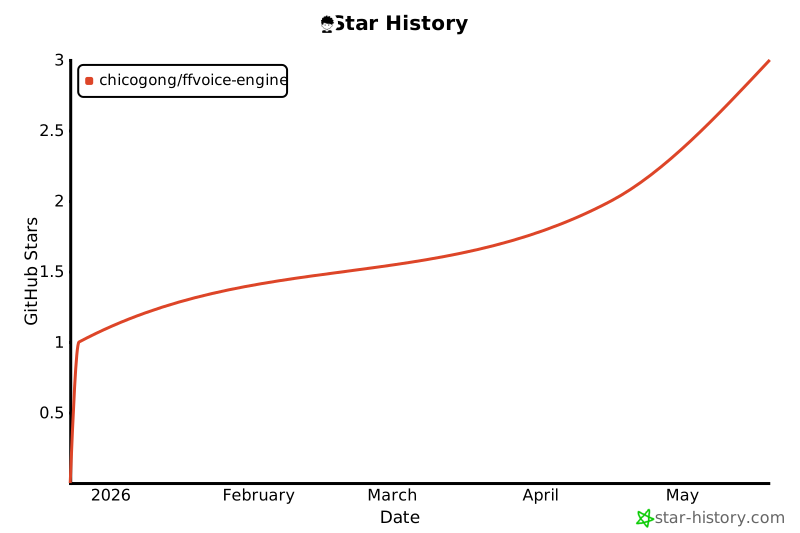
⭐ Star History
如果这个项目对你有帮助,请考虑给我们一个 ⭐ Star!
If this project helps you, please consider giving us a ⭐ Star!
Made with ❤️ by the ffvoice-engine team
Release history Release notifications | RSS feed


Download files
Download the file for your platform. If you're not sure which to choose, learn more about installing packages.
Source Distribution
Built Distributions
Filter files by name, interpreter, ABI, and platform.
If you're not sure about the file name format, learn more about wheel file names.
Copy a direct link to the current filters
File details
Details for the file ffvoice-0.6.0.tar.gz.
File metadata
- Download URL: ffvoice-0.6.0.tar.gz
- Upload date:
- Size: 65.6 kB
- Tags: Source
- Uploaded using Trusted Publishing? No
- Uploaded via: twine/6.2.0 CPython/3.11.14
File hashes
| Algorithm | Hash digest | |
|---|---|---|
| SHA256 |
4c806a5904d826a26e60958f864011a78d3b3473c316fcbf57277ece791813cd
|
|
| MD5 |
69e783abd577deda637a219514c24218
|
|
| BLAKE2b-256 |
a8f2526629f7ffb0690eb400fd7774c40eadea486248dfba517a1913aeca0d16
|
File details
Details for the file ffvoice-0.6.0-cp312-cp312-win_amd64.whl.
File metadata
- Download URL: ffvoice-0.6.0-cp312-cp312-win_amd64.whl
- Upload date:
- Size: 609.9 kB
- Tags: CPython 3.12, Windows x86-64
- Uploaded using Trusted Publishing? No
- Uploaded via: twine/6.2.0 CPython/3.12.10
File hashes
| Algorithm | Hash digest | |
|---|---|---|
| SHA256 |
e0f09cfd234acfdb8e4c4ecad4212af123b4020d247e2bc75efce92d89eaa71a
|
|
| MD5 |
607cde5c53287b43b82d716bf1a124b8
|
|
| BLAKE2b-256 |
2fe5fda2f52db22ebdfe58f19fb92de83ceec2bb7572714421453ca8a89da6ad
|
File details
Details for the file ffvoice-0.6.0-cp312-cp312-manylinux_2_39_x86_64.whl.
File metadata
- Download URL: ffvoice-0.6.0-cp312-cp312-manylinux_2_39_x86_64.whl
- Upload date:
- Size: 2.4 MB
- Tags: CPython 3.12, manylinux: glibc 2.39+ x86-64
- Uploaded using Trusted Publishing? No
- Uploaded via: twine/6.2.0 CPython/3.12.12
File hashes
| Algorithm | Hash digest | |
|---|---|---|
| SHA256 |
96c42646b0f02ee0a6d087742405052def7380fbeb57c872d4987d85c1fb0af8
|
|
| MD5 |
784b83d661a2251b7dc87cae0f26d983
|
|
| BLAKE2b-256 |
e1c36b2b361d9913d7c5ce1b5b43b64bb0c1641c2fc225575aaf4f15d23d4a63
|
File details
Details for the file ffvoice-0.6.0-cp312-cp312-macosx_11_0_arm64.whl.
File metadata
- Download URL: ffvoice-0.6.0-cp312-cp312-macosx_11_0_arm64.whl
- Upload date:
- Size: 577.2 kB
- Tags: CPython 3.12, macOS 11.0+ ARM64
- Uploaded using Trusted Publishing? No
- Uploaded via: twine/6.2.0 CPython/3.12.10
File hashes
| Algorithm | Hash digest | |
|---|---|---|
| SHA256 |
1d5b1077546ca158f2a27b90211fed82649e9fcf4f54718fffbe965106b7f6f5
|
|
| MD5 |
1fa2fc8073a7ff25079237470628c032
|
|
| BLAKE2b-256 |
f92b39dd6ad32429e15bb36d5942662c5a4386d6e80053b0d3e44d853e0913f8
|
File details
Details for the file ffvoice-0.6.0-cp311-cp311-win_amd64.whl.
File metadata
- Download URL: ffvoice-0.6.0-cp311-cp311-win_amd64.whl
- Upload date:
- Size: 610.3 kB
- Tags: CPython 3.11, Windows x86-64
- Uploaded using Trusted Publishing? No
- Uploaded via: twine/6.2.0 CPython/3.11.9
File hashes
| Algorithm | Hash digest | |
|---|---|---|
| SHA256 |
2b11b1f7f3907dcf6a0bcd662e664936d4c2bce2966b8c254cf823d1eaff309d
|
|
| MD5 |
9a7b8b4f40c9e016dcc55a0e130892ff
|
|
| BLAKE2b-256 |
8cd8babfe22416355525de925d58588823373de6080d1b9d8b96fd0f7358f3f6
|
File details
Details for the file ffvoice-0.6.0-cp311-cp311-manylinux_2_39_x86_64.whl.
File metadata
- Download URL: ffvoice-0.6.0-cp311-cp311-manylinux_2_39_x86_64.whl
- Upload date:
- Size: 2.4 MB
- Tags: CPython 3.11, manylinux: glibc 2.39+ x86-64
- Uploaded using Trusted Publishing? No
- Uploaded via: twine/6.2.0 CPython/3.11.14
File hashes
| Algorithm | Hash digest | |
|---|---|---|
| SHA256 |
446a05d8a9f48b950aa7edaababe4494e07ee22e6041deefc4f25a25f27fe9bc
|
|
| MD5 |
5349df9769a0ce4a97d0f9288c654d36
|
|
| BLAKE2b-256 |
d0dac79b6fb5ac9a4c018bfd47ed1a3d31438141f53b377dc099fed9ff0b3bb5
|
File details
Details for the file ffvoice-0.6.0-cp311-cp311-macosx_11_0_arm64.whl.
File metadata
- Download URL: ffvoice-0.6.0-cp311-cp311-macosx_11_0_arm64.whl
- Upload date:
- Size: 577.7 kB
- Tags: CPython 3.11, macOS 11.0+ ARM64
- Uploaded using Trusted Publishing? No
- Uploaded via: twine/6.2.0 CPython/3.11.9
File hashes
| Algorithm | Hash digest | |
|---|---|---|
| SHA256 |
23cb3c03974621fc1b7a1f0f893354b35b03d1e2f29a103bdba20bfbbf9ccf07
|
|
| MD5 |
a86095ebb59e434c88a1e5bc14902561
|
|
| BLAKE2b-256 |
1959e68b4f8cefeafbd52df9d2d6be1c2dd3f8977ca48b2eaea9b99618e43bb7
|
File details
Details for the file ffvoice-0.6.0-cp310-cp310-win_amd64.whl.
File metadata
- Download URL: ffvoice-0.6.0-cp310-cp310-win_amd64.whl
- Upload date:
- Size: 609.8 kB
- Tags: CPython 3.10, Windows x86-64
- Uploaded using Trusted Publishing? No
- Uploaded via: twine/6.2.0 CPython/3.10.11
File hashes
| Algorithm | Hash digest | |
|---|---|---|
| SHA256 |
27f5681793e50e43db15dbebb424b3b75474d2b1e3588a6a9a6066c9fd90e239
|
|
| MD5 |
463563c8a0c0439e6e5bd67e71584ab7
|
|
| BLAKE2b-256 |
d644b0d04dbb1d0489f30a52c82be697c198d14895bed372b6420c3417b38b4e
|
File details
Details for the file ffvoice-0.6.0-cp310-cp310-manylinux_2_39_x86_64.whl.
File metadata
- Download URL: ffvoice-0.6.0-cp310-cp310-manylinux_2_39_x86_64.whl
- Upload date:
- Size: 2.4 MB
- Tags: CPython 3.10, manylinux: glibc 2.39+ x86-64
- Uploaded using Trusted Publishing? No
- Uploaded via: twine/6.2.0 CPython/3.10.19
File hashes
| Algorithm | Hash digest | |
|---|---|---|
| SHA256 |
5df963ec9284331aae62fe66ccd316f727c435f9b7437f615c958b142523c968
|
|
| MD5 |
c1a5f0fb641a213c4f68918f09cc2a52
|
|
| BLAKE2b-256 |
4058d953ef4d657125d761f54aa8beb222d2cd4331275452dd6d1310efd32e07
|
File details
Details for the file ffvoice-0.6.0-cp310-cp310-macosx_11_0_arm64.whl.
File metadata
- Download URL: ffvoice-0.6.0-cp310-cp310-macosx_11_0_arm64.whl
- Upload date:
- Size: 576.5 kB
- Tags: CPython 3.10, macOS 11.0+ ARM64
- Uploaded using Trusted Publishing? No
- Uploaded via: twine/6.2.0 CPython/3.10.11
File hashes
| Algorithm | Hash digest | |
|---|---|---|
| SHA256 |
3dc9d439656527a032dffbe9347d2af1ab33368b04c9f4a2c6f6745b7e34a5e2
|
|
| MD5 |
f8c2190d2b7647591c869091a541d7c5
|
|
| BLAKE2b-256 |
b1b5ff7392ea9861174e3dcf81aacd2dcf10f65076edfc99e549a6c305ca362c
|
File details
Details for the file ffvoice-0.6.0-cp39-cp39-win_amd64.whl.
File metadata
- Download URL: ffvoice-0.6.0-cp39-cp39-win_amd64.whl
- Upload date:
- Size: 619.9 kB
- Tags: CPython 3.9, Windows x86-64
- Uploaded using Trusted Publishing? No
- Uploaded via: twine/6.2.0 CPython/3.9.13
File hashes
| Algorithm | Hash digest | |
|---|---|---|
| SHA256 |
a0b8eb81959f584e35de58a1fe475d1dc217622e56bb7954e6c6f6f6c8fbebcc
|
|
| MD5 |
3bd76a946f3c6002feeee697bcc5b71b
|
|
| BLAKE2b-256 |
74e6a1ecb59f5aa7aa3e17d691ef32bf19b5ece149d6af1e0c1d8348efcf5461
|
File details
Details for the file ffvoice-0.6.0-cp39-cp39-manylinux_2_39_x86_64.whl.
File metadata
- Download URL: ffvoice-0.6.0-cp39-cp39-manylinux_2_39_x86_64.whl
- Upload date:
- Size: 2.4 MB
- Tags: CPython 3.9, manylinux: glibc 2.39+ x86-64
- Uploaded using Trusted Publishing? No
- Uploaded via: twine/6.2.0 CPython/3.9.25
File hashes
| Algorithm | Hash digest | |
|---|---|---|
| SHA256 |
13d3e2647a64031f57a64ad73e4c6cea07daae17b89bf6fbfad8fddc55e352b8
|
|
| MD5 |
a6c01a6e097837ae8b2f2fed0b49f4e0
|
|
| BLAKE2b-256 |
b2d8d9fa432b06c4d5d60a774f3c784ae2c3ecc3c8269a0bc03174bfa7b38a4a
|
File details
Details for the file ffvoice-0.6.0-cp39-cp39-macosx_11_0_arm64.whl.
File metadata
- Download URL: ffvoice-0.6.0-cp39-cp39-macosx_11_0_arm64.whl
- Upload date:
- Size: 576.6 kB
- Tags: CPython 3.9, macOS 11.0+ ARM64
- Uploaded using Trusted Publishing? No
- Uploaded via: twine/6.2.0 CPython/3.9.13
File hashes
| Algorithm | Hash digest | |
|---|---|---|
| SHA256 |
75e0572e6d514ea57562e77085981c450e13e779785ab0c8093f387b89b4e390
|
|
| MD5 |
63840e51e7dd642e7af589222f51fe42
|
|
| BLAKE2b-256 |
670776c0e77241f0179466d58213225f09da291bab6f2e757ca9f24c9b6d561f
|






