
fh-pyinstrument
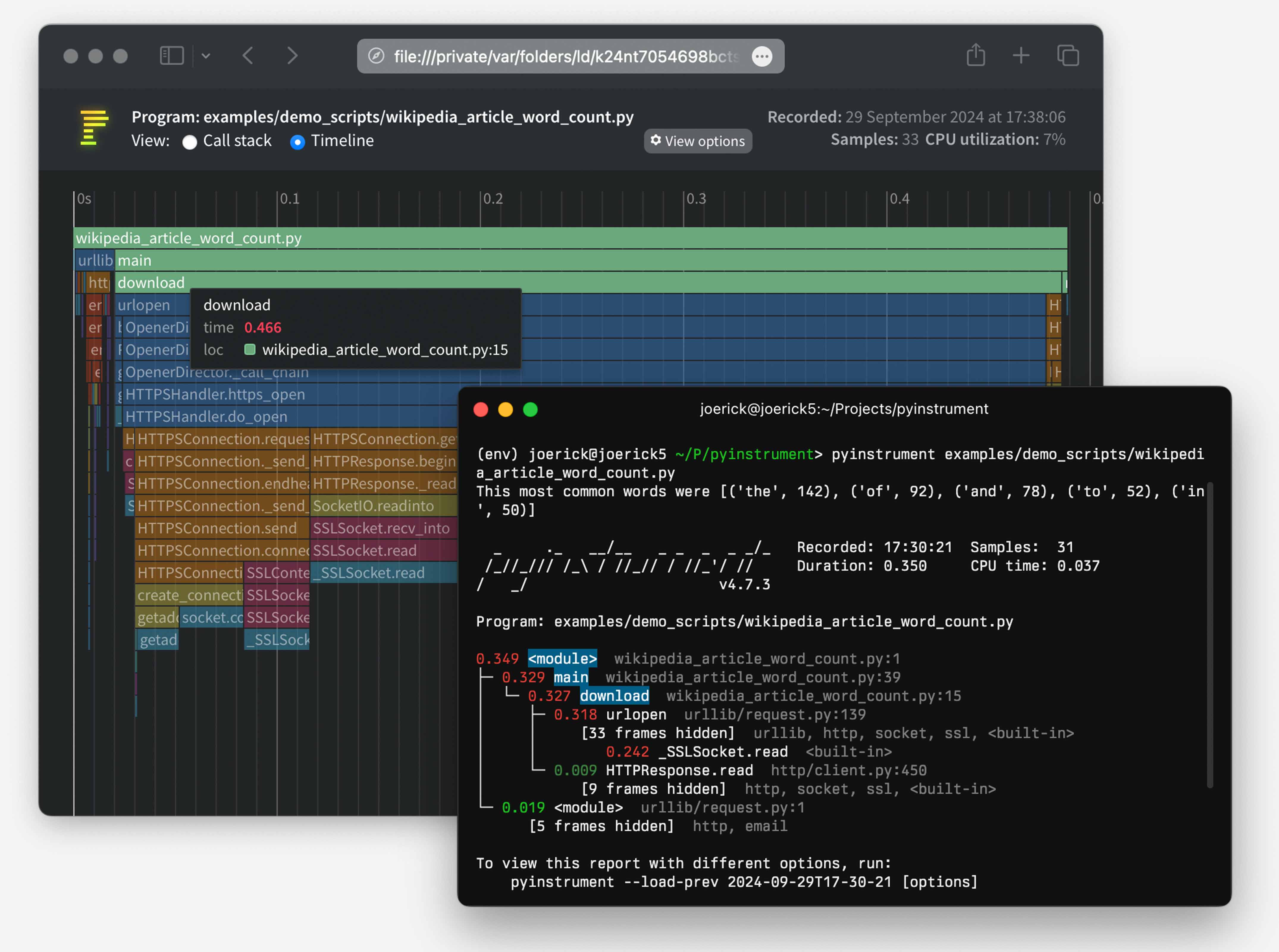
Sometimes when building FastHTML apps we run into performance bottlenecks. Figuring out what is slow can be challenging, especially when building apps with async components. That’s where profiling tools like pyinstrument can help. Profilers are tools that show exactly how long each component of a project takes to run. Identifying slow parts of an app is the first step in figuring out how to make things run faster.
How to install
Install from PyPI using uv:
uv pip install fh-pyinstrument
Or with classic pip:
pip install fh-pyinstrument
How to configure
The easiest way is to import the ProfileMiddleware into your project and
add it to your app’s list of Middleware via the app.add_middleware()
method:
from fasthtml.common import *
from fh_pyinstrument.core import ProfileMiddleware

app, rt = fast_app()
app.add_middleware(ProfileMiddleware)

@rt
def index(): return Titled('Hello, profiler!')

serve()
If you want to add it to the project when fast_app() is declared,
you’ll need to run it through Starlette’s middleware pre-processor:
from fasthtml.common import *
from fh_pyinstrument.core import ProfileMiddleware
from starlette.middleware import Middleware

app, rt = fast_app(middleware=(Middleware(ProfileMiddleware)))

@rt
def index(): return Titled('Hello, profiler!')

serve()
How to use the middleware
Simply add ?profile=1 to any url, that will cause the app to display
an amazing chart set in the browser. In the example above, run it and
click this link:
http://127.0.0.1:5000/?profile=1
If instead you want to have the results show up in the terminal, also
add term=1 to the query string. The normal web page will display in
your browser, and the pyinstrument view will show up in limited form
within the terminal.
How to use the stand-alone @instrument decorator
If you want to temporarily use fh-pyinstrument on an isolated route
handler, the @instrument decorator can be used:
from fh_pyinstrument.core import instrument

@rt
@instrument
def index(): return Titled('Hello, profiler!')
Developer Guide
If you are new to using nbdev here are some useful pointers to get you
started.
Install fh-pyinstrument in Development mode
Clone locally:
gh repo clone answerdotai/fh-pyinstrument
Then install:
# make sure fh-pyinstrument package is installed in development mode
$ pip install -e .

# make changes under nbs/ directory
# ...

# compile to have changes apply to fh-pyinstrument
$ nbdev_prepare
1 maintainer

Release files for fh-pyinstrument 0.0.2
For a detailed explanation of source distributions (sdists) and built distributions (wheels), please see the package formats documentation.
Source distribution (sdist)
| File | Size | Uploaded | |
|---|---|---|---|
| fh_pyinstrument-0.0.2.tar.gz | 9.0 kB | Details |
Built distribution (wheel)
| File | Interpreter | ABI | Platform | Reset |
|---|---|---|---|---|
| fh_pyinstrument-0.0.2-py3-none-any.whl | Python 3 | none | any | Details |
Total release size: 17.5 kB
Release files / fh_pyinstrument-0.0.2.tar.gz
| Download URL | fh_pyinstrument-0.0.2.tar.gz |
|---|---|
| Size | 9.0 kB |
| Tags | Source |
|
SHA-256 checksum How to use checksums |
c0626902c76a0a9e5988a63e4031aa1d5bf6aa06a586cc935a3ac2f713068d3a
|
|
BLAKE2b-256 checksum How to use checksums |
5aa758e898039b59bb4183788fac7021b1f165ef23c5b179c9e1cb7ead8ea722
|
| Upload date | |
|
Uploaded using Trusted Publishing? What is trusted publishing? |
No |
| Uploaded via |
twine/6.1.0 CPython/3.12.6
|
Release files / fh_pyinstrument-0.0.2-py3-none-any.whl
| Download URL | fh_pyinstrument-0.0.2-py3-none-any.whl |
|---|---|
| Size | 8.5 kB |
| Tags | Python 3 |
|
SHA-256 checksum How to use checksums |
3789dcd9046ed90bcc99a47c80f10858ea28f46ff6a4ab571db88d86ecc84caa
|
|
BLAKE2b-256 checksum How to use checksums |
44aa3d86f977f93519df53bd93f03045d6035d600e9a49ff65337e85ce9c2175
|
| Upload date | |
|
Uploaded using Trusted Publishing? What is trusted publishing? |
No |
| Uploaded via |
twine/6.1.0 CPython/3.12.6
|














