
FiLark
FiLark is a streaming-first Python framework for Distributed Acoustic Sensing (DAS) data access, visualization, processing, annotation, and external analysis integration.
This repository contains the complete FiLark 0.0.5 release.
The project is built around one practical constraint: DAS recordings are often too large to treat as ordinary in-memory arrays. FiLark therefore keeps data access, visualization, annotation, processing, and algorithm integration aligned around streaming windows instead of one-off extracted snippets.
Demo Videos
Click a thumbnail to watch the demo on YouTube.
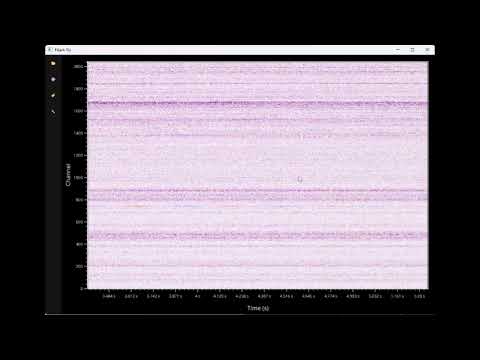
Exploration and Processing Bilibili backup |
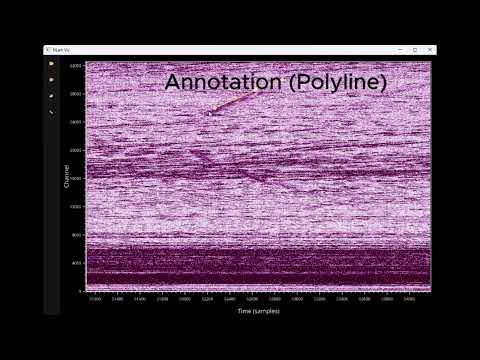
Large Data and Annotation Bilibili backup |
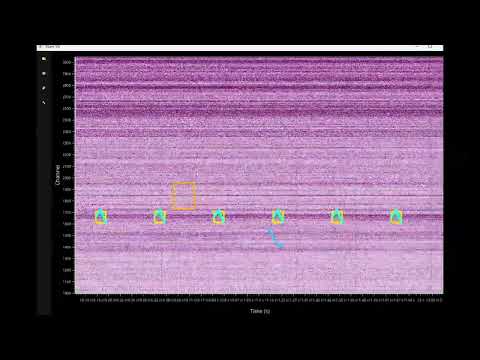
Monitoring and Recheck Bilibili backup |
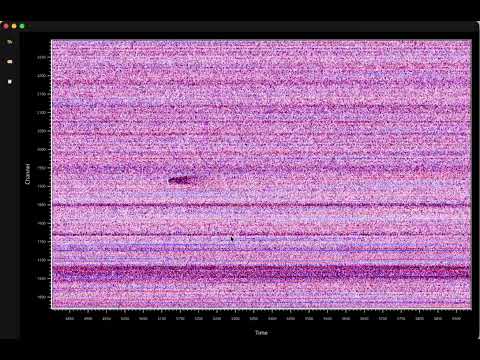
Source Localization Plugins Bilibili backup |
What FiLark Provides
- A Qt + VisPy desktop viewer for large DAS arrays.
- A fixed-size OpenGL ring-buffer renderer for deterministic navigation through long recordings.
- Tape abstractions for H5, NPY, binary files, arrays, and stitched folders.
- Annotation tools for bbox, polyline, and mask labels in time-channel coordinates.
- ROI analysis windows for PSD, STFT, F-K, tau-p, RMS, SVD, cross-correlation, and denoising previews.
- Monitor plugins that connect external algorithms to the viewer and render bbox, polyline, or mask results on the main canvas.
- DSP operators and chunked pipelines that can be used without the GUI.
The documentation describes the complete 0.0.5 release, including the desktop
viewer, annotation workflow, monitor integration, and scripting interfaces.
Installation
Most users should install the desktop viewer profile:
pip install "filark[gui]"
Install the GUI viewer plus PyTorch-backed operators:
pip install "filark[all]"
Install only the core package for server-side I/O, DSP, pipelines, and headless scripting:
pip install filark
Development checkout:
git clone https://github.com/JintaoLee-Roger/filark.git
cd filark
pip install -e ".[all]"
JAX and CuPy are not installed automatically because their wheels are
platform-specific.
Launch The Viewer
From the command line:
filark
filark --theme light
filark --f path/to/data.h5
From Python:
from filark.gui.app import run_app

run_app()
run_app(theme="light")
run_app(source="path/to/data.h5")
With a configuration object:
from filark.gui.app import run_app
from filark.gui.config import GuiConfig

cfg = GuiConfig(
    theme="dark",
    default_buffer_h=2048,
    async_io=True,
)

run_app(cfg=cfg, source="path/to/data.h5")
If PySide6 is missing, the GUI entry points raise a clear install message with
the exact python -m pip install "filark[gui]" command.
FiLark intentionally keeps desktop GUI dependencies in an optional extra even
though the GUI is the main user-facing workflow. Standard Python packaging
handles filark[gui] cleanly, but it does not provide a reliable inverse extra
such as filark[no-gui] when GUI dependencies are part of the default install.
Open Common DAS Sources
from filark.gui.app import run_app
from filark.io.fileset import TapeFileSet
from filark.io.tapeio import BinTape, H5Tape, NpyTape

# HDF5 source.
tape = H5Tape("data/example.h5")
run_app(source=tape)

# NPY file or ndarray.
tape = NpyTape("data/example.npy", dims="nt_nc", fs=1550, dx=5, dx_unit="m")
run_app(source=tape)

# Raw binary source.
tape = BinTape(
    "data/example.dat",
    nt=93000,
    nc=6455,
    dtype="float32",
    dims="nt_nc",
    fs=1550,
    dx=5,
    dx_unit="m",
)
run_app(source=tape)

# Folder stitched as one logical stream.
tape = TapeFileSet("data/DS", suffixes=(".h5", ".hdf5"))
run_app(source=tape)
The GUI (File ▸ Open File… / Open Folder…) can also open .h5, .npy, .dat, .bin, and folders.
When metadata is not recoverable from the file, the GUI asks for layout,
sample rate, channel spacing, dtype, dimensions, and optional gauge length.
Extend The GUI
Most project-specific behavior should be registered through GuiConfig rather
than hard-coded into the application.
from filark.gui.app import run_app
from filark.gui.config import GuiConfig

cfg = GuiConfig(
    loaders=[...],    # custom source loaders
    processors=[...], # ROI processing plugins
    monitors=[...],   # detection / monitoring plugins
    analyses=[...],   # custom analysis windows or matplotlib figures
)

run_app(cfg=cfg)
scripts/source_location_demo.py is a complete example: it registers the same
first-arrival localization algorithm once as a figure plugin and once as a
widget plugin.
python scripts/source_location_demo.py -f path/to/record.h5
For display-side preprocessing, pass transform objects or factories:
import filark.dsp.transforms as T
from filark.gui.app import run_app
from filark.gui.config import GuiConfig

cfg = GuiConfig(
    stream_preprocess=[
        T.DeMeanTime(),
        T.AGCTime(half_window=50),
    ],
)

run_app(cfg=cfg, source="data/example.h5")
Repository Map
filark/io: Tape interfaces, file readers, folder stitching, streaming source adapters.filark/viz: VisPy canvas, ring-buffer image visual, scheduler, camera, annotation overlay visuals.filark/gui: Qt application, panels, controllers, annotation UI, monitor workers, ROI windows, plugin surfaces.filark/dsp: Array-first DSP functions, chunk helpers, object-style transforms, and PyTorch-backed GPU variants.filark/pipeline: Chunked processing execution for large sources.filark/processing: GUI-facing processor plugins and processing helpers.filark/algorithms: Built-in or example detection algorithms.filark/utils: Annotation export/import utilities, coordinates, memory, and timing helpers.scripts: runnable examples, including a realtime monitor demo and a source-location example implemented as analysis plugins.benchmarks: the scripts behind the performance measurements in the paper.docs: the Sphinx documentation site.
Documentation
Build the docs locally:
pip install -r docs/requirements.txt
sphinx-build -b html docs docs/_build/html
Main pages:
docs/getting_started.mddocs/concepts.mddocs/io_loader_guide.mddocs/visualization.mddocs/annotations.mddocs/monitoring.mddocs/dsp_pipeline.mddocs/gui_plugins.md
License
FiLark is released under the MIT License.
1 maintainer

Metadata
1 maintainer
Release files for filark 0.0.5
For a detailed explanation of source distributions (sdists) and built distributions (wheels), please see the package formats documentation.
Source distribution (sdist)
| File | Size | Uploaded | Provenance | Actions |
|---|---|---|---|---|
| filark-0.0.5.tar.gz | 332.4 kB | Without provenance | Details for filark-0.0.5.tar.gz |
Built distribution (wheel)
| File | Interpreter | ABI | Platform | Actions Reset |
|---|---|---|---|---|
| filark-0.0.5-py3-none-any.whl | Python 3 | none | any | Details for filark-0.0.5-py3-none-any.whl |
Total release size: 716.0 kB
Release files / filark-0.0.5.tar.gz
| Download URL | filark-0.0.5.tar.gz |
|---|---|
| Size | 332.4 kB |
| Tags | Source |
|
SHA-256 checksum How to use checksums |
07439218dfe9209f86fd5ce2ec4d00e1569a9d5e021ffae35dbf23523d384cdb
|
|
BLAKE2b-256 checksum How to use checksums |
8f53199d5cee59d9dfc75cb28bb36a34f190acb48b2484455dcd110a26814d9f
|
| Upload date | |
|
Uploaded using Trusted Publishing? What is trusted publishing? |
No |
| Uploaded via |
twine/6.2.0 CPython/3.13.13
|
Release files / filark-0.0.5-py3-none-any.whl
| Download URL | filark-0.0.5-py3-none-any.whl |
|---|---|
| Size | 383.6 kB |
| Tags | Python 3 |
|
SHA-256 checksum How to use checksums |
bfb045c4d90d71c60e8d76e0879353c1859224ed6c593034d62cd9741fa39894
|
|
BLAKE2b-256 checksum How to use checksums |
7a9a21f1525b6d7abd1ad780bbce332dc07ca8ef381b807d2d135e4d53ac59f0
|
| Upload date | |
|
Uploaded using Trusted Publishing? What is trusted publishing? |
No |
| Uploaded via |
twine/6.2.0 CPython/3.13.13
|
Security for filark 0.0.5
Provenance
Provenance describes where a file came from. On PyPI, provenance is shared via attestations, which provide a verifiable record of the build or publishing details. View details, limitations and caveats.
No provenance found
None of the files in this release were uploaded with provenance metadata.
A note on package security
PyPI is a repository for distributing packages, not a service for auditing them. While third-party security researchers and our staff do their best to detect and remove malicious packages, PyPI cannot guarantee the quality, security or suitability of any given package.
To learn more about protecting yourself from malicious actors, visit our package security documentation.














