
A Python CLI tool to sort files by their extension

Project description
🔀 file-ext-sorter



A command-line tool that groups files into folders based on their file extensions.
Organize messy download folders, group media by type, quickly analyze and find files by type or archive project files — all with a single command.
Main Features
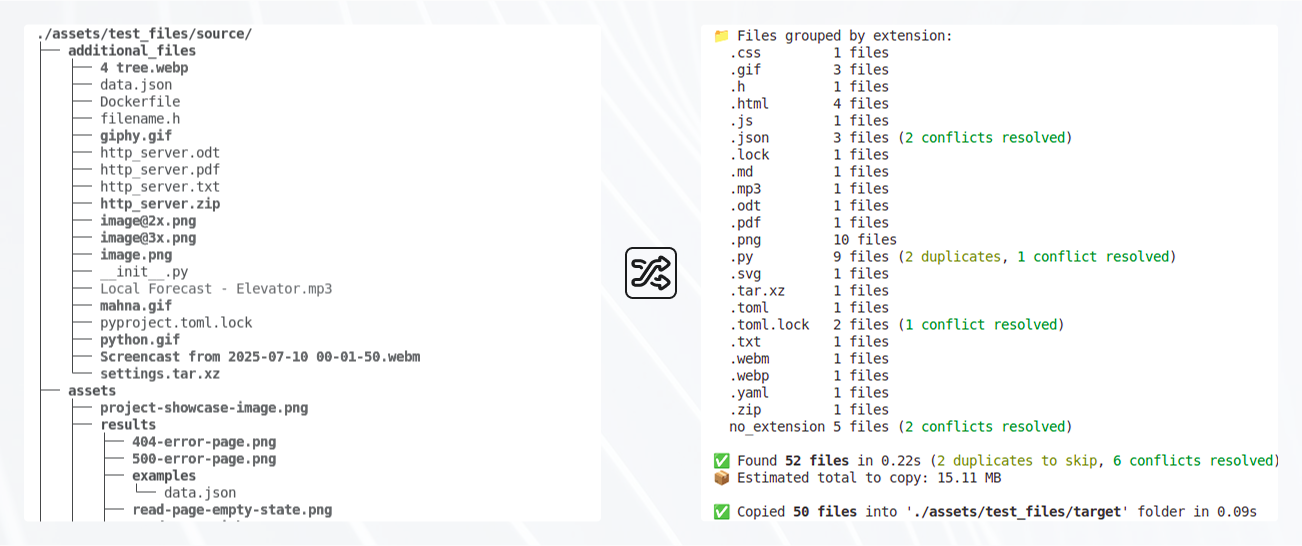
- 🔀 Automatic file grouping by file extensions:
- 🗐 Handles duplicate names and naming conflicts
- 👁️🗨️ Supports dry-run mode for safe preview
- 🚀 Asynchronous performance
- 🎒 Minimal and portable: no databases, no external frameworks
- 🐍 Compatible with Python 3.8-3.14+
- 📦 PyPI: install globally and use as a CLI command
📦 Installation
Requires: Python 3.8+
Dependencies: aiofiles, aioshutil, colorama, tomli
Install from PyPI:
pip install file-ext-sorter
🚀 Usage
file-ext-sorter <source_dir> <output_dir> [--dry-run] [--debug]
Optional flags:
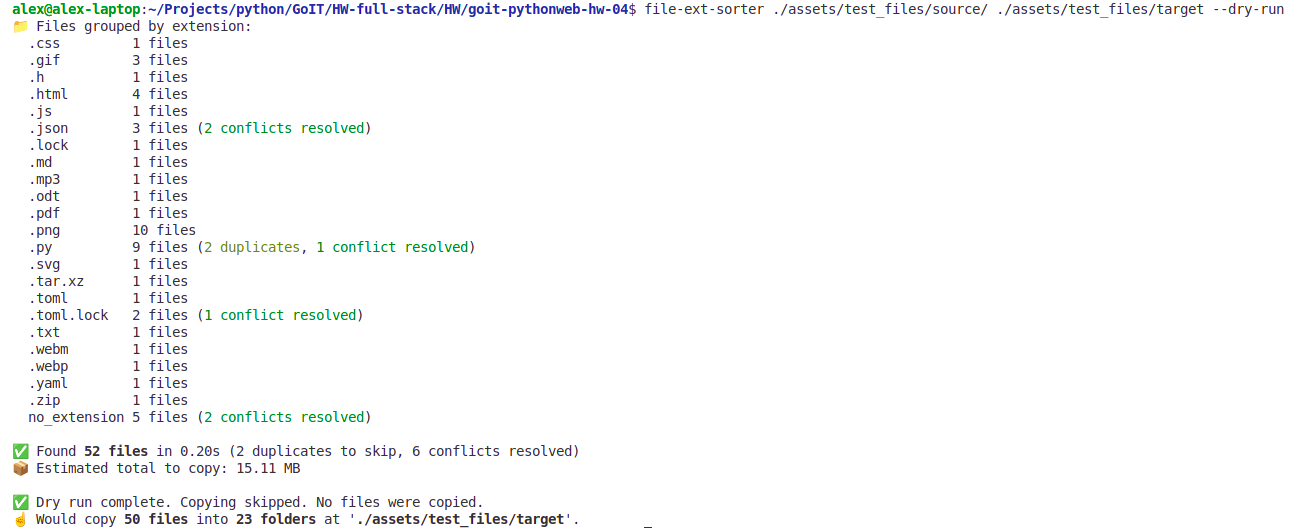
--dry-run: show what would be done without actually copying files--debug: verbose debug output
It will:
- Scan the source folder for all files (recursively).
- Group them into subfolders based on their extensions (e.g.,
.jpg,.mp4,.zip,.etc.) - Copy them into subfolders within the output directory, grouped by extension.
Note: This tool copies files by default to preserve the original source directory. No files are deleted or moved.
💡 Example
Source folder files state:
source/
├── image.png
├── doc.txt
├── archive.zip
└── video.mp4
Use file-ext-sorter tool:
file-ext-sorter ./source ./output
After running file-ext-sorter:
output/
├── png/
│   └── image.png
├── txt/
│   └── doc.txt
├── zip/
│   └── archive.zip
└── mp4/
    └── video.mp4
🆘 Command Help
Run this to see available options:
file-ext-sorter --help
Click to expand help output
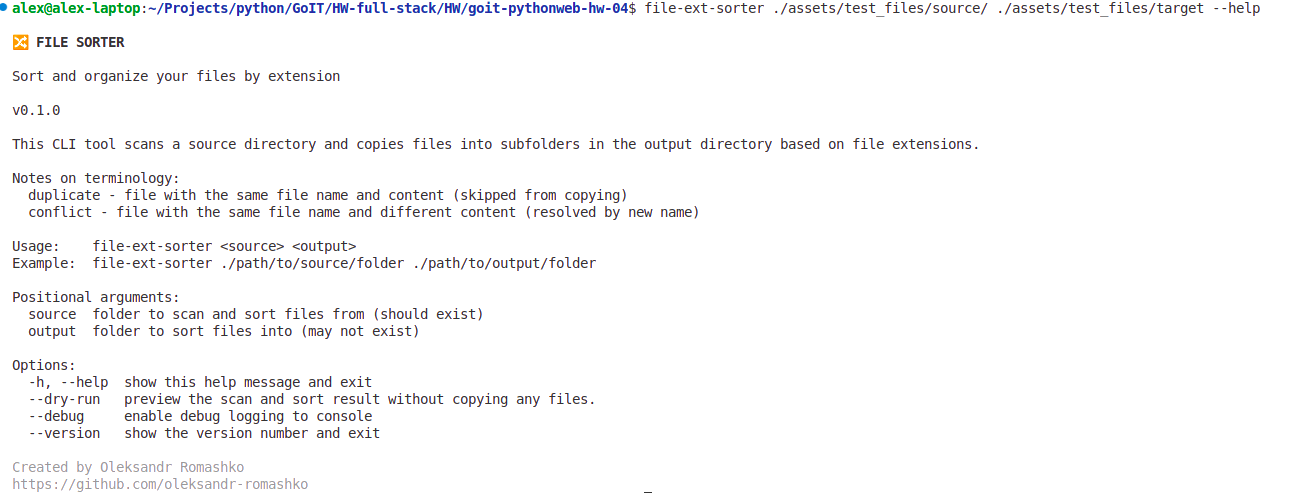
🔀 FILE SORTER

Sort and organize your files by extension

v0.1.0

This CLI tool scans a source directory and copies files into subfolders in the output directory based on file extensions.

Notes on terminology:
  duplicate - file with the same file name and content (skipped from copying)
  conflict - file with the same file name and different content (resolved by new name)

Usage:    file-ext-sorter <source> <output>
Example:  file-ext-sorter ./path/to/source/folder ./path/to/output/folder

Positional arguments:
  source  folder to scan and sort files from (should exist)
  output  folder to sort files into (may not exist)

Options:
  -h, --help  show this help message and exit
  --dry-run   preview the scan and sort result without copying any files.
  --debug     enable debug logging to console
  --version   show the version number and exit
❌ Uninstall
To remove the tool from your system:
pip uninstall file-ext-sorter
📷 App Screenshots
1. Help menu (--help)
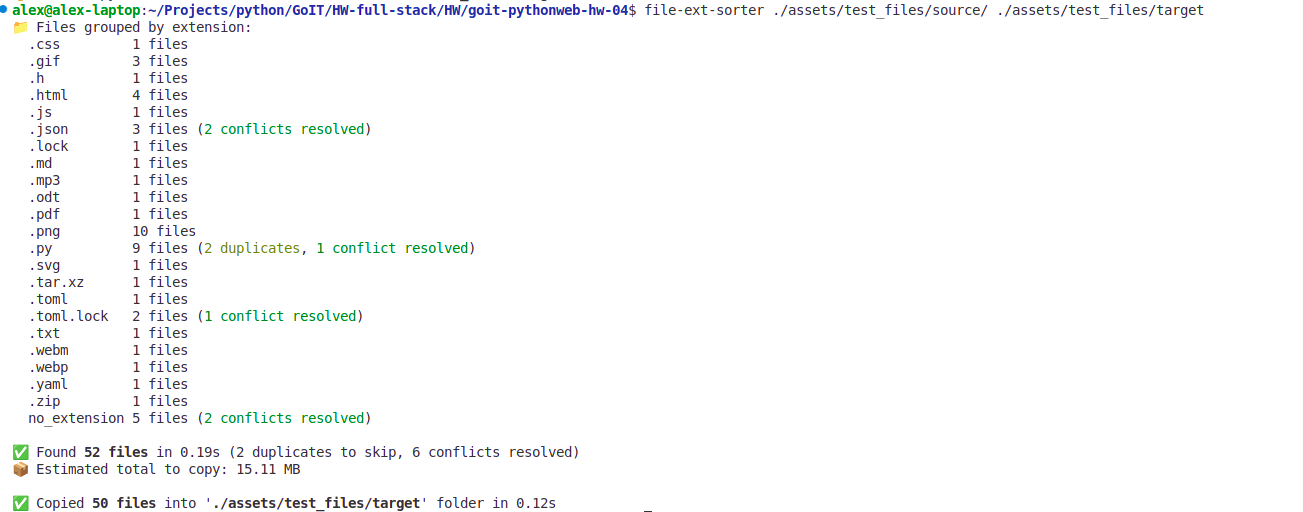
2. Run on sample files
3. Dry-run mode (preview the scan and sort result without actual files copying)
🐛 Report Issues
Found a bug or want to request a feature?
Please visit the GitHub Issues page.
💡 Contributing
Ideas, bugs, or feature requests? Pull requests are welcome! For major changes, please open an issue first to discuss what you'd like to change.
⚖️ License
MIT — see LICENSE.
🙏 Acknowledgements
Special thanks to the following open-source libraries:
Release history Release notifications | RSS feed

Download files
Download the file for your platform. If you're not sure which to choose, learn more about installing packages.
Source Distribution
Built Distribution
Filter files by name, interpreter, ABI, and platform.
If you're not sure about the file name format, learn more about wheel file names.
Copy a direct link to the current filters
File details
Details for the file file_ext_sorter-0.1.0.tar.gz.
File metadata
- Download URL: file_ext_sorter-0.1.0.tar.gz
- Upload date:
- Size: 18.2 kB
- Tags: Source
- Uploaded using Trusted Publishing? No
- Uploaded via: twine/6.1.0 CPython/3.8.20
File hashes
| Algorithm | Hash digest | |
|---|---|---|
| SHA256 |
bb800851f5e33714a9bdcaeb9b76ae94b9d8ed98b3a2cd57821d671eafd7c8c5
|
|
| MD5 |
f98f7d038ecd2d1850c10ca448126a7c
|
|
| BLAKE2b-256 |
59df00a775dd5e887279ca0c23234d148b5afe0c17709dca82a3097bd508a673
|
File details
Details for the file file_ext_sorter-0.1.0-py3-none-any.whl.
File metadata
- Download URL: file_ext_sorter-0.1.0-py3-none-any.whl
- Upload date:
- Size: 22.8 kB
- Tags: Python 3
- Uploaded using Trusted Publishing? No
- Uploaded via: twine/6.1.0 CPython/3.8.20
File hashes
| Algorithm | Hash digest | |
|---|---|---|
| SHA256 |
6390a1fd94219981c4a695304eb82a015974813cf37a4ae14b0c33c38fbee7a0
|
|
| MD5 |
0e2623cb27252468fe69ad748a793326
|
|
| BLAKE2b-256 |
f0d11b2c92bb0bc78130e058c16ec807c5b48ee717b64bb0f15a9048171dafa7
|






