










Friday, 4 PM. A client asks for "just one more field" on the detail layout. You know the drill: define the field, copy the label, nudge every object below it, stretch the part… then do it all again on the next layout.
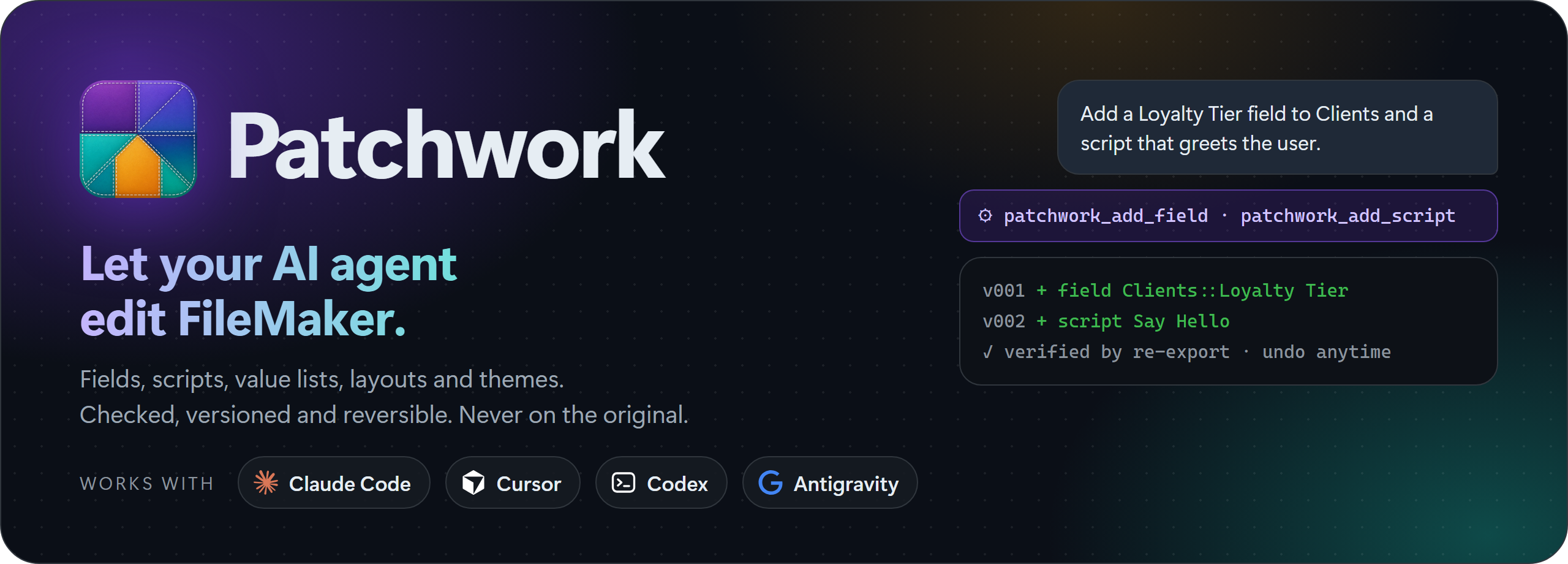
Patchwork lets your AI agent do those clicks for you. Just ask, in your own words, the way you would ask a colleague. Your agent adds the field and places it right where you said, writes scripts, creates value lists and restyles layouts, in a real
.fmp12file. Every change is checked, every change can be undone, and your original file is never touched.
Free and open source. Works with Claude Code, Cursor, Codex and Antigravity.
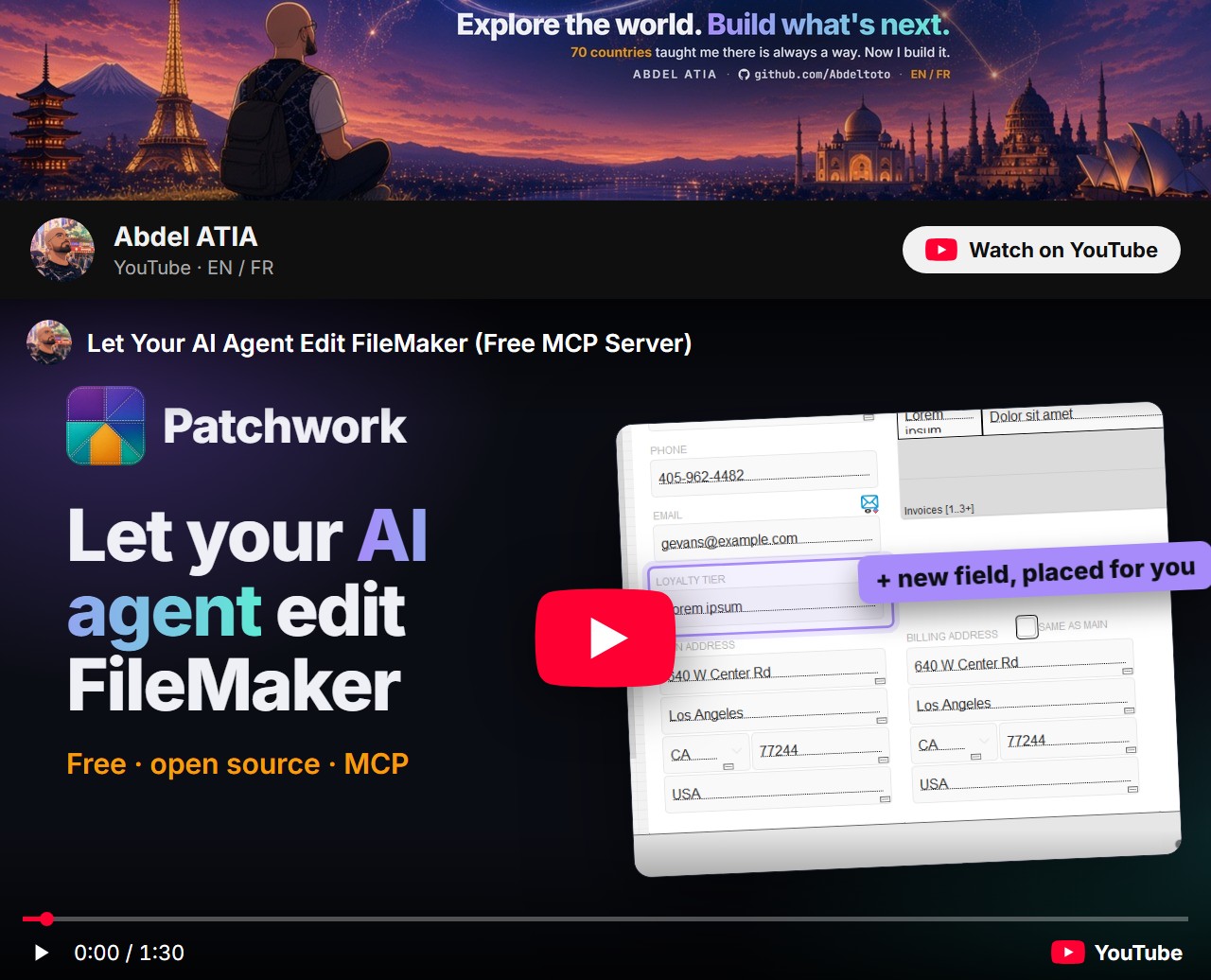
▶ Watch the 90-second intro on YouTube · Version française
Quick start
Three commands, then you just talk to your agent.
pip install filemaker-patchwork
patchwork doctor          # finds the Claris command-line tools
patchwork init .          # wires this folder for Claude Code, Cursor, Codex and Antigravity
No install with uv: uvx filemaker-patchwork doctor, and uvx filemaker-patchwork mcp as the MCP server command.
Then ask your agent: "Open Invoice.fmp12 and add a Status field to Clients." That's it.
Good to know
- It changes structure, not records. Fields, scripts, layouts, value lists, themes. For your data, use the Data API or OData.
- It works on closed files, not hosted ones. Edit a copy, test it, then deploy it as you usually do.
- It needs the Claris command-line tools (FMUpgradeTool and FMDeveloperTool). They come with the FileMaker Server installer, the free trial works, and no server has to run: install the Claris tools. Patchwork itself has no other dependency.
See it in action
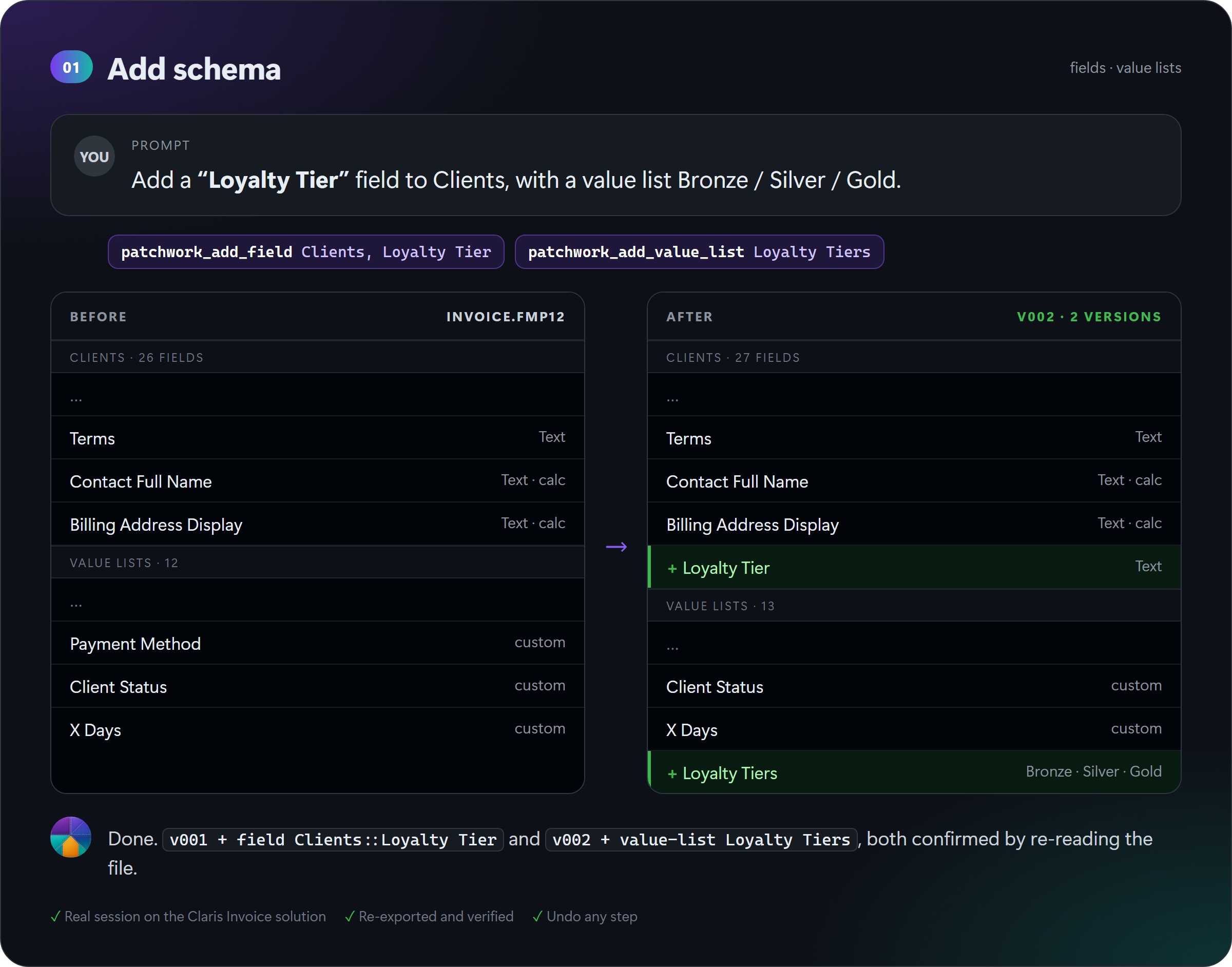
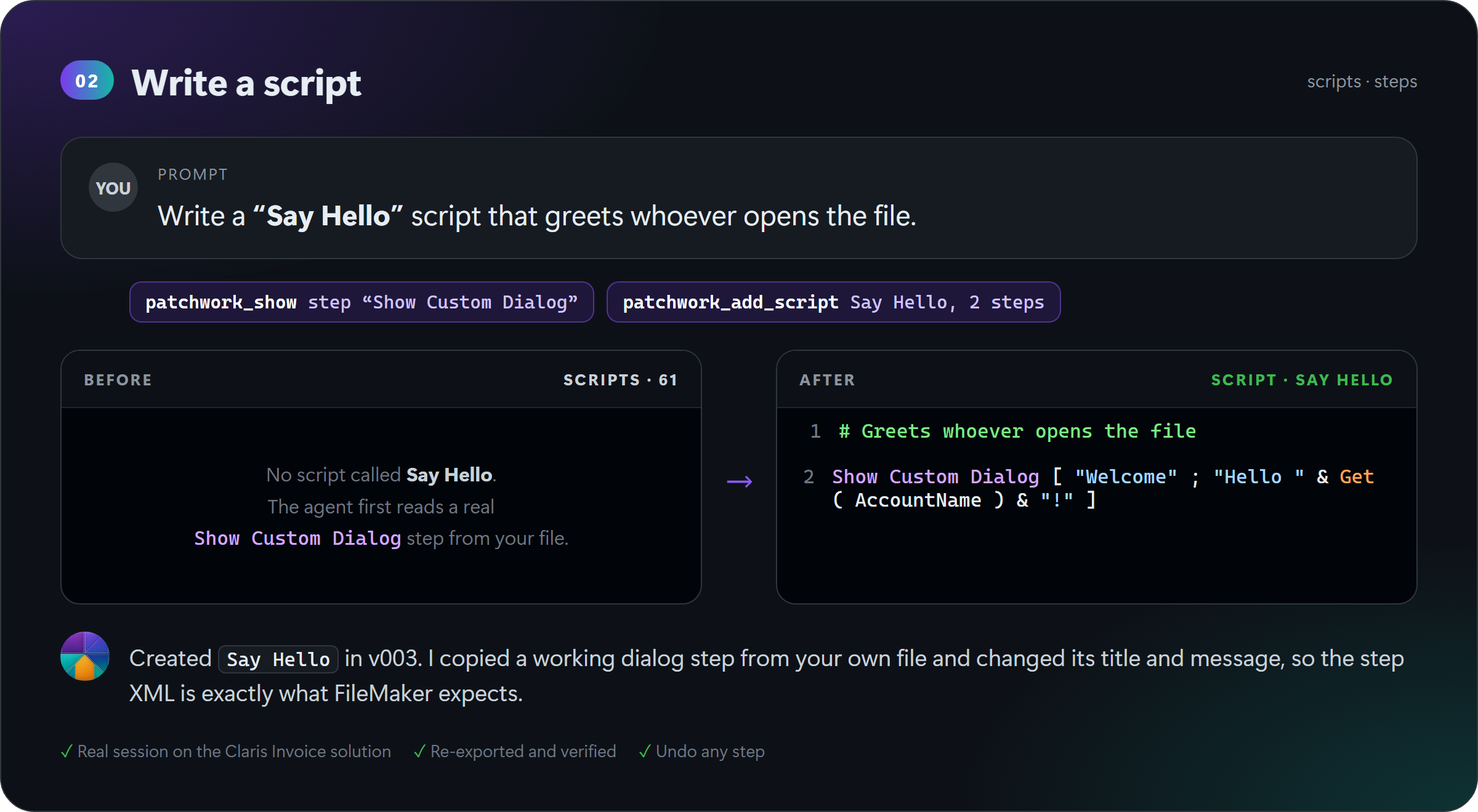
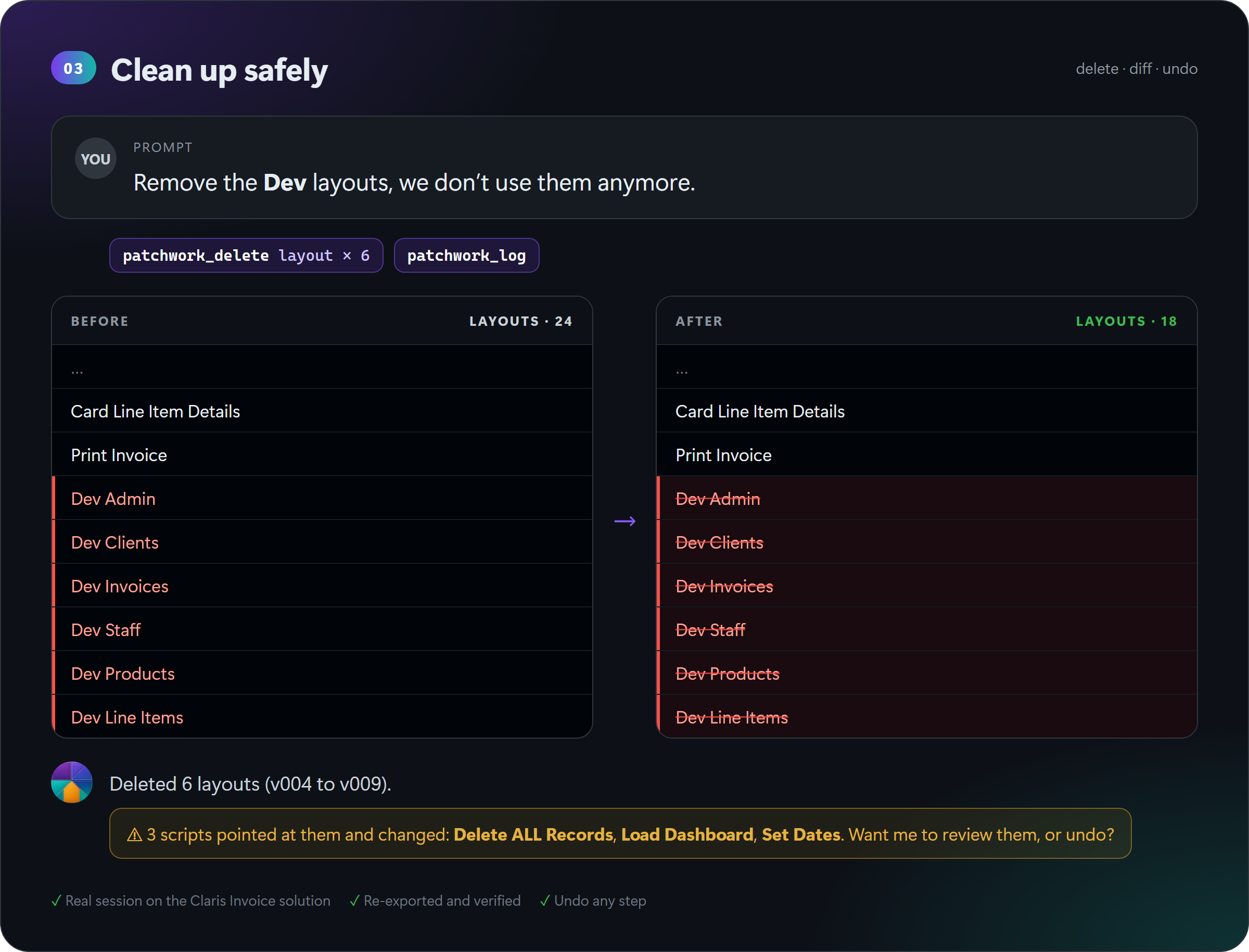
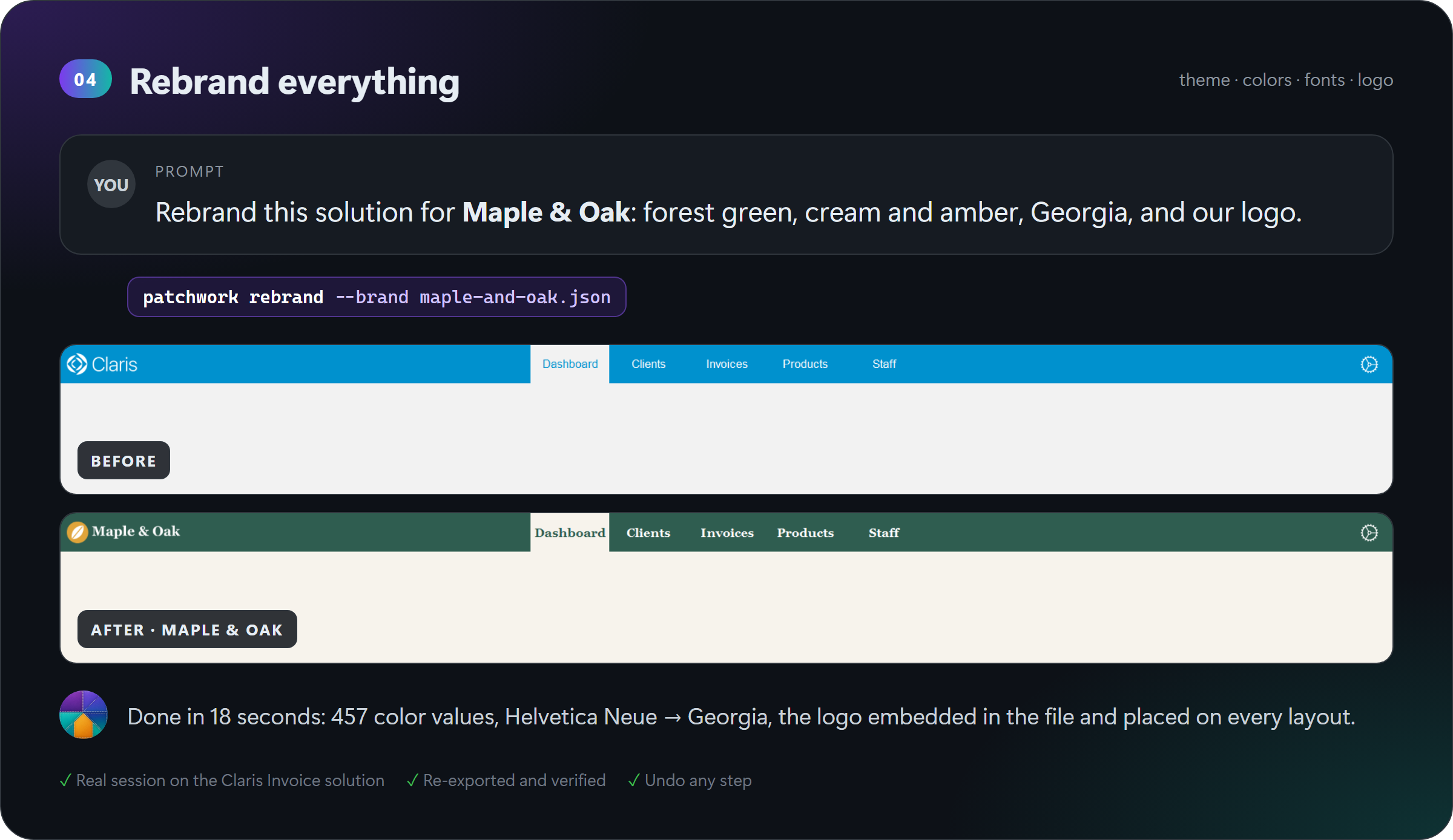
Four real sessions on the free Claris Invoice solution. For each one: what was asked, what the agent did, and the file before and after. No mockups.
How it works
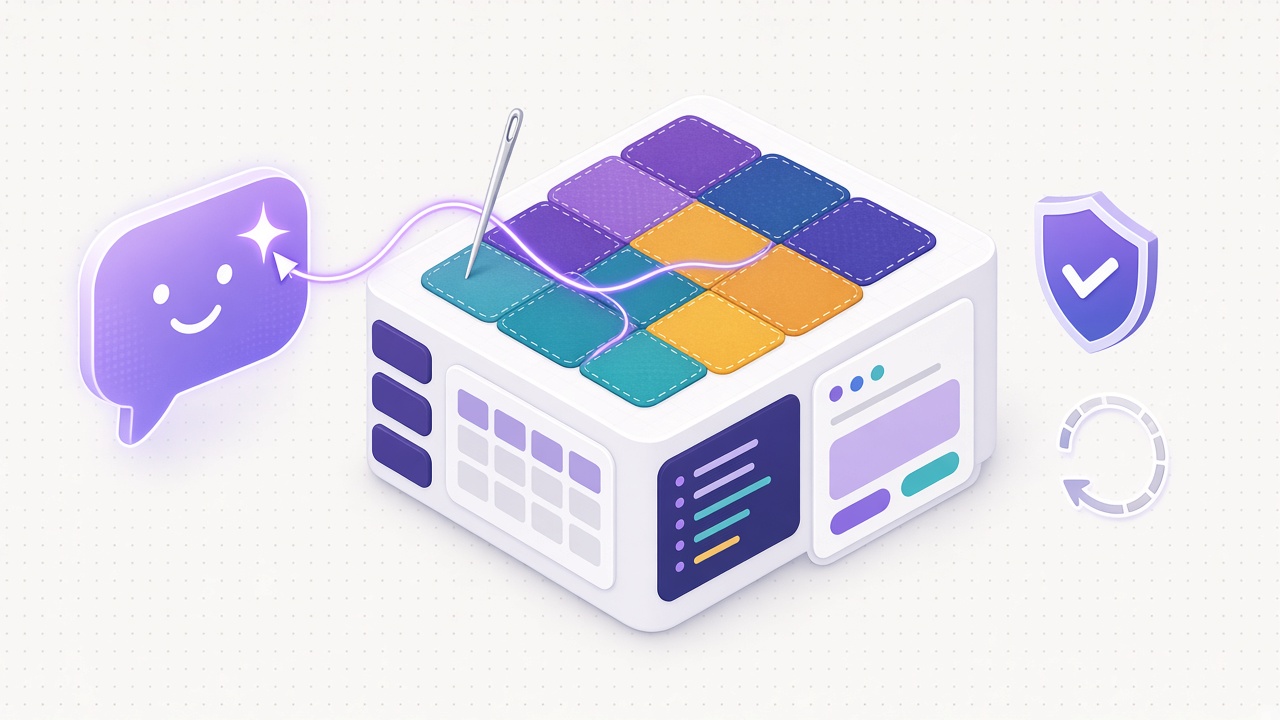
Why can't your agent just do this on its own? A FileMaker file is a binary file, and its structure hides behind dialogs an agent cannot click. Claris does ship a command-line way in, FMUpgradeTool, but it is picky: every object is addressed by a UUID, and a patch that is slightly wrong is silently skipped, while the tool still prints Patch File Applied.
Patchwork is the careful assistant in between:
| 🧵 Writes the patch | Reads the file's XML export and builds a patch with the right UUIDs, ids and catalog structure, so your agent doesn't have to |
| 🔍 Checks the result | Re-exports the file after every change and compares it with the previous version. If FileMaker skipped something, the change is refused, not silently lost |
| 🧭 Warns before breaking | Before a delete, it lists the scripts, layouts and calculations that use the object, and waits for your OK |
| 🕐 Keeps every version | Each change is a numbered version with its diff. Changed your mind? undo always works |
| 🔒 Protects the original | Everything happens on a working copy. save writes a new file and never overwrites yours |
More in how it works.
Connect your agent
One command sets everything up. Run patchwork init . in your project folder, new or existing: it adds the rules, the skills and the MCP configuration for every agent, and keeps the files you already have.
| Agent | Configuration written by init |
Then |
|---|---|---|
 Claude Code |
.mcp.json · CLAUDE.md · .claude/skills/ |
Run claude in the folder and approve patchwork |
 Cursor |
.cursor/mcp.json · .cursor/skills/ |
Enable patchwork in Settings › MCP |
| ⌨️ Codex | .codex/config.toml · AGENTS.md · .agents/skills/ |
Trust the project when Codex asks |
 Antigravity |
.agents/mcp_config.json · AGENTS.md · .agents/skills/ |
Open the folder as a workspace |
Every agent gets the same 21 tools through patchwork mcp, a stdio MCP server. Your file's password stays yours: set it once in your shell with PATCHWORK_PASSWORD, and agents never see it. Manual setup and the full tool list: AI agents.
What it can change
Fields, plain-text scripts, value lists, colors and fonts, even a full rebrand. Every operation below was tried on real files and confirmed by re-exporting them.
| Add | Edit | Delete | |
|---|---|---|---|
| Fields · text, number, date, time, timestamp, container, calculation, global | ✅ | ✅ | |
| Scripts, read and written as FileMaker text | ✅ | ✅ | ✅ |
| Value lists | ✅ | ✅ | ✅ |
| Custom functions | ✅ | ✅ | ✅ |
| Layouts · place a field with its label, whole layout, colors, fonts, swap a field | ✅ field | ✅ | ✅ |
| Themes · colors, fonts, name | ✅ | ||
| Tables, table occurrences | 👁 read |
What FMUpgradeTool cannot do (record data, a brand-new theme, a single layout object on its own) is listed in the field guide.
Use it without an agent
Prefer the terminal? Everything the agent does is a plain command you can run yourself:
patchwork open "Invoice.fmp12" --account Admin     # working copy, version v000
patchwork add-field Clients "Loyalty Tier"
patchwork add-value-list "Loyalty Tiers" Bronze Silver Gold
patchwork log                                       # every version and what changed
patchwork undo
patchwork save "Invoice v2.fmp12"
All commands
| Command | What it does |
|---|---|
open SRC --account NAME |
Starts a working copy in .patchwork/ (version v000). The source is never modified |
status, log |
Current version, and every version with what changed |
ls [KIND] [TABLE] |
Lists layouts, scripts, value lists, custom functions, themes, tables, fields |
show KIND NAME |
Prints a script as FileMaker text (--xml for XML), anything else as XML. show step NAME prints a real example of a step |
add-field TABLE NAME |
Adds a field: --type, --calc, --global, --image logo.png |
add-value-list NAME VALUES... |
Adds a custom value list |
add-custom-function NAME --calc |
Adds a custom function, with --param |
add-script NAME STEPS.txt |
Creates a script from FileMaker script text (or <Step> XML) |
set-steps, append-steps |
Rewrites a script with edited text from show, or adds steps at the end |
place-field LAYOUT TO::FIELD --near FIELD |
Puts a field on a layout below another one, with a copy of its look and label. --side right, --label |
replace KIND NAME FILE.xml |
Replaces an object with your edited version of show |
uses KIND NAME |
Lists what references an object, and where its name appears in calculations |
delete KIND NAME |
Deletes a script, layout, value list, custom function or field. Refused while other objects reference it, unless --force |
retheme, recolor-layouts |
Rewrites colors and fonts of a theme, or of the layouts' local styles |
push PATCH.xml |
Applies a hand-written FMUpgradeTool patch, with the same checks |
undo |
Drops the last version |
save DEST |
Writes the current version to a new .fmp12 |
rebrand SRC DEST --brand brand.json |
One shot: colors, fonts, logo and theme name on a whole solution |
mcp |
The MCP server for agents |
init DIR |
Wires a folder for Claude Code, Cursor, Codex and Antigravity |
doctor |
Shows which Claris tools Patchwork found |
Every editing command takes -m "note" for the log and --dry-run to write the patch without applying it. More in examples and recipes.
The FMUpgradeTool field guide
The field guide collects every trap FMUpgradeTool sets without telling you, found the hard way on real files. Useful even if you never use Patchwork. A taste:
- without
--generateGUIDs, theme and field patches are skipped; - a layout's UUID is not the first
<UUID>inside it; - replacing one layout object is skipped, replacing the whole layout works;
- deleting a script step needs a
ScriptReferenceinside eachScriptStepReference.
Found another one? Add it.
FAQ
Does it work on hosted files?
It works on closed
.fmp12 files on disk. Take a copy of the hosted file, edit it, test it, then deploy it as you usually do, or move the data with the Claris Data Migration Tool.
Can the agent change records?
No, FMUpgradeTool changes structure only. For records, use the Data API or OData. The
fm-data skill explains how.
Which FileMaker versions?
Developed and verified with FileMaker 2026 (26.0.3). Earlier versions that ship FMUpgradeTool and
FMDeveloperTool --saveAsXML should work but are untested. A report either way is very welcome.
macOS and Linux?
Wherever the Claris tools run. CI runs on Windows, macOS and Linux.
Is my password safe with an agent?
Yes. It is read from the
PATCHWORK_PASSWORD environment variable, passed to the Claris tools, and printed as ***. It is never written in a configuration file or shown to the agent.
Contributing
Found a new FMUpgradeTool trap, wrote a recipe, or want a new operation? Everything is welcome: start with CONTRIBUTING.md. And if Patchwork gives you your Friday afternoon back, a ⭐ helps other FileMaker developers find it.
License
MIT. Patchwork is a community project, not affiliated with or endorsed by Claris International Inc. FileMaker and Claris are trademarks of Claris International Inc. Other product names and logos belong to their owners.
1 maintainer

Metadata
1 maintainer
Release files for filemaker-patchwork 0.1.0
For a detailed explanation of source distributions (sdists) and built distributions (wheels), please see the package formats documentation.
Source distribution (sdist)
| File | Size | Uploaded | Provenance | Actions |
|---|---|---|---|---|
| filemaker_patchwork-0.1.0.tar.gz | 63.2 kB | With provenance | Details for filemaker_patchwork-0.1.0.tar.gz |
Built distribution (wheel)
| File | Interpreter | ABI | Platform | Actions Reset |
|---|---|---|---|---|
| filemaker_patchwork-0.1.0-py3-none-any.whl | Python 3 | none | any | Details for filemaker_patchwork-0.1.0-py3-none-any.whl |
Total release size: 122.4 kB
Release files / filemaker_patchwork-0.1.0.tar.gz
| Download URL | filemaker_patchwork-0.1.0.tar.gz |
|---|---|
| Size | 63.2 kB |
| Tags | Source |
|
SHA-256 checksum How to use checksums |
74ccc642f94b6a5d480b7784e4785cecabf5798182802b85447ce6059fd81022
|
|
BLAKE2b-256 checksum How to use checksums |
9ef46e88b5dbfb4e488f2c9b3e8998a69deaa4293ac0f9adfb95c2d0bfbc72db
|
| Upload date | |
|
Uploaded using Trusted Publishing? What is trusted publishing? |
Yes |
| Uploaded via |
twine/7.0.0 CPython/3.13.16
|
Provenance
Provenance describes where a file came from. On PyPI, provenance is shared via attestations, which provide a verifiable record of the build or publishing details. View details, limitations and caveats.


PyPI Publish Attestation
PyPI verified that this artifact, at this checksum, originated from the publisher listed below.
Signed by GitHub Actions, verified by PyPI on Nov 10, 2026.
Transparency logRelease files / filemaker_patchwork-0.1.0-py3-none-any.whl
| Download URL | filemaker_patchwork-0.1.0-py3-none-any.whl |
|---|---|
| Size | 59.2 kB |
| Tags | Python 3 |
|
SHA-256 checksum How to use checksums |
57d660d7310983732e004f4db7f9f45dac6e9f0ba1e8c919f666c9a23cf8c089
|
|
BLAKE2b-256 checksum How to use checksums |
708148945bb64411fb35756178b4e3d41aa618e5e17a89de217fa71748c6d7a1
|
| Upload date | |
|
Uploaded using Trusted Publishing? What is trusted publishing? |
Yes |
| Uploaded via |
twine/7.0.0 CPython/3.13.16
|
Provenance
Provenance describes where a file came from. On PyPI, provenance is shared via attestations, which provide a verifiable record of the build or publishing details. View details, limitations and caveats.
PyPI Publish Attestation
PyPI verified that this artifact, at this checksum, originated from the publisher listed below.
Signed by GitHub Actions, verified by PyPI on Nov 10, 2026.
Transparency logSecurity for filemaker-patchwork 0.1.0
Provenance
Provenance describes where a file came from. On PyPI, provenance is shared via attestations, which provide a verifiable record of the build or publishing details. View details, limitations and caveats.
Full provenance
Both files in this release have been uploaded with provenance metadata.
Attestation for filemaker_patchwork-0.1.0.tar.gz
PyPI Publish Attestation
PyPI verified that this artifact, at this checksum, originated from the publisher listed below.
Signed by GitHub Actions, verified by PyPI on Nov 10, 2026.
Transparency logA note on package security
PyPI is a repository for distributing packages, not a service for auditing them. While third-party security researchers and our staff do their best to detect and remove malicious packages, PyPI cannot guarantee the quality, security or suitability of any given package.
To learn more about protecting yourself from malicious actors, visit our package security documentation.













