

A PyTorch Lightning extension that enhances model experimentation with flexible fine-tuning schedules.
Docs • Setup • Examples • Community






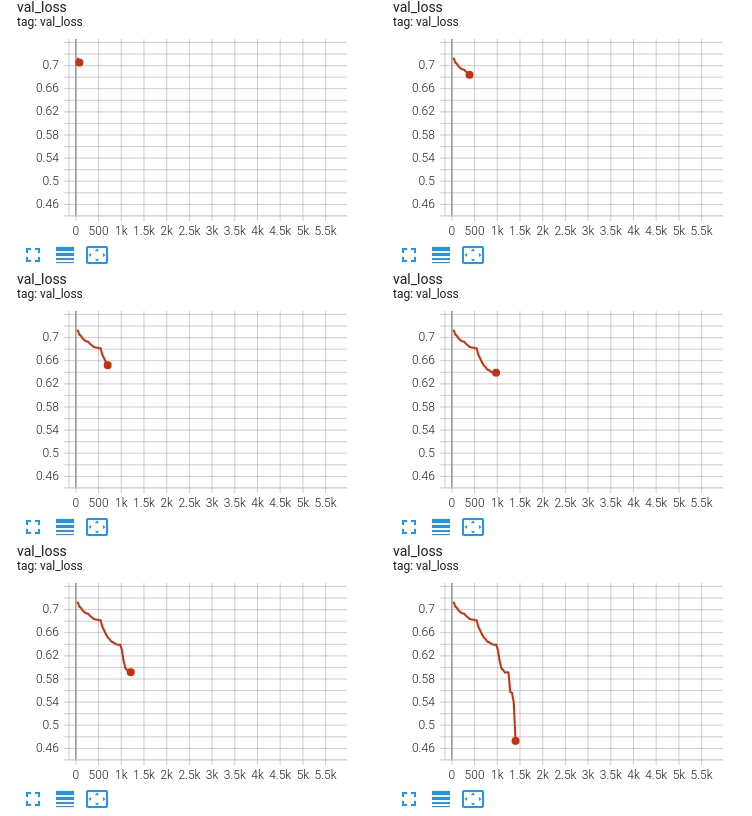
FinetuningScheduler is simple to use yet powerful, offering a number of features that facilitate model research and exploration:
- easy specification of flexible fine-tuning schedules with explicit or regex-based parameter selection
- implicit schedules for initial/naive model exploration
- explicit schedules for performance tuning, fine-grained behavioral experimentation and computational efficiency
- automatic restoration of best per-phase checkpoints driven by iterative application of early-stopping criteria to each fine-tuning phase
- composition of early-stopping and manually-set epoch-driven fine-tuning phase transitions
Setup
Step 0: Install from PyPI
Starting with version 2.10, uv is the preferred installation approach for Fine-Tuning Scheduler.
# Install uv if you haven't already (one-time setup)
curl -LsSf https://astral.sh/uv/install.sh | sh

# Install Fine-Tuning Scheduler
uv pip install finetuning-scheduler
Step 1: Import the FinetuningScheduler callback and start fine-tuning!
import lightning as L
from finetuning_scheduler import FinetuningScheduler

trainer = L.Trainer(callbacks=[FinetuningScheduler()])
Get started by following the Fine-Tuning Scheduler introduction which includes a CLI-based example or by following the notebook-based Fine-Tuning Scheduler tutorial.
Installation Using the Standalone pytorch-lightning Package
applicable to versions >= 2.0.0
Now that the core Lightning package is lightning rather than pytorch-lightning, Fine-Tuning Scheduler (FTS) by default depends upon the lightning package rather than the standalone pytorch-lightning. If you would like to continue to use FTS with the standalone pytorch-lightning package instead, you can still do so as follows:
Install a given FTS release (for example v2.0.0) using standalone pytorch-lightning:
export FTS_VERSION=2.0.0
export PACKAGE_NAME=pytorch
wget https://github.com/speediedan/finetuning-scheduler/releases/download/v${FTS_VERSION}/finetuning-scheduler-${FTS_VERSION}.tar.gz
uv pip install finetuning-scheduler-${FTS_VERSION}.tar.gz
Dynamic Versioning
FTS (as of version 2.6.0) now enables dynamic versioning both at installation time and via CLI post-installation. Initially, the dynamic versioning system allows toggling between Lightning unified and standalone imports. The two conversion operations are individually idempotent and mutually reversible.
Toggling Between Unified and Standalone Lightning Imports
FTS provides a simple CLI tool to easily toggle between unified and standalone import installation versions post-installation:
# Toggle from unified to standalone Lightning imports
toggle-lightning-mode --mode standalone

# Toggle from standalone to unified Lightning imports (default)
toggle-lightning-mode --mode unified
Note: If you have the standalone package (
pytorch-lightning) installed but not the unified package (lightning), toggling to unified mode will be prevented. You must install thelightningpackage first before toggling.
This can be useful when:
- You need to adapt existing code to work with a different Lightning package
- You're switching between projects using different Lightning import styles
- You want to test compatibility with both import styles
Examples
Scheduled Fine-Tuning For SuperGLUE
- Notebook-based Tutorial
- CLI-based Tutorial
- FSDP Scheduled Fine-Tuning
- LR Scheduler Reinitialization (advanced)
- Optimizer Reinitialization (advanced)
Continuous Integration
Fine-Tuning Scheduler is rigorously tested across multiple CPUs, GPUs and against major Python and PyTorch versions.
Versioning Policy: Fine-Tuning Scheduler minor releases are aligned with core PyTorch minor releases rather than Lightning releases. This approach:
- Provides greater flexibility to integrate the latest PyTorch functionality increasingly important in research
- Reduces maintenance burden while continuing to support the stable Lightning API and robust integration
- Officially supports at least the latest 4 PyTorch minor releases (e.g., when PyTorch 2.13 is released, FTS supports >= 2.10)
This versioning approach is motivated by Lightning's evolving release cadence (see Lightning Issue #21073 and PR #21107) and allows FTS to adopt new PyTorch capabilities more rapidly while maintaining clear deprecation policies.
See the versioning documentation for complete details on compatibility policies and migration guidance.
Current build statuses for Fine-Tuning Scheduler
| System / (PyTorch/Python ver) | 2.7.0/3.10 | 2.13.0/3.10, 2.13.0/3.13 |
|---|---|---|
| Linux [GPUs**] | - |  |
| Linux (Ubuntu 22.04) |  |
|
| OSX (14) | |
|
| Windows (2022) | |
|
- The left column is the oldest supported PyTorch version, the right column the latest tested. PyTorch
2.7.0is only exercised with Python3.10;2.13.0is exercised with both3.10and3.13. - All GitHub Actions legs above are CPU-only (no CUDA).
- ** Multi-GPU tests run on Azure Pipelines against PyTorch
2.13.0/ CUDA13.0(toolkit13.0.3) / Python3.13, on one RTX 4090 and one RTX 2070 SUPER.
Community
Fine-Tuning Scheduler is developed and maintained by the community in close communication with the Lightning team. Thanks to everyone in the community for their tireless effort building and improving the immensely useful core Lightning project.
PR's welcome! Please see the contributing guidelines (which are essentially the same as Lightning's).
Citing Fine-Tuning Scheduler
Please cite:
@misc{Dan_Dale_2022_6463952,
    author       = {Dan Dale},
    title        = {{Fine-Tuning Scheduler}},
    month        = Feb,
    year         = 2022,
    doi          = {10.5281/zenodo.6463952},
    publisher    = {Zenodo},
    url          = {https://zenodo.org/record/6463952}
    }
Feel free to star the repo as well if you find it useful or interesting. Thanks 😊!
1 maintainer

Release files for finetuning-scheduler 2.13.0
For a detailed explanation of source distributions (sdists) and built distributions (wheels), please see the package formats documentation.
Source distribution (sdist)
| File | Size | Uploaded | |
|---|---|---|---|
| finetuning_scheduler-2.13.0.tar.gz | 135.2 kB | Details |
Built distribution (wheel)
| File | Interpreter | ABI | Platform | Reset |
|---|---|---|---|---|
| finetuning_scheduler-2.13.0-py3-none-any.whl | Python 3 | none | any | Details |
Total release size: 271.7 kB
Release files / finetuning_scheduler-2.13.0.tar.gz
| Download URL | finetuning_scheduler-2.13.0.tar.gz |
|---|---|
| Size | 135.2 kB |
| Tags | Source |
|
SHA-256 checksum How to use checksums |
82acd057ca115a0c2a0ed94ba96367cacd4a341eb4e87e477e8dc739e9e04c56
|
|
BLAKE2b-256 checksum How to use checksums |
6c75ec9b74ce566de399aef0fb6f68a294d1eaae6635ae6988f78b478f545fcf
|
| Upload date | |
|
Uploaded using Trusted Publishing? What is trusted publishing? |
Yes |
| Uploaded via |
twine/6.1.0 CPython/3.13.7
|
Provenance
Provenance describes where a file came from. On PyPI, provenance is shared via attestations, which provide a verifiable record of the build or publishing details. View details, limitations and caveats.


PyPI Publish Attestation
PyPI verified that this artifact, at this checksum, originated from the publisher listed below.
Signed by GitHub Actions, verified by PyPI on Jul 26, 2026.
Transparency logRelease files / finetuning_scheduler-2.13.0-py3-none-any.whl
| Download URL | finetuning_scheduler-2.13.0-py3-none-any.whl |
|---|---|
| Size | 136.6 kB |
| Tags | Python 3 |
|
SHA-256 checksum How to use checksums |
bb651ce996466ba21f4230d467862dc1a3e3e928e701154a782b50996f61987d
|
|
BLAKE2b-256 checksum How to use checksums |
5b8938dfafc72a7f67668fa1e5872ffe5b19fcaa4455740b15ba603bce707ce6
|
| Upload date | |
|
Uploaded using Trusted Publishing? What is trusted publishing? |
Yes |
| Uploaded via |
twine/6.1.0 CPython/3.13.7
|
Provenance
Provenance describes where a file came from. On PyPI, provenance is shared via attestations, which provide a verifiable record of the build or publishing details. View details, limitations and caveats.
PyPI Publish Attestation
PyPI verified that this artifact, at this checksum, originated from the publisher listed below.
Signed by GitHub Actions, verified by PyPI on Jul 26, 2026.
Transparency log













