
Zebrafish Tail Animator





Python toolbox to transform zebrafish tracking data to tail animations
Description
zf_animator is a Python package used to create visualisation of how swimming data looks from high-speed tracking data.
The typical data used should be the tail angle along segments of the tail.
The package will convert these tail angles to x- y- coordinates, and interpolate many more points along the range of tracked tail segments.
These sets of coordinates will then transform slices of the zebrafish image, producing a stack of .png files that can be rendered into a mp4 file.
Animations of the larval zebrafish postures are warped using a piece wise affine transformation using the interpolated x-y coordinates.
Package installation
This package can be installed via pip
pip install fish-simulator
Alternatively, you can download and locally install the package.
cd path/to/save/package
git clone clone-latest-tag git@github.com:ThomasMullen/fish_simulator.git
cd ./fish_simulator
python -m build
# go to working project
cd path/to/work/project
# acivate venv
source my_virtual_env/bin/activate
pip install -e path/to/save/package
Requires ffmpeg
Installation instructions
To convert the .png files to an .mp4 animation requires ffmpeg to be installed on the running computer.
This can be install in Ubuntu in the terminal:
sudo apt install ffmpeg
Or with OS X can be installed:
brew install ffmpeg
Check it is installed by running which ffmpeg in the terminal. More details can be found here.
Dependencies
Default Fish animation
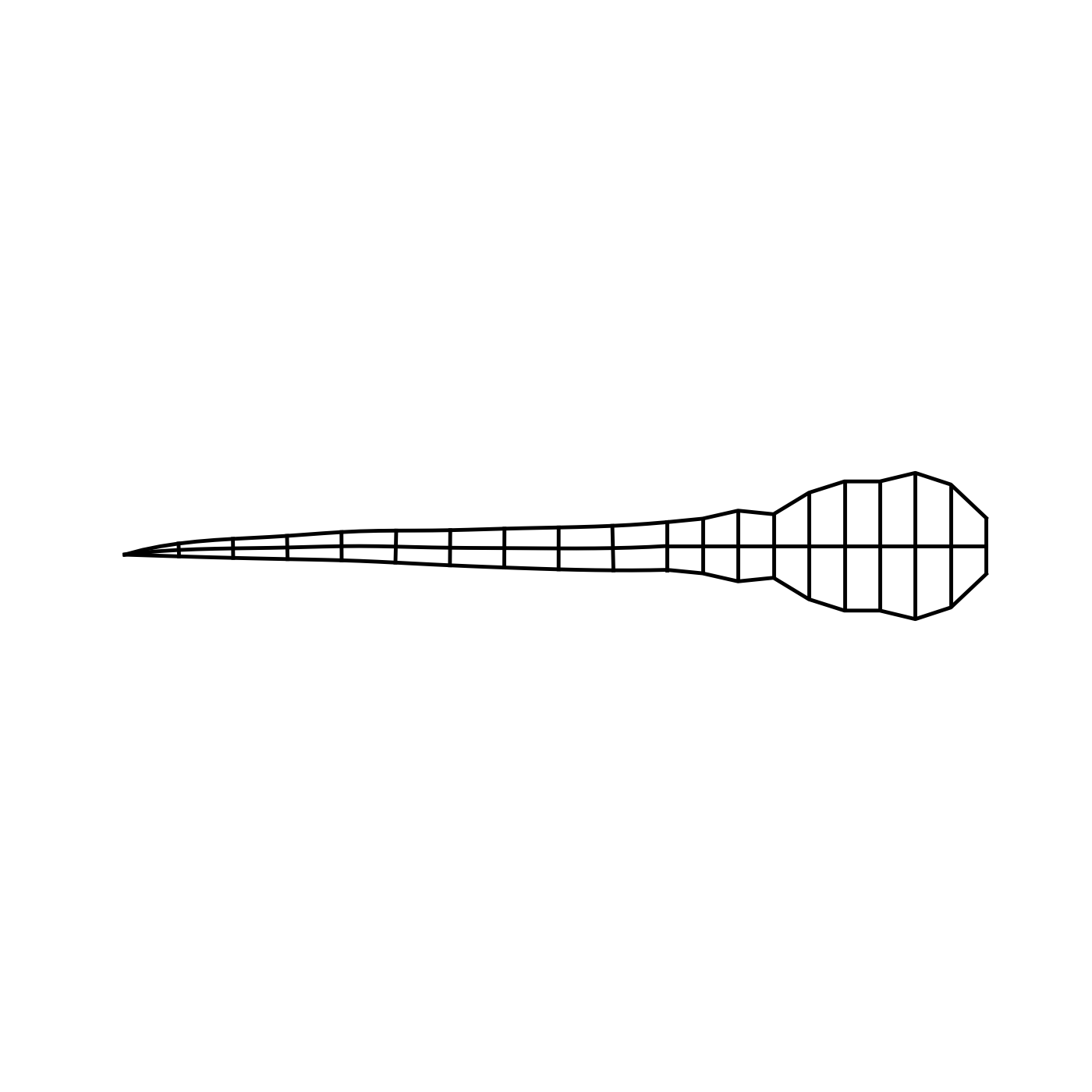
Default Fish image

Example
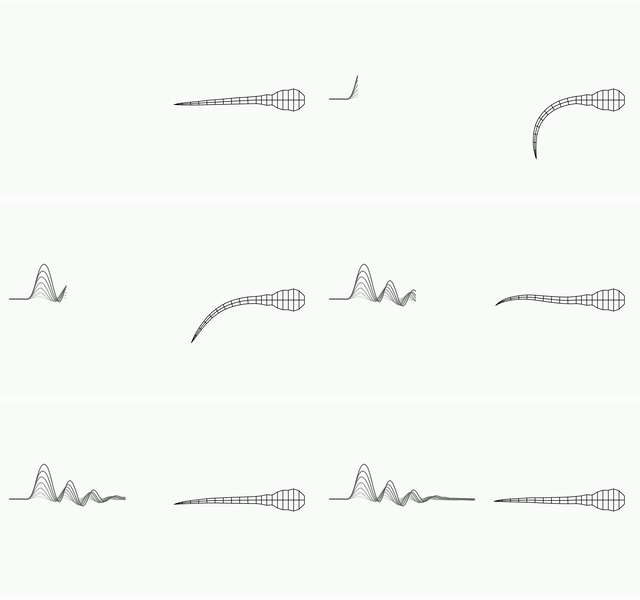
Simple illustrative plot of posture
This displays a virtual structure of the fish posture. There are several plots you can perform, with the option of converting to a video.
These functions are plot_bout_elapse, plot_skeletal_postures, and plot_skeletal_postures_with_trace. There are passed through the run function. Here is an example.
import numpy as np
from fish_simulator import run

data_arr = np.load("fish_simulator/test/fixtures/swim01.npy")
run(
    data_arr,
    plot_func=plot_skeletal_postures_with_trace,
    dir="path/to/dir/plts",
    vid_fp="path/to/video/anim.mp4",
    line_wid=1
    )
Your browser does not support the video tag.
https://github.com/ThomasMullen/fish_simulator/assets/38111949/4df1ebc9-e5da-44bd-8c51-1f556040c67e
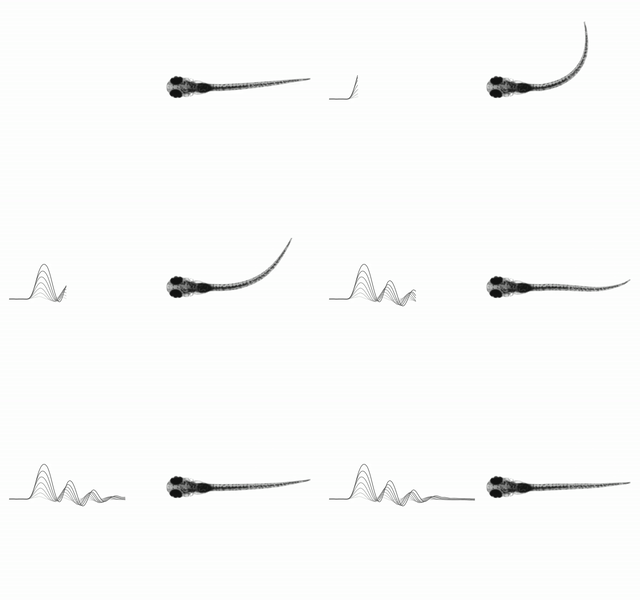
Real larval zebrafish simulation plot
There are two plotting functions using the real larvae: plot_tail_image and plot_tail_image_with_trace.
import numpy as np
from fish_simulator import run, plot_tail_image_with_trace, plot_tail_image

run(
    data_arr,
    # plot_func=plot_tail_image,
    plot_func=plot_tail_image_with_trace,
    dir="path/to/dir/plts",
    vid_fp="path/to/video/anim.mp4",
)
Generate a video from collections of .png files
from utils import make_video

make_video(
    png_dir="path/to/png/files/",
    vid_fname="path/to/video/anim.mp4",
    framerate=70,
    keep_pngs=True
)
https://github.com/ThomasMullen/fish_simulator/assets/38111949/854c1420-c777-4a83-951d-6f31bebe175c
Key Functions
1 maintainer

Metadata
1 maintainer
Release files for fish-simulator 0.1.11
For a detailed explanation of source distributions (sdists) and built distributions (wheels), please see the package formats documentation.
Source distribution (sdist)
| File | Size | Uploaded | Provenance | Actions |
|---|---|---|---|---|
| fish_simulator-0.1.11.tar.gz | 675.2 kB | Without provenance | Details for fish_simulator-0.1.11.tar.gz |
Built distribution (wheel)
| File | Interpreter | ABI | Platform | Actions Reset |
|---|---|---|---|---|
| fish_simulator-0.1.11-py3-none-any.whl | Python 3 | none | any | Details for fish_simulator-0.1.11-py3-none-any.whl |
Total release size: 1.4 MB
Release files / fish_simulator-0.1.11.tar.gz
| Download URL | fish_simulator-0.1.11.tar.gz |
|---|---|
| Size | 675.2 kB |
| Tags | Source |
|
SHA-256 checksum How to use checksums |
cfc3853bc96c35d2b887b8e8a3cc8ff94e6ed495ec37286b6d9b0fe9c6f907c0
|
|
BLAKE2b-256 checksum How to use checksums |
8355c355629cafe578cfe745715c79ad4117dfd09362f76ed9396987b08951b3
|
| Upload date | |
|
Uploaded using Trusted Publishing? What is trusted publishing? |
No |
| Uploaded via |
twine/5.1.0 CPython/3.9.19
|
Release files / fish_simulator-0.1.11-py3-none-any.whl
| Download URL | fish_simulator-0.1.11-py3-none-any.whl |
|---|---|
| Size | 688.7 kB |
| Tags | Python 3 |
|
SHA-256 checksum How to use checksums |
5f819930e221b0d0058c19e3a27c40fab5257ac940af9bd19e13512267d2bb5b
|
|
BLAKE2b-256 checksum How to use checksums |
4e27d918da196b43772aeb8864784262043068cfb95e4486f237491d8a9c08cc
|
| Upload date | |
|
Uploaded using Trusted Publishing? What is trusted publishing? |
No |
| Uploaded via |
twine/5.1.0 CPython/3.9.19
|
Security for fish-simulator 0.1.11
Provenance
Provenance describes where a file came from. On PyPI, provenance is shared via attestations, which provide a verifiable record of the build or publishing details. View details, limitations and caveats.
No provenance found
None of the files in this release were uploaded with provenance metadata.
A note on package security
PyPI is a repository for distributing packages, not a service for auditing them. While third-party security researchers and our staff do their best to detect and remove malicious packages, PyPI cannot guarantee the quality, security or suitability of any given package.
To learn more about protecting yourself from malicious actors, visit our package security documentation.














