





Fitspy is a generic tool dedicated to fit spectra in python with GUIs that aims to be as simple and intuitive to use as possible.
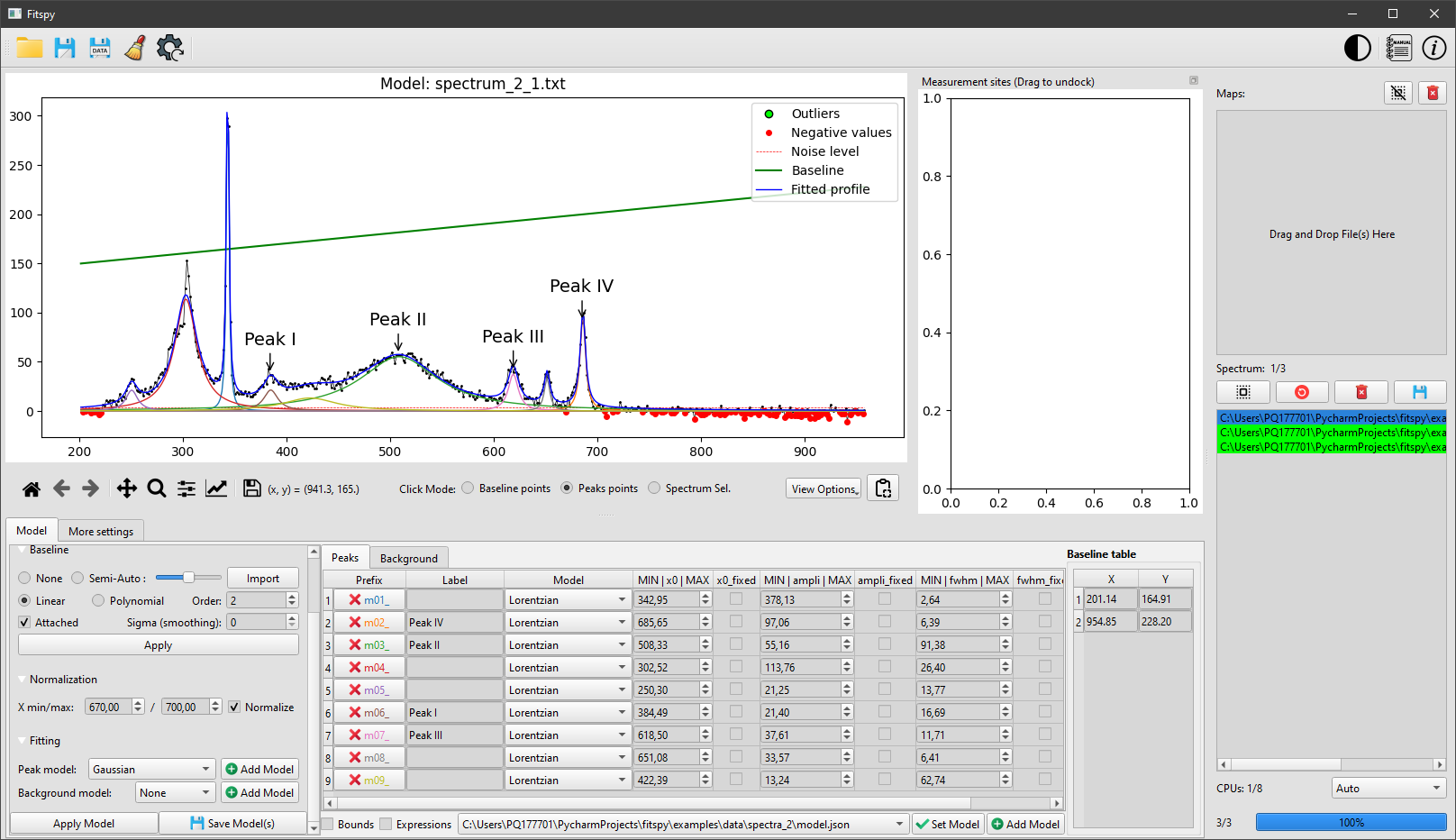
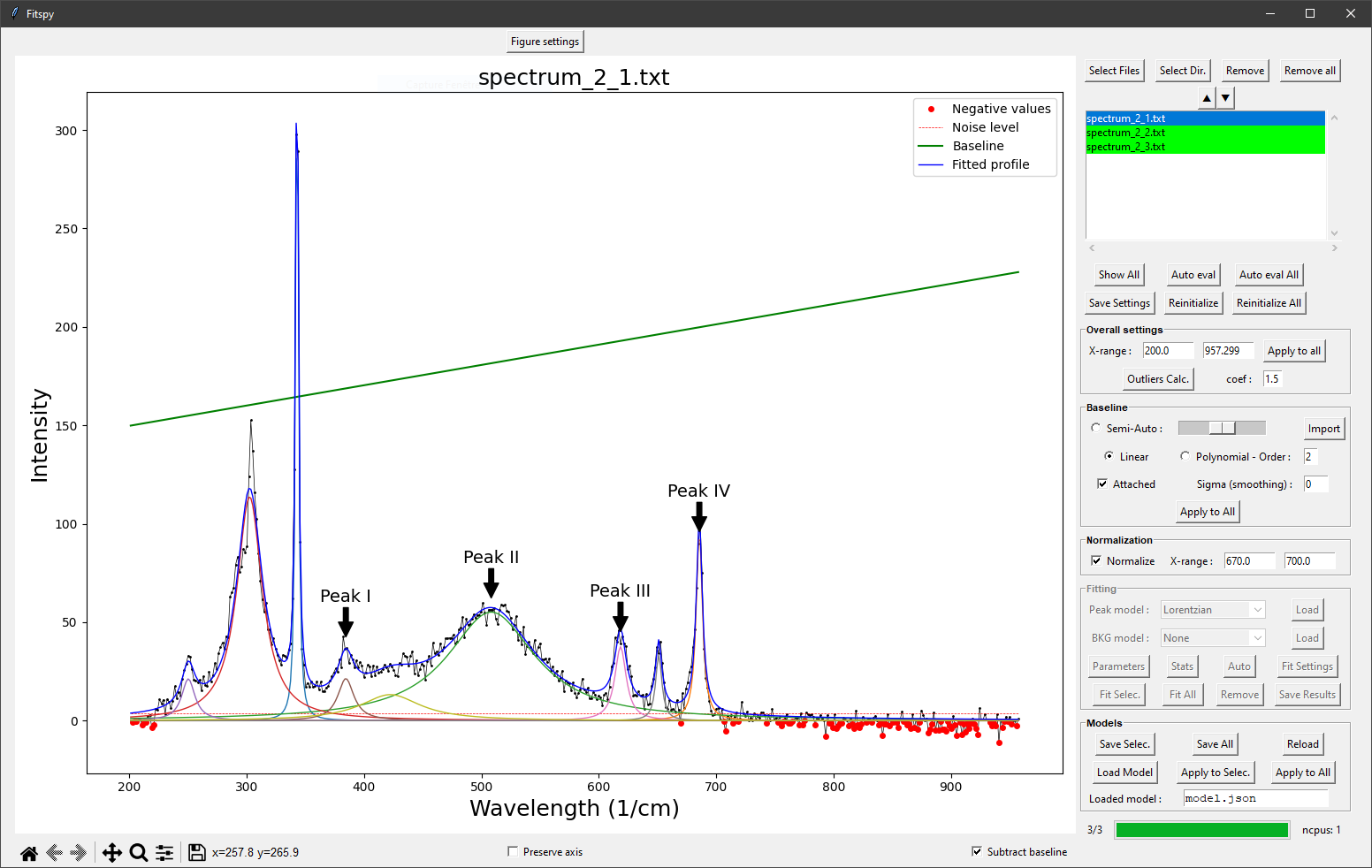
Illustration of the PySide GUI (left) and Tkinter GUI (right).
Processed spectra may be independent of each other or may result from 2D-maps acquisitions.
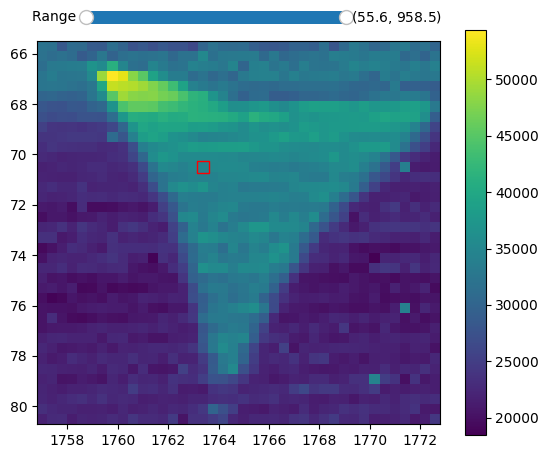
Example of fitspy 2D-map frame interacting with the main GUI.
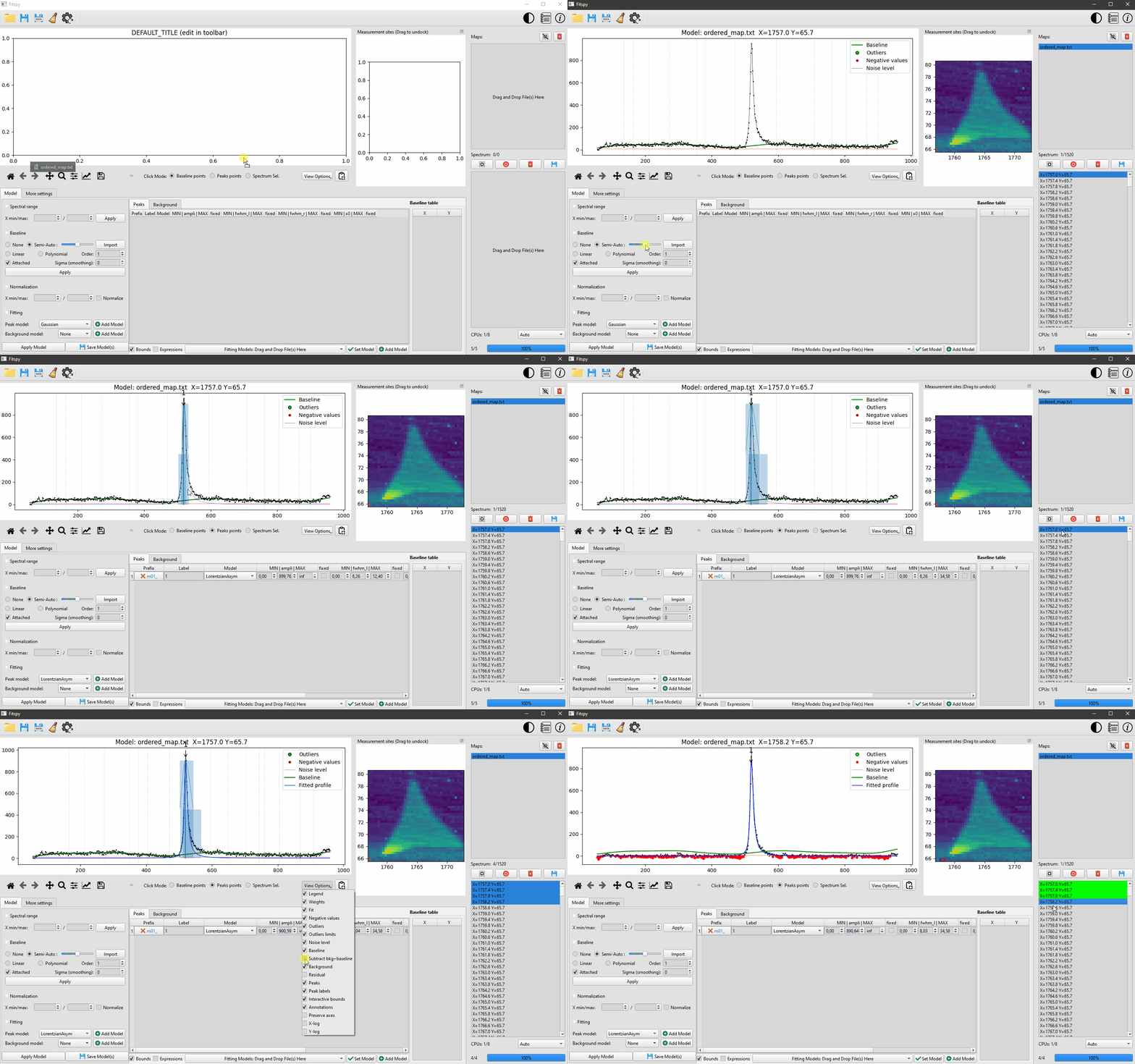
The predefined peak models considered in Fitspy are Gaussian, Lorentzian, Asymetric Gaussian, Asymetric Lorentzian and Pseudovoigt. Some Bichromatic models related to bichromatic sources are also available as explained here
A Constant, Linear, Parabolic, Exponential or Power Law background model can also be added in the fitting.
In both cases, user-defined models can be added.
Fitspy main features:
- Fitspy uses the lmfit library to fit the spectra
- The fit processing can be multi-threaded
- Bounds and constraints can be set on each peaks models parameter
- From an automatic noise level estimation, according to the local noise, peak models can be automatically deactivated
- Fitspy also includes automatic outlier detection to be excluded during the fitting process
All actions allowed with the GUI can be executed in script mode (see examples here).
These actions (like baseline and peaks definition, parameters constraints, ...) can be saved in a Fitspy model and replayed as-is or applied to other new spectra datasets.
Installation
From PyPI (recommended)
pip install fitspy
From GitHub (latest version)
pip install git+https://github.com/CEA-MetroCarac/fitspy
(See the documentation for more details)
Upgrade
In the case of 'just' a Fitspy upgrade:
pip uninstall fitspy
pip install fistspy # considering here the install from Pypi
For a full upgrade (Fitspy and its dependencies):
pip install fitspy --upgrade # considering here the install from Pypi
Tests and examples execution
pip install pytest
git clone https://github.com/CEA-MetroCarac/fitspy.git
cd fitspy
pytest
python examples/ex_gui_auto_decomposition.py
python examples/ex_.......
(See the documentation for more details)
Quick start
Since its 2025.1 version, Fitspy can be launched using two interfaces: either the one corresponding to the original GUI built with Tkinter, or a more recent and advanced one, using PySide. As of 2025, both GUIs offer nearly identical features, but future efforts regarding fixes and updates will primarily focus on the PySide GUI.
PySide GUI:
Launch the application:
fitspy
From the right to the left, select the files to work with (considering the drag and drop capabilities). Then, use the Model panel to set the model parameters to be used during the fitting process. Peaks and an optional baseline associated with the model can be defined interactively by clicking on the desired position in the figure after activating Peak points (or Baseline points resp.) from the Click Mode radiobuttons located under the figure. Once the model build, The Fit can be launched. The corresponding model can be saved (in the Model panel) to be reload later (from the bottom-central panel) as-it with the same spectra (if the pathnames are still available) or just as a model for other spectra to be processed.
Tkinter GUI:
Launch the application:
fitspy-tk
From the top to the bottom of the right panel:
Selectfile(s)- (Optional) Define the X-range
- Define the baseline to
subtract(left or right click on the figure to add or delete (resp.) a baseline point) - (Optional) Normalize the spectrum/spectra
- Click on the
Fittingpanel to activate it - Select
Peak modeland add peaks (left or right click on the figure to add or delete (resp.) a peak) - (Optional) Add a background (BKG model) to be fitted
- (Optional) Use Parameters to set bounds and constraints
Fitthe selected spectrum/spectra- (Optional) Save the parameters in .csv format
- (Optional) Save the Model in a .json file (to be replayed later)
(See the documentation for more details)
Reset GUI settings
For PySide GUI, settings are stored using QSettings (in registry on Windows, .ini files on Linux and MacOS). Fitspy provides a command line tool to list or reset these settings.
List current settings
python -m fitspy reset-settings --list
Reset settings to default values
python -m fitspy reset-settings
Acknowledgements
This work, carried out on the CEA - Platform for Nanocharacterisation (PFNC), was supported by the “Recherche Technologique de Base” program of the French National Research Agency (ANR).
Warm thanks to the JOSS reviewers (@maurov and @FCMeng) and editor (@phibeck) for their contributions to enhancing Fitspy.
Citations
In case you use the results of this code in an article, please cite:
-
Quéméré P., (2024). Fitspy: A python package for spectral decomposition. Journal of Open Source Software. doi: 10.21105/joss.05868
-
Newville M., (2014). LMFIT: Non-Linear Least-Square Minimization and Curve-Fitting for Python. Zenodo. doi: 10.5281/zenodo.11813.
1 maintainer

Download files
Download the file for your platform. If you're not sure which to choose, learn more about installing packages.
Source Distribution
Built Distribution
Filter files by name, interpreter, ABI, and platform.
If you're not sure about the file name format, learn more about wheel file names.
Copy a direct link to the current filters
File details
Details for the file fitspy-2026.5.tar.gz.
File metadata
- Download URL: fitspy-2026.5.tar.gz
- Upload date:
- Size: 18.2 MB
- Tags: Source
- Uploaded using Trusted Publishing? No
- Uploaded via:
twine/6.1.0 CPython/3.13.14
File hashes
| Algorithm | Hash digest | |
|---|---|---|
| SHA256 |
352e7c5d7beedf5e6369af13f63961fe03baf053173685ecf52e370314fe59e5
|
|
| MD5 |
6b88b45bb38a3ad4028952ad879c8736
|
|
| BLAKE2b-256 |
fa0f21c18c6a18a516d7b909fef17c31ac479f89b7f9f0895da9d073005b9b24
|
File details
Details for the file fitspy-2026.5-py3-none-any.whl.
File metadata
- Download URL: fitspy-2026.5-py3-none-any.whl
- Upload date:
- Size: 440.0 kB
- Tags: Python 3
- Uploaded using Trusted Publishing? No
- Uploaded via:
twine/6.1.0 CPython/3.13.14
File hashes
| Algorithm | Hash digest | |
|---|---|---|
| SHA256 |
4a84ff7be403976ba57f67027ca499e49eb0bdbdeffda4d9c648342f9e43a54b
|
|
| MD5 |
91ba2f92eff23d1e3a5377226ef39bc5
|
|
| BLAKE2b-256 |
c4097dbd47feeddd69074323f533354535e3eb7cf0e04fd2951a46340a9e0428
|







