
A simple fittings and doctrine management application.

Project description
Fittings




A simple fittings and doctrine management app for allianceauth.
Contents
Overview
This plugin serves as a replacement for the now defunct fleet-up service integration. It allows you to create and manage ship fits and doctrines all in a central location for your members to browse.
Key Features
Fittings offers the following features:
- Support for importing fittings using the EFT format.
- Support for pulling fits from ESI Coming Soon
- Support for exporting fits as EFT format.
- Support for saving fits to EVE via ESI.
- Support for copying fits for use with Buy All.
- Categorization of your fittings and doctrines to keep things organized
and easy to manage.
- Access to categories can be restricted to specific groups.
- Tracks changes to module names.
- AA-Discordbot Integration for searching/posting fits to discord
Screenshots
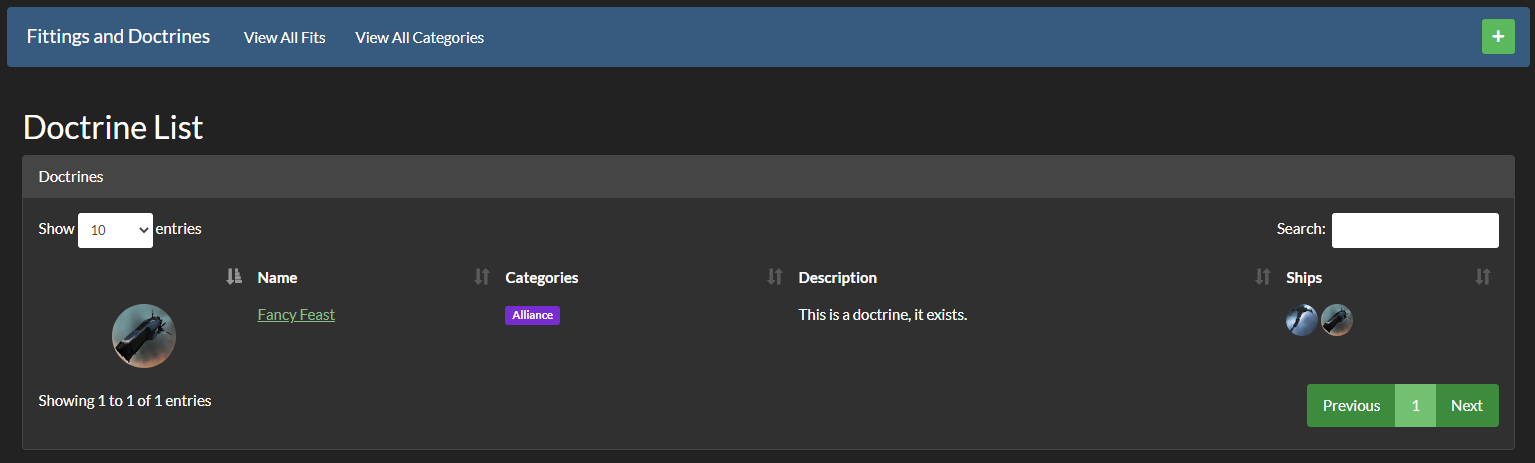
Dashboard/Doctrine List
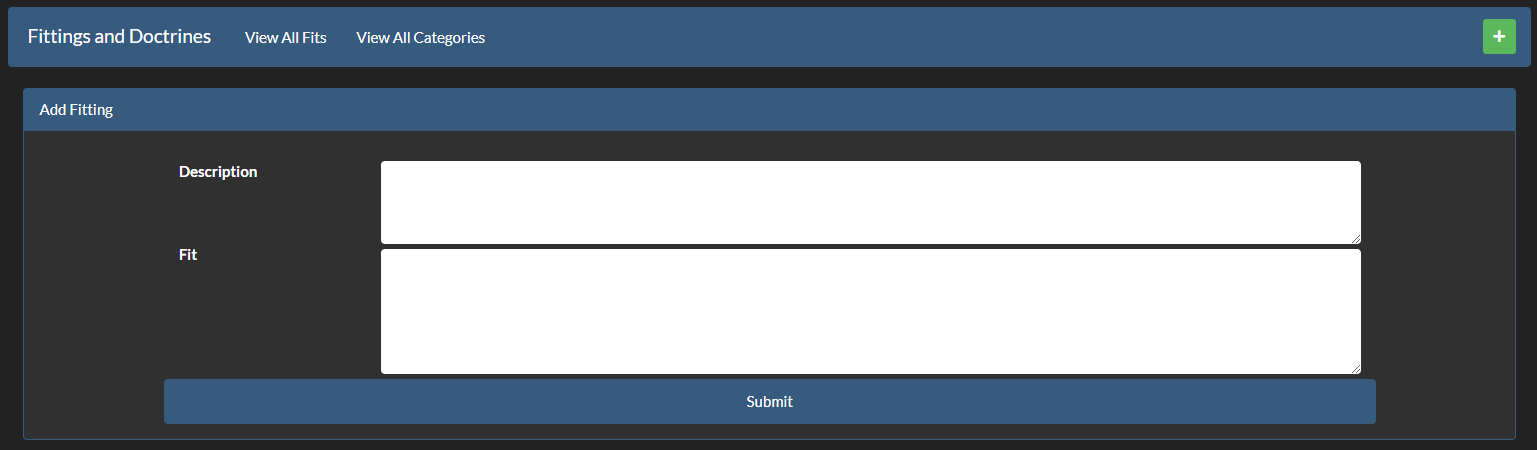
Add Fitting
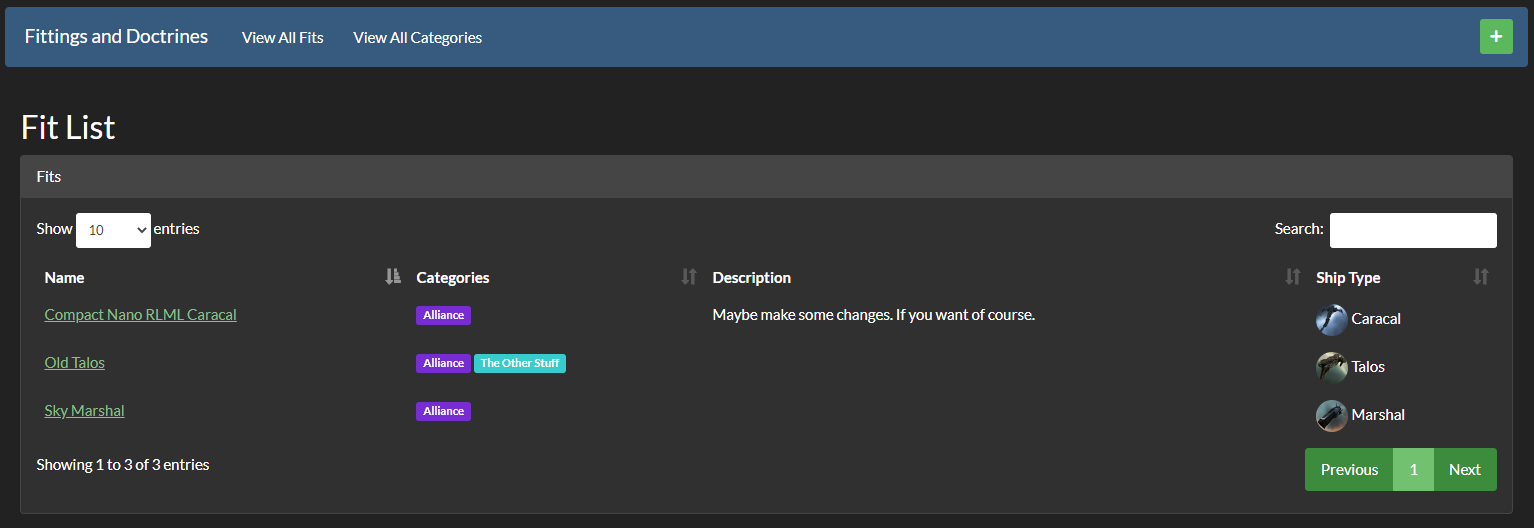
Fitting List
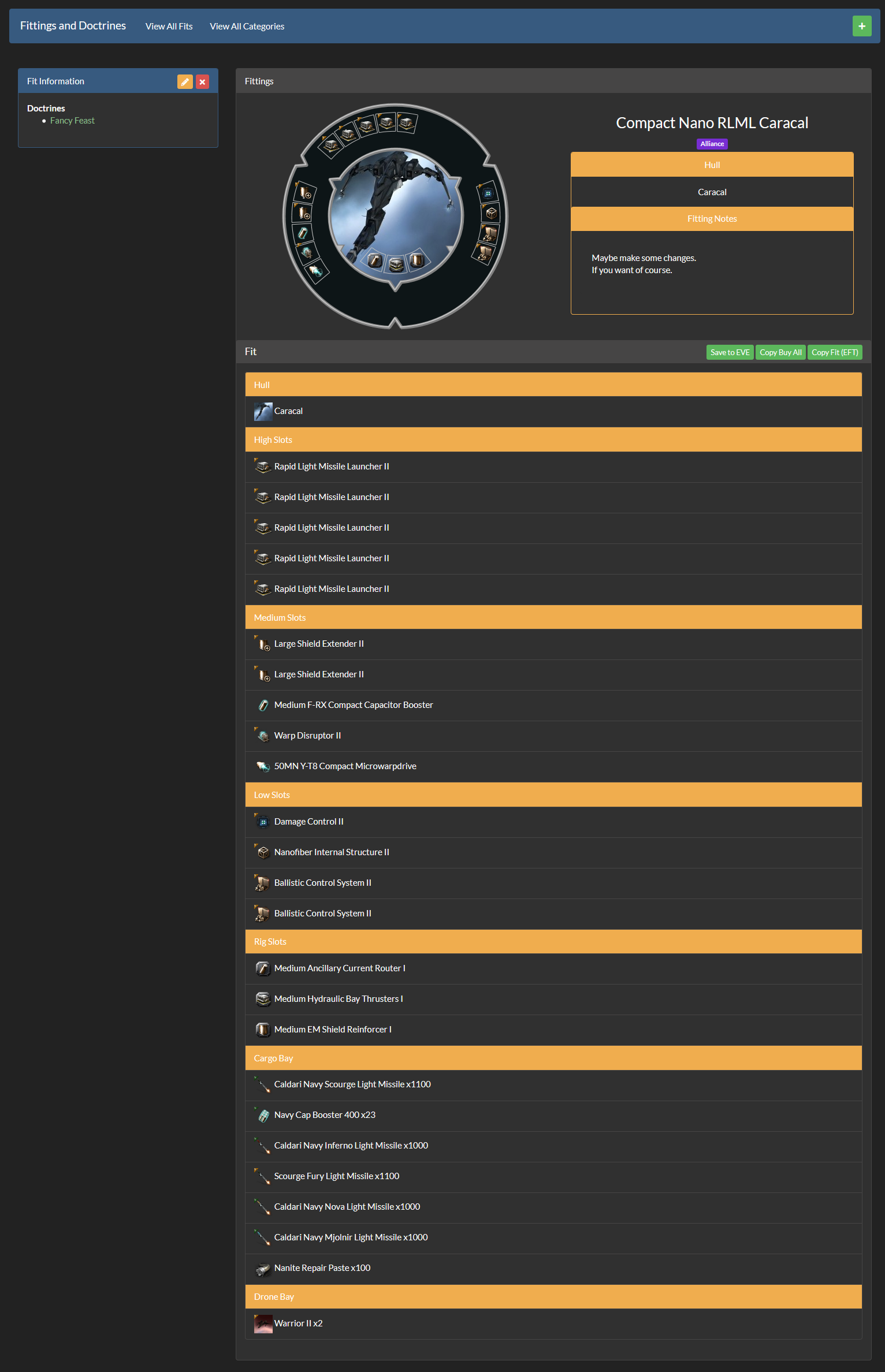
View Fitting
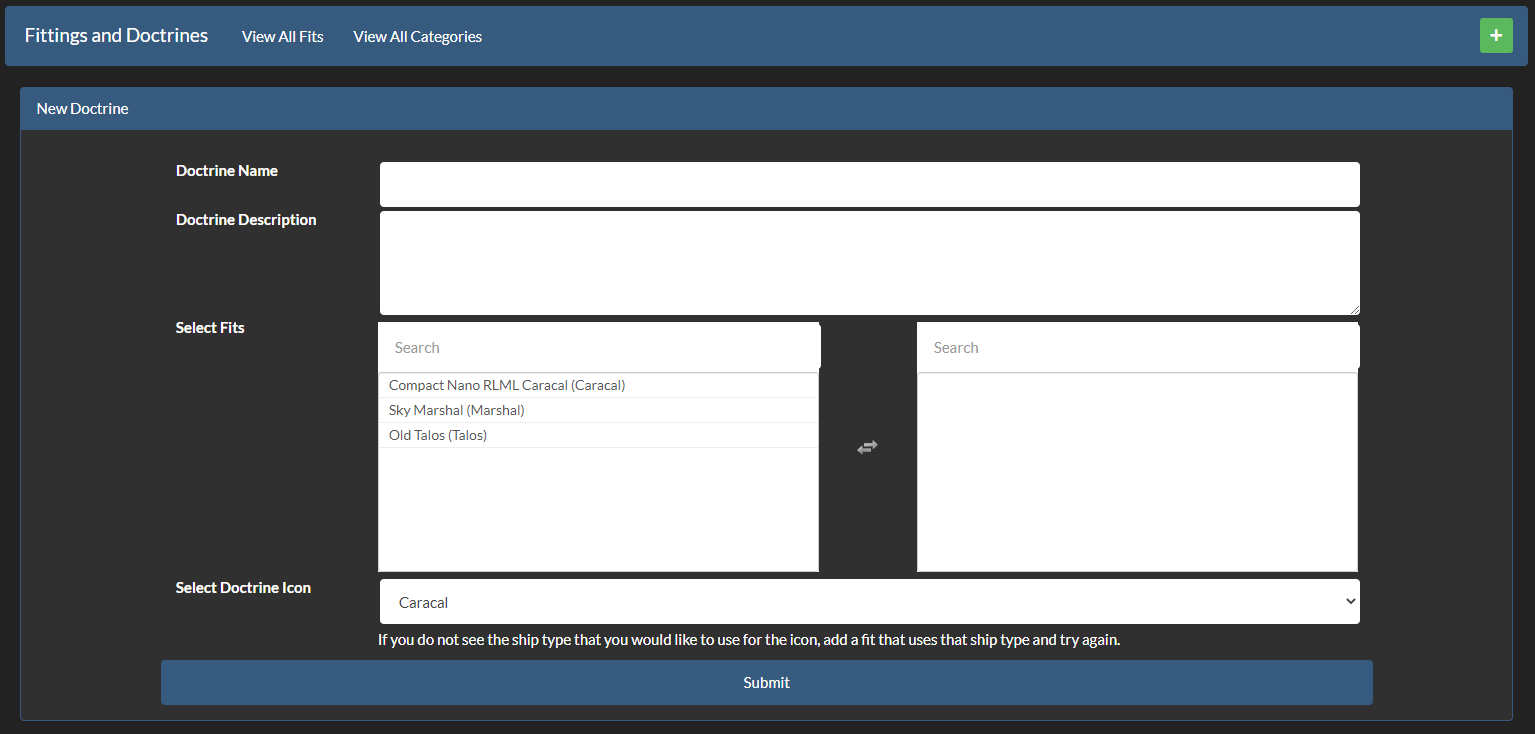
Add Doctrine
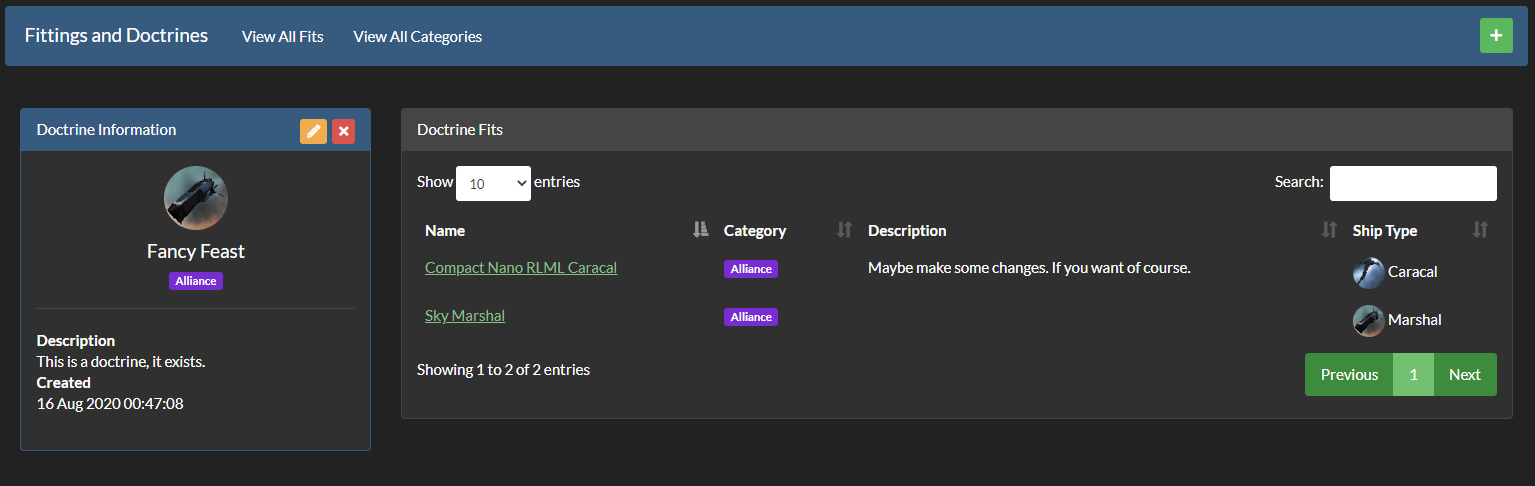
View Doctrine
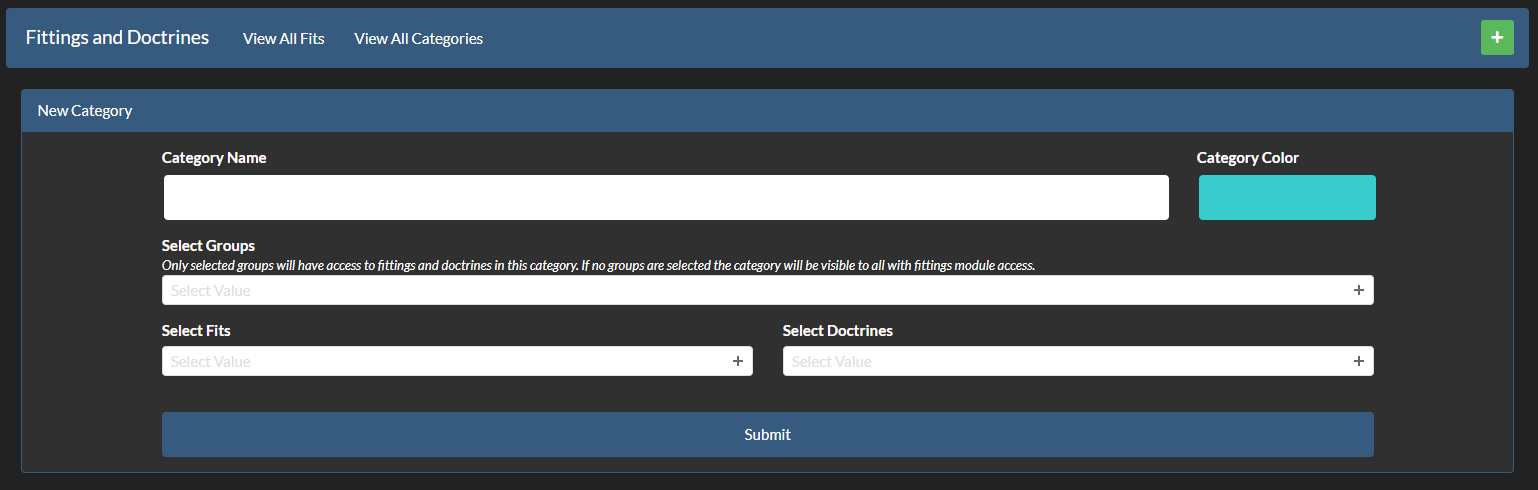
Add a Category
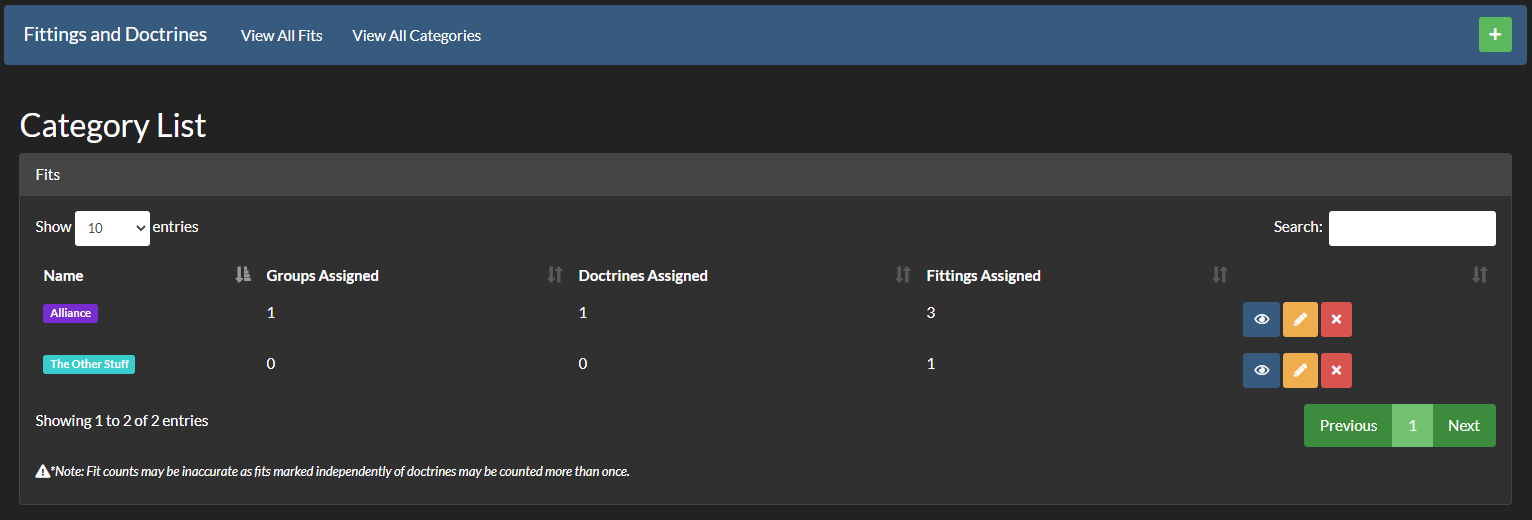
View all Categories
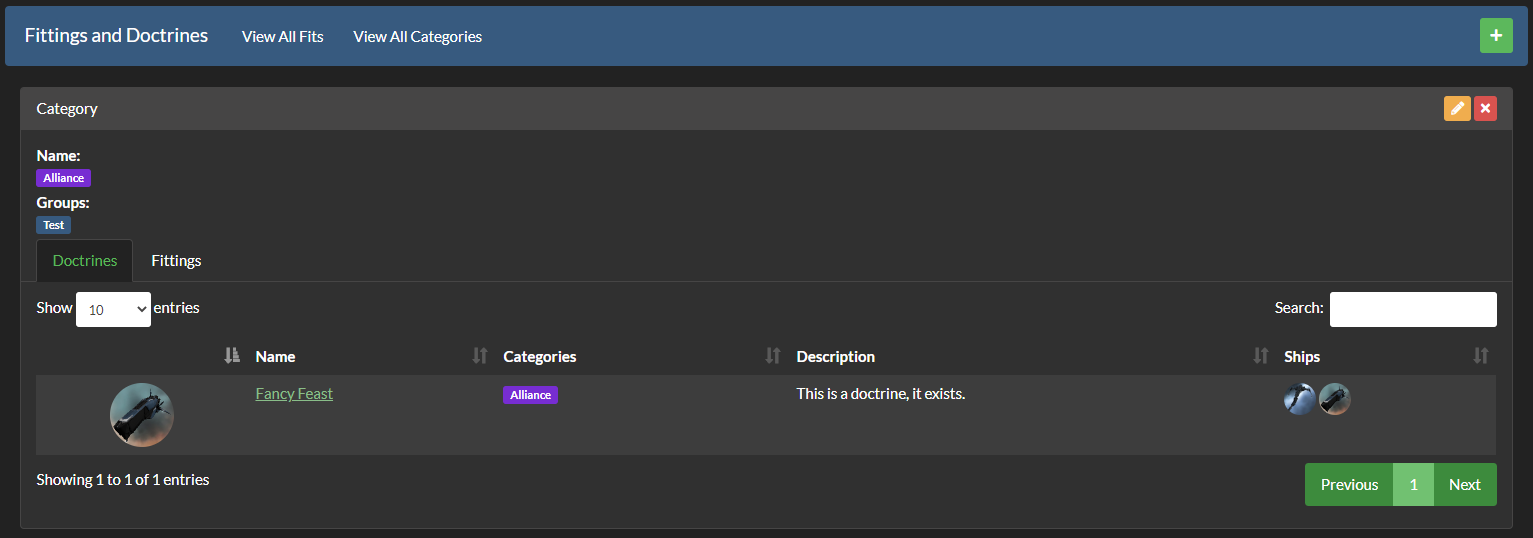
View a Category
Installation
0. Check your MariaDB version
Though AllianceAuth and most of the community plugins available for it work just fine on MariaDB versions in the 10.3 and 10.4 range, this plugin requires version 10.5 or greater.
For instructions on installing newer versions of MariaDB please refer to their documentation here
1. Install App
Install the app into your allianceauth virtual environment via PIP.
pip install fittings
While the AA-Discordbot cog is included with the fittings module, if it is not already installed you can install it along with fittings by using the following command instead (doing so will also ensure the right version is installed if you already have it):
pip install fittings[discordbot]
2. Configure AA settings
Configure your AA settings (local.py) as follows:
-
Modify
INSTALLED_APPSto include the following entriesINSTALLED_APPS += [ # ... "eve_sde", # Only if not already added for another app "fittings", # ... ] # This line right below the `INSTALLED_APPS` list, and only if not already added for another app INSTALLED_APPS = ["modeltranslation"] + INSTALLED_APPS
-
Add the Scheduled Tasks
if "eve_sde" in INSTALLED_APPS:
    # Run at 12:00 each day
    CELERYBEAT_SCHEDULE["EVE SDE :: Check for SDE Updates"] = {
        "task": "eve_sde.tasks.check_for_sde_updates",
        "schedule": crontab(minute="0", hour="12"),
    }

    # Set the following when you have a bare metal installation, or Docker with a
    # non-standard storage for `myauth`
    ESDE_TASK_SPLIT = True
3. Finalize Install
Run migrations, copy static files and populate SDE data.
python manage.py migrate
python manage.py collectstatic
python manage.py esde_load_sde
Restart your supervisor tasks.
Updating
To update your existing installation of Fittings first enable your virtual environment.
Then run the following commands from your allianceauth project directory (the one that contains manage.py).
pip install -U fittings

python manage.py migrate
python manage.py collectstatic
Lastly, restart your supervisor tasks.
Note: Be sure to follow any version specific update instructions as well. These instructions can be found on the Tags page for this repository.
Settings
| Setting | Default | Description |
|---|---|---|
FITTINGS_AADISCORDBOT_INTEGRATION |
True |
Enables the AADiscordbot cog |
Permissions
| Permission | Description |
|---|---|
fitting.access_fittings |
This permission gives users access to the plugin. |
doctrine.manage |
User can add/delete ship fits and doctrines. |
Active Developers
Release history Release notifications | RSS feed


Download files
Download the file for your platform. If you're not sure which to choose, learn more about installing packages.
Source Distribution
Built Distribution
Filter files by name, interpreter, ABI, and platform.
If you're not sure about the file name format, learn more about wheel file names.
Copy a direct link to the current filters
File details
Details for the file fittings-2.3.1.tar.gz.
File metadata
- Download URL: fittings-2.3.1.tar.gz
- Upload date:
- Size: 520.8 kB
- Tags: Source
- Uploaded using Trusted Publishing? No
- Uploaded via: twine/6.2.0 CPython/3.11.15
File hashes
| Algorithm | Hash digest | |
|---|---|---|
| SHA256 |
1be1b7d4b16b3eeeeb6880f7ee6f1df323f0b796aa27e3191689b0a0d9e49343
|
|
| MD5 |
649c0701cccad1d47dbba8d279b1edb4
|
|
| BLAKE2b-256 |
95e27589606442024cb275e34b3667d14368bb2724e4826c94f95dfd1ee66199
|
File details
Details for the file fittings-2.3.1-py3-none-any.whl.
File metadata
- Download URL: fittings-2.3.1-py3-none-any.whl
- Upload date:
- Size: 590.4 kB
- Tags: Python 3
- Uploaded using Trusted Publishing? No
- Uploaded via: twine/6.2.0 CPython/3.11.15
File hashes
| Algorithm | Hash digest | |
|---|---|---|
| SHA256 |
8fad71118fffad9552474f072460cdbcfd0cda7e9e83c81d96277a9e5b62e5be
|
|
| MD5 |
c9231b94fbc16502af736e01f40dfa6b
|
|
| BLAKE2b-256 |
0e444a0ece2cf42548b2d5d8dd143c8f2dfdd9c1257d119b785fbfae972b3cdc
|






