
Generate REST API and OpenAPI documentation for your Flask project.




Flask OpenAPI3 is a web API framework based on Flask. It uses Pydantic to verify data and automatic generation of interaction documentation.
The key features are:
-
Easy to code: Easy to use and easy to learn
-
Standard document specification: Based on OpenAPI Specification
-
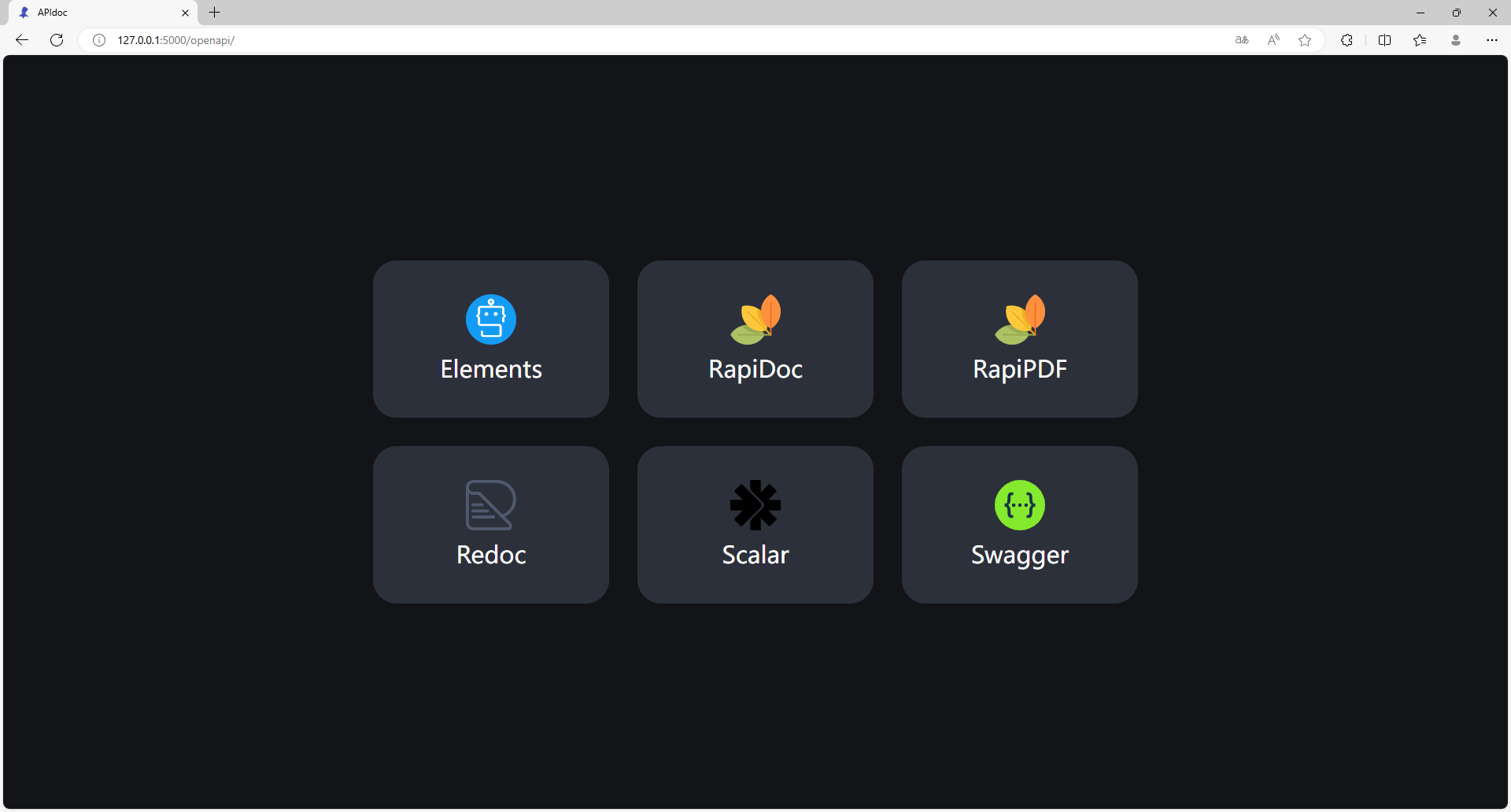
Interactive OpenAPI documentation: Swagger, Redoc, RapiDoc, RapiPdf, Scalar, Elements
-
Data validation: Fast data verification based on Pydantic
Requirements
Python 3.8+
flask-openapi3 is dependent on the following libraries:
Installation
pip install -U flask-openapi3[swagger]
or
conda install -c conda-forge flask-openapi3[swagger]
Optional dependencies
- python-email-validator supports email verification.
- python-dotenv enables support
for Environment Variables From dotenv when running
flaskcommands. - pyyaml is used to output the OpenAPI document in yaml format.
- asgiref allows views to be defined with
async defand useawait. - flask-openapi3-plugins Provide OpenAPI UI for flask-openapi3.
To install these dependencies with flask-openapi3:
pip install flask-openapi3[yaml]
# or
pip install flask-openapi3[async]
# or
pip install flask-openapi3[dotenv]
# or
pip install flask-openapi3[email]
# or all
pip install flask-openapi3[yaml,async,dotenv,email]
# or manually
pip install pyyaml asgiref python-dotenv email-validator
# OpenAPI UI plugins
pip install -U flask-openapi3[swagger,redoc,rapidoc,rapipdf,scalar,elements]
A Simple Example
Here's a simple example, further go to the Example.
from pydantic import BaseModel

from flask_openapi3 import Info, Tag
from flask_openapi3 import OpenAPI

info = Info(title="book API", version="1.0.0")
app = OpenAPI(__name__, info=info)

book_tag = Tag(name="book", description="Some Book")


class BookQuery(BaseModel):
    age: int
    author: str

class ResultData(BaseModel):
    code: int
    message: str
    data: dict

@app.get("/book", summary="get books", tags=[book_tag])
def get_book(query: BookQuery) -> ResultData:
    """
    to get all books
    """
    return {
        "code": 0,
        "message": "ok",
        "data": [
            {"bid": 1, "age": query.age, "author": query.author},
            {"bid": 2, "age": query.age, "author": query.author}
        ]
    }


if __name__ == "__main__":
    app.run(debug=True)
Class-based API View Example
from typing import Optional

from pydantic import BaseModel, Field

from flask_openapi3 import OpenAPI, Tag, Info, APIView


info = Info(title='book API', version='1.0.0')
app = OpenAPI(__name__, info=info)

api_view = APIView(url_prefix="/api/v1", view_tags=[Tag(name="book")])


class BookPath(BaseModel):
    id: int = Field(..., description="book ID")


class BookQuery(BaseModel):
    age: Optional[int] = Field(None, description='Age')


class BookBody(BaseModel):
    age: Optional[int] = Field(..., ge=2, le=4, description='Age')
    author: str = Field(None, min_length=2, max_length=4, description='Author')


@api_view.route("/book")
class BookListAPIView:
    a = 1

    @api_view.doc(summary="get book list")
    def get(self, query: BookQuery):
        print(self.a)
        return query.model_dump_json()

    @api_view.doc(summary="create book")
    def post(self, body: BookBody):
        """description for a created book"""
        return body.model_dump_json()


@api_view.route("/book/<id>")
class BookAPIView:
    @api_view.doc(summary="get book")
    def get(self, path: BookPath):
        print(path)
        return "get"

    @api_view.doc(summary="update book")
    def put(self, path: BookPath):
        print(path)
        return "put"

    @api_view.doc(summary="delete book", deprecated=True)
    def delete(self, path: BookPath):
        print(path)
        return "delete"


app.register_api_view(api_view)

if __name__ == "__main__":
    app.run(debug=True)
API Document
Run the simple example, and go to http://127.0.0.1:5000/openapi.
OpenAPI UI plugins are optional dependencies that require manual installation.
pip install -U flask-openapi3[swagger,redoc,rapidoc,rapipdf,scalar,elements]More optional ui templates goto the document about UI_Templates.
1 maintainer

Metadata
1 maintainer
Release files for flask-openapi4 0.1.3
For a detailed explanation of source distributions (sdists) and built distributions (wheels), please see the package formats documentation.
Source distribution (sdist)
| File | Size | Uploaded | |
|---|---|---|---|
| flask_openapi4-0.1.3.tar.gz | 29.9 kB | Details |
Built distribution (wheel)
| File | Interpreter | ABI | Platform | Reset |
|---|---|---|---|---|
| flask_openapi4-0.1.3-py2.py3-none-any.whl | Python 2, Python 3 | none | any | Details |
Total release size: 75.2 kB
Release files / flask_openapi4-0.1.3.tar.gz
| Download URL | flask_openapi4-0.1.3.tar.gz |
|---|---|
| Size | 29.9 kB |
| Tags | Source |
|
SHA-256 checksum How to use checksums |
a23dd8988145a66f3981e6aba097f8e6f01243a9b747c23a9716988e9fbeeb06
|
|
BLAKE2b-256 checksum How to use checksums |
e0626f6015e69f55585090b9a144c143edf3dd26295d52ae0a9170fb297a1c53
|
| Upload date | |
|
Uploaded using Trusted Publishing? What is trusted publishing? |
No |
| Uploaded via |
poetry/1.8.4 CPython/3.9.6 Darwin/24.0.0
|
Release files / flask_openapi4-0.1.3-py2.py3-none-any.whl
| Download URL | flask_openapi4-0.1.3-py2.py3-none-any.whl |
|---|---|
| Size | 45.3 kB |
| Tags | Python 2 Python 3 |
|
SHA-256 checksum How to use checksums |
0c1be0e6802647232232f8d085be2da54e0ba6ef86225d725f04c6f3aa5ee131
|
|
BLAKE2b-256 checksum How to use checksums |
e2245e9b402f31186aa049d5ee2ed7c4de236d40724204af5d2d1bf0a330d78c
|
| Upload date | |
|
Uploaded using Trusted Publishing? What is trusted publishing? |
No |
| Uploaded via |
poetry/1.8.4 CPython/3.9.6 Darwin/24.0.0
|














