
A modern Flask extension for beautiful flash messages with toast notifications and modal popups

Project description
Flask SmartFlash
A modern Flask extension for displaying beautiful flash messages with support for both toast notifications and modal popups with smooth animations.
Features
- 🎯 Two Display Methods: Toast notifications and modal popups
- 🎨 Beautiful Animations: Smooth transitions and multiple animation styles
- 📱 Responsive Design: Works perfectly on mobile and desktop
- 🎭 Multiple Categories: Success, error, warning, and info messages
- ⚙️ Highly Customizable: Positions, durations, animations, and more
- 🔧 Easy Integration: Drop-in replacement for Flask's built-in flash system
- 🎪 No Dependencies: Pure CSS and JavaScript, no external libraries required
Preview Images
Toasts:
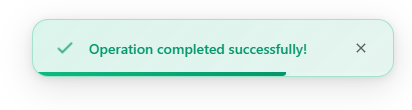
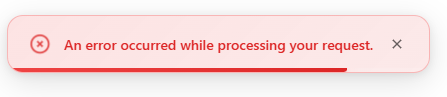
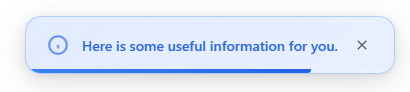
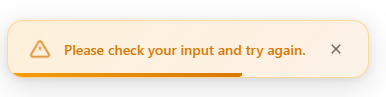
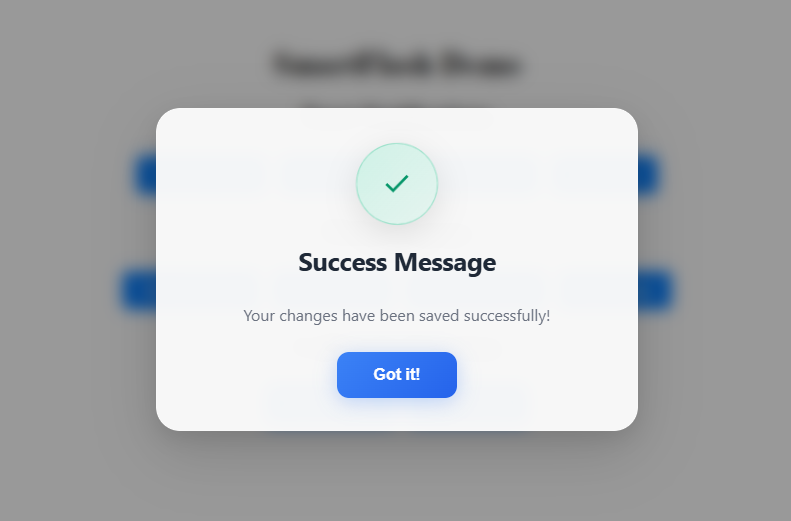
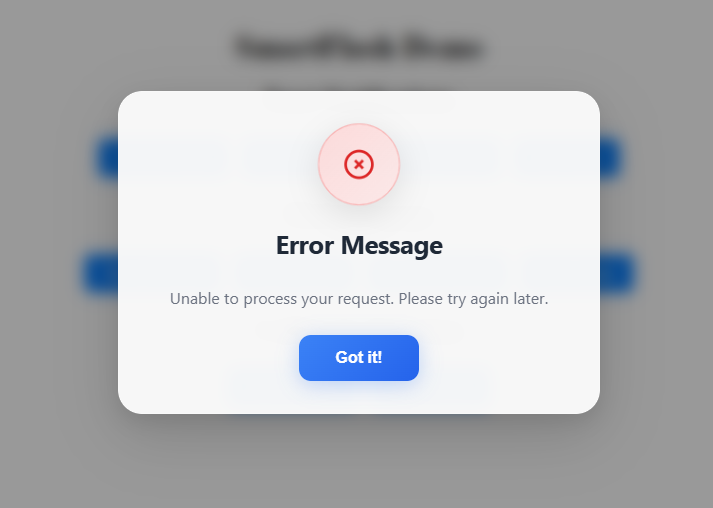
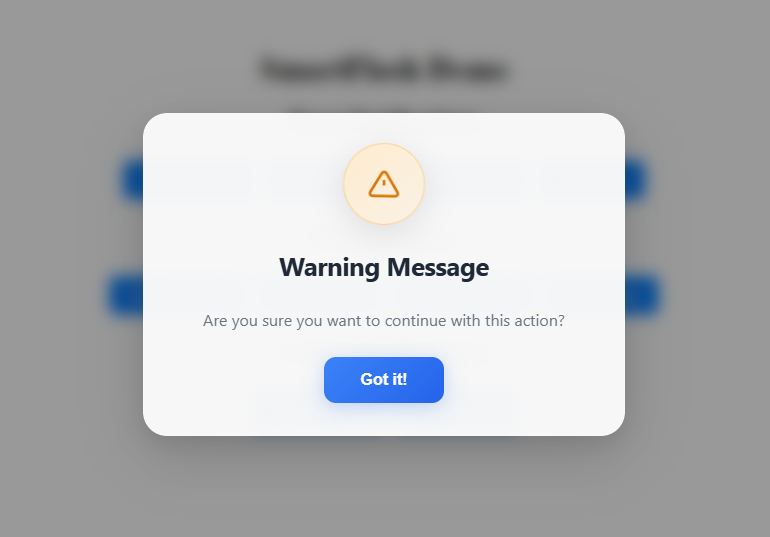
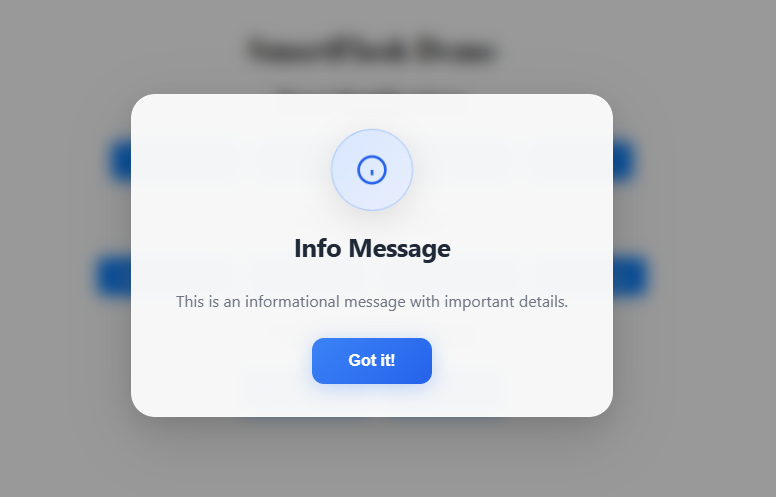
Pop Ups:
Installation
Method 1: Install from PyPI (Recommended)
pip install flask-smartflash
or
pip install flask-smartflash==1.0.1
PyPi Docs.
PyPi Docs for flask smartflash
Method 2: Install from Source
- Clone the repository:
git clone https://github.com/chimenmagoodness/flask-smartflash.git
cd flask-smartflash
- Install the package:
pip install -e .
Method 3: Manual Installation
- Download the package files
- Copy the
smartflashfolder to your project directory - Install Flask if not already installed:
pip install Flask
⚡ Quickstart
1. Basic Setup
✏️ Note:
You do not need to callsmartflash.init_app(app)—
it auto-registers itself and injects everything automatically.
```python

from flask import Flask, render_template, redirect, url_for
from smartflash import SmartFlash

app = Flask(__name__)
app.secret_key = 'your-secret-key'


@app.route('/')
def index():
    return render_template('index.html')

@app.route('/toast/<category>')
def show_toast(category):
    messages = {
        'success': 'Operation completed successfully!',
        'error': 'An error occurred while processing your request.',
        'warning': 'Please check your input and try again.',
        'info': 'Here is some useful information for you.'
    }

    smartflash(messages.get(category, 'Default message'), category, method='toast',
          position='top-right', duration=4000, animation='fadeIn', exit_animation='zoomOut')
    return redirect(url_for('index'))

@app.route('/popup/<category>')
def show_popup(category):
    messages = {
        'success': 'Your changes have been saved successfully!',
        'error': 'Unable to process your request. Please try again later.',
        'warning': 'Are you sure you want to continue with this action?',
        'info': 'This is an informational message with important details.'
    }

    smartflash(messages.get(category, 'Default message'), category, method='popup',
          title=category.capitalize() + ' Message',
          animation='bounceIn',
          confirm_text='Got it!')
    return redirect(url_for('index'))


# or you can use this method

@app.route('/success')
def success():
    smartflash( 'Operation completed successfully!', 'success', method='toast')
    return redirect(url_for('index'))

@app.route('/error')
def error():
    smartflash('An error occurred!', 'error', method='popup')
    return redirect(url_for('index'))

if __name__ == '__main__':
    app.run(debug=True)
2. Template Setup
Create templates/base.html:
<!DOCTYPE html>
<html lang="en">
  <head>
    <meta charset="UTF-8" />
    <meta name="viewport" content="width=device-width, initial-scale=1.0" />
    <title>SmartFlash Demo</title>
    {{ smartflash_include_css() }}
  </head>
  <body>
    {% block content %}{% endblock %}

    <!-- Include SmartFlash messages -->
    {{ smartflash_render() }}
  </body>
</html>
Create templates/index.html:
{% extends "base.html" %} {% block content %}
<div style="padding: 50px; text-align: center;">
  <h1>SmartFlash Demo</h1>

  <h2>Toast Notifications</h2>
  <a href="/toast/success" class="btn">Success Toast</a>
  <a href="/toast/error" class="btn">Error Toast</a>
  <a href="/toast/warning" class="btn">Warning Toast</a>
  <a href="/toast/info" class="btn">Info Toast</a>

  <h2>Modal Popups</h2>
  <a href="/popup/success" class="btn">Success Popup</a>
  <a href="/popup/error" class="btn">Error Popup</a>
  <a href="/popup/warning" class="btn">Warning Popup</a>
  <a href="/popup/info" class="btn">Info Popup</a>

  <h2>Calling by Function</h2>
  <a href="{{ url_for('success') }}" class="btn">Success Toast </a>
  <a href="{{ url_for('error') }}" class="btn">Error Popup </a>
</div>

<style>
  .btn {
    display: inline-block;
    padding: 10px 20px;
    margin: 5px;
    background: #007bff;
    color: white;
    text-decoration: none;
    border-radius: 5px;
    transition: background 0.3s;
  }

  .btn:hover {
    background: #0056b3;
  }
</style>
{% endblock %}
API Reference
smartflash(message, category='info', method=None, **kwargs)
Flash a message using SmartFlash.
Parameters:
message(str): The message to displaycategory(str): Message category ('success', 'error', 'warning', 'info')method(str, optional): Display method. Either'toast'or'popup'. Defaults to'toast'.position(str, optional): Position of the toast on screen (e.g.,'top-right','bottom-left'). Only applicable for toast. Defaults to'top-right'.duration(int, optional): Duration in milliseconds before the message disappears. Defaults to4000.animation(str, optional): Entry animation class. Defaults to'fadeIn'.exit_animation(str, optional): Exit animation class. Defaults to'fadeOut'.**kwargs: Additional customization options (e.g.,overlay_click_close=True,close_button=True).
Available Animations:
You can use any of the following animation names for the animation or exit_animation parameters:
fadeInslideInbounceInzoomInrotateInflipInelasticInslideInLeftslideInRightexpandInglowInswingInrollInmorphIn
🔁 For exit animations, You can use any of the following animation names for the
exit_animationparameters.
fadeOutslideOutzoomOut
Flash Methods
Toast Notifications
smartflash('Message', 'success', method='toast',
      position='top-right', duration=5000)
Toast Options:
position: 'top-right', 'top-left', 'bottom-right', 'bottom-left', 'top-center', 'bottom-center'duration: Duration in milliseconds (default: 5000)
Modal Popups
smartflash('Message', 'error', method='popup',
      title='Error', animation='bounceIn', confirm_text='OK')
Popup Options:
title: Custom title for the popupanimation: 'fadeIn', 'slideIn', 'bounceIn'confirm_text: Text for the confirm button- exit_animation
(str, optional): Exit animation class. Defaults to'fadeOut'`.
Template Functions
smartflash_include_css()
Include SmartFlash CSS styles in your template.
{{ smartflash_include_css() }}
smartflash_render()
Render SmartFlash messages in your template.
<head>
  {{ smartflash_include_css() }}
</head>

<body>
  {% block content %}{% endblock %}

  <!-- Include SmartFlash messages -->
  {{ smartflash_render() }}
</body>
Configuration
This is optional but you can add these configuration options to your Flask app:
app.config['SMARTFLASH_DEFAULT_METHOD'] = 'toast'  # Default: 'toast'
app.config['SMARTFLASH_TOAST_POSITION'] = 'top-right'  # Default: 'top-right'
app.config['SMARTFLASH_TOAST_DURATION'] = 5000  # Default: 5000ms
app.config['SMARTFLASH_POPUP_ANIMATION'] = 'fadeIn'  # Default: 'fadeIn'
Advanced Usage
Custom Styling
You can override the default styles by adding your own CSS after including SmartFlash CSS:
{{ smartflash_include_css() }}
<style>
  .smartflash-success {
    background: #custom-green !important;
  }
</style>
Multiple Messages
@app.route('/multiple')
def multiple():
    smartflash('First message', 'info', method='toast', position='top-left')
    smartflash('Second message', 'success', method='toast', position='top-right')
    smartflash('Important alert', 'warning', method='popup')
    return redirect(url_for('index'))
Conditional Flash Messages
@app.route('/process')
def process():
    try:
        # Your processing logic here
        result = some_operation()
        smartflash('Operation successful!', 'success', method='toast')
    except ValueError as e:
        smartflash(f'Validation error: {str(e)}', 'warning', method='popup')
    except Exception as e:
        smartflash('An unexpected error occurred.', 'error', method='popup')

    return redirect(url_for('index'))
AJAX Integration
For AJAX requests, you can return flash data as JSON:
from flask import jsonify

@app.route('/api/action', methods=['POST'])
def api_action():
    try:
        # Your logic here
        return jsonify({
            'success': True,
            'message': 'Action completed!',
            'flash': {
                'message': 'Action completed successfully!',
                'category': 'success',
                'method': 'toast'
            }
        })
    except Exception as e:
        return jsonify({
            'success': False,
            'smartflash': {
                'message': 'Action failed!',
                'category': 'error',
                'method': 'popup'
            }
        }), 400
Package Structure
smartflash/
├── __init__.py          # Main SmartFlash class and functionality
├── README.md           # This documentation
└── setup.py           # Package setup configuration

templates/              # Example templates
├── base.html
└── index.html

examples/               # Example applications
└── basic_app.py       # Complete example application
Browser Support
SmartFlash works with all modern browsers:
- Chrome 60+
- Firefox 55+
- Safari 12+
- Edge 79+
Troubleshooting
Messages Not Appearing
- Make sure you've included the CSS and render functions in your template:
<!-- Make sure your base template has this  -->
{{ smartflash_include_css() }}
<!-- Make sure this is in the head tag  -->
{{ smartflash_render() }}
<!-- And this is in the body  -->

<!-- and you have extended your base.html in all your html.  -->
{% extends "base.html" %}
- Ensure your Flask app has a secret key configured:
app.secret_key = 'your-secret-key'
Styling Issues
- Check that SmartFlash CSS is loaded before any custom CSS
- Use
!importantto override specific styles if needed - Clear browser cache if styles aren't updating
JavaScript Errors
- Make sure templates are properly structured with opening and closing HTML tags
- Check browser console for any JavaScript errors
- Ensure no conflicting JavaScript libraries
Contributing
- Fork the repository
- Create a feature branch (
git checkout -b feature/amazing-feature) - Commit your changes (
git commit -m 'Add amazing feature') - Push to the branch (
git push origin feature/amazing-feature) - Open a Pull Request
License
This project is licensed under the MIT License - see the LICENSE file for details.
Changelog
Version 1.0.0
- Initial release
- Toast notifications support
- Modal popup support
- Multiple animation styles
- Responsive design
- Full customization options
Support
If you encounter any issues or have questions:
- Check the troubleshooting section above
- Look through existing issues on GitHub
- Create a new issue with detailed information about your problem
Examples
Check out the examples/ directory for complete working examples demonstrating all features of SmartFlash.


Download files
Download the file for your platform. If you're not sure which to choose, learn more about installing packages.
Source Distribution
Built Distribution
Filter files by name, interpreter, ABI, and platform.
If you're not sure about the file name format, learn more about wheel file names.
Copy a direct link to the current filters
File details
Details for the file flask-smartflash-1.0.3.tar.gz.
File metadata
- Download URL: flask-smartflash-1.0.3.tar.gz
- Upload date:
- Size: 20.3 kB
- Tags: Source
- Uploaded using Trusted Publishing? No
- Uploaded via: twine/6.1.0 CPython/3.10.6
File hashes
| Algorithm | Hash digest | |
|---|---|---|
| SHA256 |
595b40674300c2707843e091f502ce67e78e194839cbc88d35270fad1912ca53
|
|
| MD5 |
1e4ff868fd2f56262aa15b7a1b4c9281
|
|
| BLAKE2b-256 |
18fcf11d8b477c598ab3f0a7dd3c85ddf40b220661a720e9c28b33d9fe055627
|
File details
Details for the file flask_smartflash-1.0.3-py3-none-any.whl.
File metadata
- Download URL: flask_smartflash-1.0.3-py3-none-any.whl
- Upload date:
- Size: 15.7 kB
- Tags: Python 3
- Uploaded using Trusted Publishing? No
- Uploaded via: twine/6.1.0 CPython/3.10.6
File hashes
| Algorithm | Hash digest | |
|---|---|---|
| SHA256 |
b7525d43202100b831ae08b3de49feed6b1c272abc957d779616944c217ed7a9
|
|
| MD5 |
ecf879c82a467d75b22eef705ed66483
|
|
| BLAKE2b-256 |
1fb136a4920fa34f41ba9e2beffbf90b4fedbb3dd7921398c5ed67281ff1b4ba
|






