
flattype
JSON in, compact key: value text out.
Flat Notation for Python APIs and LLM prompts: about half the size of JSON on lists, and easy for people and models to read.





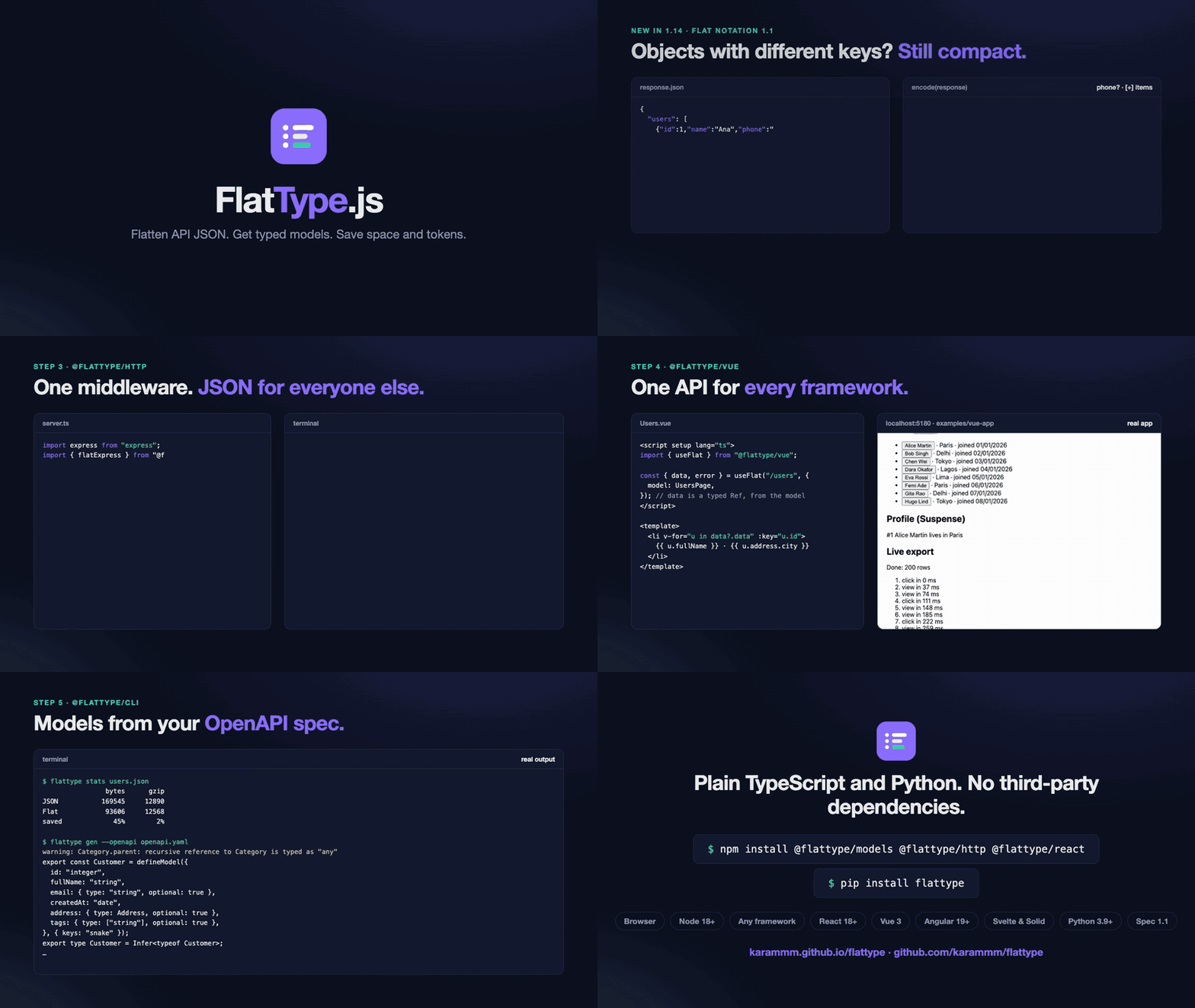
▶ Watch the 92-second intro. The Python part (step 6) is a real FastAPI app.
This is the Python side of FlatType, whose @flattype/* packages cover JavaScript, React, Vue, Angular, Svelte and Solid. Both write exactly the same text, so a FastAPI backend and a TypeScript frontend can talk Flat Notation to each other. A shared set of thousands of test cases checks this on every change.
Install
pip install flattype
Python 3.9+, no dependencies. pip install "flattype[starlette]" adds the optional FlatResponse class.
Quick start
import flattype

flattype.encode({"name": "John", "age": 30, "city": "New York"})
# name: John
# age: 30
# city: New York

flattype.decode("name: John\nage: 30")  # {'name': 'John', 'age': 30}
Lists, the shape of most API responses, become tables. Keys are written once, and nested dicts become dot paths:
flattype.encode({
    "page": 1,
    "users": [
        {"id": 1, "name": "Alice", "address": {"city": "Paris"}},
        {"id": 2, "name": "Bob", "address": {"city": "Delhi"}},
    ],
})
# page: 1
# users[2]{id,name,address.city}:
#   1, Alice, Paris
#   2, Bob, Delhi
flattype.dumps and flattype.loads are aliases, if you prefer the json names.
FastAPI, Starlette and any ASGI app
One line. Clients that ask for text/x-flat get Flat Notation, and everyone else gets the same JSON as before:
from fastapi import FastAPI
from flattype.asgi import FlatMiddleware

app = FastAPI()
app.add_middleware(FlatMiddleware)

@app.get("/users")
def users():
    return {"users": USERS}  # plain FastAPI
$ curl localhost:3000/users
{"users":[{"id":1,"name":"Alice Martin","role":"admin"},{"id":2,"name":"Bob Singh","role":"editor"}]}

$ curl -H "Accept: text/x-flat" localhost:3000/users
users[2]{id,name,role}:
  1, Alice Martin, admin
  2, Bob Singh, editor
- How it decides: only JSON responses (
application/jsonor+json) are converted, and only when the request'sAcceptheader namestext/x-flatand prefers it to JSON. A browser's*/*never counts. These are the same rules as@flattype/http. - Caching:
Vary: Acceptis added to every response, so caches keep the two formats apart. - Dependencies: none. It's plain ASGI, so it also works with Litestar, Quart or a raw ASGI app.
- Clients: on the JavaScript side,
flatFetchfrom@flattype/httpor the React, Vue, Angular and Svelte hooks send that header for you.
To always answer in Flat Notation from one route, use the response class:
from flattype.starlette import FlatResponse

@app.get("/export", response_class=FlatResponse)
def export():
    return {"users": USERS}
The FastAPI example runs with one command.
Typed models with Pydantic
decode returns plain dicts and lists, so Pydantic validates them like any parsed JSON:
from datetime import datetime
from pydantic import BaseModel, TypeAdapter

class User(BaseModel):
    id: int
    full_name: str
    created_at: datetime

users = TypeAdapter(list[User]).validate_python(flattype.decode(text)["users"])
# [User(id=1, full_name='Alice', created_at=datetime.datetime(2026, 1, 1, 9, 0, tzinfo=TzInfo(0)))]
Claude and other LLMs
You pay for every character you send to a model, and on lists Flat Notation is about half the characters of JSON. flattype.ai has the helpers from @flattype/ai, with the same output:
import anthropic
from flattype.ai import to_prompt, output_instructions, from_model_output

client = anthropic.Anthropic()
message = client.messages.create(
    model="claude-opus-5-5",
    max_tokens=2048,
    messages=[{
        "role": "user",
        "content": f"{to_prompt(orders, name='orders')}\n\nWhich customers ordered twice? "
                   + output_instructions({"customers": [{"name": "Alice", "orders": 2}]}),
    }],
)
reply = message.content[0].text
customers = from_model_output(reply)  # or from_model_output(reply, Customer, many=True) with a Pydantic model
to_prompt(data): the data as Flat Notation inside a<data>tag, with a one-line legend that explains the format.output_instructions(example): asks the model to answer in Flat Notation, with an example of the shape you expect.from_model_output(reply, on_warning=...): finds the data in the reply (a<data>block, a code fence, or plain JSON instead) and skips prose lines around it, reporting each repair. JSON that doesn't parse raisesModelOutputErrorwith the line, the column and the text around it. It runs in linear time, even on hostile replies.count_tokens(anthropic.Anthropic(), data): compares JSON with Flat Notation using Claude's free token counter.tool_result(data)andclaude_tool_result(id, data): tool results for MCP servers and the Claude API.
More
Lenient decoding for text from models or people: decode(text, strict=False) repairs what it can instead of raising, and on_warning says what it repaired and where. Add skip_invalid_lines=True to drop lines that aren't Flat Notation.
people = flattype.decode(text, strict=False, on_warning=lambda w: print(f"line {w.line}: {w.message}"))
# line 77: Expected 5 values, got 4: the missing values are null
Streaming: Decoder reads chunks as they arrive, and calls on_row for each table row as soon as its line is complete:
d = flattype.Decoder(on_row=lambda row: print(row.path, row.index, row.value), keep_rows=False)
for chunk in response.iter_text():
    d.write(chunk)
d.end()
Shared objects and cycles: encode(x, refs=True) writes an object that appears more than once only once, then path = first.path everywhere else. decode(text, refs=True) gives back the same objects, not copies. It's off by default on both ends, because a few reference lines can describe a graph that is endless when walked.
team = {"lead": {"id": 1}}
team["members"] = [team["lead"]]
team["lead"]["team"] = team
flattype.encode(team, refs=True)
# lead.id: 1
# lead.team = ~
# members[0] = lead
Dates, bytes and other types: encode(x, default=fn) works like json.dumps(default=...), and flattype.types.default is a ready-made one. It writes datetime exactly the way JavaScript writes dates, so a TypeScript frontend reads the same text, and handles bytes (base64), set, Decimal, UUID, enums, dataclasses and Pydantic models. revive_dates turns date-time strings back into aware datetimes:
from datetime import datetime, timezone
from flattype.types import default, revive_dates

text = flattype.encode({"at": datetime(2026, 1, 1, 9, tzinfo=timezone.utc), "avatar": b"hi"}, default=default)
# at: 2026-01-01T09:00:00.000Z
# avatar: aGk=
revive_dates(flattype.decode(text))  # {'at': datetime.datetime(2026, 1, 1, 9, 0, tzinfo=datetime.timezone.utc), 'avatar': 'aGk='}
Big integers need nothing: Python ints are written and read exactly, however large. JavaScript reads them exactly with decode(text, { bigint: true }) or a "bigint" model field, so 64-bit IDs survive the trip to the browser.
Tuples are written as lists. encode, decode, delimiter="|" / "\t", indent, tabular=False, flatten / unflatten and stats match the JavaScript options.
Same text as JavaScript
Every case in conformance/ is generated from @flattype/core and @flattype/ai, and the Python package must match it exactly. That's 990 encode cases, 3,215 decode cases (1,965 of them errors, compared message, line and column), 150 object graphs, 100 big-integer cases, and 425 prompt and model-reply cases. A few things follow from that:
- Floats are written the way JavaScript writes them, with
1e+21,1e-7and100. So a float with no fractional part (30.0) decodes as the int30. Floats of 1e16 or more come back as an int with JavaScript's digits: the same number once converted to float, but not exactly equal to it. - Ints are exact, however large. JavaScript would round anything past 2⁵³. A literal longer than 4,300 digits is read as a float, so it can't hit Python's slow and limited
int()path. - Error columns count code points. JavaScript counts UTF-16 units, so the two differ only after an emoji or another character outside the Basic Multilingual Plane.
Performance
It's pure Python. For 1,000 users with a nested address (Python 3.13, Apple M-series):
| Size | Encode | Decode | |
|---|---|---|---|
json (minified, C accelerated) |
114 KB | 0.5 ms | 0.45 ms |
flattype |
59 KB (−48%) | 4.6 ms | 3.9 ms |
The win is in bytes on the wire and tokens in a prompt, not CPU time. Linear-time tests on hostile input (long digit runs, deep paths, long lines streamed in tiny chunks, model replies full of prose or lookalike tags) run in CI.
Links
- Docs: karammm.github.io/flattype/docs, including the format specification
- Playground: karammm.github.io/flattype
- Security: policy and guarantees
- Changes: CHANGELOG
MIT © karammm
1 maintainer

Metadata
1 maintainer
Release files for flattype 1.13.0
For a detailed explanation of source distributions (sdists) and built distributions (wheels), please see the package formats documentation.
Source distribution (sdist)
| File | Size | Uploaded | |
|---|---|---|---|
| flattype-1.13.0.tar.gz | 25.2 kB | Details |
Built distribution (wheel)
| File | Interpreter | ABI | Platform | Reset |
|---|---|---|---|---|
| flattype-1.13.0-py3-none-any.whl | Python 3 | none | any | Details |
Total release size: 56.0 kB
Release files / flattype-1.13.0.tar.gz
| Download URL | flattype-1.13.0.tar.gz |
|---|---|
| Size | 25.2 kB |
| Tags | Source |
|
SHA-256 checksum How to use checksums |
743edfb2a3f24f544fe6d0be06f042510ad1a6ff285bd9b19fadb3d91bf575b0
|
|
BLAKE2b-256 checksum How to use checksums |
4458903c9d7efb2f831419ed5aac481dc3b9dca2a79f10f6de59948dc86a42f5
|
| Upload date | |
|
Uploaded using Trusted Publishing? What is trusted publishing? |
Yes |
| Uploaded via |
uv/0.13.1 {"installer":{"name":"uv","version":"0.13.1","subcommand":["publish"]},"python":null,"implementation":{"name":null,"version":null},"distro":{"name":"Ubuntu","version":"24.04","id":"noble","libc":null},"system":{"name":null,"release":null},"cpu":null,"openssl_version":null,"setuptools_version":null,"rustc_version":null,"ci":true}
|
Release files / flattype-1.13.0-py3-none-any.whl
| Download URL | flattype-1.13.0-py3-none-any.whl |
|---|---|
| Size | 30.8 kB |
| Tags | Python 3 |
|
SHA-256 checksum How to use checksums |
bab840c079dd072f64dccc3da7bf772ad55894940db2eefbf191e1124316cf9c
|
|
BLAKE2b-256 checksum How to use checksums |
8a82f2adb97781697a9f128902702524c16569da03352fd57514cb44a09b9642
|
| Upload date | |
|
Uploaded using Trusted Publishing? What is trusted publishing? |
Yes |
| Uploaded via |
uv/0.13.1 {"installer":{"name":"uv","version":"0.13.1","subcommand":["publish"]},"python":null,"implementation":{"name":null,"version":null},"distro":{"name":"Ubuntu","version":"24.04","id":"noble","libc":null},"system":{"name":null,"release":null},"cpu":null,"openssl_version":null,"setuptools_version":null,"rustc_version":null,"ci":true}
|














