
FlavorTUI


Demo
If you want a demo video dispalying almost all of the features, you can watch this:
https://github.com/user-attachments/assets/22f0fe11-7338-4f3a-81ef-6a218db126e5
Description
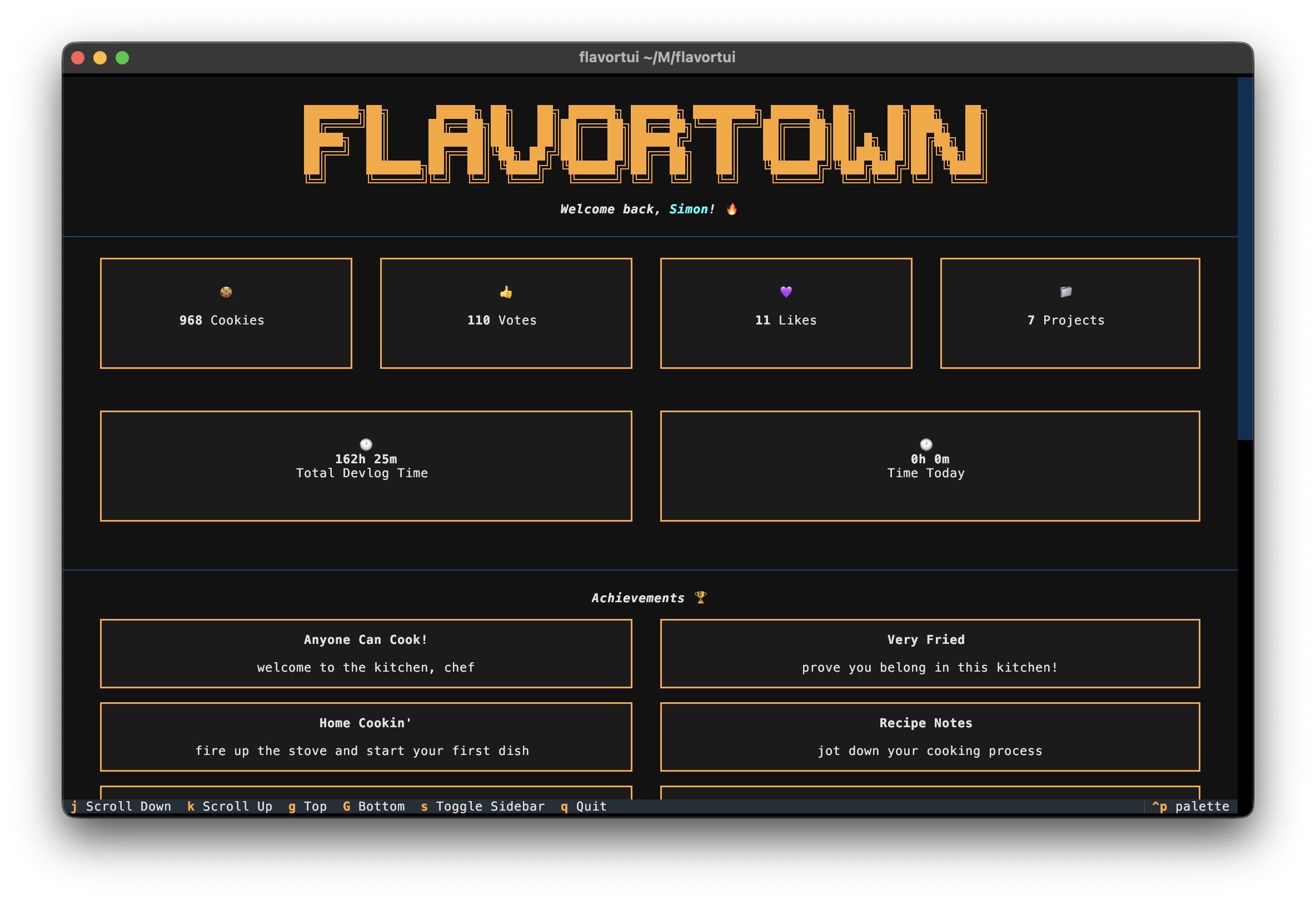
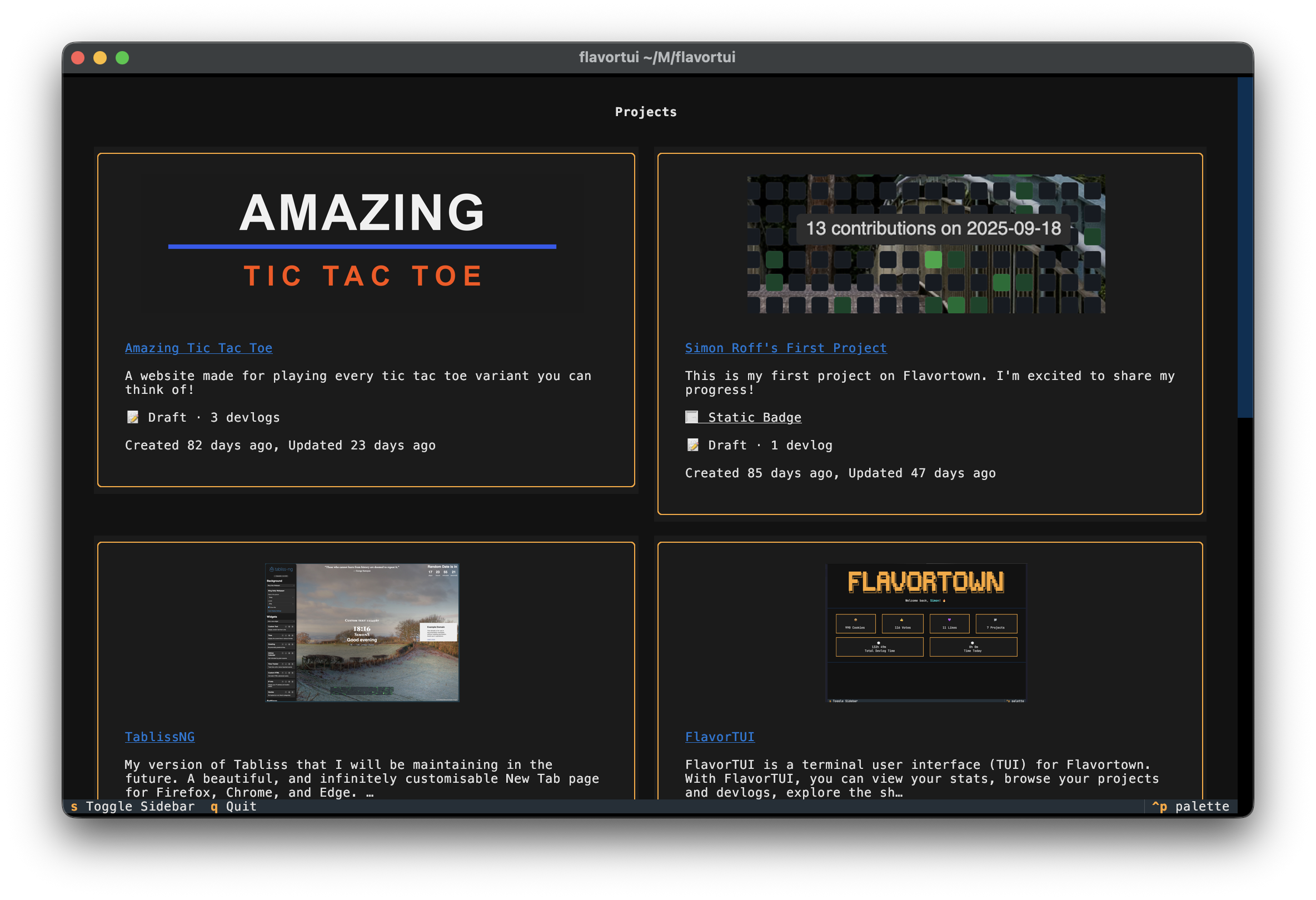
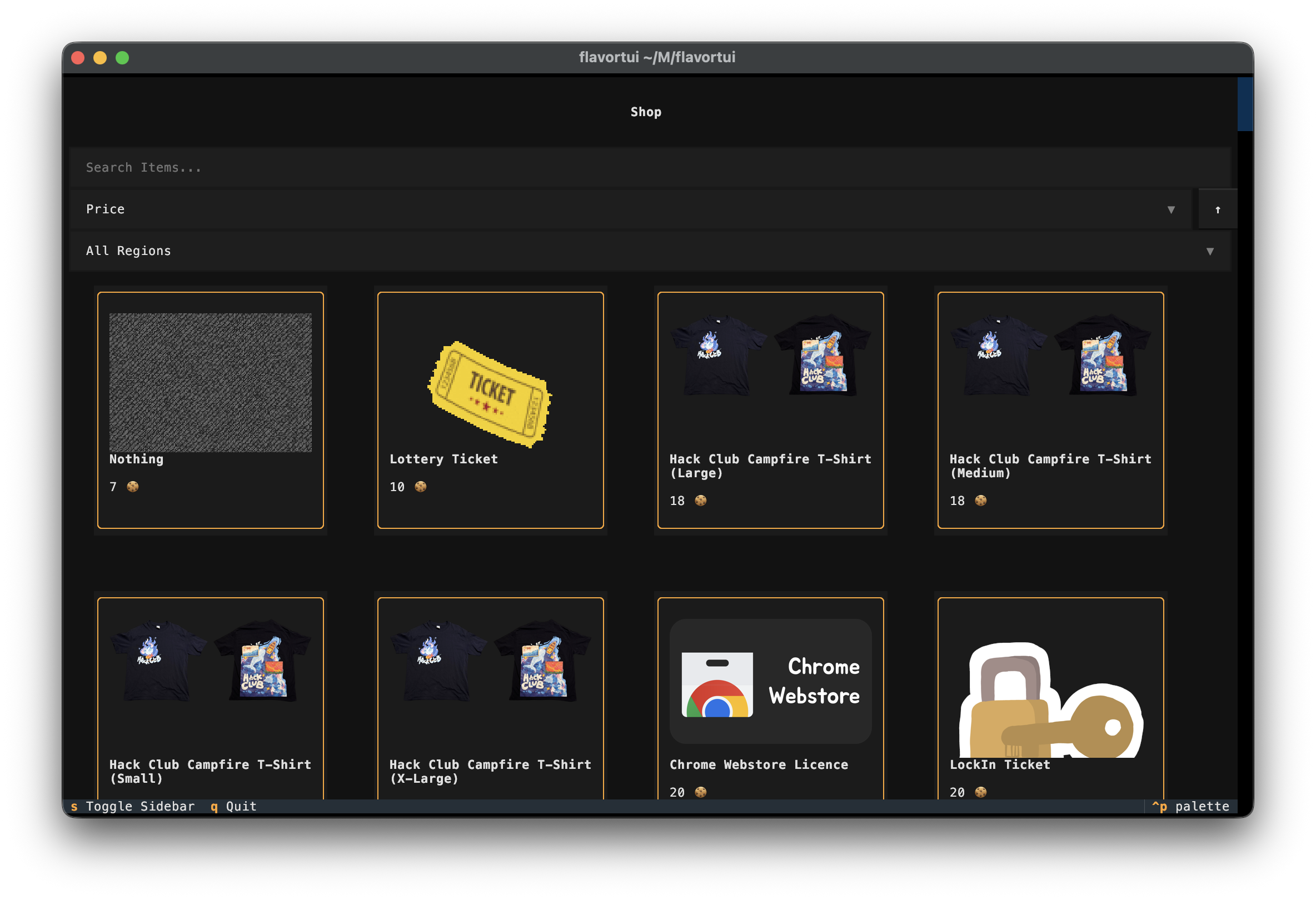
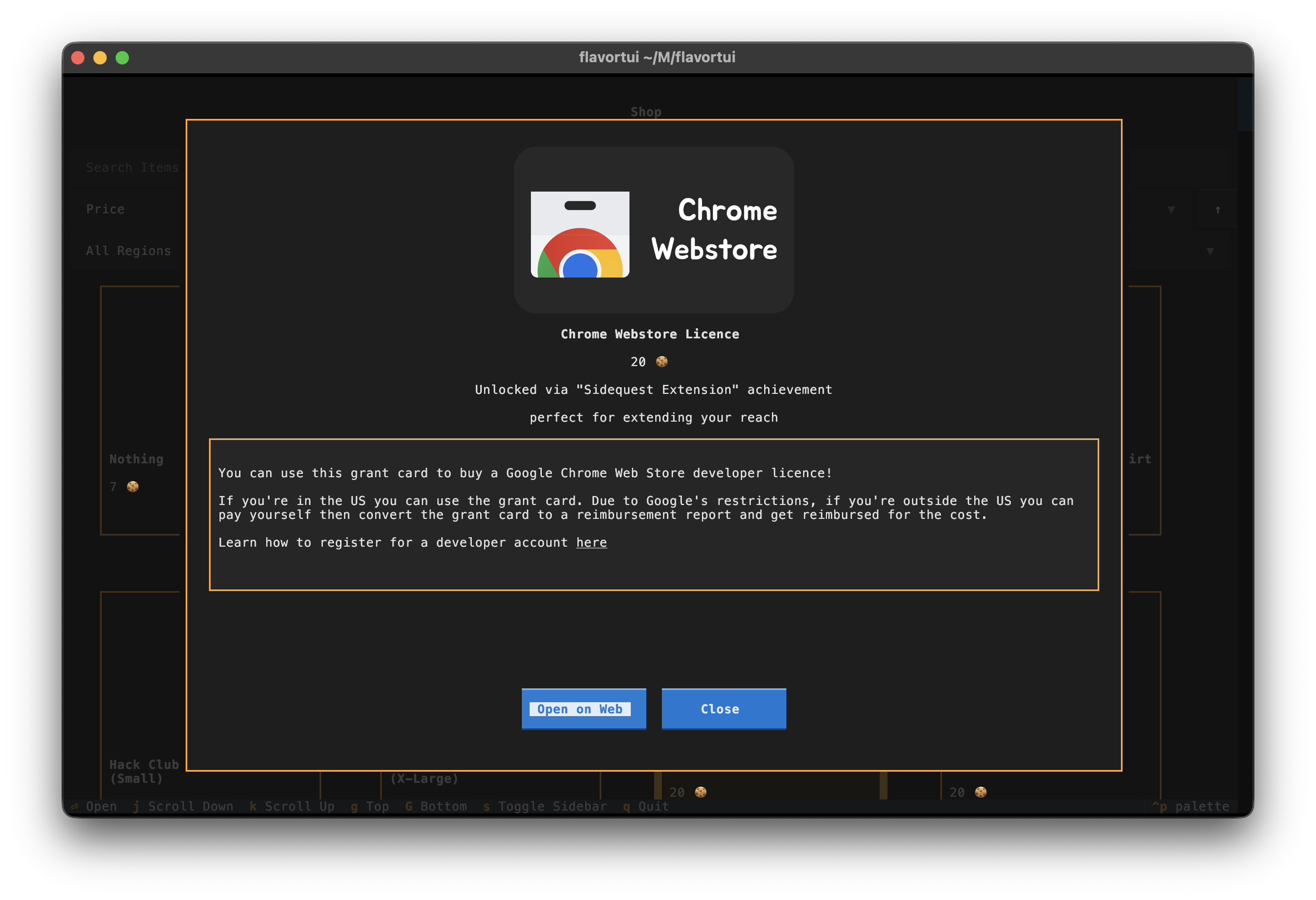
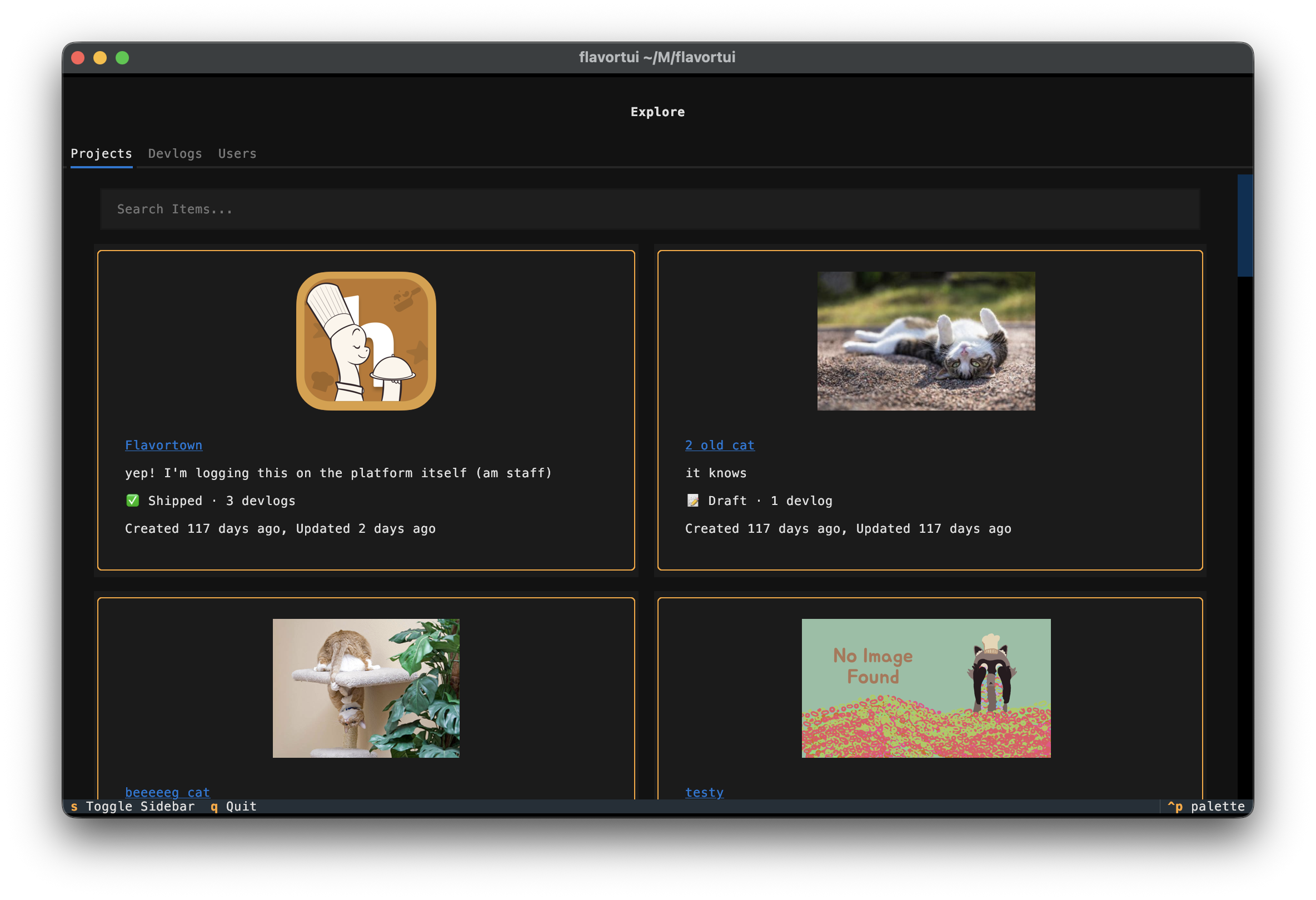
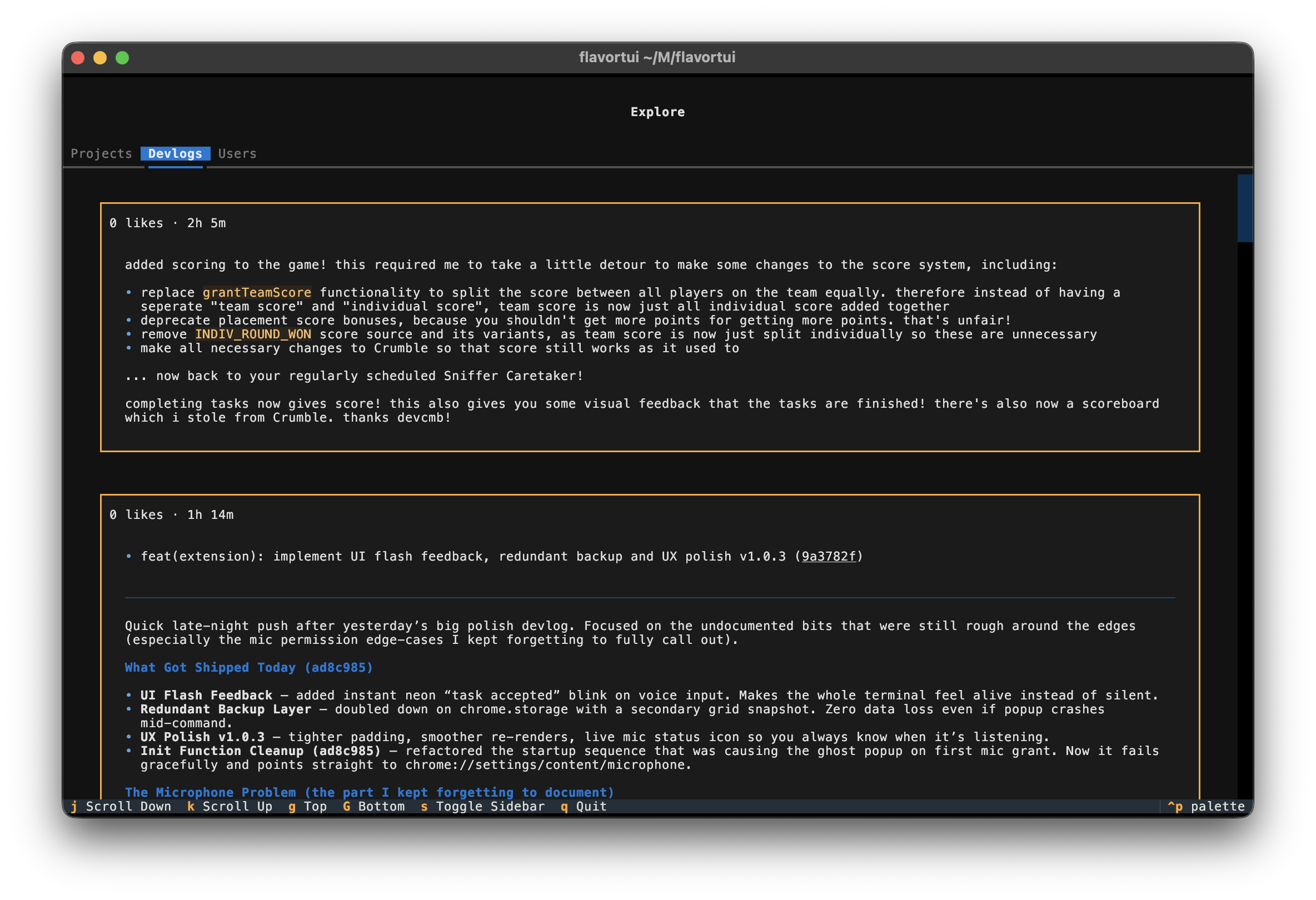
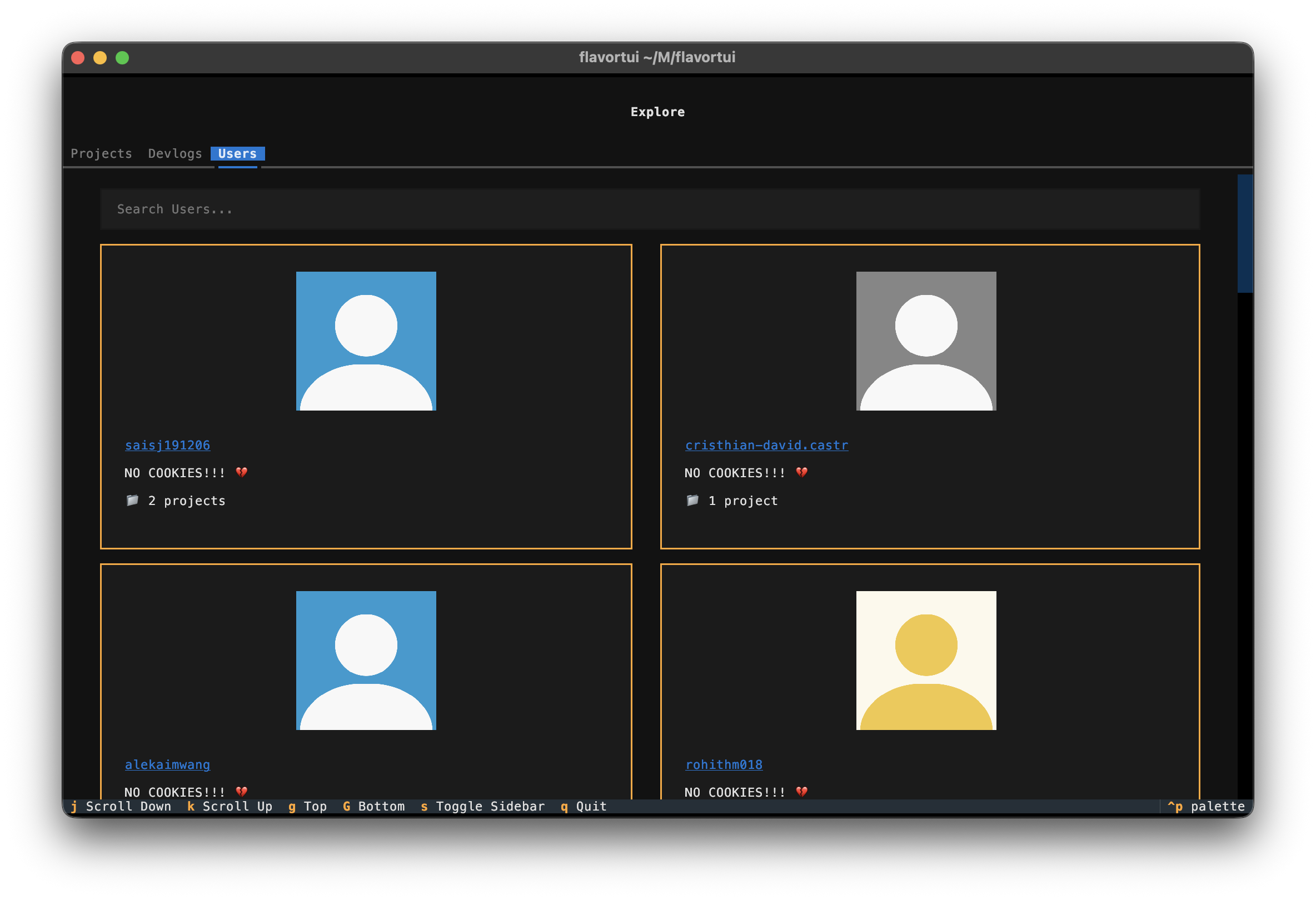
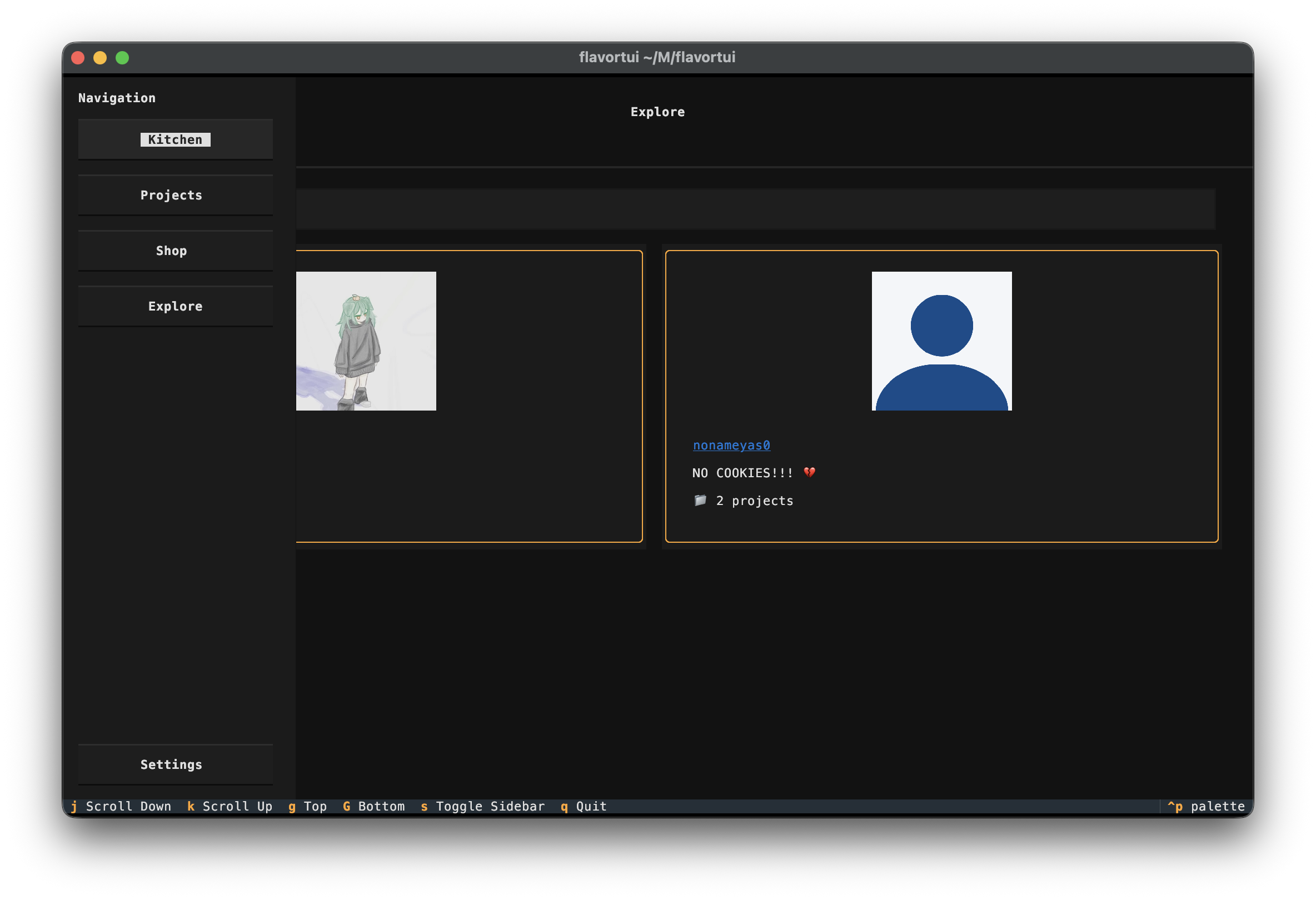
FlavorTUI is a terminal user interface (TUI) for Flavortown. With FlavorTUI, you can view your stats, browse your projects and devlogs, explore the shop, and discover other users' projects, all from an interactive terminal interface.
It is built using the textual library, which provides (imo) a great terminal UI experience. The TUI is of course written in Python 🥰. This is my first time creating a TUI so I hope its good :) Depending on your terminal, the ui might look different. It all depends on how well your terminal supports different things.
Your API key is stored "securely" using the keyring library, so you don't have to worry about it being exposed in your terminal history or config files.
Performance (PLEASE READ)
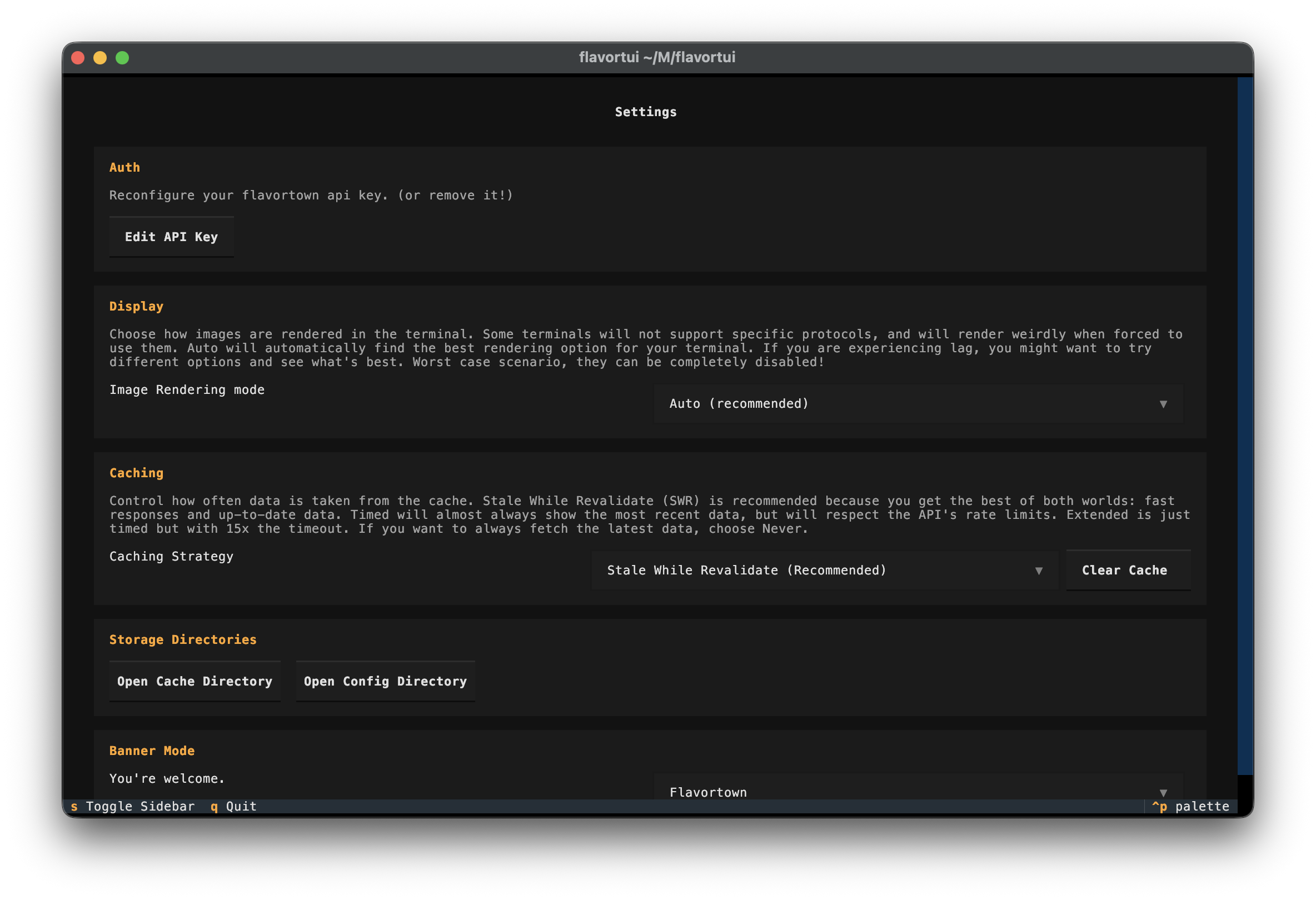
Image lag: Depending on your terminal, performance might be very bad. I suggest switching image rendering modes until you find one that works. Worst case you can disable images entirely.
Buggy UI: If your UI looks buggy (text is in the wrong spot, images are jittery), please try changing your image rendering mode. Bad terminals (such as the Windows Terminal) will most likely break stuff really badly
I highly recommend using a terminal that supports all of these modern rendering things. From the very minimal selection that I have tested, I suggest:
- Kitty (the best!)
- WezTerm
- iTerm
- Alacritty
Kitty (in my opinion) is the best. It has great performance and support for everything. The others, you might want to change the image rendering settings.
Please avoid reporting UI issues if you're using a terminal with limited or inconsistent graphics support, as these issues are often caused by the terminal itself rather than the app.
Storage Locations
FlavorTUI stores data in three places:
- API key: system keychain/keyring (via
keyring) - Settings JSON: user config directory (via
platformdirs.user_config_dir("flavortui")) - API/image cache: user cache directory (via
platformdirs.user_cache_dir("flavortui"))
Typical paths:
To easily find where your data is stored, you can simply go to the bottom of the settings menu and click on the associated buttons!
- macOS:
- Settings:
~/Library/Application Support/flavortui/settings.json - Cache:
~/Library/Caches/flavortui/
- Settings:
- Windows:
- Settings:
%LOCALAPPDATA%\\flavortui\\settings.json - Cache:
%LOCALAPPDATA%\\flavortui\\Cache\\
- Settings:
- Linux:
- Settings:
~/.config/flavortui/settings.json(or$XDG_CONFIG_HOME/flavortui/settings.json) - Cache:
~/.cache/flavortui/(or$XDG_CACHE_HOME/flavortui/)
- Settings:
Screenshots
 |
 |
 |
 |
|
 |
 |
 |
 |
 |
Installation
pip install flavortui
or, to install the latest from GitHub:
pip install git+https://github.com/bookcatkid/flavortui
Local Development
python -m venv venv
source venv/bin/activate  # On Windows: venv\Scripts\activate
pip install -e .
Run with either:
flavortui
or:
python -m flavortui
API
Flavortown API docs can be found here.
License
flavortui is distributed under the terms of the MIT license.
1 maintainer

Metadata
1 maintainer
Release files for flavortui 1.0.4
For a detailed explanation of source distributions (sdists) and built distributions (wheels), please see the package formats documentation.
Source distribution (sdist)
| File | Size | Uploaded | Provenance | Actions |
|---|---|---|---|---|
| flavortui-1.0.4.tar.gz | 22.9 MB | Without provenance | Details for flavortui-1.0.4.tar.gz |
Built distribution (wheel)
| File | Interpreter | ABI | Platform | Actions Reset |
|---|---|---|---|---|
| flavortui-1.0.4-py3-none-any.whl | Python 3 | none | any | Details for flavortui-1.0.4-py3-none-any.whl |
Total release size: 22.9 MB
Release files / flavortui-1.0.4.tar.gz
| Download URL | flavortui-1.0.4.tar.gz |
|---|---|
| Size | 22.9 MB |
| Tags | Source |
|
SHA-256 checksum How to use checksums |
65ca37c129f2a6dc9648a4271fb54dd6c0e07e0323f4f7ecc4dc74ab2fefaa68
|
|
BLAKE2b-256 checksum How to use checksums |
f91283b656f96525b2f7d787bcc7ba1c8296a00265d663cdfced680a7821b0bc
|
| Upload date | |
|
Uploaded using Trusted Publishing? What is trusted publishing? |
No |
| Uploaded via |
Hatch/1.16.5 cpython/3.14.4 HTTPX/0.28.1
|
Release files / flavortui-1.0.4-py3-none-any.whl
| Download URL | flavortui-1.0.4-py3-none-any.whl |
|---|---|
| Size | 29.6 kB |
| Tags | Python 3 |
|
SHA-256 checksum How to use checksums |
369e6b74b757f9729691422863b8425016bd309c6556f00da956efd50bbaf053
|
|
BLAKE2b-256 checksum How to use checksums |
ad57ae7eb550ba1bae981d29db49aee9f5ca2c2813563c97fa58599154cbd76f
|
| Upload date | |
|
Uploaded using Trusted Publishing? What is trusted publishing? |
No |
| Uploaded via |
Hatch/1.16.5 cpython/3.14.4 HTTPX/0.28.1
|
Security for flavortui 1.0.4
Provenance
Provenance describes where a file came from. On PyPI, provenance is shared via attestations, which provide a verifiable record of the build or publishing details. View details, limitations and caveats.
No provenance found
None of the files in this release were uploaded with provenance metadata.
A note on package security
PyPI is a repository for distributing packages, not a service for auditing them. While third-party security researchers and our staff do their best to detect and remove malicious packages, PyPI cannot guarantee the quality, security or suitability of any given package.
To learn more about protecting yourself from malicious actors, visit our package security documentation.














