

🔥Flet-Easy (Flet-Easy-Static)
Flet-Easy is a package built as an add-on for Flet, designed for beginners what it does is to make Flet easier when building your apps, with a tidier and simpler code.
Modification
Flet-Easy-Static is a modification of Flet-Easy that allows you to create and publish your Flet-Easy project as a static pyodide website
As a result, the following features are not available:
- Export As AGSI Application is removed (This was the limiting factor for creating a static website since it is not available in the flet-pyodide package)
- FastAPI Integration is removed (This was the limiting factor for creating a static website since it is not available in the flet-pyodide package)
- Removed
fletas a required dependency sinceflet-pyodideis used in the web not thefletpackage - Added
PyJWTrsasslparseas a requirement since it not included in pyodide environment
How To Use:
- Add
flet-easy-staticto your projectrequirements.txt - How To Import Package:
# Method 1: Importing the package as fs in your project (Disadvantage: You will have to import this in you whole project, and also install the package)
import flet_easy_static as fs
# Method 2: Check if the platform is emscripten and import the package accordingly (Disadvantage: You will have to import this in you whole project)
# This method is useful if you want to run the same code on both the desktop and the web and you don't have to install flet-easy-static package on your desktop
if sys.platform == "emscripten":  # Check if in Pyodide environment
    import flet_easy_static as fs
else:
    import flet_easy as fs
- Now you can safely run
flet publishon your static website application
🔥 This pacakge is just a small modification of the original Flet-Easy package and all the credit goes to the original author Daxexs
Features
- Easy to use (hence the name).
- Facilitates
fletevent handling. - Simple page routing (There are three ways) for whichever one suits you best. (
Docs) - App construction with numerous pages and custom flet configurations for desktop, mobile and web sites.
- Provides a better construction of your code, which can be scalable and easy to read (it adapts to your preferences, there are no limitations).
- Dynamic routing, customization in the routes for greater accuracy in sending data. (
Docs) - Routing protection (
Docs) - Custom Page 404 (
Docs) - Controlled data sharing between pages. (
Docs) - Asynchronous support.
- Middleware Support (in the app in general and in each of the pages). (
Docs) - JWT support for authentication sessions in the data parameter. (useful to control the time of sessions) (
Docs) - Working with other applications. (
Docs) - CLI to create app structure
FletEasy(fs init) (Docs) - Easy integration of
on_keyboard_eventin each of the pages. (Docs) - Use the percentage of the page width and height of the page with
on_resize. (Docs) ResponsiveControlsycontrol to make the app responsive, useful for desktop applications. (Docs)- Soporta Application Packaging para su distribución. (view)
📌Flet events it handles
on_route_change: Dynamic routingon_view_popon_keyboard_eventon_resizeon_error
💻Installation:
Requires installation Flet for use:
pip install flet --upgrade
pip install flet-easy-static
💻Update:
pip install flet-easy-static --upgrade
🔥Flet-Easy app example
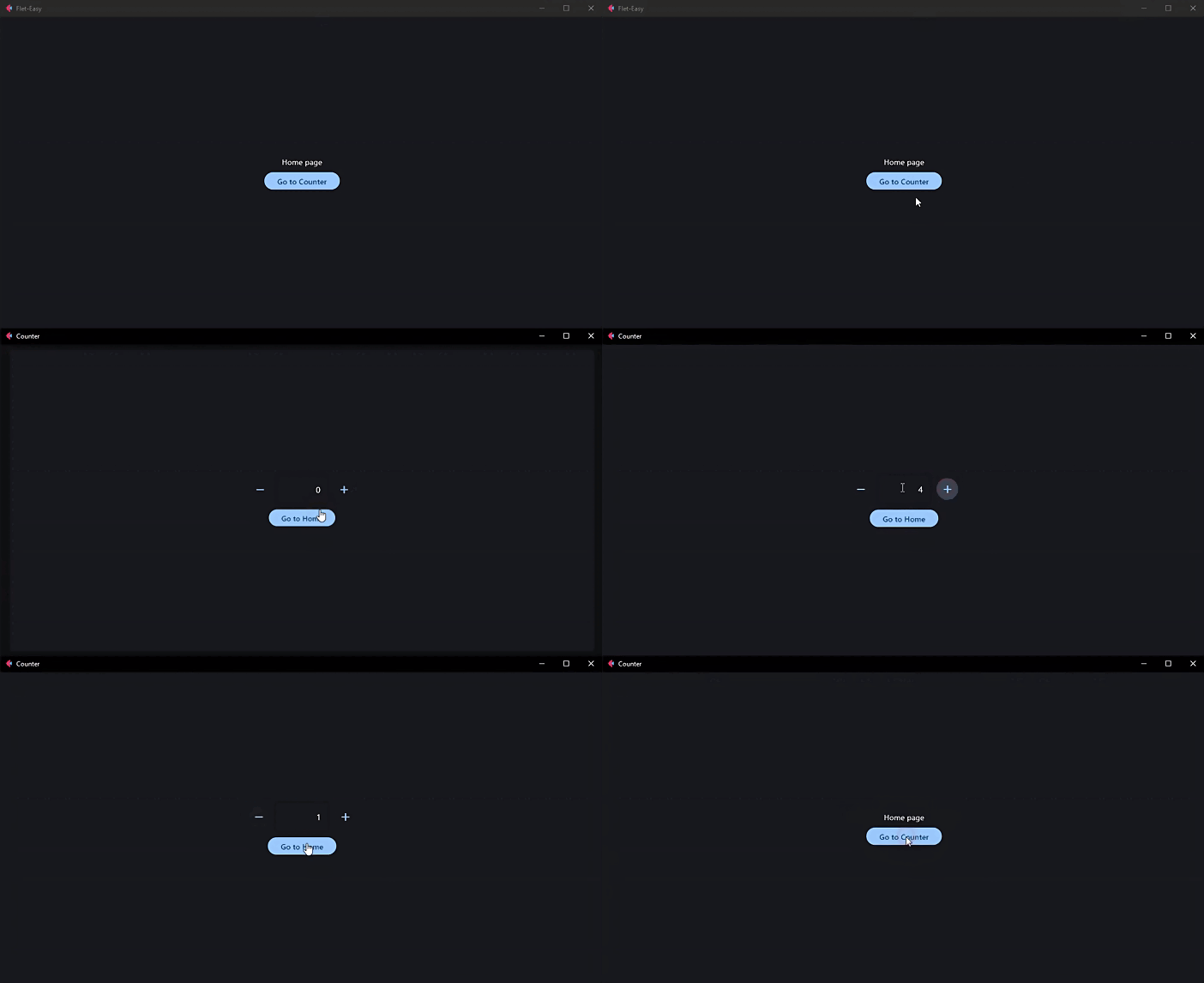
Here is an example of an application with 2 pages, "Home" and "Counter":
import flet as ft
import flet_easy_static as fs

app = fs.FletEasy(route_init="/flet-easy")

# We add a page
@app.page(route="/flet-easy", title="Flet-Easy")
def index_page(data: fs.Datasy):
    return ft.View(
        controls=[
            ft.Text("Home page"),
            ft.FilledButton("Go to Counter", on_click=data.go("/counter")),
        ],
        vertical_alignment="center",
        horizontal_alignment="center",
    )

# We add a second page
@app.page(route="/counter", title="Counter")
def counter_page(data: fs.Datasy):
    page = data.page

    txt_number = ft.TextField(value="0", text_align="right", width=100)

    def minus_click(e):
        txt_number.value = str(int(txt_number.value) - 1)
        page.update()

    def plus_click(e):
        txt_number.value = str(int(txt_number.value) + 1)
        page.update()

    return ft.View(
        controls=[
            ft.Row(
                [
                    ft.IconButton(ft.icons.REMOVE, on_click=minus_click),
                    txt_number,
                    ft.IconButton(ft.icons.ADD, on_click=plus_click),
                ],
                alignment="center",
            ),
            ft.FilledButton("Go to Home", on_click=data.go("/flet-easy")),
        ],
        vertical_alignment="center",
        horizontal_alignment="center",
    )

# We run the application
app.run()
🎬 Mode
🚀 How to use Flet-Easy?
[!IMPORTANT] Documentation: https://daxexs.github.io/flet-easy/latest/
👀 Code examples
🔎 Contribute to this project
Read the CONTRIBUTING.md file
🧾 License
1 maintainer

Metadata
1 maintainer
Release files for flet-easy-static 0.2.6
For a detailed explanation of source distributions (sdists) and built distributions (wheels), please see the package formats documentation.
Source distribution (sdist)
| File | Size | Uploaded | |
|---|---|---|---|
| flet_easy_static-0.2.6.tar.gz | 22.6 kB | Details |
Built distribution (wheel)
| File | Interpreter | ABI | Platform | Reset |
|---|---|---|---|---|
| flet_easy_static-0.2.6-py3-none-any.whl | Python 3 | none | any | Details |
Total release size: 47.5 kB
Release files / flet_easy_static-0.2.6.tar.gz
| Download URL | flet_easy_static-0.2.6.tar.gz |
|---|---|
| Size | 22.6 kB |
| Tags | Source |
|
SHA-256 checksum How to use checksums |
82fa87aa98c9d9d45e524198b8827b37c271a56867287547816fa36cc47fdf9b
|
|
BLAKE2b-256 checksum How to use checksums |
d45af9ef4e14595b595bbffd676dddcef0b874f901e170a1ff59b306017d2b0d
|
| Upload date | |
|
Uploaded using Trusted Publishing? What is trusted publishing? |
No |
| Uploaded via |
twine/5.1.0 CPython/3.11.4
|
Release files / flet_easy_static-0.2.6-py3-none-any.whl
| Download URL | flet_easy_static-0.2.6-py3-none-any.whl |
|---|---|
| Size | 25.0 kB |
| Tags | Python 3 |
|
SHA-256 checksum How to use checksums |
f122ff9889388a36fd3532cda378799e0b8f763fde84e74ea6e693a00718081b
|
|
BLAKE2b-256 checksum How to use checksums |
9f825226464108e131d76fca531b31ab37d2f1821e3065a076ec595d7485a8de
|
| Upload date | |
|
Uploaded using Trusted Publishing? What is trusted publishing? |
No |
| Uploaded via |
twine/5.1.0 CPython/3.11.4
|














