
⚡Flet-Easy is a user-friendly add-on package for Flet, offering a cleaner code structure with numerous customizable features like JWT, routers, decorators, middleware and more.

Project description
🔥Flet-Easy











Flet-Easy is a comprehensive package built as an add-on for Flet. It provides a clean, intuitive API with advanced routing, authentication, middleware, page caching, and responsive design capabilities for building modern desktop, web, and mobile applications.
✨ Features (v0.3.0)
- Page Caching System: Optional state preservation across navigation for seamless user experience. (
Docs) - NavigationBar Integration: Built-in support for
ft.NavigationBarwith automatic routing. (Docs) - Enhanced Middleware: Class-based middleware with page-specific application support. (
Docs) - Simple page routing (Various ways to add pages). (
Docs) - Dynamic routing, customization in the routes for greater accuracy in sending data. (
Docs) - Routing protection (
Docs) - Custom Page 404 (
Docs) - Controlled data sharing between pages. (
Docs) - Asynchronous support.
- JWT support for authentication sessions. (
Docs) - Working with other applications. (
Docs) - CLI to create app structure
FletEasy(fs init). (Docs) - Easy integration of
on_keyboard_eventin each of the pages. (Docs) - Use the percentage of the page width and height of the page with
on_resize. (Docs) ResponsiveControlsycontrol to make the app responsive. (Docs)- Supports Application Packaging for its distribution. (view)
📌 Flet events it handles
on_route_change: Dynamic routingon_view_popon_keyboard_eventon_resizeon_error
💻 Ways to install
Install Flet-Easy Complete
[!NOTE] If you use the
fscli, it is important to havegitinstalled.
Installs all the dependencies to use, you can use all the functionalities provided by FletEasy
pip install flet-easy[all]
Install clean Flet-Easy
Requires installation of Flet >= 0.28.0.
pip install flet[all]
If you do not use: CLI-to-create-app
pip install flet-easy
Install FletEasy if you need to use Basic-JWT
pip install flet-easy[JWT]
💻 Update
pip install flet-easy[all] --upgrade
🔥 Flet-Easy app example
Here is an example showcasing the new NavigationBar layout and routing features:
import flet as ft
import flet_easy as fs

app = fs.FletEasy(route_init="/home")

# 1. Define a Global View
# This layout (AppBar, NavigationBar, etc.) will be shared across pages
@app.view
def main_view(data: fs.Datasy):
    return fs.Viewsy(
        appbar=ft.AppBar(
            title=ft.Text("My Flet-Easy App"),
            bgcolor=ft.Colors.BLUE,
        ),
        navigation_bar=ft.NavigationBar(
            destinations=[
                ft.NavigationBarDestination(icon=ft.Icons.HOME, label="Home"),
                ft.NavigationBarDestination(icon=ft.Icons.INFO, label="About"),
            ],
            on_change=data.go_navigation_bar, # Handles automatic routing via index
        ),
        bgcolor=ft.Colors.GREY_50,
    )

# 2. Create the Home Page
@app.page("/home", title="Home", index=0) # index=0 matches the first Nav interface
def home_page(data: fs.Datasy):
    data.view.appbar.title = ft.Text("Welcome Home! 🏠")

    return ft.View(
        controls=[
            ft.Text("Welcome to Flet-Easy! 🎉", size=30, weight=ft.FontWeight.BOLD),
            ft.Text("Now with page caching and NavigationBar support!", size=16),
            ft.ElevatedButton(
                "Go to About",
                on_click=lambda _: data.go_route("/about"), # Direct navigation
            ),
        ],
        appbar=data.view.appbar,
        navigation_bar=data.view.navigation_bar,
        vertical_alignment="center",
        horizontal_alignment="center",
    )

# 3. Create the About Page
@app.page("/about", title="About", index=1)
def about_page(data: fs.Datasy):
    data.view.appbar.title = ft.Text("About Flet-Easy")

    return ft.View(
        controls=[
            ft.Text("About Flet-Easy", size=24),
            ft.Text("Build amazing apps with Python and new caching features!"),
            ft.ElevatedButton("← Back Home", on_click=lambda _: data.go_back()),
        ],
        appbar=data.view.appbar,
        navigation_bar=data.view.navigation_bar,
        vertical_alignment="center",
        horizontal_alignment="center",
    )

# 4. Run the application
if __name__ == "__main__":
    app.run()
🎬 Demo
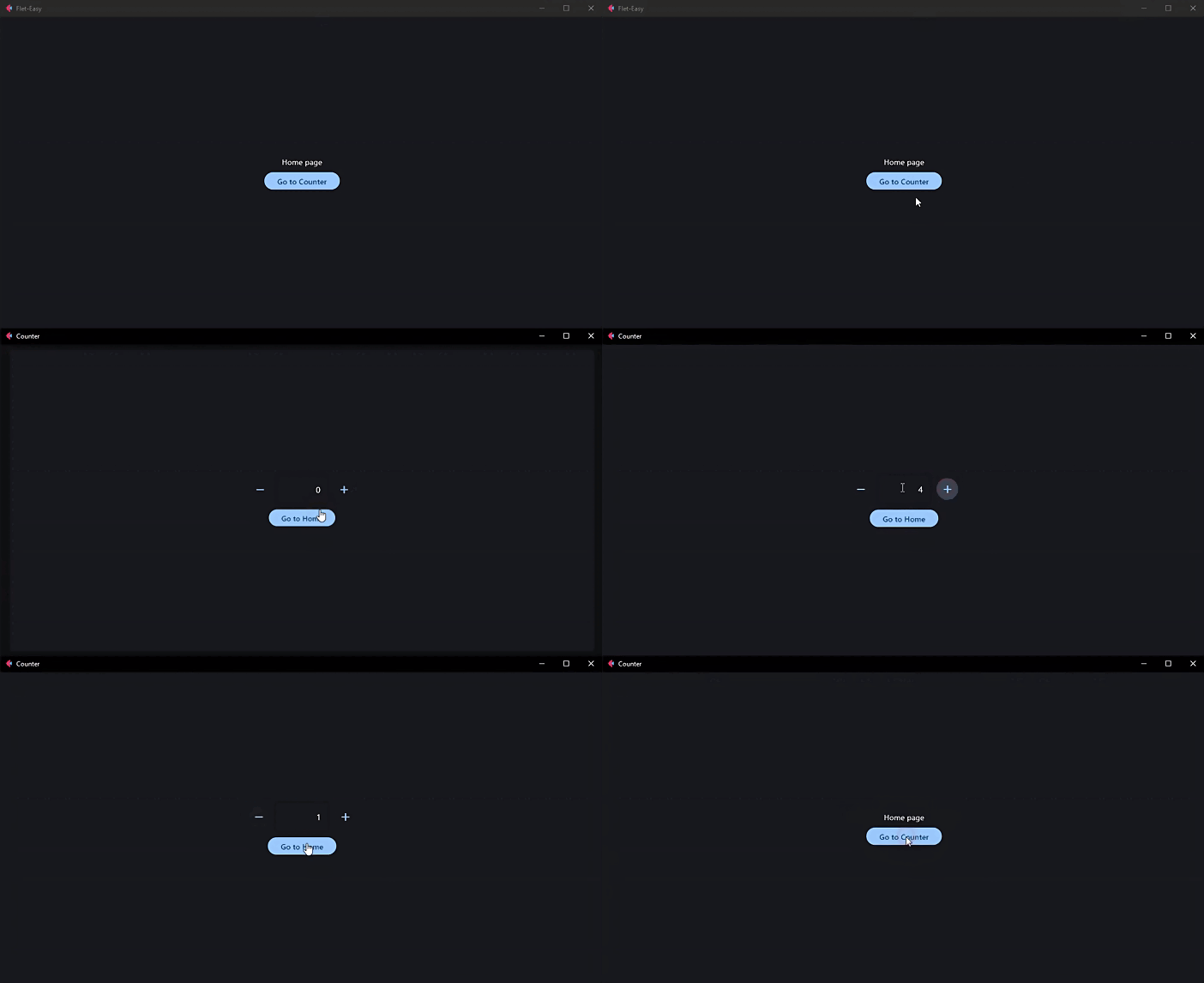
🚀 How to use Flet-Easy?
[!IMPORTANT] 📑 Documentation: https://daxexs.github.io/flet-easy/
👀 Code examples
🔎 Contribute to this project
Read the CONTRIBUTING.md file
🧾 License
Release history Release notifications | RSS feed


Download files
Download the file for your platform. If you're not sure which to choose, learn more about installing packages.
Source Distribution
Built Distribution
Filter files by name, interpreter, ABI, and platform.
If you're not sure about the file name format, learn more about wheel file names.
Copy a direct link to the current filters
File details
Details for the file flet_easy-0.3.0.dev23.tar.gz.
File metadata
- Download URL: flet_easy-0.3.0.dev23.tar.gz
- Upload date:
- Size: 13.3 MB
- Tags: Source
- Uploaded using Trusted Publishing? No
- Uploaded via: uv/0.10.0 {"installer":{"name":"uv","version":"0.10.0","subcommand":["publish"]},"python":null,"implementation":{"name":null,"version":null},"distro":null,"system":{"name":null,"release":null},"cpu":null,"openssl_version":null,"setuptools_version":null,"rustc_version":null,"ci":null}
File hashes
| Algorithm | Hash digest | |
|---|---|---|
| SHA256 |
2bf97b3af2388a291250d771ab664edf1ac04950de1b9188a1f654c1aba41343
|
|
| MD5 |
611a97a41d4e0a9b517184b2e4317254
|
|
| BLAKE2b-256 |
77c2cdd479c1b352322db69f6fb0f2b303a9f5efd3d06dd8f0593aa4eba656e4
|
File details
Details for the file flet_easy-0.3.0.dev23-py3-none-any.whl.
File metadata
- Download URL: flet_easy-0.3.0.dev23-py3-none-any.whl
- Upload date:
- Size: 42.2 kB
- Tags: Python 3
- Uploaded using Trusted Publishing? No
- Uploaded via: uv/0.10.0 {"installer":{"name":"uv","version":"0.10.0","subcommand":["publish"]},"python":null,"implementation":{"name":null,"version":null},"distro":null,"system":{"name":null,"release":null},"cpu":null,"openssl_version":null,"setuptools_version":null,"rustc_version":null,"ci":null}
File hashes
| Algorithm | Hash digest | |
|---|---|---|
| SHA256 |
90f6264084133d7ab1be83956c967116be3cfce9200ad33433ae181b57e7b0ba
|
|
| MD5 |
bf473ce1d61643f4ea682fb11e13ae53
|
|
| BLAKE2b-256 |
72f5d0553b485669fcc634adcbdd3443fd3dbceae93b28bd634a40f1c0030eb9
|






