
FletHealth control for Flet

Project description
Flet Health
📖 Overview
flet-health is an extension of the Flutter health package for Python/Flet. It allows integration with health data on both Google Health Connect (Android) and Apple HealthKit (iOS).
⚠️ Note:
This package is a Python/Flet wrapper for the Flutter
healthplugin.
All credits for the original plugin go to its maintainers.
This wrapper was created to allow Python developers to access the same Health Connect/Apple HealthKit features using Flet.
✨ Features
- handling permissions to access health data using the
has_permissions,request_authorization,revoke_permissionsmethods. - reading health data using the
get_health_data_from_typesmethod. - writing health data using the
write_health_datamethod. - writing workouts using the
write_workoutmethod. - writing meals on iOS (Apple Health) & Android using the
write_mealmethod. - writing audiograms on iOS using the
write_audiogrammethod. - writing blood pressure data using the
write_blood_pressuremethod. - accessing total step counts using the
get_total_steps_in_intervalmethod. - cleaning up duplicate data points via the
remove_duplicatesmethod. - removing data of a given type in a selected period of time using the
deletemethod. - removing data by UUID using the
delete_by_uuidmethod.
⚠ Note that for Android, the target phone needs to have the
Health Connectapp installed.
☕ Buy me a coffee
If you liked this project, please consider supporting its development with a donation. Your contribution will help me maintain and improve it.

📦 Installation
Install using your package manager of choice:
Pip
pip install flet-health
Poetry
poetry add flet-health
UV
uv pip install flet-health
⚙️ Configuration
1. Obtain the flet-build-template to customize the native files. In the root of your project, execute:
git clone https://github.com/flet-dev/flet-build-template.git
cd flet-build-template
git checkout 0.25.2 # or another version according to the flet version used in your project
2. iOS (Apple Health)
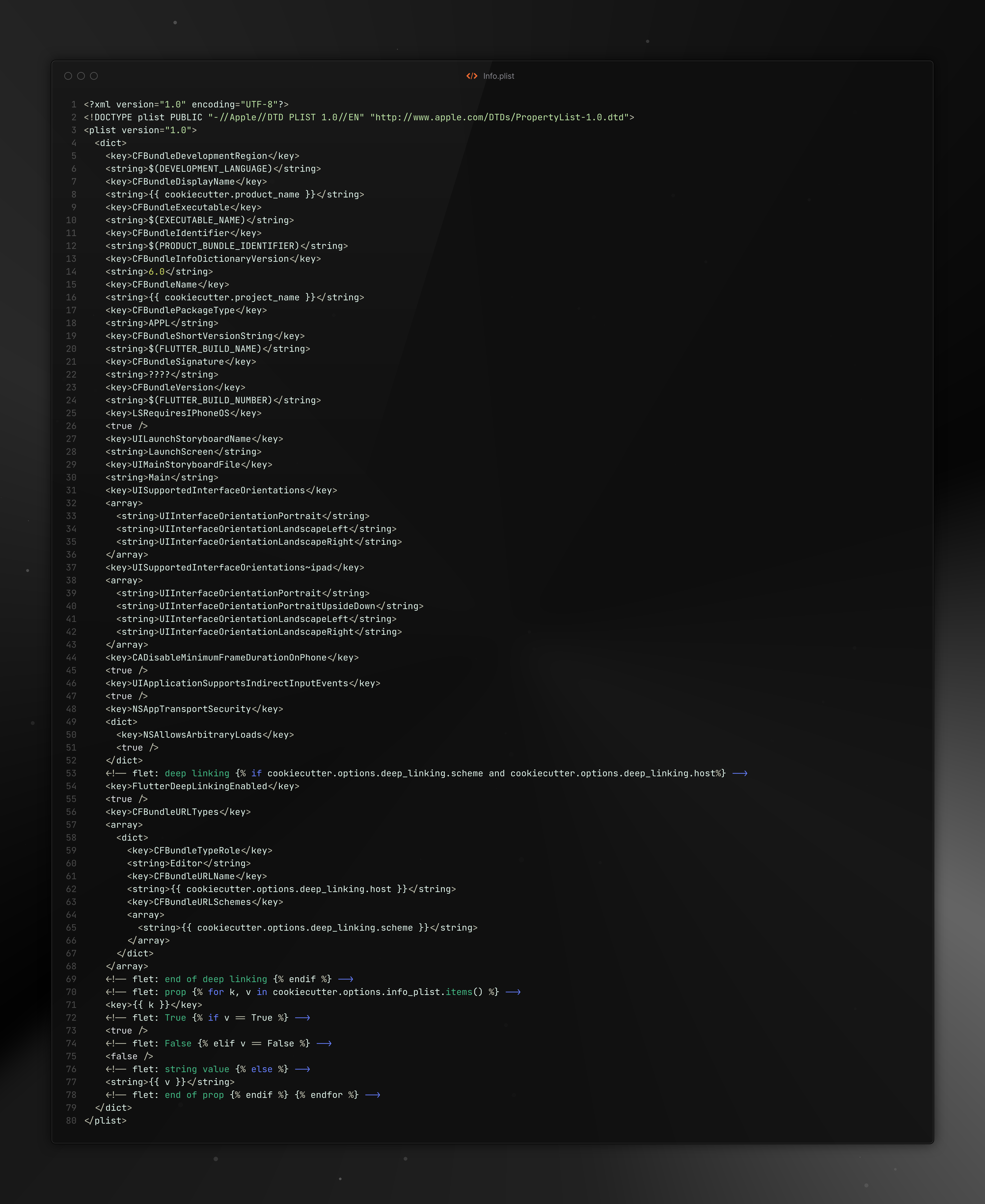
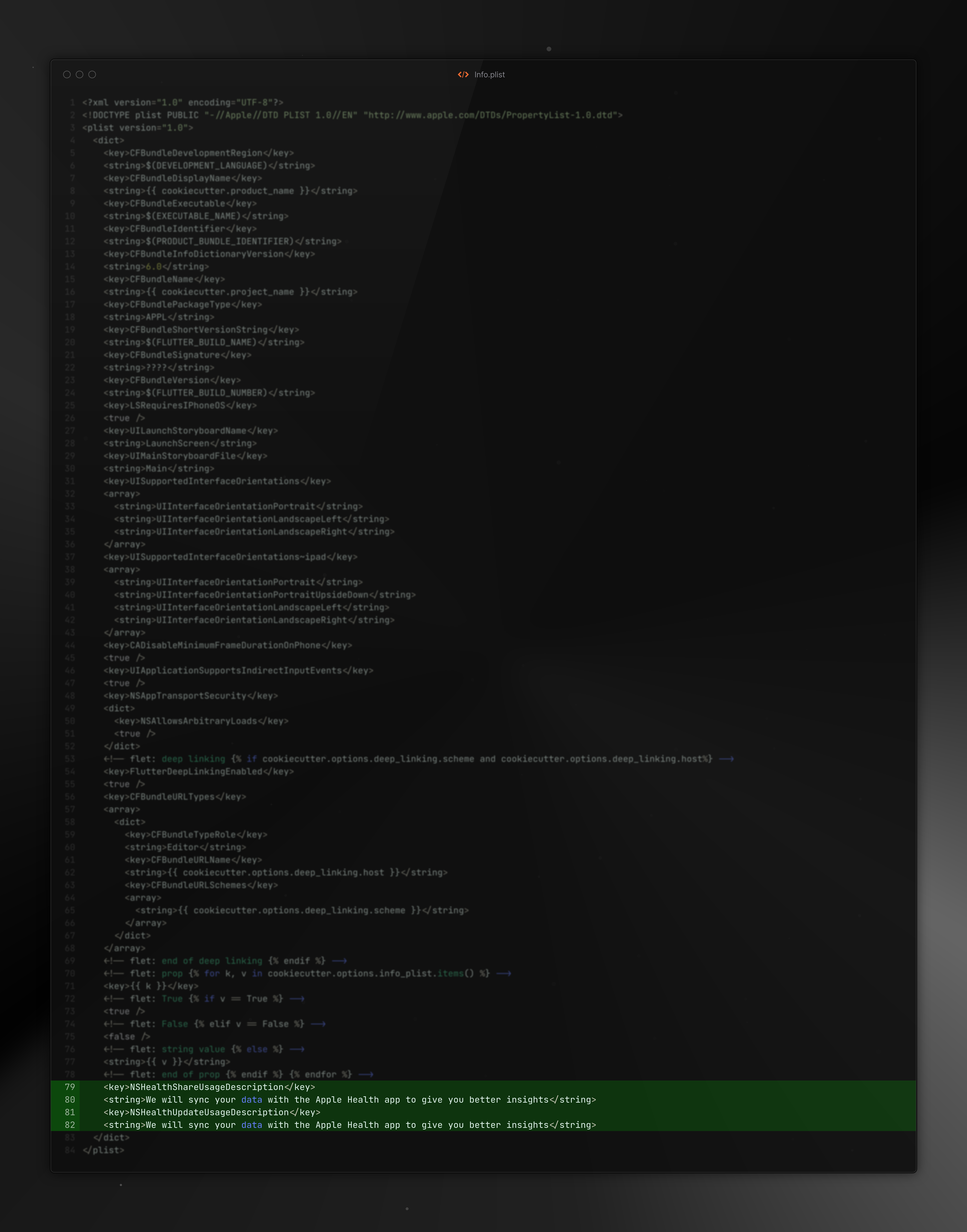
Edit flet-build-template/{{cookiecutter.out_dir}}/ios/Runner/Info.plist.
Add the following two entries to the Info.plist file:
<key>NSHealthShareUsageDescription</key>
<string>We will sync your data with the Apple Health app to give you better insights</string>
<key>NSHealthUpdateUsageDescription</key>
<string>We will sync your data with the Apple Health app to give you better insights</string>
Optional:
Then, open your Flutter project in Xcode by right clicking on the "ios" folder and selecting "Open in Xcode". Next, enable "HealthKit" by adding a capability inside the "Signing & Capabilities" tab of the Runner target's settings.
Before:
After:
3. Android (Health Connect)
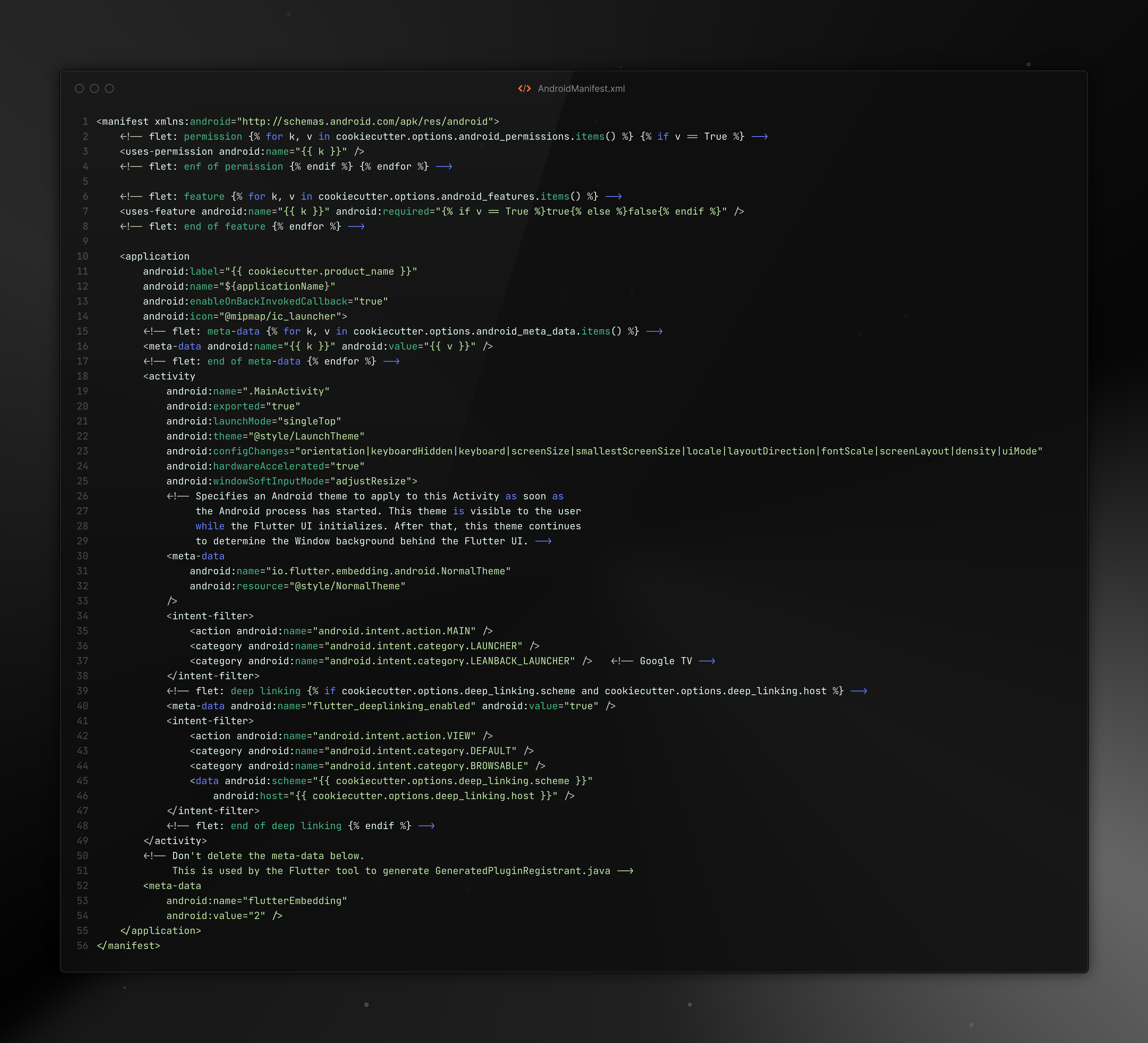
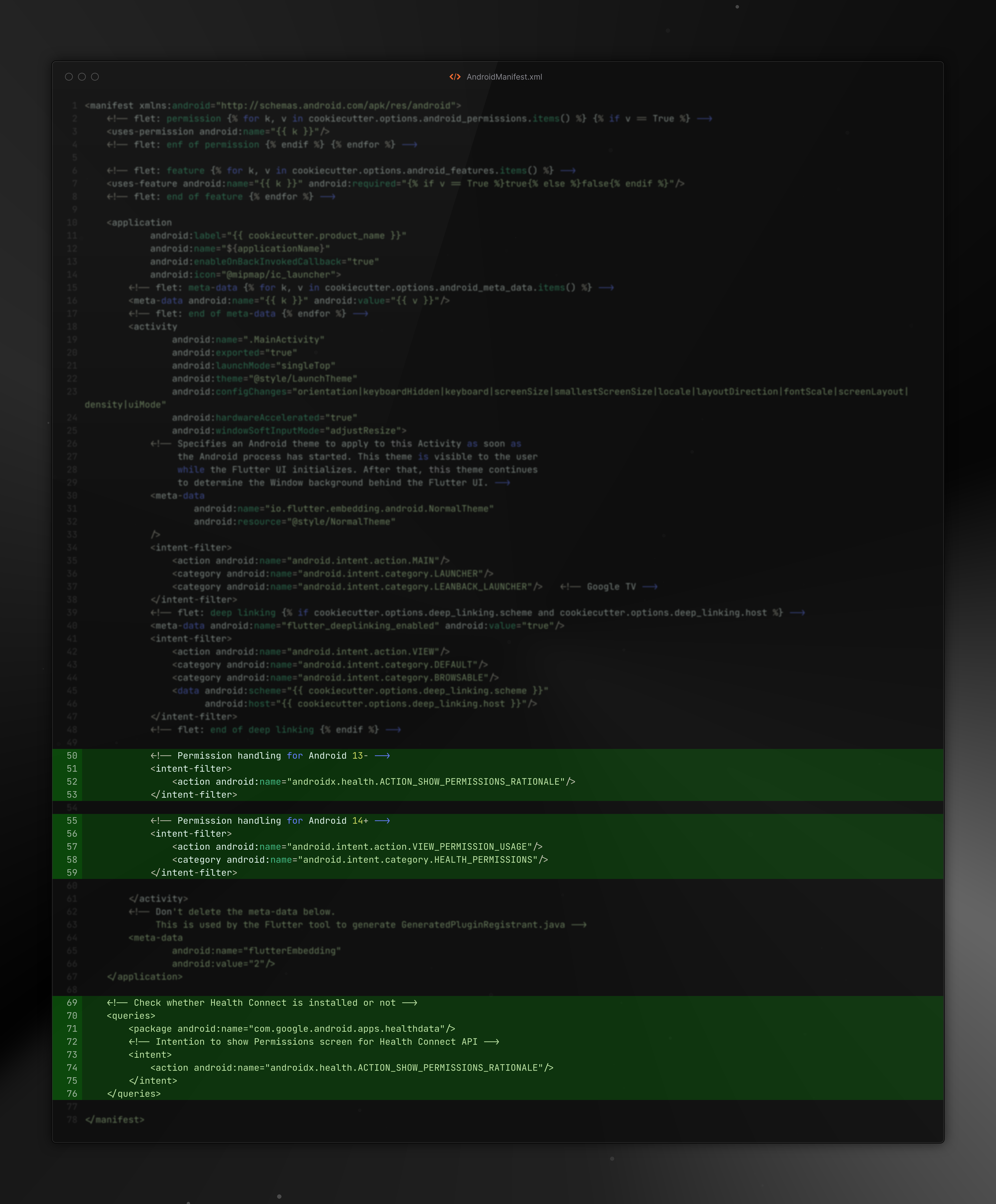
Edit the AndroidManifest file at flet-build-template/{{cookiecutter.out_dir}}/android/app/src/main/AndroidManifest.xml.
Health Connect requires the following lines in the AndroidManifest.xml.
Include:
    <!-- Permission handling for Android 13- -->
    <intent-filter>
        <action android:name="androidx.health.ACTION_SHOW_PERMISSIONS_RATIONALE"/>
    </intent-filter>

    <!-- Permission handling for Android 14+ -->
    <intent-filter>
        <action android:name="android.intent.action.VIEW_PERMISSION_USAGE"/>
        <category android:name="android.intent.category.HEALTH_PERMISSIONS"/>
    </intent-filter>

    <!-- Check whether Health Connect is installed or not -->
    <queries>
        <package android:name="com.google.android.apps.healthdata"/>
        <!-- Intention to show Permissions screen for Health Connect API -->
        <intent>
            <action android:name="androidx.health.ACTION_SHOW_PERMISSIONS_RATIONALE"/>
        </intent>
    </queries>
Before:
After:
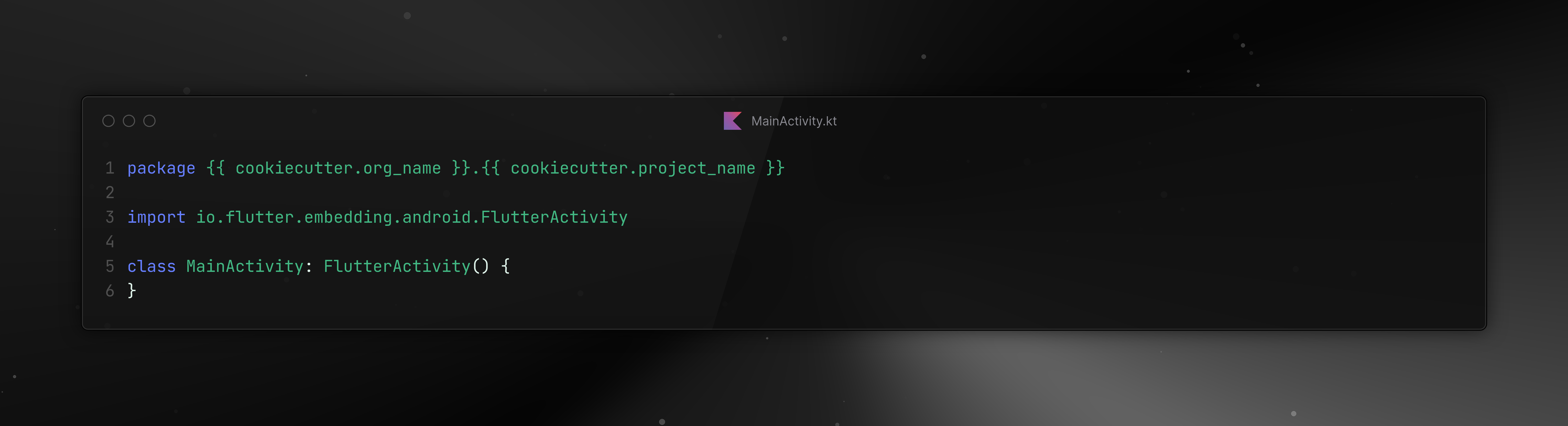
Modify the MainActivity file at {{cookiecutter.out_dir}}/android/app/src/main/kotlin/{{ cookiecutter.kotlin_dir }}/MainActivity.kt.
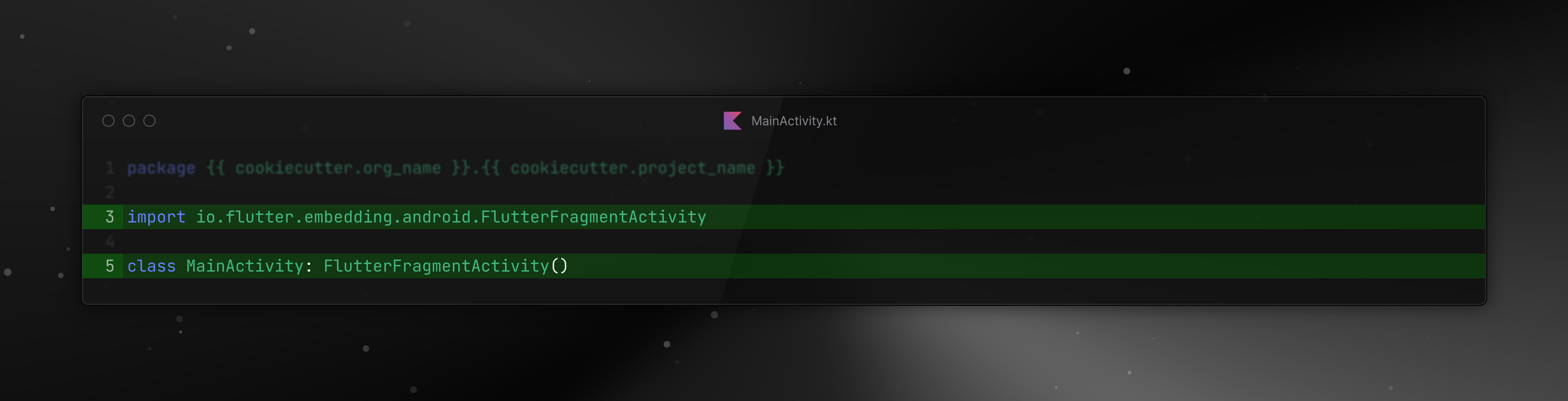
In the MainActivity.kt file, update the MainActivity class to extend from FlutterFragmentActivity instead of the default FlutterActivity.
Change:
import io.flutter.embedding.android.FlutterFragmentActivity

class MainActivity: FlutterFragmentActivity()
Before:
After:
4. Add the desired permissions and reference the flet-build-template directory in pyproject.toml
For each type of data you want to access, READ and WRITE permissions need to be added to the AndroidManifest.xml file
via the [tool.flet.android.permission] section in the pyproject.toml file.
The list of permissions
can be found here on the data types page.
See the official Flet documentation for more information on how to configure the
pyproject.tomlfile with flet build commands.
Example:
[project]
name = "flet-health-example"
version = "0.1.0"
description = "flet-health-example"
readme = "README.md"
requires-python = ">=3.9"
authors = [
    { name = "developer", email = "you@example.com" }
]

dependencies = [
    "flet>=0.25.2",
    "flet-health>=0.1.0",
    "flet-permission-handler>=0.1.0",
]

[tool.uv]
dev-dependencies = [
    "flet[all]>=0.25.2",
]

[tool.flet.android.permission] # --android-permissions
"android.permission.health.READ_STEPS" = true
"android.permission.health.WRITE_STEPS" = true
"android.permission.health.READ_HEART_RATE" = true
"android.permission.health.WRITE_HEART_RATE" = true
"android.permission.health.READ_HEIGHT" = true
"android.permission.health.WRITE_HEIGHT" = true
"android.permission.health.READ_WEIGHT" = true
"android.permission.health.WRITE_WEIGHT" = true
"android.permission.health.READ_ACTIVE_CALORIES_BURNED" = true
"android.permission.health.WRITE_ACTIVE_CALORIES_BURNED" = true
"android.permission.health.READ_DISTANCE" = true
"android.permission.health.WRITE_DISTANCE" = true
"android.permission.health.READ_BLOOD_GLUCOSE" = true
"android.permission.health.WRITE_BLOOD_GLUCOSE" = true
"android.permission.health.READ_OXYGEN_SATURATION" = true
"android.permission.health.WRITE_OXYGEN_SATURATION" = true
"android.permission.health.READ_BODY_TEMPERATURE" = true
"android.permission.health.WRITE_BODY_TEMPERATURE" = true
"android.permission.health.READ_BLOOD_PRESSURE" = true
"android.permission.health.WRITE_BLOOD_PRESSURE" = true
"android.permission.health.READ_SLEEP" = true
"android.permission.health.WRITE_SLEEP" = true
"android.permission.health.READ_EXERCISE" = true
"android.permission.health.WRITE_EXERCISE" = true
"android.permission.health.READ_NUTRITION" = true
"android.permission.health.WRITE_NUTRITION" = true
"android.permission.health.READ_HYDRATION" = true
"android.permission.health.WRITE_HYDRATION" = true
"android.permission.health.READ_MENSTRUATION" = true
"android.permission.health.WRITE_MENSTRUATION" = true
"android.permission.health.READ_HEART_RATE_VARIABILITY" = true
"android.permission.health.WRITE_HEART_RATE_VARIABILITY" = true
"android.permission.health.READ_LEAN_BODY_MASS" = true
"android.permission.health.WRITE_LEAN_BODY_MASS" = true
"android.permission.health.READ_TOTAL_CALORIES_BURNED" = true
"android.permission.health.WRITE_TOTAL_CALORIES_BURNED" = true

# Additional permissions if required
"android.permission.BODY_SENSORS" = true
"android.permission.ACCESS_BACKGROUND_LOCATION" = true
"android.permission.ACCESS_COARSE_LOCATION" = true
"android.permission.ACCESS_FINE_LOCATION" = true
"android.permission.ACTIVITY_RECOGNITION" = true


# Reference the `flet-build-template` directory.
[tool.flet.template]
#path = "gh:some-github/repo" # --template
#ref = "" # --template-ref
dir = "/absolute/path/to/yourProject/flet-build-template" # --template-dir
By default, Health Connect restricts read data to 30 days from when permission has been granted.
You can check and request access to historical data using the is_health_data_history_authorized and request_health_data_history_authorization methods, respectively.
The above methods require the following permission to be declared:
[tool.flet.android.permission] # --android-permissions
"android.permission.health.READ_HEALTH_DATA_HISTORY" = true
Access to fitness data (e.g. Steps) requires permission to access the “Activity Recognition” API.
To configure this, add the following line to your AndroidManifest.xml file using the [tool.flet.android.permission] section:
[tool.flet.android.permission] # --android-permissions
"android.permission.ACTIVITY_RECOGNITION" = true
Additionally, for workouts, if the distance of a workout is requested then the location permissions below are needed.
[tool.flet.android.permission] # --android-permissions
"android.permission.ACCESS_COARSE_LOCATION" = true
"android.permission.ACCESS_FINE_LOCATION" = true
Because this is labeled as a dangerous protection level, the permission system will not grant it automatically and it
requires the user's action. You can prompt the user for it using the flet-pemission-handler plugin. Follow the plugin setup
instructions.
Install using your package manager of choice:
Pip
pip flet-permission-handler
Poetry
poetry flet-permission-handler
UV
uv add flet-permission-handler
Basic Example:
import flet as ft
import flet_permission_handler as fph


def main(page: ft.Page):
    ph = fph.PermissionHandler()
    page.overlay.append(ph)
    ph.request_permission("activity_recognition")
    ph.request_permission(fph.PermissionType.LOCATION)
🚀 Usage Example
import flet as ft
import flet_health as fh
import flet_permission_handler as fph
from datetime import datetime, timedelta

async def main(page: ft.Page):
    health = fh.Health()
    ph = fph.PermissionHandler()
    page.overlay.extend([ph, health])

    ph.request_permission("activity_recognition")
    ph.request_permission(fph.PermissionType.LOCATION)

    await health.request_authorization_async(
        types=[
            fh.HealthDataTypeAndroid.STEPS,
            fh.HealthDataTypeAndroid.TOTAL_CALORIES_BURNED,
        ],
        data_access=[
            fh.DataAccess.READ_WRITE,
            fh.DataAccess.READ_WRITE
        ]
    )

    # Insert simulated data
    end_date = datetime.now()
    start_date = end_date - timedelta(minutes=30)

    await health.write_health_data_async(
        types=fh.HealthDataTypeAndroid.STEPS,
        start_time=start_date,
        end_time=end_date,
        value=1000
    )

    # Read Data
    result = await health.get_health_data_from_types_async(
        types=[fh.HealthDataTypeAndroid.STEPS],
        start_time=end_date - timedelta(days=3),
        end_time=end_date,
        #recording_method=None  # or: [fh.RecordingMethod.AUTOMATIC]
    )

    print(result)

ft.app(target=main)
🤝🏽 Contributing
Contributions and feedback are welcome!
To contribute:
- Fork the repository.
- Create a feature branch.
- Submit a pull request with a detailed explanation of your changes.
🚀 Try flet-health today and integrate health data into your applications! 💪🏽📊

Commit your work to the LORD, and your plans will succeed. Proverbs 16: 3
Release history Release notifications | RSS feed


Download files
Download the file for your platform. If you're not sure which to choose, learn more about installing packages.
Source Distribution
Built Distribution
Filter files by name, interpreter, ABI, and platform.
If you're not sure about the file name format, learn more about wheel file names.
Copy a direct link to the current filters
File details
Details for the file flet_health-0.1.1.tar.gz.
File metadata
- Download URL: flet_health-0.1.1.tar.gz
- Upload date:
- Size: 32.3 kB
- Tags: Source
- Uploaded using Trusted Publishing? No
- Uploaded via: uv/0.7.1
File hashes
| Algorithm | Hash digest | |
|---|---|---|
| SHA256 |
838a60c2eff358b28921577682f7526d4c03c45a232556058620c46ad351d004
|
|
| MD5 |
864c5105353ddb9d240f9eeda373db13
|
|
| BLAKE2b-256 |
200881f6c36545550c4859f2af0449922f460653dc4c1d78aa7be14380655032
|
File details
Details for the file flet_health-0.1.1-py3-none-any.whl.
File metadata
- Download URL: flet_health-0.1.1-py3-none-any.whl
- Upload date:
- Size: 30.7 kB
- Tags: Python 3
- Uploaded using Trusted Publishing? No
- Uploaded via: uv/0.7.1
File hashes
| Algorithm | Hash digest | |
|---|---|---|
| SHA256 |
e996a36d091402abcf09c5b215d4ee7149e72a2e41ff012b0cc079b42d6c4fe6
|
|
| MD5 |
6d56d923aabd14d0dcc8f1e656b75e03
|
|
| BLAKE2b-256 |
863c8a1ff929b52c8b147876b40e227757f36d30366f788599c2fad6af594000
|






