
CLI tool to scaffold Flet extension packages

Project description
CLI tool that scaffolds Flet extension packages from Flutter packages, with auto-generated Python controls, Dart bridge code, type mappings, and event handlers.







Important: this tool does not perform miracles. 🙏😂
Every Flutter package on pub.dev has its own API surface, configuration requirements, and platform-specific behaviors. Some packages expose simple method calls; others require complex initialization flows, native platform setup (Android manifests, iOS plists, Gradle/CocoaPods configuration), or callback-based architectures that don't map cleanly to Python.
It would be unrealistic to write a code generation algorithm that generalizes perfectly for every possible Flutter package. flet-pkg aims to accelerate the process by delivering significantly more than a blank skeleton — it downloads the real Dart source, parses the public API, and auto-generates Python controls, type mappings, enum definitions, event handlers, and Dart bridge code. For service packages, this typically covers ~95% of the API surface.
However, the developer is still responsible for:
- Understanding how the original Flutter/Dart package works
- Reviewing the generated code for correctness
- Handling package-specific configurations (native platform setup, initialization flows, etc.)
- Adjusting or complementing the generated code for edge cases the pipeline could not cover
Think of flet-pkg as a smart starting point, not a finished product.
Table of Contents
- Installation
- Quick Start
- How It Works
- Usage
- Extension Types
- CLI Reference
- Verbose Mode & Coverage Score
- AI Refinement
- MCP Server
- Generated Project Structure
- Name Conflict Detection
- Generation Pipeline
- Coverage
- Examples
- Development
- Learn more
- Flet Community
- Support
- Contributing
Buy Me a Coffee
If you find this project useful, please consider supporting its development:

Installation
# Using UV (recommended)
uv add flet-pkg

# Using pip
pip install flet-pkg
To enable AI refinement (optional):
# Using UV
uv add flet-pkg[ai]

# Using pip
pip install flet-pkg[ai]
To enable the MCP server (optional — for AI agent integrations):
# Using UV
uv add flet-pkg[mcp]

# Using pip
pip install flet-pkg[mcp]
Requirements: Python 3.10+
Quick Start
# Interactive mode — prompts guide you through every step
flet-pkg create

# One-liner for a service extension
flet-pkg create -t service -f shared_preferences

# One-liner for a UI control extension
flet-pkg create -t ui_control -f shimmer

# Auto-detect type + AI refinement (free, uses Ollama locally)
flet-pkg create -f onesignal_flutter --ai-refine

# Verbose mode — detailed output + coverage breakdown table
flet-pkg create -t service -f shared_preferences -v
How It Works
flet-pkg automates the tedious parts of creating a Flet extension:
- Downloads the Flutter package source from pub.dev (or uses a local path)
- Parses the Dart source files to extract the public API (classes, methods, constructors, enums, streams)
- Analyzes the API to produce a generation plan (type mappings, event detection, sub-module grouping)
- Generates Python controls (
ft.Service/ft.LayoutControl), Dart bridge code, type definitions, and__init__.pyexports - Writes everything into a ready-to-develop project with
pyproject.toml, tests, examples, and docs scaffolding
Optionally, an AI refinement step can analyze coverage gaps and auto-improve the generated code using LLM-powered edits.
Usage
Interactive Mode
flet-pkg create
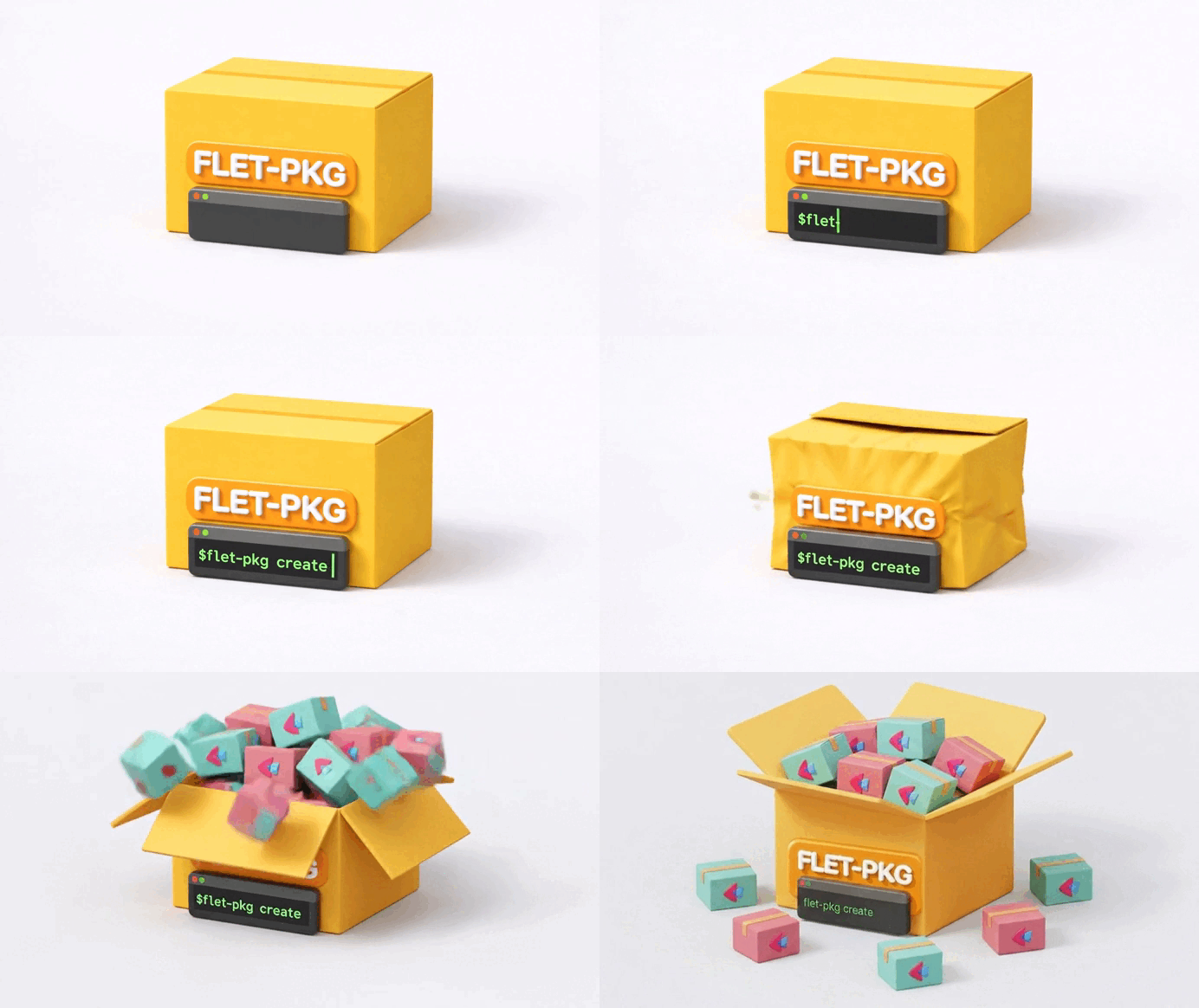
The CLI walks you through each step with prompts:
- Extension type — Auto-detect (recommended), Service, or UI Control
- Flutter package name — The package name from pub.dev (e.g.
onesignal_flutter) - Extension name — Your Flet extension project name (e.g.
flet-onesignal) - Python package name — The importable package name (e.g.
flet_onesignal) - Control class name — The Python class name (e.g.
OneSignal) - Description — A short description for
pyproject.toml - Author — Your name
- Debug console — Whether to include a debug console module
- AI refinement — Whether to run AI-powered code improvement (only shown if
pydantic-aiis installed)
Non-Interactive Mode (CI/Scripting)
Pass all options as flags to skip prompts entirely:
flet-pkg create \
  --type service \
  --flutter-package shared_preferences \
  --output ./my-extensions
For a UI control with AI refinement:
flet-pkg create \
  --type ui_control \
  --flutter-package shimmer \
  --ai-refine \
  --ai-provider ollama \
  --no-console
Using a Local Flutter Package
If you have the Flutter package source locally (useful for private packages or development):
flet-pkg create \
  --type service \
  --flutter-package my_package \
  --local-package ./path/to/my_package
This skips the pub.dev download and uses your local files directly.
Extension Types
| Type | Base Class | Description | Example Packages |
|---|---|---|---|
| Auto-detect | (detected) | Downloads the package and inspects the Dart source to determine the type automatically. Falls back to a manual prompt if detection fails. | Any package |
| Service | ft.Service |
Non-visual extensions that provide platform services — push notifications, storage, sensors, authentication. Methods are exposed as async Python calls via invoke_method. |
shared_preferences, onesignal_flutter, geolocator, local_auth, battery_plus |
| UI Control | ft.LayoutControl |
Visual widget extensions that render Flutter widgets on screen. Constructor parameters become Python properties mapped via _get_control_name and _before_build_command. |
shimmer, flutter_rating_bar, rive, video_player |
CLI Reference
flet-pkg --help or flet-pkg create --help
Usage: flet-pkg [OPTIONS] COMMAND [ARGS]...

Options:
  --version    Show version and exit.
  --help       Show this message and exit.

Commands:
  create    Create a new Flet extension package.
flet-pkg create
Usage: flet-pkg create [OPTIONS]
Package Options
| Option | Short | Type | Description |
|---|---|---|---|
--type |
-t |
TEXT | Extension type: auto (default), service, or ui_control. |
--flutter-package |
-f |
TEXT | Flutter package name from pub.dev. |
--output |
-o |
PATH | Output directory for the generated project. Defaults to current directory. |
--local-package |
-l |
PATH | Path to a local Flutter package source. Skips the pub.dev download. |
Code Generation Options
| Option | Type | Default | Description |
|---|---|---|---|
--analyze / --no-analyze |
BOOL | analyze |
Analyze the Flutter package and auto-generate Python controls, type mappings, and Dart bridge code. Use --no-analyze to generate only the skeleton structure without code analysis. |
--console / --no-console |
BOOL | (prompted) | Include a debug console module (console.py) for development logging. |
AI Refinement Options
| Option | Type | Default | Description |
|---|---|---|---|
--ai-refine / --no-ai-refine |
BOOL | (prompted) | Run AI-powered refinement on generated code. Requires uv add flet-pkg[ai] or pip install flet-pkg[ai]. |
--ai-provider |
TEXT | ollama |
AI provider: ollama (local, free), anthropic (Claude), openai (GPT), or google (Gemini). |
--ai-model |
TEXT | (per provider) | Override the default model. Defaults: ollama=qwen2.5-coder:14b, anthropic=claude-sonnet-4-6, openai=gpt-4.1-mini, google=gemini-2.5-flash. See Ollama Model Requirements for RAM sizing. |
Output Options
| Option | Short | Type | Default | Description |
|---|---|---|---|---|
--verbose |
-v |
BOOL | False |
Show detailed analysis output and coverage breakdown table. Without this flag, only a one-line coverage score is shown. |
Verbose Mode & Coverage Score
After code generation, flet-pkg runs a deterministic gap analysis that compares the Dart API against the generated Python code. A coverage score is always displayed:
Coverage: 95.4% (41/43 features mapped)
Verbose Mode (-v)
Pass --verbose or -v to see detailed output at every pipeline step:
# Score only (default)
flet-pkg create -t service -f shared_preferences --no-ai-refine

# Full verbose output with breakdown table
flet-pkg create -t service -f shared_preferences --no-ai-refine -v

# Verbose + AI refinement details
flet-pkg create -t service -f shared_preferences --ai-refine -v
In verbose mode you'll see:
- Parse details — every class and enum discovered in the Dart source
- Analyze details — each method, sub-module, event, and property mapped
- Generate details — file breakdown (Python vs Dart) with filenames
- AI details (when
--ai-refine) — gap report, architect suggestions, editor edits, validation results - Coverage breakdown table — per-category Rich table:
            Coverage Breakdown
┌────────────────┬──────────┬─────────┬─────────────────┐
│ Category       │ Dart API │  Mapped │ Coverage        │
├────────────────┼──────────┼─────────┼─────────────────┤
│ Methods        │       25 │      24 │ ████████░░ 96%  │
│ Events         │        5 │       5 │ ██████████ 100% │
│ Enums          │        8 │       7 │ ███████░░░ 88%  │
├────────────────┼──────────┼─────────┼─────────────────┤
│ Total          │       38 │      36 │ █████████░ 95%  │
└────────────────┴──────────┴─────────┴─────────────────┘
AI Refinement
The AI refinement is an optional post-generation step that uses an LLM to detect coverage gaps and auto-improve the generated code. It uses the Architect/Editor pattern (inspired by Aider's research) which separates reasoning from editing for better results.
Free (Ollama - Local)
No API key needed. Runs entirely on your machine:
# 1. Install Ollama (https://ollama.com)
curl -fsSL https://ollama.ai/install.sh | sh

# 2. Pull the default coding model (see RAM requirements below)
ollama pull qwen2.5-coder:14b

# 3. Install the AI dependency
uv add flet-pkg[ai]    # or: pip install flet-pkg[ai]

# 4. Create with AI refinement (Ollama is the default provider)
flet-pkg create -f shimmer --ai-refine
Ollama Model Requirements
Choose the model size based on your available RAM. Larger models produce better results but require more memory:
| Model | Size | Min RAM | GPU | Notes |
|---|---|---|---|---|
qwen2.5-coder:7b |
~4.5 GB | 8 GB | Optional | Fast, but may fail on complex structured output |
qwen2.5-coder:14b |
~9 GB | 16 GB | Optional | Default — best balance of quality and speed |
qwen2.5-coder:32b |
~19 GB | 32 GB | Recommended | Best quality, but slow without dedicated GPU |
Warning: Running a model that exceeds your available RAM will cause severe system slowdown or freeze. If you have no dedicated GPU (NVIDIA/AMD), the model runs entirely on CPU+RAM. For machines with 24 GB RAM or less, use the 14b model (default).
To override the model:
flet-pkg create --ai-refine --ai-model qwen2.5-coder:7b
Cloud Providers
If you prefer a cloud-hosted LLM, set the appropriate API key:
# Anthropic (Claude)
export ANTHROPIC_API_KEY=sk-ant-...
flet-pkg create -f shimmer --ai-refine --ai-provider anthropic

# OpenAI (GPT)
export OPENAI_API_KEY=sk-...
flet-pkg create -f shimmer --ai-refine --ai-provider openai

# Google (Gemini)
export GOOGLE_API_KEY=...
flet-pkg create -f shimmer --ai-refine --ai-provider google
How AI Refinement Works
The pipeline runs in 4 steps:
Step 1: Gap Report (deterministic, no LLM)
├── Compares the Dart API against the generated code
├── Identifies: missing methods, properties, enums, events, type mismatches
└── Produces a structured GapReport

Step 2: Architect (LLM)
├── Receives the GapReport + Dart source snippets + generated file summaries
├── Reasons about HOW to fix each feasible gap
└── Produces an ArchitectPlan (text descriptions of improvements)

Step 3: Editor (LLM)
├── Receives the ArchitectPlan + actual file contents
├── Produces precise search/replace code edits
└── Returns structured FileEdit objects

Step 4: Validator (deterministic, no LLM)
├── Applies the edits to the generated files
├── Validates Python syntax
├── If errors: feeds back to Editor (max 2 retries)
└── Writes the refined files
MCP Server
flet-pkg includes an MCP (Model Context Protocol) server that exposes its scaffolding and code generation capabilities to AI agents like Claude Desktop, Cursor, and VS Code Copilot. This complements the CLI by allowing AI assistants to create Flet extensions programmatically.
MCP Installation
# Install with MCP support
uv add flet-pkg[mcp]    # or: pip install flet-pkg[mcp]

# Verify it works
flet-pkg-mcp
Claude Desktop Configuration
Add to your Claude Desktop config (~/.config/claude/claude_desktop_config.json):
{
  "mcpServers": {
    "flet-pkg": {
      "command": "flet-pkg-mcp"
    }
  }
}
Or use uvx (no install needed):
{
  "mcpServers": {
    "flet-pkg": {
      "command": "uvx",
      "args": ["--from", "flet-pkg[mcp]", "flet-pkg-mcp"]
    }
  }
}
Available Tools
| Tool | Description | Network |
|---|---|---|
tool_derive_names |
Derive project/package/control names from a Flutter package name | No |
tool_map_dart_type |
Convert a Dart type to its Python/Flet equivalent | No |
tool_fetch_metadata |
Get pub.dev package metadata (version, description, homepage) | Yes (cached) |
tool_detect_extension_type |
Auto-detect whether a package is a service or ui_control | Yes (cached) |
tool_scaffold |
Create a project skeleton from a template | No |
tool_run_pipeline |
Full pipeline: download, parse, analyze, generate, write | Yes (cached) |
tool_analyze_gaps |
Deterministic coverage gap analysis (no LLM) | Yes (cached) |
Resources & Prompts
Resources:
| URI | Description |
|---|---|
flet-pkg://type-map |
Full Dart-to-Python type mapping table |
flet-pkg://templates |
Available template names (service, ui_control) |
Prompts:
| Prompt | Description |
|---|---|
scaffold_service |
Step-by-step guide to scaffold a service extension |
scaffold_ui_control |
Step-by-step guide to scaffold a UI control extension |
analyze_package |
Guide to analyze coverage without scaffolding |
Example Prompts
With the MCP server configured, use natural language in Claude Code or Claude Desktop:
> Use the flet-pkg tool to analyze the Flutter package "onesignal_flutter" and tell me
  the extension type and coverage.
> Use the flet-pkg tool to analyze the Flutter package "rive" and tell me the extension
  type and coverage.
Generated Project Structure
After running flet-pkg create, you get a complete, ready-to-develop project:
flet-onesignal/                     # Project root
├── pyproject.toml                  # Hatchling build + Flet metadata
├── README.md                       # Extension documentation
├── CHANGELOG.md
├── LICENSE
├── mkdocs.yml                      # MkDocs Material config
├── docs/                           # Documentation source
│   ├── index.md
│   ├── getting-started.md
│   ├── api-reference.md
│   └── examples.md
├── tests/
│   └── test_flet_onesignal.py      # Pytest test file
├── examples/
│   └── flet_onesignal_example/     # Working example app
│       ├── pyproject.toml
│       └── src/
│           └── main.py             # ft.run(main) example
└── src/
    ├── flet_onesignal/             # Python package
    │   ├── __init__.py             # Public exports
    │   ├── onesignal.py            # Main control (@ft.control + ft.Service)
    │   ├── user.py                 # Sub-module (auto-detected from Dart API)
    │   ├── types.py                # Enums, dataclasses, type definitions
    │   └── console.py              # Debug console (optional)
    └── flutter/
        └── flet_onesignal/         # Flutter package
            ├── pubspec.yaml        # Flutter dependencies
            ├── analysis_options.yaml
            └── lib/
                ├── flet_onesignal.dart
                └── src/
                    ├── extension.dart           # Flet extension entry point
                    └── onesignal_service.dart    # Dart bridge code
The files under src/flet_onesignal/ and src/flutter/.../lib/src/ are auto-generated from the Flutter package analysis. They contain real method mappings, type conversions, and event handlers — not just stubs.
Name Conflict Detection
When you choose an extension name, flet-pkg automatically checks for existing packages across:
- PyPI — Python Package Index
- GitHub — Public repositories
- Flet SDK — Official Flet monorepo packages
If matches are found, you'll see a warning with links and a confirmation prompt before continuing. This helps avoid naming conflicts with existing packages.
Generation Pipeline
The deterministic pipeline (no AI needed) follows these steps:
download → parse → analyze → generate → [AI refine] → write
| Step | Module | Description |
|---|---|---|
| Download | core/downloader.py |
Fetches the Flutter package from pub.dev. Caches locally at ~/.cache/flet-pkg/. |
| Parse | core/parser.py |
Parses Dart source files into a structured DartPackageAPI (classes, methods, constructors, enums, streams, getters). |
| Analyze | core/analyzer.py |
Produces a GenerationPlan with method mappings, type conversions, event detection, sub-module grouping, compound widget detection, and sibling widget detection. |
| Generate | core/generators/ |
Five generators produce Python and Dart code: control, sub-modules, types, __init__.py, and Dart service/control. |
| AI Refine | core/ai/ |
(Optional) Gap analysis + LLM-powered code improvement. |
| Write | core/pipeline.py |
Writes files into the project directory, cleans up template stubs that were replaced by generated files. |
Key analysis features:
- Stream event detection —
Stream<T> get onXxxpatterns become Python event handlers - Sub-module grouping — Related methods are grouped into separate Python files (e.g.
user.py,notifications.py) - Compound widget detection — Typed sub-widget constructor params become
ft.Controlsub-classes - Platform interface resolution — Downloads
*_platform_interfacepackages to fill stub enum values - Type mapping — Dart types are mapped to Python/Flet equivalents via
core/type_map.py - Internal method filtering —
toString,hashCode,setMock*and other framework methods are excluded
Coverage
The deterministic pipeline (without AI) achieves the following coverage on tested packages:
| Package | Type | Coverage |
|---|---|---|
shared_preferences |
Service | 100.0% |
url_launcher |
UI Control | 100.0% |
local_auth |
Service | 100.0% |
geolocator |
Service | 100.0% |
share_plus |
Service | 100.0% |
image_picker |
Service | 100.0% |
onesignal_flutter |
Service | 97.6% |
Coverage is measured as the percentage of public Dart API surface (methods, properties, enums, events) that is correctly mapped to Python code.
Examples
Create a service extension for shared_preferences
flet-pkg create -t service -f shared_preferences
cd flet-shared-preferences
uv sync
Create a UI control for shimmer with AI refinement
uv add flet-pkg[ai]    # or: pip install flet-pkg[ai]
ollama pull qwen2.5-coder
flet-pkg create -t ui_control -f shimmer --ai-refine
Create from a local Flutter package
flet-pkg create -t service -f my_package -l ./my_flutter_package
Verbose output with coverage breakdown
flet-pkg create -t service -f battery_plus -v
Non-interactive mode for CI
flet-pkg create \
  -t auto \
  -f onesignal_flutter \
  -o ./output \
  --no-console \
  --no-ai-refine
Development
# Clone and install
git clone https://github.com/brunobrown/flet-pkg.git
cd flet-pkg
uv sync

# Run tests
uv run pytest tests/ -v

# Lint and format
uv tool run ruff format
uv tool run ruff check
uv tool run ty check

# Run the CLI locally
uv run flet-pkg create
Learn more
Flet Community
Join the community to contribute or get help:
Support
If you like this project, please give it a GitHub star ⭐
Contributing
Contributions and feedback are welcome!
- Fork the repository
- Create a feature branch
- Submit a pull request with detailed explanation
For feedback, open an issue with your suggestions.
Try flet-pkg today and turn any Flutter package into a Flet extension in seconds!

Commit your work to the LORD, and your plans will succeed. Proverbs 16:3
Release history Release notifications | RSS feed


Download files
Download the file for your platform. If you're not sure which to choose, learn more about installing packages.
Source Distribution
Built Distribution
Filter files by name, interpreter, ABI, and platform.
If you're not sure about the file name format, learn more about wheel file names.
Copy a direct link to the current filters
File details
Details for the file flet_pkg-0.1.1.tar.gz.
File metadata
- Download URL: flet_pkg-0.1.1.tar.gz
- Upload date:
- Size: 1.1 MB
- Tags: Source
- Uploaded using Trusted Publishing? No
- Uploaded via: uv/0.10.6 {"installer":{"name":"uv","version":"0.10.6","subcommand":["publish"]},"python":null,"implementation":{"name":null,"version":null},"distro":{"name":"Linux Mint","version":"22.3","id":"zena","libc":null},"system":{"name":null,"release":null},"cpu":null,"openssl_version":null,"setuptools_version":null,"rustc_version":null,"ci":null}
File hashes
| Algorithm | Hash digest | |
|---|---|---|
| SHA256 |
a84b1237cdf34ccfc64e11472e4cd9beae38fb657606969e134568c89d9b210b
|
|
| MD5 |
6048889360aac06112dc1fc63c082c01
|
|
| BLAKE2b-256 |
c836ce51c03768aa450a438fc1f333e3c6e8696ec816d780e2c1d86fb76b51b0
|
File details
Details for the file flet_pkg-0.1.1-py3-none-any.whl.
File metadata
- Download URL: flet_pkg-0.1.1-py3-none-any.whl
- Upload date:
- Size: 166.5 kB
- Tags: Python 3
- Uploaded using Trusted Publishing? No
- Uploaded via: uv/0.10.6 {"installer":{"name":"uv","version":"0.10.6","subcommand":["publish"]},"python":null,"implementation":{"name":null,"version":null},"distro":{"name":"Linux Mint","version":"22.3","id":"zena","libc":null},"system":{"name":null,"release":null},"cpu":null,"openssl_version":null,"setuptools_version":null,"rustc_version":null,"ci":null}
File hashes
| Algorithm | Hash digest | |
|---|---|---|
| SHA256 |
3ee42753742acbfee61f134f03dff5379c38ab3535184c4ed3506b85c3534f41
|
|
| MD5 |
891f55fbc9ce3f0aa17ff2bcaa4a3a71
|
|
| BLAKE2b-256 |
90f7849e53ca9565d1049fb8a7cb39fb9c4fc554057f52e579883b617eaf9b9f
|






