
This project has been archived by its maintainers, and is no longer receiving any updates.
Flet for Pyodide - build standalone Single-Page Applications (SPA) in Python with Flutter UI
Flet is a rich User Interface (UI) framework to quickly build interactive web, desktop and mobile apps in Python without prior knowledge of web technologies like HTTP, HTML, CSS or JavaSscript. You build UI with controls based on Flutter widgets to ensure your programs look cool and professional.
Requirements
- Python 3.7 or above on Windows, Linux or macOS
Installation
pip install flet
Create the app
Create main.py file with the following content:
import flet as ft

def main(page: ft.Page):
    page.title = "Flet counter example"
    page.vertical_alignment = ft.MainAxisAlignment.CENTER

    txt_number = ft.TextField(value="0", text_align=ft.TextAlign.RIGHT, width=100)

    def minus_click(e):
        txt_number.value = str(int(txt_number.value) - 1)
        page.update()

    def plus_click(e):
        txt_number.value = str(int(txt_number.value) + 1)
        page.update()

    page.add(
        ft.Row(
            [
                ft.IconButton(ft.icons.REMOVE, on_click=minus_click),
                txt_number,
                ft.IconButton(ft.icons.ADD, on_click=plus_click),
            ],
            alignment=ft.MainAxisAlignment.CENTER,
        )
    )

ft.app(main)
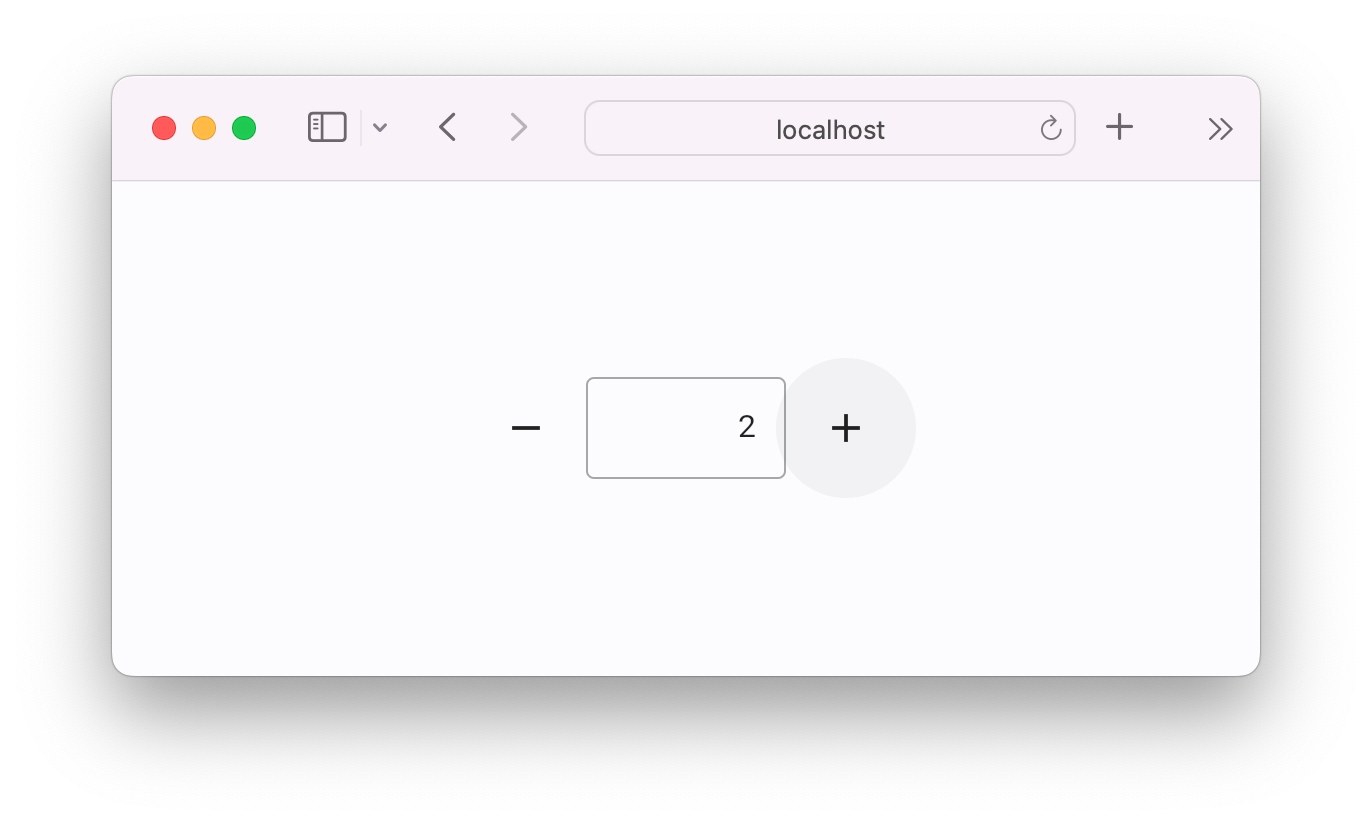
Run the app
flet run --web main.py
Publish app as a static website
flet publish main.py
A static website is published into ./dist directory.
Test website
python -m http.server --directory dist
Open http://localhost:8000 in your browser to check the published website.
Deploy website
Deploy a static website to any free hosting such as GitHub Pages, Cloudflare Pages or Vercel!
Learn more
Visit Flet website.
Continue with Python guide to learn how to make a real app.
Browse for more Flet examples.
Join to a conversation on Flet Discord server.
1 maintainer

Release files for flet-pyodide 0.25.0.dev3382
For a detailed explanation of source distributions (sdists) and built distributions (wheels), please see the package formats documentation.
Source distribution (sdist)
| File | Size | Uploaded | |
|---|---|---|---|
| flet_pyodide-0.25.0.dev3382.tar.gz | 4.0 kB | Details |
Built distribution (wheel)
| File | Interpreter | ABI | Platform | Reset |
|---|---|---|---|---|
| flet_pyodide-0.25.0.dev3382-py3-none-any.whl | Python 3 | none | any | Details |
Total release size: 9.4 kB
Release files / flet_pyodide-0.25.0.dev3382.tar.gz
| Download URL | flet_pyodide-0.25.0.dev3382.tar.gz |
|---|---|
| Size | 4.0 kB |
| Tags | Source |
|
SHA-256 checksum How to use checksums |
5b8f7f6520edfc0c7d4a8be5ddec592e30162204114092fec0bcc60e83fc45cb
|
|
BLAKE2b-256 checksum How to use checksums |
77e118ecb06bb623aa1a5084ce38ed930bf7ed5c7dc33a939e4157b25fbd876a
|
| Upload date | |
|
Uploaded using Trusted Publishing? What is trusted publishing? |
No |
| Uploaded via |
twine/5.1.1 CPython/3.10.14
|
Release files / flet_pyodide-0.25.0.dev3382-py3-none-any.whl
| Download URL | flet_pyodide-0.25.0.dev3382-py3-none-any.whl |
|---|---|
| Size | 5.4 kB |
| Tags | Python 3 |
|
SHA-256 checksum How to use checksums |
09cd8b2768c905326b93549a1d0763c13b482b86607b14769cdbf21a5d2d1246
|
|
BLAKE2b-256 checksum How to use checksums |
577e298aab85d99d6d9731c8ccb006be5ad9341d2fd2e2f880185627f5800c30
|
| Upload date | |
|
Uploaded using Trusted Publishing? What is trusted publishing? |
No |
| Uploaded via |
twine/5.1.1 CPython/3.10.14
|














