
Flet simple carousel sliders
This project is a carousel sliders pack with different types for the Flet framework. This project is under development, so in the future, different types of sliders will be added to the project.
Installation
pip install fletcarousel
or
git clone https://github.com/naderidev/flet-carousel
How to use
There are some types of sliders, so in the following, we will explain each type of them.
BasicHorizontalCarousel
This type of slider is the basic one. This type is horizontal and there are two buttons to control slides.
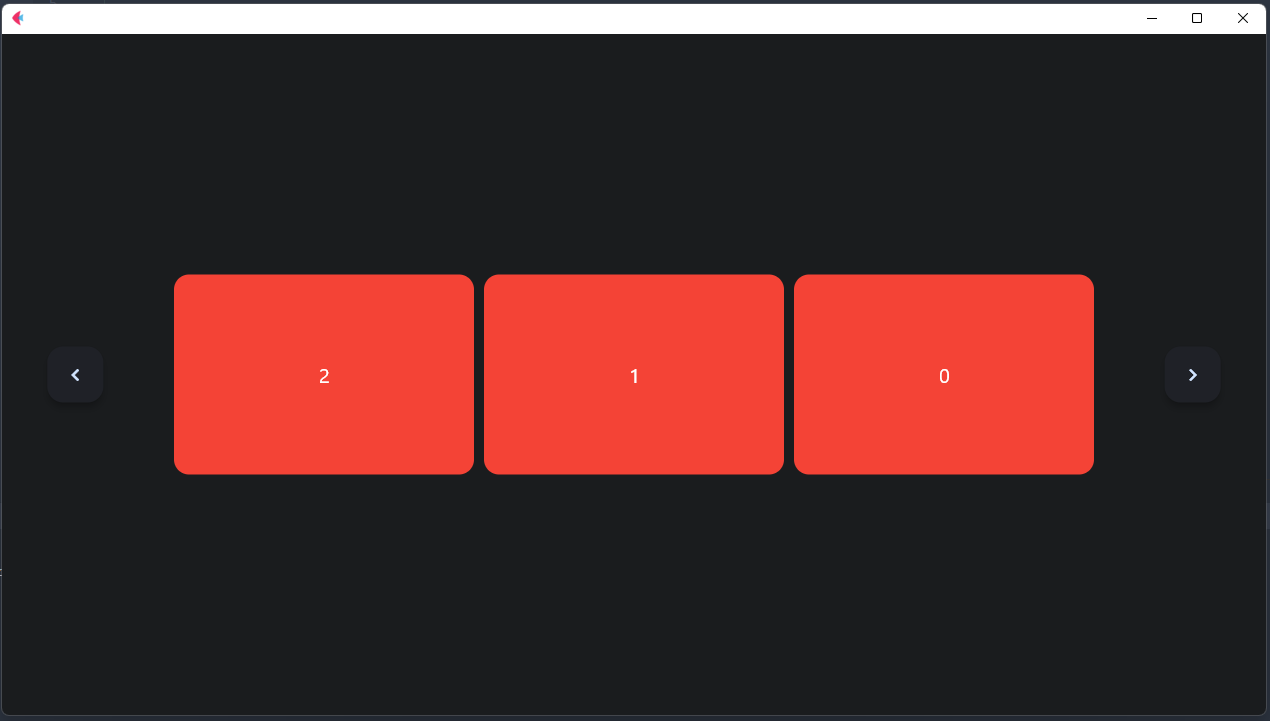
for example:
BasicHorizontalCarousel(
    page=page,
    items_count=3,
    # auto_cycle=AutoCycle(duration=1),
    items=[
        Container(
            content=Text(value=str(i), size=20),
            height=200,
            width=300,
            bgcolor='red',
            border_radius=15,
            alignment=alignment.center,
        ) for i in range(10)
    ],
    buttons=[
        FloatingActionButton(
            icon=icons.NAVIGATE_BEFORE,
            bgcolor='#1f2127'
        ),
        FloatingActionButton(
            icon=icons.NAVIGATE_NEXT,
            bgcolor='#1f2127'
        )
    ],
    vertical_alignment=CrossAxisAlignment.CENTER,
    items_alignment=MainAxisAlignment.CENTER
)
Properties
page
the main page
Container properties
-
width: slider width -
height:slider height -
expand: filling available space -
tooltip: tooltip -
disabled: disabled -
padding: padding -
margin: margin -
alignment: alignment -
bgcolor: background color -
gradient: gradient -
border: border -
border_radius: border_radius
Slider properties
-
items: the items that you want to be in slide show -
items_count: the count of controls in each slide -
vertical_alignment: items vertical_alignment -
items_alignment: items alignment -
spacing: spacing between items -
auto_cycle: auto cycleing (Auto changing slides) -
buttons: the list of Slider's buttons that must be two buttons! the first one is the "previous" button and the second is the "next" button
Methods
-
next: next slide -
prev: previous slide -
update_items: updating items -
reset_items_index: reseting items index
check out the file examples/flet_carousel_basic.py
BasicAnimatedHorizontalCarousel
This type of slider works with AnimatedSwitcher and unlike "BasicHorizontalCarousel" has no next and prev button but has hint lines.
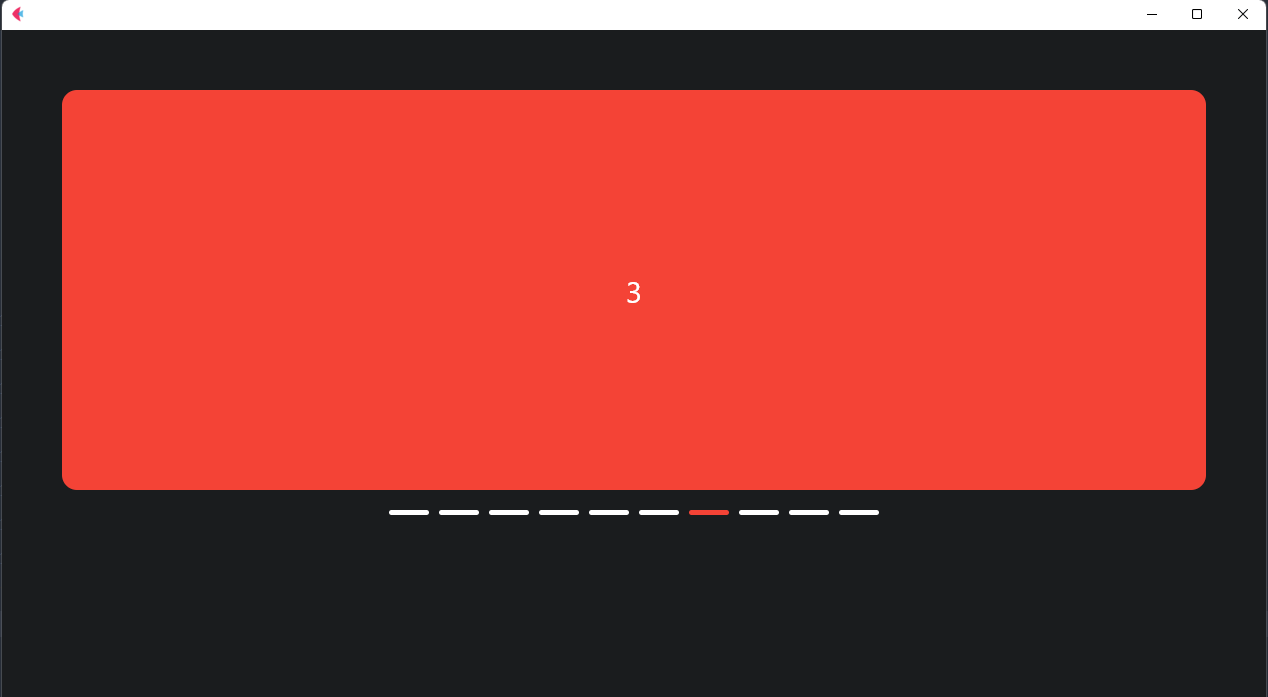
for example:
BasicAnimatedHorizontalCarousel(
    page=page,
    auto_cycle=AutoCycle(duration=2),
    expand=True,
    padding=50,
    hint_lines=HintLine(
        active_color='red',
        inactive_color='white',
        alignment=MainAxisAlignment.CENTER,
        max_list_size=400
    ),
    items=[
        Container(
            content=Text(value=str(i), size=30),
            height=400,
            expand=True,
            bgcolor='red',
            border_radius=15,
            alignment=alignment.center,
        ) for i in range(10)
    ],
)
Properties
page
the main page
Container properties
-
width: slider width -
height:slider height -
expand: filling available space -
tooltip: tooltip -
disabled: disabled -
padding: padding -
margin: margin -
alignment: alignment -
bgcolor: background color -
gradient: gradient -
border: border -
border_radius: border_radius
Slider properties
-
items: the items that you want to be in slider -
hint_lines: hint lines settings -
animated_switcher: The AnimatedSwitcher settings -
auto_cycle: auto cycleing (Auto changing slides)
Methods
-
next: next slide -
prev: previous slide -
update_items: updating items -
go: go to a specific slide
check out the file examples/animated_horizontal_basic.py
Hope to enjoy :)
Donating
1 maintainer

Metadata
1 maintainer
Release files for fletcarousel 0.0.14
For a detailed explanation of source distributions (sdists) and built distributions (wheels), please see the package formats documentation.
Source distribution (sdist)
| File | Size | Uploaded | |
|---|---|---|---|
| fletcarousel-0.0.14.tar.gz | 7.4 kB | Details |
Built distribution (wheel)
| File | Interpreter | ABI | Platform | Reset |
|---|---|---|---|---|
| fletcarousel-0.0.14-py3-none-any.whl | Python 3 | none | any | Details |
Total release size: 14.4 kB
Release files / fletcarousel-0.0.14.tar.gz
| Download URL | fletcarousel-0.0.14.tar.gz |
|---|---|
| Size | 7.4 kB |
| Tags | Source |
|
SHA-256 checksum How to use checksums |
cc3a97b803e8fb41d652c9cdfc247ee69c1670e9bbdf6dd20a9a2c3a2192c0c9
|
|
BLAKE2b-256 checksum How to use checksums |
cc9bebcb8d72f1dc224f60b4e6ad645e1d28028fa8601b16371b48125f3886ca
|
| Upload date | |
|
Uploaded using Trusted Publishing? What is trusted publishing? |
No |
| Uploaded via |
twine/5.1.1 CPython/3.11.5
|
Release files / fletcarousel-0.0.14-py3-none-any.whl
| Download URL | fletcarousel-0.0.14-py3-none-any.whl |
|---|---|
| Size | 7.0 kB |
| Tags | Python 3 |
|
SHA-256 checksum How to use checksums |
66bcecc1423d34263cffbe364866be5dfa21ed83606930cdc5ffdd1fb9303a56
|
|
BLAKE2b-256 checksum How to use checksums |
07e1130c98a494f802ed1e6e94aa39327c4712e6ca9d05c746592f5bc36dcc40
|
| Upload date | |
|
Uploaded using Trusted Publishing? What is trusted publishing? |
No |
| Uploaded via |
twine/5.1.1 CPython/3.11.5
|














