
The GetX-inspired Python Framework for Building Reactive, Cross-Platform Apps with Flet

Project description

FletX 🚀
The open-source GetX-inspired Python Framework for Building Reactive, Cross-Platform Apps with Flet




Why FletX? ✨
FletX brings Flutter's beloved GetX patterns to Python, combining Flet's UI capabilities with:
- ⚡ Reactive state management
- 🧭 Declarative routing
- 💉 Dependency injection
- 🧩 Modular architecture
- 🎨 Widget library
Perfect for building desktop, web, and mobile apps with Python at lightning speed.
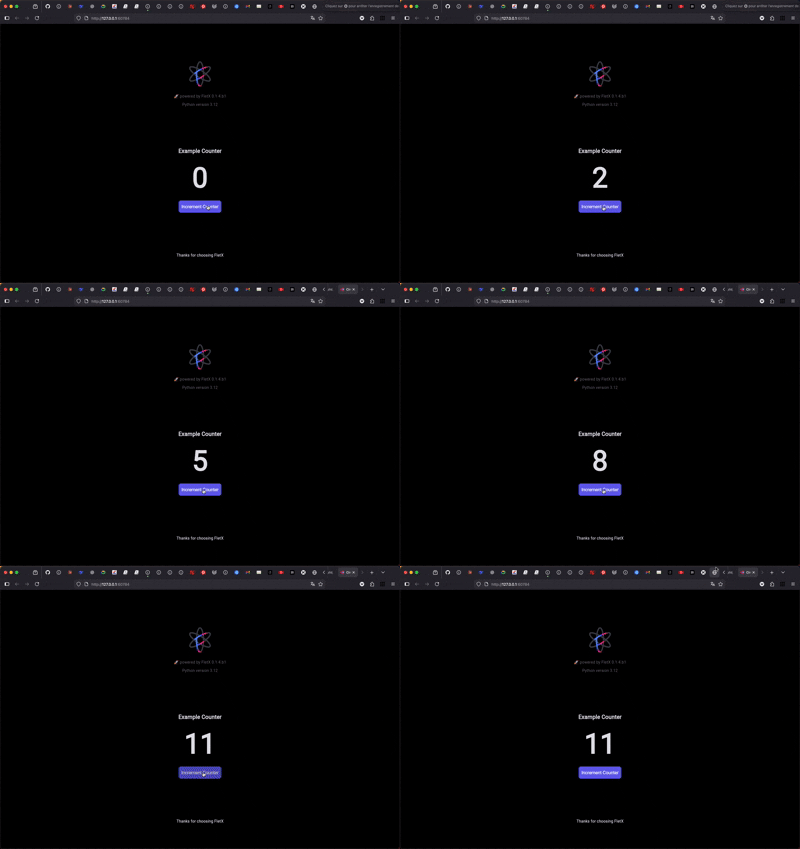
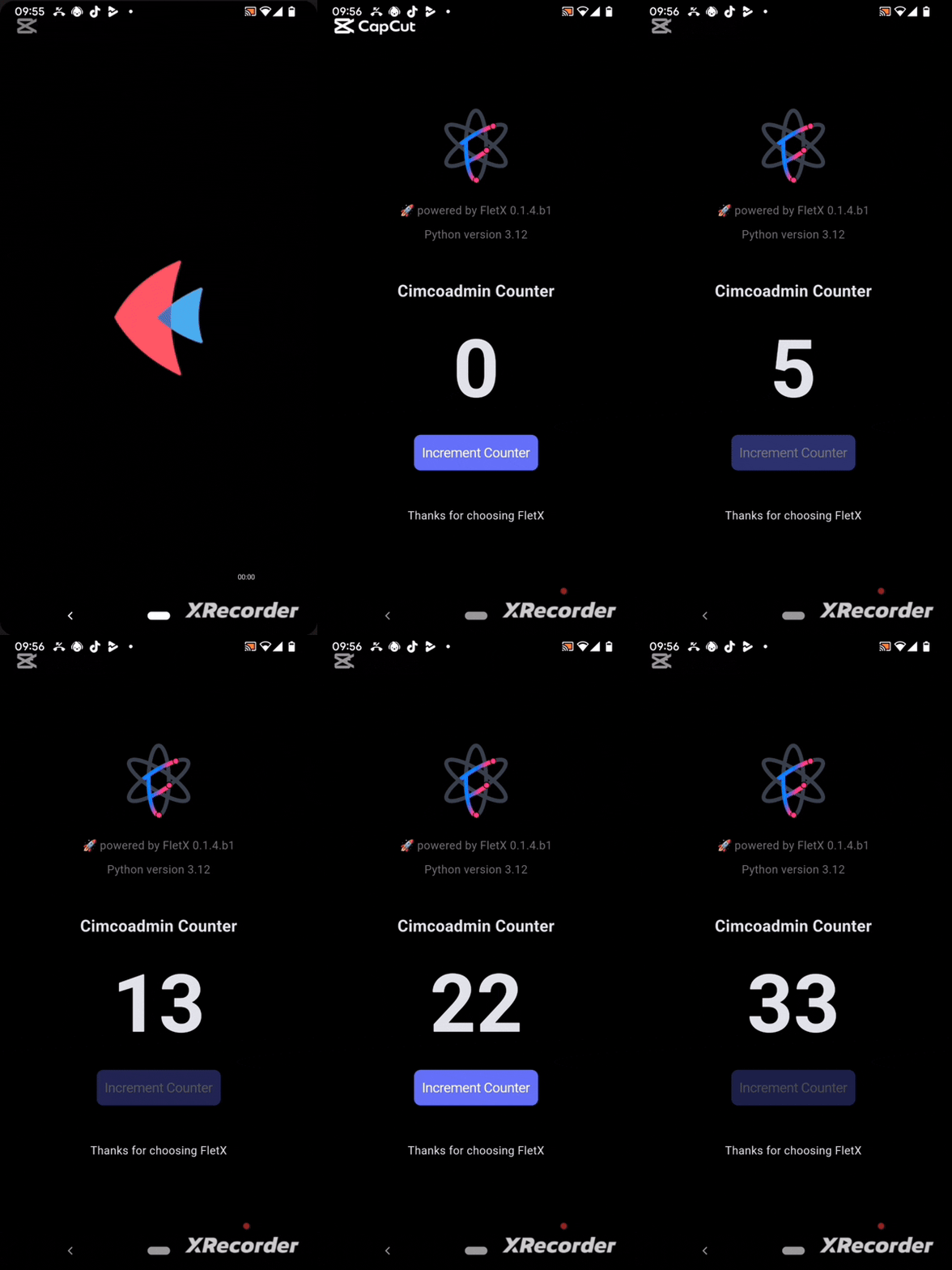
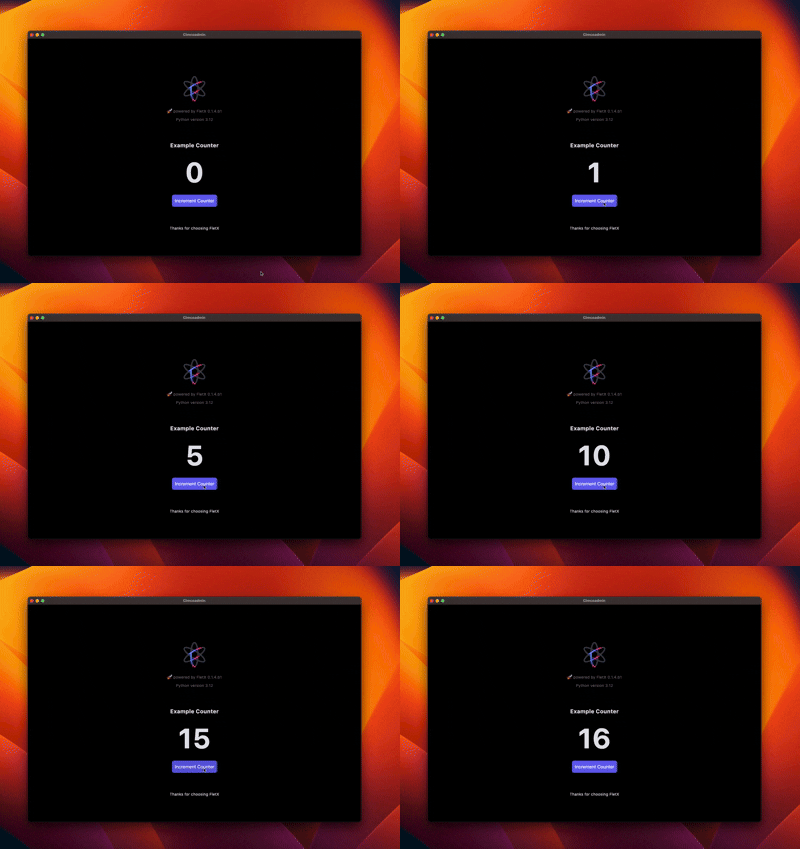
Showcase
web
|
Mobile
|
Desktop
|
Quick Start 🏁
NOTE: FletX currently supports Python
>=3.10,<=3.13. Compatibility with newer versions is in progress — we're actively working to expand support soon.
Installation
pip install FletXr[dev] --pre
Create project
fletx new my_project --no-install
Created project structure 🏗️
my_project/
├── app/
│   ├── controllers/     # Business logic controllers
│   ├── services/       # Business services and API calls
│   ├── models/         # Data models
│   ├── components/     # Reusable widgets
│   ├── pages/          # Application pages
│   └── routes.py       # App routing modules
├── assets/             # Static assets (images, fonts, etc.)
├── tests/              # Test files
├── .python-version     # Python version
├── pyproject.toml      # Python dependencies
├── README.md           # Quick start README
└── main.py            # Application entry point
To run the project, just navigate to the project folder and run this command
fletx run --web # Will open app in a navigator
        # --desktop to open app in a desktop window
        # --android to open app on Android device
        # --ios to open app on a iOs device
        # --help for more option
Basic Usage (Counter App)
import flet as ft

from fletx.app import FletXApp
from fletx.core import (
    FletXPage, FletXController, RxInt, RxStr
)
from fletx.navigation import router_config
from fletx.widgets import Obx


class CounterController(FletXController):

    def __init__(self):
        count = RxInt(0)  # Reactive state
        super().__init__()


class CounterPage(FletXPage):
    ctrl = CounterController()

    def build(self):
        return ft.Column(
            controls = [
                Obx(
                    builder_fn = lambda: ft.Text(
                        value = f'{self.ctrl.count}',
                        size = 100,
                        weight = ft.FontWeight.BOLD
                    )
                ),
                ft.ElevatedButton(
                    "Increment",
                    on_click = lambda e: self.ctrl.count.increment()  # Auto UI update
                )
            ]
        )


def main():

    # Defining route
    router_config.add_route(
        **{'path': '/', 'component': CounterPage}
    )
    app = FletXApp(
        title = "My Counter",
        initial_route = "/",
        debug = True
    ).with_window_size(400, 600).with_theme(
        ft.Theme(color_scheme_seed=ft.Colors.BLUE)
    )

    # Run sync
    app.run()

if __name__ == "__main__":
    main()
Core Features 🧠
1. Reactive State Management
class SearchController(FletXController):
    """Search controller"""

    def __init__(self):
        self.query = RxStr("")
        self.results = RxList([])
        self.is_loading = RxBool(False)
        self.is_enabled = RxBool(True)

        super().__init__()

        # Configure reactives effects
        self._setup_reactive_effects()

    def _setup_reactive_effects(self):
        """Configure reactive effects"""

        # Search with debounce
        @reactive_debounce(0.5)
        @reactive_when(self.is_enabled)
        def search_handler():
            if self.query.value.strip():
                self.perform_search(self.query.value)

        # Listen query changes
        self.query.listen(search_handler)

        # Cache expensive search results
        @reactive_memo(maxsize=50)
        def expensive_search(query: str):
            # Expensive search simulation
            import time
            time.sleep(0.1)  # Simulate
            return [f"Result {i} for '{query}'" for i in range(5)]

        self.expensive_search = expensive_search

        # Other actions here...
2. Smart Routing
# Define routes
from fletx.navigation import router_config, navigate

# 1. simple routing
router_config.add_routes([
    {"path": "/", "component": HomePage},
    {"path": "/settings", "component": SettingsPage}
])

# 2. Dynamic routes with parameters
router_config.add_routes([
    {
        "path": "/users/:id",
        "component": lambda route: UserDetailPage(route.params['id'])
    },
    {
        "path": "/products/*category",
        "component": lambda route: ProductsPage(route.params['category'])
    }
])
# Navigate programmatically
navigate("/users/123")
3. Dependency Injection
# Register services
FletX.put(AuthService(), tag="auth")

# Retrieve anywhere
auth_service = FletX.find(AuthService, tag="auth")
4. Reactive Widgets
FletX allows you to quickly create reactive widgets from flet Controls by using reactive widget decorators.
from fletx.decorators import (
    reactive_control, simple_reactive,
    reactive_state_machine, reactive_form,
    two_way_reactive, reactive_list, obx
    ...
)
Community & Support 💬
🤝 Contributing
We welcome contributions from the community! Please see the CONTRIBUTING.md guide for more information.
License 📜
MIT © 2025 AllDotPy
# Happy coding!
# Let's build amazing apps with Python 🐍

Made with ❤️ By AllDotPy
Release history Release notifications | RSS feed


Download files
Download the file for your platform. If you're not sure which to choose, learn more about installing packages.
Source Distribution
Built Distribution
Filter files by name, interpreter, ABI, and platform.
If you're not sure about the file name format, learn more about wheel file names.
Copy a direct link to the current filters
File details
Details for the file fletxr-0.1.5.tar.gz.
File metadata
- Download URL: fletxr-0.1.5.tar.gz
- Upload date:
- Size: 131.9 kB
- Tags: Source
- Uploaded using Trusted Publishing? No
- Uploaded via: twine/6.1.0 CPython/3.13.12
File hashes
| Algorithm | Hash digest | |
|---|---|---|
| SHA256 |
b1685ca993dd70351fb71a44e42e0faf1b151d09aca2b6ba7e8cba74f0927148
|
|
| MD5 |
7de7bf29627c345c2620ddc62fd80809
|
|
| BLAKE2b-256 |
c3922444961cfc7b605b018f0e3fabb98360bd85e07abd5fc095f71424e72598
|
File details
Details for the file fletxr-0.1.5-py3-none-any.whl.
File metadata
- Download URL: fletxr-0.1.5-py3-none-any.whl
- Upload date:
- Size: 133.1 kB
- Tags: Python 3
- Uploaded using Trusted Publishing? No
- Uploaded via: twine/6.1.0 CPython/3.13.12
File hashes
| Algorithm | Hash digest | |
|---|---|---|
| SHA256 |
6d462e0b7b897b00542097fa61e315577a14ffda4717c2d79c4a6bceea7f3e90
|
|
| MD5 |
89422c0028a9078044b9f4f1406d7a2e
|
|
| BLAKE2b-256 |
5e781915670a547cbbf1010600f53a8a8365a8b360b003671b7cbd3e45c03877
|






