
⚡ FlexUV







The Interactive Command Center for uv
Stop memorizing
uvcommands. Manage Python environments visually — without leaving your terminal.
FlexUV is a terminal UI (TUI) built with Textual that turns the uv Python ecosystem into a visual command center.
Instead of typing dozens of commands, you get a guided interface for managing projects, environments, dependencies, and tools.
Think:
LazyGit — but for Python environments.
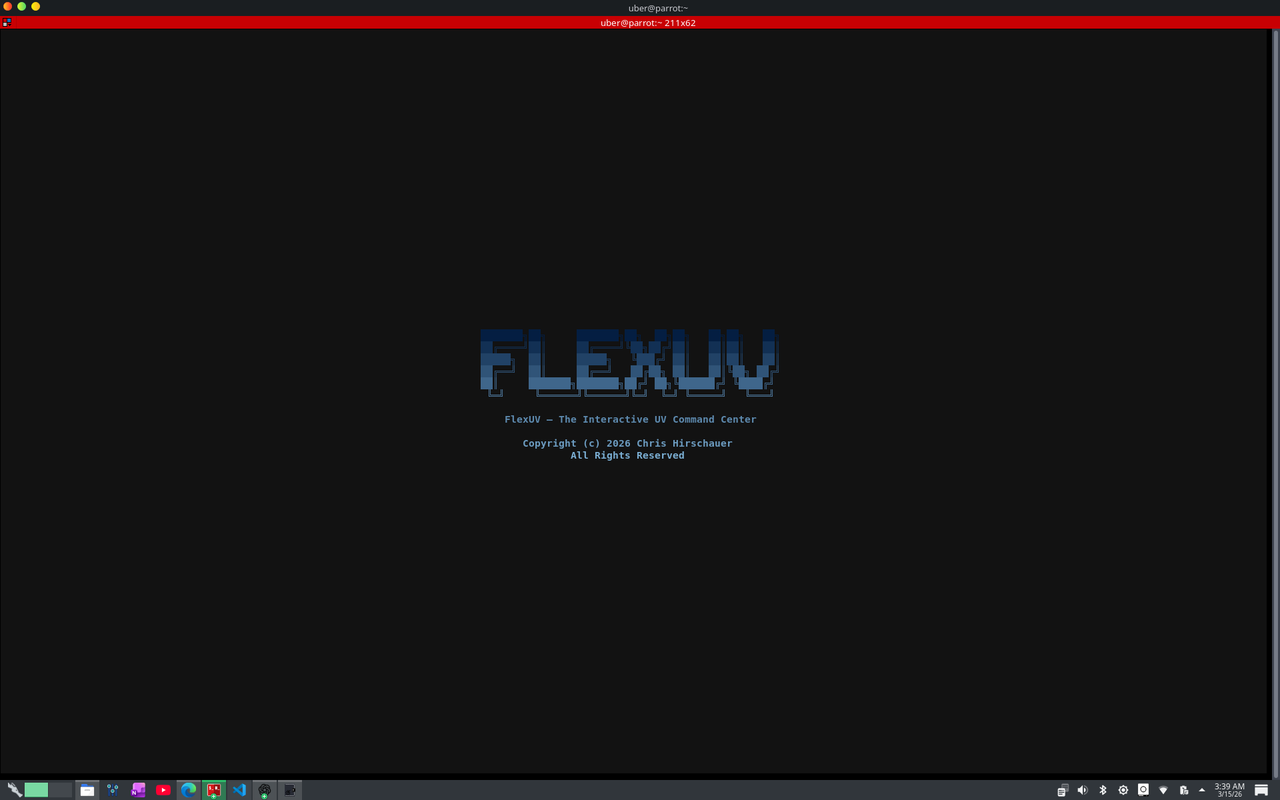
🚀 Demo
███████╗██╗     ███████╗██╗  ██╗██╗   ██╗██╗   ██╗
██╔════╝██║     ██╔════╝╚██╗██╔╝██║   ██║██║   ██║
█████╗  ██║     █████╗   ╚███╔╝ ██║   ██║██║   ██║
██╔══╝  ██║     ██╔══╝   ██╔██╗ ██║   ██║╚██╗ ██╔╝
██║     ███████╗███████╗██╔╝ ██╗╚██████╔╝ ╚████╔╝
╚═╝     ╚══════╝╚══════╝╚═╝  ╚═╝ ╚═════╝   ╚═══╝

FlexUV — The Interactive UV Command Center
✨ Features
🧭 Dashboard
See the state of your environment instantly.
- OS + Python detection
uvinstallation check- project detection
- environment markers
📦 Project Management
Run core uv workflows from a guided interface.
uv init
uv sync
uv lock
uv tree
Create new projects and configure:
- package name
- description
- Python version
📚 Dependency Management
Add or remove dependencies quickly.
uv add fastapi
uv remove requests
Run commands directly inside your project environment.
🐍 Python Version Manager
Manage Python versions with uv.
uv python install 3.12
uv python list
uv python find
uv python pin
🧰 Tool Manager
Install global developer tools.
uv tool install ruff
uv tool uninstall black
uv tool list
Run tools with uv tool run.
🔁 Pip Compatibility Mode
Still need pip workflows?
FlexUV exposes:
uv pip install
uv pip uninstall
uv pip list
uv pip freeze
uv pip tree
⚡ Command Center
Quick-access presets:
uv version
uv self update
uv cache dir
uv cache clean
uv tool list
uv python list
Or run custom uv commands.
📜 Command Logging
Every command executed is logged.
$ uv add textual

Installed successfully

(exit code: 0)
No hidden magic — you always see what happens.
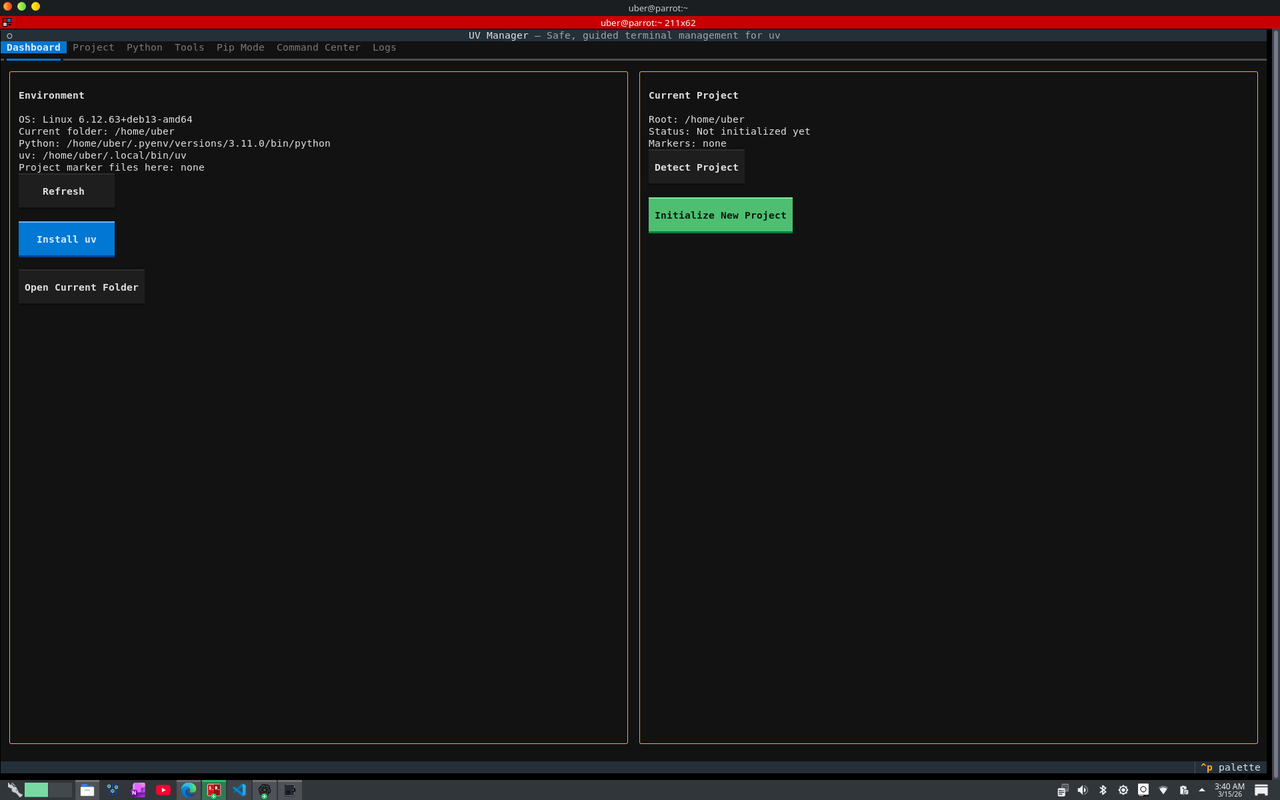
🖥 Interface
FlexUV organizes everything into tabs:
Dashboard
Project
Python
Tools
Pip Mode
Command Center
Logs
It’s designed to feel like a modern terminal application.
📦 Installation
First install uv:
curl -LsSf https://astral.sh/uv/install.sh | sh
Then run FlexUV:
python app.py
🧠 Why FlexUV Exists
uv is incredibly powerful.
But command-heavy tools have a discoverability problem.
FlexUV solves this by providing:
- visual workflows
- command guidance
- environment awareness
- command logs
- safer actions
All without leaving the terminal.
🛠 Built With
- Python
- Textual
- Rich
- uv
🗺 Roadmap
Planned improvements:
- dependency graph visualization
- environment health checks
- plugin system
- task runner integration
- project templates
- package security scanning
⭐ Contributing
Contributions welcome!
If you have ideas, open an issue or PR.
🔥 If You Like This Project
Give it a ⭐ on GitHub.
It helps the project grow and reach more developers.
eth:0xC6139506fa54c450948D9D2d8cCf269453A54f17
1 maintainer

Metadata
1 maintainer
Release files for flex-uv 0.2.1
For a detailed explanation of source distributions (sdists) and built distributions (wheels), please see the package formats documentation.
Source distribution (sdist)
| File | Size | Uploaded | Provenance | Actions |
|---|---|---|---|---|
| flex_uv-0.2.1.tar.gz | 278.0 kB | Without provenance | Details for flex_uv-0.2.1.tar.gz |
Built distribution (wheel)
| File | Interpreter | ABI | Platform | Actions Reset |
|---|---|---|---|---|
| flex_uv-0.2.1-py3-none-any.whl | Python 3 | none | any | Details for flex_uv-0.2.1-py3-none-any.whl |
Total release size: 556.0 kB
Release files / flex_uv-0.2.1.tar.gz
| Download URL | flex_uv-0.2.1.tar.gz |
|---|---|
| Size | 278.0 kB |
| Tags | Source |
|
SHA-256 checksum How to use checksums |
f75c03e7b4325296843b50d94a0498620abd00bf1f6aab0f13251a483ea0ba5d
|
|
BLAKE2b-256 checksum How to use checksums |
9cde80784525323c5ceba7bb4d62b91aac80848a4b122c34bf4d6f6b56aa2409
|
| Upload date | |
|
Uploaded using Trusted Publishing? What is trusted publishing? |
No |
| Uploaded via |
twine/6.2.0 CPython/3.13.5
|
Release files / flex_uv-0.2.1-py3-none-any.whl
| Download URL | flex_uv-0.2.1-py3-none-any.whl |
|---|---|
| Size | 278.0 kB |
| Tags | Python 3 |
|
SHA-256 checksum How to use checksums |
d1c8abcddc0531c668762994aedd8d42eec15ef21d331bfeec9f72518726c4fa
|
|
BLAKE2b-256 checksum How to use checksums |
7efe14078e8aa2073ab09307edfafed7d3571323e1b3eff53df4ee9f569217ff
|
| Upload date | |
|
Uploaded using Trusted Publishing? What is trusted publishing? |
No |
| Uploaded via |
twine/6.2.0 CPython/3.13.5
|
Security for flex-uv 0.2.1
Provenance
Provenance describes where a file came from. On PyPI, provenance is shared via attestations, which provide a verifiable record of the build or publishing details. View details, limitations and caveats.
No provenance found
None of the files in this release were uploaded with provenance metadata.
A note on package security
PyPI is a repository for distributing packages, not a service for auditing them. While third-party security researchers and our staff do their best to detect and remove malicious packages, PyPI cannot guarantee the quality, security or suitability of any given package.
To learn more about protecting yourself from malicious actors, visit our package security documentation.














