
flipshot
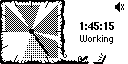
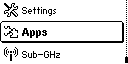
Grab one frame from a Flipper Zero's screen over USB serial and save it as a native-resolution (128x64) black & white PNG — no qFlipper, no companion app, just a serial cable and this script.


Installation
flipshot is available from a variety of sources.
pip or brew is recommended, because they have a convenient way to manage updates automatically.
- pip (Recommended for everyone with a Python environment)
- You can check if you have Python installed by running
python --versionin the Terminal or cmd. - For Mac and Linux users, there is a high chance that you already have Python installed on your system.
- For Windows users, you can download Python from the official website.
- After confirmation, install flipshot through the PyPI package
manager, typing
pip install flipshotin the Terminal. For Mac users, you may need to usepip3instead ofpip. - Verify the installation with
flipshot --version. - You are perfect, you can use the app with
flipshot [port] [output.png]from any folder in your system.
- You can check if you have Python installed by running
- brew (Recommended for Mac and Linux users)
- Type
brew tap manefunction/tapin your Terminal to add my custom tap (app source) to your brew sources, if you haven't already. - Type
brew install flipshotto install the application itself. - Verify the installation with
flipshot --version. - You are perfect, you can use the app with
flipshot [port] [output.png]from any folder in your system.
- Type
- Python package (manual installation, for advanced users)
- Clone the repository or download the source code from GitHub.
- Go to the folder with the script in your Terminal.
- Run
pip install .to installflipshotto your system. - Run
flipshot --versionto verify the script is working.
- Ready-to-use Windows binary (for Windows users without Python)
- Download
flipshot.exefrom the GitHub Releases page. - Since it isn't code-signed, Windows SmartScreen may warn about an unrecognized publisher the first time you run it — click "More info" → "Run anyway" to proceed.
- Open Command Prompt or PowerShell,
cdto the folder withflipshot.exe, and run.\flipshot.exe --versionto verify it works. - You are perfect, you can use the app with
.\flipshot.exe [port] [output.png].
- Download
- Python script (manual usage, for advanced users)
- If you are familiar with Python scripts, venv, and dependencies, you can simply clone the repository,
pip3 install pyserial, and runsrc/flipshot.pydirectly. Feel free to modify the script for yourself.
- If you are familiar with Python scripts, venv, and dependencies, you can simply clone the repository,
Usage
flipshot [-h] [-v] [-b [N] [M]] [serial_port] [output.png]
-h,--help— show the help text and exit.-v,--version— print the version and exit.serial_portis optional — flipshot auto-detects a connected Flipper Zero over USB. Pass it explicitly if auto-detection fails, e.g.flipshot /dev/cu.usbmodemflip_XXXX1.output.pngis optional — defaults toflipshot-<device-name>-<YYYY-MM-DD--HH-MM-SS-MSS>.pngin the current folder. With--burstand an explicit path, files are numbered:shot.pngbecomesshot-1.png,shot-2.png, and so on.-b,--burst [N] [M]— take N screenshots, pausing M milliseconds between them. N defaults to 10.-1keeps capturing until you stop the script (Ctrl+C). M defaults to 1000 and must be between 100 and 5000.
flipshot -b
flipshot -b 20 250
flipshot --burst -1 100
Close qFlipper or any other serial terminal connected to the Flipper before running flipshot — only one process can hold the serial port at a time.
How it works
flipshot switches the Flipper's CLI into its length-prefixed protobuf RPC mode over the same USB-serial connection qFlipper uses, requests a screen-stream frame and the device's hardware name, and encodes the resulting 1-bit framebuffer as a PNG — all with the Python standard library plus pyserial; no image library required.
Repository info
This repo follows the Conventional Commits specification.




1 maintainer

Release files for flipshot 1.1.0
For a detailed explanation of source distributions (sdists) and built distributions (wheels), please see the package formats documentation.
Source distribution (sdist)
| File | Size | Uploaded | |
|---|---|---|---|
| flipshot-1.1.0.tar.gz | 11.6 kB | Details |
Built distribution (wheel)
| File | Interpreter | ABI | Platform | Reset |
|---|---|---|---|---|
| flipshot-1.1.0-py3-none-any.whl | Python 3 | none | any | Details |
Total release size: 23.7 kB
Release files / flipshot-1.1.0.tar.gz
| Download URL | flipshot-1.1.0.tar.gz |
|---|---|
| Size | 11.6 kB |
| Tags | Source |
|
SHA-256 checksum How to use checksums |
5b4d025c7d3ddf7f9ea2991a6643eee79a39399a6998ff847738cf10c43a7b9e
|
|
BLAKE2b-256 checksum How to use checksums |
d16442e9990089d4a64ab6d016947a0847655d262688433681967e04e25d2975
|
| Upload date | |
|
Uploaded using Trusted Publishing? What is trusted publishing? |
Yes |
| Uploaded via |
twine/7.0.0 CPython/3.13.14
|
Provenance
Provenance describes where a file came from. On PyPI, provenance is shared via attestations, which provide a verifiable record of the build or publishing details. View details, limitations and caveats.


PyPI Publish Attestation
PyPI verified that this artifact, at this checksum, originated from the publisher listed below.
Signed by GitHub Actions, verified by PyPI on Sep 23, 2026.
Transparency logRelease files / flipshot-1.1.0-py3-none-any.whl
| Download URL | flipshot-1.1.0-py3-none-any.whl |
|---|---|
| Size | 12.1 kB |
| Tags | Python 3 |
|
SHA-256 checksum How to use checksums |
d15af3a665b92119121ab7ee2059f8fd622a1eacd1b98771b3c5041f60eeed5b
|
|
BLAKE2b-256 checksum How to use checksums |
c31cb9c83622ac7763ff222f4624284caa0d247baaef662390cf073376c3b5c9
|
| Upload date | |
|
Uploaded using Trusted Publishing? What is trusted publishing? |
Yes |
| Uploaded via |
twine/7.0.0 CPython/3.13.14
|
Provenance
Provenance describes where a file came from. On PyPI, provenance is shared via attestations, which provide a verifiable record of the build or publishing details. View details, limitations and caveats.
PyPI Publish Attestation
PyPI verified that this artifact, at this checksum, originated from the publisher listed below.
Signed by GitHub Actions, verified by PyPI on Sep 23, 2026.
Transparency log













