

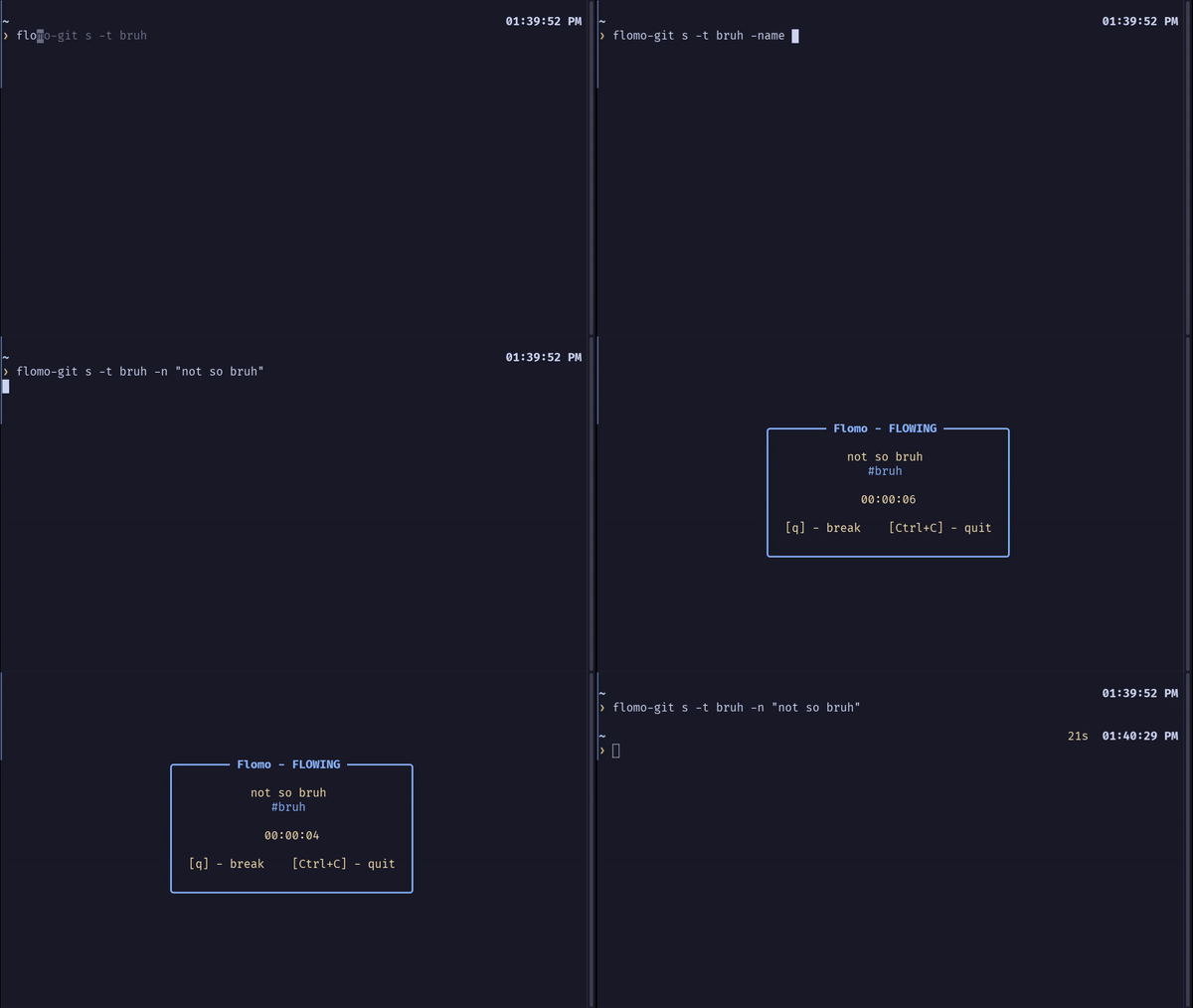
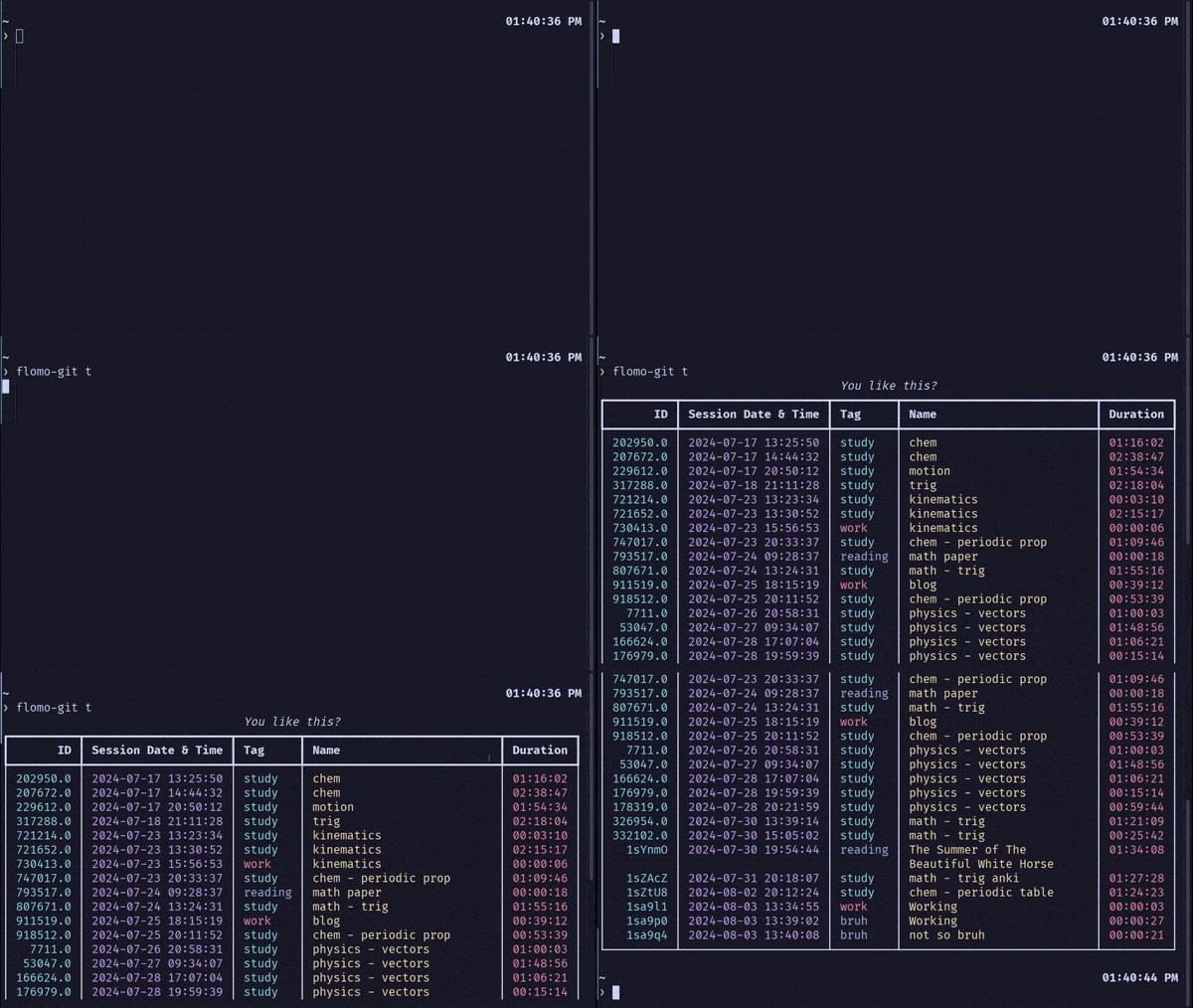






flomo is a crossplatform TUI/CLI for using the Flowtime Technique, also known as the Flowmodoro Technique. It's a task execution helper, or in other words, a productivity booster! 🚀
flomo allows you to work on tasks in a flow state, manage your work/break time, and track your sessions.
Built with: rich & blessed (TUI), click (CLI), notify-send for Linux notifications, playsound (Windows & Mac sound), paplay (Linux sound), sqlite3 (database).
✨ Features
- Cross-Platform 🌐
- Stopwatch for Flow and Timer for Breaks ⏱️
- Session tracker (date, duration, tag, and session) 🗓️
- Session manager: easily manipulate the sessions via CLI ⚙️
- Customizable, Clean UI 🎨
- Notifications (Linux only, for now) 🔔
- Fairly easy-to-use, I suppose 🤔
- (Potential) productivity booster 💥
🎉 Background
flomo started as a Hackathon (livestream) on June 6, 2024, with @Jonak-Adipta-Kalita and @AnubhavSC. We aimed to create a small project that was fun and could potentially help others. We're all productivity fanatics, and this project is heavily inspired by pomo.
However, two hours in, we realized it was harder than expected. We spent a lot of time debugging and refactoring. Here are our learnings from the Hackathon.
🌟 Flow and Flowtime Technique
Mihaly Csikszentmihalyi was known for his work on Flow Theory. He describes "flow" as:
"A state of being in which people become so immersed in the joy of their work or activity 'that nothing else seems to matter.'"
As developers, creators, and romantics, we often experience that state of "flow." This "flow" can vary, sometimes increasing or decreasing.
This can be visualized with a graph:
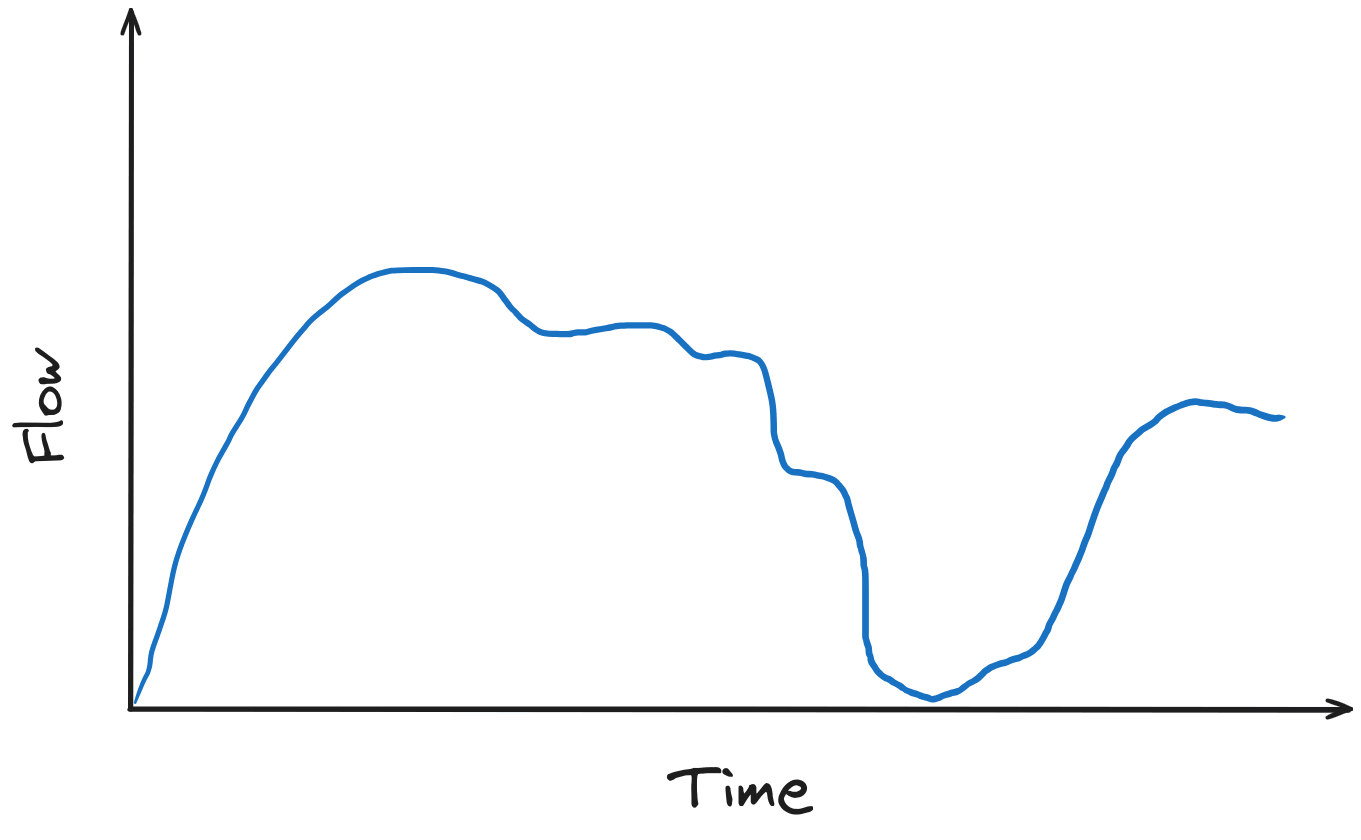
We can take advantage of this by identifying the right time to take a break—when the "flow" is depleting. This is the Flowtime technique.
It works like this: If you work for x minutes, take a break for x/5 minutes. Then, repeat. ⏳
This requires a good deal of discipline, meaning you need at least some natural focus. If not, check out the Pomodoro Technique! 🍅
🛠️ Installation
📋 Pre-requisites
- 🐍 Python ≥ 3.12
- 📦 pip
- 🛠️ GCC Compiler if installing from source.
📦 Instructions
Using PyPi package
pip install flomodoro
Note: If you're on Linux, ensure /home/user/.local/bin is in your PATH. More info for Linux newbies
Installing from source
git clone https://github.com/moiSentineL/flomo.git
cd flomo
pip install -r requirements.txt

# For Linux Users:
gcc -fPIC -shared -o flomo/session_id.so flomo/session_id.c

# For Windows Users:
gcc -shared -o flomo/session_id.dll flomo/session_id.c

pip install -e .
🚀 Getting Started
Initialize flomo by:
flomo init
Start a flow by:
flomo s
Start a flow with the tag work and the session name math:
flomo s -t work -n math
Check the wiki for more info 📚
🛤️ Roadmap
- ✅ Add sound on timer/stopwatch start
- ✅ Notification (only Linux for now)
- ✅ Configure colors
- ✅ Track sessions
- ✅ Configure colors
- ✅ Skipping Break
- 🟧 Chart Generation / Statistics
Check our Kanban Board.
🤝 How to Contribute
Want to help? Great! Here's how:
- Fork this repo.
- Clone it to your local machine.
- Create a branch for your changes.
- Make your edits and test them.
- Commit and push your changes.
- Open a pull request to the
mainbranch.
Note: if you're new to Git and Github, I suggest you read this Intro to Git and GitHub for Beginners.
Let's collaborate! 🌟
2 maintainers


Metadata
2 maintainers
Release files for flomodoro 1.2.1
For a detailed explanation of source distributions (sdists) and built distributions (wheels), please see the package formats documentation.
Source distribution (sdist)
| File | Size | Uploaded | |
|---|---|---|---|
| flomodoro-1.2.1.tar.gz | 61.2 kB | Details |
Built distribution (wheel)
| File | Interpreter | ABI | Platform | Reset |
|---|---|---|---|---|
| flomodoro-1.2.1-py3-none-any.whl | Python 3 | none | any | Details |
Total release size: 119.1 kB
Release files / flomodoro-1.2.1.tar.gz
| Download URL | flomodoro-1.2.1.tar.gz |
|---|---|
| Size | 61.2 kB |
| Tags | Source |
|
SHA-256 checksum How to use checksums |
58df308e5a6f35b2688d4a6f73d0aac622ed03134cebc23dff5c9403af005071
|
|
BLAKE2b-256 checksum How to use checksums |
fd4f94d5a81c9008aea5c48e75dc8793a701a72a4718bf65487c5ffc99a4d1fc
|
| Upload date | |
|
Uploaded using Trusted Publishing? What is trusted publishing? |
No |
| Uploaded via |
twine/6.1.0 CPython/3.12.3
|
Release files / flomodoro-1.2.1-py3-none-any.whl
| Download URL | flomodoro-1.2.1-py3-none-any.whl |
|---|---|
| Size | 57.9 kB |
| Tags | Python 3 |
|
SHA-256 checksum How to use checksums |
4689ca79d4e995834912ae17059614fea93e2e4aa181e9c5e08e9020cef071ec
|
|
BLAKE2b-256 checksum How to use checksums |
6929bc2c6f30e44867f9031ed3fab7277fd11b490b39f244e7492b78c829412d
|
| Upload date | |
|
Uploaded using Trusted Publishing? What is trusted publishing? |
No |
| Uploaded via |
twine/6.1.0 CPython/3.12.3
|














