
flowmapper.org
The Python companion to FlowMapper.org. Read, analyse, map and write FlowMapper project files from Python. A project built in Python opens on FlowMapper.org, and every project saved on FlowMapper.org loads in Python, without loss.
pip install flowmapper.org # PyPI name (normalised to flowmapper-org)
import flowmapper_org as fm
The package is called
flowmapper.orgbecause the nameflowmapperon PyPI belongs to an unrelated project (mappings between elementary flow lists). The import name isflowmapper_organd the command line isflowmapper-org.
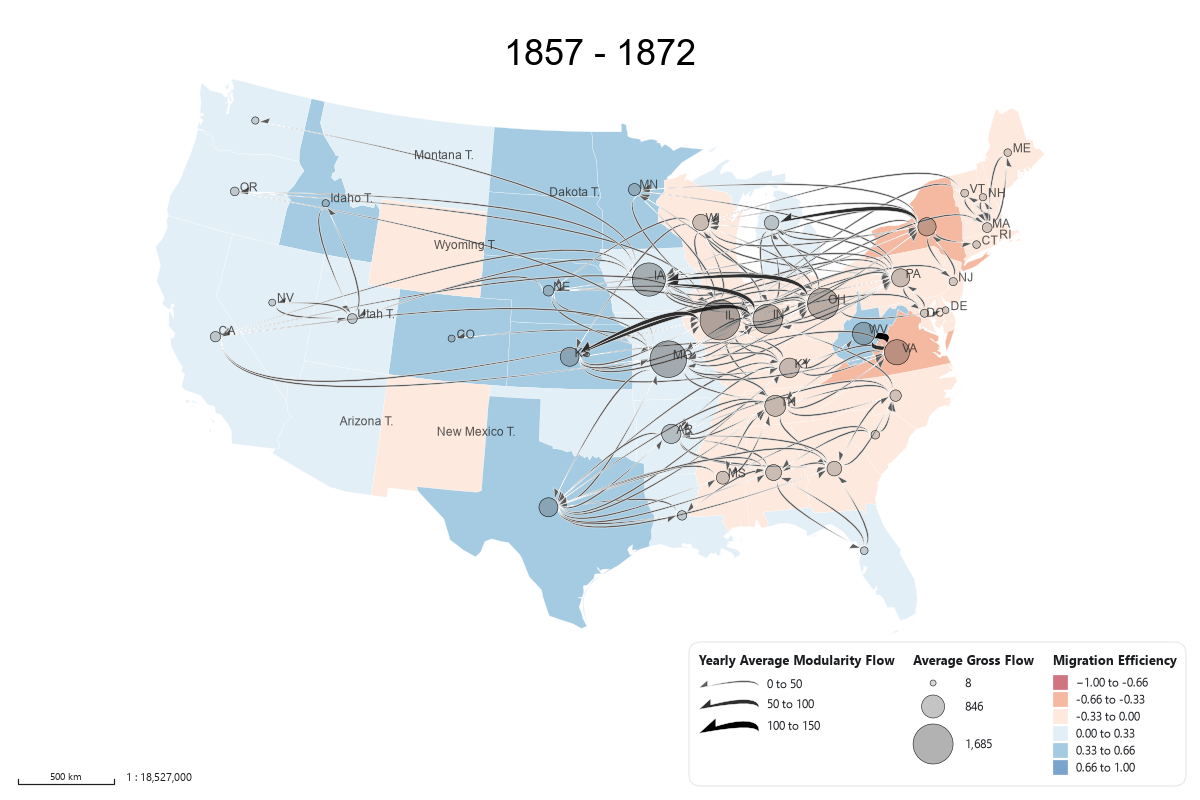
FlowMapper.org is the reference implementation. Every computation in this package (classification, colours, node measures, top-flow selection, flow-symbol geometry, edge bundling, community detection, shapefile reading, projections) is checked by parity tests that run FlowMapper's own JavaScript in a V8 engine and require the same results. In most cases they are bit-identical.
Install
pip install -e .                 # from this folder
pip install -e ".[interactive]"  # + notebook widget (anywidget)
pip install -e ".[dev]"          # + test tools (pytest, hypothesis, mini-racer)
Python ≥ 3.10. Core dependencies: numpy, pandas, matplotlib, shapely, pyproj.
Quick start
import flowmapper_org as fm

# Open a project saved on FlowMapper.org (File > Project > Save Project)...
p = fm.Project.load("projectfile.json")

# ...or build one from tables (field names are guessed as on the web site)
p = fm.Project.from_data("nodes.csv", "flows.csv", regions="states.zip")

p.flow_settings["flowStyleName"] = "TAF"          # Tapered Fading Arc (the default; stored as "nyt")
p.flow_settings["cfMethod"] = "NaturalBreak"
p.flow_settings["numTopFlows"] = 200

p.save_map("map.png")                             # static map (PNG, JPG, TIF, SVG, PDF)
p.to_html("map.html")                             # interactive map, standalone HTML
p.save("projectfile.json")                        # open it on FlowMapper.org
In a notebook, p.interactive() shows the same map as a widget. Pan and zoom recompute the flow
symbols in the browser with FlowMapper's own drawing code.
Flow styles. flowStyleName takes FlowMapper's values or these short names: "TAF" Tapered
Fading Arc (FlowMapper's default, value "nyt"), "CHA" Curve Half Arrow, "SHA" Straight Half
Arrow, "CFA" / "SFA" Curve / Straight Full Arrow, "TD" Tear Drop (or the full labels). The
project file stores FlowMapper's value, so it still opens on the web site.
Figure-ground contrast. Flows should stand out from the regions and base map. Use dark flow
colours at full opacity (clrScheme="Custom" with a mid-tone minCustomColor and a dark
maxCustomColor), pale regions (region_settings["fillOpacity"] 25–45), and nodes on top
(view_settings["drawingOrder"] = "nodes"). Two drawing options of the static renderer go further.
They exist only in Python and are not saved in the project file:
p.save_map("map.png", flow_contrast=0.5,               # Tapered Fading Arcs more opaque (0-1)
           flow_halo=("#ffffff", 0.7))                 # thin white casing around every flow
The example notebooks start with a guide to every setting (00_parameters_guide).
What is included
| Area | Module | FlowMapper counterpart |
|---|---|---|
| Project files, settings, migrations | project |
SaveProject.js, LoadProject.js |
| CSV and JavaScript value semantics | data |
d3.csv, +v, toFixed |
| Colour schemes, classification, legends | colors, classify |
Map.js, ColorSchemes.js, DrawChoroplethMap.js, DrawPoints.js, DrawFlows.js, NodeCategories.js |
| Node measures, top flows, what is drawn | measures |
Map.js, LoadFlows.js |
| Tools menu | tools |
Tools.js, FlowCoordinatesToNodes.js, FieldGuess.js, Java servlets |
| Community detection, regionalisation | community |
CommunityDetection.js |
| Shapefiles, regions, joins, references | shapefile, regions |
ShapefileReader.js, RegionData.js, LoadChoroplethMap.js |
| Flow symbols, bundling | geometry |
DrawFlows.js, FlowSymbology.js, FlowBundling.js, DrawFlowLegend.js |
| Projections, scale, north arrow | projections |
BaseMapInit.js, AddNorthArrow.js |
| Static maps | render |
the SVG map and Export.js |
| Interactive maps | interactive |
the web map itself (OpenLayers + FlowMapper geometry) |
| Command line | cli |
Analysis
fm.node_measures(p.flows, "origin", "destination", "volume")   # in, out, gross, net, net-flow ratio

from flowmapper_org.tools import convert_flow_matrix_to_flow_list, convert_flow_coordinates_to_nodes, \
    polygon_centroids, modularity_flows, network_node_measures

res = fm.detect_communities(p, method="scleiden", resolution=1.0, runs=10, seed=1)
res.modularity, res.membership, res.region_flows
res.to_project().save("regions.json")   # regions, region nodes and region flows as a FlowMapper project
With the same seed, community detection returns the same partition as FlowMapper.org: it uses the same random-number generator and the same order of operations.
Static maps
r = p.render(width=1200, height=800, dpi=192, projection="laeaNA", dark=False)
r.fig        # matplotlib Figure; r.legends, r.notices, r.view for inspection
r.save("map.svg")
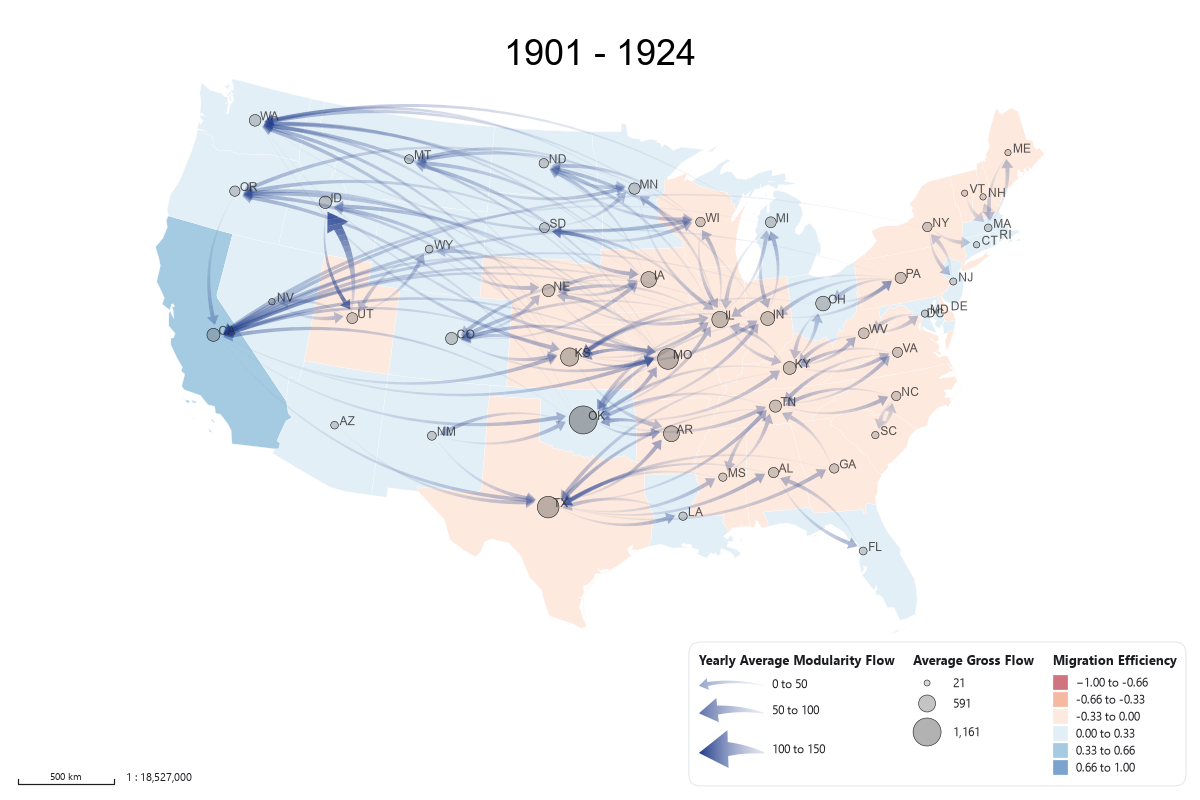
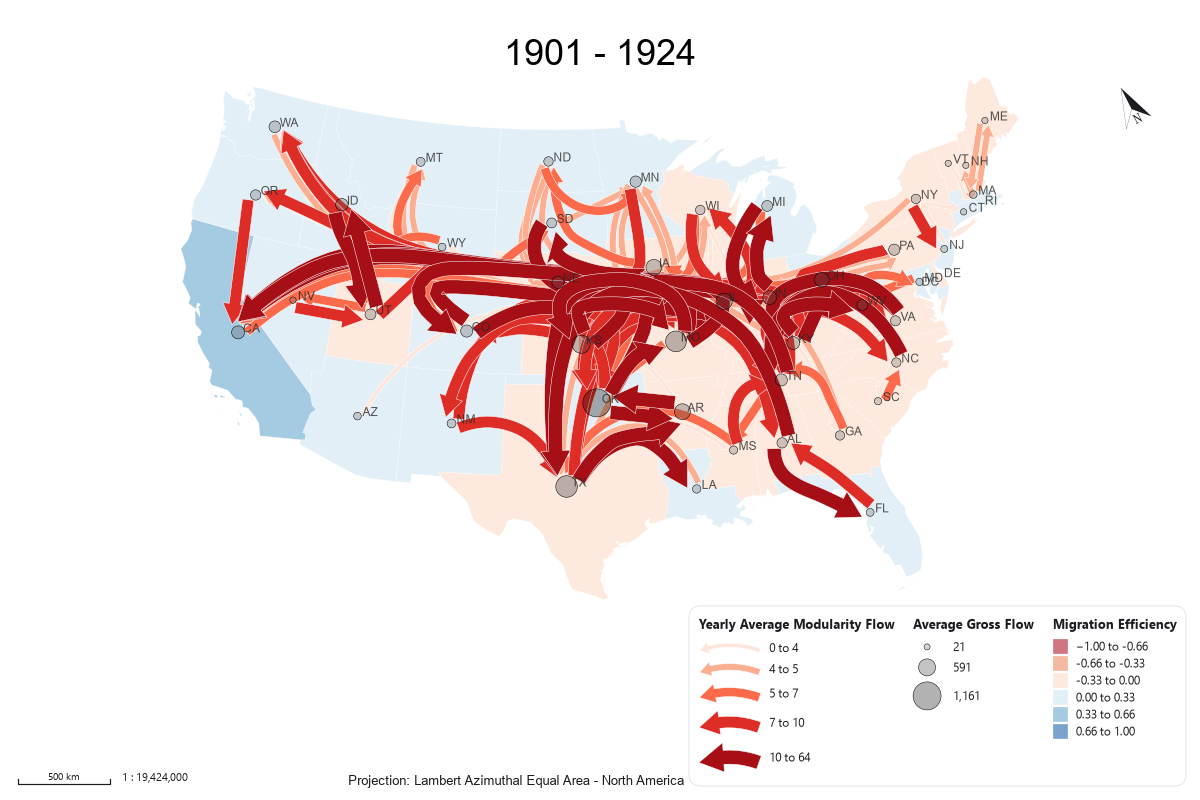
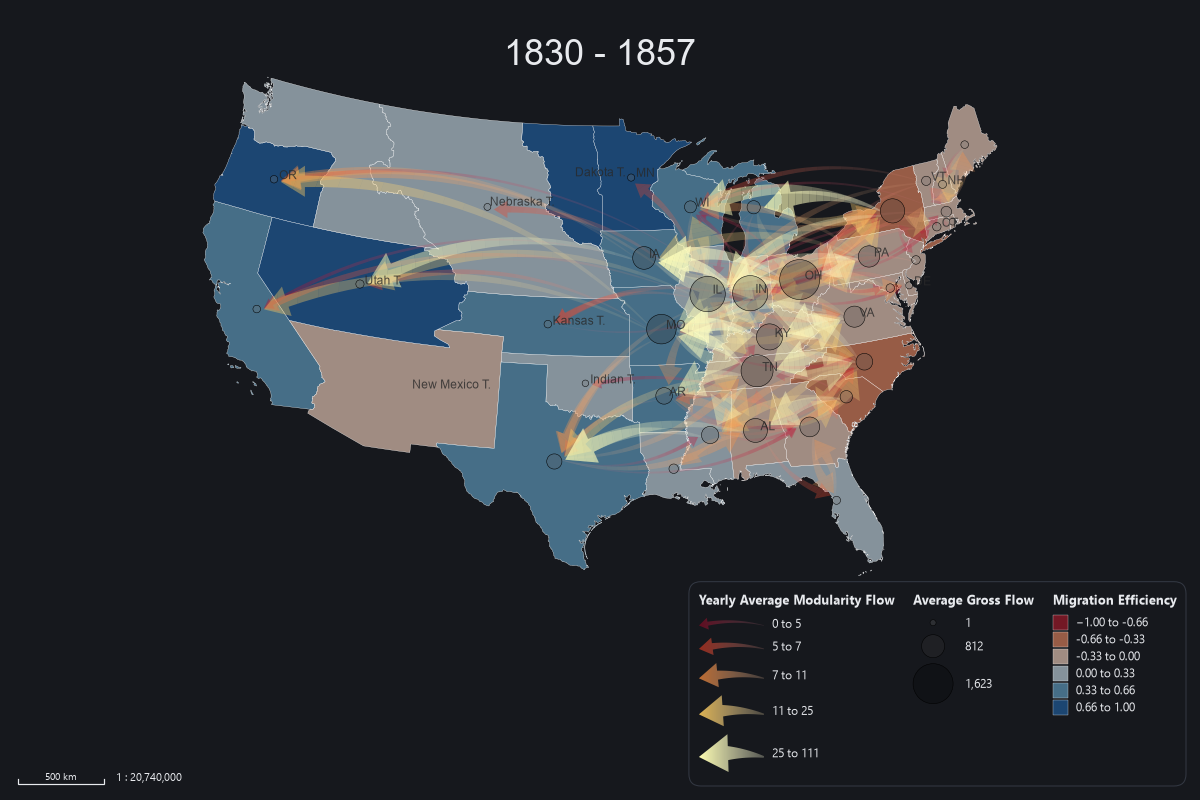
All flow styles, gradients (Tapered Fading Arc, 2- and 3-stop linear), categorical and negative node values, choropleth regions, references, legends, title, north arrow, scale bar and projection label. Each layer is one matplotlib collection, so rendering is fast: 1000 flows and 3000 nodes take about 1–1.5 s.
| Tapered Fading Arc | Bundled full arrows (Lambert azimuthal) | Dark mode |
|---|---|---|
 |
 |
 |
Interactive maps
from flowmapper_org.interactive import flowmap, to_html
w = flowmap(p)                    # anywidget for Jupyter / VS Code
w.update(flow_style="curveFull", cf_method="Quantile", num_top_flows=300)
to_html(p, "map.html")            # self-contained file (basemap tiles need a connection)
The interactive map uses OpenLayers, proj4 and d3 copied from FlowMapper, plus the flow-outline
functions extracted from FlowMapper's DrawFlows.js. It looks the same as flowmapper.org, in all
of FlowMapper's projections. Hover a flow or node for its values; click a node to show only its
outgoing, incoming or all flows.
For very large flow data (10⁴–10⁶ flows), reduce the data in Python (top flows, communities, regions) and use a GPU renderer such as lonboard or pydeck (deck.gl).
Command line
flowmapper-org info projectfile.json
flowmapper-org render projectfile.json -o map.png --width 1600 --height 1000 --dpi 192
flowmapper-org convert --nodes nodes.csv --flows flows.csv --regions states.zip -o projectfile.json
flowmapper-org measures projectfile.json -o node_measures.csv
flowmapper-org tools matrix-to-list matrix.csv -o flows.csv
flowmapper-org tools coords-to-nodes trips.csv --precision 4
flowmapper-org tools communities projectfile.json --resolution 1.0 --seed 1 --project-out regions.json
Run flowmapper-org COMMAND --help for every option.
Development
This package is developed together with FlowMapper.org. FlowMapper.org is the reference implementation: in the development repository, parity tests run FlowMapper's own JavaScript in a V8 engine and compare it with the Python port on fixed, random and real data, and a sync check lists every web-app change that the package has not followed yet. Releases are exported from there into this folder and published to PyPI by GitHub Actions.
A feature map, with every FlowMapper function and its Python counterpart, is in docs/feature_map.md.
Run the tests of this folder (tests that need the FlowMapper.org sources are skipped):
git clone https://github.com/geo-social/flowmapper
cd flowmapper/python
python -m pip install -e ".[interactive]" pytest hypothesis
python -m pytest -m "not parity"
Please report problems at https://github.com/geo-social/flowmapper/issues.
Known differences from FlowMapper.org
The port mirrors FlowMapper's behaviour, including cases that look like bugs in the web app. These are listed for the maintainers in docs/js_behaviour_notes.md. Deliberate differences:
- The North arrow off the edge of the globe points straight up instead of returning an angle for a point that is not on the map.
- Basemap tiles in static maps need the optional
contextilypackage and a connection.
Citation
If you use this package, please cite FlowMapper.org and this package; a paper describing both is in preparation.
1 maintainer

Metadata
1 maintainer
Release files for flowmapper.org 0.3.0
For a detailed explanation of source distributions (sdists) and built distributions (wheels), please see the package formats documentation.
Source distribution (sdist)
| File | Size | Uploaded | Provenance | Actions |
|---|---|---|---|---|
| flowmapper_org-0.3.0.tar.gz | 661.2 kB | With provenance | Details for flowmapper_org-0.3.0.tar.gz |
Built distribution (wheel)
| File | Interpreter | ABI | Platform | Actions Reset |
|---|---|---|---|---|
| flowmapper_org-0.3.0-py3-none-any.whl | Python 3 | none | any | Details for flowmapper_org-0.3.0-py3-none-any.whl |
Total release size: 1.3 MB
Release files / flowmapper_org-0.3.0.tar.gz
| Download URL | flowmapper_org-0.3.0.tar.gz |
|---|---|
| Size | 661.2 kB |
| Tags | Source |
|
SHA-256 checksum How to use checksums |
2798934f98fb6d9f5bde0a0af77beede4835dbeef52962940ade87168b65168b
|
|
BLAKE2b-256 checksum How to use checksums |
4cdd848a955a83d200bb44224375b5a139ce0298a77e0d92e5ad69258fdaef43
|
| Upload date | |
|
Uploaded using Trusted Publishing? What is trusted publishing? |
Yes |
| Uploaded via |
twine/7.0.0 CPython/3.13.16
|
Provenance
Provenance describes where a file came from. On PyPI, provenance is shared via attestations, which provide a verifiable record of the build or publishing details. View details, limitations and caveats.


PyPI Publish Attestation
PyPI verified that this artifact, at this checksum, originated from the publisher listed below.
Signed by GitHub Actions, verified by PyPI on Nov 26, 2026.
Transparency logRelease files / flowmapper_org-0.3.0-py3-none-any.whl
| Download URL | flowmapper_org-0.3.0-py3-none-any.whl |
|---|---|
| Size | 617.4 kB |
| Tags | Python 3 |
|
SHA-256 checksum How to use checksums |
0304deea30c705d9a539a56a22c8448259f427f0e4ddb3c04ae225c1dc215805
|
|
BLAKE2b-256 checksum How to use checksums |
5f71638db0e41063842e93a9b4613d3722ee3804f417df9aa745b25fca1cda41
|
| Upload date | |
|
Uploaded using Trusted Publishing? What is trusted publishing? |
Yes |
| Uploaded via |
twine/7.0.0 CPython/3.13.16
|
Provenance
Provenance describes where a file came from. On PyPI, provenance is shared via attestations, which provide a verifiable record of the build or publishing details. View details, limitations and caveats.
PyPI Publish Attestation
PyPI verified that this artifact, at this checksum, originated from the publisher listed below.
Signed by GitHub Actions, verified by PyPI on Nov 26, 2026.
Transparency logSecurity for flowmapper.org 0.3.0
Provenance
Provenance describes where a file came from. On PyPI, provenance is shared via attestations, which provide a verifiable record of the build or publishing details. View details, limitations and caveats.
Full provenance
Both files in this release have been uploaded with provenance metadata.
Attestation for flowmapper_org-0.3.0.tar.gz
PyPI Publish Attestation
PyPI verified that this artifact, at this checksum, originated from the publisher listed below.
Signed by GitHub Actions, verified by PyPI on Nov 26, 2026.
Transparency logA note on package security
PyPI is a repository for distributing packages, not a service for auditing them. While third-party security researchers and our staff do their best to detect and remove malicious packages, PyPI cannot guarantee the quality, security or suitability of any given package.
To learn more about protecting yourself from malicious actors, visit our package security documentation.













