
Fluent Blue
A modern, token-driven design system for Python desktop applications.
One code base, two bindings: PyQt6 and PySide6.






Fluent Blue gives a Qt application the consistency of a real design system: a central set of design tokens, a runtime theme engine, an original icon set, and more than a hundred components that all read from the same tokens. It ships with Design Studio, an interactive showcase where every example is a live widget, and with AI agent briefs so coding assistants can use the library without inventing APIs.
Install in 30 seconds
pip install "fluent-blue[pyqt6]"      # or: pip install "fluent-blue[pyside6]"
fluent-blue-studio                     # opens the interactive showcase
Then build your first window:
from fluent_blue import Button, Card, ThemeManager
from fluent_blue.compatibility.qt import QApplication, QVBoxLayout

app = QApplication([])
ThemeManager.set_theme("dark")
card = Card(title="Hello, Fluent Blue")
card.add(Button("Get Started", variant="primary"))
card.show()
app.exec()
Highlights
- 109 components across buttons, inputs, selection, navigation, data display, data tables, feedback, layout and advanced widgets such as
DataTable,CommandPalette,CodeEditor,DatePicker,ColorPicker,WizardandRichTextEditor. - Design tokens for color, typography, spacing, radius, elevation and motion. Components never hardcode a color.
- Runtime themes: light, dark and high-contrast built in; register your own with one call. Switching restyles every open window in about 80 ms.
- Accessible by measurement: every text pairing meets WCAG AA (4.5:1), checked by tests; keyboard access and visible focus everywhere.
- Original SVG icons (133) on a 24 px grid, recolored by the theme and cached.
- Design Studio: a premium showcase application with live previews, properties, signals, copyable code and an AI Prompt tab per component.
- Honest quality gates: 834 tests on both bindings, a UI audit that measures clipped text, overlaps and contrast on every page, and a performance report.
Gallery
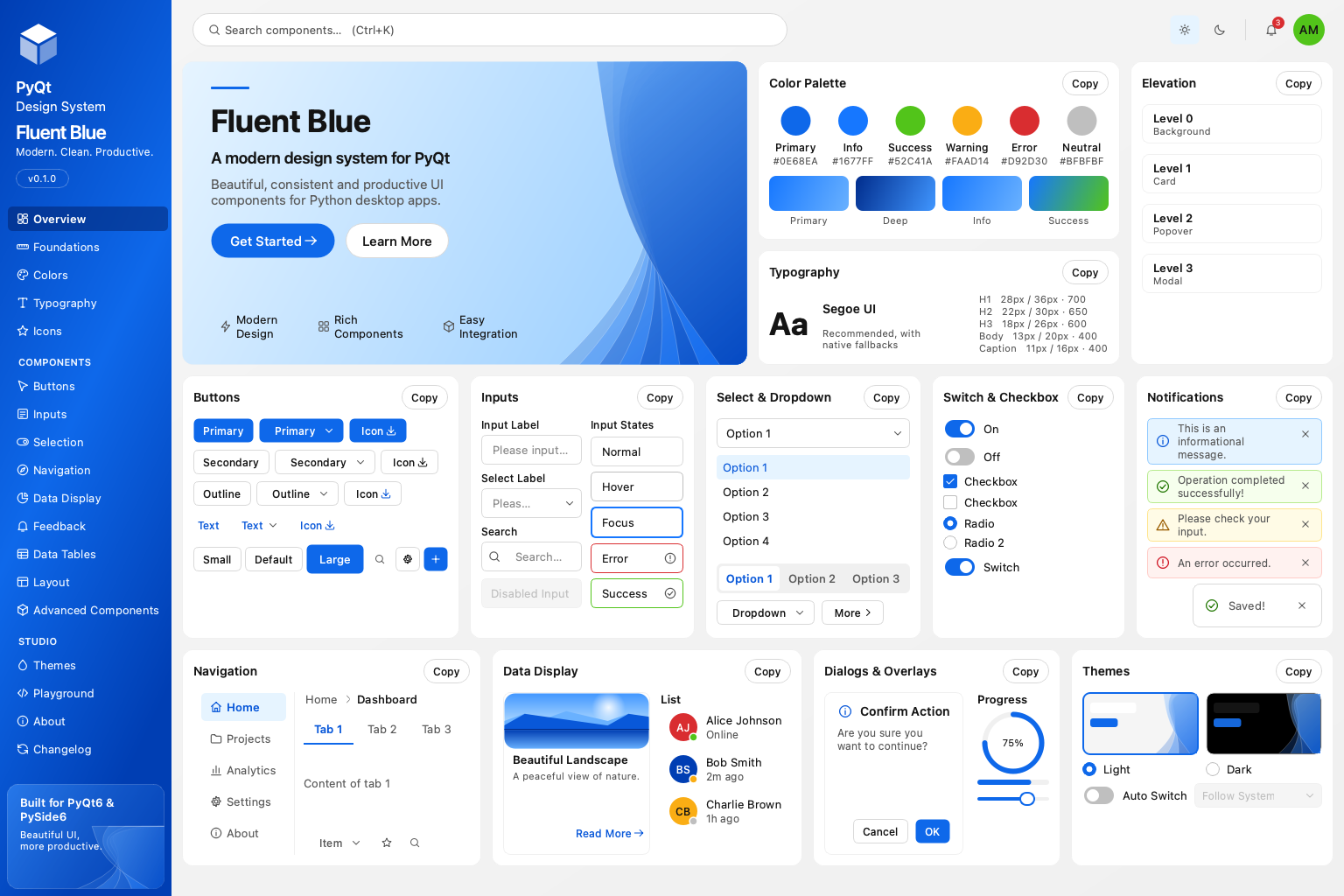
Every image is a headless grab of the live application at 1536 × 1024, produced by python scripts/capture_screenshots.py.
Overview, light |
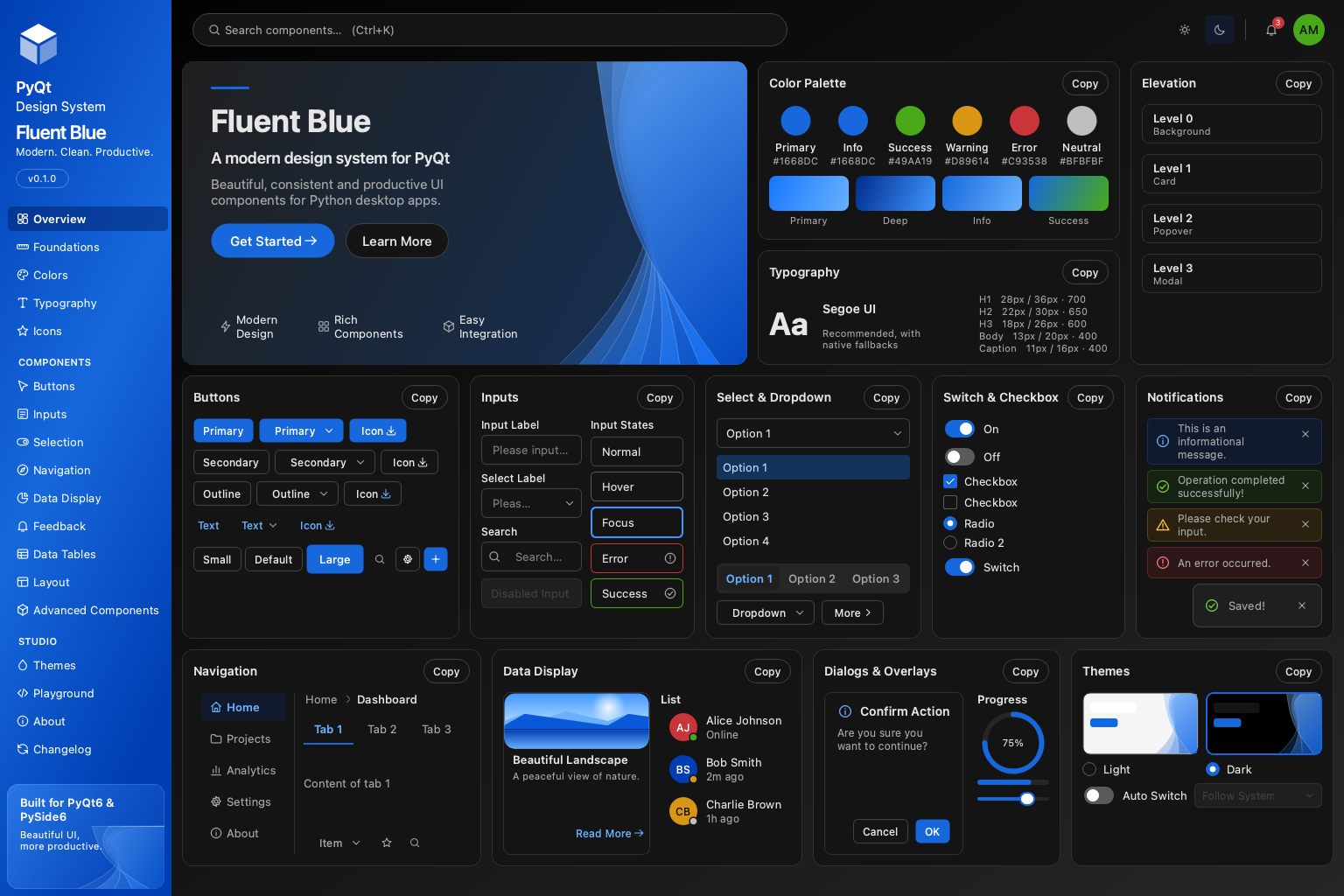 Overview, dark |
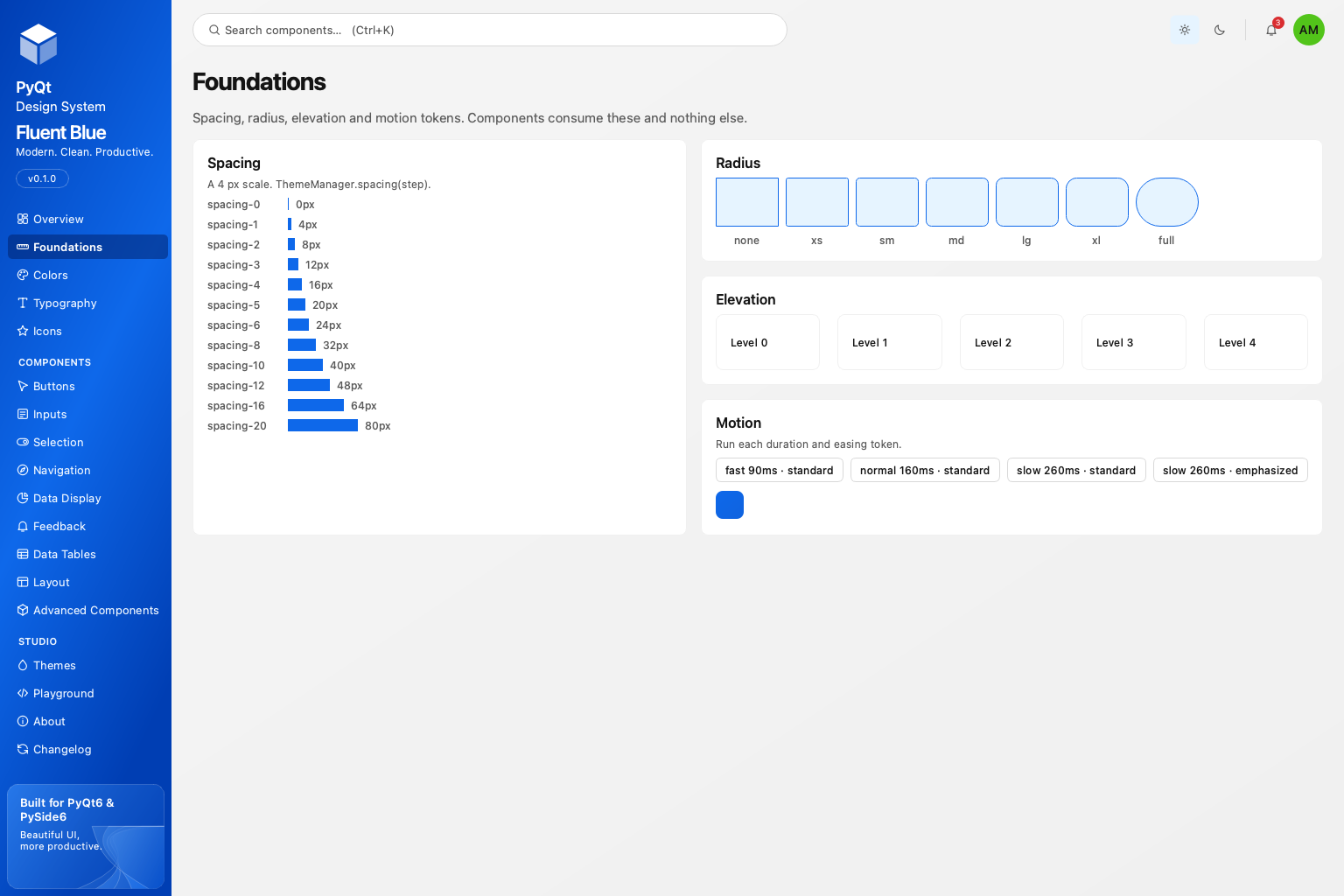 Foundations: spacing, radius, elevation, motion |
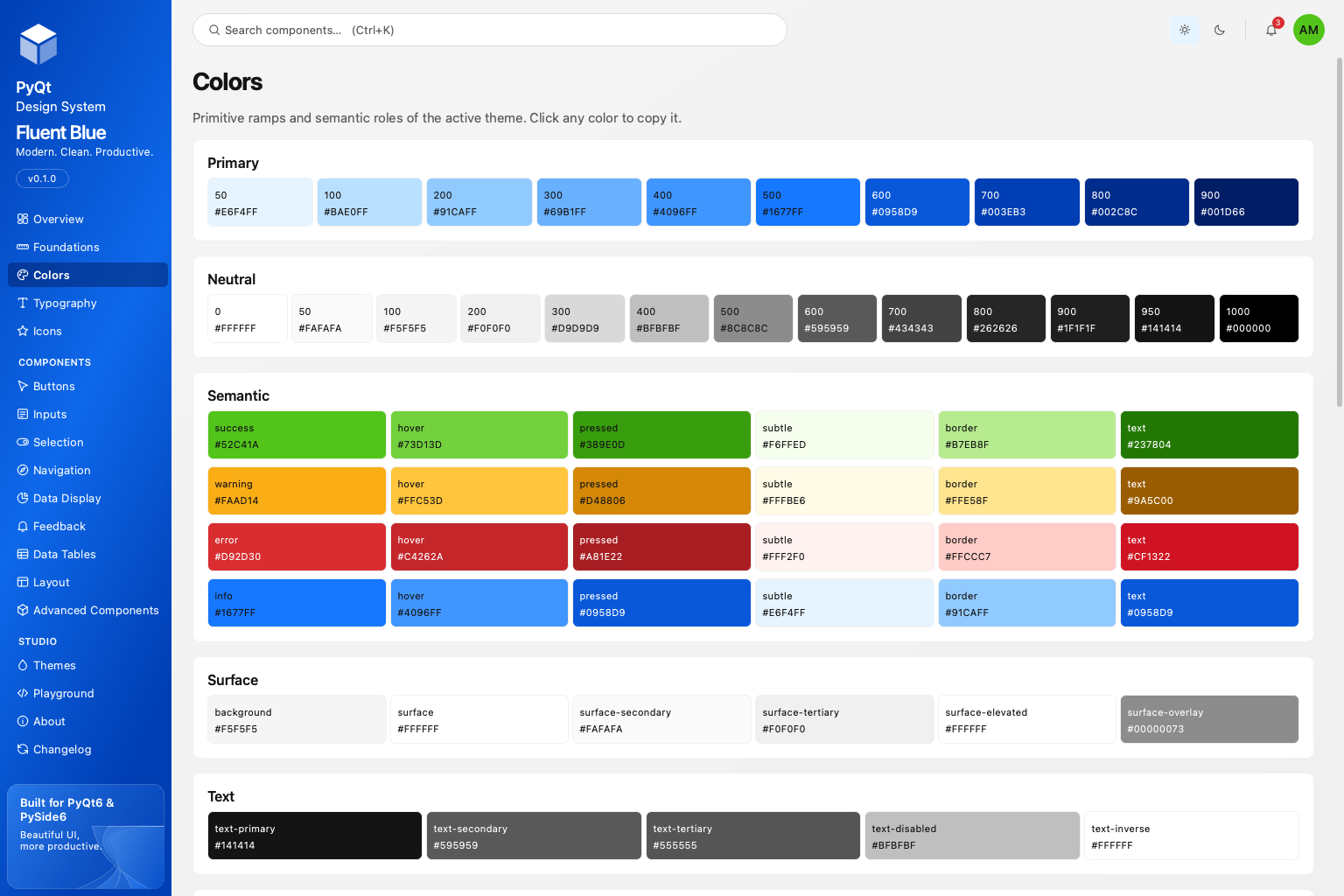 Colors: ramps, roles and contrast |
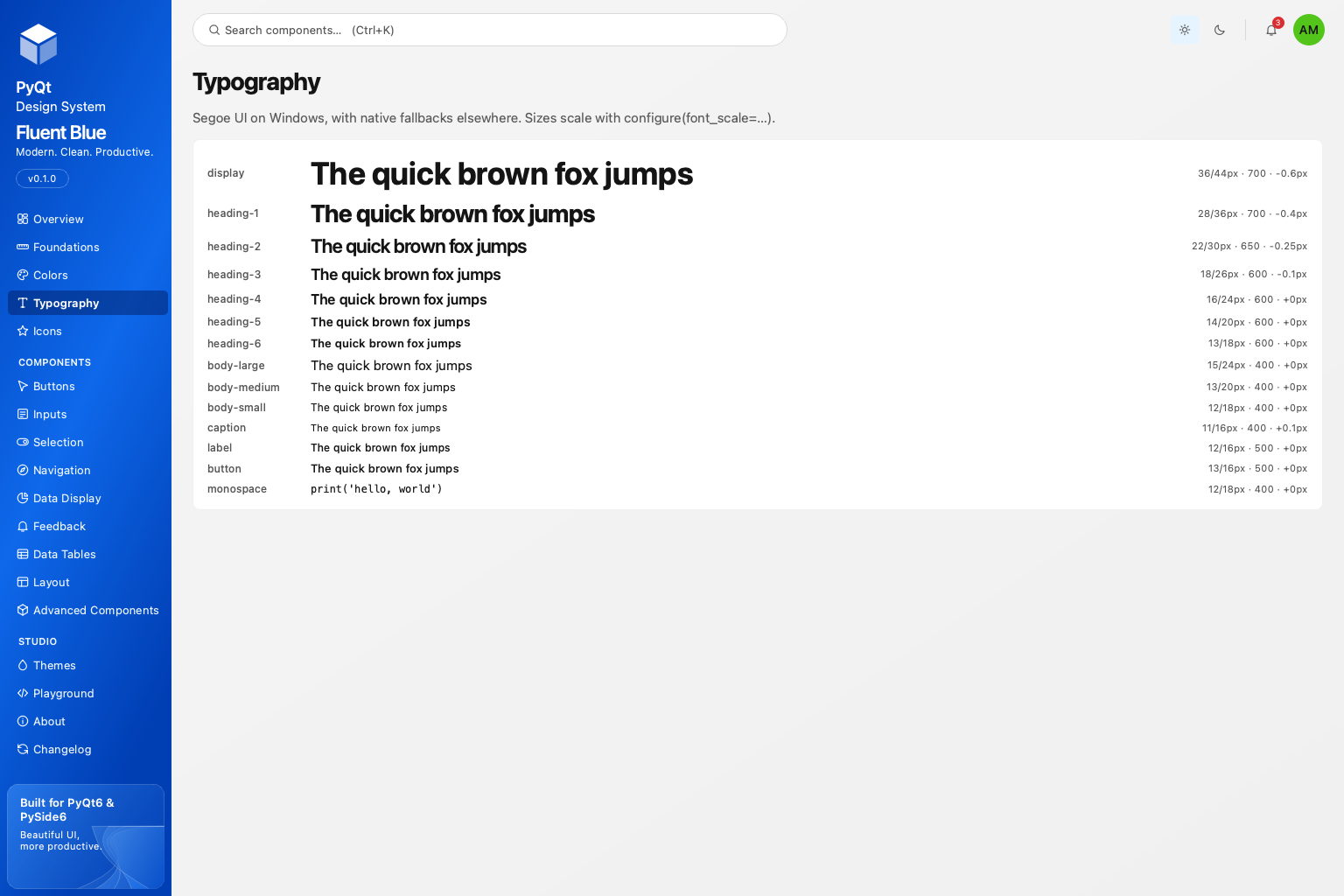 Typography roles |
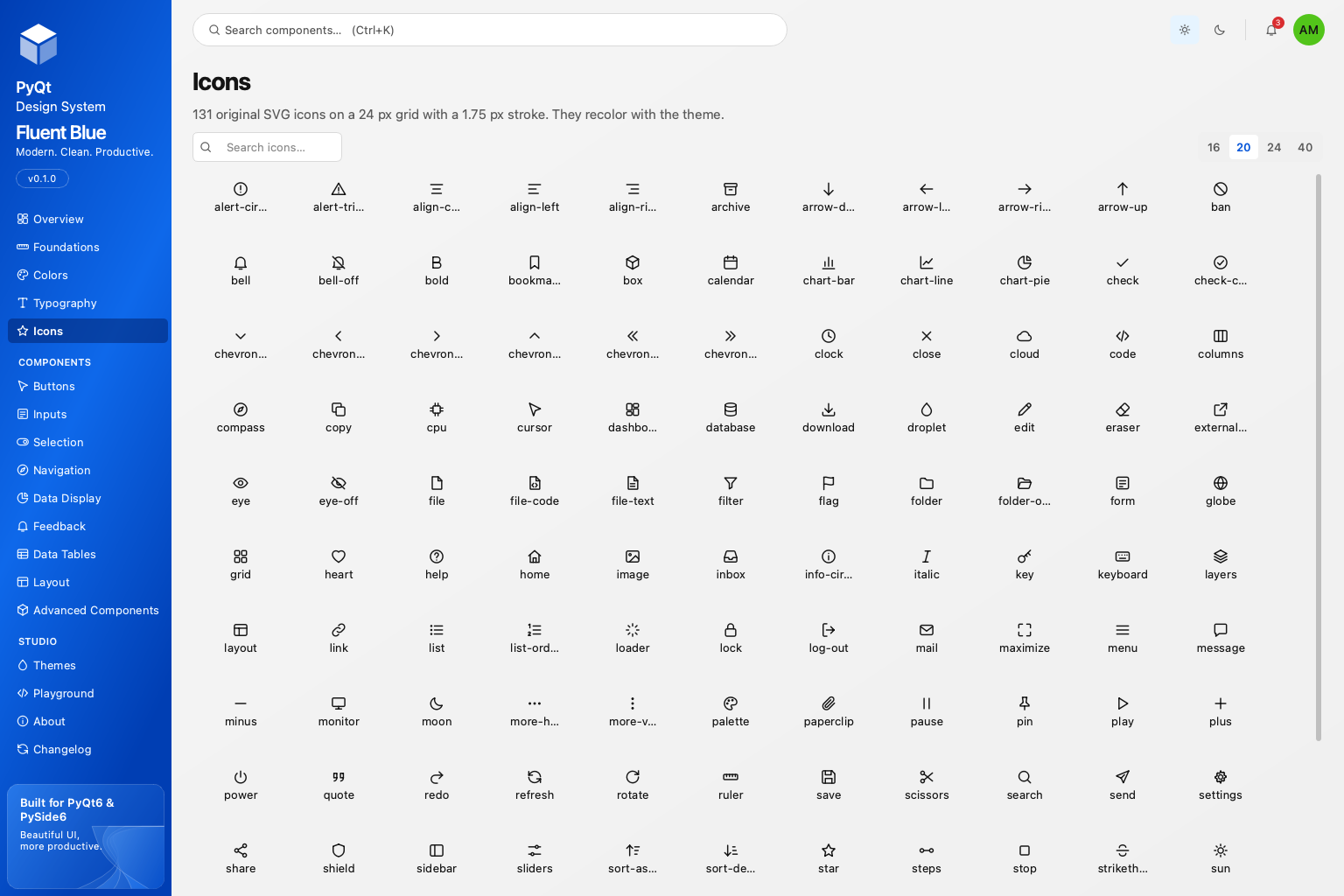 Icons: 133 original SVG icons |
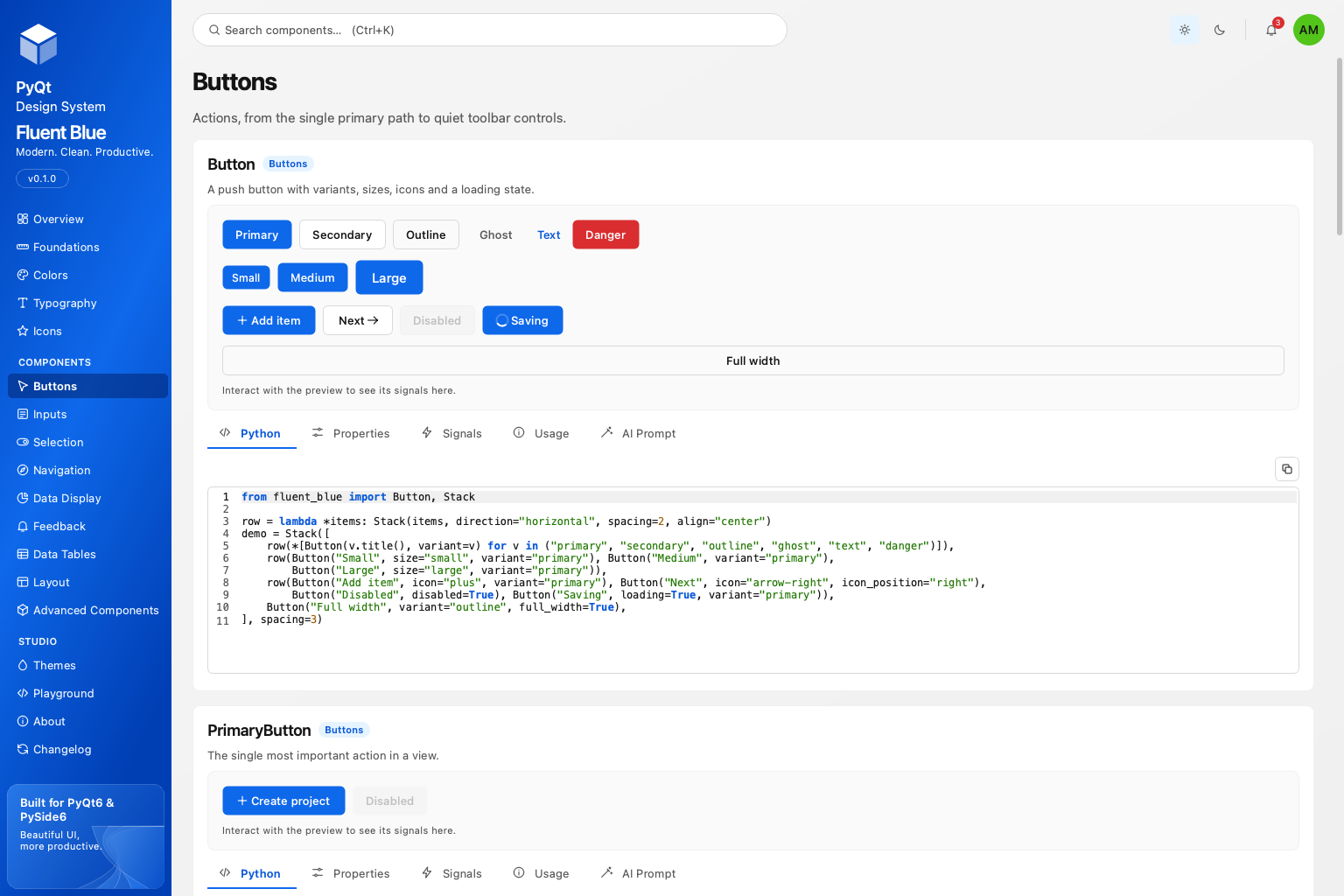 Buttons page |
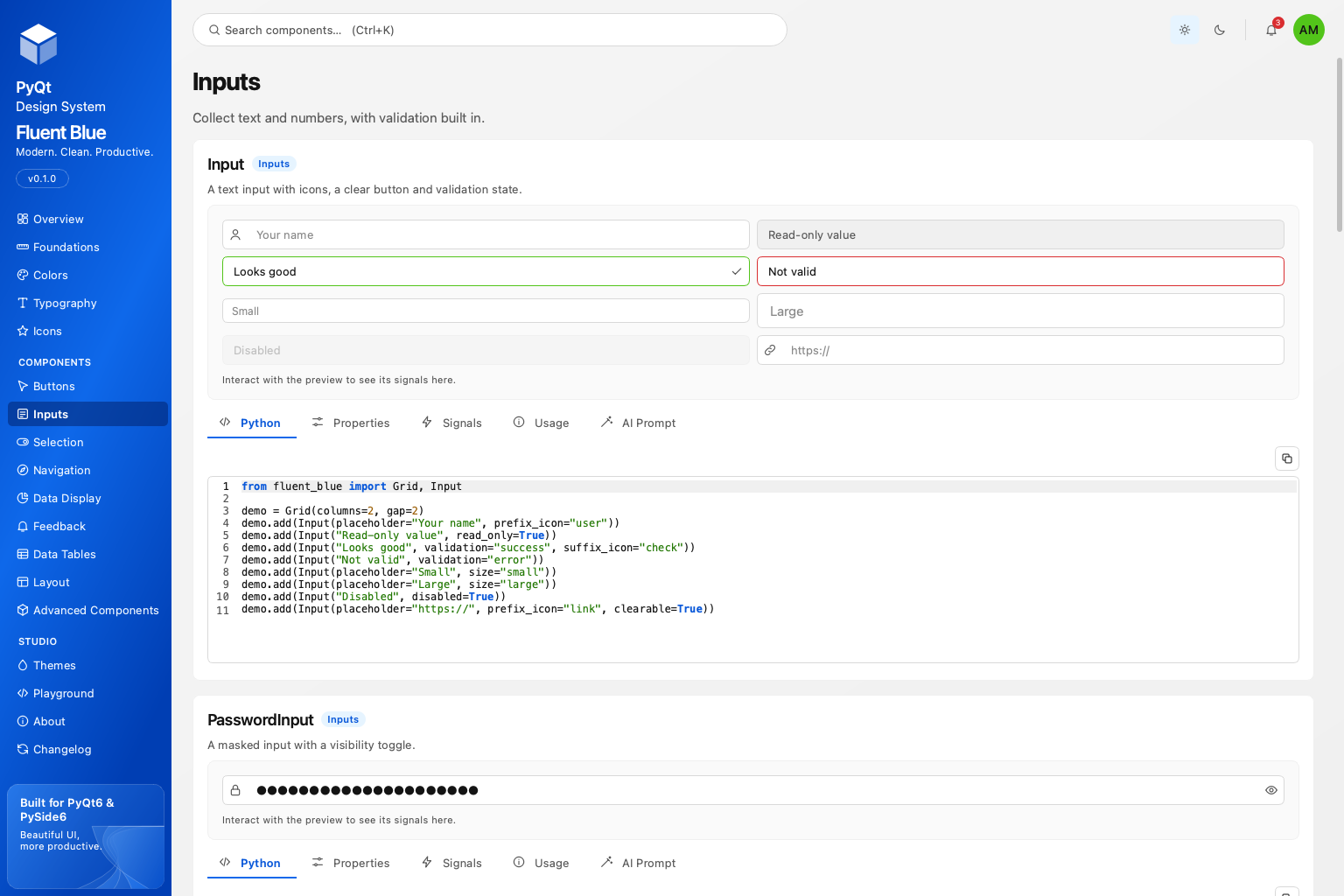 Inputs page |
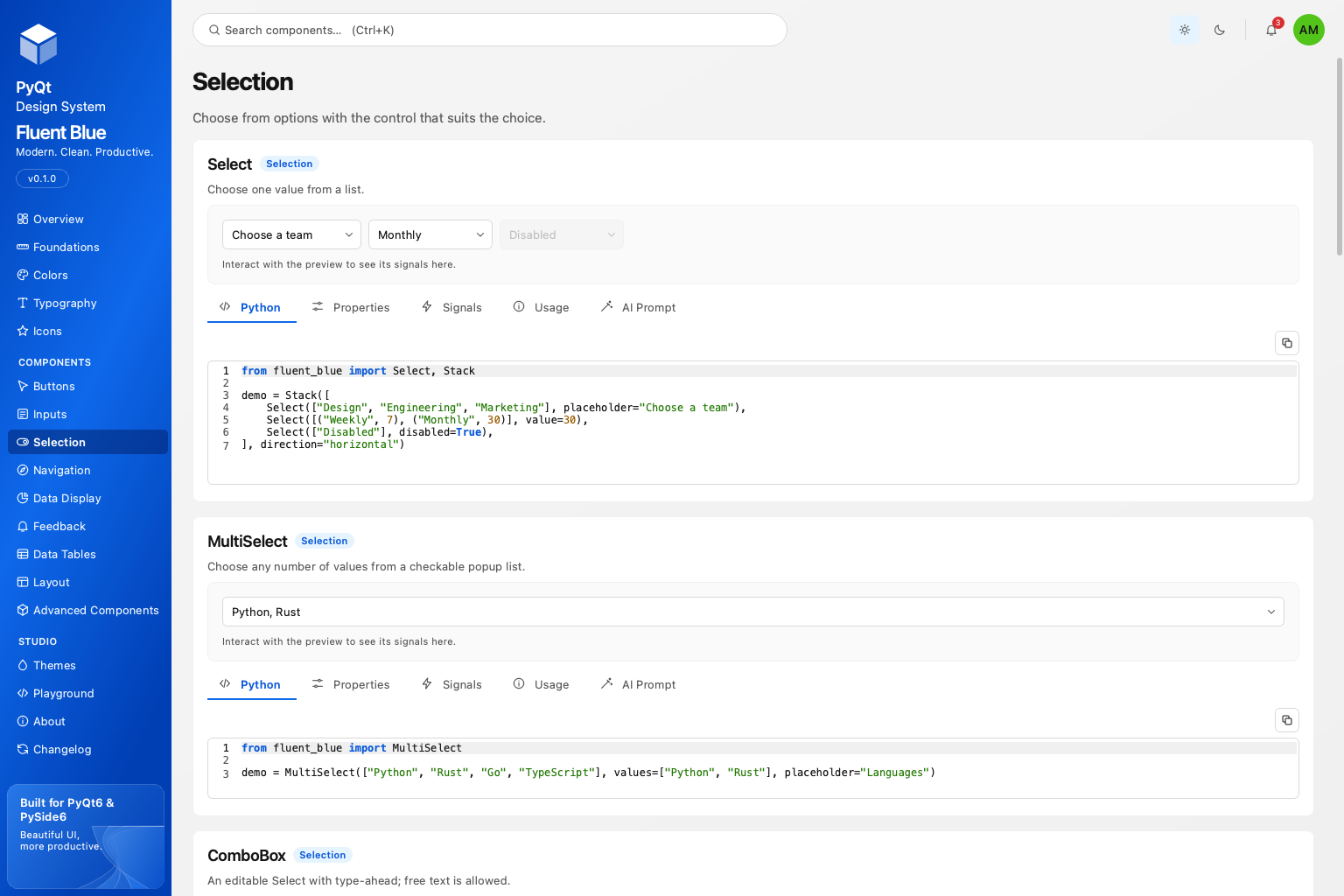 Selection page |
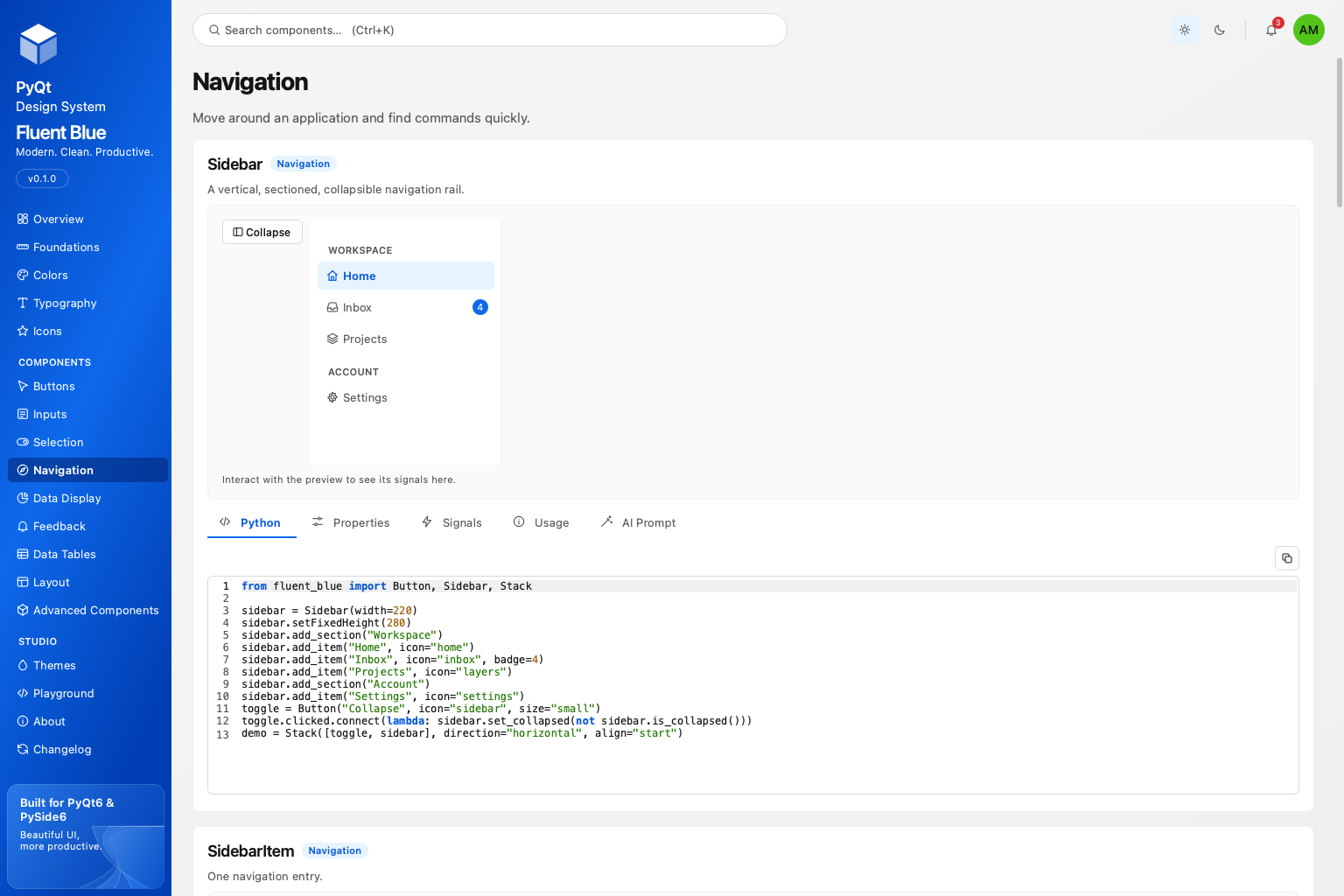 Navigation page |
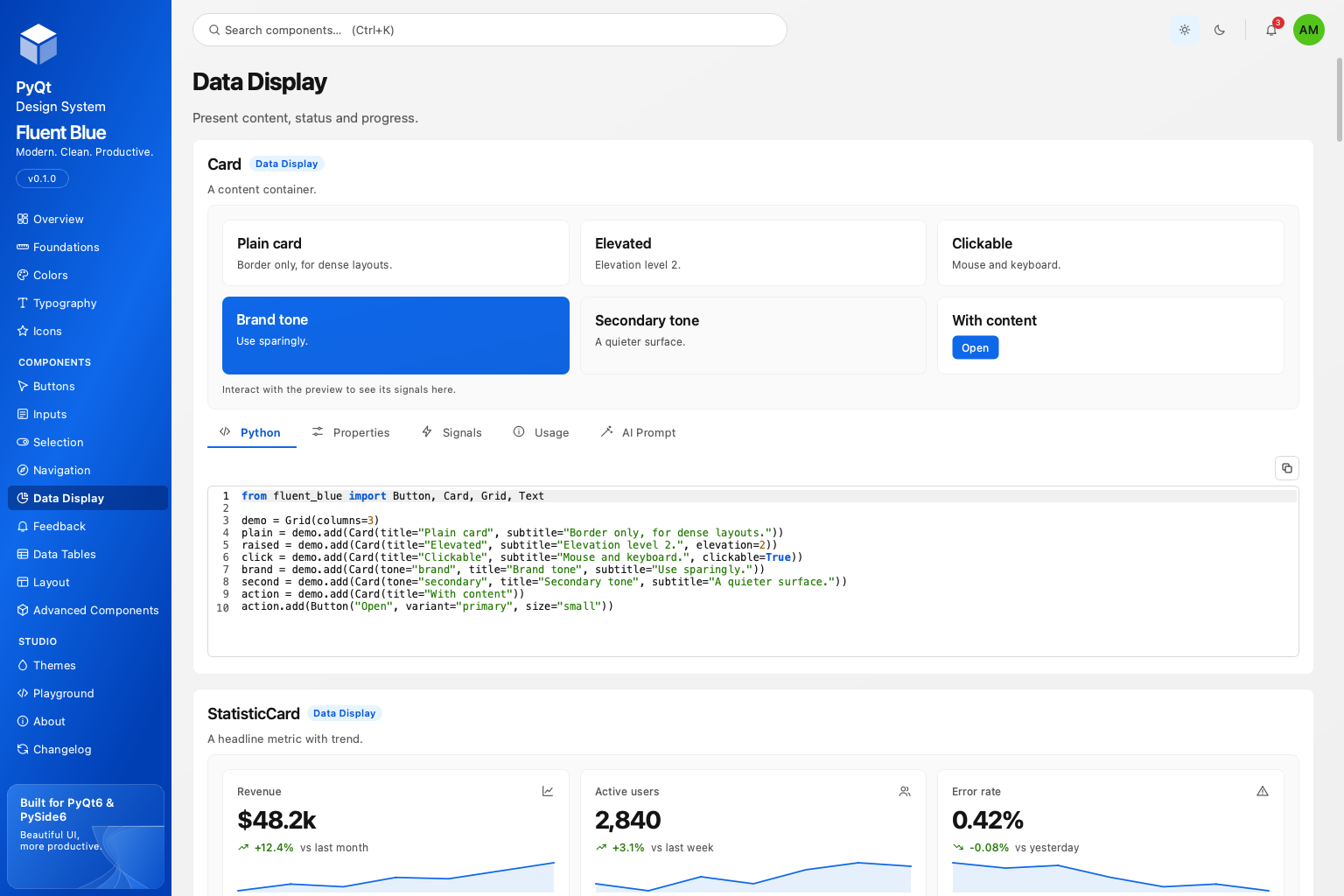 Data Display page |
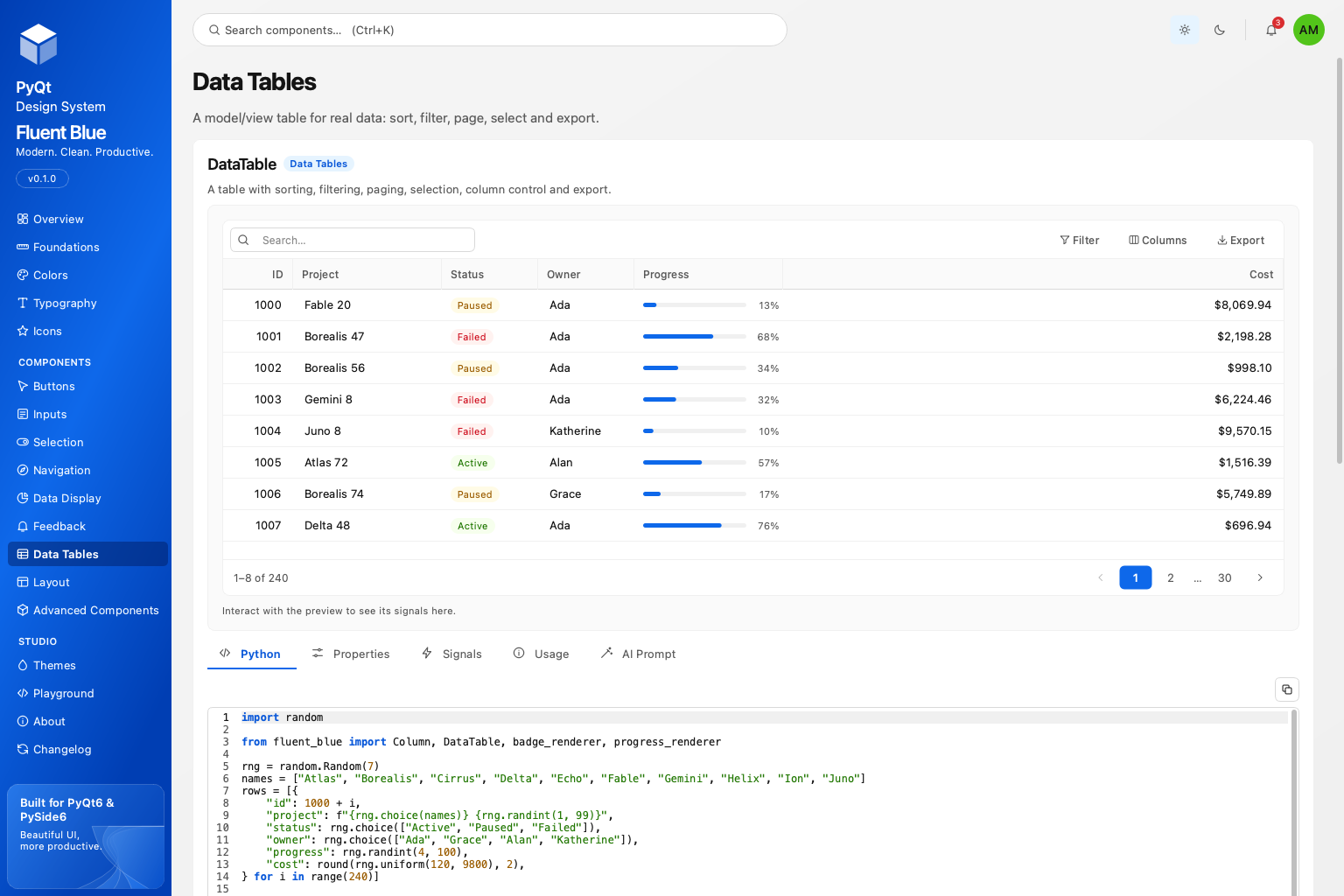 DataTable: sort, filter, page, export |
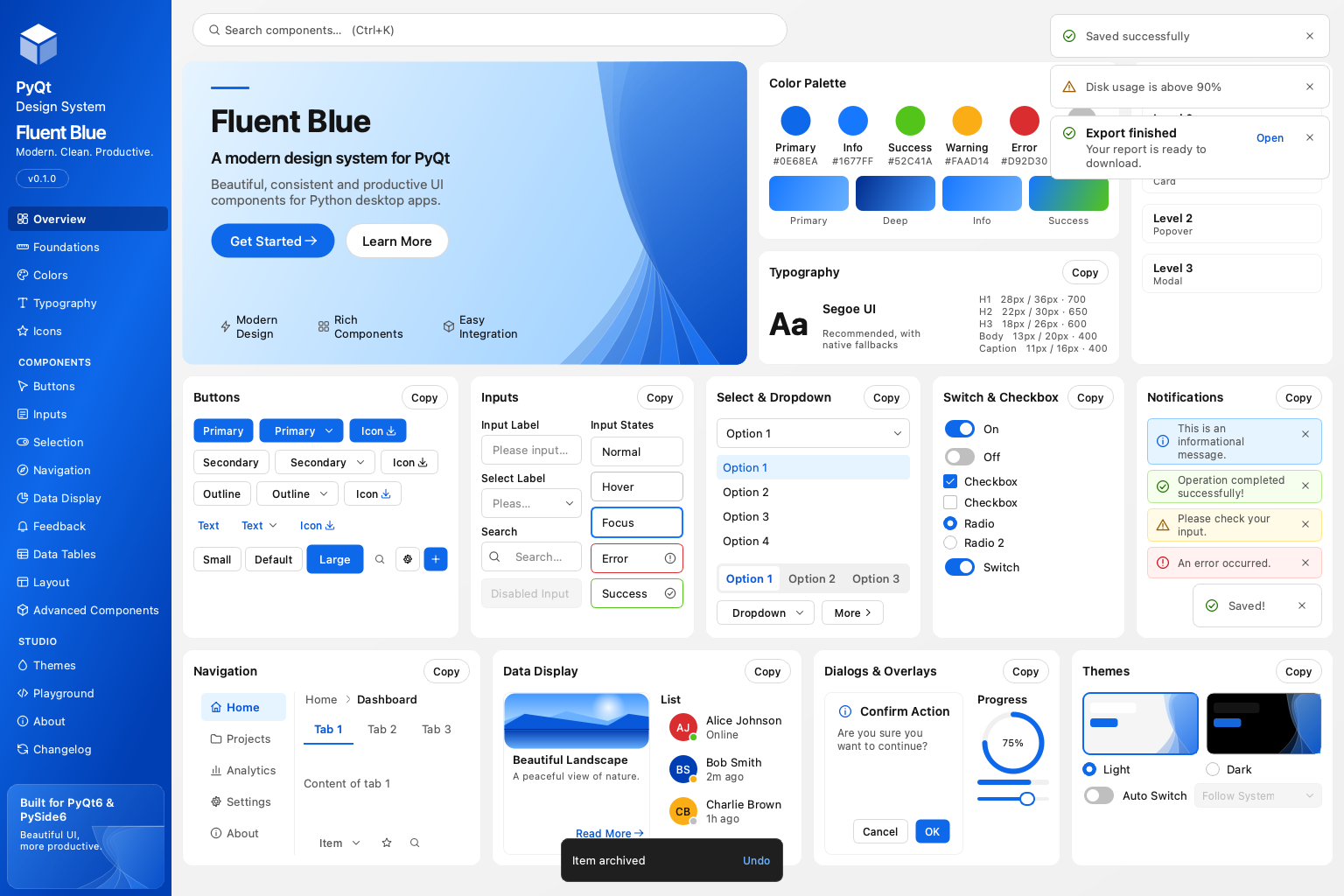 Toasts, notification and snackbar |
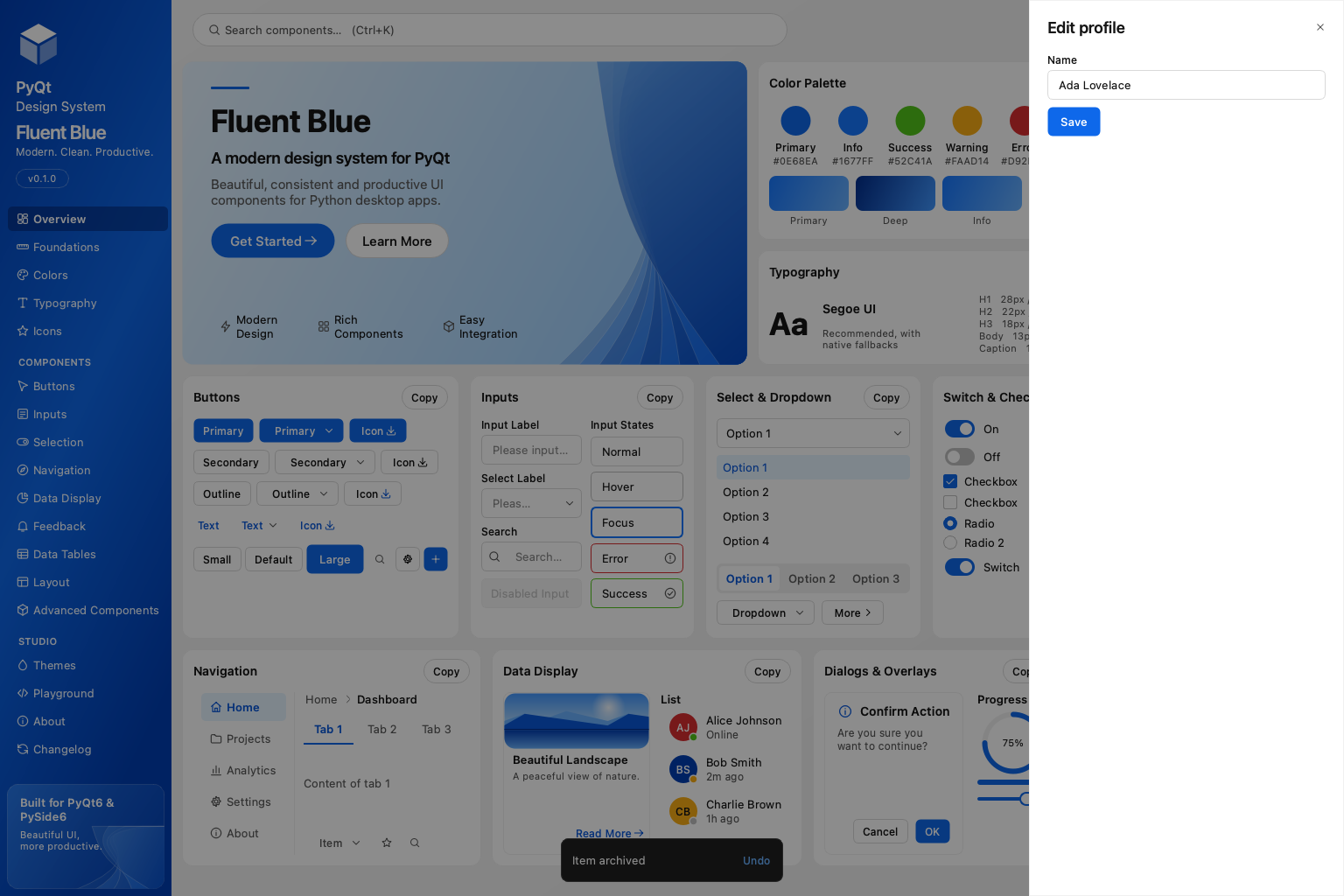 Drawer over the Overview |
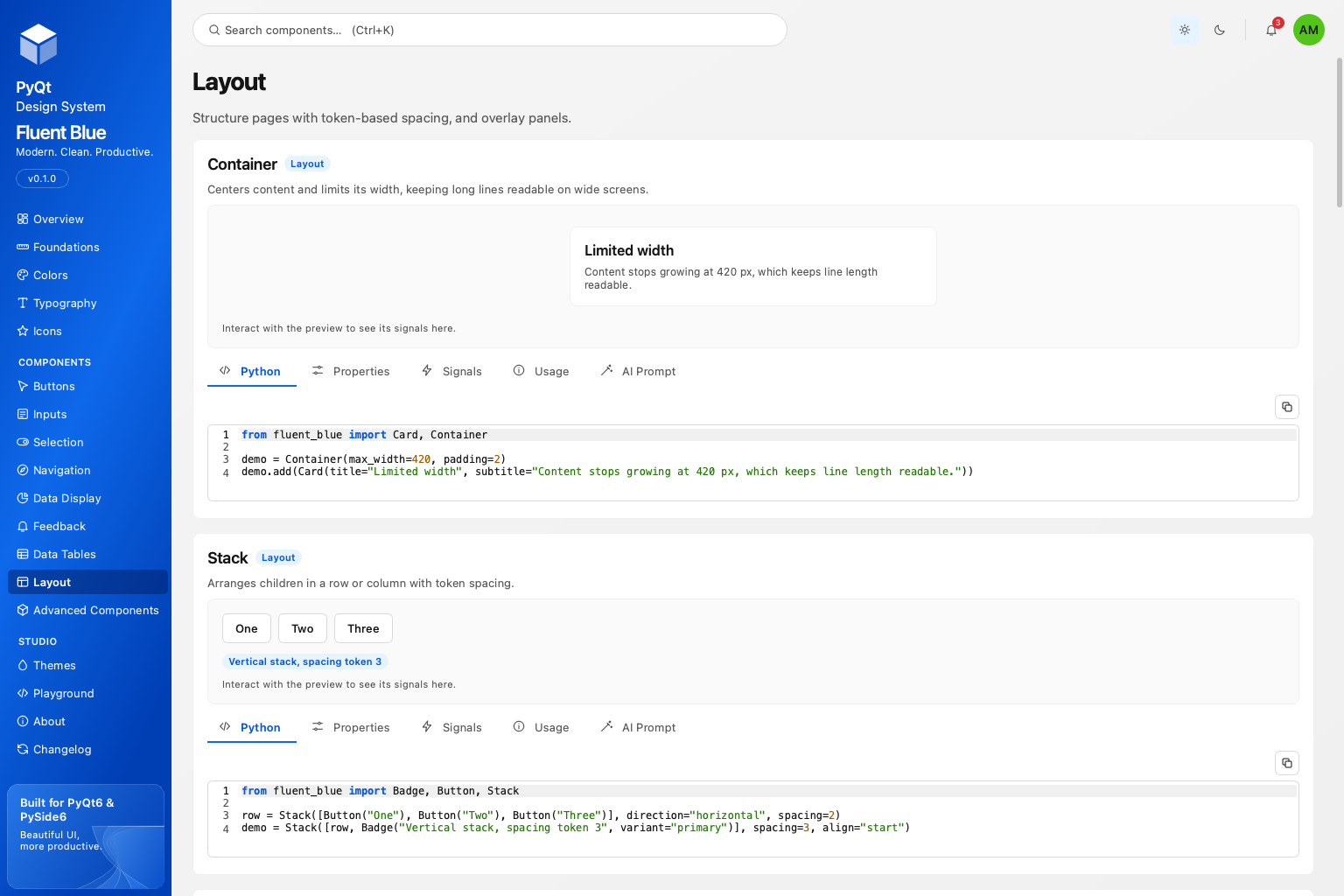 Layout page |
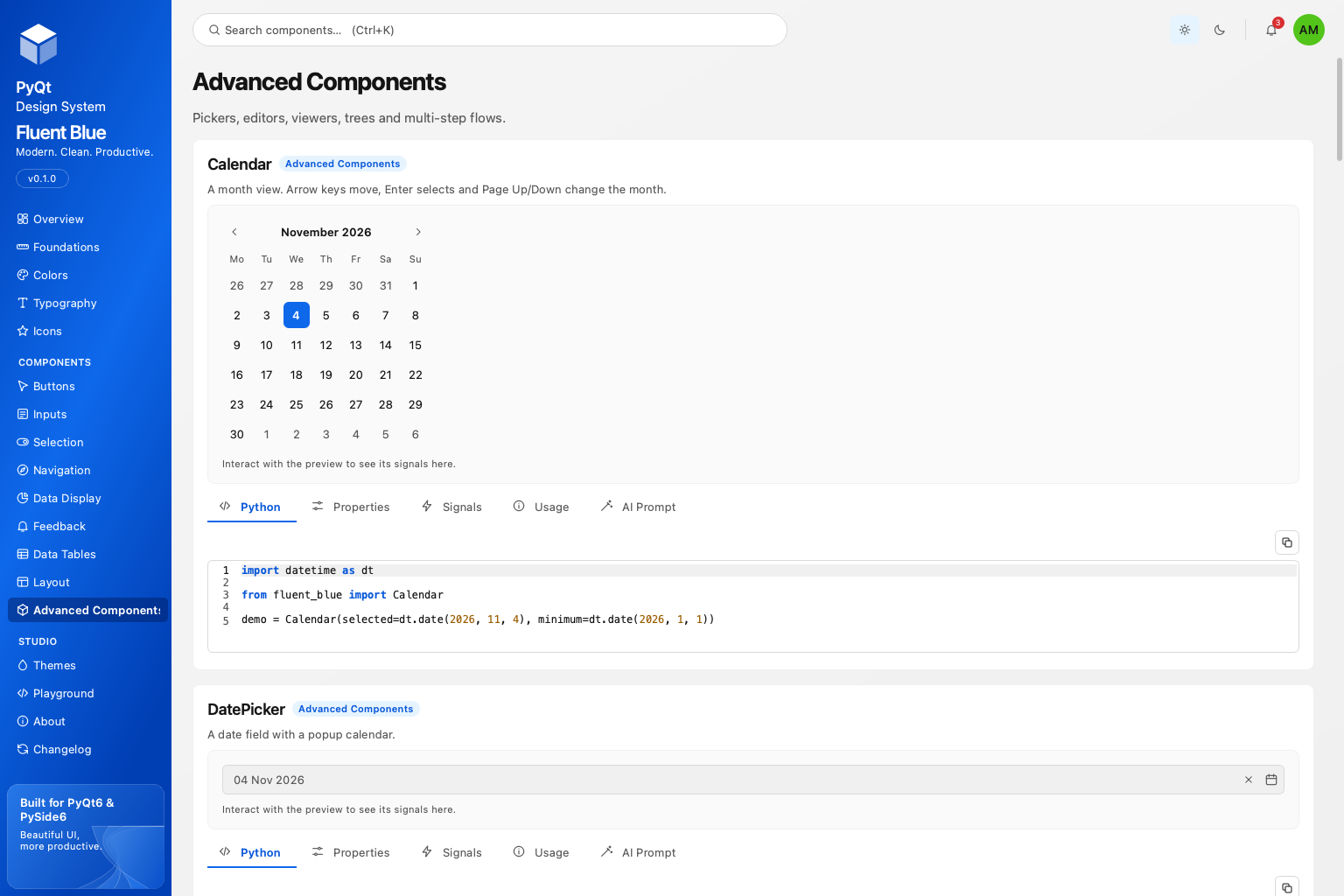 Advanced components |
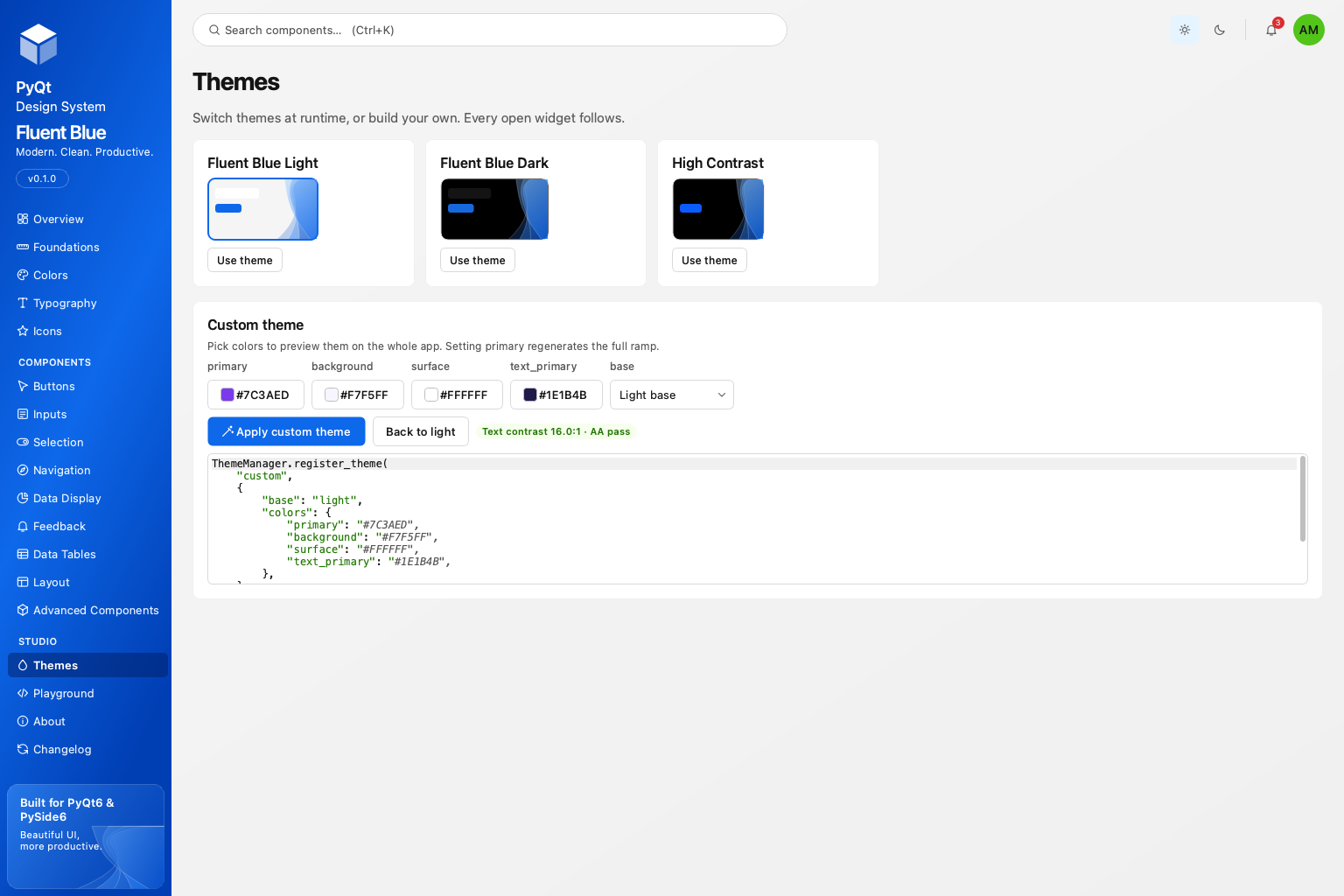 Themes and the custom theme builder |
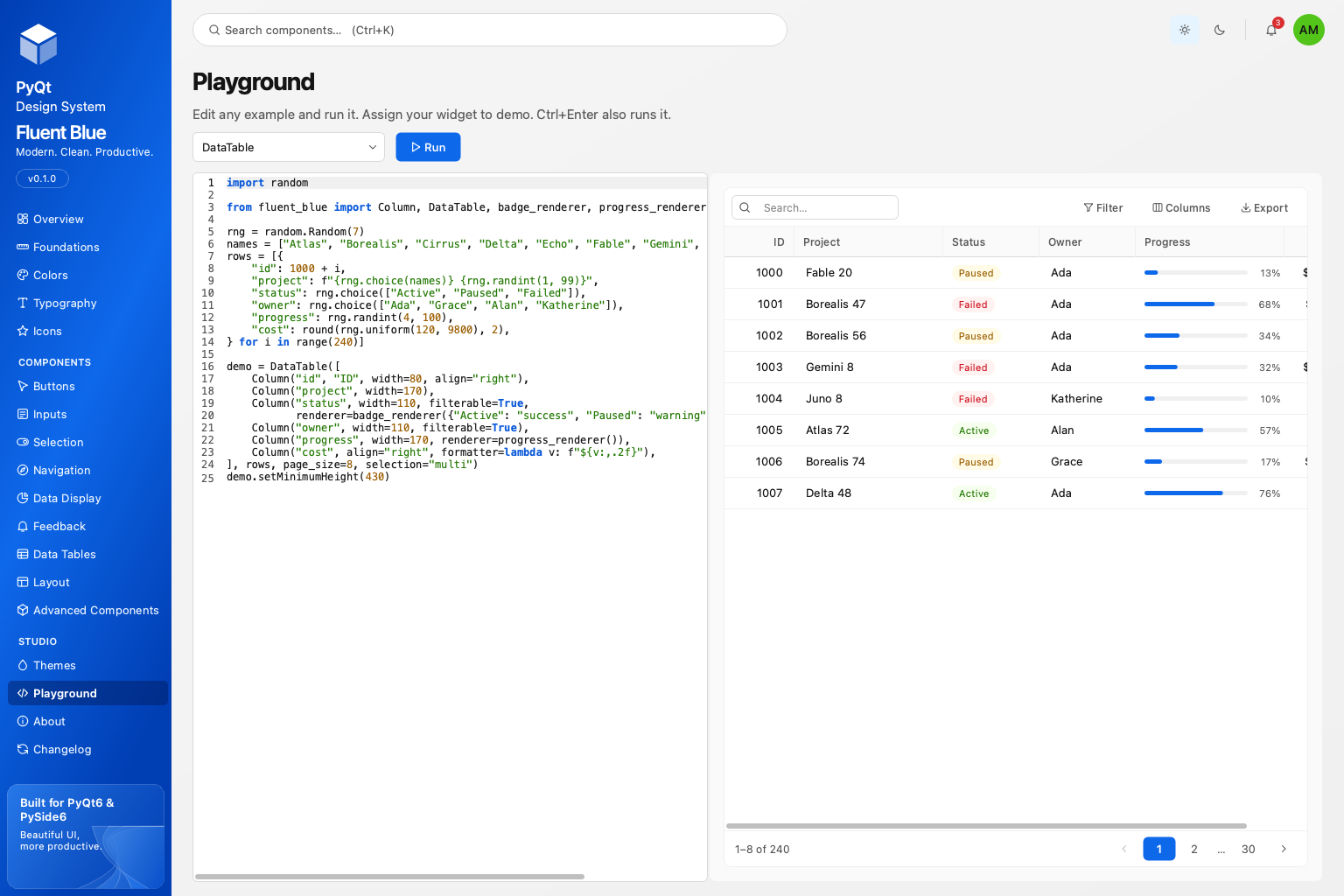 Playground: edit and run any example |
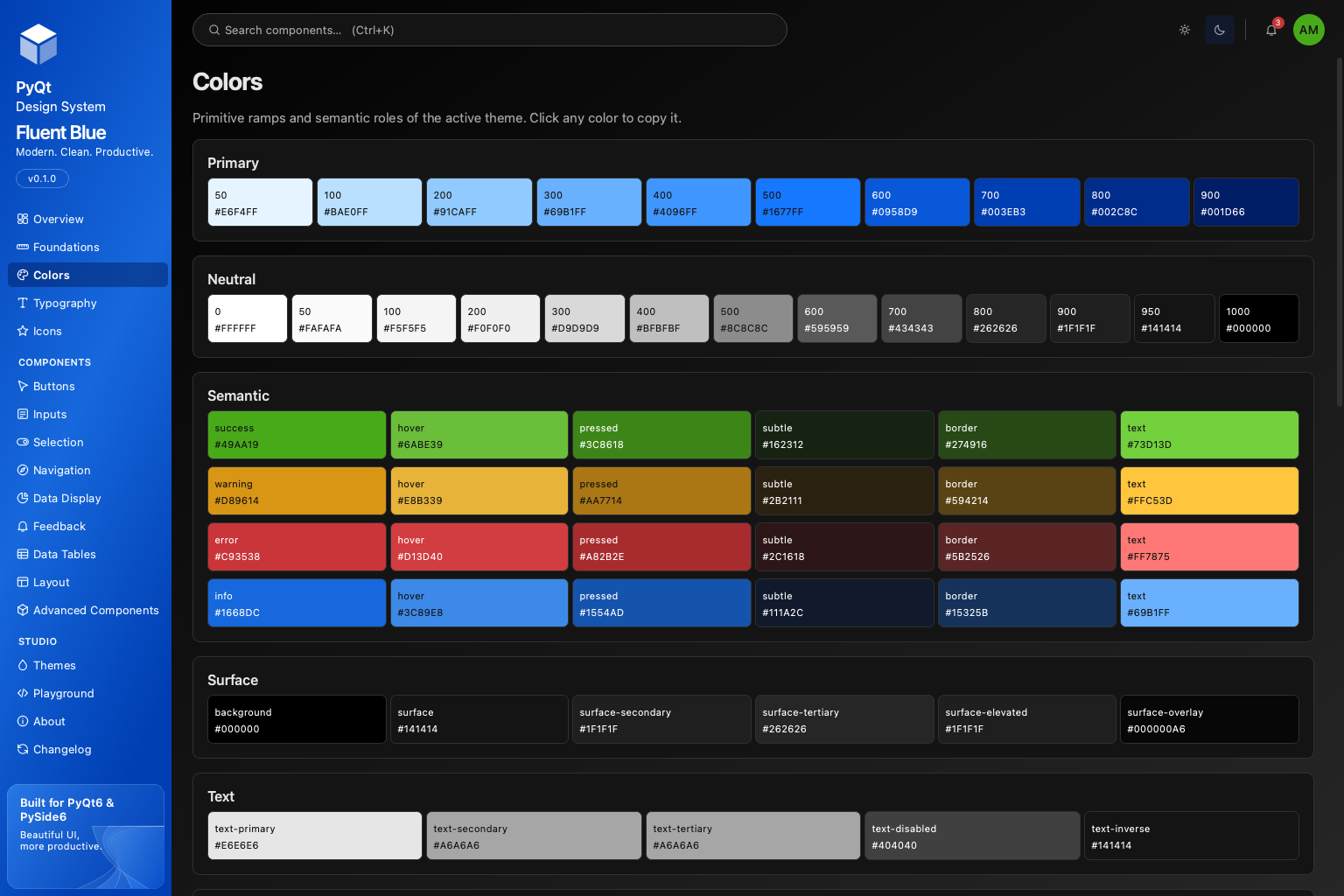 Colors, dark |
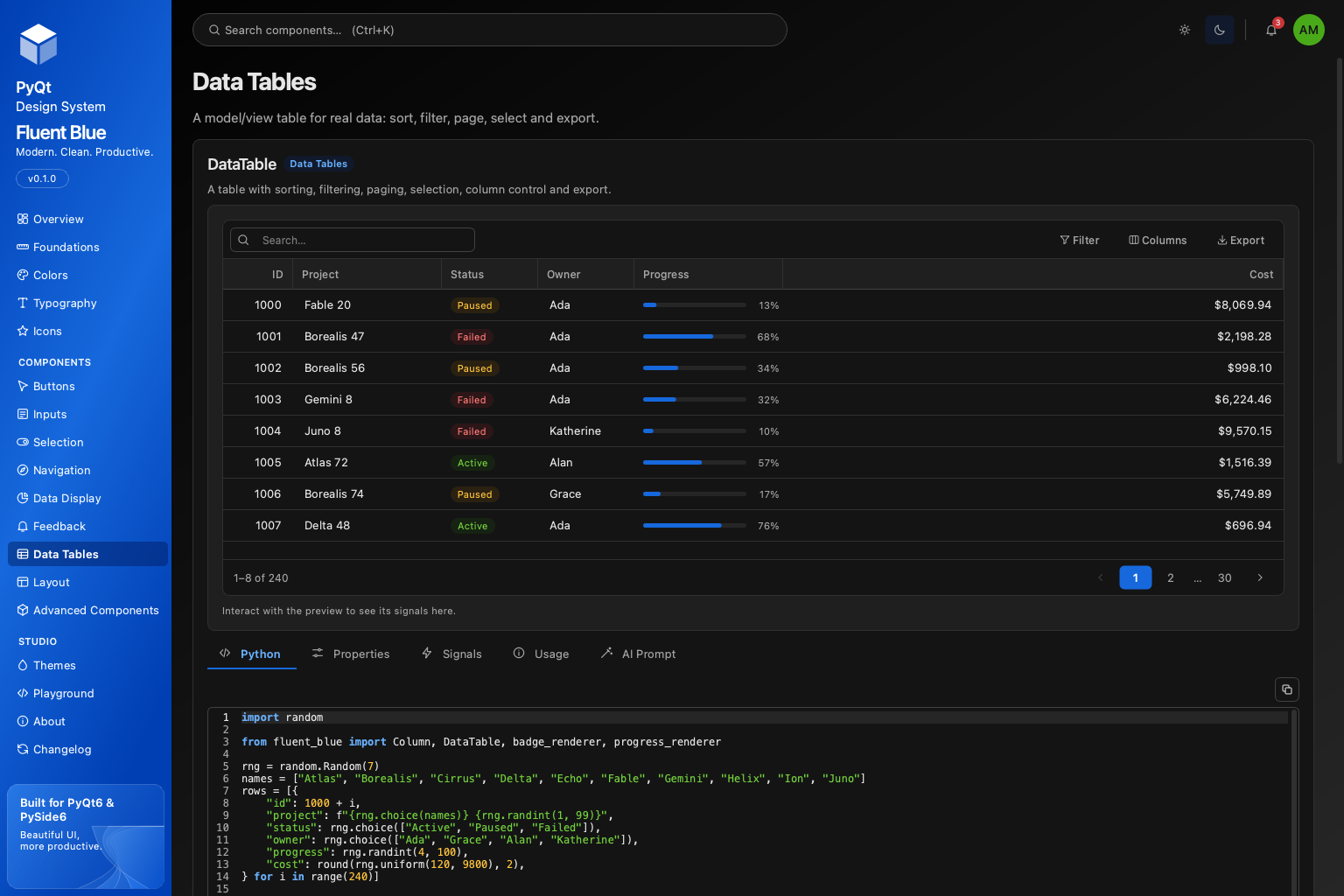 DataTable, dark |
Installation
Fluent Blue is on PyPI as fluent-blue. Pick one Qt binding; the library never imports both in one process.
| PyQt6 (GPL / commercial) | PySide6 (LGPL) | |
|---|---|---|
| pip | pip install "fluent-blue[pyqt6]" |
pip install "fluent-blue[pyside6]" |
| uv | uv add "fluent-blue[pyqt6]" |
uv add "fluent-blue[pyside6]" |
| Only the showcase | pipx install "fluent-blue[pyqt6]" |
pipx install "fluent-blue[pyside6]" |
On Windows PowerShell, keep the quotes exactly as shown; in cmd.exe they can be omitted. If a binding is already installed, pip install fluent-blue is enough: Fluent Blue uses the binding that is already imported, then the one named in FLUENT_BLUE_QT_BINDING, then whichever of PyQt6 and PySide6 it finds first.
Check the installation and open Design Studio:
python -c "import fluent_blue as f; print(f.__version__, f.BINDING, f.BINDING_VERSION, 'Qt', f.QT_VERSION)"
fluent-blue-studio
Upgrade with pip install -U "fluent-blue[pyqt6]". Releases follow semantic versioning and are listed in the changelog.
Requirements. Python 3.11+ and Qt 6.5+ (verified on Qt 6.12 with PyQt6 6.12.0 on Python 3.11 and 3.13, and PySide6 6.12.0 on Python 3.12 and 3.13). On Linux, PySide6 needs Python 3.12 or newer: the Linux wheels of PySide6 6.9 to 6.12 corrupt reference counts when custom signals are emitted, which Python 3.12 tolerates and Python 3.11 does not (macOS is unaffected and verified on 3.11; Windows on 3.11 is untested). Minimal Linux images also need Qt's system libraries: sudo apt-get install -y libegl1 libgl1 libopengl0 libxkbcommon-x11-0 libxcb-cursor0 libdbus-1-3 libfontconfig1.
Quick start
from fluent_blue import Badge, Button, Card, Input, ThemeManager
from fluent_blue.compatibility.qt import QApplication, QVBoxLayout, QWidget

app = QApplication([])
ThemeManager.set_theme("light")

window = QWidget()
layout = QVBoxLayout(window)

card = Card()
card_layout = QVBoxLayout(card)
card_layout.addWidget(Input(placeholder="Enter your name..."))
card_layout.addWidget(Button("Get Started", variant="primary", size="large"))
card_layout.addWidget(Badge("New", variant="success"))

layout.addWidget(card)
window.show()
app.exec()
Import components from fluent_blue and Qt classes from fluent_blue.compatibility.qt, which re-exports the active binding. The same file runs unchanged on PyQt6 and PySide6.
Tutorial: a small Projects app in five steps
The complete file lives in examples/projects_app.py and is run by the test suite, so it cannot drift from the library.
1. The shell. A Sidebar on the left and a QStackedWidget on the right is the shape of most desktop tools.
from fluent_blue import Sidebar, ThemeManager
from fluent_blue.compatibility.qt import QHBoxLayout, QStackedWidget, QWidget

root = QWidget()
row = QHBoxLayout(root)
row.setContentsMargins(0, 0, 0, 0)

sidebar = Sidebar(width=220)
sidebar.add_section("Workspace")
sidebar.add_item("Projects", icon="layers")
sidebar.add_item("Settings", icon="settings")

pages = QStackedWidget()
row.addWidget(sidebar)
row.addWidget(pages, 1)
sidebar.current_changed.connect(lambda key: pages.setCurrentIndex(sidebar.keys().index(key)))
2. A page with real data. DataTable is built on Qt's model/view framework: sorting, filtering, paging, selection and export come for free. Cell renderers draw status pills and progress bars.
from fluent_blue import Column, DataTable, badge_renderer, progress_renderer

rows = [{"name": "Atlas", "status": "Active", "progress": 72}, {"name": "Borealis", "status": "Paused", "progress": 18}]
table = DataTable([
    Column("name", width=200),
    Column("status", width=120, filterable=True, renderer=badge_renderer({"Active": "success", "Paused": "warning"})),
    Column("progress", renderer=progress_renderer()),
], rows, page_size=25, selection="single")
3. Editing in a drawer. FormField adds a label, helper text and validation to any input. A Drawer keeps the table in view while editing.
from fluent_blue import Button, Drawer, FormField, Input

def edit(row):
    drawer = Drawer(root, title=f"Edit {row['name']}")
    name = FormField("Name", Input(row["name"]), required=True,
                     validator=lambda value: None if value.strip() else "A name is required.")
    drawer.add(name)
    save = drawer.add(Button("Save", variant="primary"))
    drawer.body.addStretch(1)
    save.clicked.connect(lambda: name.validate() and drawer.close_drawer())
    drawer.open_drawer()

table.row_activated.connect(edit)
4. Feedback that fits the moment. Toasts for confirmation, a ConfirmDialog for anything destructive, a Snackbar with undo for reversible actions.
from fluent_blue import ConfirmDialog, Snackbar, Toast

def archive():
    if ConfirmDialog.ask(root, "Archive selected projects?", "You can restore them from the archive.", confirm_text="Archive"):
        Snackbar.show("Projects archived", parent=root, action_text="Undo", on_action=lambda: Toast.show("Restored", parent=root))
5. Theme and ship. Themes apply to every open widget at runtime. Users can follow the operating system with "system".
ThemeManager.set_theme("dark")        # or "light", "high-contrast", "system"
ThemeManager.register_theme("brand", {"base": "light", "colors": {"primary": "#7C3AED"}})
ThemeManager.set_theme("brand")       # the full primary ramp is derived from one color
Theming
from fluent_blue import ThemeManager, configure

ThemeManager.set_theme("dark")
ThemeManager.toggle()                                   # light <-> dark
ThemeManager.theme_changed.connect(lambda name: print("now", name))

ThemeManager.register_theme("ocean", {
    "base": "dark",
    "colors": {"primary": "#0EA5E9", "background": "#06121C", "surface": "#0B1A27", "text_primary": "#E6F4FF"},
    "tokens": {"radius": {"md": 8, "lg": 12}},
})
configure(font_scale=1.15, animations=False)            # scalable type, reduced motion
Read tokens anywhere: ThemeManager.color("text-secondary"), ThemeManager.qcolor("primary"), ThemeManager.spacing(4), ThemeManager.radius("lg"), ThemeManager.font("heading-2"). Custom widgets subclass ThemedMixin, call bind_theme() and rebuild cached assets in refresh_theme().
Design Studio
fluent-blue-studio opens the showcase: an Overview board, Foundations, Colors, Typography and Icons references, one page per component group, a Themes page with a custom theme builder, and a Playground that runs any example as editable code. Press Ctrl+K to jump to a component.
Every component section has five tabs: a copyable Python example, Properties and Signals generated from the source, Usage guidance and an AI Prompt that gives a coding agent the exact API.
Working with AI coding agents
Fluent Blue ships briefs that describe each component from its own source, so an assistant cannot hallucinate parameters:
AGENTS.md: rules of the library and an index of every component brief.docs/ai/components/*.md: one brief per component, with signature, parameters, signals, methods and a verified example.llms.txt: a machine-readable index.
python -m fluent_blue.agent_prompts Button          # print a brief
python -m fluent_blue.agent_prompts --export .      # regenerate all briefs after an API change
A test fails if the committed briefs fall behind the code.
Component catalog
| Group | Components |
|---|---|
| Buttons | Button, PrimaryButton, SecondaryButton, OutlineButton, GhostButton, TextButton, DangerButton, IconButton, LoadingButton, SplitButton |
| Inputs | Input, PasswordInput, SearchInput, NumberInput, TextArea, ClearableInput, InputGroup, FormField, OtpInput, TagInput |
| Selection | Select, MultiSelect, ComboBox, Checkbox, RadioButton, RadioGroup, Switch, SegmentedControl, Slider, SpinBox, Rating, RangeSlider |
| Navigation | Sidebar, SidebarItem, NavigationBar, Breadcrumb, Tabs, TabBar, Pagination, Menu, MenuItem, DropdownMenu, CommandPalette |
| Data display | Card, StatisticCard, Badge, BadgeOverlay, Tag, Avatar, AvatarGroup, Divider, Tooltip, Popover, ProgressBar, CircularProgress, Skeleton, EmptyState, Result, Timeline, ListItem, Text, ConsoleWidget, Carousel, Kbd |
| Data tables | DataTable, Column, DataTableModel, badge_renderer, progress_renderer |
| Feedback | Alert, Toast, Notification, Snackbar, MessageDialog, ConfirmDialog, LoadingOverlay, ProgressDialog |
| Layout | Container, Stack, Grid, Splitter, Panel, Drawer, Modal, CollapsiblePanel, ScrollArea, FluentWindow, TitleBar, Accordion |
| Advanced | DatePicker, Calendar, TimePicker, ColorPicker, FilePicker, ImageViewer, CodeEditor, LogViewer, TreeView, FileTree, Stepper, Wizard, RichTextEditor, VideoPlayer |
Full documentation, with a screenshot and the API of each component, is in docs/ and builds with MkDocs Material.
Architecture
fluent_blue/
├── compatibility/   one import point for the active Qt binding
├── core/            tokens, palette math, typography, theme engine, animations
├── themes/          stylesheet generators, one module per component group
├── icons/           original SVG set, rendering and registration
├── components/      buttons, inputs, selection, navigation, display, feedback, data, layout, advanced
├── studio/          Design Studio application and the component catalog
└── agent_prompts.py briefs for AI coding agents, generated from the source
The theme engine generates one application stylesheet per theme and applies it once; custom-painted widgets read token colors at paint time. A theme switch therefore restyles the whole tree in a single pass, and hidden widgets refresh lazily when they are next shown.
Development
git clone https://github.com/danieldev23/fluent-blue
cd fluent-blue
python -m venv .venv && source .venv/bin/activate
pip install -e ".[dev,pyqt6]"          # or pyside6; use two venvs to test both

pytest                                  # 834 tests, headless
QT_QPA_PLATFORM=offscreen python scripts/ui_audit.py --deep   # clipped text, overlaps, contrast on every page
python scripts/perf_report.py           # startup, page, theme switch and toast timings
python -m fluent_blue.agent_prompts --export .                # refresh AI briefs
python scripts/generate_docs.py         # refresh component docs and screenshots
mkdocs serve                            # documentation site
ruff check .
To run the suite on the other binding, install it in a second environment and set FLUENT_BLUE_QT_BINDING=PySide6. Each test run must pass on both before a change is merged; CI does this on Linux, Windows and macOS.
Packaging:
python -m build
twine check dist/*
Project status
Fluent Blue is at version 0.1.0. The public API follows semantic versioning: breaking changes bump the minor version until 1.0, and every change is recorded in CHANGELOG.md. See CONTRIBUTING.md for how to propose components, SECURITY.md for reporting vulnerabilities and CODE_OF_CONDUCT.md for community expectations.
License and independence
Fluent Blue is released under the MIT License. The icon set and artwork are original. The project is independent: it is not affiliated with, or endorsed by, Microsoft, The Qt Company, Riverbank Computing or Ant Group. The primary blue scale overlaps with values from Ant Design's MIT-licensed palette; everything else in the visual language was designed for this project.
1 maintainer

Metadata
1 maintainer
Release files for fluent-blue 0.2.0
For a detailed explanation of source distributions (sdists) and built distributions (wheels), please see the package formats documentation.
Source distribution (sdist)
| File | Size | Uploaded | Provenance | Actions |
|---|---|---|---|---|
| fluent_blue-0.2.0.tar.gz | 6.7 MB | With provenance | Details for fluent_blue-0.2.0.tar.gz |
Built distribution (wheel)
| File | Interpreter | ABI | Platform | Actions Reset |
|---|---|---|---|---|
| fluent_blue-0.2.0-py3-none-any.whl | Python 3 | none | any | Details for fluent_blue-0.2.0-py3-none-any.whl |
Total release size: 7.7 MB
Release files / fluent_blue-0.2.0.tar.gz
| Download URL | fluent_blue-0.2.0.tar.gz |
|---|---|
| Size | 6.7 MB |
| Tags | Source |
|
SHA-256 checksum How to use checksums |
ce3d0444a114cd305f7fb04195d9fec97e53da3fa58a9a388598124a83ac2a5d
|
|
BLAKE2b-256 checksum How to use checksums |
6fcc7307654120475e4011b4f6210feb1dc9222a9b7f1c04f661b8d34da6bcab
|
| Upload date | |
|
Uploaded using Trusted Publishing? What is trusted publishing? |
Yes |
| Uploaded via |
twine/7.0.0 CPython/3.13.16
|
Provenance
Provenance describes where a file came from. On PyPI, provenance is shared via attestations, which provide a verifiable record of the build or publishing details. View details, limitations and caveats.


PyPI Publish Attestation
PyPI verified that this artifact, at this checksum, originated from the publisher listed below.
Signed by GitHub Actions, verified by PyPI on Nov 4, 2026.
Transparency logRelease files / fluent_blue-0.2.0-py3-none-any.whl
| Download URL | fluent_blue-0.2.0-py3-none-any.whl |
|---|---|
| Size | 1.0 MB |
| Tags | Python 3 |
|
SHA-256 checksum How to use checksums |
7d3849b33dfd9a644aa4b313ab860bc6647b1e085cb036cbee4da9b041dcbd7d
|
|
BLAKE2b-256 checksum How to use checksums |
f8f5dfd47873fcc1eb901006ea2f590fbb677d8a96a95b966173938f4e949b71
|
| Upload date | |
|
Uploaded using Trusted Publishing? What is trusted publishing? |
Yes |
| Uploaded via |
twine/7.0.0 CPython/3.13.16
|
Provenance
Provenance describes where a file came from. On PyPI, provenance is shared via attestations, which provide a verifiable record of the build or publishing details. View details, limitations and caveats.
PyPI Publish Attestation
PyPI verified that this artifact, at this checksum, originated from the publisher listed below.
Signed by GitHub Actions, verified by PyPI on Nov 4, 2026.
Transparency logSecurity for fluent-blue 0.2.0
Provenance
Provenance describes where a file came from. On PyPI, provenance is shared via attestations, which provide a verifiable record of the build or publishing details. View details, limitations and caveats.
Full provenance
All 2 files in this release have been uploaded with provenance metadata.
Attestation for fluent_blue-0.2.0.tar.gz
PyPI Publish Attestation
PyPI verified that this artifact, at this checksum, originated from the publisher listed below.
Signed by GitHub Actions, verified by PyPI on Nov 4, 2026.
Transparency logA note on package security
PyPI is a repository for distributing packages, not a service for auditing them. While third-party security researchers and our staff do their best to detect and remove malicious packages, PyPI cannot guarantee the quality, security or suitability of any given package.
To learn more about protecting yourself from malicious actors, visit our package security documentation.














