
This release is a pre-release and may not be stable for production use.
[!IMPORTANT]
Flyte 2 Devbox is now available!
Check out the guide here to get started.
Flyte 2 SDK
Reliably orchestrate ML pipelines, models, and agents at scale — in pure Python.







Install
pip install flyte
Example
import asyncio
import flyte

env = flyte.TaskEnvironment(
    name="hello_world",
    image=flyte.Image.from_debian_base(python_version=(3, 12)),
)

@env.task
def calculate(x: int) -> int:
    return x * 2 + 5

@env.task
async def main(numbers: list[int]) -> float:
    results = await asyncio.gather(*[
        calculate.aio(num) for num in numbers
    ])
    return sum(results) / len(results)

if __name__ == "__main__":
    flyte.init()
    run = flyte.run(main, numbers=list(range(10)))
    print(f"Result: {run.result}")
| Python | Flyte CLI |
python hello.py
|
flyte run hello.py main --numbers '[1,2,3]'
|
Serve a Model
# serving.py
from fastapi import FastAPI
import flyte
from flyte.app.extras import FastAPIAppEnvironment

app = FastAPI()
env = FastAPIAppEnvironment(
    name="my-model",
    app=app,
    image=flyte.Image.from_debian_base(python_version=(3, 12)).with_pip_packages(
        "fastapi", "uvicorn"
    ),
)

@app.get("/predict")
async def predict(x: float) -> dict:
    return {"result": x * 2 + 5}

if __name__ == "__main__":
    flyte.init_from_config()
    flyte.serve(env)
| Python | Flyte CLI |
python serving.py
|
flyte serve serving.py env
|
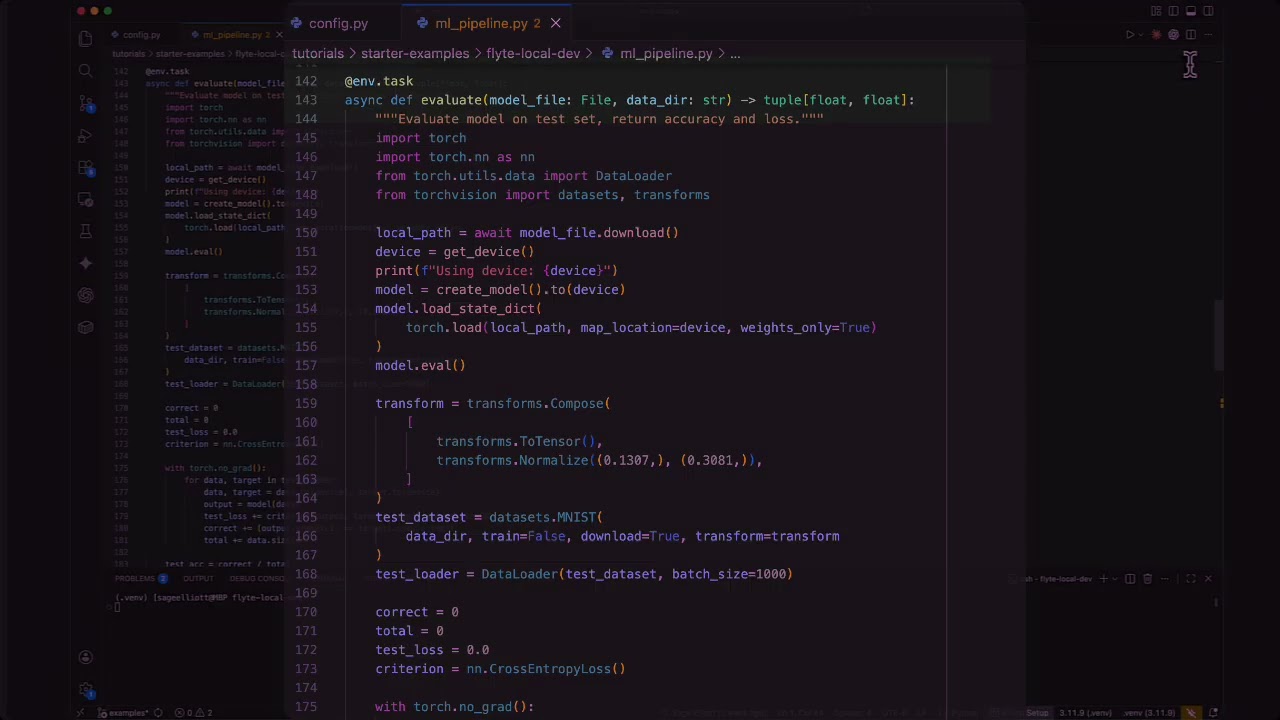
Local Development Experience
Install the TUI for a rich local development experience:
pip install flyte[tui]
Flyte 2 is licensed under the Apache 2.0 License.
Rust Controller (experimental)
The Rust controller is an alternative implementation of the remote controller written in Rust and exposed
to Python via maturin / pyo3. Distributed as a separate flyte_controller_base wheel so the main SDK does
not need to switch its build toolchain to rust/maturin. Keep important dependencies (notably flyteidl2)
in lockstep between pyproject.toml, rs_controller/pyproject.toml, and rs_controller/Cargo.toml.
Running with the Rust controller
The Rust controller is gated behind an env var. Set it to 1 (also accepts true / yes):
_F_USE_RUST_CONTROLLER=1 python examples/basics/hello_v2.py
The driver propagates this env var to all sub-task pods, so both the driver and child actions use the Rust controller for that run.
v1 limitations. The Rust controller currently supports only the legacy QueueService + StateService path. Do not combine
_F_USE_RUST_CONTROLLER=1with_U_USE_ACTIONS=1until ActionsService support lands. Other gaps tracked as follow-ups: abort RPC on cancel, trace-action enqueue,Code.ABORTEDfast-fail, tunable retries / QPS, gracefulstop(). See PR #675.
Dev iteration requires the local image builder. The
flyte_controller_basewheel is not on PyPI until release, and the remote image builder installs all wheels in a layer at once, so it cannot resolveflyte_controller_basefrom a sibling layer. Use the local image builder while developing the Rust controller:# .flyte/config.yaml image: builder: local
Developing the Rust controller
One-time setup
Build the manylinux builder images. They are cached, so you only need to rebuild them when the build tooling itself changes:
cd rs_controller
make build-builders
cd ..
Iteration loop
After every Rust change, run the all-in-one dev target from the repo root:
REGISTRY=<your-registry> make dev-rs-dist
dev-rs-dist does four things:
cd rs_controller && make build-wheels— build manylinux x86_64 + aarch64 wheels (usemake build-wheel-localif you only need a macOS wheel for the driver).make dist— build the mainflyteSDK wheel.uv run python maint_tools/build_default_image.py --registry $(REGISTRY)— build the default image with both wheels baked in and push it to your registry.uv pip install --find-links ./rs_controller/dist --no-index --force-reinstall --no-deps flyte_controller_base— refresh the wheel in your local venv so the driver picks up the new build.
After this, any flyte.TaskEnvironment that does not pass an explicit image= will resolve to the default
debian image and automatically have the Rust wheel layered in. If you do pass an explicit image=, the
auto-bake is skipped; in that case, chain .with_local_rs_controller() onto the image to bake the Rust wheel
manually.
If you only changed Python (not Rust), you can skip the wheel rebuild and just run make dist plus
the rebuild image step. The Rust wheel is reused.
Build configuration summary
The Rust crate ships with two cargo features so the same project can produce a Rust rlib and a Python extension wheel:
[features]
default = ["pyo3/auto-initialize"]            # Rust crate users; links libpython
extension-module = ["pyo3/extension-module"]  # Python wheels; no libpython linking

[lib]
crate-type = ["rlib", "cdylib"]               # Both Rust and Python usage
pyo3/auto-initializeembeds Python into Rust (works locally on macOS, fails inside the manylinux builder because libpython is unavailable there).pyo3/extension-moduleextends Python with Rust (must not link libpython for portable wheels).
So local cargo run --bin <name> uses default features, and the manylinux builder explicitly
disables defaults and turns on extension-module:
# rs_controller/pyproject.toml
[tool.maturin]
no-default-features = true
features = ["extension-module"]
Learn More
- Live Demo — Try Flyte 2 in your browser
- Documentation — Get started running locally
- SDK Reference — API reference docs
- CLI Reference — CLI docs
- Join the Flyte 2 Production Preview — Get early access
- Features — Async parallelism, app serving, tracing, and more
- Examples — Ready-to-run examples for every feature
- Contributing — Set up a dev environment and contribute
- Slack | GitHub Discussions | Issues
License
Apache 2.0 — see LICENSE.
2 maintainers


Metadata
2 maintainers
Release files for flyte 2.3.0b0
For a detailed explanation of source distributions (sdists) and built distributions (wheels), please see the package formats documentation.
Built distribution (wheel)
| File | Interpreter | ABI | Platform | Actions Reset |
|---|---|---|---|---|
| flyte-2.3.0b0-py3-none-any.whl | Python 3 | none | any | Details for flyte-2.3.0b0-py3-none-any.whl |
Release files / flyte-2.3.0b0-py3-none-any.whl
| Download URL | flyte-2.3.0b0-py3-none-any.whl |
|---|---|
| Size | 702.4 kB |
| Tags | Python 3 |
|
SHA-256 checksum How to use checksums |
814c48cddc6da0119041593903e2cae721666b46f89c2fceae34cd59e7d26e3a
|
|
BLAKE2b-256 checksum How to use checksums |
343cbcb15b193567e8fd79801b79f42af9ba404d986c4c1c8fb6e0b49a9865f6
|
| Upload date | |
|
Uploaded using Trusted Publishing? What is trusted publishing? |
No |
| Uploaded via |
twine/6.2.0 CPython/3.13.13
|
Security for flyte 2.3.0b0
Provenance
Provenance describes where a file came from. On PyPI, provenance is shared via attestations, which provide a verifiable record of the build or publishing details. View details, limitations and caveats.
No provenance found
None of the files in this release were uploaded with provenance metadata.
A note on package security
PyPI is a repository for distributing packages, not a service for auditing them. While third-party security researchers and our staff do their best to detect and remove malicious packages, PyPI cannot guarantee the quality, security or suitability of any given package.
To learn more about protecting yourself from malicious actors, visit our package security documentation.














