
Fibonacci Markup Language - where indentation follows the Fibonacci sequence

Project description
FML: Fibonacci Markup Language
A humorous markup language where indentation levels must follow the Fibonacci sequence (0, 1, 1, 2, 3, 5, 8, 13, 21, etc.) — or else!
What is FML?
FML is a markup language that enforces mathematical harmony in your documents by requiring all indentation levels to follow the Fibonacci sequence. If your indentation doesn't match a Fibonacci number, the parser will reject it with a snarky error message.
FML can be used in two modes:
- Standard mode: Any Fibonacci number indentation is allowed at any point
- Continuous mode: Indentation must follow a continuous progression through the Fibonacci sequence
Purpose
FML serves multiple purposes:
-
Educational: Demonstrates markup language concepts, parsing techniques, and the Fibonacci sequence in an interactive way
-
Creative Programming: Shows how mathematical constraints can be applied to document formatting in a novel manner
-
Versatile Tool: Works as a command-line utility, Python library, or web application
-
Programming Portfolio: Showcases package development, error handling, and API design skills
While created with humor, FML is a fully functional markup language that can be used for documentation, presentations, educational settings, or anywhere you want to add mathematical structure to your text.
Example
This line has 0 spaces of indentation
 This line has 1 space of indentation
 This line also has 1 space of indentation
  This line has 2 spaces of indentation
   This line has 3 spaces of indentation
     This line has 5 spaces of indentation
        This line has 8 spaces of indentation
             This line has 13 spaces of indentation
                          This line has 21 spaces of indentation
Features
- Enforces Fibonacci sequence indentation (0, 1, 1, 2, 3, 5, 8, 13, 21, etc.)
- Supports both standard and continuous Fibonacci indentation modes
- Converts valid FML documents to HTML or Markdown formats
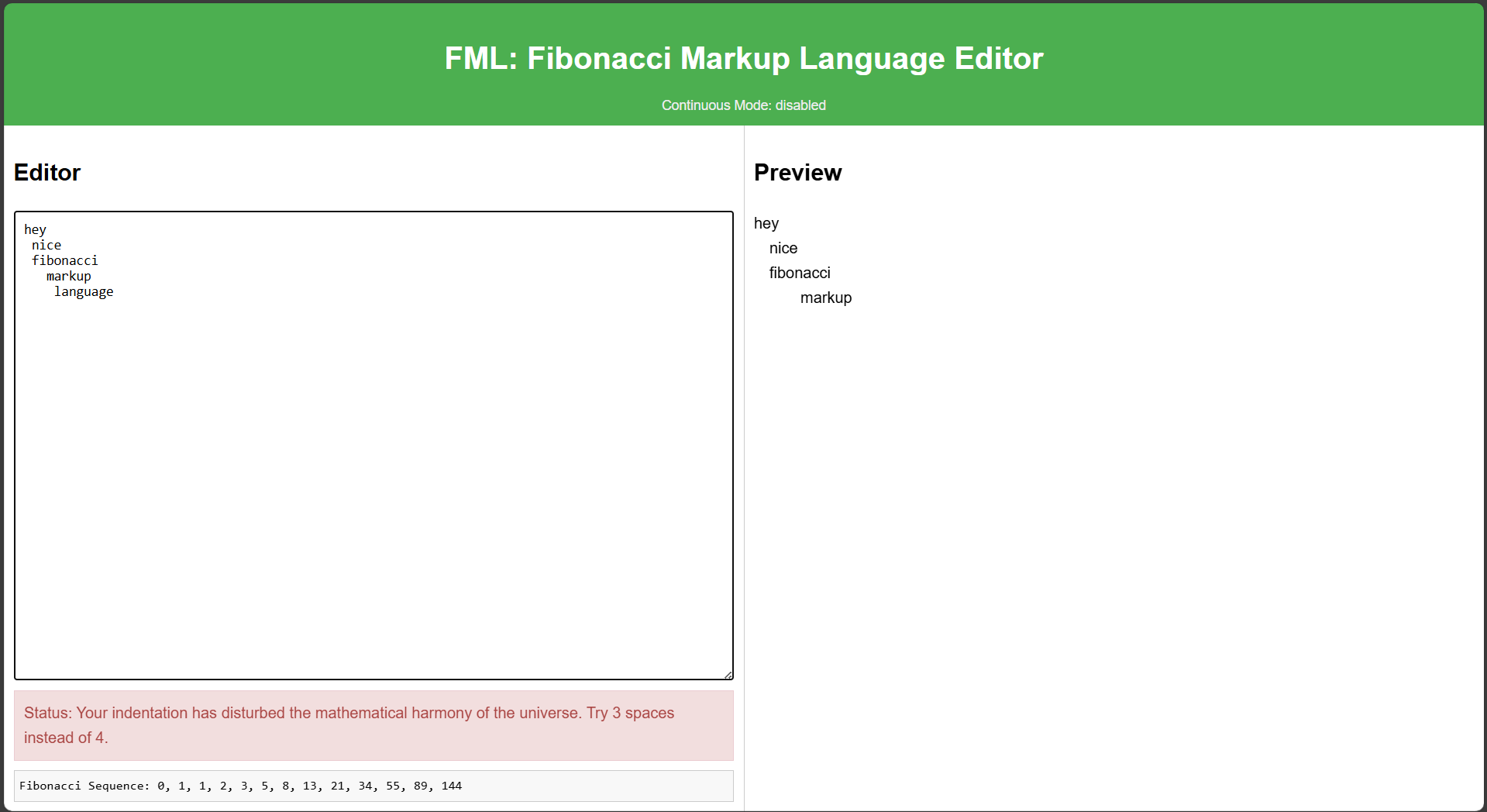
- Provides humorous error messages for non-compliant indentation
- Includes a CLI tool for validating and converting FML files
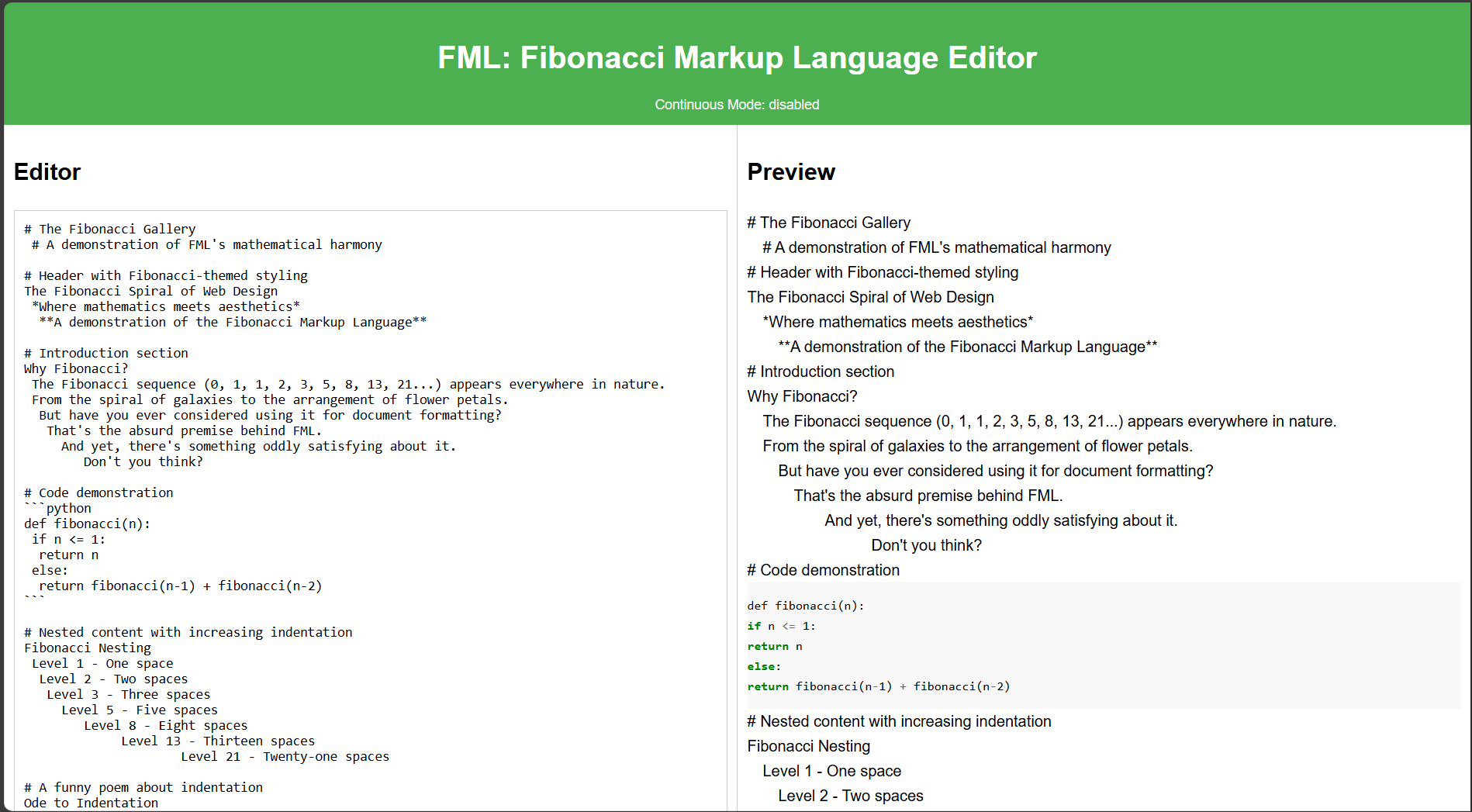
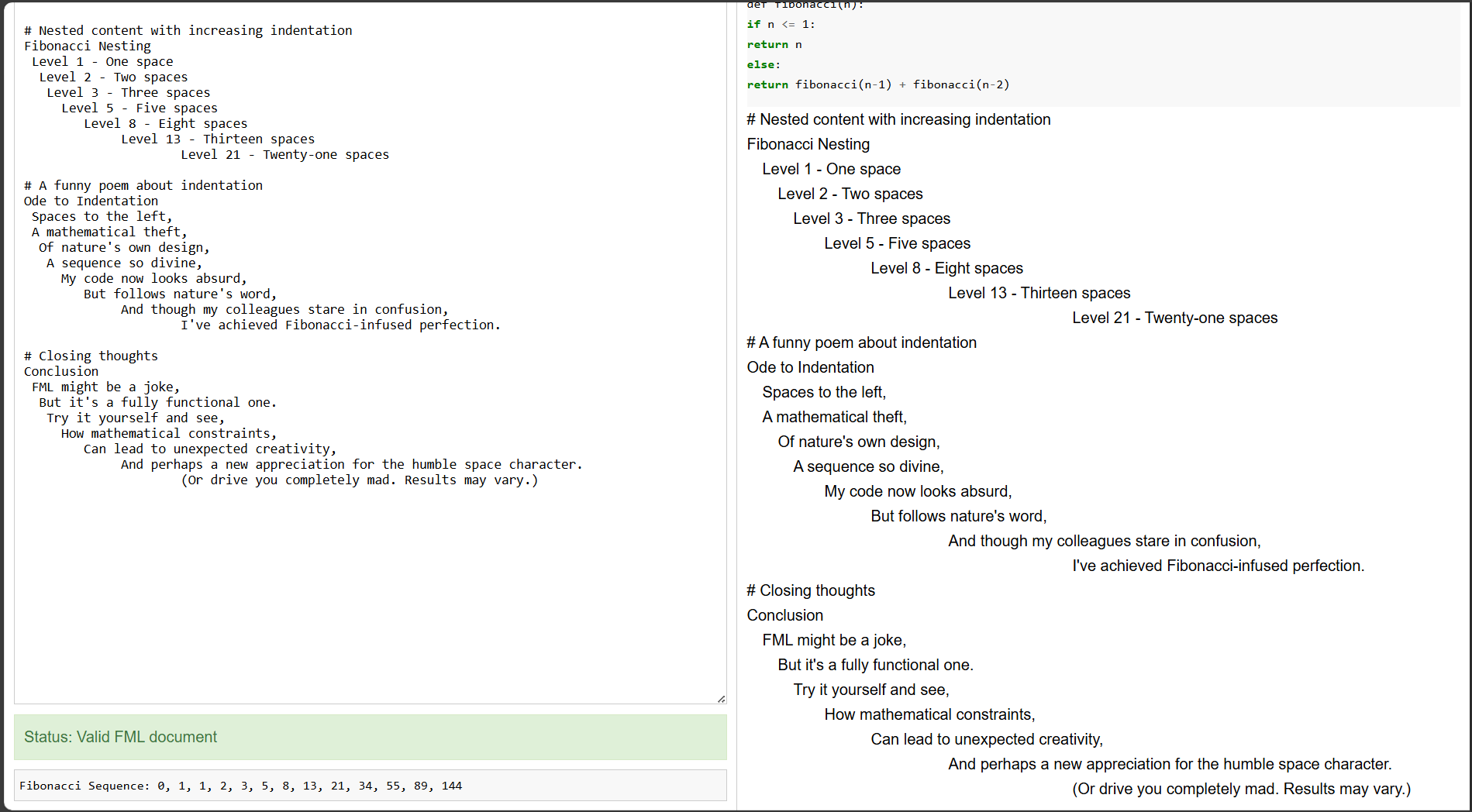
- Features an interactive web server with live preview
- Supports code blocks with proper indentation validation
Installation
pip install fml-md
Or install from TestPyPI:
pip install --index-url https://test.pypi.org/simple/ --extra-index-url https://pypi.org/simple/ fml-md
Usage
Command Line Interface
# Validate an FML file
fml validate path/to/your/file.fml

# Convert an FML file to HTML
fml convert path/to/your/file.fml output.html

# Start the FML preview server
fml serve

# Use continuous mode (where indentation must follow continuous Fibonacci rules)
fml serve --continuous
Python API
from fml.parser import FMLParser
from fml.renderer import FMLRenderer

# Parse FML content
parser = FMLParser()
content = """Welcome to FML
 This line has 1 space indentation
  This line has 2 spaces
   This line has 3 spaces
     This line has 5 spaces
"""

# Parse the content
parsed = parser.parse(content)

# Render to HTML
renderer = FMLRenderer()
html = renderer.to_html(parsed)
print(html)

# Or render to markdown
markdown = renderer.to_markdown(parsed)
print(markdown)
Web Interface
Start the web server and edit FML documents in your browser:
fml serve
Then open your browser to http://localhost:8000/
Web Interface Screenshots
The FML web interface provides a live editor and preview:
Why FML?
Because regular markup languages are too predictable. Embrace the mathematical harmony of Fibonacci in your documents!
Release history Release notifications | RSS feed


Download files
Download the file for your platform. If you're not sure which to choose, learn more about installing packages.
Source Distribution
Built Distribution
Filter files by name, interpreter, ABI, and platform.
If you're not sure about the file name format, learn more about wheel file names.
Copy a direct link to the current filters
File details
Details for the file fml_md-0.1.1.tar.gz.
File metadata
- Download URL: fml_md-0.1.1.tar.gz
- Upload date:
- Size: 16.3 kB
- Tags: Source
- Uploaded using Trusted Publishing? No
- Uploaded via: twine/6.1.0 CPython/3.13.1
File hashes
| Algorithm | Hash digest | |
|---|---|---|
| SHA256 |
a9d30304930e504701c73b2ab2c0804bc584ec592d3f219383f1d19775914b19
|
|
| MD5 |
b538bd43df3cb103c1487655d59b760b
|
|
| BLAKE2b-256 |
6fcdb3323a8178946ca6b6212ef939cf6ba9b75cb64da8f8bb163c247d014ad2
|
File details
Details for the file fml_md-0.1.1-py3-none-any.whl.
File metadata
- Download URL: fml_md-0.1.1-py3-none-any.whl
- Upload date:
- Size: 15.6 kB
- Tags: Python 3
- Uploaded using Trusted Publishing? No
- Uploaded via: twine/6.1.0 CPython/3.13.1
File hashes
| Algorithm | Hash digest | |
|---|---|---|
| SHA256 |
03d27331b0f7b1447cd7f759b930a742c51c8b3ad8767c29d9ccc352b663defa
|
|
| MD5 |
f244ab677e3d4dc3b54df8ad838a8664
|
|
| BLAKE2b-256 |
f5ce00a6e442262635ca73b68a355de15e98c004ac304c8e82cc1d42a63a93bd
|






