
Convert Floorplanner FML floor plans to Blender 3D scenes

Project description
fml2blender
Convert Floorplanner floor plans to Blender 3D scenes.
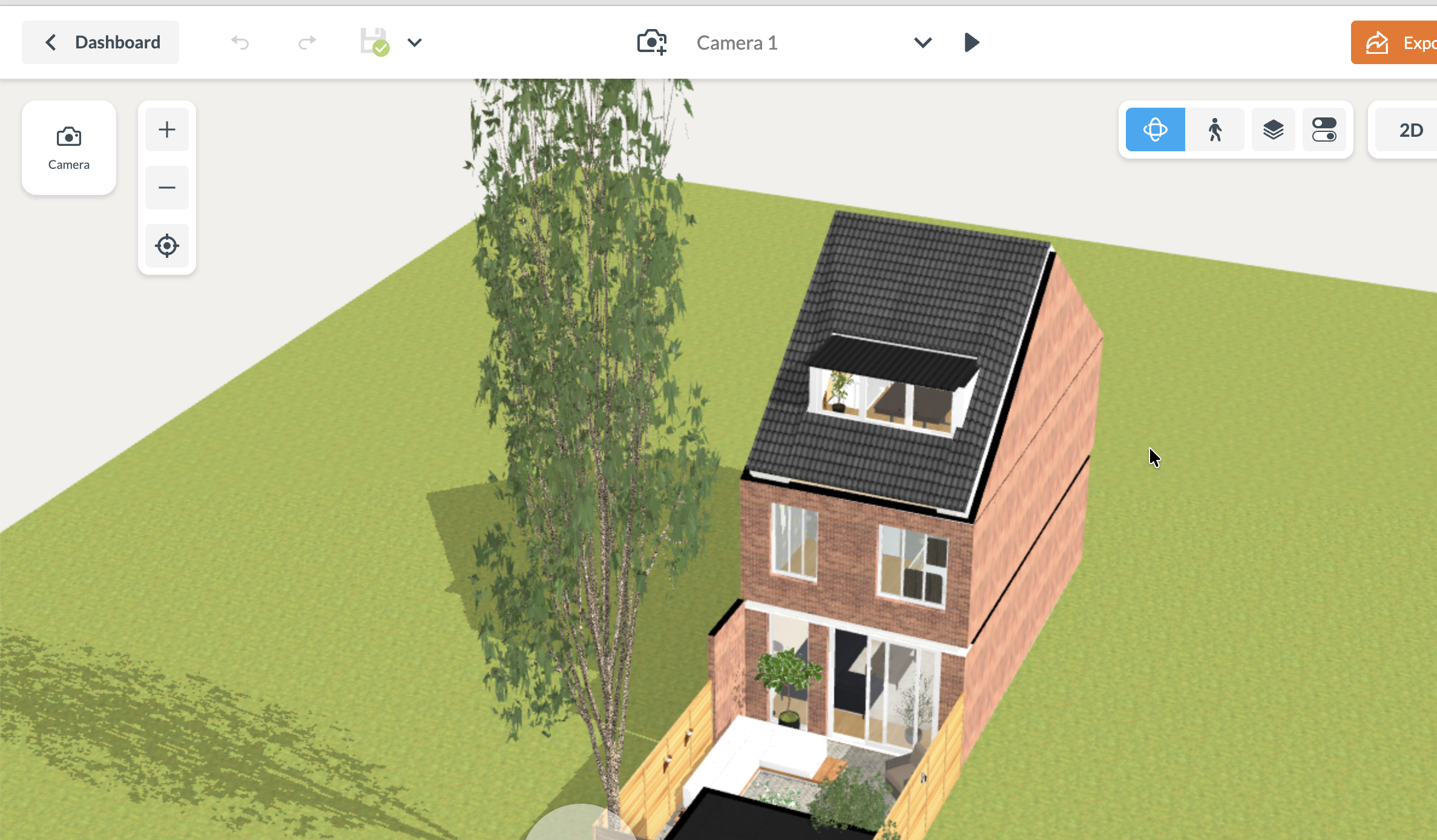
Before (Floorplanner):
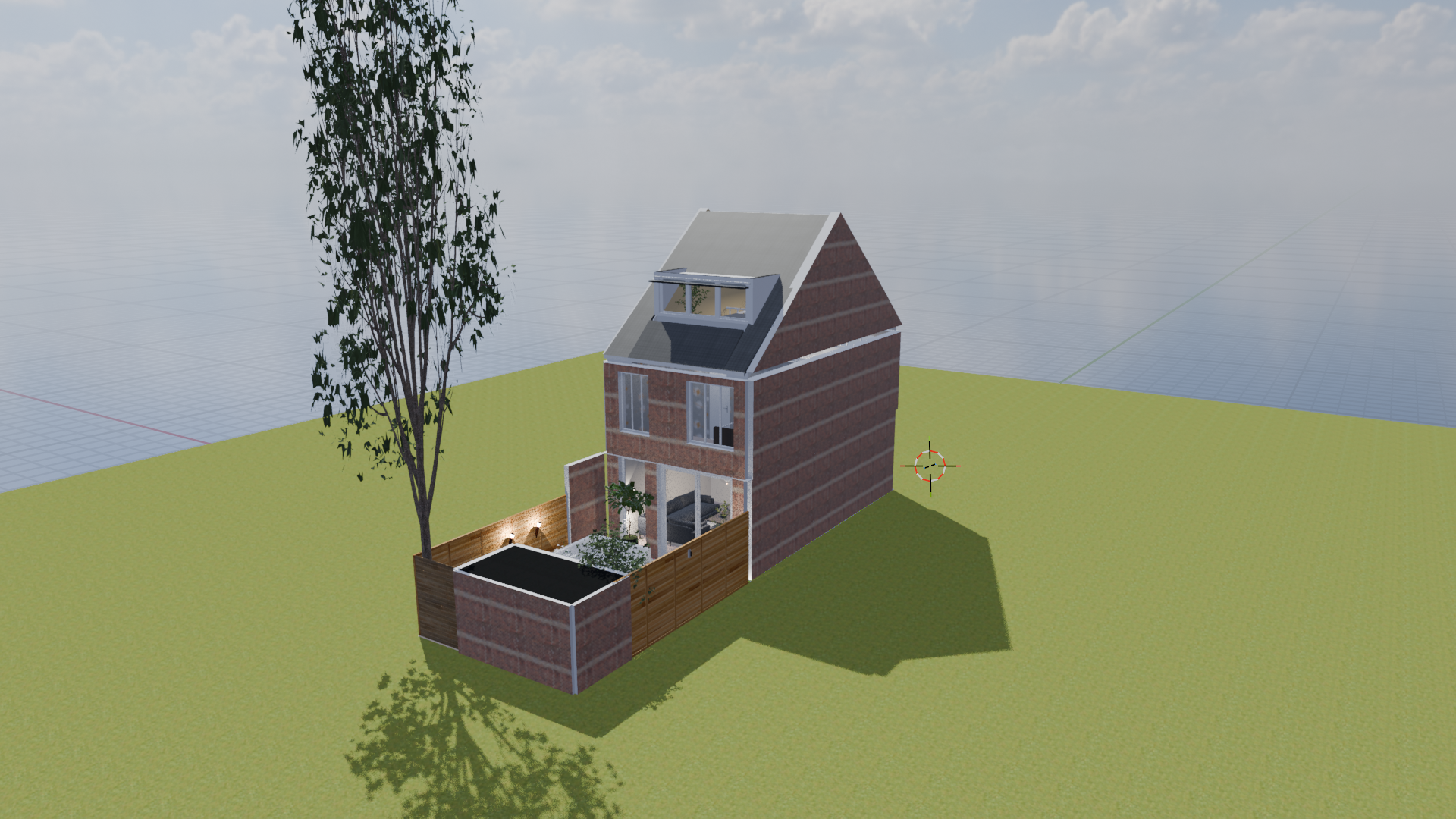
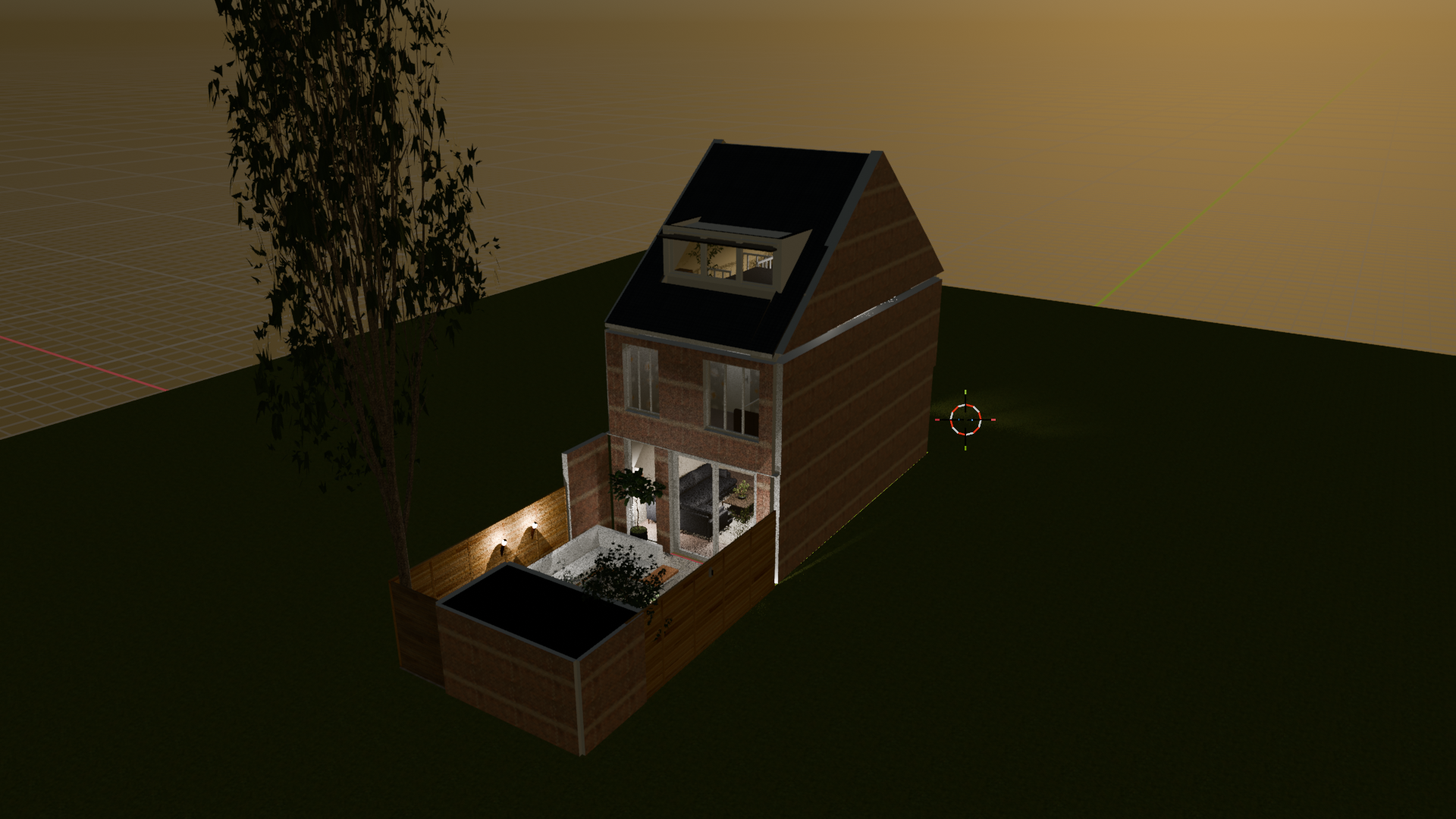
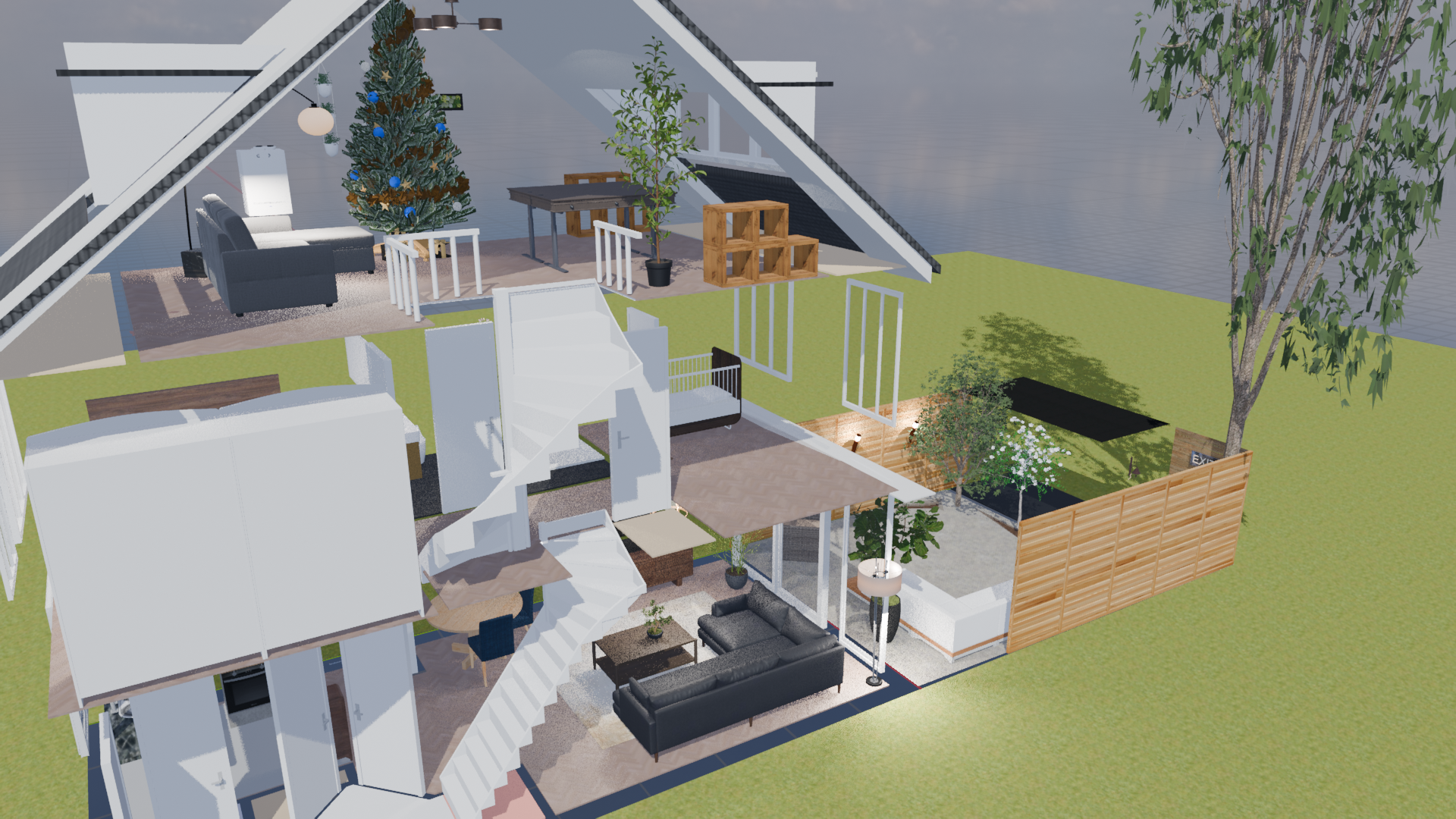
After (Blender):
Features
- 🏠 Walls with textures and proper thickness
- 🚪 Windows & Doors with automatic wall cutouts
- 🪑 Furniture positioned and scaled correctly
- 🎨 Materials including textures and colors
- 🏗️ Multi-floor support
Quick Start
1. Install
pip install fml2blender
Or install from source:
git clone https://github.com/daviddemeij/fml2blender
cd fml2blender
pip install -e .
FML files contain floor plan data used by Floorplanner. You can capture them from various website that use floorplanner such as real estate listing websites like Funda.nl
From Floorplanner.com
- Open your project on floorplanner.com
- Open browser DevTools → Network tab
- Filter by
fmlorXHR - Reload the page and you'll find one response for each floor (the 1st floor is generally the first request)
- Right-click → Copy Response → Save as
floor1.fml. Do this for each floor.
From Funda.nl
- Open a listing with an interactive floor plan
- Open browser DevTools → Network tab
- Click "Plattegrond" to load the interactive floorplan
- Filter by
fml - Save the
fmlfile (usually one file for all floors)
3. Download Assets
fml2blender harvest /path/to/project
This parses your FML files and downloads:
- 3D models (GLB) for furniture, windows, doors
- Textures (JPG/PNG) for walls and floors
Assets are saved to assets/ and a manifest.json is created.
4. Build Blender Scene
fml2blender build /path/to/project
This runs Blender in background mode and builds the 3D scene.
Options:
fml2blender build /path/to/project --gui          # Open in Blender GUI
fml2blender build /path/to/project -o scene.blend # Save to file
fml2blender build /path/to/project --level-height 3.0  # Custom floor height
Project Structure
After harvesting, your project directory should look like:
my-house/
├── floor1.fml          # Ground floor
├── floor2.fml          # First floor
├── floor3.fml          # Second floor
├── manifest.json       # Asset ID → file path mapping
├── products.json       # Product metadata (dimensions, names)
├── materials.json      # Material metadata (colors, PBR maps, tiling)
└── assets/
    ├── abc123.glb      # 3D models
    ├── def456.glb
    └── texture.jpg     # Textures
Requirements
- Python 3.10+
- Blender 4.0+ (for build command)
- For legacy GLB v1 assets (rare older windows/doors), install Node.js and
gltf-pipelineso harvest can auto-upgrade to glTF 2:npm i -g gltf-pipeline
The harvest command only needs Python. The build command requires Blender to be installed.
How It Works
-
Harvest: Parses FML JSON files to extract asset IDs, resolves them via Floorplanner's search API, downloads GLB models and textures from their CDN.
-
Build: Runs inside Blender to:
- Create walls from line segments with proper thickness
- Apply wall textures to left/right sides
- Import GLB models for furniture and openings
- Cut holes in walls for windows/doors
- Set up glass materials for transparency
License
MIT
Contributing
Contributions welcome!
Release history Release notifications | RSS feed


Download files
Download the file for your platform. If you're not sure which to choose, learn more about installing packages.
Source Distribution
Built Distribution
Filter files by name, interpreter, ABI, and platform.
If you're not sure about the file name format, learn more about wheel file names.
Copy a direct link to the current filters
File details
Details for the file fml2blender-0.1.1.tar.gz.
File metadata
- Download URL: fml2blender-0.1.1.tar.gz
- Upload date:
- Size: 27.4 kB
- Tags: Source
- Uploaded using Trusted Publishing? No
- Uploaded via: twine/6.2.0 CPython/3.14.2
File hashes
| Algorithm | Hash digest | |
|---|---|---|
| SHA256 |
2aafc05f5858332f568ffb95842b06778e80fef7c0911f6905d096da67049c25
|
|
| MD5 |
67238ab633b5fcce3b78c230dea07be8
|
|
| BLAKE2b-256 |
415c7bfe287e9fd61c6511722d94c823c6d1392a3cec8d3909ba37af0088fd71
|
File details
Details for the file fml2blender-0.1.1-py3-none-any.whl.
File metadata
- Download URL: fml2blender-0.1.1-py3-none-any.whl
- Upload date:
- Size: 27.1 kB
- Tags: Python 3
- Uploaded using Trusted Publishing? No
- Uploaded via: twine/6.2.0 CPython/3.14.2
File hashes
| Algorithm | Hash digest | |
|---|---|---|
| SHA256 |
827c753cfe055d39ac843e015564fb75e7f5873ecca2d9ed8fad5fc924e52626
|
|
| MD5 |
ef11dd4eb118362e469105c3e3d3ad33
|
|
| BLAKE2b-256 |
38a26fd00b1dd1da19f833c99c17bcef1175e809a0eb366eaac99d835b2f8ea8
|






