
 _____ _   _ ____   ____ _   _  ___   ___  _
|  ___| \ | / ___| / ___| | | |/ _ \ / _ \| |
| |_  |  \| \___ \| |   | |_| | | | | | | | |
|  _| | |\  |___) | |___|  _  | |_| | |_| | |___
|_|   |_| \_|____/ \____|_| |_|\___/ \___/|_____|
funingschool
NO Just some simple scripts for warehousing and consuming.
Key Features • How To Use • Credits • Support • License
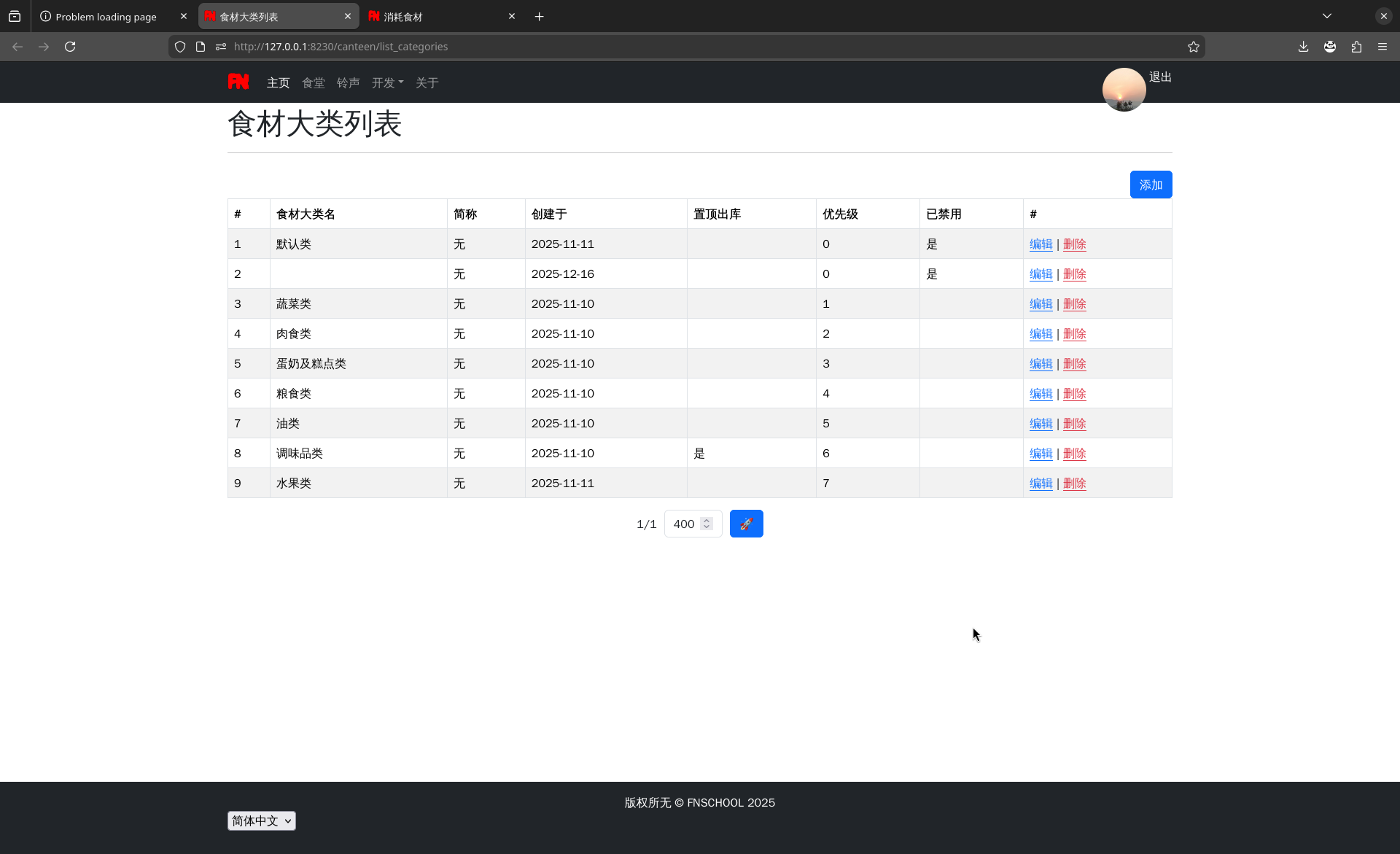
Key Features
warehousing and consuming
- Read food spreadsheets automatically.
- The simplest and most straightforward
consuming sheets. - Update sheets (warehousing, consuming, summing, etc) automatically.
- Reduce calculation errors.
- Effectively eliminate unit prices containing infinite decimals.
- Easy to use.
How To Use
Install Python3
on Debian|Ubuntu:
sudo apt-get install python3 python3-pip python-is-python3
For Windows 10 and Windows 11, you can install Python3 from https://www.python.org/getit/ . (fnschool requires Python 3.12 or later)
Install fnschool and run it
Run the command line application:
Debian|Ubuntu:Ctrl+Alt+T.Windows: "Win+R, powershell, Enter".
Enter the following commands:
# You may use the virtual enviroment on `Debian` or `Ubuntu`, the commands:
python -m venv --system-site-packages ~/pyvenv; # Create virtual enviroment.
. ~/pyvenv/bin/activate; # Use it.
# Install or update "fnschool".
pip install -U fnschool
# Update database.
python -m fnschoo1.manage migrate
# Start fnschoo1.
python -m fnschoo1.manage
It seems that the loong64 machine cannot install PyPI packages normally after setting "pip global.index-url" to the mirror site URL.
Credits
This software uses the following open source packages:
Support
Buy me a `coffee`:

License
GNU LESSER GENERAL PUBLIC LICENSE Version 31 maintainer

Download files
Download the file for your platform. If you're not sure which to choose, learn more about installing packages.
Source Distribution
Built Distribution
Filter files by name, interpreter, ABI, and platform.
If you're not sure about the file name format, learn more about wheel file names.
Copy a direct link to the current filters
File details
Details for the file fnschool-20260617.82119.813.tar.gz.
File metadata
- Download URL: fnschool-20260617.82119.813.tar.gz
- Upload date:
- Size: 932.7 kB
- Tags: Source
- Uploaded using Trusted Publishing? No
- Uploaded via:
twine/6.2.0 CPython/3.13.14
File hashes
| Algorithm | Hash digest | |
|---|---|---|
| SHA256 |
4aedfb8038ccf659c8af632cbaaf13f00671e1af583f6a7268b551e082137071
|
|
| MD5 |
809de7136a48e329630ea05f611d470d
|
|
| BLAKE2b-256 |
5afc21298d993e407353bc69e1e2acc96e00104d69b9f93d8fda407635b1a6d2
|
File details
Details for the file fnschool-20260617.82119.813-py3-none-any.whl.
File metadata
- Download URL: fnschool-20260617.82119.813-py3-none-any.whl
- Upload date:
- Size: 1.0 MB
- Tags: Python 3
- Uploaded using Trusted Publishing? No
- Uploaded via:
twine/6.2.0 CPython/3.13.14
File hashes
| Algorithm | Hash digest | |
|---|---|---|
| SHA256 |
b9a1ca77d59358f0a25da19f75af23a8b50ffaf3e42d7f4812d9fdf67499e331
|
|
| MD5 |
a5825e71dce968f2f26b8c9110039adf
|
|
| BLAKE2b-256 |
c3df5518d4c8dd4a698865fc41dec45224929c7391a1baeb95c6e7757d68eabe
|














