


Slate Backend for Foliant
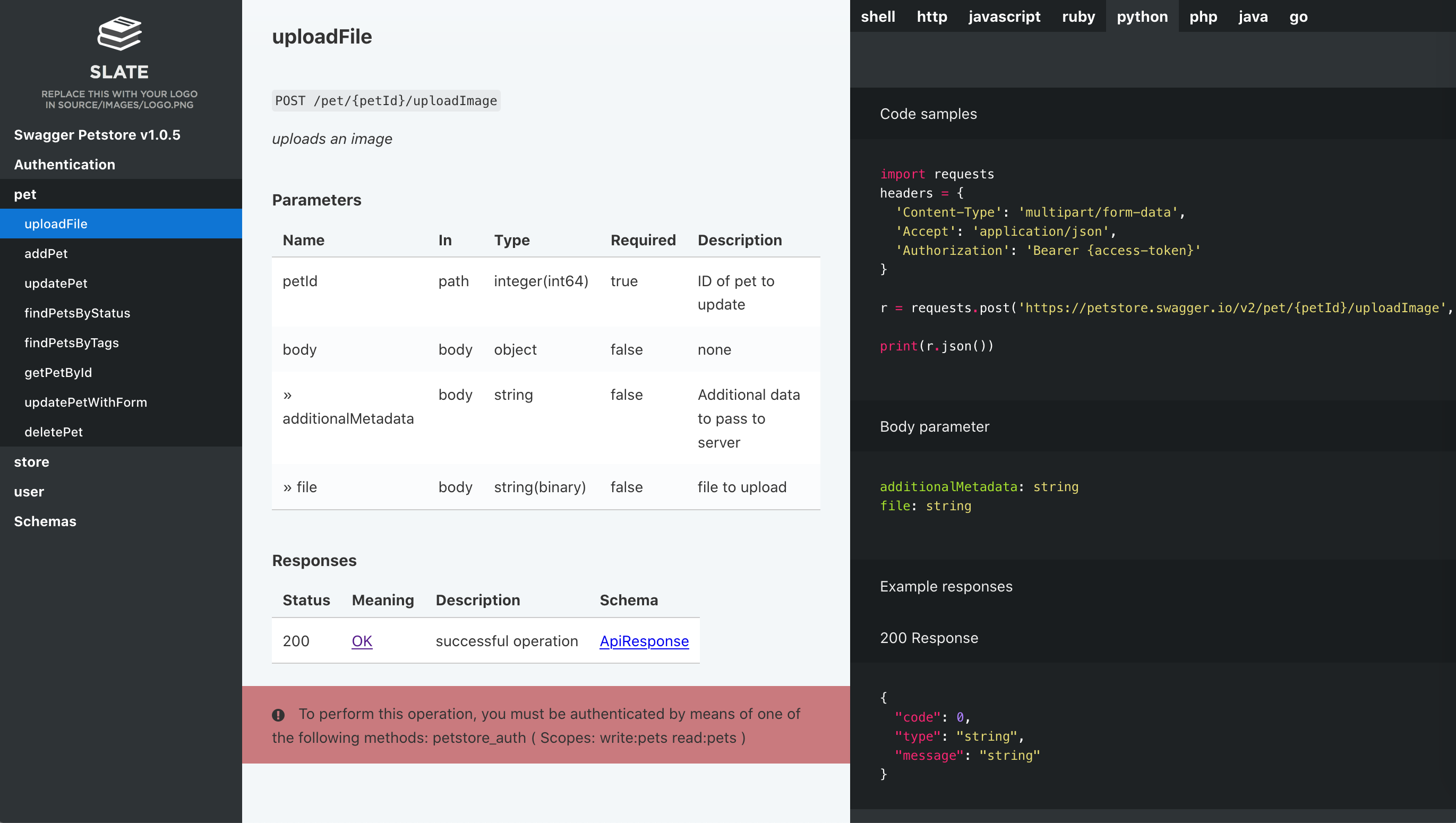
Slate backend generates API documentation from Markdown using Slate docs generator.
This backend operates two targets:
site— build a standalone website;slate— generate a slate project out from your Foliant project.
Installation
$ pip install foliantcontrib.slate
To use this backend Slate should be installed in your system. Follow the instruction in Slate repo.
To test if you've installed Slate properly head to the cloned Slate repo in your terminal and try the command below. You should get similar response.
$ bundle exec middleman
== The Middleman is loading
== View your site at ...
== Inspect your site configuration at ...
Usage
To convert Foliant project to Slate:
$ foliant make slate
Parsing config... Done
Applying preprocessor flatten... Done
Applying preprocessor _unescape... Done
Making slate... Done
─────────────────────
Result: My_Project-2018-09-19.src/
Build a standalone website:
$ foliant make site -w slate
Parsing config... Done
Applying preprocessor flatten... Done
Applying preprocessor _unescape... Done
─────────────────────
Result: My_Project-2018-09-19.slate/
Config
You don't have to put anything in the config to use Slate backend. If it is installed, Foliant detects it.
To customize the output, use options in backend_config.slate section:
backend_config:
  slate:
    shards: data/shards
    header:
        title: My API documentation
        language_tabs:
          - xml: Response example
        search: true
shards
: Path to the shards directory relative to Foliant project dir or list of such paths. Shards allow you to customize Slate's layout, add scripts etc. More info on shards in the following section. Default: shards
header
: Params to be copied into the beginning of Slate main Markdown file index.html.md. They allow you to change the title of the website, toggle search and add language tabs. More info in Slate Wiki.
About shards
Shards is just a folder with files which will be copied into the generated Slate project replacing all files in there. If you follow the Slate project structure you can replace stylesheets, scripts, images, layouts etc to customize the view of the resulting site.
If shards is a string — it is considered a path to single shards directory relative to Foliant project dir:
slate:
    shards: 'data/shards'
If shards is a list — each list item is considered as a shards dir. They will be copied into the Slate project subsequently with replace.
slate:
    shards:
        - 'common/shards'
        - 'custom/shards'
        - 'new_design'
For example, I want to customize standard Slate stylesheets. I look at the Slate repo and see that they lie in the folder <slate>/source/stylesheets. I create new stylesheets with the same names as the original ones and put them into my shards dir like that:
shards\
    source\
        stylesheets\
            _variables.scss
            screen.css.scss
These stylesheets will replace the original ones in the Slate project just before the website is be baked. So the page will have my styles in the end.
4 maintainers


Metadata
4 maintainers
Release files for foliantcontrib.slate 1.0.11
For a detailed explanation of source distributions (sdists) and built distributions (wheels), please see the package formats documentation.
Source distribution (sdist)
| File | Size | Uploaded | |
|---|---|---|---|
| foliantcontrib_slate-1.0.11.tar.gz | 6.8 kB | Details |
Built distribution (wheel)
| File | Interpreter | ABI | Platform | Reset |
|---|---|---|---|---|
| foliantcontrib_slate-1.0.11-py3-none-any.whl | Python 3 | none | any | Details |
Total release size: 13.7 kB
Release files / foliantcontrib_slate-1.0.11.tar.gz
| Download URL | foliantcontrib_slate-1.0.11.tar.gz |
|---|---|
| Size | 6.8 kB |
| Tags | Source |
|
SHA-256 checksum How to use checksums |
c997d512fd98dbb296ecceddf3493e216bd55bae6622a0d1c1412e7218edf80c
|
|
BLAKE2b-256 checksum How to use checksums |
c69ac0d40de74781b19a6cd56ee9a81393d72de4fbf135221bcf8e1c1b591466
|
| Upload date | |
|
Uploaded using Trusted Publishing? What is trusted publishing? |
No |
| Uploaded via |
twine/6.2.0 CPython/3.9.25
|
Release files / foliantcontrib_slate-1.0.11-py3-none-any.whl
| Download URL | foliantcontrib_slate-1.0.11-py3-none-any.whl |
|---|---|
| Size | 6.9 kB |
| Tags | Python 3 |
|
SHA-256 checksum How to use checksums |
f7ea5478eb3102d49ca178a5cd2b4d76dd1178daabbdb5b9bcfbbe4dea7f7ea8
|
|
BLAKE2b-256 checksum How to use checksums |
2e6ba040ee93afbd5745b4e1dac1a6df11f588d439617e58ed013bc41a044cbc
|
| Upload date | |
|
Uploaded using Trusted Publishing? What is trusted publishing? |
No |
| Uploaded via |
twine/6.2.0 CPython/3.9.25
|














