
Foreman
A Boris-style agentic orchestrator TUI that supervises headless Claude Code agents through a gated software-delivery pipeline — pointed at any repository.
plan → ADR/PRD → issues → TDD build → e2e







Why Foreman? · Demo · Quickstart · Guide · How it works · Roadmap · Contributing
"I don't prompt Claude anymore; I have loops that prompt Claude."
Foreman spawns the locally-installed claude CLI in headless stream-json mode,
parses its event stream, enforces budgets, and drives your delivery workflow with
a human-in-the-loop review gate for the design phases and guardrailed autonomy for
the build. All state is human-readable files committed inside the target repo —
no database; kill it and restart and it fully recovers from disk.
Table of contents
- Why Foreman?
- Demo
- 5-minute quickstart
- Guide — driving the TUI
- How it works
- Roadmap
- File layout
- Configuration
- The vendored skills
- Development
- Contributing
- FAQ
- Acknowledgements
- License
Why Foreman?
Running a coding agent in a while loop is easy. Running one you can trust to
merge is not. Foreman is the supervisor in between: it keeps a human at the design
gates, then hands the build to agents that are boxed in by the orchestrator, not
by their own good behaviour.
- 🚦 Gated pipeline —
plan → ADR/PRD → issues → TDD build → e2e, with human review gates on every design phase and a hash-sealed approval that auto-reverts if a doc changes. - 🤖 Real headless agents — spawns the locally-installed
claudeCLI in stream-json mode, parses its events, and enforces per-run turn/cost/time budgets. - 💾 No database — all state is human-readable files committed inside the target repo. Crash-safe: kill it mid-build and it recovers from disk.
- ⌨️ Keyboard-driven TUI — drive the entire workflow from a Textual terminal UI (full keymap below).
- 🧰 Worktree isolation — parallel workers each run in their own git worktree, footprint-gated by a declared
touchesset so they never collide. - 🛡️ Guardrails Foreman enforces (not the agent) — per-run caps, a daily cost ceiling with a hard stop, and a
PreToolUsedeny hook that blocks workers from writing their own verification. - 🔁 Evals flywheel — every run is outcome-labelled;
foreman retroclusters failures into gated skill/prompt patches that must passforeman benchbefore they can land.
Demo
foreman --demo        # launch the full TUI against a throwaway sample repo,
                      # driven by a mocked agent backend — ZERO tokens spent
foreman demo (non-interactive) and foreman --demo (the live TUI) run the entire
plan → … → e2e pipeline on canned stream-json, so you can explore every gate and
screen before spending a cent.
Dashboard at a glance (illustrative layout — run foreman --demo to see it live):
┌ Foreman ─────────────────────────────────── agentic delivery orchestrator ──┐
│ Features (n)            │ daily-plan — phase: building   cost: $0.41   ●2 wk │
│ ▸ daily-plan            │ Press b to (re)start · w workers · x attention     │
│   backlog-aging         │                                                    │
│                         │  Issue board                                       │
│ Vendored skills         │  queued     in_progress   done       merged        │
│  ✓ foreman-tdd     v4   │  ISS-004    ISS-002       ISS-001    ISS-003       │
│  ✓ foreman-grill…  v3   │             ISS-005                                │
│ Read-only agents        │                                                    │
│  ✓ foreman-evaluator    │  [ global activity log … ]                         │
├─────────────────────────┴────────────────────────────────────────────────┤
│ ⠹ ACTIVE  ISS-002 worker · turn 12/30 · $0.18 · running pytest             │
│ n New  p Plan  g Grill  s Slice  c Confirm  b Build  v Review  w Workers …  │
└────────────────────────────────────────────────────────────────────────────┘
5-minute quickstart
# 1. Install (exposes a single `foreman` command)
pipx install .            # or:  uv tool install .

# 2. Point it at any repo
cd /path/to/your/repo
foreman init              # scaffolds .foreman/ and installs the foreman-* skills
                          #   into .claude/skills/

# 3. See the whole thing work end-to-end with NO tokens spent
foreman demo              # runs the full pipeline against a throwaway sample repo
                          #   using a mocked agent backend (canned stream-json)

# 4. Launch the TUI for real work
foreman                   # (same as `foreman tui`)
foreman --demo            # launch the TUI against a throwaway sample repo
Other CLI commands
foreman status            # show vendored-skill + agent status + features for the repo
foreman init --force      # re-create config and reinstall the foreman-* skills/agents
foreman build             # resume/continue the autonomous build of a feature
foreman retro             # cluster recurring failures → gated skill/prompt patch drafts
foreman bench             # replay the eval set; report success-rate/cost/turn deltas
foreman --version
Requirements
- Python 3.11+
- The
claudeCLI installed and authenticated (claude --version) git- Linux / WSL2 (developed and tested on Ubuntu under WSL2)
Guide — driving the TUI
Foreman is fully keyboard-driven. Launch it with foreman (or foreman --demo
to try it with a mocked backend and zero token spend). Every screen also shows its
keys in the footer; the reference below is the complete map.
📖 Click to expand the full TUI guide
The shape of a session
You spend almost all of your time on the Dashboard. It lists your features on the left, shows the selected feature's current phase + cost + a live issue board on the right, and tells you the single next key to press in its hint line. The other screens (Review, Workers, Attention, Metrics, Retro, Settings) are pushed on top with a single key and dismissed with Esc.
A feature moves through phases; the Dashboard hint tells you what to press at each:
| Phase | Hint shown | You press |
|---|---|---|
request |
Run the planner | p |
plan_review |
Review the plan (a=approve, r=request changes) | v |
grilling |
Run the grill (ADR + PRD) | g |
doc_review |
Review ADR / PRD | v |
slicing |
Run the slicer | s |
queue_review |
Confirm the queue, then build | c then b |
building |
(Re)start the build · workers · attention | b · w · x |
done |
Feature complete 🎉 — see report.md |
— |
Dashboard — global keys
The home screen. Select a feature with the arrow keys, then act on it.
| Key | Action |
|---|---|
| ↑ / ↓ | Select a feature in the list |
| n | New feature (opens the create modal) |
| p | Run the planner → plan.md |
| g | Run the grill → ADR + PRD |
| s | Run the slicer → issue files |
| c | Confirm the queue (final gate before build) |
| b | Start / resume the build loop |
| v | Open the Review screen (plan / ADR / PRD) |
| w | Open the Worker view (live agent logs) |
| x | Open the Attention queue (escalations) |
| m | Open the Metrics pane |
| t | Open the Retro patch gate |
| , | Open Settings (read-only config view) |
| q | Quit |
New-feature modal (n)
A small form: type a title, Tab into the request box (description
- product requirements), then click Create (or Cancel). Submitting writes
request.mdand selects the new feature.
Review screen (v) — the design gate
Where you approve or push back on the plan, adr, and prd drafts. The top of
the screen surfaces the grill's "decisions made on your behalf" digest and any
open questions; the body renders the document; a comment box at the bottom is
used as your answers to those open questions.
| Key | Action |
|---|---|
| a | Approve the current doc |
| r | Request changes — uses the comment box as answers / change requests |
| Tab | Cycle to the next doc (plan → adr → prd) |
| Esc | Back to the dashboard |
- A draft with open questions cannot be approved — answer them via a request-changes comment first, then re-run the grill/planner to revise.
- Approval is hash-sealed: editing an approved doc's body auto-invalidates its approval (a SHA-256 of the body is re-checked on every load).
- Requesting changes on a PRD amendment can spin off concrete fix issues — the notification tells you how many and to press b to build them.
Worker view (w) — watch the build
A sidebar of running workers (id [status] $cost turns) and a live, scrolling log
of the selected worker's raw agent output, with a budget bar on top.
| Key | Action |
|---|---|
| ↑ / ↓ | Select a worker (log follows the highlight) |
| Tab | Jump to the next worker |
| k | Kill the selected worker |
| Esc | Back to the dashboard |
Attention queue (x) — rescue escalations
When a worker escalates (uncertainty, repeated evaluator disagreement, …) it lands here and the terminal bells. Select an escalation, read its detail, type your answer, and resume the worker — which picks up your answer in a fresh context.
| Key | Action |
|---|---|
| ↑ / ↓ | Select an escalation |
| Ctrl+N | Next escalation |
| Enter | Newline inside the answer box (does not submit) |
| Ctrl+S | Submit your answer & resume the worker |
| Esc | Back to the dashboard |
Submit is Ctrl+S, not Enter, so Enter stays free for multi-line answers. The submit binding fires even while the answer box has focus.
Metrics pane (m)
Success rate, mean retries/issue, cost/issue, an escalation histogram, and trends across runs for the selected feature. Esc returns to the dashboard.
Retro patch gate (t) — the human side of the flywheel
Lists the gated skill/prompt patch proposals in .foreman/retro/. Select one to see
its diff + rationale + attached bench delta. A patch lands only with both your
approval and a foreman bench report — the gate is enforced here.
| Key | Action |
|---|---|
| ↑ / ↓ | Select a proposal |
| Tab | Next proposal |
| a | Approve the proposal |
| r | Reject the proposal |
| l | Land it (requires approval and a bench report) |
| Esc | Back to the dashboard |
Generating proposals (
foreman retro) and benchmarking them (foreman bench) are long, token-spending agent runs and stay on the CLI; only the review/approve/ reject/land gate lives in the TUI.
Settings (,)
A read-only render of the active configuration. Edit .foreman/config.yaml
directly — it is validated on load. Esc returns to the dashboard.
Cheat-sheet
| Screen | Keys |
|---|---|
| Dashboard | n new · p plan · g grill · s slice · c confirm · b build · v review · w workers · x attention · m metrics · t retro · , settings · q quit |
| Review | a approve · r request changes · Tab next doc · Esc back |
| Workers | k kill · Tab next · ↑/↓ select · Esc back |
| Attention | Ctrl+S answer & resume · Ctrl+N next · Esc back |
| Retro | a approve · r reject · l land · Tab next · Esc back |
| Metrics / Settings | Esc back |
How it works
Phase A — the gated pipeline (human in the loop)
- Create a feature in the TUI (title + description + product requirements) →
request.md. - Plan — a high-reasoning planner agent (
--effortfrom config) turns the request into a deep implementation plan →plan.md(statusin_review). - Grill — the vendored
foreman-grill-docsskill challenges the approved plan against the codebase and domain model and writes an ADR and a PRD. Because there is no live user, it self-answers everything it can and surfaces the rest under an "Open questions for reviewer" block. - Review — you review each draft in the TUI: a approve, r request changes (your comments answer the open questions), tab to switch docs. A draft with open questions cannot be approved. Editing an approved doc automatically invalidates its approval (a SHA-256 of the body is checked on every load).
- Slice — once the ADR and PRD are both approved,
foreman-to-issuesbreaks the PRD into small, dependency-ordered, vertically-sliced issue files with PRD traceability. - Confirm the queue — the final gate. The queue view shows each issue's
runnable
acceptance_check,touches,prd_refs, dependencies, and conflict graph. Nothing downstream runs until you confirm.
Phase B — the autonomous build loop ("Boris loop")
A one-time initializer writes init.sh + feature-state.md. Then, for each
ready issue (queued + dependencies done) whose declared touches footprint
doesn't overlap a running one, up to max_parallel workers run concurrently, each
in its own git worktree:
- A
foreman-tddworker implements the slice (red-green-refactor), runs tests via the installedforeman-testwrapper, saves evidence underruns/<id>/evidence/, updatesprogress.md, and emits aFOREMAN-SUMMARY. - The merge gate (Foreman runs it itself, never trusting the agent) requires:
the worker's evidence is real, the issue's runnable
acceptance_checkpasses, the full test/lint/typecheck pass, and the regression ratchet is green (no previously-passing test now fails — bounces name the regressed tests). - A read-only evaluator (a separate
--agent, fresh context) then grades the diff on a 1–5 rubric; objections bounce to a fresh worker (with a distilled failure report), uncertainty/repeated disagreement escalate. Two further opt-in read-only graders — code-review and security-review — can run on the committed slice and bounce/escalate on a blocking verdict. - Pass → Foreman flips the issue's entry in
verification.json(workers are hook-blocked from writing it), commits + merges. After every N merges a janitor pass (dedup / conventions / docs) runs through the same gate. - When all issues land, an e2e agent runs, then a read-only auditor walks the PRD requirement-by-requirement; a divergence drafts a PRD amendment that re-enters the hash-sealed review gate.
Guardrails (enforced by Foreman, not the agent)
Per-run max_turns, max_cost_usd, timeout_min; per-issue max_retries;
global max_parallel and a daily cost ceiling with a hard stop. Workers can't
write verification.json / issue files (a PreToolUse deny hook, proven to hold
under acceptEdits); crash-safe per-issue locks with heartbeat reclaim prevent
double-claiming. Every enforcement event is logged and surfaced.
The evals flywheel
Every run is outcome-labelled (success_first_try | success_after_retry(n) | evaluator_bounce | escalated(reason) | …); the TUI metrics pane (press m)
renders success rate, mean retries/issue, cost/issue, and an escalation histogram.
foreman retro clusters recurring failures and drafts patches to the vendored
skills / rubric / prompts — drafts that pass the same hash-sealed review gate as
a PRD; no patch lands without a foreman bench report showing it doesn't
regress the eval set.
Roadmap
Foreman ships Phase 1 + Phase 2 today. Phase 3 is planned, not yet implemented.
- ✅ Phase 1 — the gated pipeline.
plan → ADR/PRD → issues → TDD → e2e, worktree-isolated parallel build, Foreman-owned merge gate + regression ratchet, read-only evaluator/auditor, crash-safe file state, and the full Textual TUI. - ✅ Phase 2 — the evals flywheel. Run outcome taxonomy, the metrics pane,
foreman retro/foreman bench, and hash-sealed skill/prompt patch landing. (0.6.0 adds opt-in code-review & security-review gate agents — seeCHANGELOG.md.) - 🚧 Phase 3 — hardening (planned). Training-data exporter, worker sandboxing, CLI-contract probes, and a chaos suite.
File layout
What foreman init creates inside your repo
.foreman/
  schema_version            # on-disk schema version (2); Phase-1 trees migrate additively
  config.yaml   daily_cost.json   SKILL_CHANGELOG.md
  retro/                    # gated skill/prompt patch proposals + bench reports
  features/<slug>/
    request.md  plan.md  adr.md  prd.md  report.md
    feature-state.md  init.sh             # initializer outputs (WS3)
    verification.json  baseline.json      # Foreman-owned structural-done + ratchet baseline
    reviews/    plan-v1-review.md  prd-v1-body.md ...
    issues/     ISS-001.md  ISS-001.check/ ...   # each issue ships a runnable acceptance check
    escalations/ISS-001.md ...
    runs/<timestamp>-ISS-001/{transcript.jsonl, summary.md, usage.json,
                              progress.md, verdict.json, evidence/}
.claude/skills/   foreman-grill-docs/  foreman-to-prd/  foreman-to-issues/  foreman-tdd/
.claude/agents/   foreman-evaluator.md  foreman-auditor.md  foreman-retro.md
Document statuses: drafting → in_review → changes_requested → approved
(approval auto-reverts if the body changes). Issue statuses:
queued | in_progress | tests_failing | awaiting_evaluation | needs_human | done | merged.
Configuration (.foreman/config.yaml)
See config.sample.yaml for the annotated template. Key fields: model_planner,
model_worker, model_evaluator, model_auditor, effort, required_skills,
required_agents, commands (test/lint/typecheck/e2e), git, limits,
run_budget, evaluator_*, auditor_enabled, notify_command, retry_strategy
(fresh|resume), janitor_enabled/janitor_every/janitor_kinds,
bench_eval_set/bench_cost_ceiling_usd, e2e_enabled, permission_mode.
The vendored skills
Foreman ships forked, namespaced copies of skills from
mattpocock/skills,
obra/superpowers, and Anthropic — e.g.
foreman-grill-docs, foreman-to-prd, foreman-to-issues, foreman-tdd,
foreman-debug, foreman-verify — rewritten for headless, non-interactive
orchestration with a local (non-GitHub) issue layer. The pipeline references
only these names, so it never resolves to a user-installed upstream copy; your
other installed skills remain available to workers. See NOTICE for
attribution and DECISIONS.md §8 for the per-skill changelog.
Development
uv venv && uv pip install -e ".[dev]"
pytest -q                 # full suite (uses mocked agents + real git/pytest)
The whole system is exercised offline via a mocked agent backend
(foreman demo / the test suite) so the state machine and TUI are testable without
burning tokens. The single seam is AgentBackend (backend.py): ClaudeBackend
spawns the real CLI; MockBackend replays canned stream-json.
Design rationale lives in DECISIONS.md; release history in
CHANGELOG.md.
Contributing
Contributions are welcome. Foreman is developed in the open at
n1arash/foreman.
- Open an issue for a bug or proposal: github.com/n1arash/foreman/issues.
- Set up the dev env (see Development) and branch off
main. - Keep the suite green —
pytest -qruns fully offline on the mocked backend, so no tokens are spent in CI or locally. Add tests for new behaviour. - Follow the conventions — state lives in human-readable files; the only seam
to the real agent is
AgentBackend; gates are enforced by Foreman, never trusted to the agent. New cross-cutting decisions get an entry inDECISIONS.md. - Open a PR against
mainwith a clear description and aCHANGELOG.mdnote.
FAQ
Does trying it cost tokens?
No. foreman demo and foreman --demo run the entire pipeline on a mocked
agent backend (canned stream-json), so you can explore every gate and screen with
zero token spend. Only real feature work against your repo spawns the claude CLI.
Do I need a database or a server?
No. Every bit of state is a human-readable file committed inside your target repo
under .foreman/. There is no daemon and no database — kill Foreman mid-build and
restart, and it recovers from disk.
Which models does it use?
Whatever you configure per role in .foreman/config.yaml — model_planner,
model_worker, model_evaluator, model_auditor — plus an effort knob for the
planner. Different stages can run different models.
Is my repo safe from a runaway agent?
Workers run in isolated git worktrees under per-run turn/cost/time caps and a
daily cost ceiling with a hard stop, and are hook-blocked from writing their own
verification. For unsupervised runs, use the strictest permission_mode (and ideally
a container). Foreman never trusts the agent's self-report — it re-runs the gates.
Does it work outside Linux?
It's developed and tested on Linux / WSL2 (Ubuntu). It should run anywhere the
claude CLI, git, and Python 3.11+ are available, but Linux/WSL2 is the tested path.
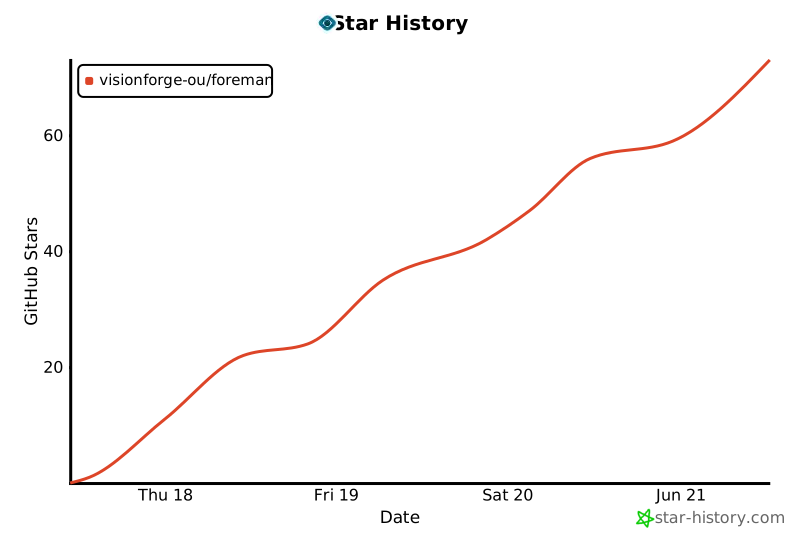
Star History
Acknowledgements
- Built on Textual for the TUI and the Claude Code CLI for the agents.
- Vendored, headless-rewritten skills are forked from
mattpocock/skills (MIT),
obra/superpowers (MIT), and Anthropic's
skills — see
NOTICEfor full attribution.
License
MIT. Portions derived from mattpocock/skills
and others (MIT) — see LICENSE and NOTICE for attribution.
1 maintainer

Release files for foreman-orchestrator 0.6.0
For a detailed explanation of source distributions (sdists) and built distributions (wheels), please see the package formats documentation.
Source distribution (sdist)
| File | Size | Uploaded | |
|---|---|---|---|
| foreman_orchestrator-0.6.0.tar.gz | 486.6 kB | Details |
Built distribution (wheel)
| File | Interpreter | ABI | Platform | Reset |
|---|---|---|---|---|
| foreman_orchestrator-0.6.0-py3-none-any.whl | Python 3 | none | any | Details |
Total release size: 691.8 kB
Release files / foreman_orchestrator-0.6.0.tar.gz
| Download URL | foreman_orchestrator-0.6.0.tar.gz |
|---|---|
| Size | 486.6 kB |
| Tags | Source |
|
SHA-256 checksum How to use checksums |
c37ad32fb5f8c5a737be75bd97c094f800280c730e1c1f37fb985fc01f114af2
|
|
BLAKE2b-256 checksum How to use checksums |
ef9e47efbfdab073a6155f489e32f9e95963b22b63db8ebf7fb22eeb05ac5093
|
| Upload date | |
|
Uploaded using Trusted Publishing? What is trusted publishing? |
Yes |
| Uploaded via |
twine/6.1.0 CPython/3.13.12
|
Provenance
Provenance describes where a file came from. On PyPI, provenance is shared via attestations, which provide a verifiable record of the build or publishing details. View details, limitations and caveats.


PyPI Publish Attestation
PyPI verified that this artifact, at this checksum, originated from the publisher listed below.
Signed by GitHub Actions, verified by PyPI on Jun 21, 2026.
Transparency logRelease files / foreman_orchestrator-0.6.0-py3-none-any.whl
| Download URL | foreman_orchestrator-0.6.0-py3-none-any.whl |
|---|---|
| Size | 205.3 kB |
| Tags | Python 3 |
|
SHA-256 checksum How to use checksums |
61dd93e90b77eeb7c51df9488ad14d56d7bdf7f32df5eb920a872e61200e4ab4
|
|
BLAKE2b-256 checksum How to use checksums |
85652e68e944cdf548caf184819bd693f7c6a2df06387e6ffceb3ab26c926d14
|
| Upload date | |
|
Uploaded using Trusted Publishing? What is trusted publishing? |
Yes |
| Uploaded via |
twine/6.1.0 CPython/3.13.12
|
Provenance
Provenance describes where a file came from. On PyPI, provenance is shared via attestations, which provide a verifiable record of the build or publishing details. View details, limitations and caveats.
PyPI Publish Attestation
PyPI verified that this artifact, at this checksum, originated from the publisher listed below.
Signed by GitHub Actions, verified by PyPI on Jun 21, 2026.
Transparency log












