
FormuLaTeX
FormuLaTeX是一个可将公式识别为LaTeX源码的轻量级Web应用。在本地的PC端开启服务器后,局域网内任何支持浏览器的设备都可以访问其功能。通过对Mathpix开发者API的封装,它不仅可以识别截图或照片中的公式,还支持移动端尤其是平板电脑进行手写输入,识别的结果将自动传送到PC的剪贴板中,从而实现了移动端手写和PC端LaTeX编辑的无缝衔接。
使用方法
Execute the commands in your terminal
pip install -i https://pypi.tuna.tsinghua.edu.cn/simple pyperclip
pip install -i https://pypi.tuna.tsinghua.edu.cn/simple flask
cd mathpix-formulatex
python math2latex.py
Visit the website URL with a browser
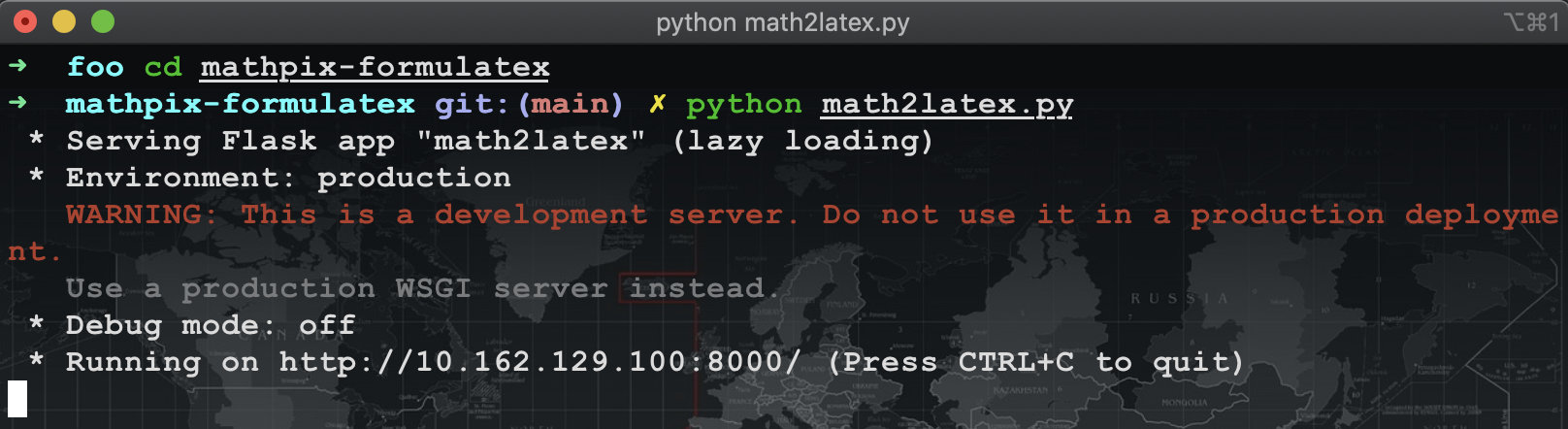
Notice that the URL in this demo's outputs is http://10.162.129.100:8000/
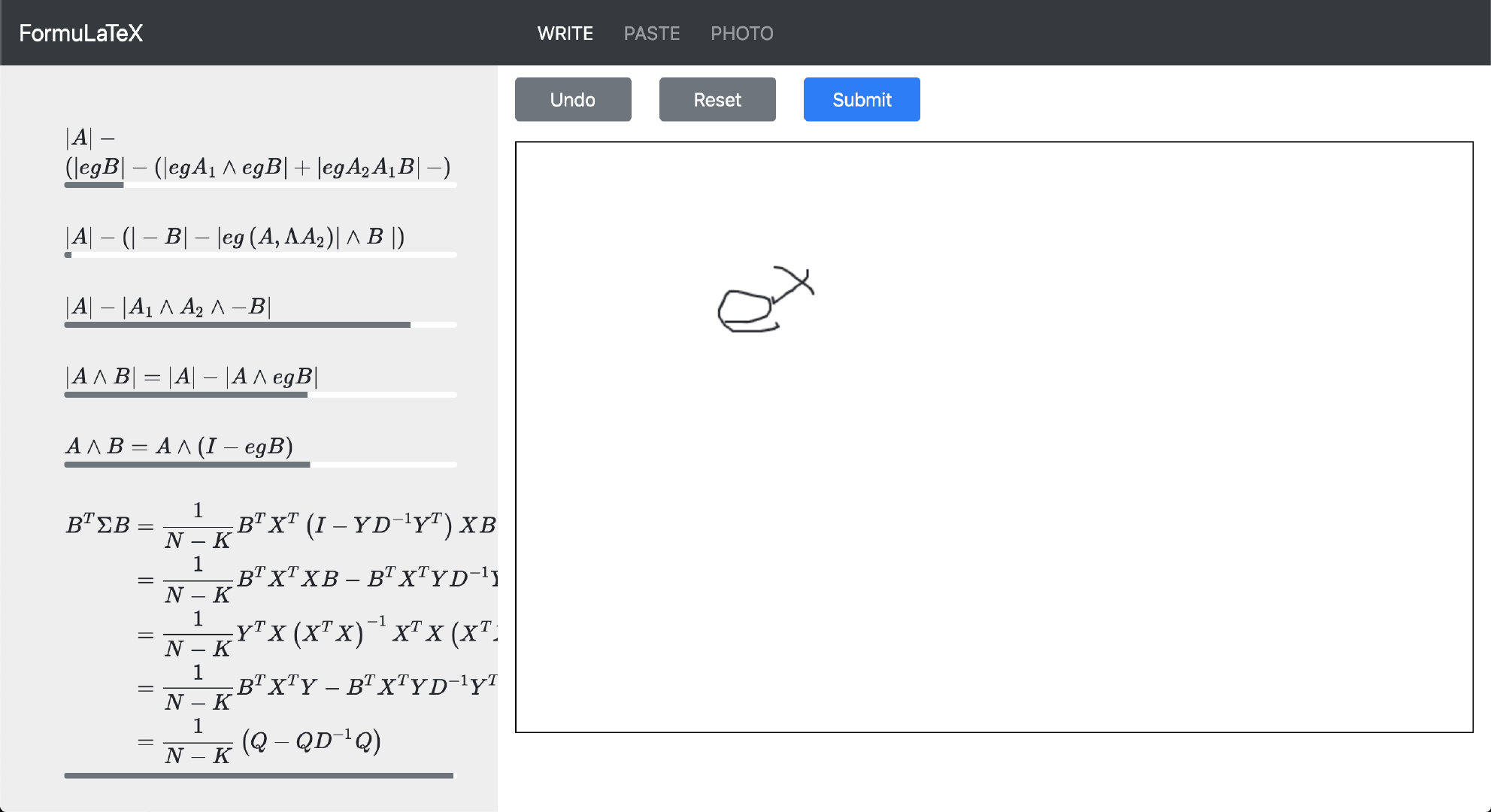
Your querying history is shown on the left side. There will be nothing if you are running this program first time on your machine. The bar below each formula means the confidence of OCR result.
WRITE You can handwrite your formula on the right canvas with your mouse on PC or iPencil on iPad. Click Undo to withdraw your last stroke. Click Reset to clean up the canvas. Click Submit and wait a second to get OCR result. When you see a new record show up on the left side, it means the result has already been copied into your clipboard. You can copy the result again by clicking on the corresponding formula.
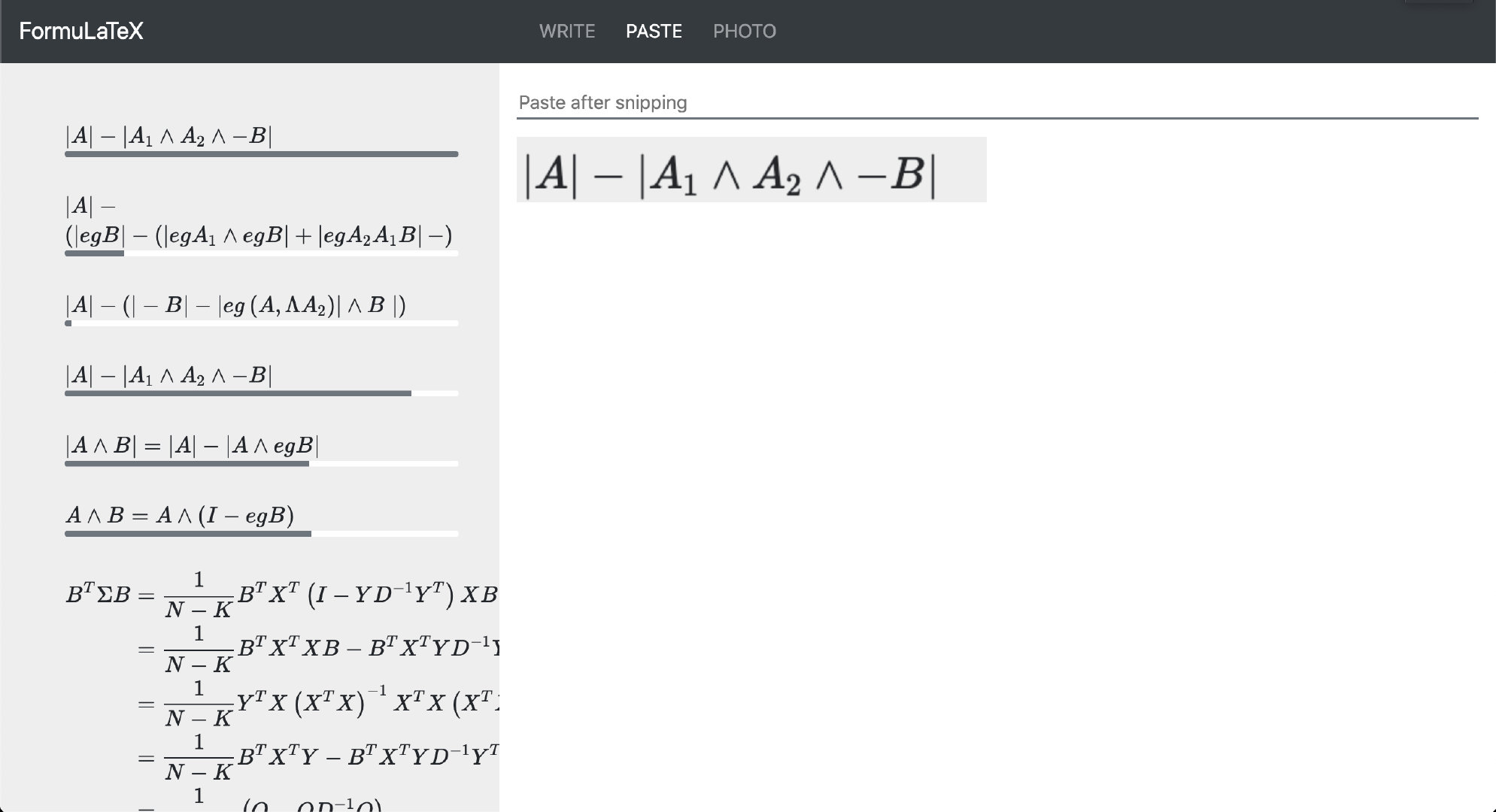
PASTE You can get a screenshot with tools of third party, eg. Sougou Pinyin for Windows and Command+Shift+4 for Mac OS. Then paste your picture into the input box on the right side. Then you will get a preview of the screenshot below the input box. When you see a new record show up on the left side, it means the result has already been copied into your clipboard. You can copy the result again by clicking on the corresponding formula.
PHOTO To be continued. If you must use a photo, you can copy the photo file and try to paste it into the input box mentioned in introduction to PASTE.
NOTICE
- If there isn't a new record shown up after operations, you should check the output of program in the terminal. Mostly this means your input is too scribble to process.
- There maybe some mistakes in the result, you should always check it manually.
1 maintainer

Download files
Download the file for your platform. If you're not sure which to choose, learn more about installing packages.
Source Distribution
Built Distribution
Filter files by name, interpreter, ABI, and platform.
If you're not sure about the file name format, learn more about wheel file names.
Copy a direct link to the current filters
File details
Details for the file formulatex-1.1.0.tar.gz.
File metadata
- Download URL: formulatex-1.1.0.tar.gz
- Upload date:
- Size: 12.9 kB
- Tags: Source
- Uploaded using Trusted Publishing? No
- Uploaded via:
twine/3.3.0 pkginfo/1.5.0.1 requests/2.24.0 setuptools/51.1.2 requests-toolbelt/0.9.1 tqdm/4.47.0 CPython/3.8.3
File hashes
| Algorithm | Hash digest | |
|---|---|---|
| SHA256 |
cd3853f8fac817730126e77daf718cc12ae3e2bb15a4af5159619bcfd9be3e12
|
|
| MD5 |
5b900998a70427ae08a084ae2812e64e
|
|
| BLAKE2b-256 |
bedb2c723889662bf4d3875162d7557197dbbb4922810f2614fa301819dfcaa1
|
File details
Details for the file formulatex-1.1.0-py3-none-any.whl.
File metadata
- Download URL: formulatex-1.1.0-py3-none-any.whl
- Upload date:
- Size: 14.7 kB
- Tags: Python 3
- Uploaded using Trusted Publishing? No
- Uploaded via:
twine/3.3.0 pkginfo/1.5.0.1 requests/2.24.0 setuptools/51.1.2 requests-toolbelt/0.9.1 tqdm/4.47.0 CPython/3.8.3
File hashes
| Algorithm | Hash digest | |
|---|---|---|
| SHA256 |
4ce875a45cc3d6e8726241c9289ad31865bfd37a0e292abcee47e44565f2288c
|
|
| MD5 |
15db097aea8650d0662b82f14d2d8d03
|
|
| BLAKE2b-256 |
b73e5ee9602f236aa6da24f54a55efe4e8e4d145cb9d8366e71941682f744fae
|













