




Download • Quick Start • Contribution Guide • License • Documentation • Publication
ForteHealth is in the incubation stage and still under development
Bring good software engineering to your Biomedical/Clinical ML solutions, starting from Data!
ForteHealth is a biomedical and clinical domain centric framework designed to engineer complex ML workflows for several tasks including, but not limited to, Medical Entity Recognition, Negation Context Analysis and ICD Coding. ForteHealth allows practitioners to build ML components in a composable and modular way. It works in conjunction with Forte and Forte-wrappers project, and leverages the tools defined there to execute general tasks vital in the biomedical and clinical use cases.
Installation
To install from source:
git clone https://github.com/asyml/ForteHealth.git
cd ForteHealth
pip install .
To install some Forte adapter for some existing libraries:
Install from PyPI:
ForteHealth is not available through PyPI yet, however it will be in the near future. Some tools are pre-requisites to a few tasks in our pipeline. For example, forte.spacy and stave maybe needed for a pipeline that implements NER with visualisation and so on, depending on the use case.
# To install other tools. Check here https://github.com/asyml/forte-wrappers#libraries-and-tools-supported for available tools.
pip install forte.spacy
pip install stave
Some components or modules in forte may require some extra requirements:
Quick Start Guide
Writing biomedical NLP pipelines with ForteHealth is easy. The following example creates a simple pipeline that analyzes the sentences, tokens, and medical named entities from a discharge note.
Before we start, make sure the SpaCy wrapper is installed.
pip install forte.spacy
Let's look at an example of a full fledged medical pipeline:
from fortex.spacy import SpacyProcessor
from forte.data.data_pack import DataPack
from forte.data.readers import PlainTextReader
from forte.pipeline import Pipeline
from ft.onto.base_ontology import Sentence, EntityMention
from ftx.medical.clinical_ontology import NegationContext, MedicalEntityMention
from fortex.health.processors.negation_context_analyzer import (
    NegationContextAnalyzer,
)

pl = Pipeline[DataPack]()
pl.set_reader(PlainTextReader())
pl.add(SpacyProcessor(), config={
    processors: ["sentence", "tokenize", "pos", "ner", "umls_link"],
    medical_onto_type: "ftx.medical.clinical_ontology.MedicalEntityMention"
    umls_onto_type: "ftx.medical.clinical_ontology.UMLSConceptLink"
    lang: "en_ner_bc5cdr_md"
    })

pl.add(NegationContextAnalyzer())
pl.initialize()
Here we have successfully created a pipeline with a few components:
- a
PlainTextReaderthat reads data from text files, given by theinput_path - a
SpacyProcessorthat calls SpaCy to split the sentences, create tokenization, pos tagging, NER and umls_linking - finally, the processor
NegationContextAnalyzerdetects negated contexts
Let's see it run in action!
for pack in pl.process_dataset(input_path):
    for sentence in pack.get(Sentence):
        medical_entities = []
        for entity in pack.get(MedicalEntityMention, sentence):
            for ent in entity.umls_entities:
                medical_entities.append(ent)

        negation_contexts = [
             (negation_context.text, negation_context.polarity)
             for negation_context in pack.get(NegationContext, sentence)
        ]

	print("UMLS Entity Mentions detected:", medical_entities, "\n")
	print("Entity Negation Contexts:", negation_contexts, "\n")
We have successfully created a simple pipeline. In the nutshell, the DataPacks are
the standard packages "flowing" on the pipeline. They are created by the reader, and
then pass along the pipeline.
Each processor, such as our SpacyProcessor NegationContextAnalyzer,
interfaces directly with DataPacks and do not need to worry about the
other part of the pipeline, making the engineering process more modular.
The above mentioned code snippet has been taken from the Examples folder.
To learn more about the details, check out of documentation! The classes used in this guide can also be found in this repository or the Forte Wrappers repository
And There's More
The data-centric abstraction of Forte opens the gate to many other opportunities. Go to this link for more information
To learn more about these, you can visit:
- Examples
- Documentation
- Currently we are working on some interesting tutorials, stay tuned for a full set of documentation on how to do NLP with Forte!
Contributing
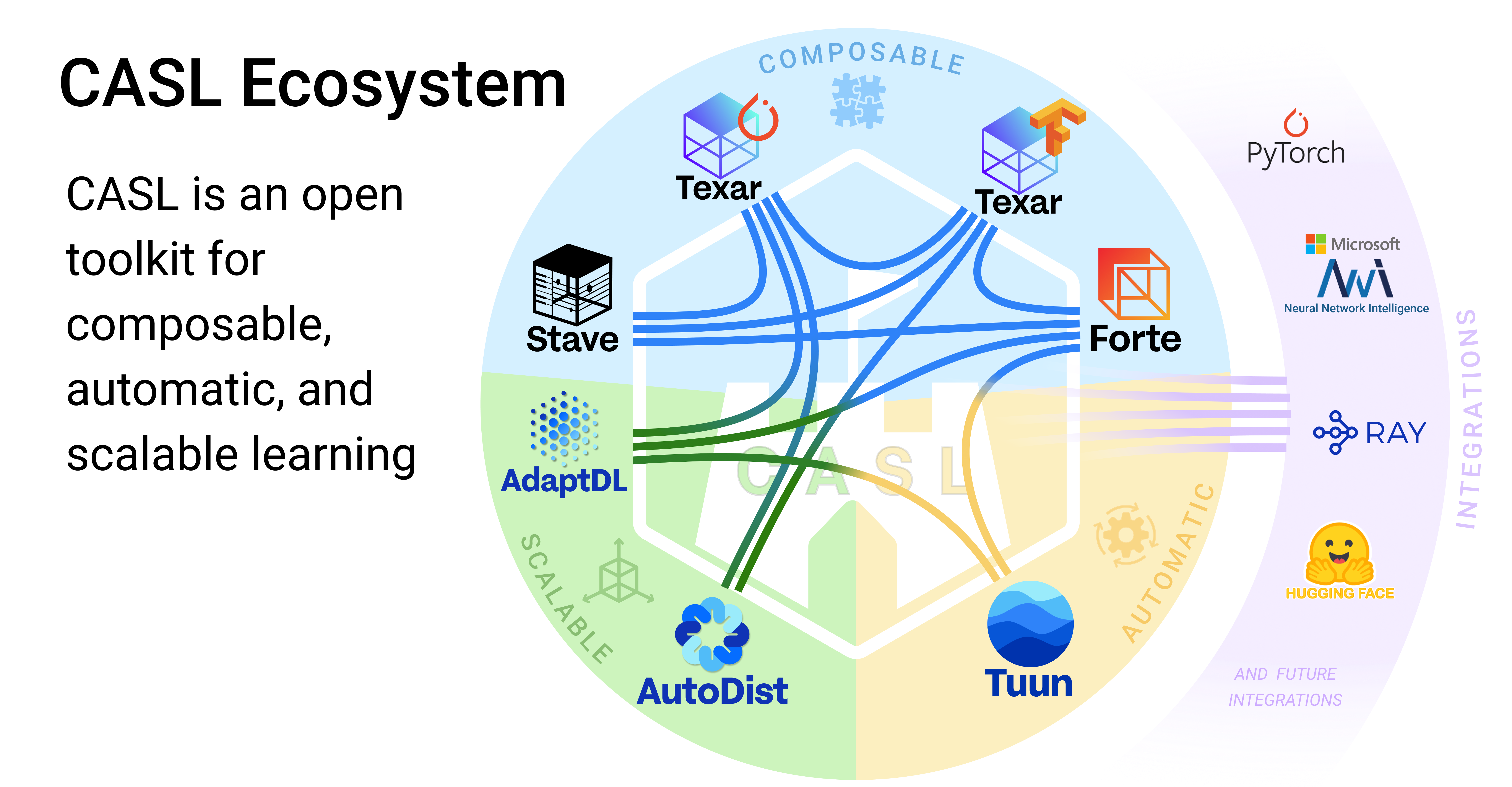
This project is part of the CASL Open Source family.
If you are interested in making enhancement to Forte, please first go over our Code of Conduct and Contribution Guideline
About
Supported By



License
3 maintainers


Metadata
3 maintainers
Release files for forte.health 0.1.0
For a detailed explanation of source distributions (sdists) and built distributions (wheels), please see the package formats documentation.
Source distribution (sdist)
| File | Size | Uploaded | |
|---|---|---|---|
| forte.health-0.1.0.tar.gz | 11.2 kB | Details |
Built distribution (wheel)
| File | Interpreter | ABI | Platform | Reset |
|---|---|---|---|---|
| forte.health-0.1.0-py3-none-any.whl | Python 3 | none | any | Details |
Total release size: 23.8 kB
Release files / forte.health-0.1.0.tar.gz
| Download URL | forte.health-0.1.0.tar.gz |
|---|---|
| Size | 11.2 kB |
| Tags | Source |
|
SHA-256 checksum How to use checksums |
3b6ca8e66573b19dc23ac32f5021ef6833aab207672c5e0ffaef2d69ef43ec7e
|
|
BLAKE2b-256 checksum How to use checksums |
a9f2e8b6851f6823c32fc20610d353728c3947b26eed18caafa7f00bc531801f
|
| Upload date | |
|
Uploaded using Trusted Publishing? What is trusted publishing? |
No |
| Uploaded via |
twine/4.0.0 CPython/3.9.13
|
Release files / forte.health-0.1.0-py3-none-any.whl
| Download URL | forte.health-0.1.0-py3-none-any.whl |
|---|---|
| Size | 12.6 kB |
| Tags | Python 3 |
|
SHA-256 checksum How to use checksums |
b538cfe12065cbcf58dfdd0a4a4252744a651daada5ce2b7bf5229c588e6c05a
|
|
BLAKE2b-256 checksum How to use checksums |
5b1c0a01e6bfa6de2738e2cbaa3630b75a1d8a95aac6f7dbe90e83adc8c2ce83
|
| Upload date | |
|
Uploaded using Trusted Publishing? What is trusted publishing? |
No |
| Uploaded via |
twine/4.0.0 CPython/3.9.13
|













