
Fossil, a Mastodon Client for Reading
A mastodon client optimized for reading, with a configurable and hackable timeline algorithm powered by Simon Wilison's llm tool. Try making your own algorithm!
Sneak peek:
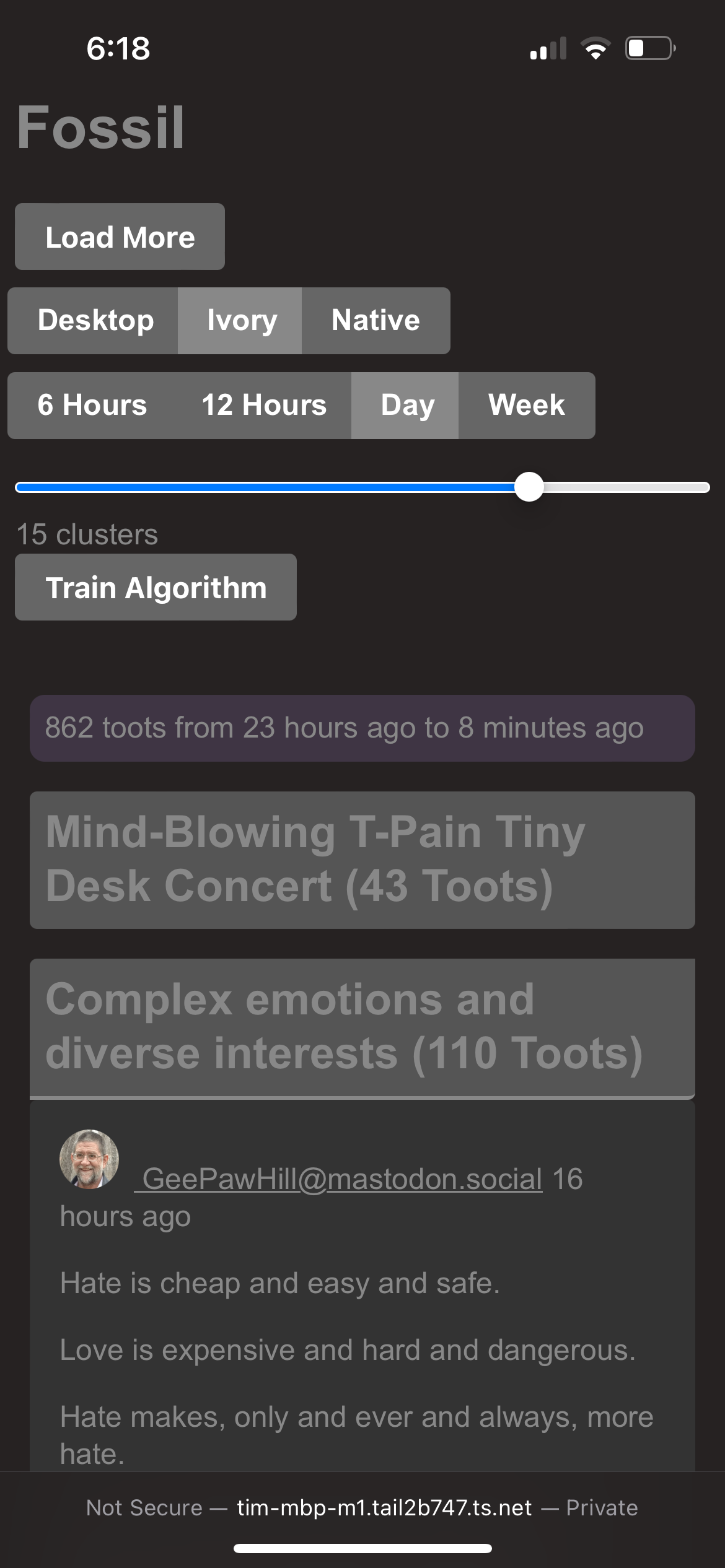
Installing & Running
From PyPi
I highly suggest not installing any Python app directly into your global Python. Create a virtual environment:
python -m venv fossil
And then activate it (see here)
source fossil/bin/activate
Alternatively, use pipx:
pip install pipx
pipx install fossil-mastodon
From Source
Clone this repo:
git clone https://github.com/tkellogg/fossil.git
And then cd fossil to get into the correct directory.
Configure the .env file
Before that, you'll need a .env file with these keys:
ACCESS_TOKEN=
Alternatively, you can set them as environment variables. All available keys are here:
| Variable | Required? | Value |
|---|---|---|
| OPENAI_API_BASE | no | eg. https://api.openai.com/v1 |
| MASTO_BASE | no? | eg. https://hackyderm.io |
| ACCESS_TOKEN | yes | In your mastodon UI, create a new "app" and copy the access token here |
Connecting to Mastodon
To get MASTO_BASE and ACCESS_TOKEN:
- Go to Mastodon web UI
- Preferences -> Development
- Click "New Application"
- Set the name
- Set "Redirect URI" to
urn:ietf:wg:oauth:2.0:oob - Set scopes to all
readandwrite(contribution idea: figure out what's strictly necessary and send a pull request to update this) - Click Submit
- Copy your access token into
ACCESS_TOKENin the.envfile. - Set
MAST_BASE. You should be able to copy the URL from your browser and then remove the entire path (everything after/, inclusive).
Usage
- Ensure the settings are correct
- "Load More" to populate the database with toots
- "Re-Train Algorithm" to categorize and label those toots.
Configure Models
Models can be configured and/or added via llm.
OpenAI
Here's how to set your OpenAI API key, which gives you access to OpenAI models:
$ llm keys set openai
Enter key: ...
Local (Experimental)
You will need to install an embedding model and a large language model. The instructions here use the llm-sentence-transformers and llm-gpt4all plugins to do so.
$ llm install llm-sentence-transformers # An Embedding Model Plugin
$ llm install llm-gpt4all # A Large Language Model Plugin
$ llm sentence-transformers register all-mpnet-base-v2 --alias mpnet # Download/Register one of the Embedding Models
Notes
- A full list of possible embedding models is composed of the default list and these models from huggingface.
- The llm-gpt4all README gives a list of models and their requirements
- The first time you use a model,
llmwill need to download it. This will add to the overall time it takes to process - The "Re-Train Algorithm" step will take a long time depending on your hardware; a progress bar is shown in the console window
- The quality of the categorization and labels are not guaranteed
Run the server
If you installed from PyPi:
uvicorn --host 0.0.0.0 --port 8888 fossil_mastodon.server:app
If you installed from source:
poetry run uvicorn --host 0.0.0.0 --port 8888 --reload fossil_mastodon.server:app
If you're working on CSS or HTML files, you should include them:
poetry run uvicorn --host 0.0.0.0 --port 8888 --reload --reload-include '*.html' --reload-include '*.css' fossil_mastodon.server:app
(Note the --reload makes it much easier to develop, but is generally unneccessary if you're not developing)
1 maintainer

Release files for fossil-mastodon 0.3.0
For a detailed explanation of source distributions (sdists) and built distributions (wheels), please see the package formats documentation.
Source distribution (sdist)
| File | Size | Uploaded | |
|---|---|---|---|
| fossil_mastodon-0.3.0.tar.gz | 603.2 kB | Details |
Built distribution (wheel)
| File | Interpreter | ABI | Platform | Reset |
|---|---|---|---|---|
| fossil_mastodon-0.3.0-py3-none-any.whl | Python 3 | none | any | Details |
Total release size: 1.2 MB
Release files / fossil_mastodon-0.3.0.tar.gz
| Download URL | fossil_mastodon-0.3.0.tar.gz |
|---|---|
| Size | 603.2 kB |
| Tags | Source |
|
SHA-256 checksum How to use checksums |
2476a7b9f307a9727806c185e752fd25b1b017a3f9cff3fa8a6da226f75181e6
|
|
BLAKE2b-256 checksum How to use checksums |
3a106daa4ed1488a6d52f9b5f686dd0692a6fd07966573ef54e7ba7793b44d03
|
| Upload date | |
|
Uploaded using Trusted Publishing? What is trusted publishing? |
No |
| Uploaded via |
twine/5.0.0 CPython/3.9.18
|
Release files / fossil_mastodon-0.3.0-py3-none-any.whl
| Download URL | fossil_mastodon-0.3.0-py3-none-any.whl |
|---|---|
| Size | 608.2 kB |
| Tags | Python 3 |
|
SHA-256 checksum How to use checksums |
63a9ad2797512240e7ec4295ef91eaa1623f09a6a4d16515818a6ecc4eb737fd
|
|
BLAKE2b-256 checksum How to use checksums |
dee38a028d9ebc6fc944f5e64eecfc105ee818c8d0339a5ad8b3967a13e53db6
|
| Upload date | |
|
Uploaded using Trusted Publishing? What is trusted publishing? |
No |
| Uploaded via |
twine/5.0.0 CPython/3.9.18
|














