
Turn your code into stylish images faster than you can say 'syntax error!' 🖼️✨

Project description
Because Your Code Deserves Art!
Ever wondered why your code looks so dull on a plain text editor? It’s time to bring some pizzazz to your programming! With fotetizar, you can transform your code into beautiful, themed images. Whether you want to share your code with flair or just need a cool screenshot for your portfolio, this tool’s got you covered.
Installation
You can easily install fotetizar from PyPI using pip:
pip install fotetizar
Usage
fotetizar can be used both in code and from the command line.
In Code
Here’s a quick example of how to use fotetizar programmatically:
from fotetizar import render_image

input_file = 'example_script.py'
theme = 'dracula'
font_path = 'path/to/custom/font.ttf'
mode = 'editor'

render_image(input_file, theme, font_path, mode)
This will generate an image of the code in example_script.py using the "dracula" theme and the specified font, in "editor" mode.
In Console
To use fotetizar from the command line, you can run the following command:
fotetizar example_script.py dracula --mode editor
This command generates an image of example_script.py using the "dracula" theme in "editor" mode.
Options / Arguments
Here are the available options and arguments for fotetizar:
-
input_file(required): The path to the input file you want to render. This should be a Python script or any text file containing code.- Example:
example_script.py
- Example:
-
theme(required): The color theme to use for rendering.- Available themes:
monokaiblackandwhitesolarizedgruvboxnorddraculagithubone_darkatomvscodecommodore64
- Example:
dracula
- Available themes:
-
--font(optional): Path to a custom font file to use for rendering.- Example:
path/to/custom/font.ttf
- Example:
-
--mode(optional): The rendering mode, either "editor" or "console".- Example:
editor
- Example:
Example Outputs
Here are some examples of what fotetizar can do:
-
Generate an image with the "dracula" theme and "editor" mode:
fotetizar example_script.py dracula --mode editor
-
Generate an image with a custom font and "console" mode:
fotetizar example_script.py nord --font path/to/custom/font.ttf --mode console
-
Use the "commodore64" theme with default settings:
fotetizar example_script.py commodore64
Example Image Outputs
Here are some examples of the images generated by fotetizar:
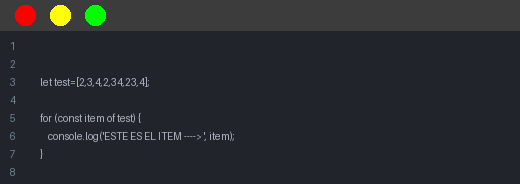
atom theme in editor mode.
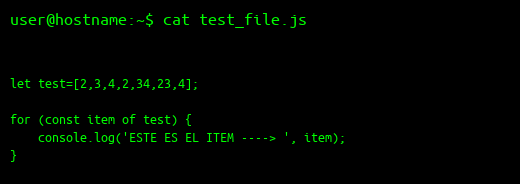
console mode.
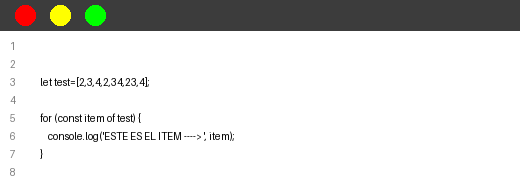
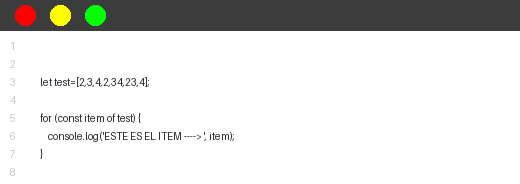
blackandwhite theme in editor mode.
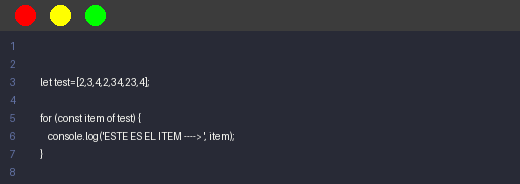
dracula theme in editor mode.
github theme in editor mode.
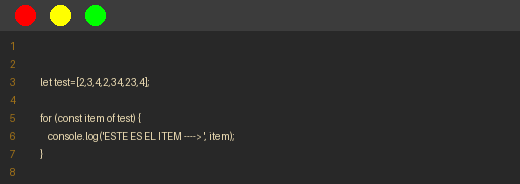
gruvbox theme in editor mode.
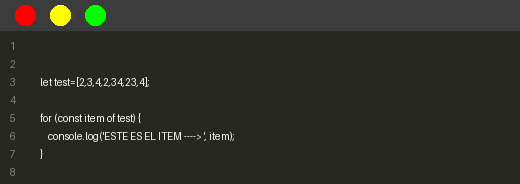
monokai theme in editor mode.
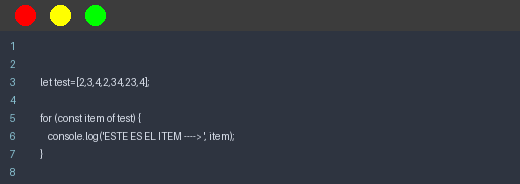
nord theme in editor mode.
one_dark theme in editor mode.
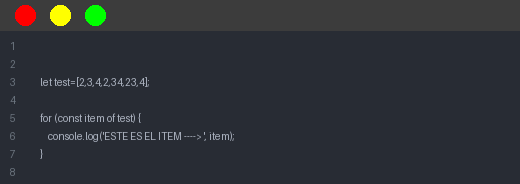
solarized theme in editor mode.
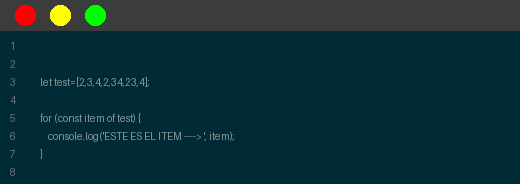
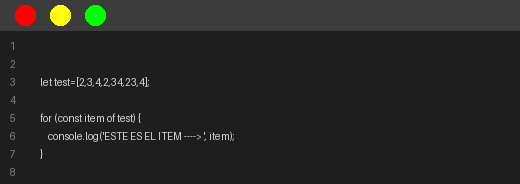
vscode theme in editor mode.
License
This project is licensed under the MIT License. See the LICENSE file for more details.
Release history Release notifications | RSS feed


Download files
Download the file for your platform. If you're not sure which to choose, learn more about installing packages.
Source Distribution
Built Distribution
Filter files by name, interpreter, ABI, and platform.
If you're not sure about the file name format, learn more about wheel file names.
Copy a direct link to the current filters
File details
Details for the file fotetizar-0.1.52.tar.gz.
File metadata
- Download URL: fotetizar-0.1.52.tar.gz
- Upload date:
- Size: 4.2 kB
- Tags: Source
- Uploaded using Trusted Publishing? No
- Uploaded via: poetry/1.7.0 CPython/3.8.10 Linux/5.15.0-119-generic
File hashes
| Algorithm | Hash digest | |
|---|---|---|
| SHA256 |
333c142b17d6f0de5e4474268a5b433b2867191ee9dcc98b90185bdcf1395d50
|
|
| MD5 |
f370ac73dffe9f52881e1d73c8d76ccb
|
|
| BLAKE2b-256 |
072b9d83680501fe6bdec13e00e1d8fa49a017fdf3605fa5103ef6d52cdbd468
|
File details
Details for the file fotetizar-0.1.52-py3-none-any.whl.
File metadata
- Download URL: fotetizar-0.1.52-py3-none-any.whl
- Upload date:
- Size: 5.0 kB
- Tags: Python 3
- Uploaded using Trusted Publishing? No
- Uploaded via: poetry/1.7.0 CPython/3.8.10 Linux/5.15.0-119-generic
File hashes
| Algorithm | Hash digest | |
|---|---|---|
| SHA256 |
4698d75fead5f169cc8c4374f75cb7fed3ccde8c925f2c60dfe50f6475de8d8c
|
|
| MD5 |
95ca4a023c0702ea2db89c17d23a98b9
|
|
| BLAKE2b-256 |
58e0b5fc20d0c6560dfa29402bb53acaf5a093ac834f8b5609b390cc1722ffd4
|






