
Fotoparadies Status Checker 📸⁉️ 
📝 Der Fotoparadies Status Checker ermöglicht das Überprüfen des aktuellen Status von abgegebenen Fotoaufträgen (beispielsweise im DM).
Installation
Am einfachsten installierst du das Tool mit pip:
pip install fotoparadies
Danach öffnest du ein neues Terminal / CMD / Shell / ... Fenster und kannst den fotoparadies-Befehl verwenden.
Beispiele findest du im folgenden:
Funktionsweise
-
Neue Aufträge hinzufügen
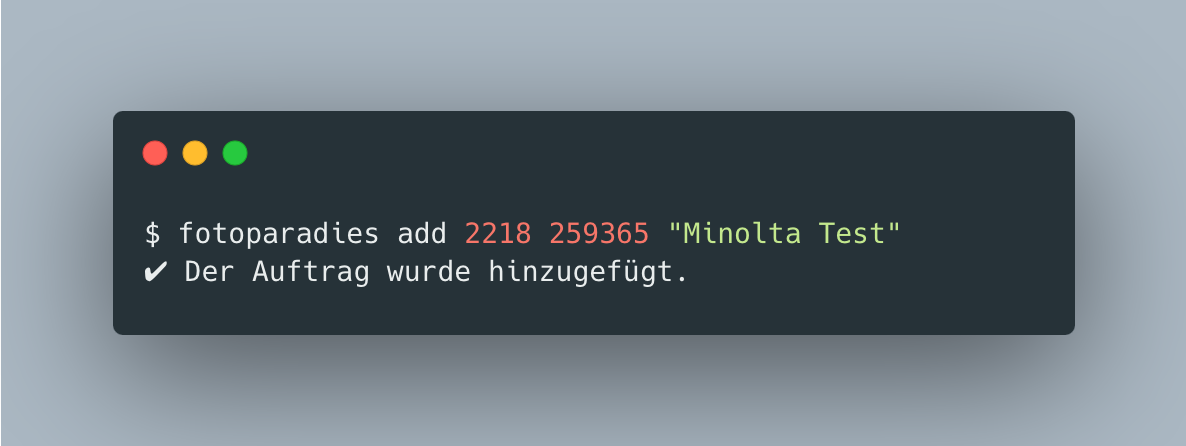
Ein neuer Auftrag wird hinzugefügt, indem das Tool mit
fotoparadies add [Filial-Nummer] [Auftragsnummer] (Name)aufgerufen wird. Der Parameter Name ist optional, er hilft aber die Aufträge voneinander zu unterscheiden. -
Status der Aufträge anzeigen
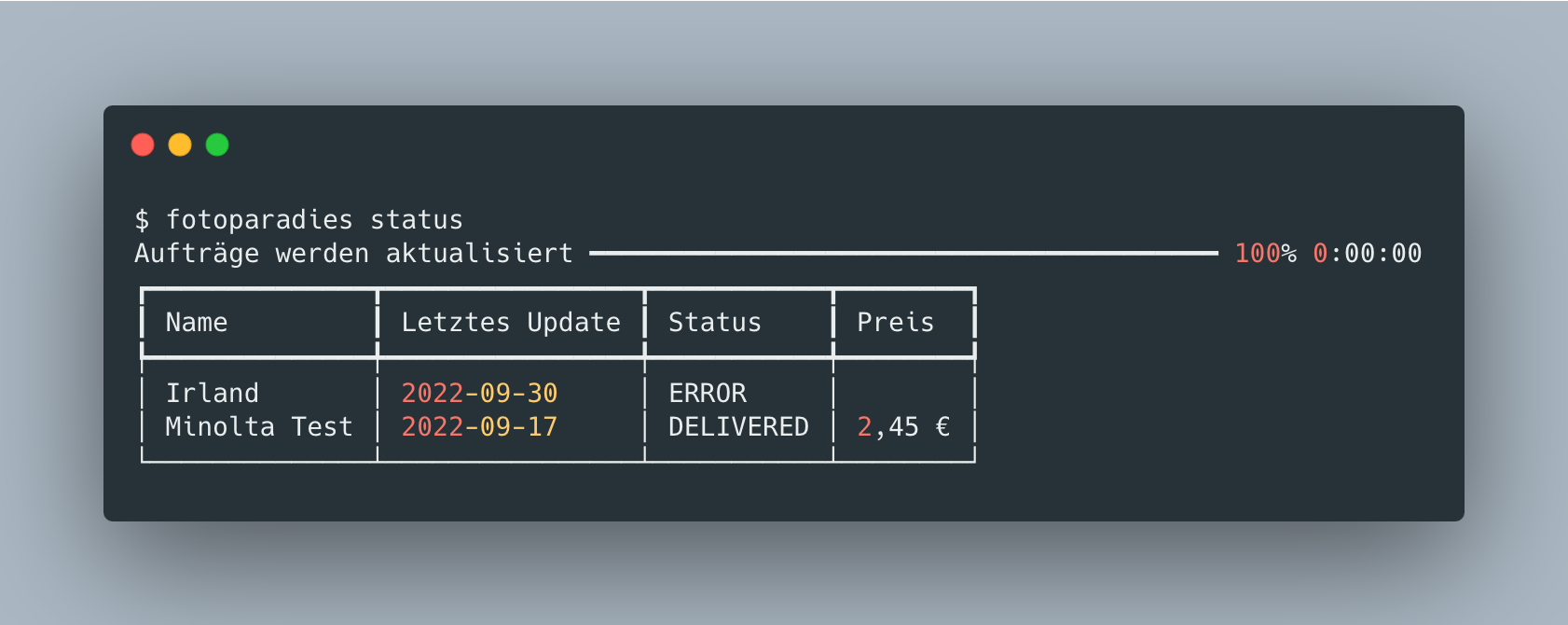
Den Status der Aufträge, lässt sich mit
fotoparadies statusanzeigen: -
Gelieferte Aufträge löschen
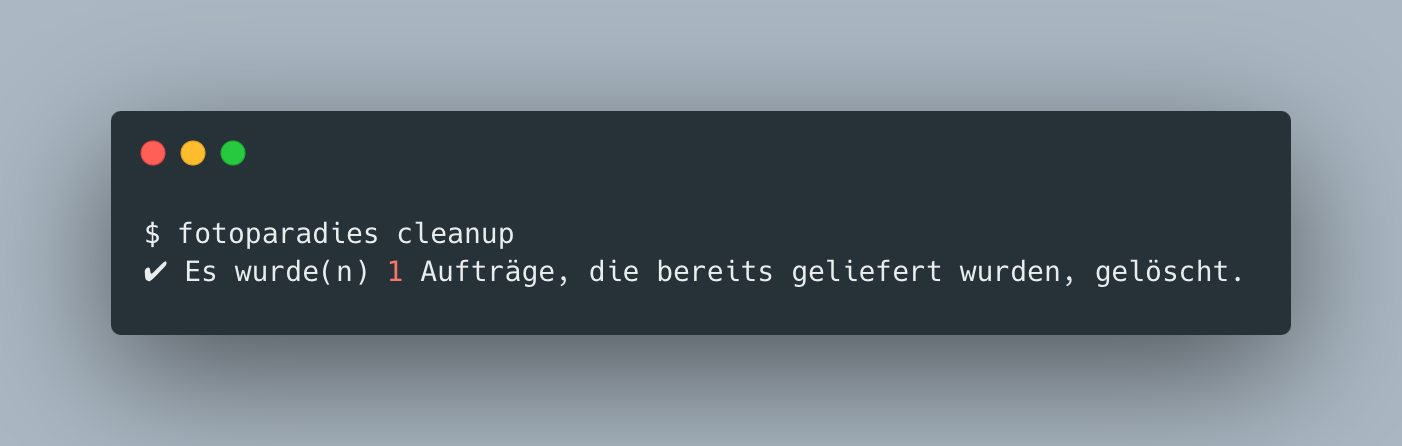
Gelieferte Aufträge (Status "Delivered") lassen sich automatisch mit dem
fotoparadies cleanupBefehl löschen: -
Auftrag manuell löschen
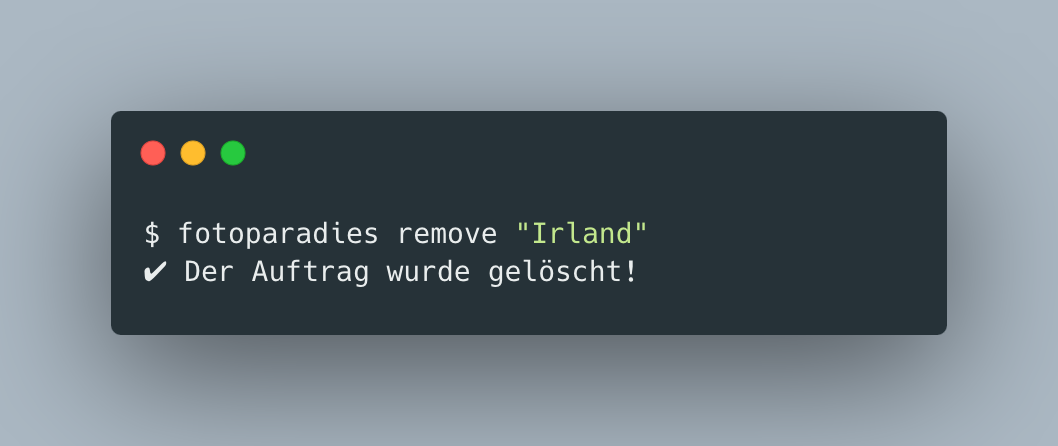
Ein Auftrag lässt sich mit dem
fotoparadies remove [Name]Befehl manuell löschen. Name ist entweder der in Schritt 1 gesetzter Name oder alternativ die Auftragsnummer.
FAQ
Q: Wieso ist der Status ERROR?
A: Der Status ist ERROR, wenn der Auftrag noch nicht im Großlabor angekommen und eingescannt wurde.
1 maintainer

Metadata
1 maintainer
Release files for fotoparadies 0.1.1
For a detailed explanation of source distributions (sdists) and built distributions (wheels), please see the package formats documentation.
Source distribution (sdist)
| File | Size | Uploaded | |
|---|---|---|---|
| fotoparadies-0.1.1.tar.gz | 5.3 kB | Details |
Built distribution (wheel)
| File | Interpreter | ABI | Platform | Reset |
|---|---|---|---|---|
| fotoparadies-0.1.1-py3-none-any.whl | Python 3 | none | any | Details |
Total release size: 11.3 kB
Release files / fotoparadies-0.1.1.tar.gz
| Download URL | fotoparadies-0.1.1.tar.gz |
|---|---|
| Size | 5.3 kB |
| Tags | Source |
|
SHA-256 checksum How to use checksums |
d7506567073fa79e4b20315c37136cd7b4f80477a9eadd72c9d169306fcad6ca
|
|
BLAKE2b-256 checksum How to use checksums |
918a662d9fffbfe4fea8c36b954dfa39b51267c5b82aef92bf76d2dce3c33cb6
|
| Upload date | |
|
Uploaded using Trusted Publishing? What is trusted publishing? |
No |
| Uploaded via |
poetry/1.2.1 CPython/3.9.2 Darwin/21.6.0
|
Release files / fotoparadies-0.1.1-py3-none-any.whl
| Download URL | fotoparadies-0.1.1-py3-none-any.whl |
|---|---|
| Size | 6.0 kB |
| Tags | Python 3 |
|
SHA-256 checksum How to use checksums |
fbeb68387e9d3370d129ba8f5e4b952310e1564e01eea0cfd1fcf2720b25165d
|
|
BLAKE2b-256 checksum How to use checksums |
1a9608cbb54f3b8edade7a1bd35285a8efbb7aa03622332a99b45a9a1c27f678
|
| Upload date | |
|
Uploaded using Trusted Publishing? What is trusted publishing? |
No |
| Uploaded via |
poetry/1.2.1 CPython/3.9.2 Darwin/21.6.0
|














