
Foxglove WebSocket server
This project has been archived.
The maintainers of this project have marked this project as archived. No new releases are expected.
Project description
Foxglove WebSocket server
This package provides a server implementation of the Foxglove WebSocket protocol with examples. The protocol enables Foxglove Studio to ingest arbitrary “live” streamed data.
Installation
$ pip install foxglove-websocket
Example servers
This package includes example servers demonstrating how to use JSON and Protobuf data. To install additional dependencies required for the examples, run:
$ pip install 'foxglove-websocket[examples]'
Run a simple example server that publishes messages on a single example_msg topic:
-
JSON server – Uses JSON to encode message data and JSON Schema to describe the message layout.
python -m foxglove_websocket.examples.json_server -
Protobuf server – Uses Protobuf to encode message data.
python -m foxglove_websocket.examples.protobuf_server
Note: You must exit each server (control + c) before starting up another.
To see data from any server, open Foxglove Studio with a Foxglove WebSocket connection to ws://localhost:8765/:
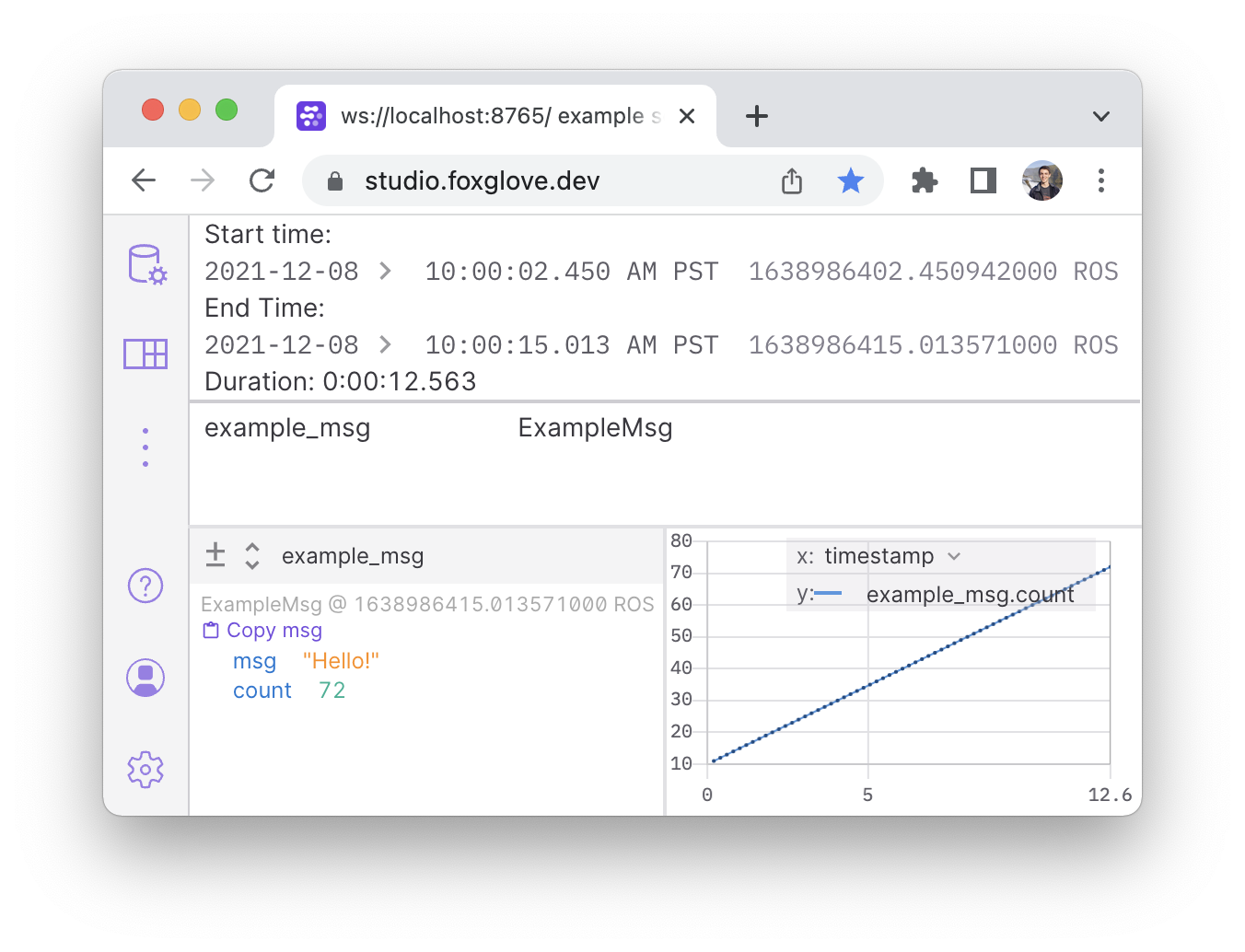
To customize each server for your specifications, copy either server into a separate file like server.py and make the desired adjustments to this template. Start up your server from the command line, using python3 server.py.
Multi-threaded usage
The threaded_server example demonstrates how to use the FoxgloveServer class in a thread-safe way when interacting with a threaded middleware. Run the server using:
python -m foxglove_websocket.examples.threaded_server
When connected to the server in Foxglove Studio, use the Data Source Info panel to see channels appearing and disappearing, and a Plot panel to visualize data on each channel.
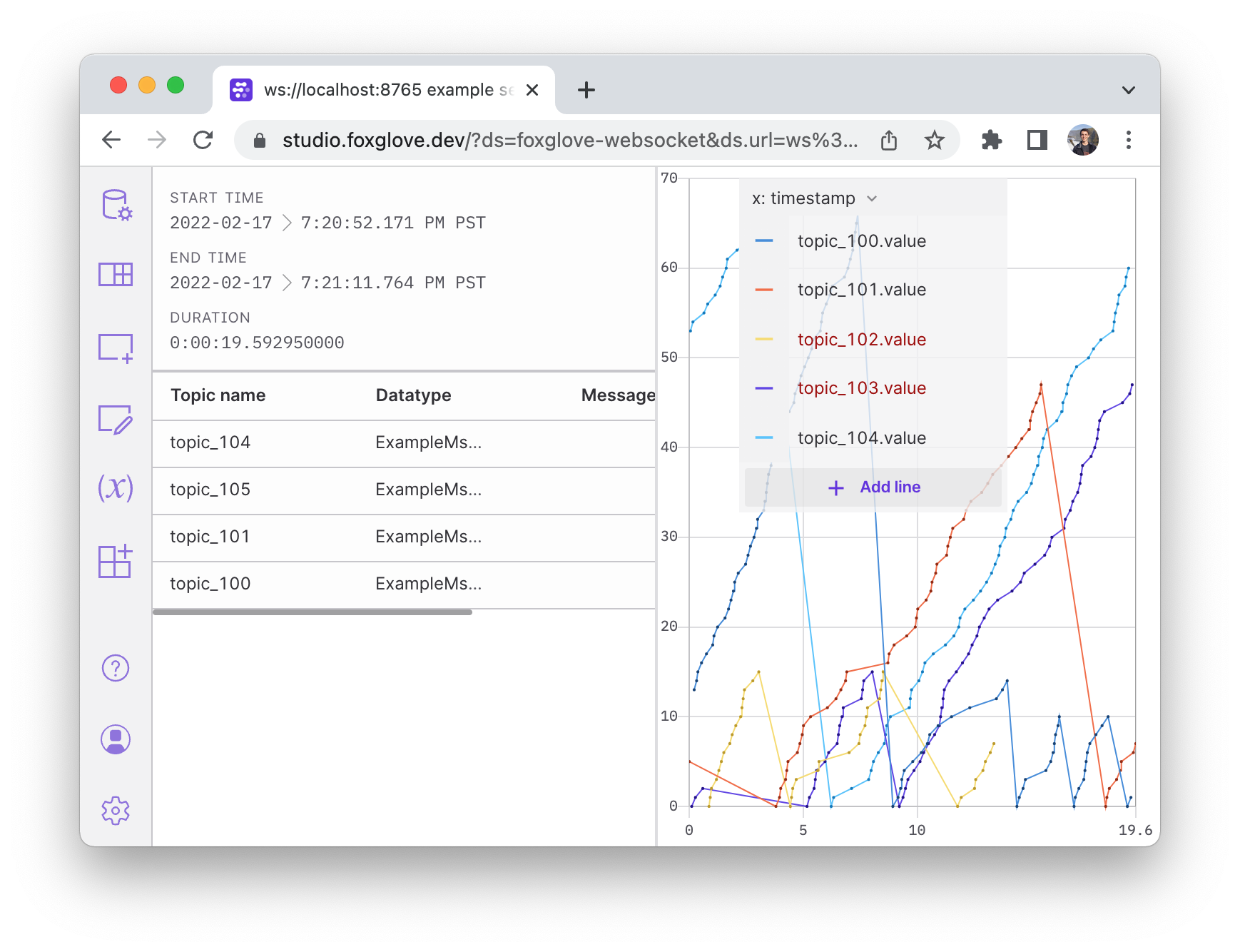
For a more detailed explanation, read the example's source code.
Development
When developing or maintaining the foxglove-websocket package, it is recommended to use pipenv to manage development dependencies and virtualenv.
pipenv install --dev– Create avirtualenvand install development dependenciespipenv shell– Enter thevirtualenv
Project details
Release history Release notifications | RSS feed


Download files
Download the file for your platform. If you're not sure which to choose, learn more about installing packages.
Source Distribution
Built Distribution
Filter files by name, interpreter, ABI, and platform.
If you're not sure about the file name format, learn more about wheel file names.
Copy a direct link to the current filters
File details
Details for the file foxglove-websocket-0.1.1.tar.gz.
File metadata
- Download URL: foxglove-websocket-0.1.1.tar.gz
- Upload date:
- Size: 15.8 kB
- Tags: Source
- Uploaded using Trusted Publishing? No
- Uploaded via: twine/4.0.1 CPython/3.11.3
File hashes
| Algorithm | Hash digest | |
|---|---|---|
| SHA256 |
62323e044d83db49360f310c53ee7a8af3856ed65c530f0e4a64e330434b194a
|
|
| MD5 |
254c73f2d6781391d90443eee3e20b72
|
|
| BLAKE2b-256 |
d90a44cf97c827fc67f3a0233b3bd1abe79eada810731a24186cfe6c89344521
|
File details
Details for the file foxglove_websocket-0.1.1-py3-none-any.whl.
File metadata
- Download URL: foxglove_websocket-0.1.1-py3-none-any.whl
- Upload date:
- Size: 13.9 kB
- Tags: Python 3
- Uploaded using Trusted Publishing? No
- Uploaded via: twine/4.0.1 CPython/3.11.3
File hashes
| Algorithm | Hash digest | |
|---|---|---|
| SHA256 |
b4853045631e021c804a50d308a2ecb98ffad6479652b86ade8016393cdfd77f
|
|
| MD5 |
24c68fe08b8101bc136f06067d7e3cae
|
|
| BLAKE2b-256 |
93f482621ee65a891fd9ae84f09a5fdb5fef8df91a4905f41611b9e0af603662
|






